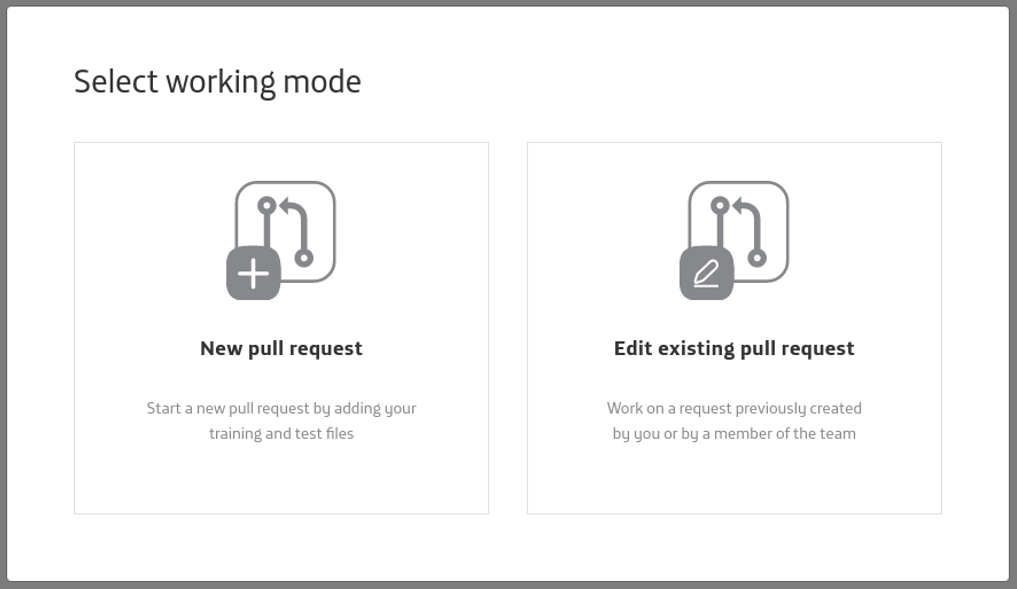
Categories:
Abacus 1.0.0. initial set-up
Using Abacus for the first time? Follow these guidelines for its set-up.
⚠️ This process must be done only once, the firt time you open Abacus.
Prerequisites for using Abacus
Check that you fulfil these requisites before Abacus set-up.
-
You have the NLP Virtual Machine installed and working, with your aura-nlpdata working branch generated.
-
The understanding model is already defined and configured.
-
You have generated the specific training files and E2E test files required for each stage of your NLP pipeline.
-
You have already filled the variables required for training in the configuration file build_local_variables.sh.
Steps for Abacus set-up
-
Access the NLP Virtual Machine.
-
Enter your local working project, henceforth {Root_project}, whose name should be:
aura-nlpdata-[country-code]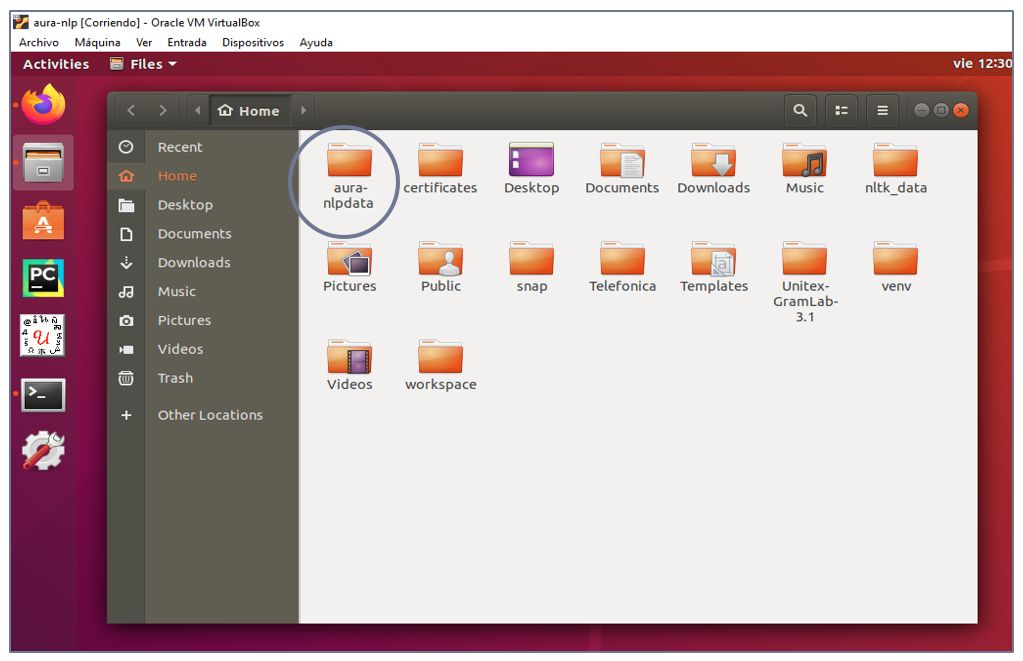
-
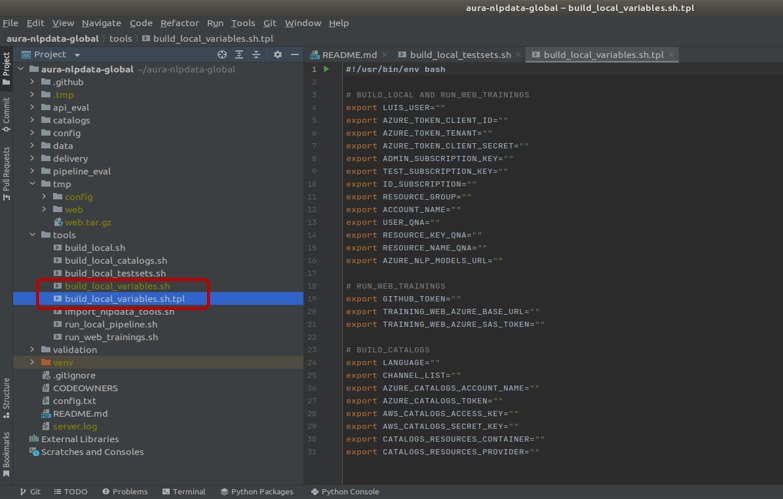
Copy the local variables configuration template:
"${Root_project}/tools/build_local_variables.sh.tpl"
and rename as:
"${Root_project}/tools/build_local_variables.sh"cd ${Root_project}/tools cp build_local_variables.sh.tpl build_local_variables.sh
-
Access the file
build_local_variables.shin the tools/ folder. -
Fill in the variables inside the “run_web_trainings” section:
-
TRAINING_WEB_AZURE_BASE_URLandTRAINING_WEB_AZURE_SAS_TOKENvariables:
Ask the APE Team for them. -
GITHUB_TOKENvariable:-
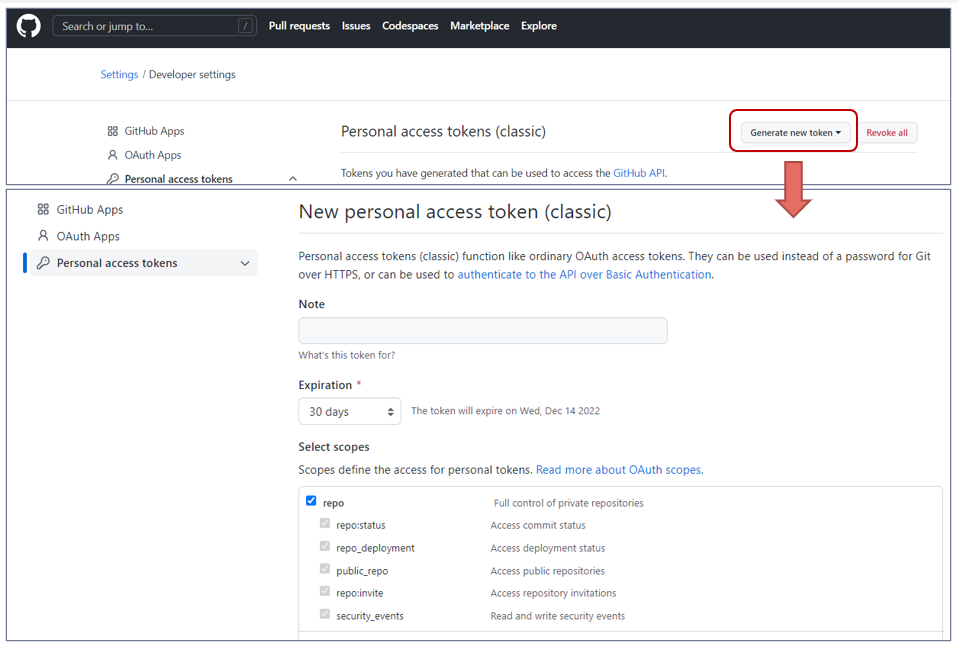
Generate a GitHub token:
- Enter GitHub with your profile
- Verify your email address if you haven’t done it yet
- Go to GitHub token settings and generate a new token
- Fill in the name and expiration date of the token
- Select the scopes (Recommended: activate
repo) - Click Generate token
-
Copy the token in the variable
GITHUB_TOKEN.
⚠️ Make sure you copy it, as it will only shown once.
-
-
-
Run the script file:
${Root_project}/tools/run_web_trainings.sh -
When the script is finished, Abacus is opened automatically.