Categories:
Google RCS Business Messaging channel activation
Guidelines for the activation of Google RCS Business Messaging in Aura
Create an RBM account
-
First, fill the following form to create an RBM (RCS Business Messaging) account.
-
After that, wait until Google answers your request or contact them to speed up the process.
-
Once you receive the confirmation, you will be sent an email with another form to create your partner account.
-
Following the previous instructions, you will be able to create and configure new agents.
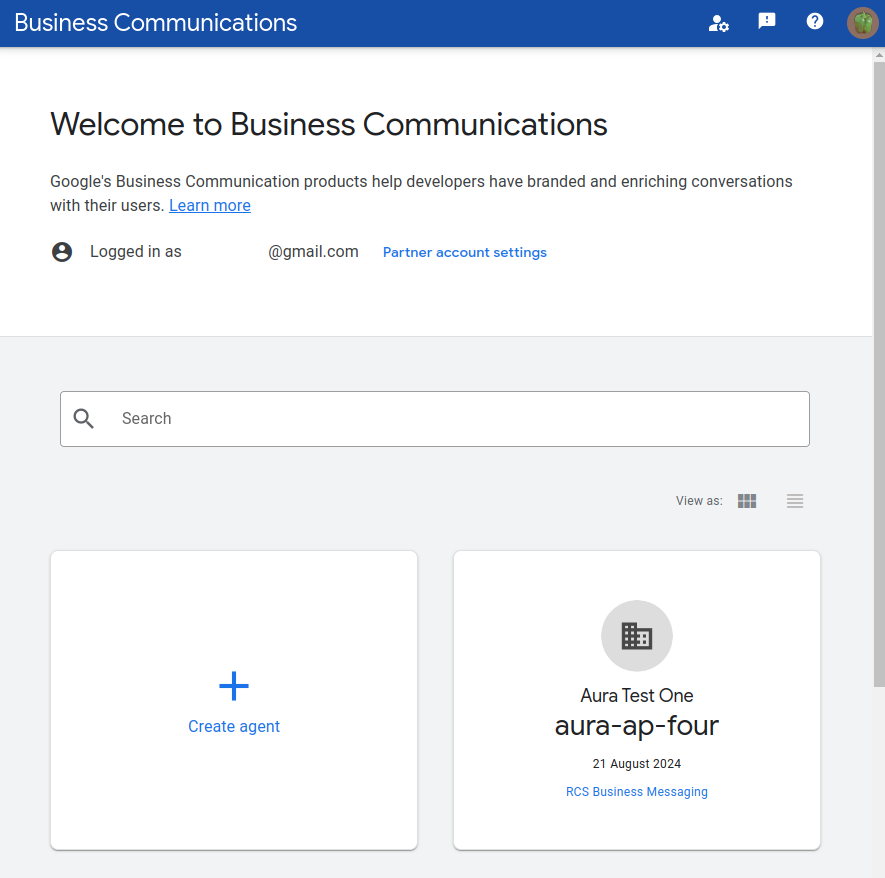
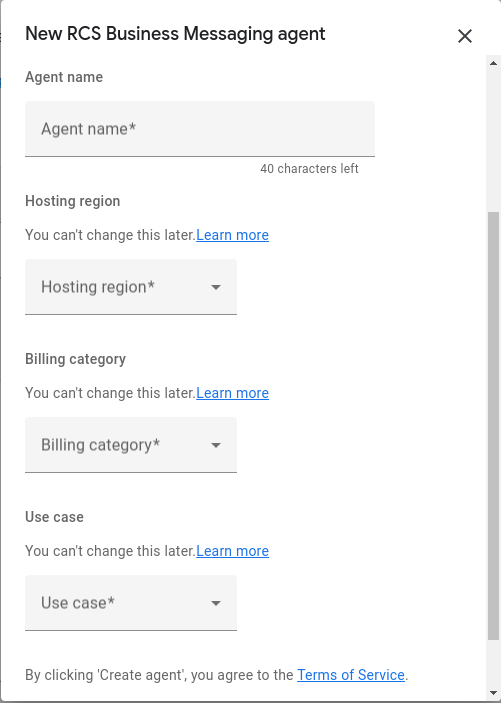
Configure a new agent
- To create a new agent, go to the RBM console and configure your agent with the desired parameters.
- After that, configure your channel to handle all the messages. First, create your channel with a configuration similar to this:
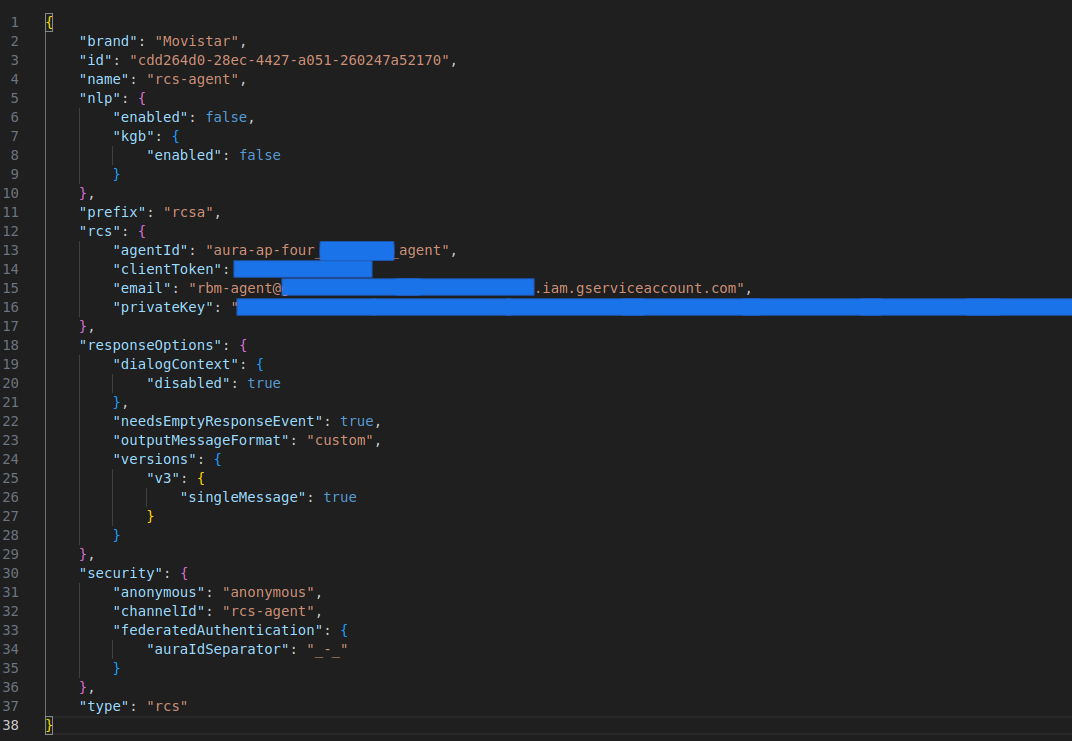
- If your channel is already created in aura-config-provision, you should configure the missing values for your environment.
agentIdin the configuration of each environment- Secrets in the environment configuration
There are some fields in the rcs configuration that must be obtained from the RBM console:
-
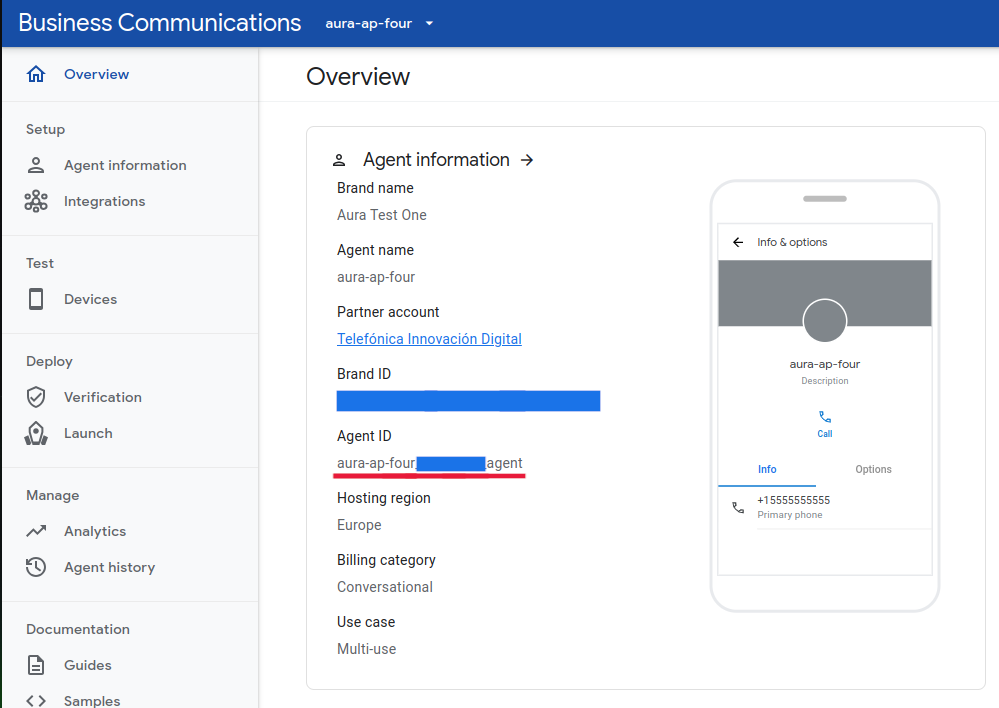
The
agentIdvalue can be found in theoverviewsection in your agent configuration:
-
The
clientTokencan be a custom value or a generated one in the web. It will be used later when the webhook is configured. -
The
emailandprivateKeycan be obtained in the RBM console, creating a new private key inside the partner account settings: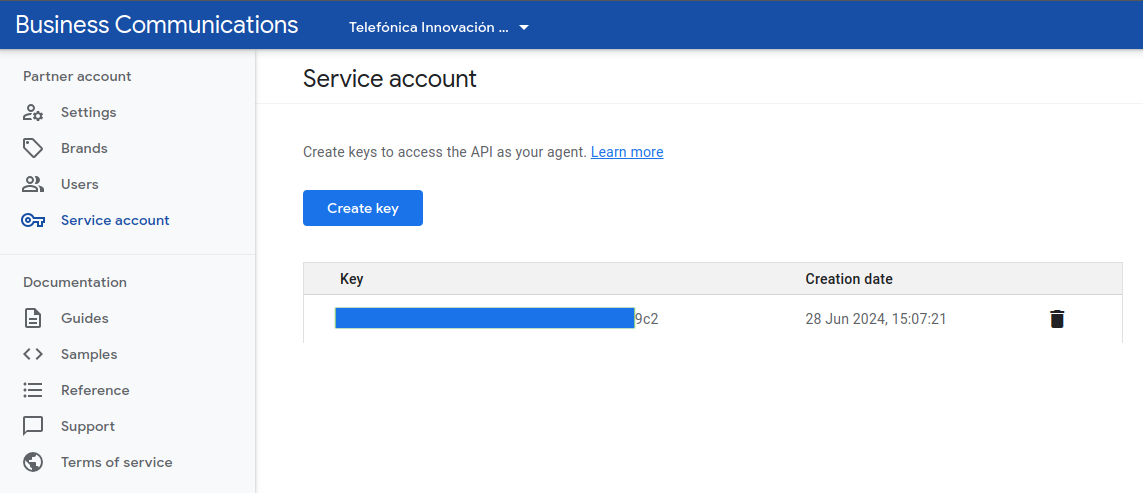
This action will return a json file with all the information, including
emailandprivateKey
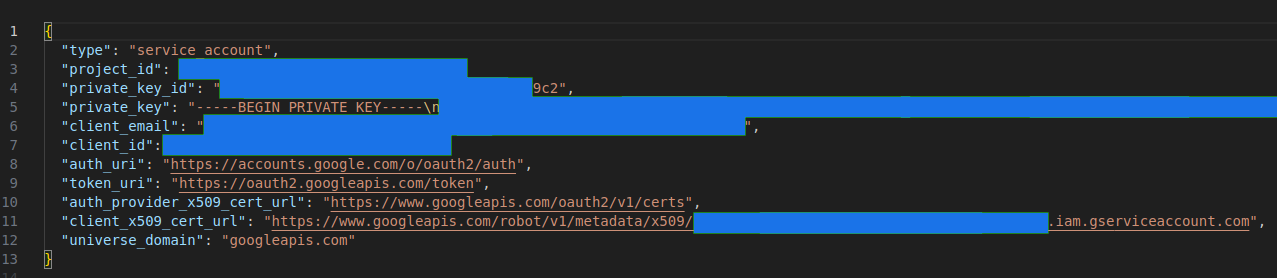
Important: the field
privateKeymust be stored in aura-configuration-api in a base64 format. -
With the channel configured, add your endpoint to the webhook agent configuration:
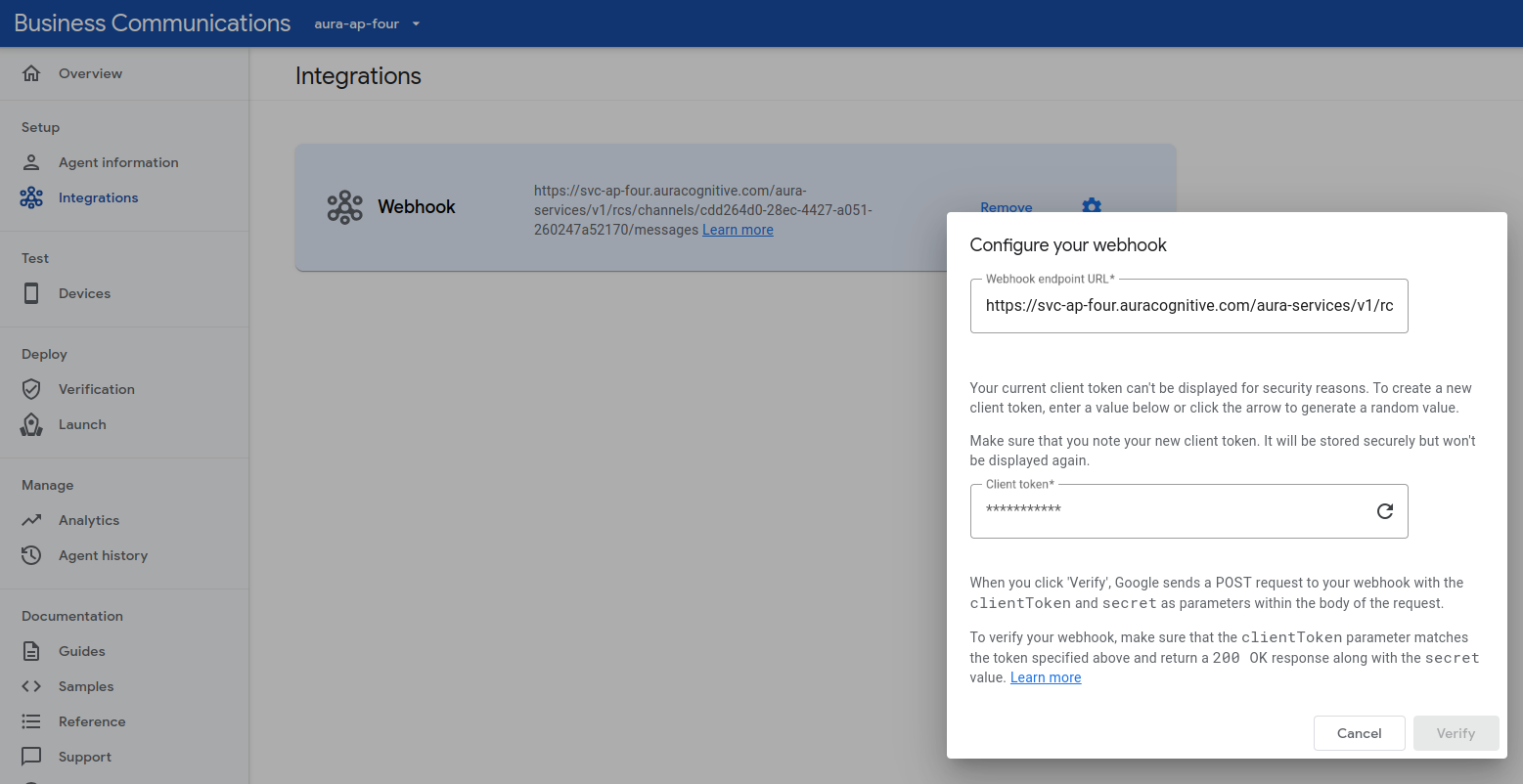
To configure the webhook, set the public endpoint of your bridge:
https://svc-{{ENVIRONMENT}}.auracognitive.com/aura-services/v1/rcs/channels/{{CHANNELID}}/messages
And set the client token with the value configured in the field rcs.clientToken within the channel configuration.
If the values are properly configured, the web will return a success message. All these values stored in aura-configuration-api must be consolidated in the aura-config-provision repository.