Categories:
Basic Jenkins configuration
Discover the basic Jenkins configuration
Introduction
Aura uses Jenkins as continuous integration (CI) tool. In particular, the in-house installation in DCIP.
| Webhook | URL | Content type |
|---|---|---|
| Pull Request | https://ci.tid.es/pro-dcip-aura-01/ghprbhook/ | application/x-www-from-urlencoded |
| Push | https://ci.tid.es/pro-dcip-aura-01/github-webhook | application/x-www-from-urlencoded |
Configuration
Configure a webhook in a github repository
Prerequirement: administrative access to Github repository and to dcip are must.
-
In the Github web of your repository, go to
Settingsand toWebhooks, as can be seen in the following picture: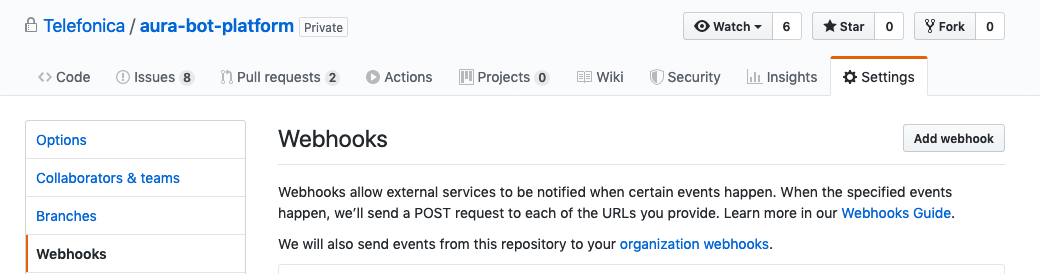
-
Click on
Add webhook, the following window will be shown: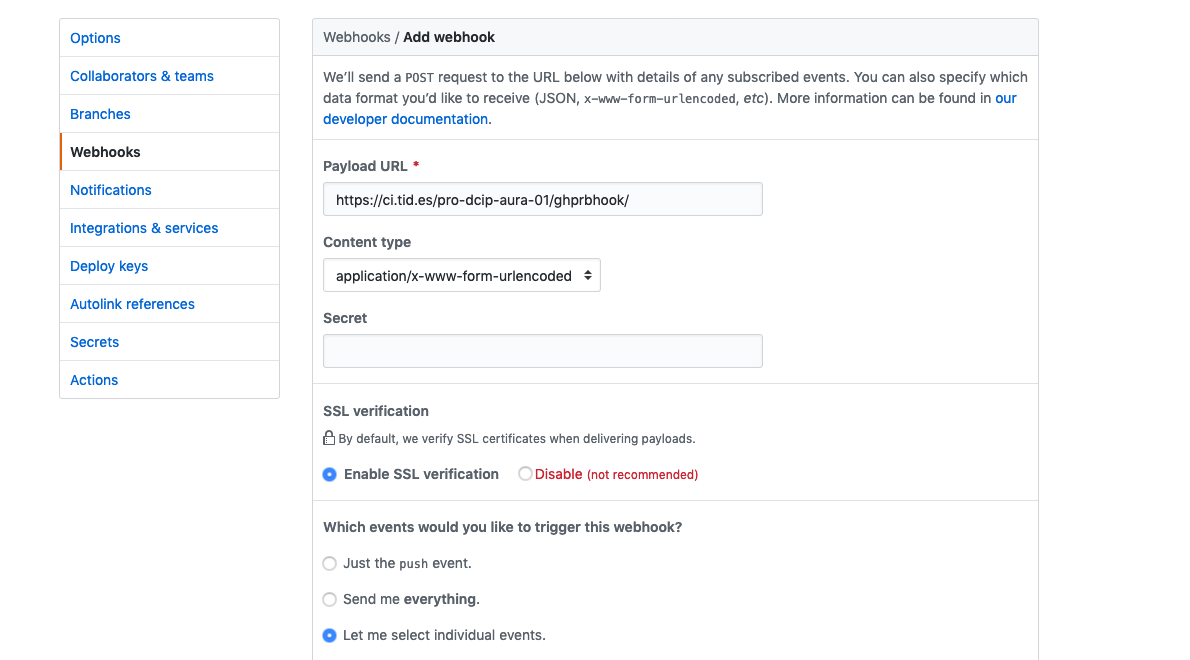
- Fill the URL of the webhook and its content type format
- Choose
Let me select indivial eventsand select onlyPull requests. Remember to uncheckPushesthat’s checkec by default. - Set the webhook as
Activeand click on theAdd webhookbutton to save the configuration.
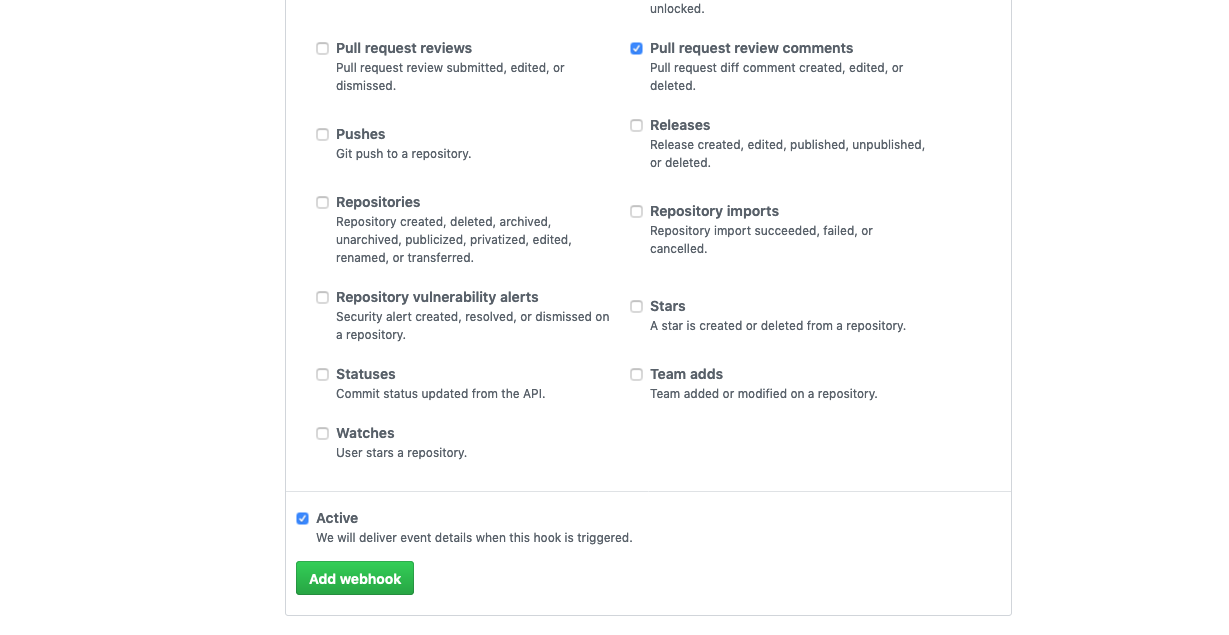
Jenkins jobs
ℹ️ Prerequirement: administrative access to dcip is a must.
-
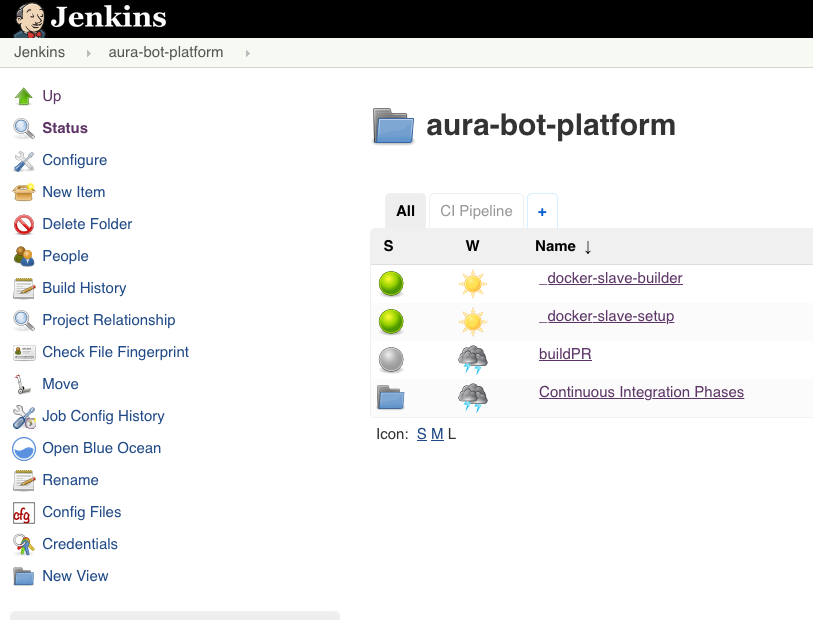
First thing is to create a new set of Jenkins jobs for your brand new respository, so from the main aura Jenkins page, you should run
_component-setupjob.
-
Choose
Build with parametersand fill the data of your repository in this caseaura-bot-platform. Remember to usesshas repository URL.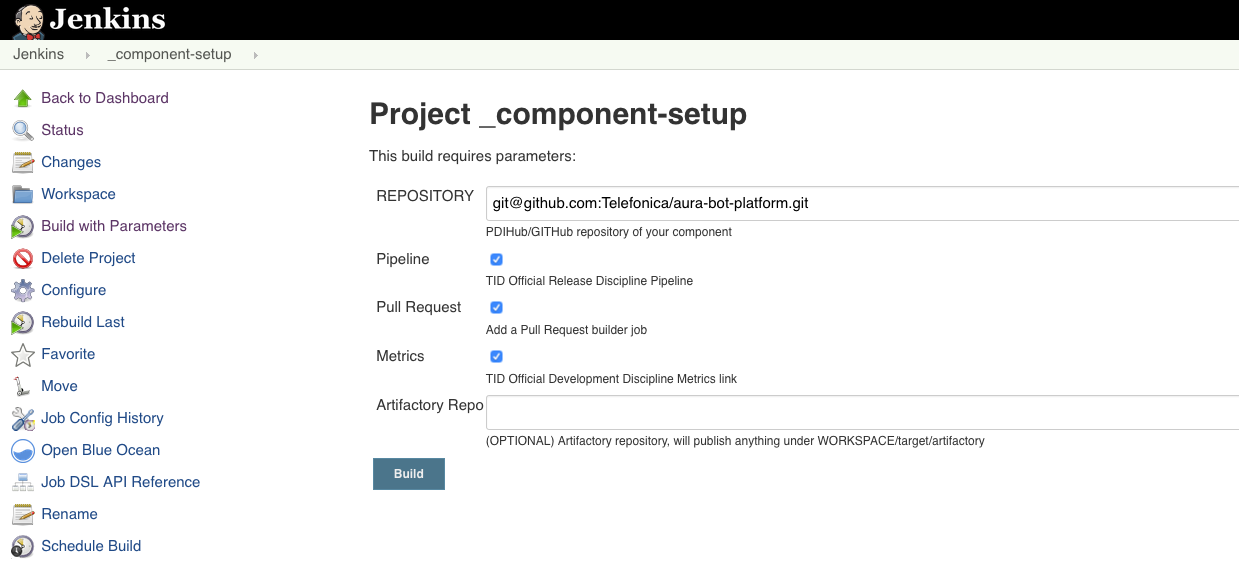
This job will generate a new set of jobs specific for the current repository and with its very same name.
Generate a dedicated slave to run these jobs
Add a Dockerfile to the root of your repository (follow the one in aura-bot-platform). In this case, a new slave definition is needed to run the jobs with a node10 docker container.
To build it, just build the job _docker-slave-setup with parameters:
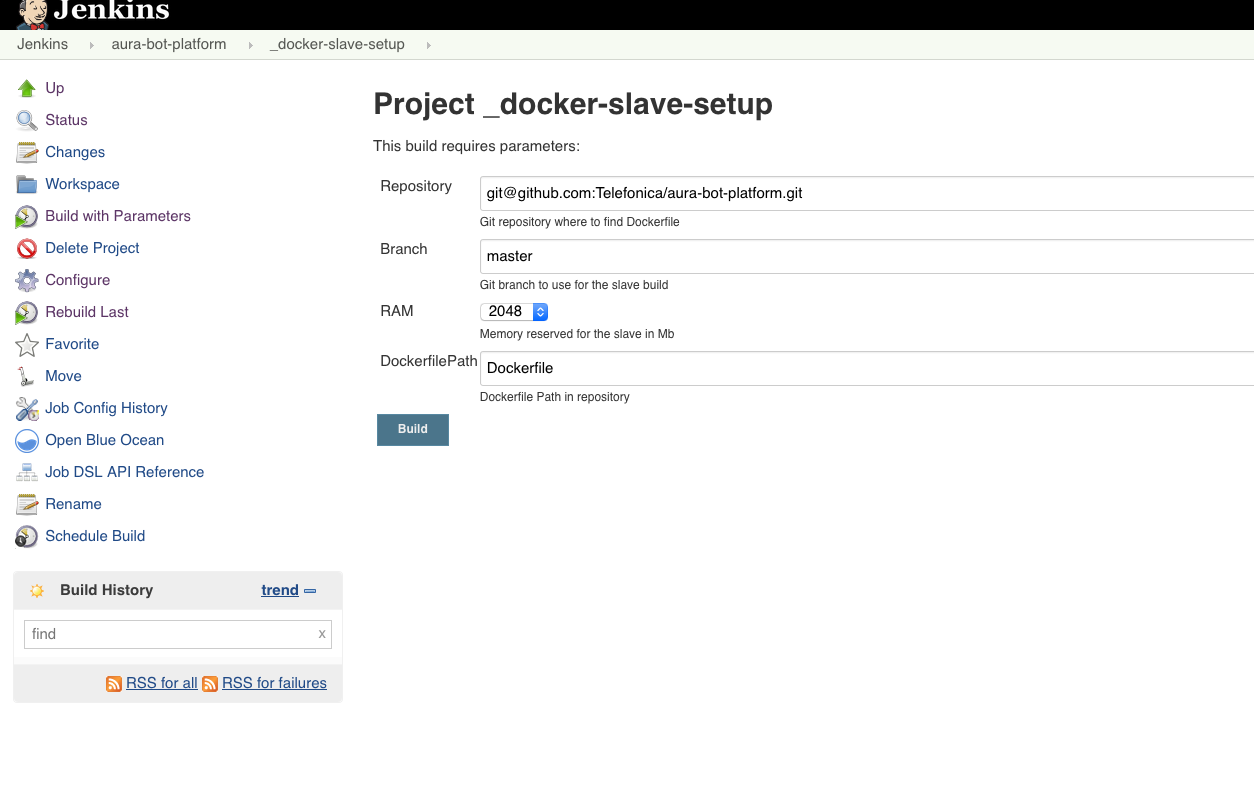
This will generate automatically the job _docker-slave-builder that will process, configure and publish a docker image based on the provided Dockerfile. Slaves using this image will be available under the label repository-name, in this case: aura-bot-platform.
Build PR job
This is one of the automatically jobs generated by the _component-setup job. It will run whenever a Pull Request is requested in the repository, if it counts on the corresponding webhook.
The basic configuration provided automatically is OK, but in Aura we should apply a couple of changes to handle it properly:
-
Check
Restrict where this project can be runand write the just createdaura-bot-platformlabeled slaves. -
To access github, select the already available credentials (usually
contint (contint user for GITHub/PDIHub)). -
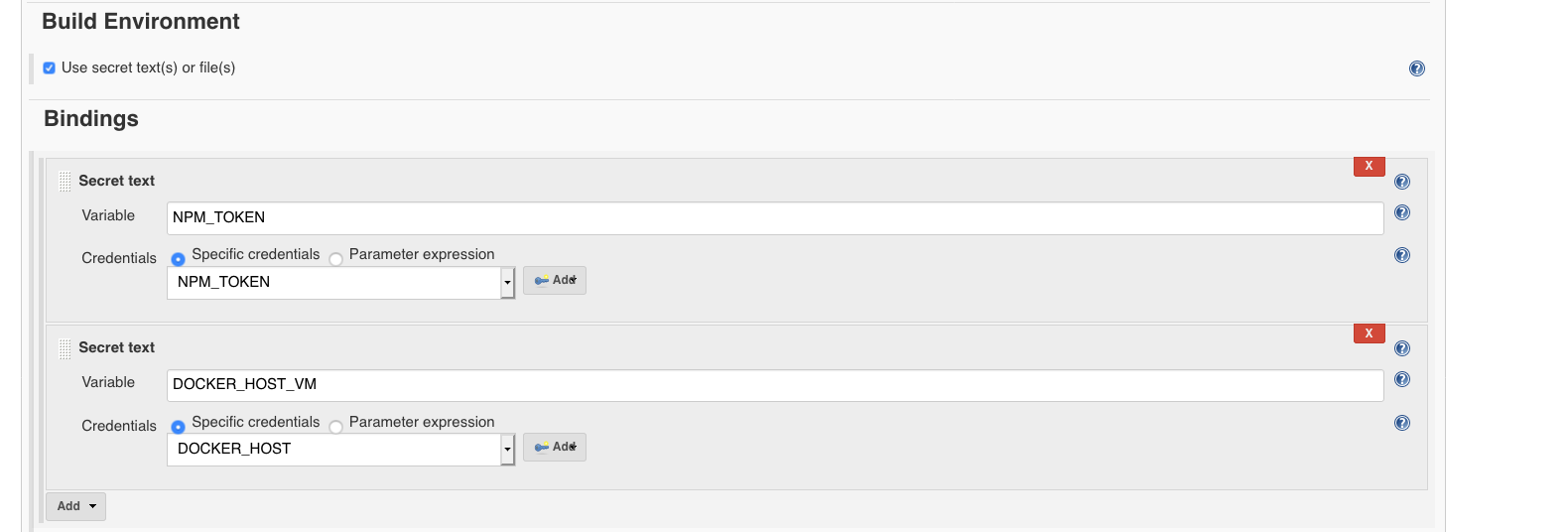
A couple of environment variables should be configured:
NPM_TOKEN: it should be added in “Build Environment” section, binding a secret text, with the specific credential.DOCKER_HOST: it should be added in “Build Environment” section, binding a secret text, with the specific credential.
-
The next step is to include execution of the existing
delivery/pipelines/pr.shscript during the building phase of the job.- In Build section, just add an
Execute shellstep with the following content, depending on the project, further variables should be needed:
#!/bin/bash set -e export DOCKER_HOST=${DOCKER_HOST_VM} git remote set-url origin git@github.com:Telefonica/aura-bot-platform.git delivery/pipelines/pr.sh - In Build section, just add an