Categories:
Aura QA global test set (QA Tool)
Check Aura global quality through the QA Tool. Find in this document the description and requisites for its execution and access to the guidelines for its installation, configuration and execution
⚠️ Recommended step if a new Aura Platform version is installed:
Even though you already have the QA Tool installed, it is highly recommended to reinstall the QA Tool requirements in order to assure its proper execution.
For this purpose, follow the steps in QA Tool installation guide: install requirements.
What’s the QA Tool?
The Aura Platform Team provides developers with a QA global test set (informally, QA tool) for them to check the quality of their Aura system, with their own configuration and installed use cases. This quality can be assured in two ways:
- Verification of the optimum operation of Aura system with the OB’s configuration.
- Verification of the proper performance of global use cases.
⚠️ Local use cases cannot be checked using the QA Tool
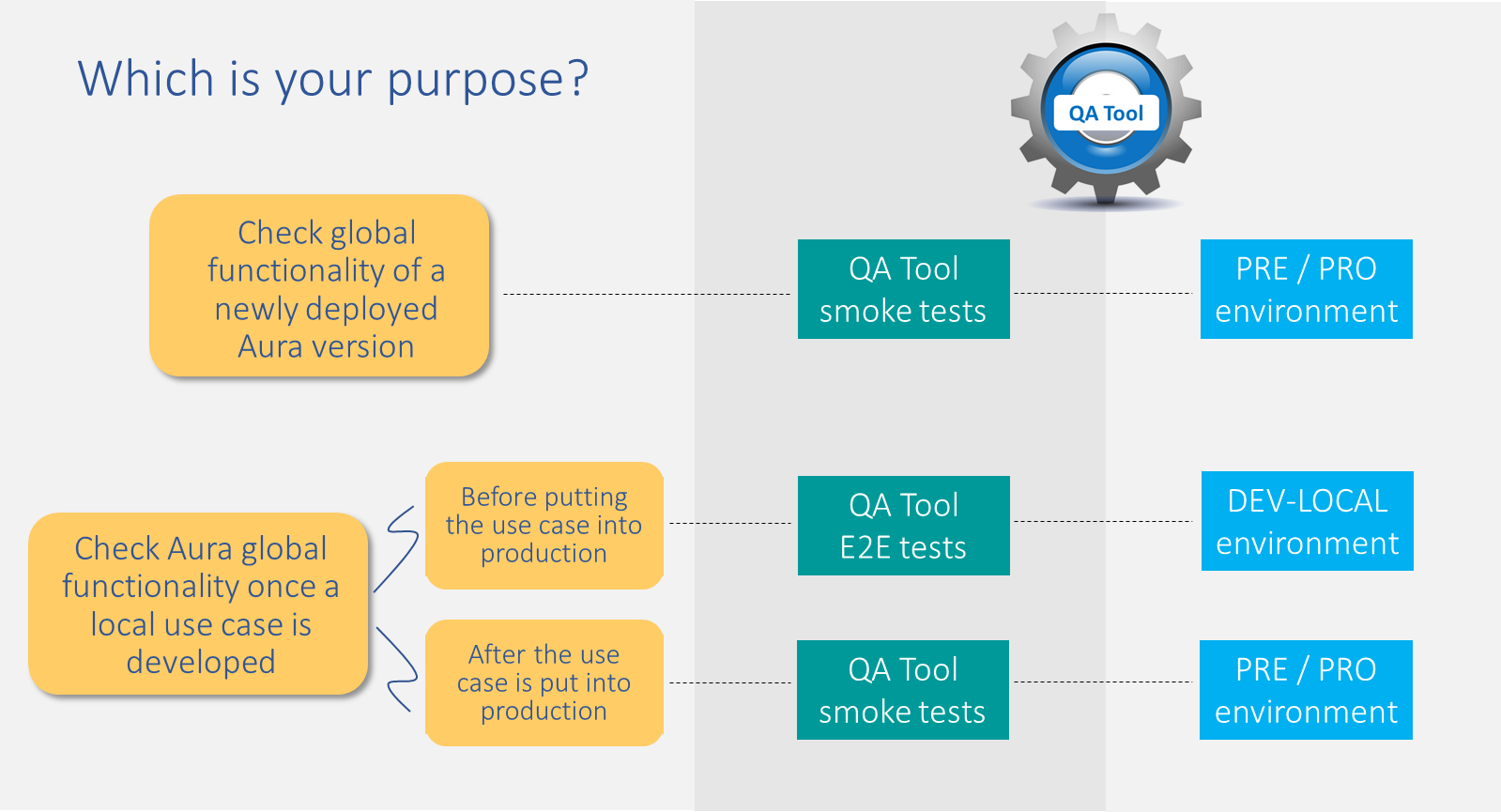
The QA tool can be configured by the OB both in pre-production/production and local environments. Each configuration is useful for a specific purpose and requires different types of tests, as detailed in the figure below. Each of them is fully defined in succeeding sections.
The following sections include the requisites for the QA Tool execution, as well as the description of the working directory and branches.
Moreover, consult the guidelines for:
- QA Tool installation
- QA Tool execution
- QA Tool results management
- QA Tool Configuration of user’s data
- QA Tool troubleshooting guide
Requisites for QA Tool execution
OBs must work with the below detailed minimum resources to execute the QA Tool:
Technological resources
The QA tests can be executed from Mac, Windows and Linux.
The required technological resources are listed below:
- Python version: 3.10 / 3.11
- Pip (>= 19.1)
- virtualenv (>=15.0.0)
- Github license
- git (>=2.13.0)
- tar (>=1.30)
- kubectl (recent version)
- Docker (recent version)
- Docker-Compose (recent version)
- Access to the aura-test Github repository
Aura release vs QA Tool branches
Each Aura Platform release has its own branch for the execution of the QA Tool. The name of this branch will be:
release/[release_name]
Where [release_name] must be a unique word written in lowercase letter. In case the release name contains two words, they will be unified.
For example:
- Jimi Hendrix ➡️
release/jimihendrix - Nirvana ➡️
release/nirvana
QA Tool working directory and folders
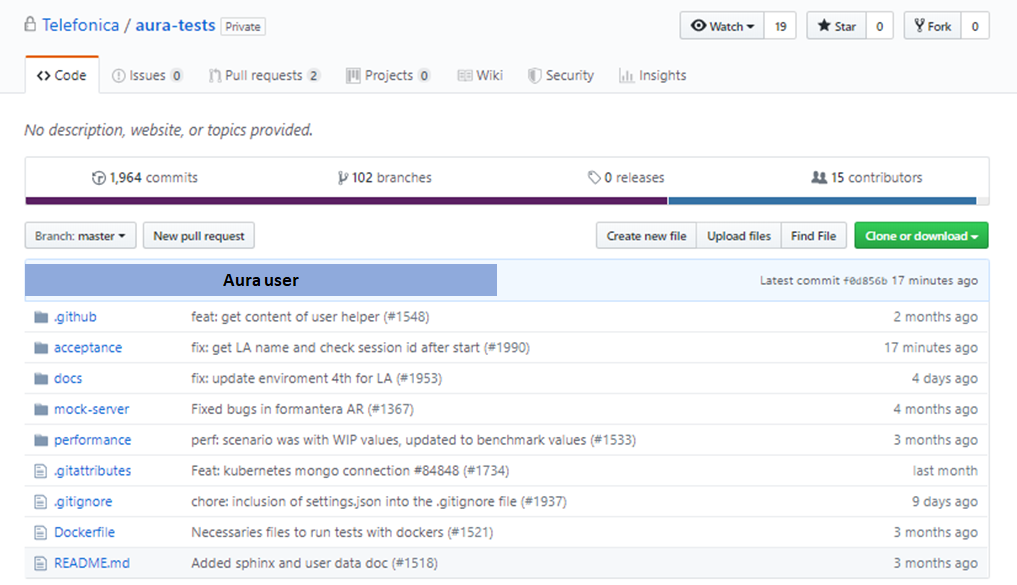
The main working directory for the execution of the QA Tool is: https://github.com/Telefonica/aura-tests
ℹ️ If the OB has any access problem, please report it to APE Team, through the established Teams chats.
- The files from the aura-tests repository that will take part on the execution of the QA Tool are included in the folder /acceptance.
- The remaining folders contain internal QA files that are not needed for this process:
📁 ~/[project_folder]/aura-tests/acceptance/
The folders that will take part in the process and their role, within the ~/[project_folder]/aura-tests/acceptance/ repository, are described below:
settings/ folder
📁 ~/[project_folder]/aura-tests/acceptance/settings/
-
Users’ configuration
Generation of files for the configuration of users. -
Setting of properties
Step to be carried out during the execution of the QA test set.
resources/ folder
📁 ~/[project_folder]/aura-tests/acceptance/resources/
-
Texts resources to be used on tests.
scripts/ folder
📁 ~/[project_folder]/aura-tests/acceptance/scripts/
Scripts for launching the different tests during the QA Tool execution.
_output folder
After the QA Tool execution, this folder will be generated containing the results from the different tasks:
- Environment credentials
- Versioning of module installed
- Users’ configuration
- Text resources (POEditor)
- Output files