Keda configuration
Guidelines for the configuration of Keda, used for the autoscaling of pods
Introduction
Keda is a Kubernetes-based event-driven autoscaler. It allows configuring different types of scaling per pod, that can be determined depending on the needs of each application running on the pod.
Keda is installed in Aura by default and the autoscaling of the pods will be managed by Keda scaled objects.
Further information regarding all the scaling methods available in Keda scalers documentation.
How to configure Keda
To access all the Kubernetes elements handled by Keda, scaledObjects, run the following command in your cluster:
$ kubectl get scaledObject
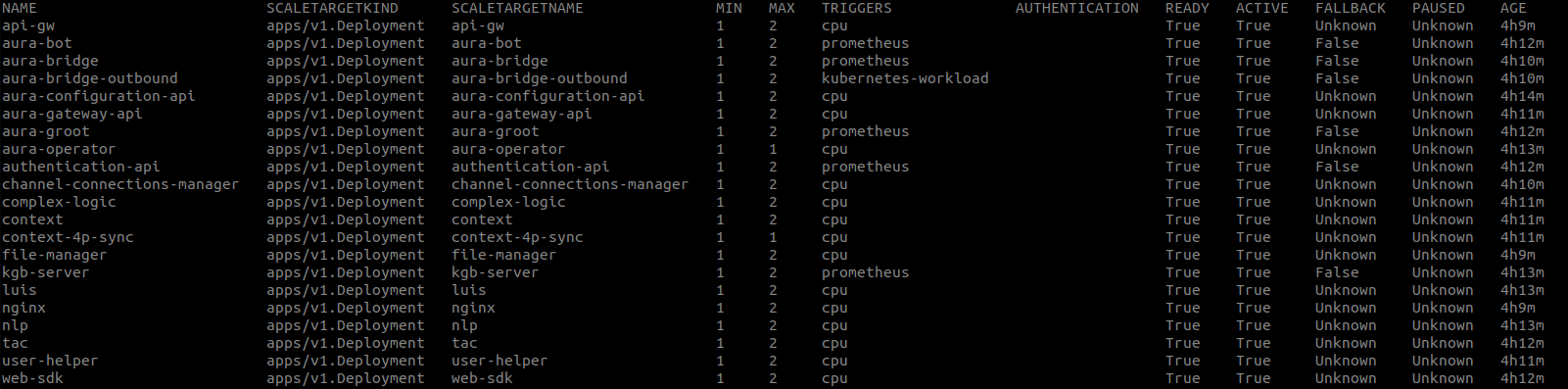
When Keda is available, instead of modifying the HPA configuration of each deployment, the scalation of each app is handled by Keda. In this scenario, and in order to modify it, update the deployment scaledObject settings: edit it and modify maxReplicaCount or minReplicaCount, as needed.
$ kubectl edit scaledObject <deployment-name>
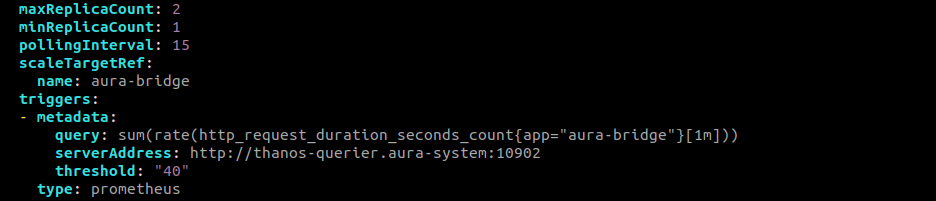
Here is an example of a component (aura-bridge) which scalation is based on Prometheus metrics (in this case, the number of incoming requests) and how to modify it:
$ kubectl edit scaledObject aura-bridge
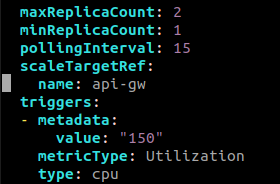
Here, an example of a component (aura-gateway-api) which scalation is based on CPU metrics and how to modify it:
$ kubectl edit scaledObject api-gw
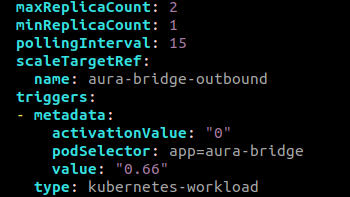
Here, an example of a component (aura-bridge-outbound) which scalation is based on the scalation of another component (Kubernetes-workload) and how to modify it:
$ kubectl edit scaledObject aura-bridge-outbound