Categories:
Design preset configuration: RAG
Guidelines for configuring a preset for the ATRIA RAG capability
ATRIA use cases constructors
Introduction
An ATRIA RAG experience performs a multiple-stages interaction with a Large Language Model (LLM), generating content from an input user’s query based on predefined instructions (prompts) to ensure reliable and appropriate responses.
The first task in the process involves defining the configuration for your preset, that entails selecting the specific parameters tailored to your use case when using the RAG capability.
These parameters are defined in the aura-configuration-api API swagger » PresetConfiguration
The preset configuration parameters have been divided into two categories:
- Basic configuration: Selection of the most relevant ones from the use case constructors point of view.
- Advanced configuration: Other preset parameters that can also be configured but require greater technical expertise.
From all the available preset parameters, some of them are general ones and others are specific for each step of the predefined ATRIA RAG pipeline, which is schematically shown below.
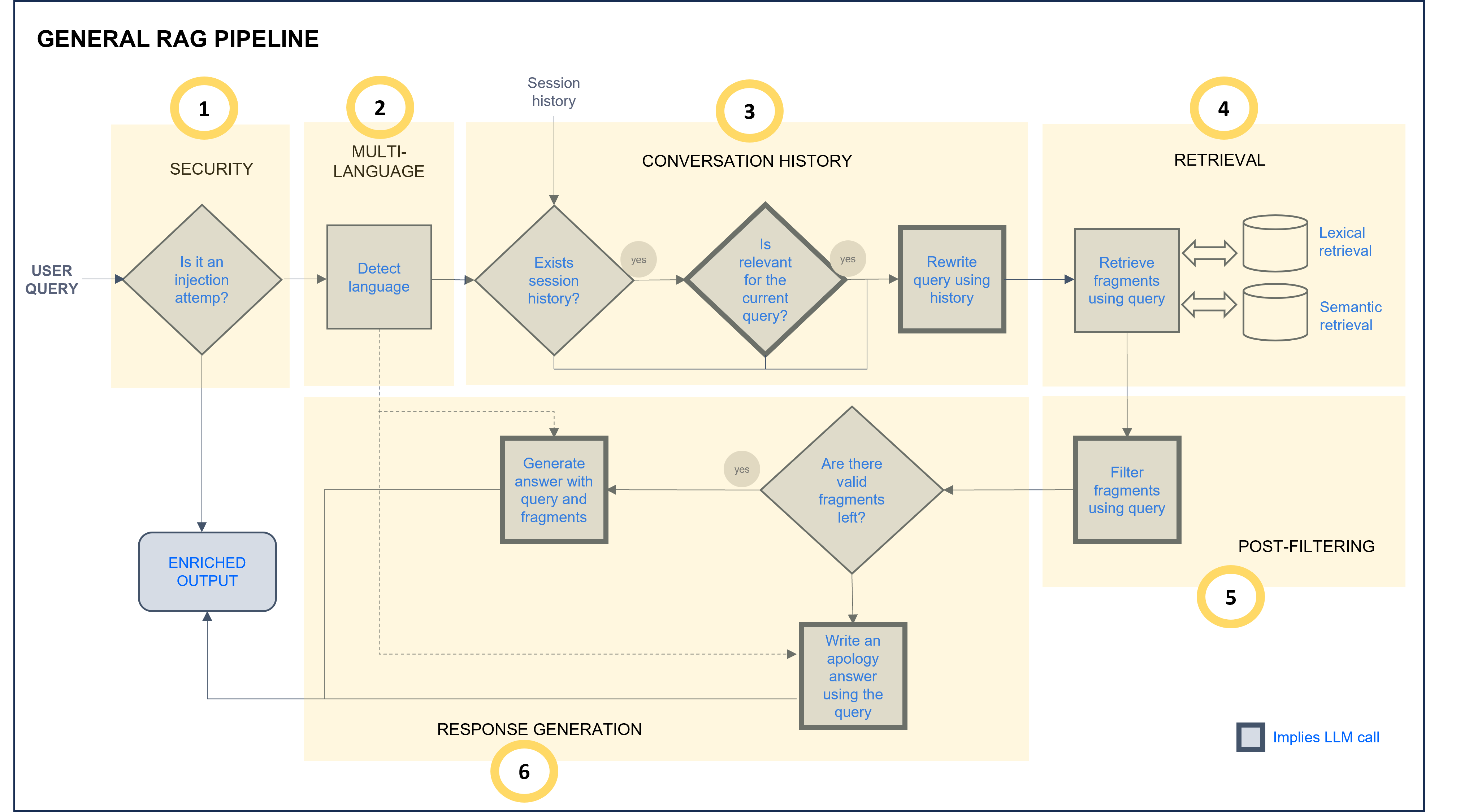
ATRIA General RAG pipeline
a. Define the basic configuration for your preset
As explained before, the basic configuration does not include all the available preset parameters for these reasons:
a. Presets have both mandatory and optional parameters, so they can be adjusted to a specific experience.
b. Certain preset parameters are defined by default. Parameters defined by default are not included in the preset configuration file. For using these default values, nothing must be done in the preset by the use case constructors.
One of the preset parameters is the prompt. In the ATRIA General RAG pipeline, stages marked as “Implies LLM call” (grey border boxes) require editing a prompt with instructions for the LLM model. Constructors can use the prompts defined by default for each stage or modify them. Detailed information is included in the corresponding RAG stage section.
1. Select a preset template for RAG
For this purpose, two options can be used:
1.1. Create a preset from scratch
If you want to create a preset from scratch, use the template below. This JSON file is intended to serve as a base template on which you can make your modifications.
Remember that this preset template only included basic configuration parameters for use cases constructors.
Access the RAG preset JSON template
{
  "id": "1cafcb5c-7951-4645-86d4-055d3b46fe79",
  "name": "atria-rag-gpt-35-turbo",
  "group": "enriched_ai",
  "description": "Atria rag GPT 3.5",
  "session": {
      "window": 3
  },
  "rag": {
      "ragType": "questions-answers",
      "model": {
          "id": "gpt-35-turbo",
          "parameters": {
              "max_tokens": 4000,
              "temperature": 1,
              "top_p": 1
          }
      },
      "stages": {
          "promptSystemLanguage": "es",
          "defaultUserLanguage": "es",
          "SecurityStg": {
              "injectionMaxLength": ""
          },
          "contextStg": {
              "enabled": true,
              "stickyContext": "ask_llm",
              "prompts": { }
          },
          "retrievalStg": {
              "sources": {
                  "name": "project-gpt-35-turbo",
                  "embeddings": "text-embedding-ada-002",
                  "docs": [
                      {
                      "extension": "pdf",
                      "loader": {
                          "loaderType": "unstructured",
                          "options": {
                              "loaderMode": "single",
                              "postProcessors": ""
                              }
                          }
                      }
                  ],
                  "splitter": {
                        "options": {
                            "chunkSize": 60,
                            "chunkOverlap": 20
                      }
                  },
                  "retrievers": [
                      {
                        "retrieverType": "qdrant",
                        "config": {
                            "numDocs": 2,
                            "loadChunkSize": 10000
                        }
                      }
                  ]
              }
          },
          "postFilteringStg": {
              "enabled": true,
              "candidatesPostFiltering": "llm_filter",
              "prompt": { }
          },
          "generativeStg": {
              "ragStrategy": "stuff",
              "prompts": { }
          }
      }
  }
}
1.2. Use available presets as templates
If you want to use an existing ATRIA preset and update specific parameters on it or use it as a reference to create a new one, you can access the list of the presets available in your environment: Calls to API: Get info about the available presets or applications.
2. General parameters
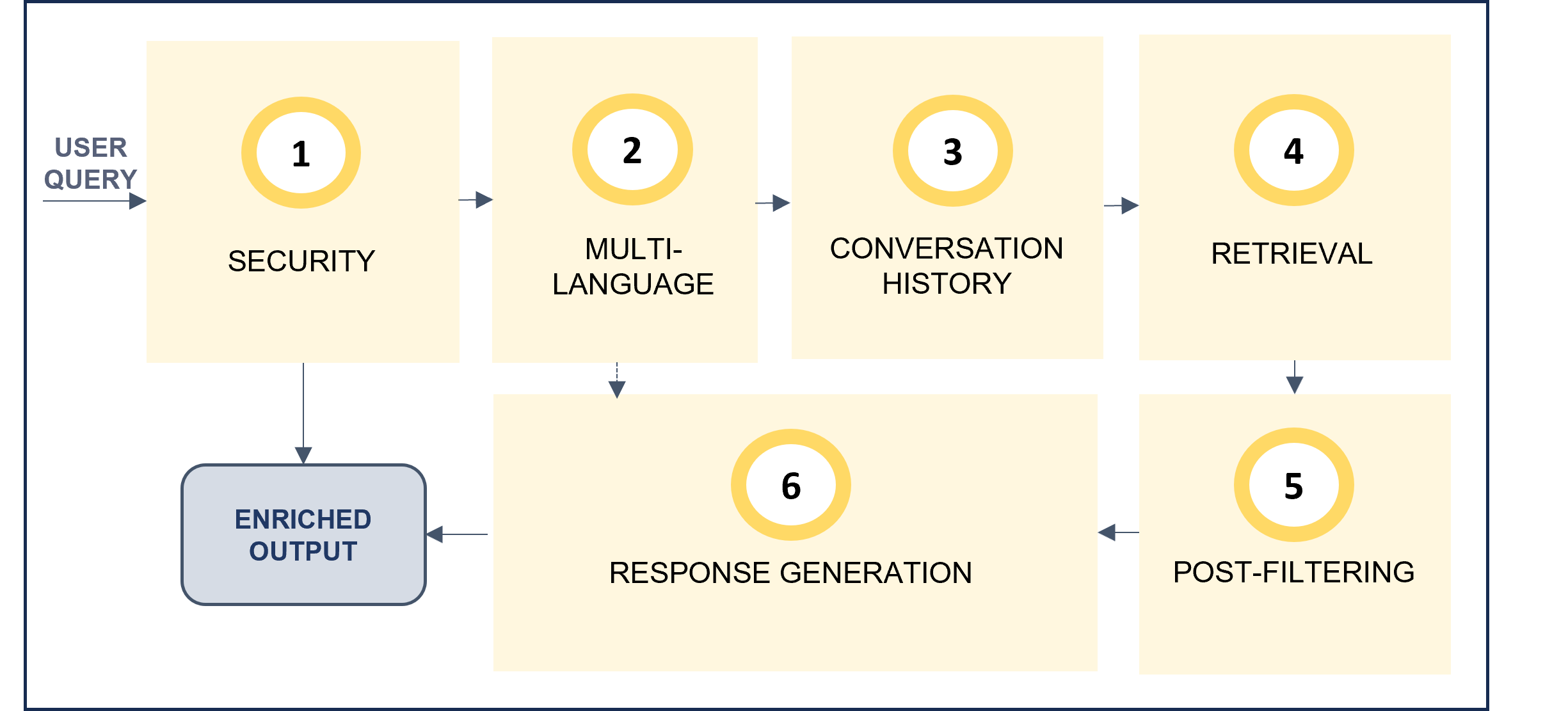
Configure key general parameters for your RAG experience.
-
id: Mandatory. Unique preset identifier in UUID format. -
name: Mandatory. Preset Name. -
group: Mandatory. This parameter is used to group requests regarding the AI technologies used to generate KPIs.
Value:enriched_aifor RAG preset. -
description: Optional. Description of the preset functionality. -
ragType: Optional. Type of RAG. For RAG of documents, the value must be:"ragType": "questions-answers" -
modeland associated parameters: Model to be used in all the LLM calls of the experience.- The following options are available: Models by default.
- In addition, it is possible to include other model relevant parameters.
-
promptSystemLanguage: Language of the prompts to be used. Values:es,en.
If “default” prompts are used, the language isen.
Related parameters in preset
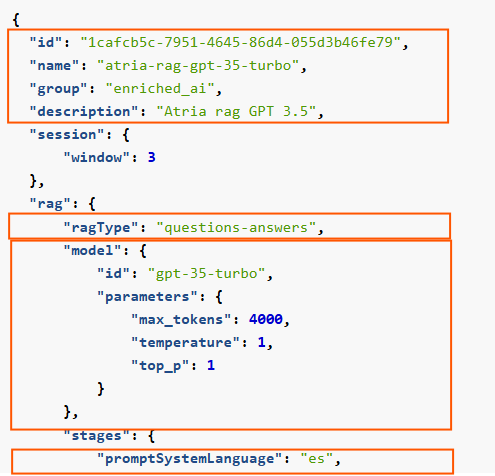
3. Security
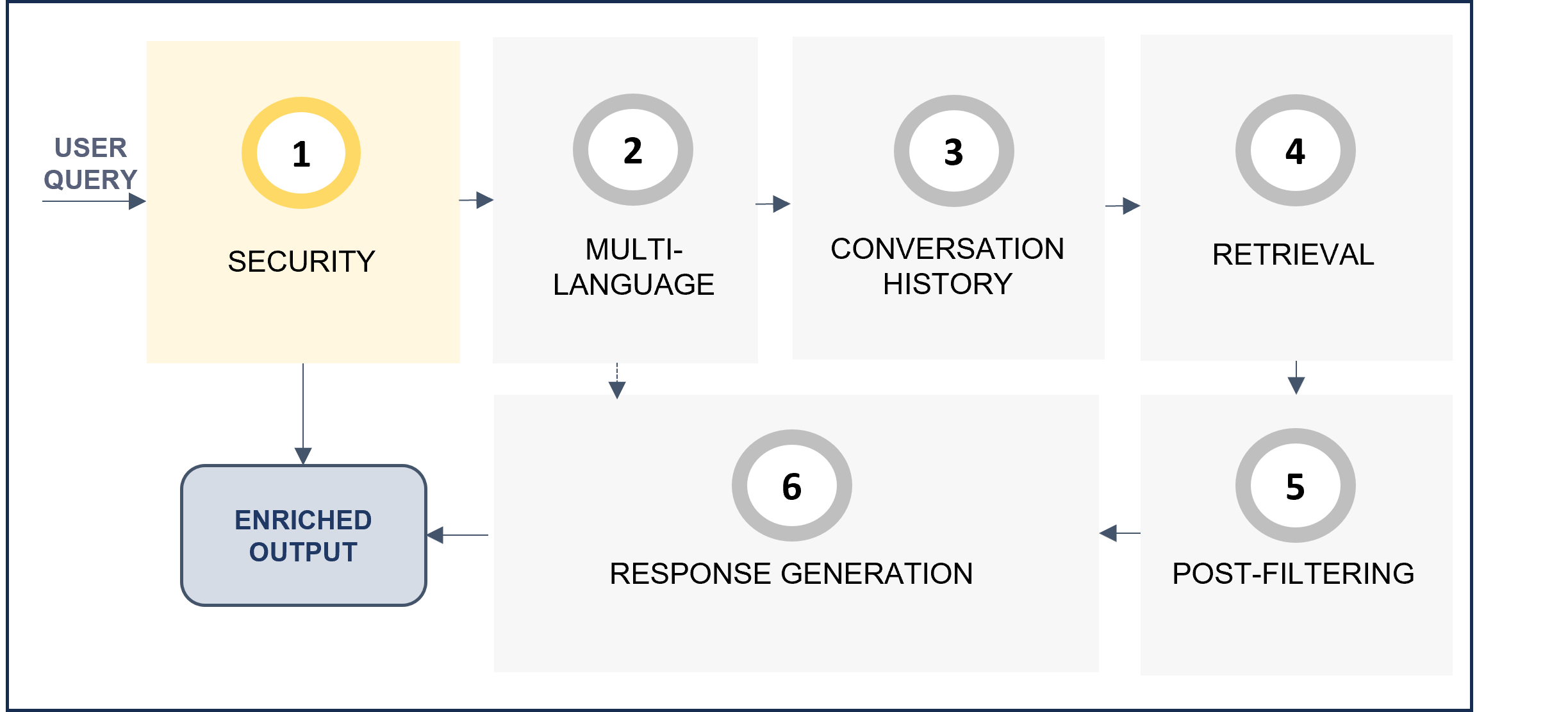
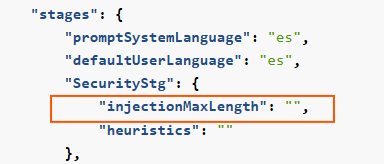
Improve security and prevent prompt injection.
InjectionMaxLength: Maximum number of characters allowed in the user’s query. If longer, an error is provided and the request does not enter the following stage.
Related parameters in preset
4. Multi-language
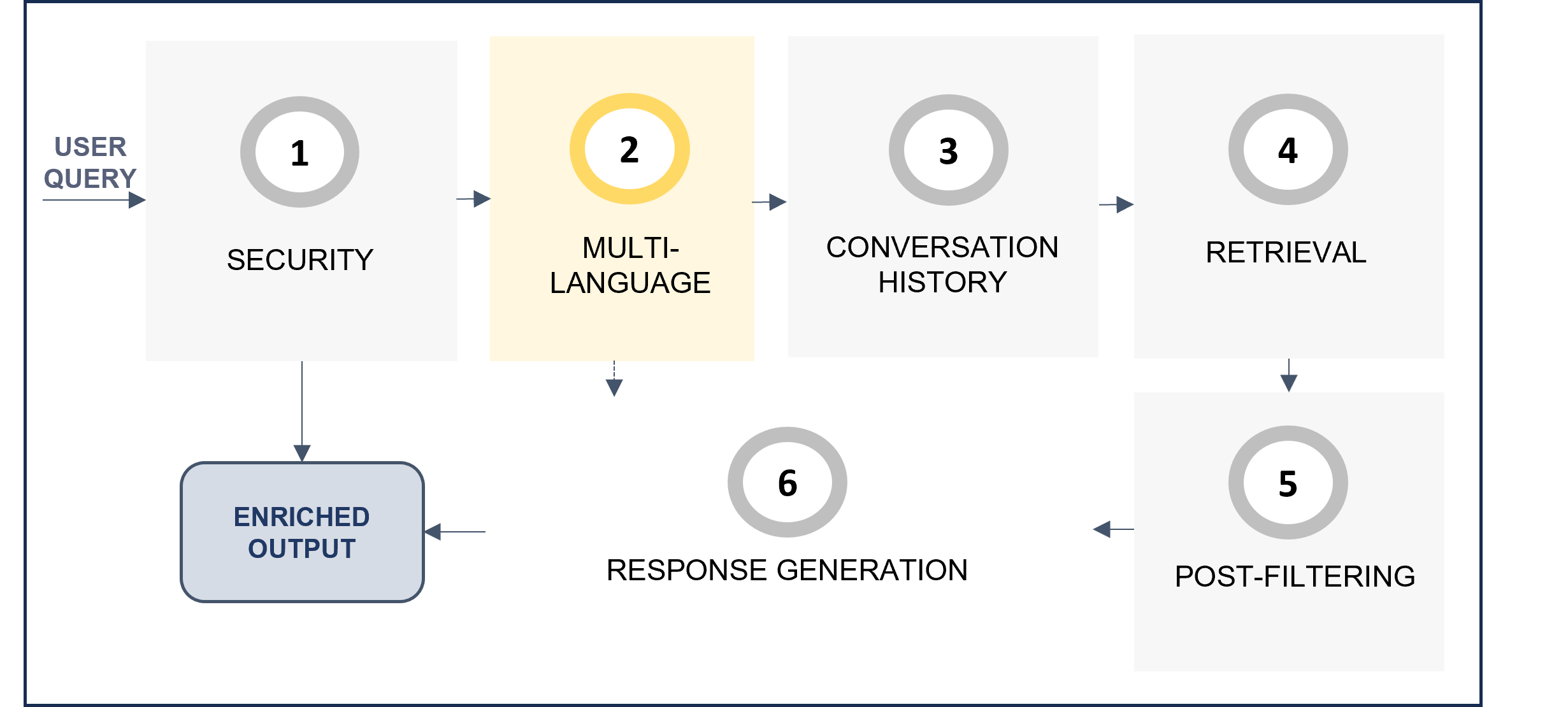
The multi-language feature allows users to receive responses in their own language.
The system automatically detects the language in the user’s request in the multi-language step of the RAG pipeline, and this language is afterwards used in the response generation stage to provide the response back to the user.
Activate multi-language feature
-
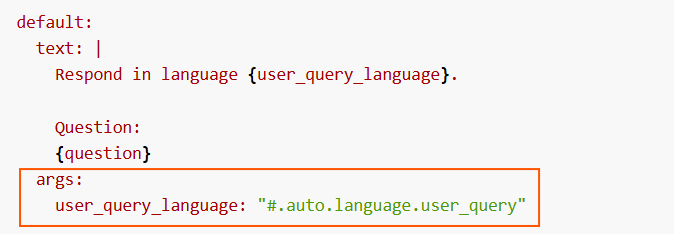
No action is required by constructors, as it is activated by default in the preset parameter
#.auto.language.user_query, within theargsfield of the prompt.Related parameters in preset
-
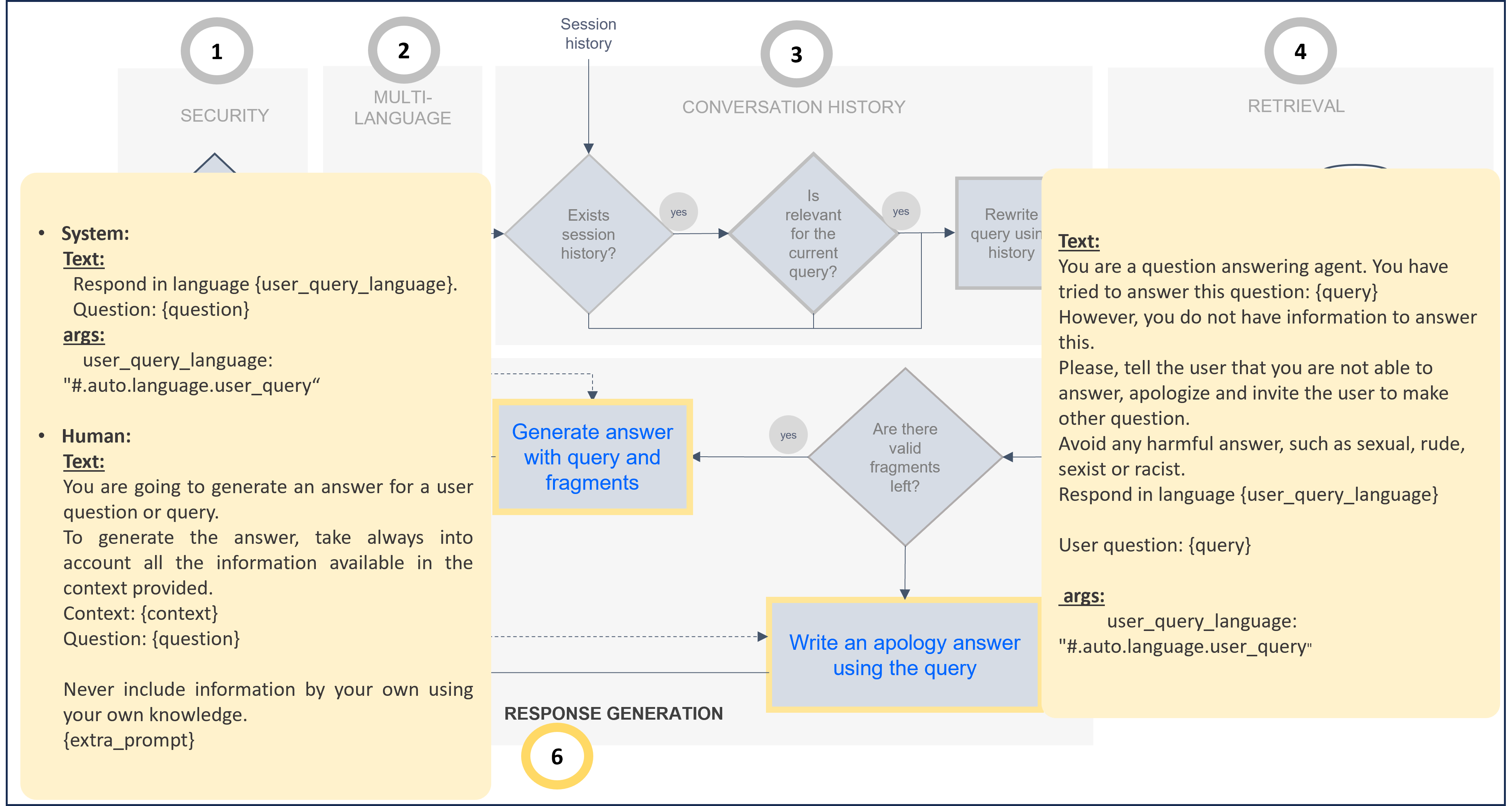
Check the prompt by default for this stage here:
-
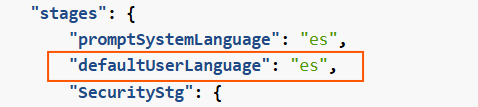
Additionally, constructors can adjust the parameter
defaultUserLanguageto select the language to be used in case the system does not recognize the language of the user’s request. By default, this is set to English.Related parameters in preset
Deactivate multi-language feature
-
Constructors must modify the prompts in which the parameter
#.auto.language.user_queryis included and customize it according to their use case. -
The following example shows a prompt adjusted to provide the response in English:
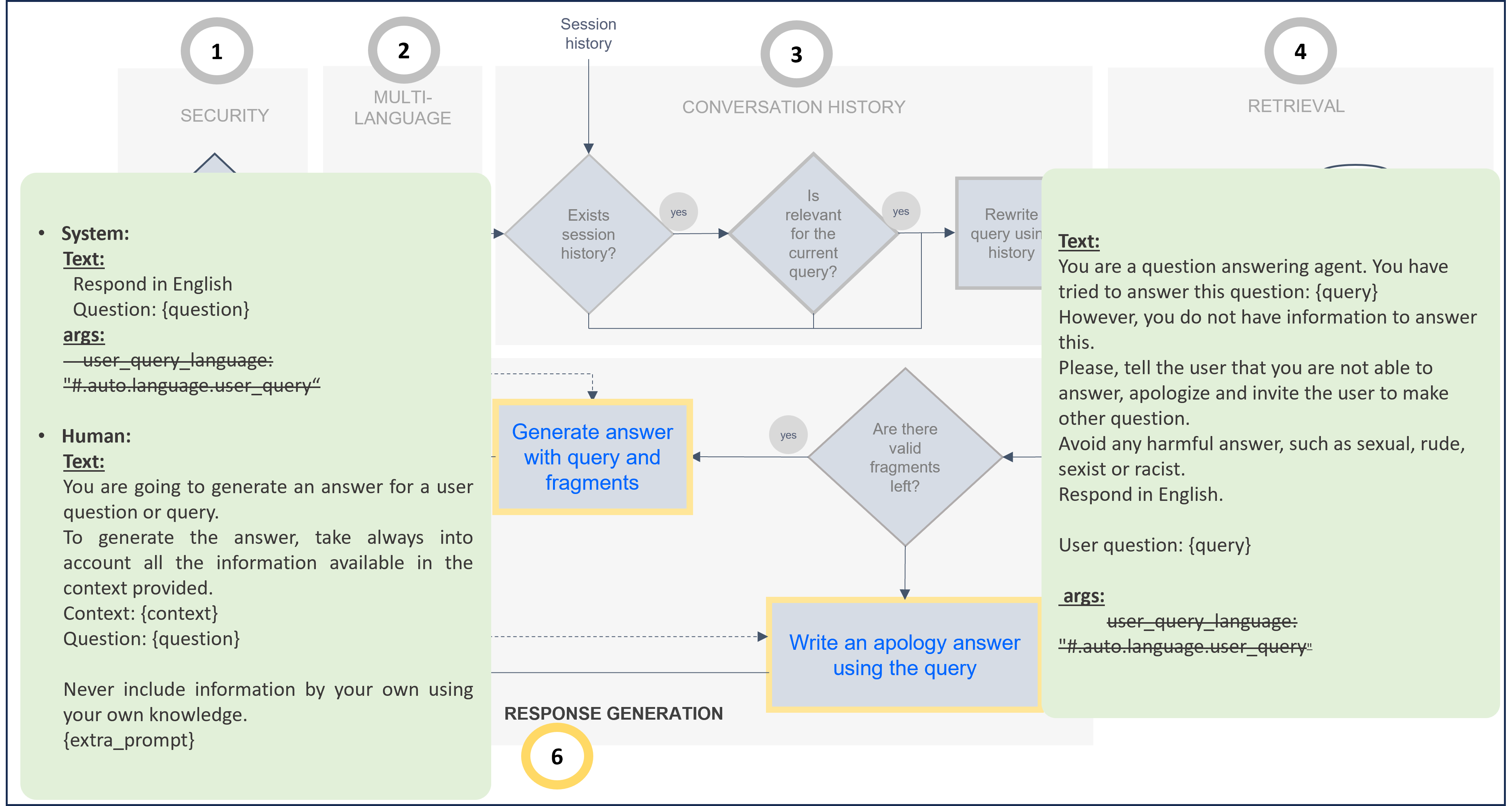
The associated code for this prompt customization is included below. If you want to modify the default prompt, you can take this one as a reference and update it.
Modified prompt for response in English (Use as template for prompt customization)
...
  "generativeStg": {
      "prompts": {
          "stuff": {
              "system": {
                  "default": {
                      "text": "Respond in English.\n\nQuestion:\n{question}\n",
                      "args": {}
                  }
              },
              "human": {
                  "default": {
                      "text": "You are going to generate an answer for a user question or query. \nTo generate the answer, take always into account all the information available in the context provided.\n\nContext:\n{context}\n\nQuestion:\n{question}\n\nNever include information by your own using your own knowledge.\n{extra_prompt}\n"
                  }
              }
          },
          "notAnswerResponse": {
              "default": {
                  "text": "You are a question answering agent. You have tried to answer this question: {query}\nHowever you do not have information to answer this.\nPlease, tell the user that you are not able to answer, apologize and invite the user to make other question.\nAvoid any harmful answer, such as sexual, rude, sexist or racist.\nRespond in English.\n\nUser question:\n{query}\n",
                  "args": {}
              }
          }
      },
...
5. Context
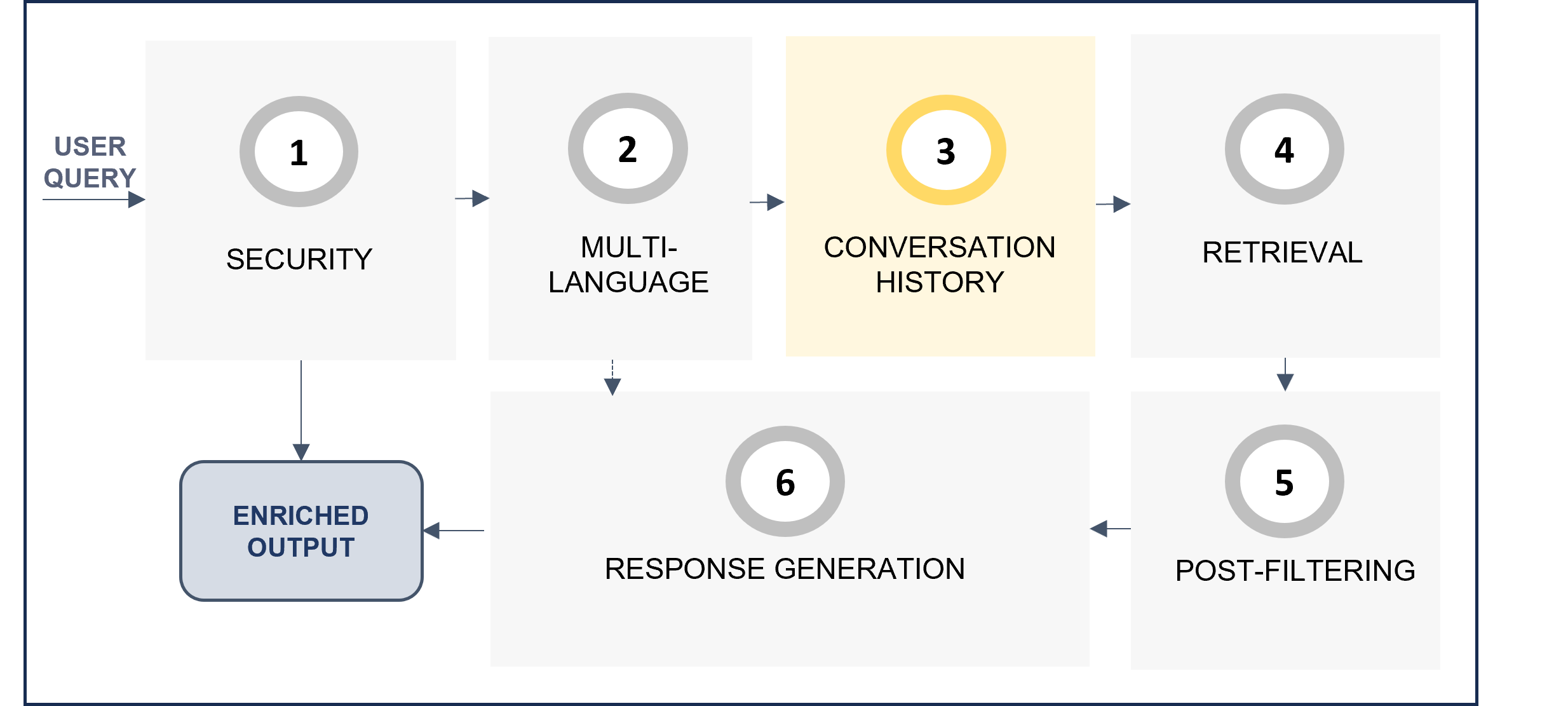
The context stage (contextStg) of the RAG pipeline is responsible for rewriting the user’s query if it is related to the previous context.
-
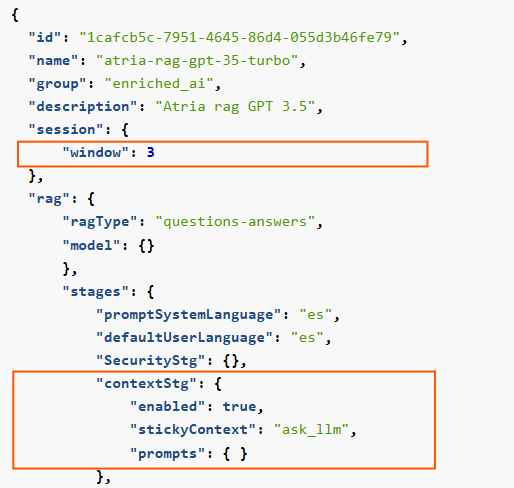
window: Set the number of previous interactions taken into account through the size of the session window, in queries. -
enabled: ThecontextStgcan be enabled or disabled. Set totrueto enable the use of context information. -
stickyContext: The recommended strategy isask_llm. With this strategy, the LLM firstly checks if the user query is related to the previous ones. Only if it is, the LLM rewrites the question. -
Context prompts: Two prompts can be modified:
sameContext: Prompt to check if the query is in the same context.recreatedQuestion: Prompt to rewrite the original question, only if the LLM has evaluated that the request is related to the previous one.
Related parameters in preset
The default prompts for this stage are included below, both schematically and JSON code. If you want to modify them, you can take them as a reference and make the required updates.
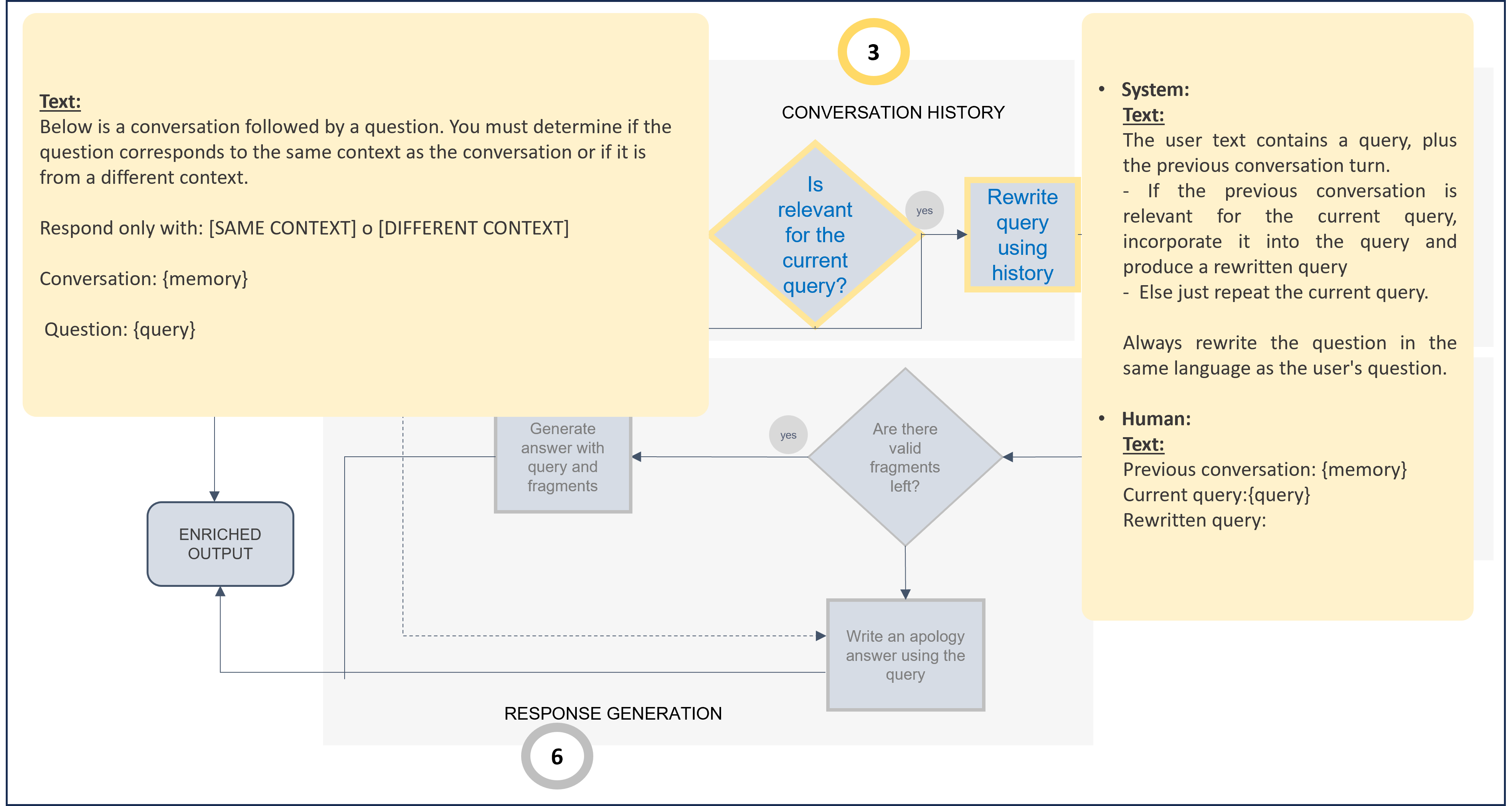
Default prompts for context stage (Use as template for prompt customization)
...
"contextStg": {
       "stickyContext": "ask_llm",
       "enabled": true,
       "prompts": {
         "sameContext": {
           "default": {
             "text": "Below is a conversation followed by a question. You must determine if the question corresponds to the same context as the conversation or if it is from a different context.\n Respond only with: [SAME CONTEXT] o [DIFFERENT CONTEXT]\n\nConversation:\n{memory}\n\nQuestion:\n{query}"
           }
         },
         "recreatedQuestion": {
           "system": {
             "default": {
               "text": "The user text contains a query, plus the previous conversation turn.\n\n- If the previous conversation is relevant for the current query, incorporate it into the query and produce a rewritten query\n- else just repeat the current query.\n\n  Always rewrite the question in the same language as the user's question."
               }
            },
            "human": {
             "default": {
               "text": "Previous conversation:\n{memory}\n\nCurrent query:\n{query}\n\nRewritten query:\n"
             }
           }
         }
   }
}
...
6. Retrieval
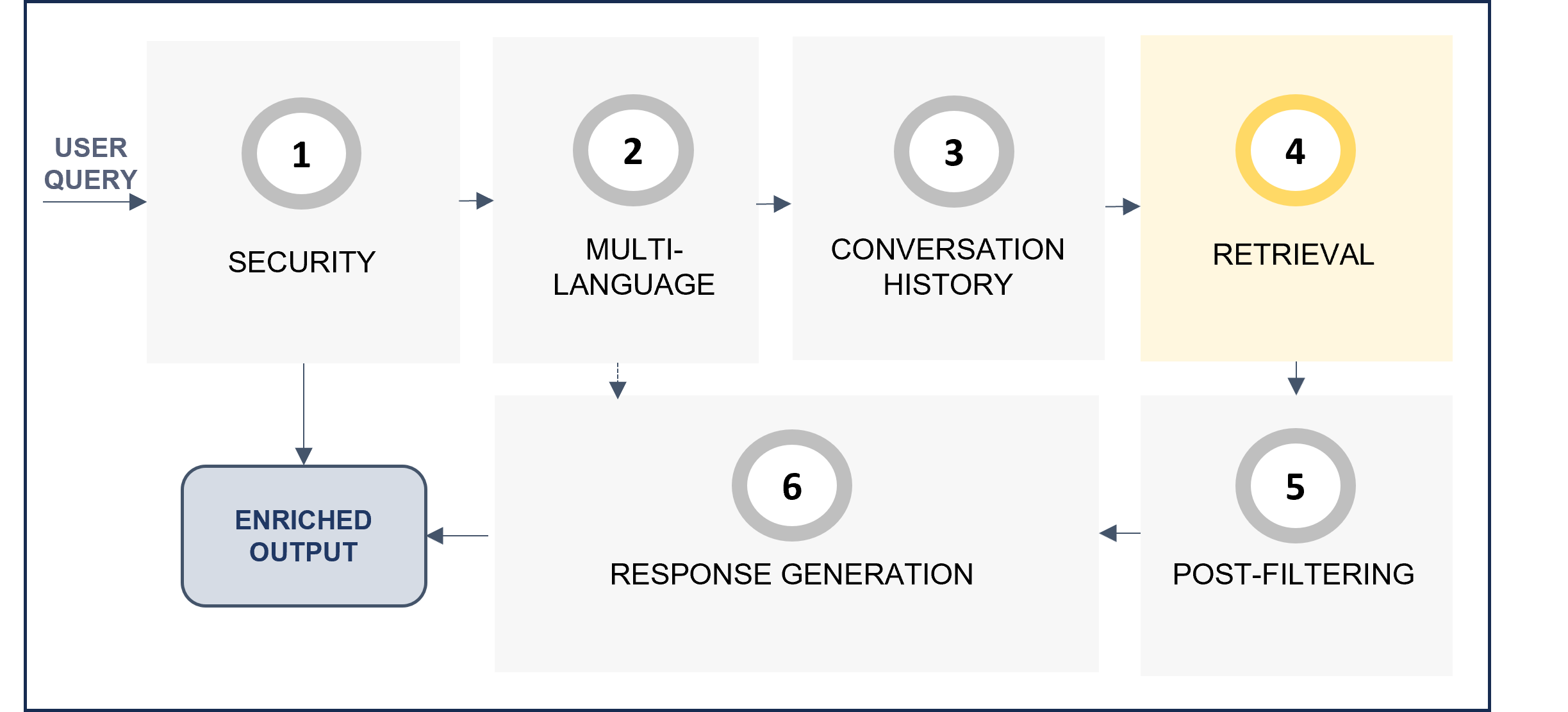
The retrieval stage (retrievalStg) is responsible for retrieving the relevant text blocks for the generation of the final response to the user. There are three configurable steps within this stage, which are shown in the following diagram.
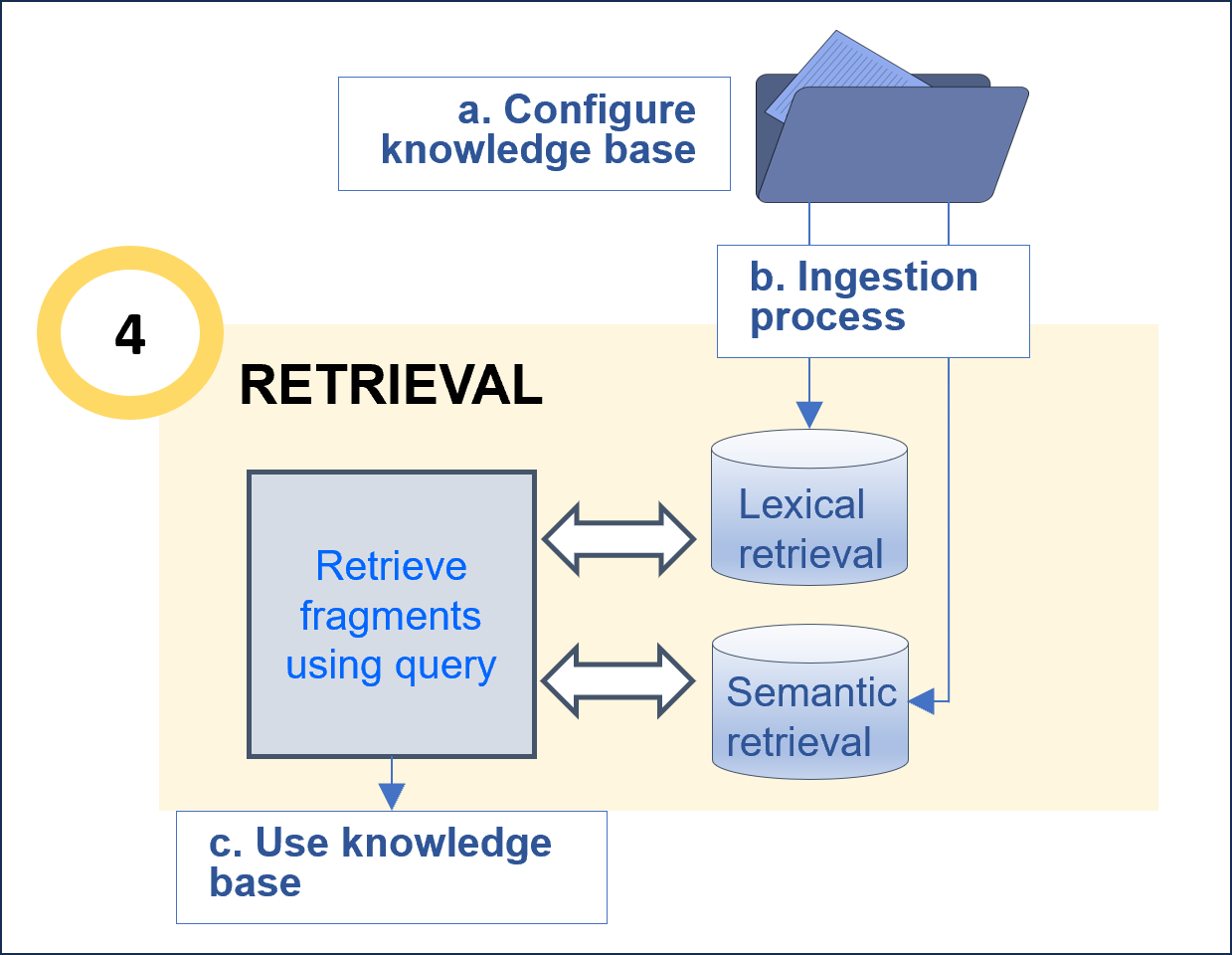
6.1. Configure the knowledge base
Before this task, it is important to curate the data in order to optimize the recognition process. For this purpose, we recommend following the Guidelines for data curation.
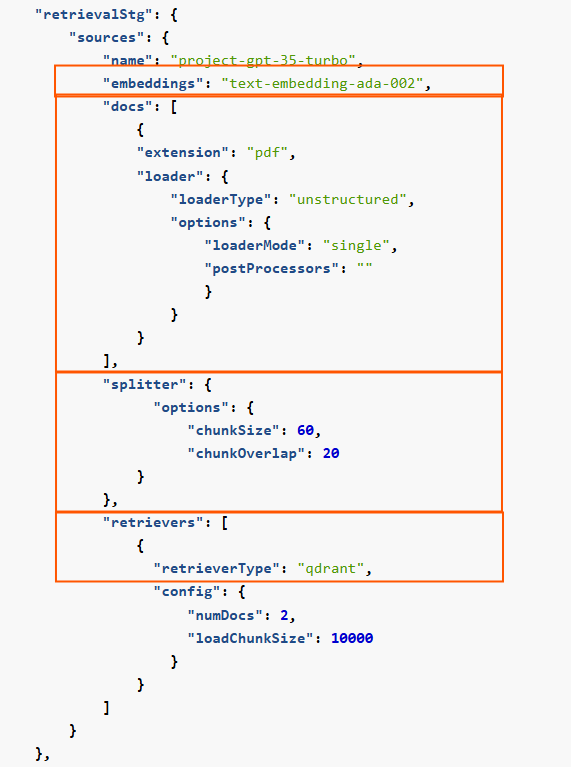
The configuration of the knowledge base focuses on the parameters related to the segmentation and processing of the kb.
Below, a selection of parameters that can be configured is included:
-
embeddings: Mandatory. Identifier of the embeddings model to be used. -
docs:extension: Mandatory. File types (extensions) of documents that can be processed. The extensions must be separated by a comma.loaderandpostProcessors: Parameters in charge of reading data from the source and converting it into a usable text or structured text.
-
splitter: Optional. Parameter in charge of dividing large text inputs into smaller, manageable chunks to make them suitable for processing.chunkSize: Maximum number of characters or tokens allowed in each chunk.chunkOverlap: Number of overlapping characters or tokens between consecutive chunks to preserve context.
-
retrievers: List of retrievers (lexical and semantic) and their associated parameters used for storing and retrieving information from the knowledge base.
Related parameters in preset
6.2. Ingestion process
During this step, the documents are uploaded into the knowledge base. For this purpose, it is required to specify where the documents will be uploaded so that the system can locate them.
-
Configure the path in the preset
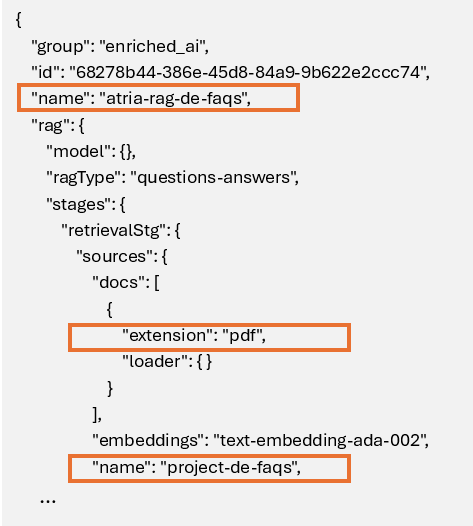
The preset must specify the exact path where the knowledge base is located in Microsoft Azure Storage Explorer, taking the value of the following parameters of the preset:Preset parameters for ingestion path
-
Upload document to Azure Blob Storage
Within the corresponding environment, access the atria-resources folder and insert the documents in the following path:
<preset_name>/<retrievalStg.sources.name>/<retrievalStg.sources.docs[i].extension>
For the previous example:
atria-resources/atria-rag-de-faqs/project-de-faqs/pdf
-
Notify if needed
Once documentation has been uploaded and the preset has been configured, it is needed to execute the ingestion process (GES, Engineering Team).
6.3. Use your knowledge base
Edit these parameters to indicate how to use the knowledge base:
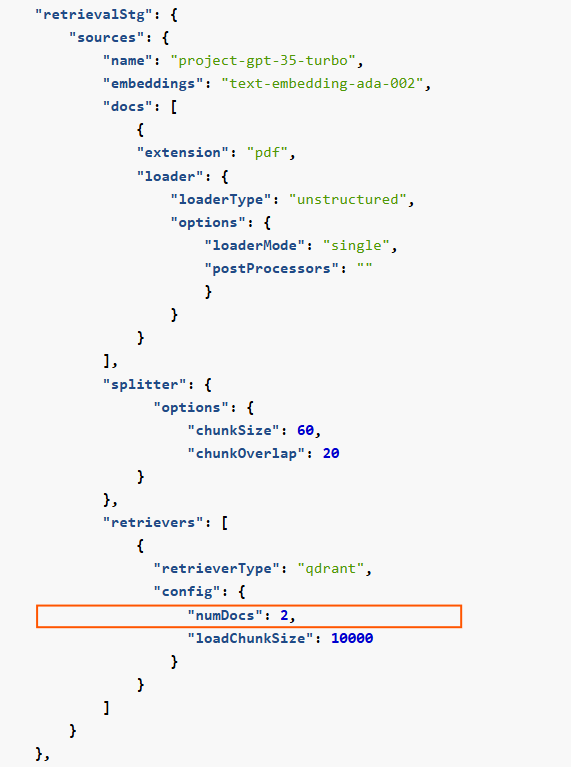
numDocs: Optional. Number of documents to be obtained as output from the retrieval stage.
Related parameters in preset
7. Post-filtering
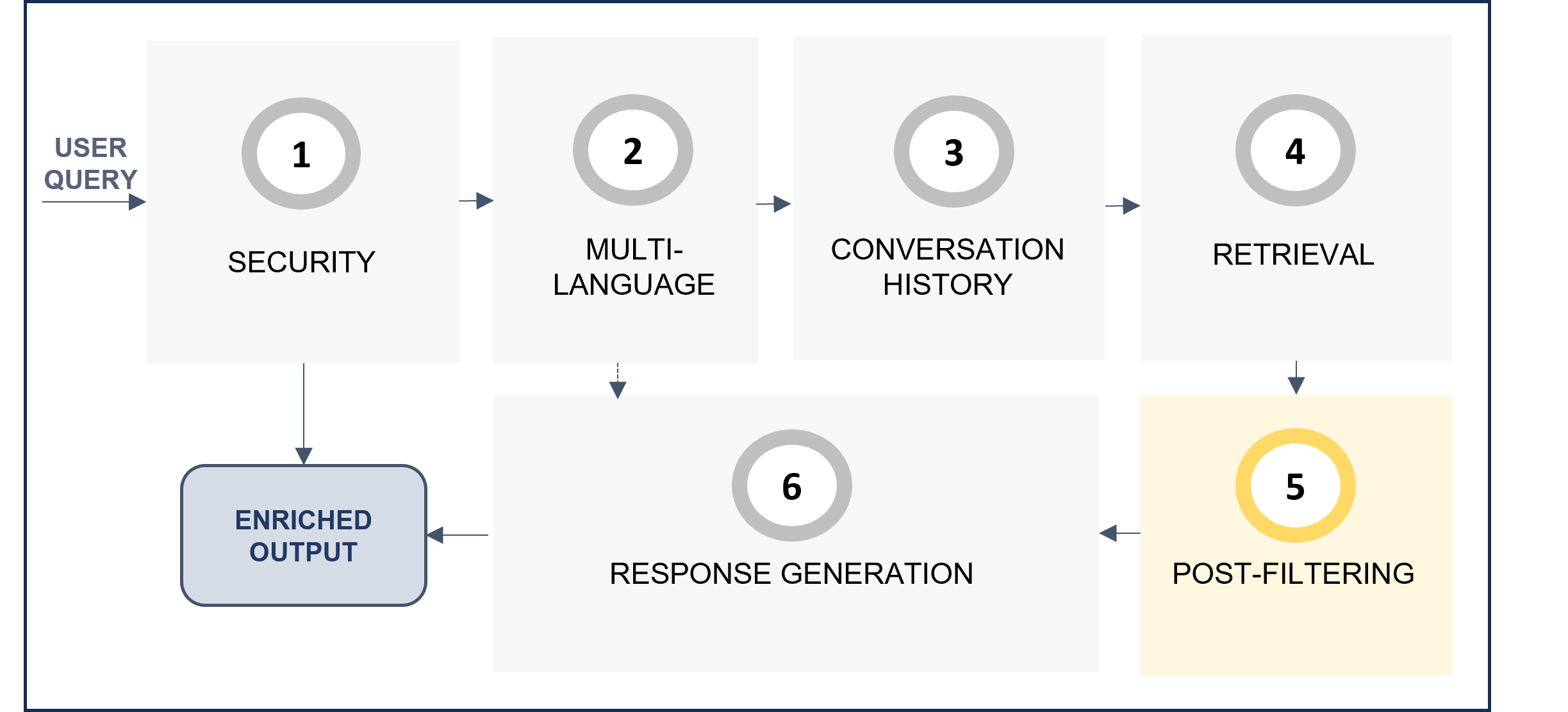
The post-filtering stage postFilteringStg verifies the relevance of retrieved text blocks. For each candidate, the LLM determines if the candidate text is related to the query, and if not, the candidate will be filtered out.
-
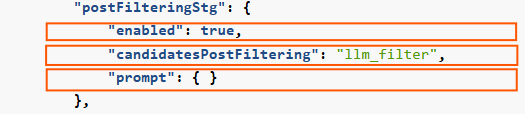
enabled: This stage can be enabled or disabled. If not enabled, no post-processing will take place. -
candidatesPostFiltering: This parameter is fixed to the valuellm_filter -
prompt: Prompt for the post-filtering stage. It is recommended to use the default prompt and not change it.
Related parameters in preset
The default prompt is included below, both schematically and JSON code. It is recommended to use it with no modifications. Nevertheless, if you want to modify it, take the default one as a reference and make your updates.
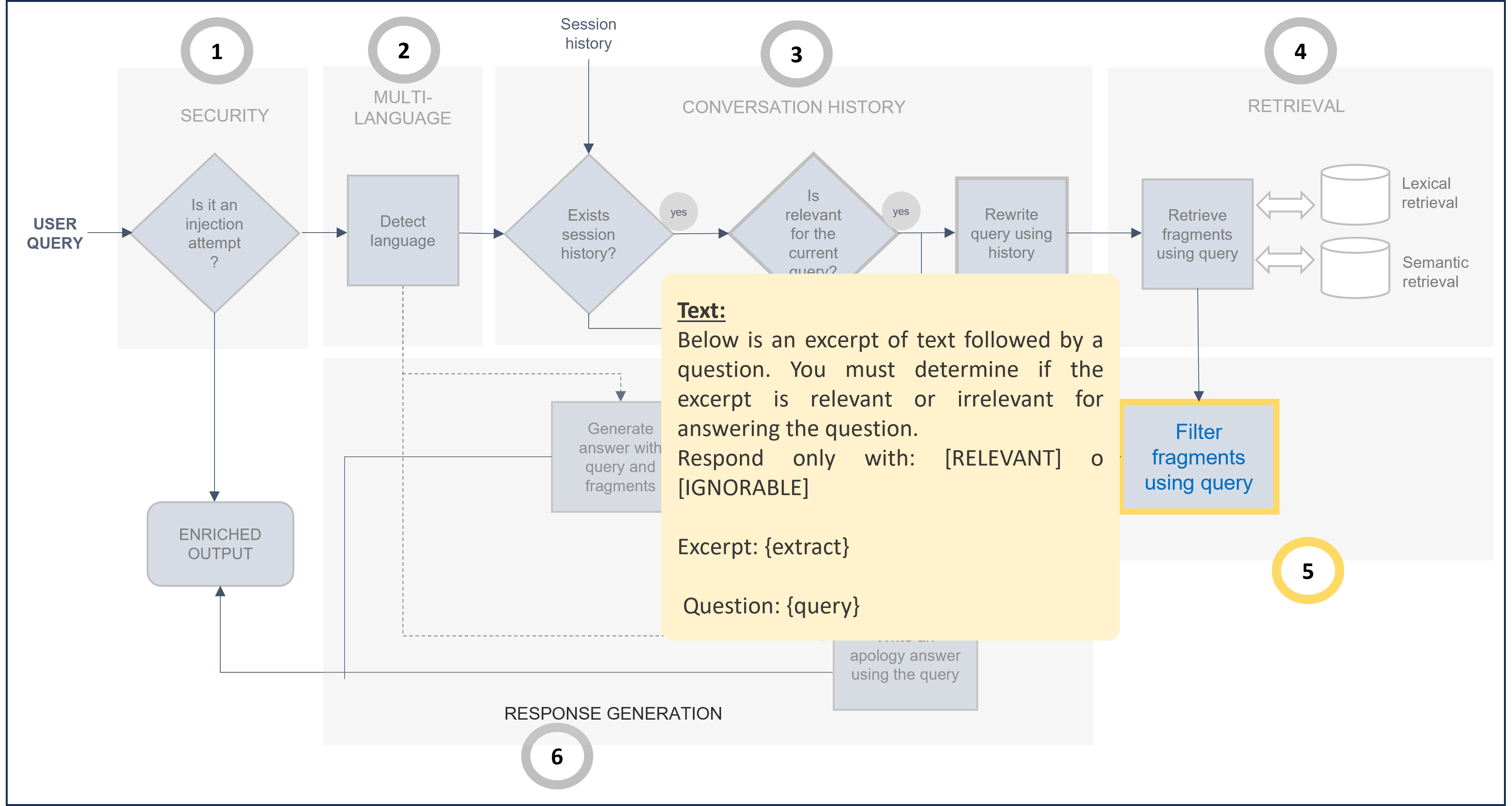
Default prompt for post-filtering stage (Use as template for prompt customization)
...
"postFilteringStg": {
          "enabled": true,
          "candidatesPostFiltering": "llm_filter",
          "prompt": {
            "default": {
              "text": "Below is an excerpt of text followed by a question. You must determine if the excerpt is relevant or irrelevant for answering the question.\nRespond only with: [RELEVANT] o [IGNORABLE]\n\nExcerpt:\n{extract}\n\nQuestion:\n{query}\n\n\n"
            }
          }
        }
...
8. Response generation
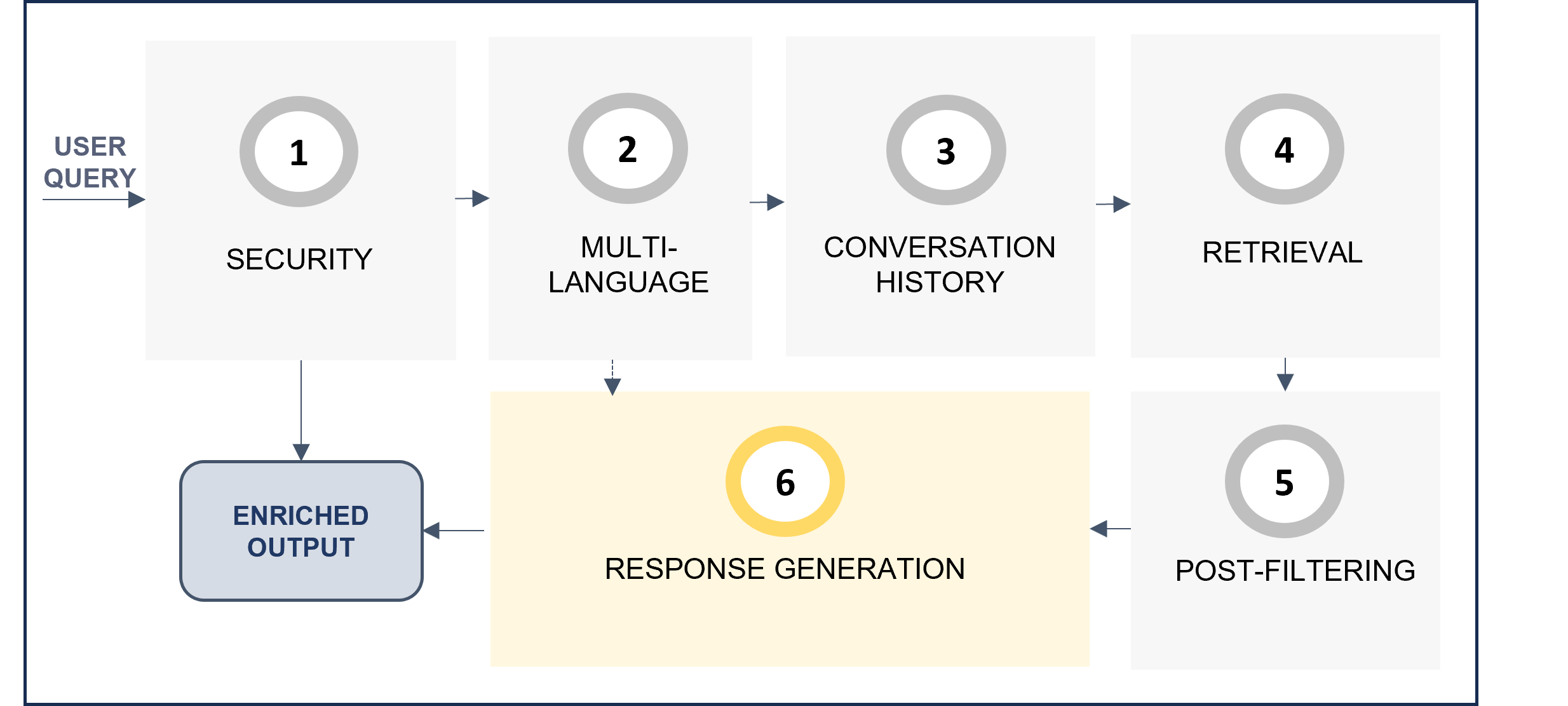
Stage for the generation of the response based on the retrieved context. This last stage is ideal for adjusting response behavior (e.g., multi-language, tone, etc.).
Related parameters in preset

When the RAG pipeline flow reaches the response generation stage (generativeStg), there are two options:
-
If relevant text blocks have been achieved in the previous stage, then:
- By default, the prompt
stuffis used to formulate answers with the retrieved context.
- By default, the prompt
-
If no relevant text blocks have been found in the previous stage, then:
- By default, the prompt
notAnswerResponseis used to formulate the response when the question cannot be answer
- By default, the prompt
The above-mentioned prompts by default are included here. If you want to modify them, take the default ones as a reference and make your updates.
Default prompt for response generation stage (Use as template for prompt customization)
...
"generativeStg": {
      "prompts": {
        "stuff": {
            "system": {
                "default": {
                      "text": "Respond in language {user_query_language}. \n\nQuestion:\n{question}\n",
                      "args": {
                              "user_query_language": "#.auto.language.user_query"
                              }
                            }
                        },
            "human": {
                "default": {
                      "text": "You are going to generate an answer for a user question or query. \nTo generate the answer, take always into account all the information available in the context provided.\n\nContext:\n{context}\n\nQuestion:\n{question}\n\nNever include information by your own using your own knowledge.\n{extra_prompt}\n"
                        }
                      }
                    },
        "notAnswerResponse": {
            "default": {
                      "text": "You are a question answering agent. You have tried to answer this question: {query} \nHowever you do not have information to answer this.\nPlease, tell the user that you are not able to answer, apologize and invite the user to make other question.\nAvoid any harmful answer, such as sexual, rude, sexist or racist.\nRespond in language {user_query_language}.\n\nUser question:\n{query}\n",
                      "args": {
                        "user_query_language": "#.auto.language.user_query"
                            }
                        }
                    }
                }
            }
b. Define advanced configuration for your preset
In addition to the basic parameters for use cases constructors, presets also include other advanced fields that can also be configured but require greater technical expertise.
Discover them here: