Guidelines for the connection of a skill to Aura Root
Detailed process for the connection of a skill to Aura Root
Introduction
The process for the connection of a skill to Aura Root is common for the three types of skills defined before.
⚠️ It is only important to take into account that, for third-party bots, constructors must previously develop a third-party adapter to communicate the bot with Aura Root (that is, to make it compatible with Microsoft Bot Framework protocol). After doing that, the connection of the bot with Aura Root follows the same common steps as for other types of skills.
Prerequisites
The following previous tasks are required for the further connection of a skill with Aura Root:
- We have a skill already developed and published
- There is a channel routed by Aura Root to this skill
1. Register a skill in Aura
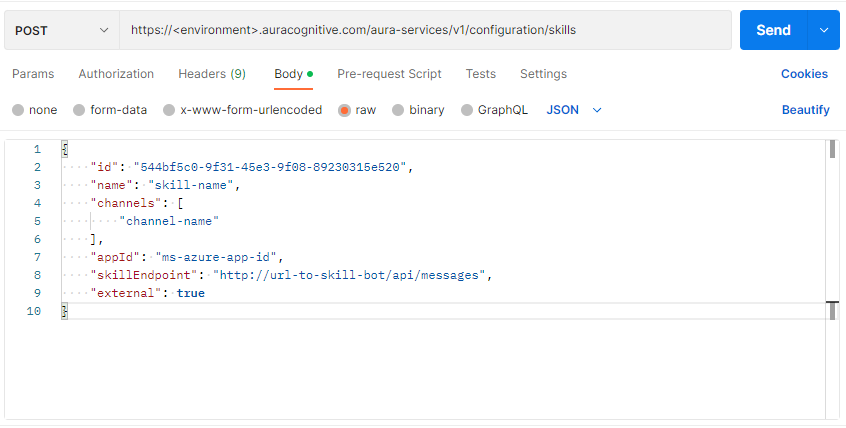
In order to activate a skill in Aura, make a POST request to the skills module of aura-configuration-api through the corresponding swagger.
https://<environment>.auracognitive.com/aura-services/v2/configuration/skills
The fields in the request are shown below:
id: Unique identifier of the skill. It can be generated with UUID Generator Tool by OB operator.name: name of the skill by OB operator.channels: array of strings including the name of the channel(s) associated with the skill.appId: Microsoft appIdskillEndpoint: endpoint where the skill is publishedexternal: Boolean value indicating if the skill is deployed in the same environment as aura-groot or not.- If
true, the skill is deployed in a different environment. - If
falseor this parameter is not existing, then the skill is deployed in the same environment.
- If
ℹ️ NOTE: Both the id and the name of the skill must be assigned by the OB operator, and they must ensure that they are unique in order to avoid collisions.
Check the following example of a request body:
{
    "id": "544bf5c0-9f31-45e3-9f08-89230315e520",
    "name": "skill-name",
    "channels": [
        "channel-name"
    ],
    "appId": "ms-azure-app-id",
    "skillEndpoint": "http://url-to-skill-bot/api/messages",
    "external": true //Only present if the skill is not in the same environment of Aura Groot
}
2. Make changes available in Aura Groot
In order to update Aura Groot configuration with the modifications carried out, at this stage it is required to restart this component. Depending on the enviroment, there are two possible scenarios.
2.1. Connect to skill in a local environment
In these cases, it only will be neccessary to restart aura-groot component in local enviroment to connect to new skill. The instance can be started using the following command for running aura-groot in local environment:
npm start
2.2. Connect to skill in a production environment
In Aura production environments, it will not be necessary to restart the component to update the skills configuration. This connection is done automatically through the config-watcher.
The config-watcher runs periodically (every 5 minutes) and, when it detects that the configuration has been modified in aura-configuration-api, it will automatically restart the pods.
Alternative: Use the /refresh endpoint
⚠️ Use this manual process only if you cannot wait for the automatic execution of the config-watcher
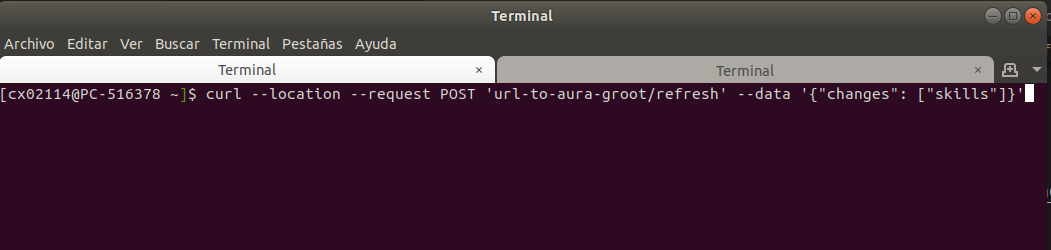
In order to connect the skill in production environment in a manual way (only in the above-mentioned scenario), the /refresh endpoint of aura-groot allows the update of the new configuration without restarting the component.
Two different scenarios can arise here:
Update all configuration parameters
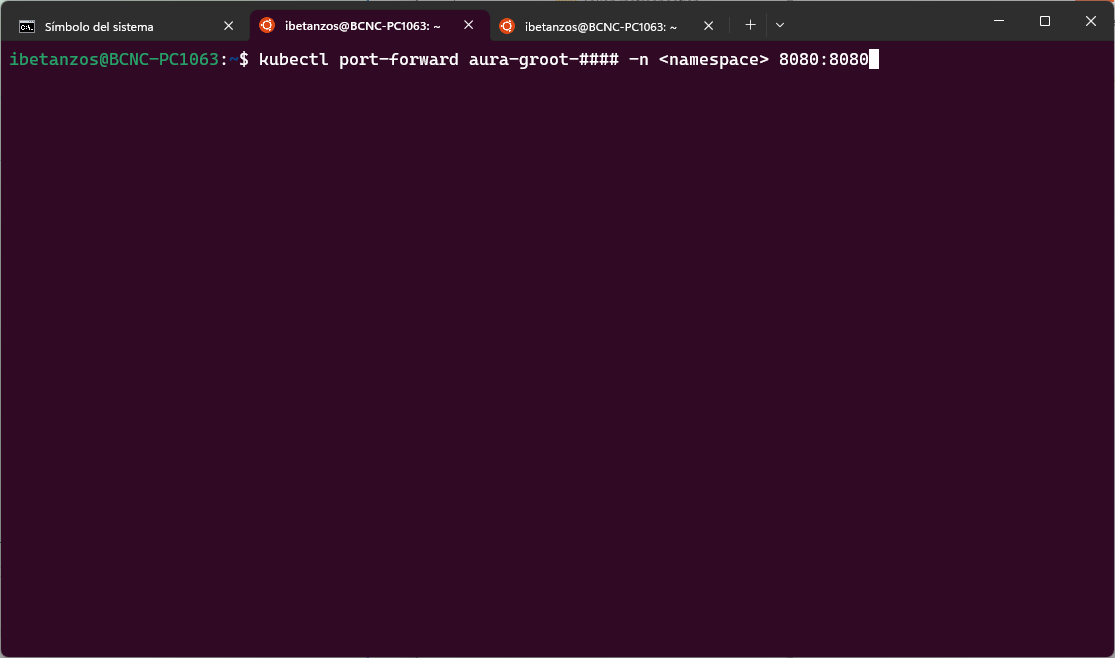
Make a port-forward to both aura-groot pods (one request per pod)
kubectl port-forward aura-groot-#### -n <namespace> 8080:8080
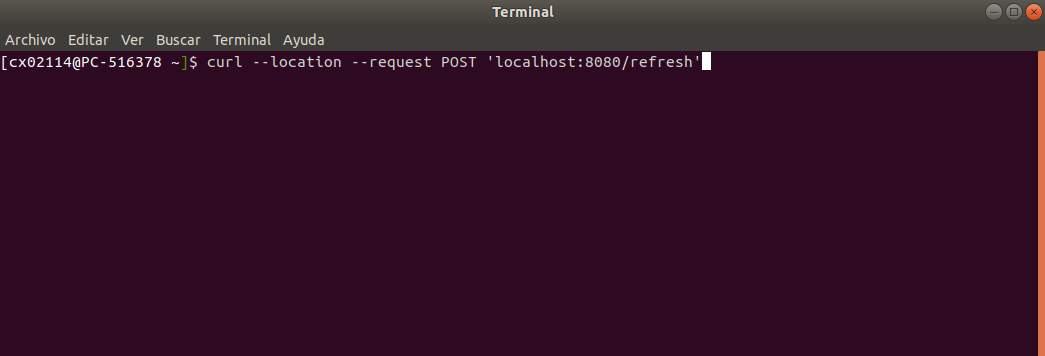
The request to the endpoint with post-forward is shown below:
curl --location --request POST 'localhost:8080/refresh'
Update ONLY skills/channels information
If we only want to update skills and/or channels information, send the parameters in the message body:
    curl --location --request POST 'localhost:8080/refresh' \
    --header 'Content-Type: application/json' \
    --data-raw '{
        "changes": ["skills", "channels"] // use "skills" and/or "channels" or neither of them
    }'