1 - Build Aura response
Building Aura response in WhatsApp channel
Building Aura response for a use case in the WhatsApp channel has certain particularities due to the limitations of WhatsApp channels
Introduction
When developing a use case, you should follow the general guidelines for building Aura response, which are common for all channels.
However, for WhatsApp channel, certain specific steps must be carried out regarding POEditor resources, rendering limitation of WhatsApp channels and the configuration of the Markdown type to be used in the response.
Specific POEditor resources for WhatsApp channel
Take into account that the WhatsApp channel requires specific POEditor resources corresponding to aura-bridge errors and to the onboarding, authentication and handover dialogs.
Therefore, you should edit the texts corresponding to these resources.
Resources for Aura bridge errors
The locales corresponding to aura-bridge errors can be checked here, with an example text for Spain:
https://github.com/Telefonica/aura-bridge/blob/master/locale/es-es.json
There are specific resources for WhatsApp (WA) or general resources for all channels.
Resources for WhatsApp dialogs
Likewise, aura-bot has specific resources for the onboarding, authentication and handover dialogs.
At this stage, you should edit the texts associated to these resources, which are included in their corresponding documents:
Find specific resources for WhatsApp interactive messages (buttons and links) in Use of interactive messages in WhatsApp graphical interface.
Rendering in WhatsApp channels
WhatsApp is configured in Aura as "output_message_format": "simple".
That means that aura-bot can only return text or Hero Cards components.
Aura and WhatsApp speak different languages, so they cannot communicate directly and the bridge acts as a translator between them. Therefore, at this stage, it is required to render all the components to be included in Aura response taking into account the limitations and constraints for this channel.
Rendering Aura response components
For every component of Aura response, check the document Rendering Aura response components in WhatsApp to know how aura-bridge converts them to be shown in WhatsApp and the limitations and constraints for this channel.
Configuration of Markdown type in the response
By default, use cases in WhatsApp build the response using WhatsApp-specific markdown as aura-bridge converts the standard Markdown (Direct Line messages) into WhatsApp markdown when a use case sends an answer containing this language.
However, OBs can decide if the conversion should or should not take place, so aura-bridge would/would not make the conversion before sending the message to the channel.
This modification in the Markdown format is available for WhatsApp-type channels (currently, WhatsApp) and can be done at two levels:
a. Channel level
b. Use case dialog level
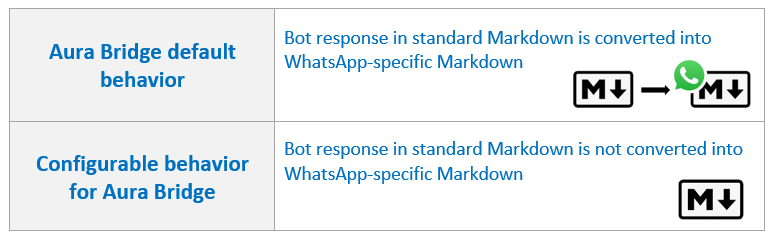
The succeeding sections show the specific processes for this configuration.
The default configuration of aura-bridge, that converts the standard Markdown (text received from Direct Line message) into WA-specific Markdown, can be modified at channel level, so the response to the user will be provided in WhatsApp Markdown format for a specific channel.
For this purpose, constructors must use the whatsapp field in the channels’ configuration file.
The interface is as follows:
export interface WhatsAppModel {
    ...
    /**
     * Indicates whether the texts of each of the messages received must be converted to the WhatsApp markdown format.
     * Default: true
     */
    textConvert?: boolean;
}
It is possible to disable text conversion to WhatsApp markdown format setting the value of the whatsapp.textConvert to false (by default, it is true):
{
    "name": "whatsapp",
    ...
    "whatsapp": {
        "textConvert": false        // Do not convert
    },
}
⚠️ Be aware of the behavior:
-
In this case, the dialog will follow the channel’s behavior.
-
However, if the dialog is also configured not to do the conversion (see next section), then this configuration will take precedence over the channel configuration.
The default configuration of aura-bridge, that converts the standard Markdown Markdown (text received from Direct Line message) into WA-specific Markdown, can be modified at use case (dialog) level, so the response to the user will be provided in WhatsApp Markdown format for a specific use case.
For this purpose, constructors may change the activity using the payload model > textConvert field.
The interface is as follows:
export interface Whatsapp {
    ...

    /**
     * Indicates whether the texts of each of the messages received must be converted to the WhatsApp markdown format.
     * Default: true
     */
    textConvert?: boolean;
}
To avoid the text conversion to WhatsApp markdown format, constructors can set the value of the textConvert field to false (by default, it is true):
{
    type: 'message',
    ...
    channelData: {
        payload: {
            bridge: {
                whatsapp: {
                    textConvert: false      // Do not convert
                }
            }
        }
    }
}
⚠️ Remember that the dialog configuration will take precedence over the channel configuration.
2 - Rendering Aura response
Rendering Aura response components in WhatsApp
Rendering capabilities of WhatsApp channels for every component of Aura response
Introduction
The current document identifies, for every component of Aura response, how aura-bridge converts it to be shown in WhatsApp and the limitations and constraints for this channel.
⚠️
Make sure the channel you are working with is not configured to force a particular list type. Otherwise, you may get unwanted results.
You can find this option in the WhatsApp model, which is part of Aura channel model.
Please go to the aura-configuration-api for further information regarding how to check the current configuration for the channels.
Texts
Users’ utterance
The user’s utterance is not an element to be included in Aura response but, likewise, the channel must render it.
| ID |
Description |
JSON response |
Rendering in WhatsApp |
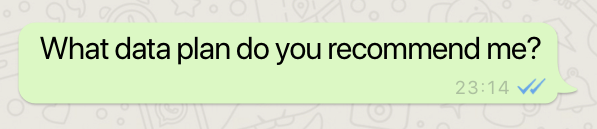
| text.utterance.01 |
The user inserts a basic sentence |
“What data plan do you recommend me?” |
 |
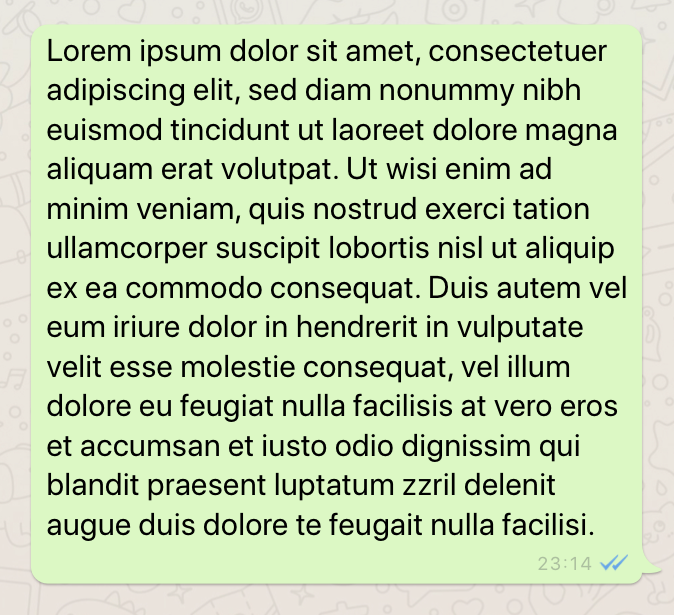
| text.utterance.03 |
The user inserts a long request |
“Lorem ipsum dolor sit amet, consectetuer adipiscing elit, sed diam nonummy nibh euismod tincidunt ut laoreet dolore magna aliquam erat volutpat. Ut wisi enim ad minim veniam, quis nostrud exerci tation ullamcorper suscipit lobortis nisl ut aliquip ex ea commodo consequat” |
 |
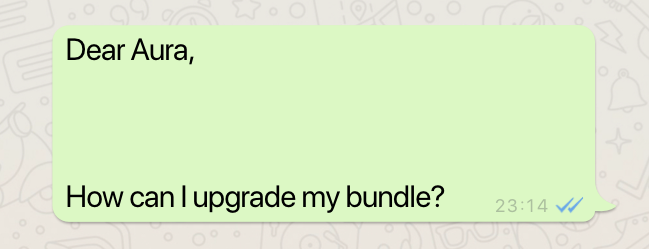
| text.utterance.04 |
The user inserts a request with a line break |
“Dear Aura, How can I upgrade my bundle?” |
 |
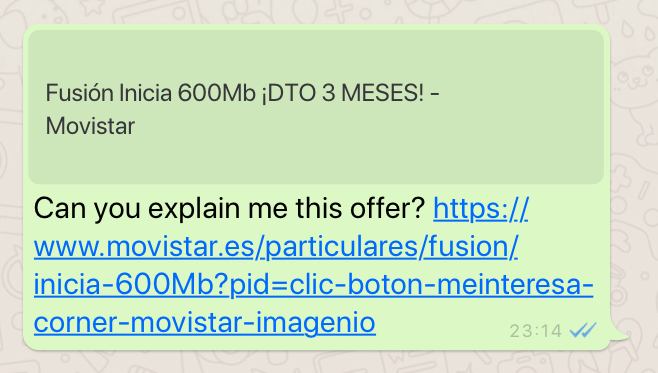
| text.utterance.05 |
The user inserts a request including hyperlinks |
“Can you explain me this offer? https://www.movistar.es/particulares/fusion/inicia-600Mb?pid=clic-boton-meinteresa-corner-movistar-imagenio" |
 |
| text.utterance.06 |
The user inserts a request including emojis |
“Hi 😊” |
 |
Insight
| ID |
description |
JSON components |
Command |
Rendering in WhatsApp |
| text.insight.01 |
Generation of an insight including all the markdown allowed options |
Insight 01 JSON file |
{"intent":"intent.factotum-test.whatsapp-formats","entities":[{"type":"insight","entity":"text.insight.01"}]} |
 |
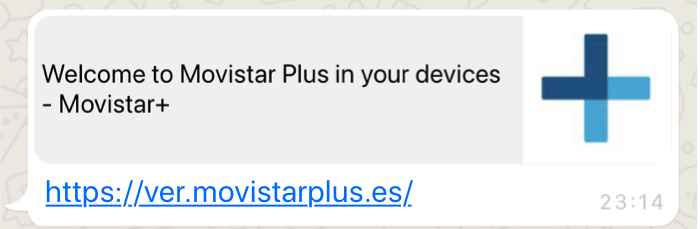
| text.insight.02 |
Generation of an insight with one URL and an image in the preview |
Insight 02 JSON file |
{"intent":"intent.factotum-test.whatsapp-formats","entities":[{"type":"insight","entity":"text.insight.02"}]} |
 |
| text.insight.03 |
Generation of an insight including one URL with no image in the preview |
Insight 03 JSON file |
{"intent":"intent.factotum-test.whatsapp-formats","entities":[{"type":"insight","entity":"text.insight.03"}]} |
 |
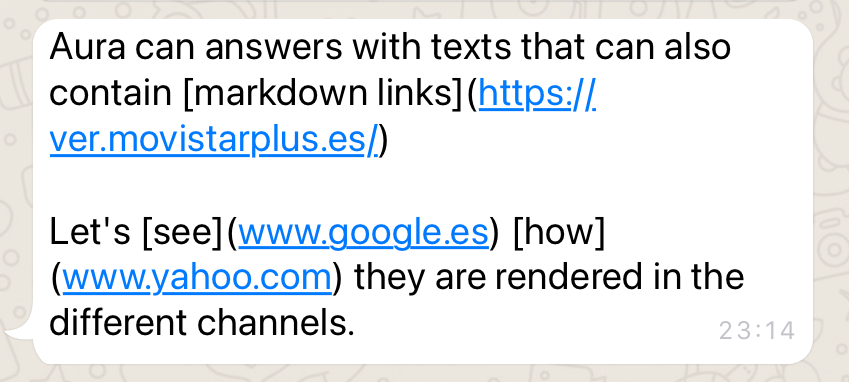
| text.insight.04 |
Generation of an insight including URLs with markdown |
Insight 04 JSON file |
{"intent":"intent.factotum-test.whatsapp-formats","entities":[{"type":"insight","entity":"text.insight.04"}]} |
 |
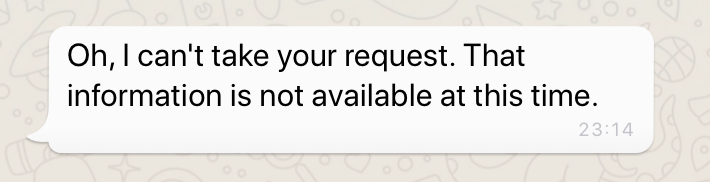
| text.insight.05 |
Generation of an insight text with blank text |
Insight 05 JSON file |
{"intent":"intent.factotum-test.whatsapp-formats","entities":[{"type":"insight","entity":"text.insight.05"}]} |
 |
| text.insight.06 |
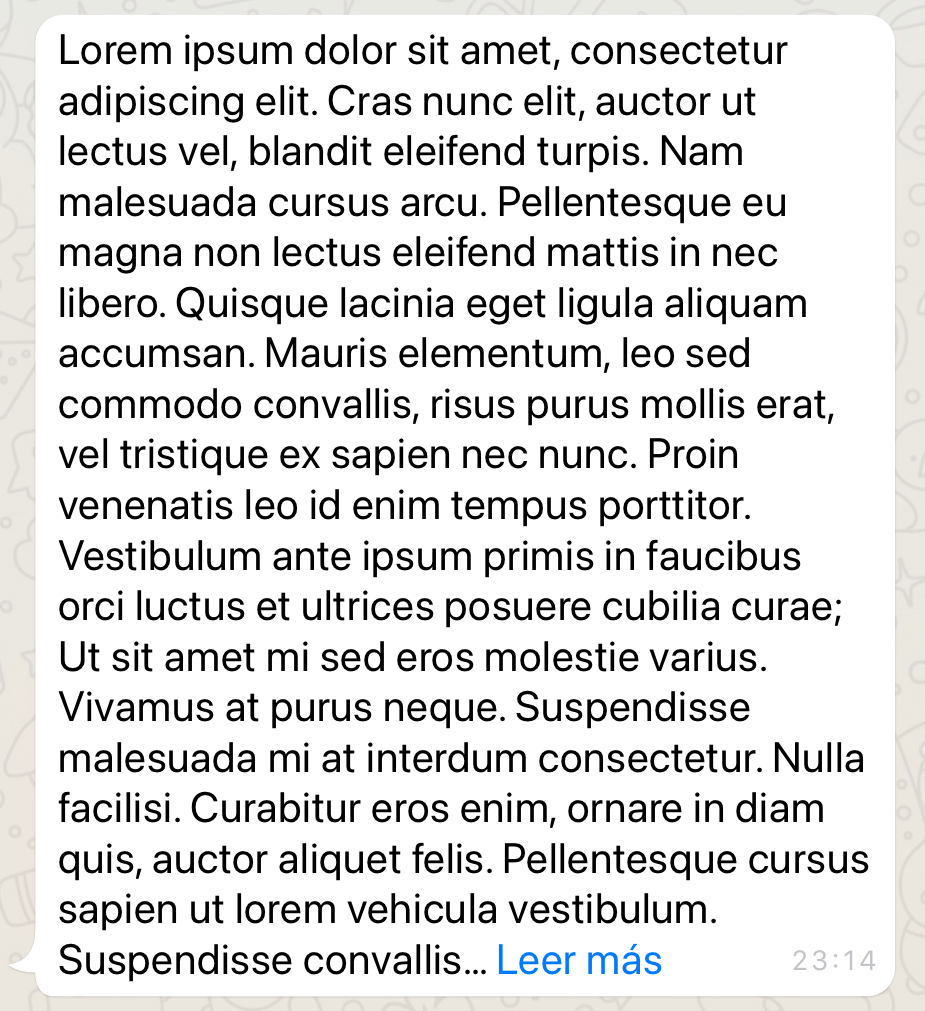
Generation of an insight including long text |
Insight 06 JSON file |
{"intent":"intent.factotum-test.whatsapp-formats","entities":[{"type":"insight","entity":"text.insight.06"}]} |
 |
| text.insight.07 |
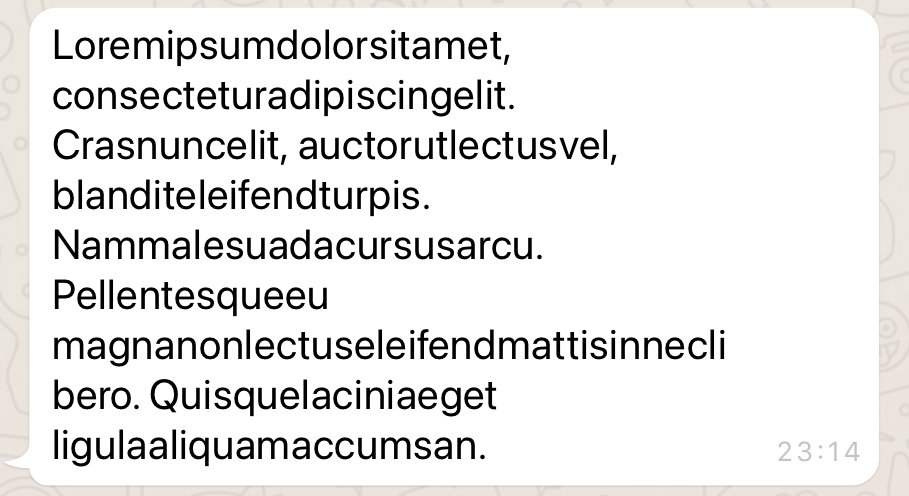
Generation of an insight with very long words |
Insight 07 JSON file |
{"intent":"intent.factotum-test.whatsapp-formats","entities":[{"type":"insight","entity":"text.insight.07"}]} |
 |
| text.insight.08 |
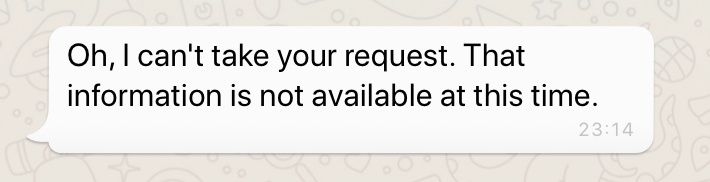
Generation of an insight with long text (more than 4096 characters) |
Insight 08 JSON file |
{"intent":"intent.factotum-test.whatsapp-formats","entities":[{"type":"insight","entity":"text.insight.08"}]} |
 |
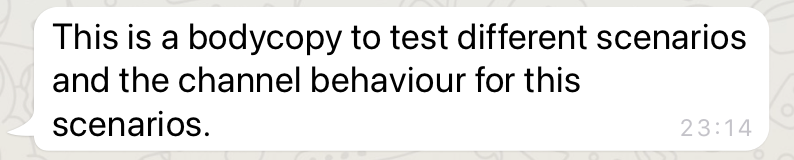
| text.insight.09 |
Generation of an insight with simple text |
Insight 09 JSON file |
{"intent":"intent.factotum-test.whatsapp-formats","entities":[{"type":"insight","entity":"text.insight.09"}]} |
 |
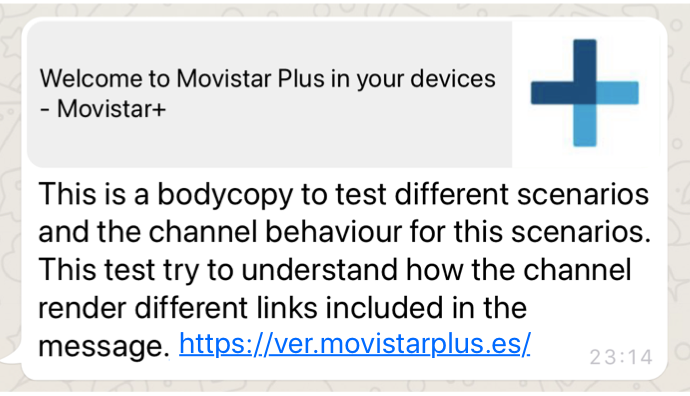
| text.insight.10 |
Generation of an insight including text with a URL and an image in the preview |
Insight 10 JSON file |
{"intent":"intent.factotum-test.whatsapp-formats","entities":[{"type":"insight","entity":"text.insight.10"}]} |
 |
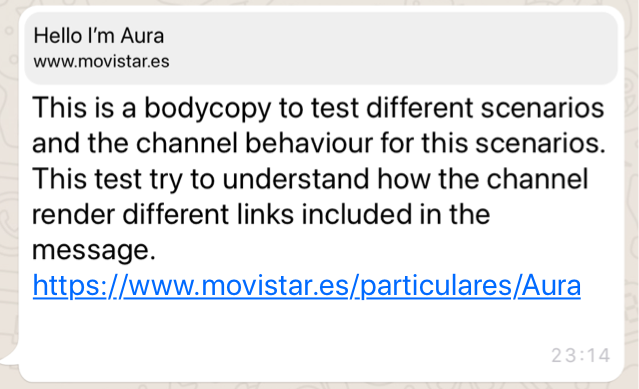
| text.insight.11 |
Generation of an insight including text with a URL and with no image in the preview |
Insight 11 JSON file |
{"intent":"intent.factotum-test.whatsapp-formats","entities":[{"type":"insight","entity":"text.insight.11"}]} |
 |
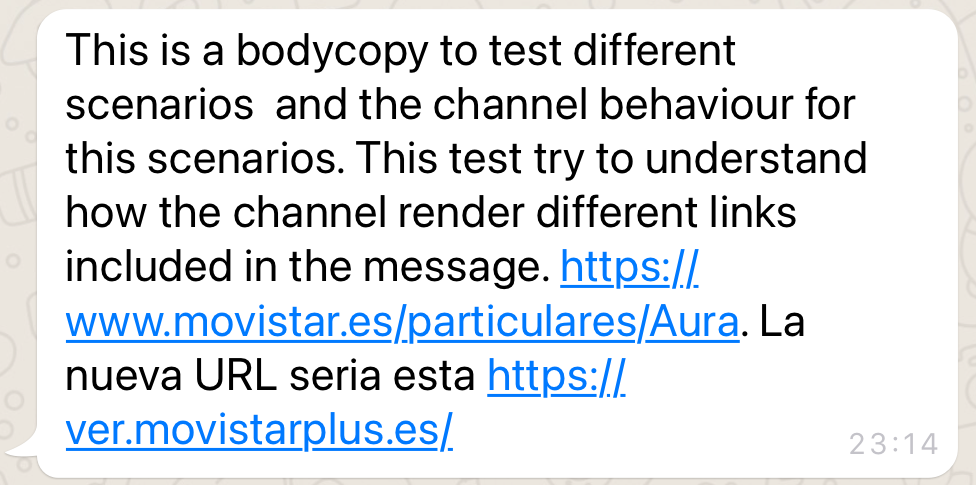
| text.insight.12 |
Generation of an insight with two URLs |
Insight 12 JSON file |
{"intent":"intent.factotum-test.whatsapp-formats","entities":[{"type":"insight","entity":"text.insight.12"}]} |
 |
| text.insight.13 |
Generation of an insight with specific characters used in different use cases in OBS |
Insight 13 JSON file |
{"intent":"intent.factotum-test.whatsapp-formats","entities":[{"type":"insight","entity":"text.insight.13"}]} |
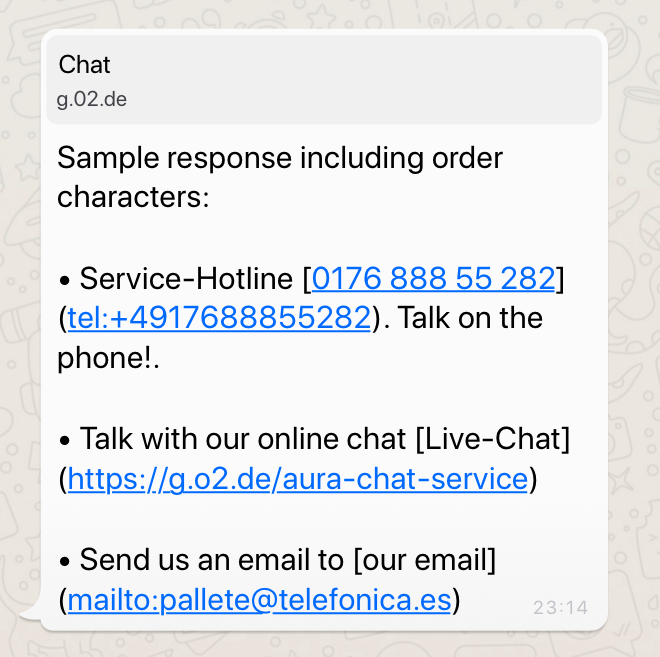 |
| text.insight.14 |
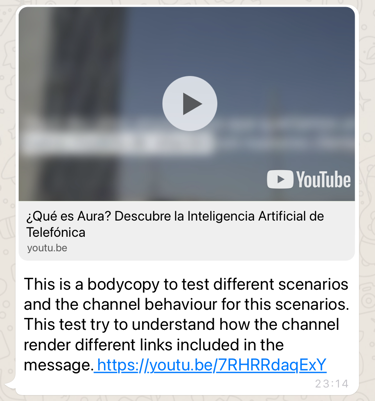
Generation of an insight including a text and a YouTube or Vimeo URL |
Insight 14 JSON file |
{"intent":"intent.factotum-test.whatsapp-formats","entities":[{"type":"insight","entity":"text.insight.14"}]} |
 |
| text.insight.15 |
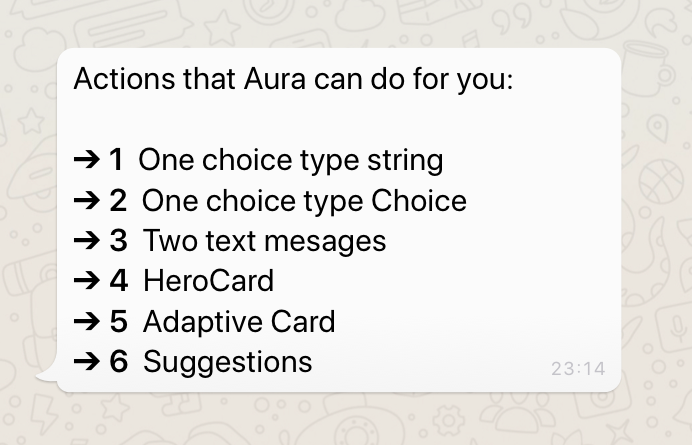
Generation of an insight with a list-format text |
Insight 15 JSON file |
{"intent":"intent.factotum-test.whatsapp-formats","entities":[{"type":"insight","entity":"text.insight.15"}]} |
 |
Cards
Adaptive Cards
WhatsApp channel is not able to render Adaptive Cards.
Hero Cards
| ID |
description |
JSON components |
Command |
Rendering in Whatsapp |
| card.hero.01 |
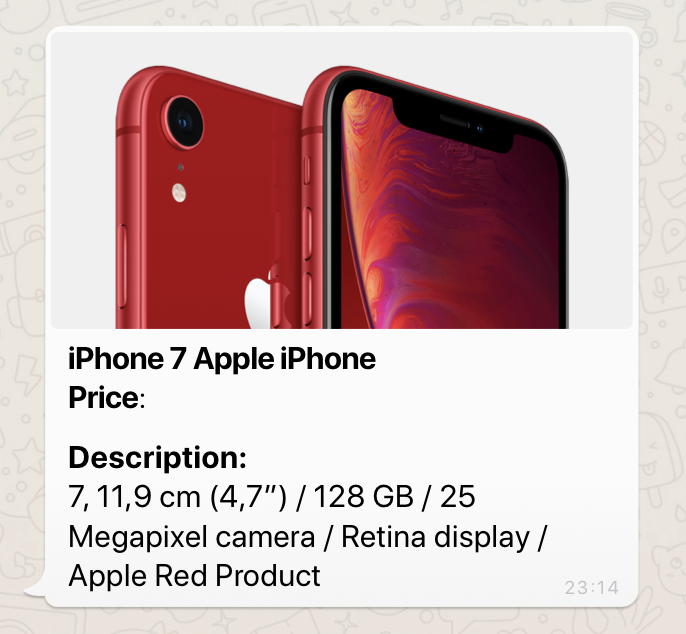
Hero card including tittle, sub-tittle and image |
Hero Card 01 JSON file |
{"intent":"intent.factotum-test.hero-card-01"} |
 |
| card.hero.02 |
Hero card including tittle, sub-tittle, image and URL |
Hero Card 02 JSON file |
{"intent":"intent.factotum-test.hero-card-02"} |
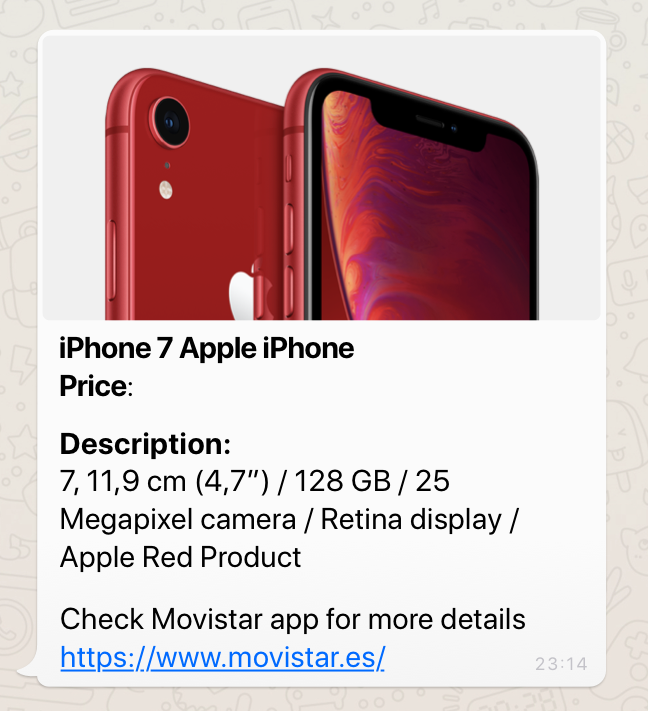 |
| card.hero.03 |
Hero card including tittle, image and URL |
Hero Card 03 JSON file |
{"intent":"intent.factotum-test.hero-card-03"} |
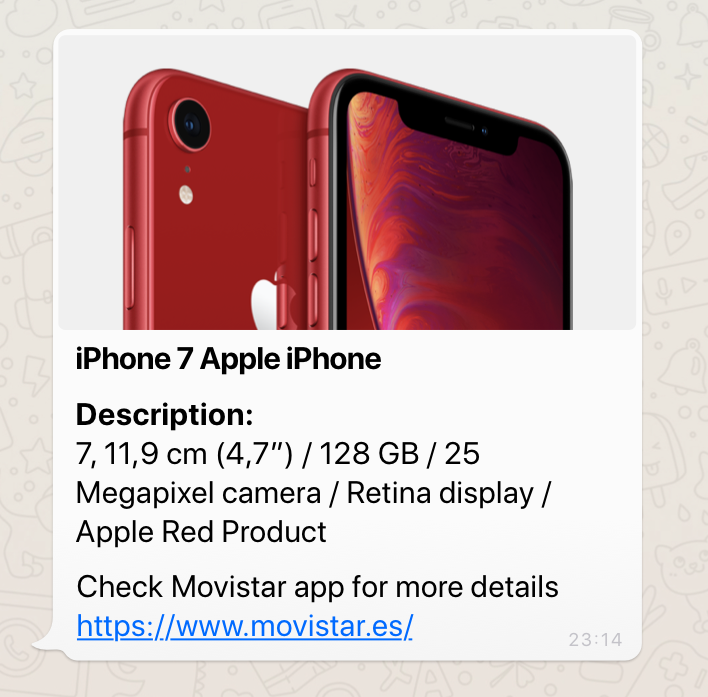 |
| card.hero.04 |
Hero card including title, subtitle and URL (without text) |
Hero Card 04 JSON file |
{"intent":"intent.factotum-test.hero-card-04"} |
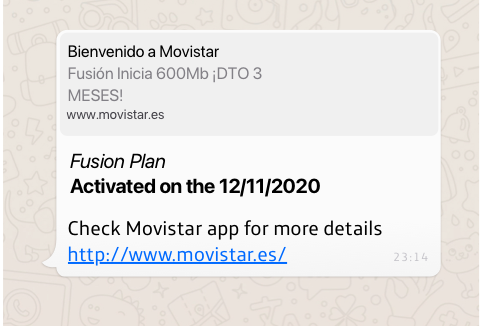 |
| card.hero.05 |
Hero card including title, subtitle and URL |
Hero Card 05 JSON file |
{"intent":"intent.factotum-test.hero-card-05"} |
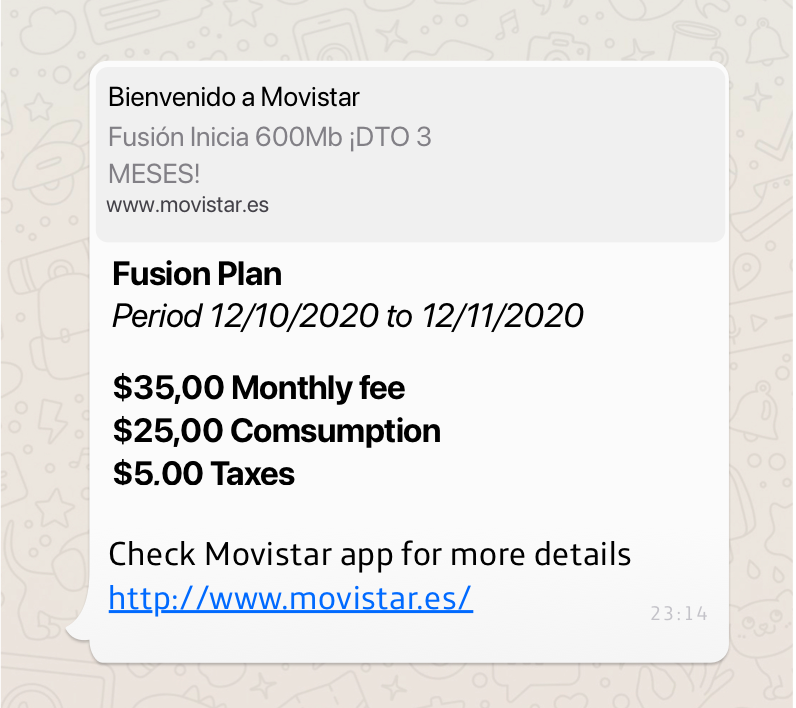 |
| card.hero.06 |
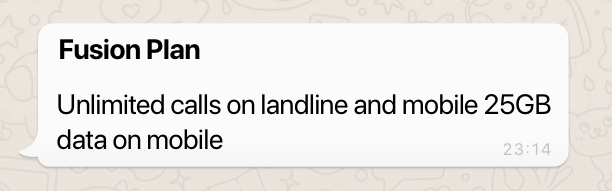
Hero card including title |
Hero Card 06 JSON file |
{"intent":"intent.factotum-test.hero-card-06"} |
 |
| card.hero.07 |
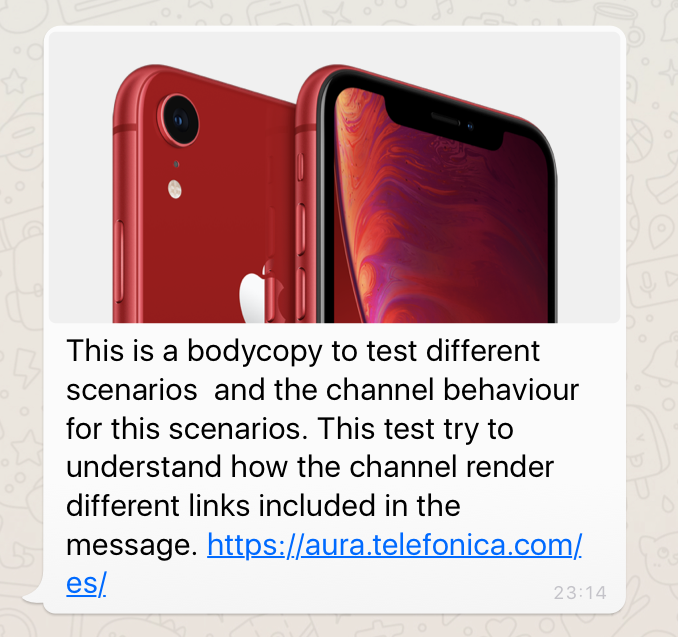
Hero card with text containing a URL |
Hero Card 07 JSON file |
{"intent":"intent.factotum-test.hero-card-07"} |
 |
| card.hero.08 |
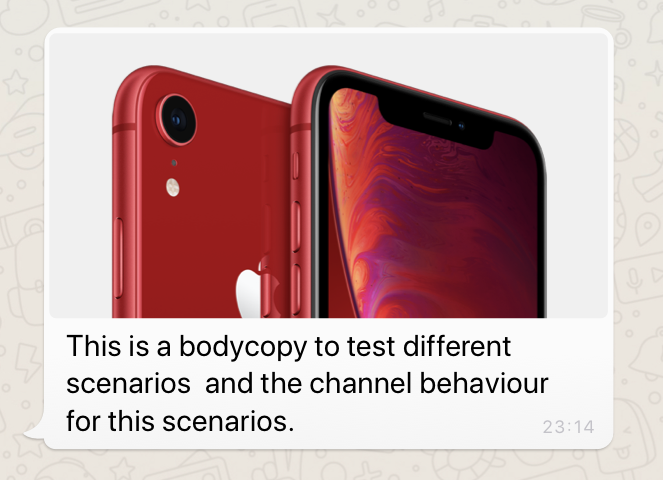
Hero card with image |
Hero Card 08 JSON file |
{"intent":"intent.factotum-test.hero-card-08"} |
 |
| card.hero.09 |
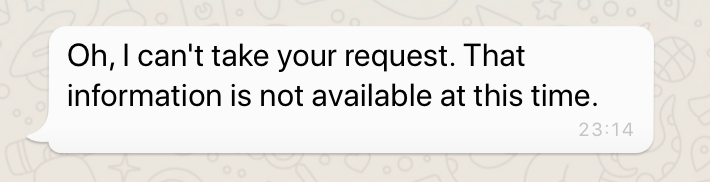
Hero card with an image in format different from jpeg and png |
Hero Card 09 JSON file |
{"intent":"intent.factotum-test.hero-card-09"} |
 |
| card.hero.10 |
Hero card including an empty list of images |
Hero Card 10 JSON file |
{"intent":"intent.factotum-test.hero-card-10"} |
|
| card.hero.11 |
Hero card including a list of images with wrong URLs |
Hero Card 11 JSON file |
{"intent":"intent.factotum-test.hero-card-11"} |
|
| card.hero.12 |
Hero card with a list of images |
Hero Card 2 JSON file |
{"intent":"intent.factotum-test.hero-card-12"} |
 |
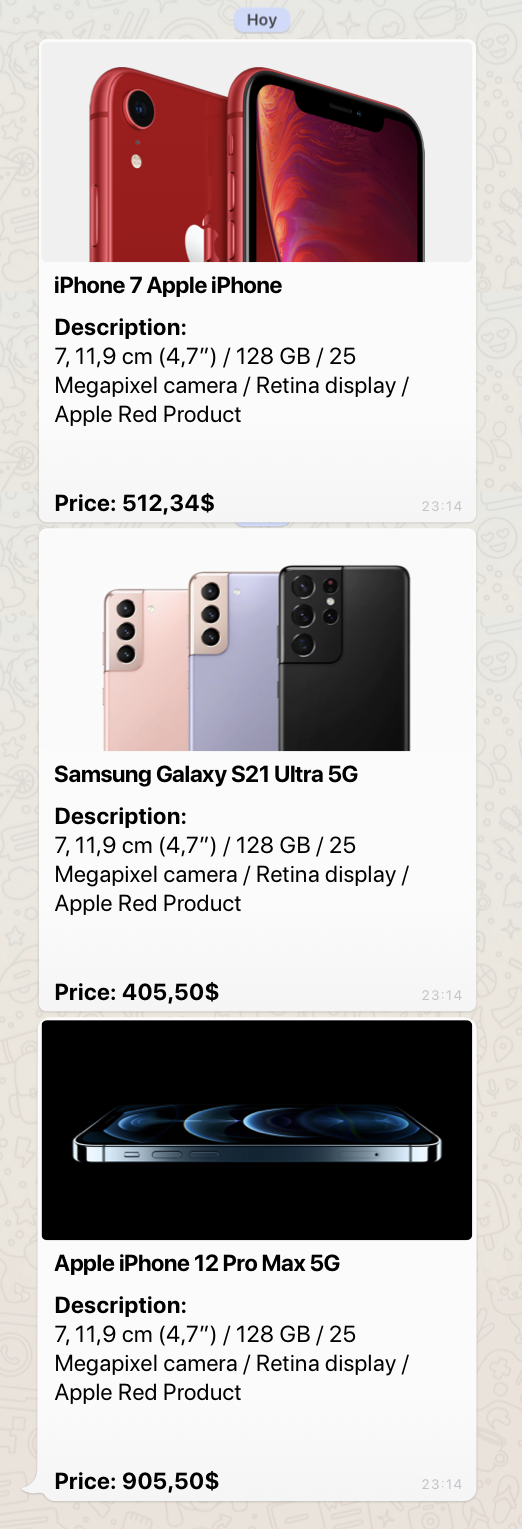
| card.hero.13 |
3 Hero cards (array of cards) |
Hero Card 13 JSON file |
{"intent":"intent.factotum-test.hero-card-13"} |
 |
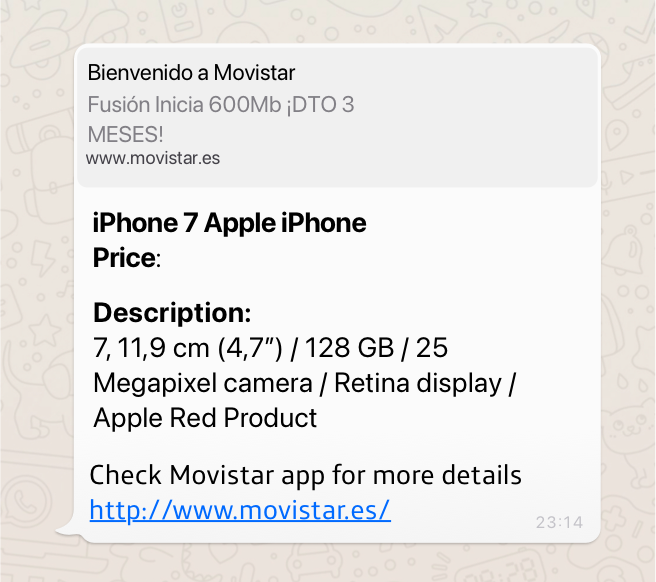
| card.hero.14 |
Hero card with title and URL |
Hero Card 14 JSON file |
{"intent":"intent.factotum-test.hero-card-14"} |
 |
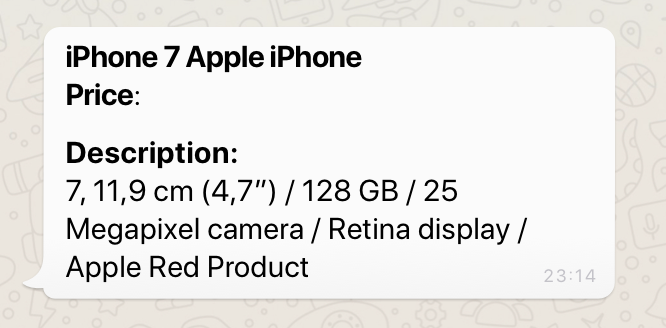
| card.hero.15 |
Hero card with title, subtitle and text |
Hero Card 15 JSON file |
{"intent":"intent.factotum-test.hero-card-15"} |
 |
| card.hero.16 |
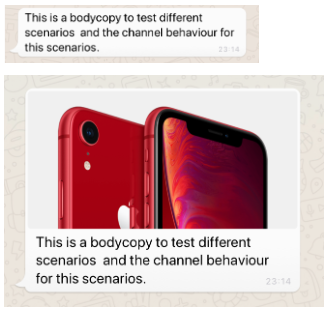
Hero card with activity as text |
Hero Card 16 JSON file |
{"intent":"intent.factotum-test.hero-card-16"} |
 |
| card.custom |
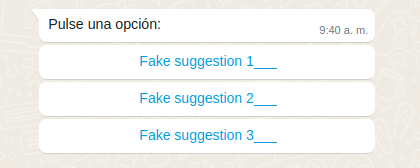
HeroCard (suggestion) with 3 options to show reply buttons |
Custom card 01 JSON file |
{"intent":"intent.factotum-test.hero-card-custom-dialog", "entities": [{"entity": "0", "type": "heroCards"}, {"entity": "3", "type": "options"}, {"entity": "20", "type": "charactersByOption"}, {"entity":"{\"type\":\"button\"}", "type":"whatsappListOptions"}]} |
 |
| card.custom |
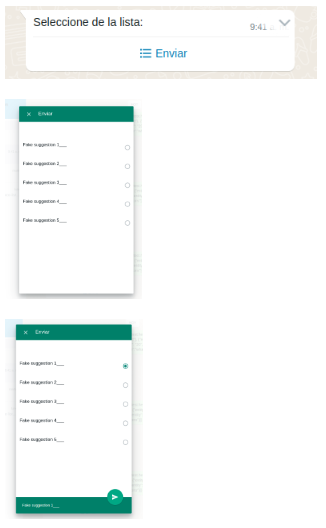
HeroCard (suggestion) with 5 options to show a WhatsApp list messages |
Custom card 02 JSON file |
{"intent":"intent.factotum-test.hero-card-custom-dialog", "entities": [{"entity": "0", "type": "heroCards"}, {"entity": "5", "type": "options"}, {"entity": "20", "type": "charactersByOption"}, {"entity":"{\"type\":\"list\"}", "type":"whatsappListOptions"}]} |
 |
| card.custom |
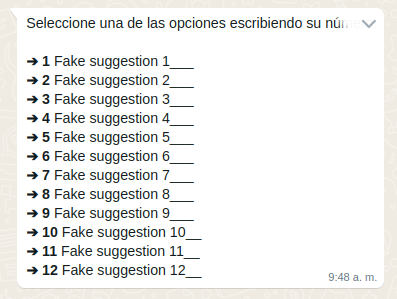
HeroCard (suggestion) with 5 options to show an enumerated text list |
Custom card 03 JSON file |
{"intent":"intent.factotum-test.hero-card-custom-dialog", "entities": [{"entity": "0", "type": "heroCards"}, {"entity": "12", "type": "options"}, {"entity": "20", "type": "charactersByOption"}, {"entity":"{\"type\":\"enumeratedList\"}", "type":"whatsappListOptions"}]} |
 |
| card.custom |
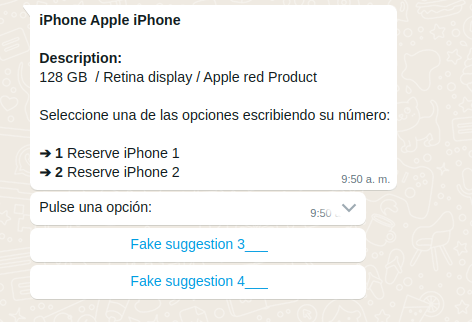
HeroCard with no images and suggestions with 2 reply buttons |
Custom card 04 JSON file |
{"intent":"intent.factotum-test.hero-card-custom-dialog", "entities": [{"entity": "simple", "type": "profile"}, {"entity": "2", "type": "options"}, {"entity": "20", "type": "charactersByOption"}, {"entity":"{\"type\":\"button\"}", "type":"whatsappListOptions"}]} |
 |
| card.custom |
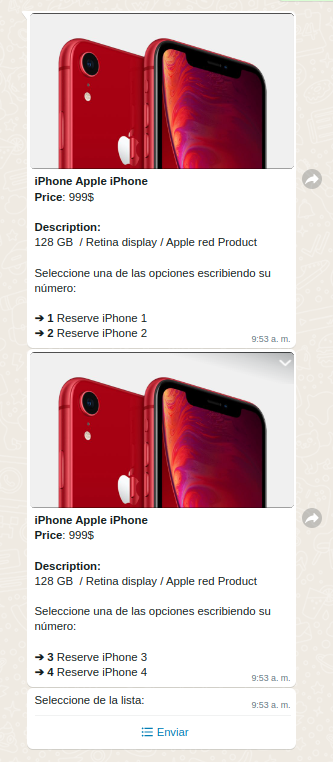
2 HeroCard with images and suggestions with 5 options to show as WhatsApp list messages |
Custom card 05 JSON file |
{"intent":"intent.factotum-test.hero-card-custom-dialog", "entities": [{"entity": "default", "type": "profile"}, {"entity": "5", "type": "options"}, {"entity": "20", "type": "charactersByOption"}, {"entity":"{\"type\":\"button\"}", "type":"whatsappListOptions"}]} |
 |
Templates
| ID |
description |
Curl/JSON |
Rendering in WhatsApp |
| test_global_aura_plain_text_no_header |
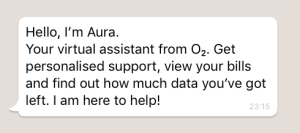
Template containing a body with an explanatory text (unique mandatory element in a template) |
Template 01 Curl file
Template 01 JSON file |
 |
| test_global_aura_plain_text_with_header_and_deeplink |
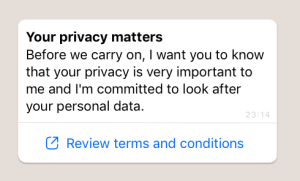
Template containing:
- Header (title)
- Body (explanatory text)
- Deeplink button |
Template 02 Curl file
Template 02 JSON file |
 |
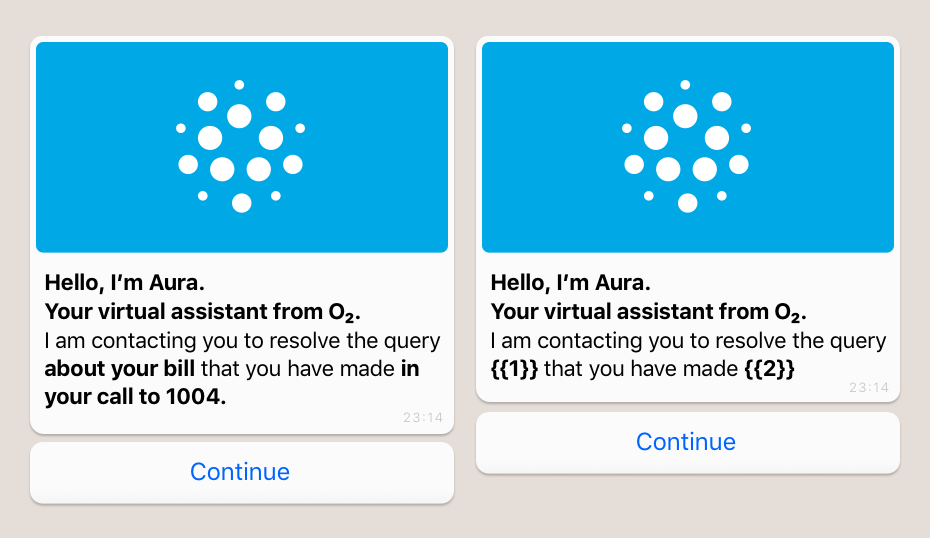
| test_global_aura_header_imagen_body_quick_reply |
Template containing:
- Header (title)
- Body (explanatory text)
- Quick reply text |
Template 03 Curl file |
 |
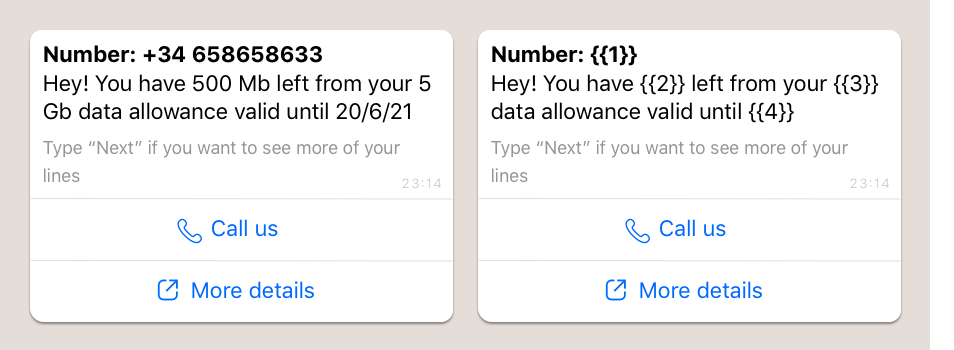
| test_global_aura_account_update_body_two_buttons |
Template containing:
- Header including text with parameters
- Body with parameters
- Footers without parameters
- Deeplink button
- CTA (call-to-action) |
Template 04 Curl file |
 |
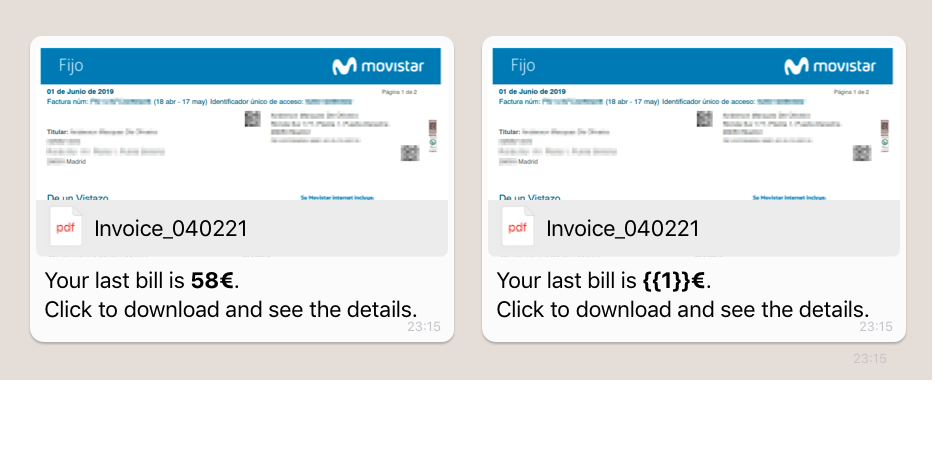
| test_global_aura_header_document_body |
Template containing:
- Header with a file
- Body with parameters |
Template 05 Curl file |
 |
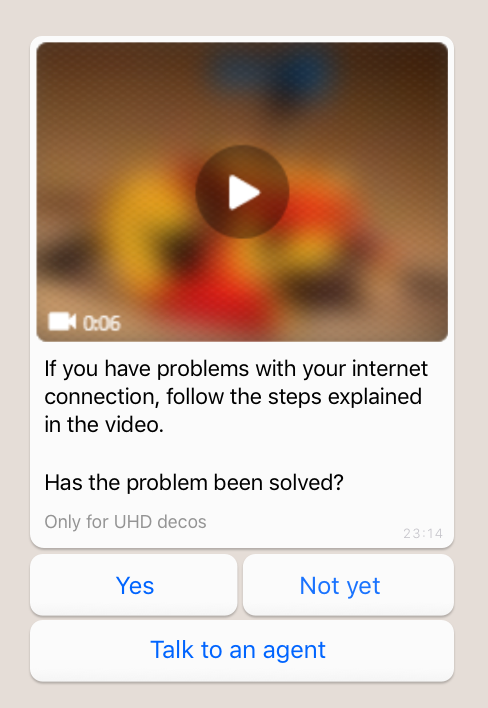
| test_global_aura_header_video_body_footer_tree_buttons |
Template containing:
- Header with a video
- Body (explanatory text)
- Footer
- Quick reply buttons (max. 3 buttons) |
Template 06 Curl file |
 |
| pnuevo_ofrecimiento_sinvincular_v6 |
Template containing:
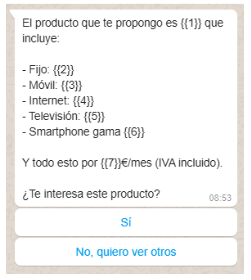
- Body with parameters
- 2 quick reply buttons |
Template 05 JSON file |
 |
| pnuevo_aceptacion_sinvincular_v2 |
Template containing:
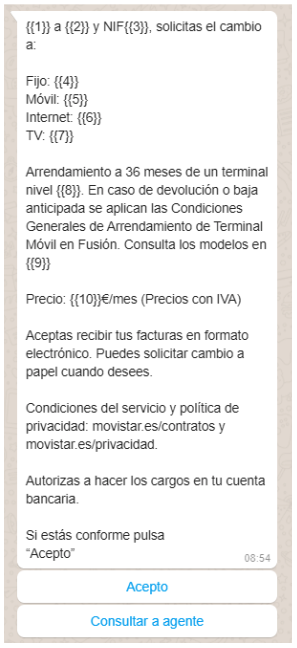
- Body with parameters
- 2 quick reply buttons |
Template 06 JSON file |
 |
Suggestions
| ID |
Description |
JSON components |
Command |
Rendering in WhatsApp |
| button.suggestion.01 |
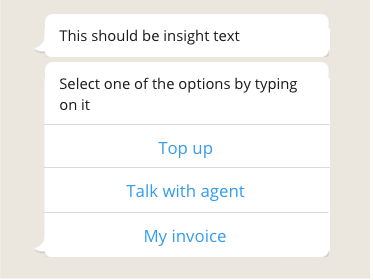
Generation of basic suggestions with recommendations |
Suggestion 01 JSON file |
{"intent":"intent.factotum-test.whatsapp-formats","entities":[{"type":"buttons","entity":"button.suggestion.01"}]} |
 |
| button.suggestion.02 |
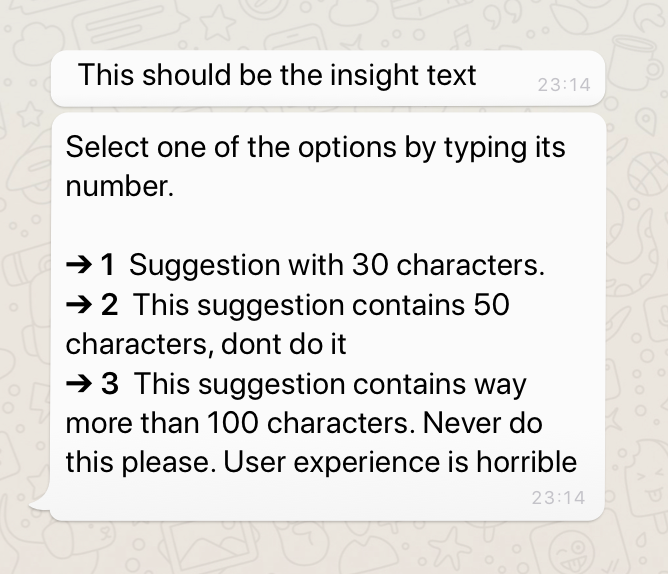
Generation of suggestions with texts longer than 80 characters (recommended length) |
Suggestion 02 JSON file |
{"intent":"intent.factotum-test.whatsapp-formats","entities":[{"type":"buttons","entity":"button.suggestion.02"}]} |
 |
| button.suggestion.03 |
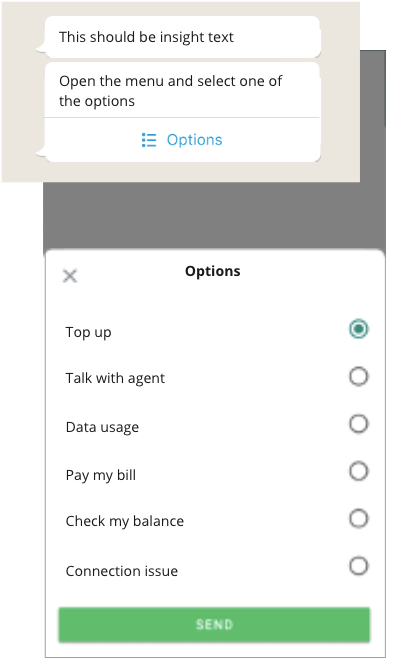
More than 3 suggestions |
Suggestion 03 JSON file |
{"intent":"intent.factotum-test.whatsapp-formats","entities":[{"type":"buttons","entity":"button.suggestion.03"}]} |
 |
| button.suggestion.04 |
Empty suggestions |
Suggestion 04 JSON file |
{"intent":"intent.factotum-test.whatsapp-formats","entities":[{"type":"buttons","entity":"button.suggestion.04"}]} |
 |
| button.suggestion.05 |
Suggestions with blank text |
Suggestion 05 JSON file |
{"intent":"intent.factotum-test.whatsapp-formats","entities":[{"type":"buttons","entity":"button.suggestion.05"}]} |
 |
Actions
| ID |
Description |
JSON components |
Command |
Rendering in WhatsApp |
| button.Actions.01 |
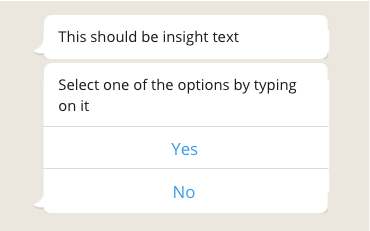
Generation of actions (yes/no) |
Actions 01 JSON file |
{"intent":"intent.factotum-test.whatsapp-formats","entities":[{"type":"buttons","entity":"button.actions.01"}]} |
 |
| button.Actions.02 |
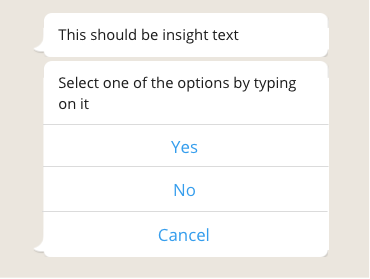
Generation of recommended basic actions |
Actions 02 JSON file |
{"intent":"intent.factotum-test.whatsapp-formats","entities":[{"type":"buttons","entity":"button.actions.02"}]} |
 |
| button.Actions.03 |
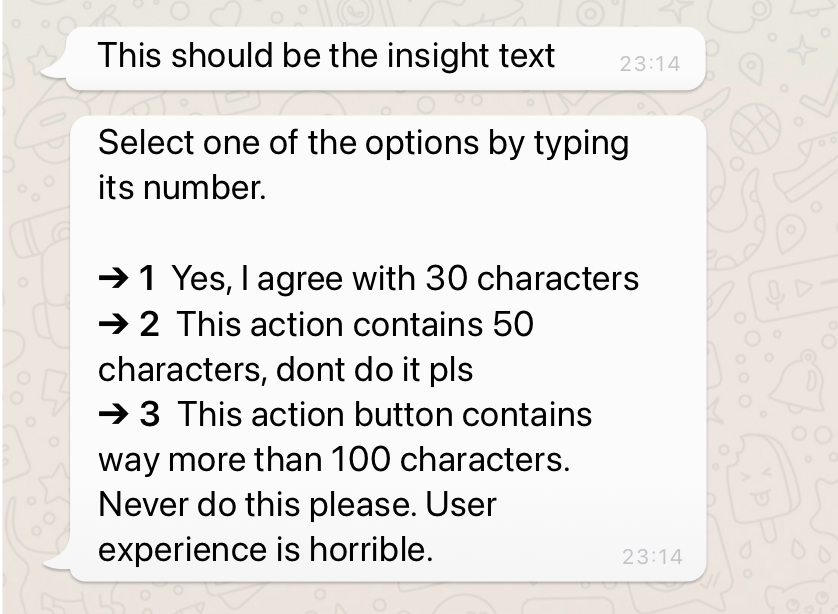
Generation of actions with texts longer than 70 characters (recommended length) |
Actions 03 JSON file |
{"intent":"intent.factotum-test.whatsapp-formats","entities":[{"type":"buttons","entity":"button.actions.03"}]} |
 |
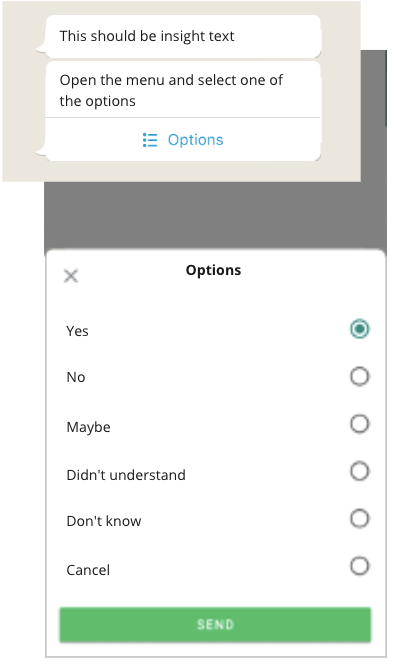
| button.Actions.04 |
More than 3 actions |
Actions 04 JSON file |
{"intent":"intent.factotum-test.whatsapp-formats","entities":[{"type":"buttons","entity":"button.actions.04"}]} |
 |
| button.Actions.05 |
Empty actions |
Actions 05 JSON file |
{"intent":"intent.factotum-test.whatsapp-formats","entities":[{"type":"buttons","entity":"button.actions.05"}]} |
 |
| button.Actions.06 |
Actions with blank text |
Actions 06 JSON file |
{"intent":"intent.factotum-test.whatsapp-formats","entities":[{"type":"buttons","entity":"button.actions.06"}]} |
 |
| ID |
Description |
JSON components |
Command |
Rendering in WhatsApp |
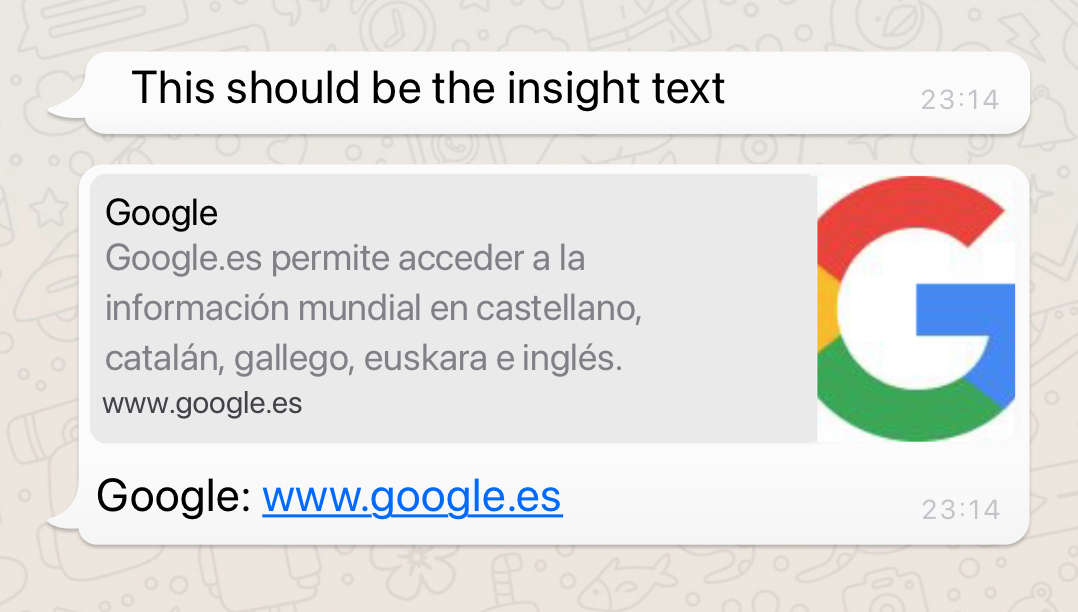
| button.external.01 |
Basic link to an external page |
External button 01 JSON file |
{"intent":"intent.factotum-test.whatsapp-formats","entities":[{"type":"buttons","entity":"button.external.01"}]} |
 |
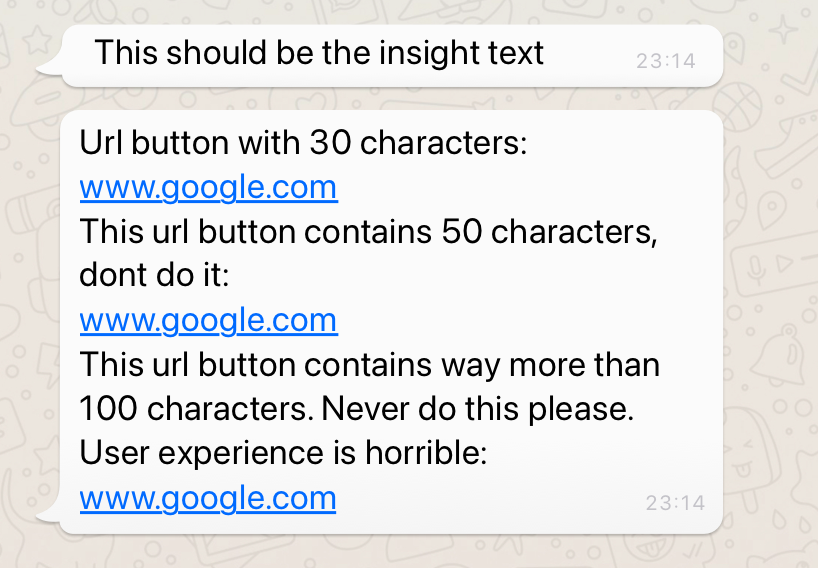
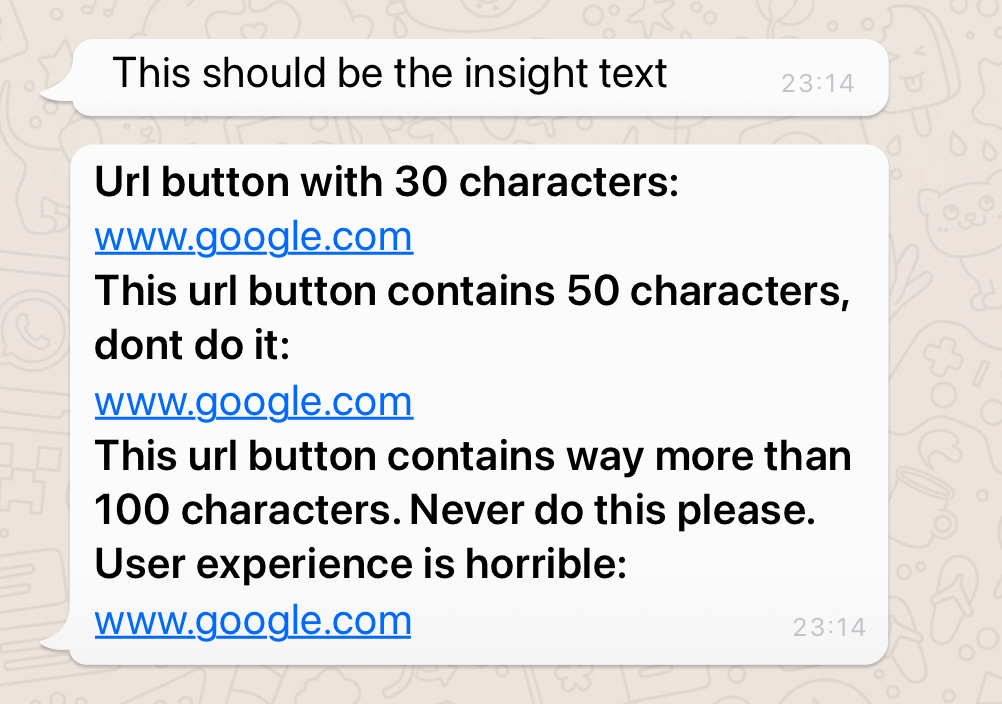
| button.external.02 |
Link buttons with texts longer than 20 characters |
External button 02 JSON file |
{"intent":"intent.factotum-test.whatsapp-formats","entities":[{"type":"buttons","entity":"button.external.02"}]} |
 |
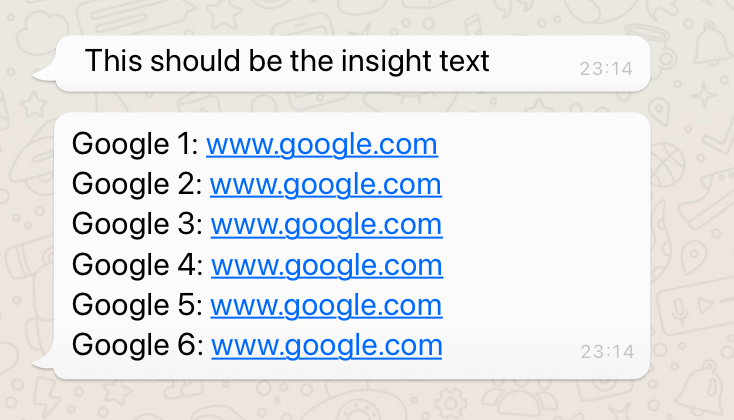
| button.external.03 |
More than 1 link |
External button 03 JSON file |
{"intent":"intent.factotum-test.whatsapp-formats","entities":[{"type":"buttons","entity":"button.external.03"}]} |
 |
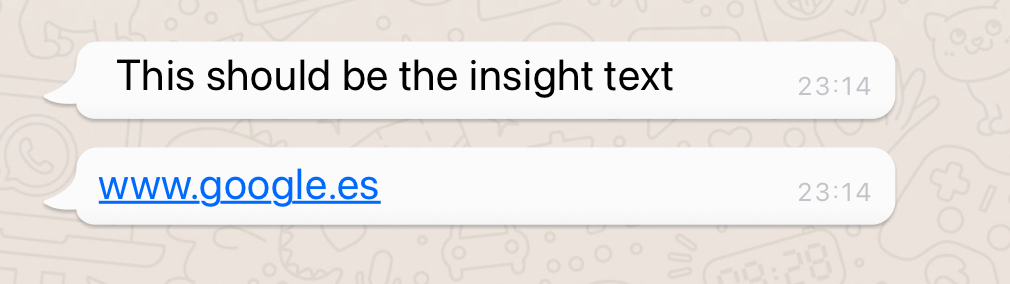
| button.external.04 |
Blank links |
External button 04 JSON file |
{"intent":"intent.factotum-test.whatsapp-formats","entities":[{"type":"buttons","entity":"button.external.04"}]} |
 |
| button.external.05 |
Links with blank text |
External button 05 JSON file |
{"intent":"intent.factotum-test.whatsapp-formats","entities":[{"type":"buttons","entity":"button.external.05"}]} |
 |
| button.external.06 |
Blank URL |
External button 06 JSON file |
{"intent":"intent.factotum-test.whatsapp-formats","entities":[{"type":"buttons","entity":"button.external.06"}]} |
 |
| button.external.07 |
Link buttons with texts longer than 20 characters (recommended length) in markdown format |
External button 07 JSON file |
{"intent":"intent.factotum-test.whatsapp-formats","entities":[{"type":"buttons","entity":"button.external.07"}]} |
 |
Combination of elements in Aura response
| ID |
Description |
JSON components |
Command |
Rendering in WhatsApp |
| Mix.message.01 |
message 1: Insight
message 2: Hero card
message 3: Suggestions with 1-3 options and less than 20 characters |
Mix message 01 JSON files |
{"intent":"intent.factotum-test.mix-message-01"} |
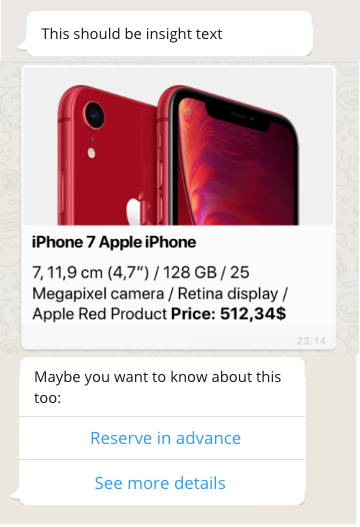
According to default configuration. The use case or channel can change this configuration and use lists or numbered messages in suggestions. Remember that, currently, options in cards are not compatible with list messages or reply buttons. |
| Mix.message.02 |
message 1: Insight
message 2: Herocards
message 3: suggestions with 4-10 options and less than 20 characters |
Mix message 02 JSON files |
{"intent":"intent.factotum-test.mix-message-02"} |
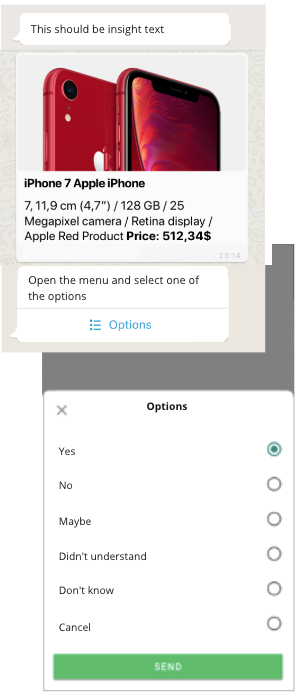
According to default configuration. The use case or channel can change this configuration and use numbered messages in suggestions. Remember that, currently, options in cards are not compatible with list messages or reply buttons. |
| Mix.message.03 |
message 1: Insight
message 2: Herocards
message 3: suggestions with more than 10 options and/or more than 20 characters |
Mix message 03 JSON files |
{"intent":"intent.factotum-test.mix-message-03"} |
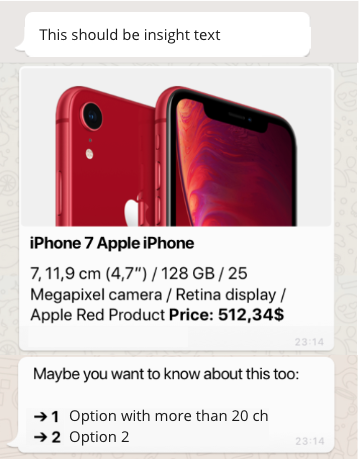
According to default configuration. Remember that, currently, options in cards are not compatible with list messages or reply buttons. |
| Mix.message.05 |
message 1: HeroCards
message 2: Herocards
message 3: Herocards
Message 4: suggestion |
Mix message 05 JSON files |
{"intent":"intent.factotum-test.mix-message-05"} |
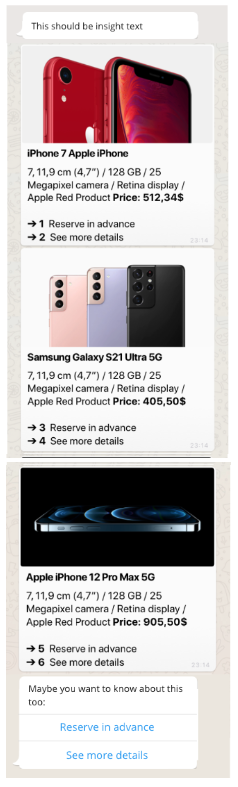
According to default configuration, depending on the number of suggestions (options) and the character. For less than 3 options and less than 20 characters, we use reply buttons. The use case or channel can change this configuration and use lists or numbered messages in suggestions. Currently, options in cards are not compatible with list messages or reply buttons. |
Restrictions in the response from WhatsApp channel
There are certain components that are not allowed by WhatsApp channel. Thus, if they are sent as part of the response, WhatsApp will show an error to the user.
The error message is configurable by POEditor, as explained in the document Error management in WhatsApp channel.
| Aura response component |
Aura response sub-component |
Behaviors not allowed by WhatsApp |
| Texts |
Insight |
Generation of an insight including blank text. |
| Texts |
Insight |
Generation of an insight with long text of more than 4096 characters. |
| Cards |
Adaptive Cards |
WhatsApp channel does not support Adaptive Cards. |
| Cards |
Hero Cards |
Hero card including an image with format different from jpeg and png. |
| Cards |
Hero Cards |
Hero card with an empty list of images. |
| Cards |
Hero Cards |
Hero card including a list of images with wrong URLs formats. |
JSON components
Insights
Insight 01 JSON file
{
  "text": "I'm here to **help** you, if you want to see more _examples_ of ~~consultation~~, ```click``` the question +mark+."
}
Insight 02 JSON file
{
  "text": "https://ver.movistarplus.es"
}
Insight 03 JSON file
{
  "text": "www.movistar.es/particulares/Aura"
}
Insight 04 JSON file
{
  "text": "Aura can answers with texts that can also contain [markdown links](https://ver.movistarplus.es/)\n\nLet's [see](www.google.es) [how](www.yahoo.com) they are rendered in the different channels."
}
Insight 05 JSON file
Insight 06 JSON file
{
  "text": "Lorem ipsum dolor sit amet, consectetur adipiscing elit. Cras nunc elit, auctor ut lectus vel, blandit eleifend turpis. Nam malesuada cursus arcu. Pellentesque eu magna non lectus eleifend mattis in nec libero. Quisque lacinia eget ligula aliquam accumsan. Mauris elementum, leo sed commodo convallis, risus purus mollis erat, vel tristique ex sapien nec nunc. Proin venenatis leo id enim tempus porttitor. Vestibulum ante ipsum primis in faucibus orci luctus et ultrices posuere cubilia curae; Ut sit amet mi sed eros molestie varius. Vivamus at purus neque. Suspendisse malesuada mi at interdum consectetur. Nulla facilisi. Curabitur eros enim, ornare in diam quis, auctor aliquet felis.\n\nPellentesque cursus sapien ut lorem vehicula vestibulum. Suspendisse convallis malesuada vehicula. Nulla ut leo sit amet risus congue facilisis ut at tellus. Quisque erat metus, consequat id leo non, vulputate auctor est. Ut nec viverra felis. Interdum et malesuada fames ac ante ipsum primis in faucibus. Vivamus leo ante, dictum vitae ornare et, mattis vitae neque. Integer sit amet auctor eros. Sed at erat mauris. Phasellus quis commodo quam. Phasellus vel mattis felis. In quis eleifend lacus. Phasellus in felis leo. Mauris ultricies nec eros eget pulvinar. Nulla pellentesque hendrerit elementum. Donec cursus scelerisque sem, at."
}
Insight 07 JSON file
{
  "text": "Loremipsumdolorsitamet, consecteturadipiscingelit. Crasnuncelit, auctorutlectusvel, blanditeleifendturpis. Nammalesuadacursusarcu. Pellentesqueeu magnanonlectuseleifendmattisinneclibero. Quisquelaciniaeget ligulaaliquamaccumsan."
}
Insight 08 JSON file
{
  "text": "...long.text"
}
Insight 09 JSON file
{
  "text": "This is a bodycopy to test different scenarios  and the channel behaviour for this scenarios."
}
Insight 10 JSON file
{
  "text": "This is a bodycopy to test different scenarios  and the channel behaviour for this scenarios. This test try to understand how the channel render different links included in the message. https://ver.movistarplus.es"
}
Insight 11 JSON file
{
  "text": "This is a bodycopy to test different scenarios  and the channel behaviour for this scenarios. This test try to understand how the channel render different links included in the message. https://www.movistar.es/particulares/Aura"
}
Insight 12 JSON file
{
    "text": "This is a bodycopy to test different scenarios  and the channel behaviour for this scenarios. This test try to understand how the channel render different links included in the message. https://www.movistar.es/particulares/Aura, La nueva URL seria esta http://ver.movistarplus.es/"
 }
Insight 13 JSON file
{
  "text": "Sample response including order characters:\n\n• Service-Hotline [0176 888 55 282](tel:+4917688855282). Talk on the phone!.\n\n• Talk with our online chat [Live-Chat](https://g.o2.de/aura-chat-service)\n\n• Send us an email to [our email](mailto:pallete@telefonica.es)"
}
Insight 14 JSON file
{
   "text": "This is a bodycopy to test different scenarios and the channel behaviour for this scenarios. This test try to understand how the channel render different links included in the message. https://youtu.be/7RHRRdaqExY"
 }
Insight 15 JSON file
{
  "text": "Actions that Aura can do for you:\n\n**1.**\t One choice type string\r\n**2.**\t One choice type Choice\r\n**3.**\t Two text messages\n**4.**\t HeroCard\n**5.**\t AdaptiveCard\n**6.**\t Suggestions"
}
Hero Cards
Hero Card 01 JSON file
{
  "card": {
    "hero": {
      "type": "message",
      "attachmentLayout": "list",
      "attachments": [
        {
          "contentType": "application/vnd.microsoft.card.hero",
          "content": {
            "title": "**iPhone 7 Apple iPhone**",
            "subtitle": "**Price:**",
            "text": "**Description**: \n7,11,9 cm (4,7) / 128 GB / 25\n Megapixel camera / Retina display / Apple red Product",
            "images": [
              {
                "url": "iphone_red.png"
              }
            ]
          }
        }
      ],
      "inputHint": "acceptingInput"
    }
  }
 }
Hero Card 02 JSON file
 {
   "card": {
    "hero": {
      "type": "message",
      "attachmentLayout": "list",
      "attachments": [
        {
          "contentType": "application/vnd.microsoft.card.hero",
          "content": {
            "title": "**iPhone 7 Apple iPhone**",
            "subtitle": "**Price**:",
            "text": "**Description**: \n7,11,9 cm (4,7) / 128 GB / 25\n Megapixel camera / Retina display / Apple red Product",
            "images": [
              {
                "url": "https://jira.tid.es/secure/attachment/1778109/Group%2043%403x.png"
              }
            ],
            "buttons": [
              {
                "type": "openUrl",
                "value": "https://www.movistar.es/",
                "title": "Check Movistar app for more details"
              }
            ]
          }
        }
      ],
      "inputHint": "acceptingInput"
    }
  }
}
Hero Card 03 JSON file
 {
   "card": {
    "hero": {
      "type": "message",
      "attachmentLayout": "list",
      "attachments": [
        {
          "contentType": "application/vnd.microsoft.card.hero",
          "content": {
            "title": "**iPhone 7 Apple iPhone**",
            "text": "**Description**: \n7,11,9 cm (4,7) / 128 GB / 25\n Megapixel camera / Retina display / Apple red Product",
            "images": [
              {
                "url": "https://jira.tid.es/secure/attachment/1778109/Group%2043%403x.png"
              }
            ],
            "buttons": [
              {
                "type": "openUrl",
                "value": "https://www.movistar.es/",
                "title": "Check Movistar app for more details"
              }
            ]
          }
        }
      ],
      "inputHint": "acceptingInput"
    }
  }
}
Hero Card 04 JSON file
 {
   "card": {
    "hero": {
      "type": "message",
      "attachmentLayout": "list",
      "attachments": [
        {
          "contentType": "application/vnd.microsoft.card.hero",
          "content": {
            "title": "_Fusion Plan_",
            "subtitle": "**Activated on the 12/11/2020**",
            "buttons": [
              {
                "type": "openUrl",
                "value": "https://www.movistar.es/bundle_details.html",
                "title": "Check Movistar app for more details"
              }
            ]
          }
        }
      ],
      "inputHint": "acceptingInput"
    }
  }
}
Hero Card 05 JSON file
{
  "card": {
    "hero": {
      "type": "message",
      "attachmentLayout": "list",
      "attachments": [
        {
          "contentType": "application/vnd.microsoft.card.hero",
          "content": {
            "title": "_Fusion Plan_",
            "subtitle": "**Activated on the 12/11/2020**:",
            "text": "**$35,00 Monthly fee**\n**$25,00 Comsumption**\n**$5,00 Taxes",
            "buttons": [
              {
                "type": "openUrl",
                "value": "https://www.movistar.es/bundle_details.html",
                "title": "Check Movistar app for more details"
              }
            ]
          }
        }
      ],
      "inputHint": "acceptingInput"
    }
  }
}
Hero Card 06 JSON file
{
  "card": {
   "hero": {
     "type": "message",
     "attachmentLayout": "list",
"attachments": [
 {
"contentType": "application/vnd.microsoft.card.hero",
"content": {
"title": "_Fusion Plan_",
"text": "Unlimited calls on landline and mobile 25GB data on mobile"
         }
       }
     ],
     "inputHint": "acceptingInput"
   }
 }
}
Hero Card 07 JSON file
{
  "card": {
    "hero": {
      "type": "message",
      "attachmentLayout": "list",
      "attachments": [
        {
          "contentType": "application/vnd.microsoft.card.hero",
          "content": {
             "text": "This is a bodycopy to test different scenarios  and the channel behaviour for this scenarios. This test try to understand how the channel render different links included in the message. https://aura.telefonica.com/es/",
            "images": [
              {
                "url": "https://jira.tid.es/secure/attachment/1778109/Group%2043%403x.png"
              }
            ]
          }
        }
      ],
      "inputHint": "acceptingInput"
    }
  }
}
Hero Card 08 JSON file
{
  "card": {
    "hero": {
      "type": "message",
      "attachmentLayout": "list",
      "attachments": [
        {
          "contentType": "application/vnd.microsoft.card.hero",
          "content": {
            "text": "This is a bodycopy to test different scenarios  and the channel behaviour for this scenarios.",
            "images": [
              {
                "url": "https://jira.tid.es/secure/attachment/1778109/Group%2043%403x.png"
              }
            ]
          }
        }
      ],
      "inputHint": "acceptingInput"
    }
  }
}
Hero Card 09 JSON file
{
  "card": {
    "hero": {
      "type": "message",
      "attachmentLayout": "list",
      "attachments": [
        {
          "contentType": "application/vnd.microsoft.card.hero",
          "content": {
            "text": "This is a bodycopy to test different scenarios  and the channel behaviour for this scenarios.",
            "images": [
              {
                "url": "https://media.tenor.com/images/c51500433e6f6fff5a8c362335bc8242/tenor.gif"
              }
            ]
          }
        }
      ],
      "inputHint": "acceptingInput"
    }
  }
}
Hero Card 10 JSON file
{
  "card": {
    "hero": {
      "type": "message",
      "attachmentLayout": "list",
      "attachments": [
        {
          "contentType": "application/vnd.microsoft.card.hero",
          "content": {
            "text": "This is a bodycopy to test different scenarios  and the channel behaviour for this scenarios",
            "images": [
              {
                "url": ""
              }
            ]
          }
        }
      ],
      "inputHint": "acceptingInput"
    }
  }
}
Hero Card 11 JSON file
{
  "card": {
    "hero": {
      "type": "message",
      "attachmentLayout": "list",
      "attachments": [
        {
          "contentType": "application/vnd.microsoft.card.hero",
          "content": {
            "text": "This is a bodycopy to test different scenarios and the channel behaviour for this scenarios",
            "images": [
              {
                "url": "https://www.telefoa"
              }
            ]
          }
        }
      ],
      "inputHint": "acceptingInput"
    }
  }
}
Hero Card 12 JSON file
{
  "card": {
    "hero": {
      "type": "message",
      "attachmentLayout": "list",
      "attachments": [
        {
          "contentType": "application/vnd.microsoft.card.hero",
          "content": {
            "text": "This is a bodycopy to test different scenarios  and the channel behaviour for this scenarios. This test try to understand how the channel render different links included in the message. https://aura.telefonica.com/es/",
            "images": [
              {
                "url":"https://www.telefonica.com/documents/23283/145847600/Movistar-azul-horizontal-thumbnail.jpg/fe991fa4-368f-72fe-ae8a-39f1db7ad638?t=1587395483934",
"url":"https://www.telefonica.com/documents/153952/154445/lgo_o2_at.png/3d0e2966-1cd5-49e2-8ac8-59ce69768bc4?t=1438154882691",
"url":"https://www.telefonica.com/documents/23283/139117659/Vivo-logo-thumbnail.jpg/e311e281-9c90-0a79-6531-aa357740a63f?version=1.1&t=1577957654404"
              }
            ]
          }
        }
      ],
      "inputHint": "acceptingInput"
    }
  }
}
Hero Card 13 JSON file
{
  "card": {
    "hero": {
      "type": "message",
      "attachmentLayout": "list",
      "attachments": [

  {
"contentType": "application/vnd.microsoft.card.hero",

"content": {
"title": "**iPhone 7 Apple iPhone**",
"text": "**Description**: \n7,11,9 cm (4,7) / 128 GB / 25\n Megapixel camera / Retina display / Apple red Product\n\n\n**Price: 512,34$**",
"images": [
{
"url": "https://jira.tid.es/secure/attachment/1778109/Group%2043%403x.png"
           }
            ]
          }
        }
      ],
      "inputHint": "acceptingInput"
    }
  }
}
{
  "card": {
    "hero": {
      "type": "message",
      "attachmentLayout": "list",
      "attachments": [

  {
"contentType": "application/vnd.microsoft.card.hero",

"content": {
"title": "**Samsung Galaxy S21 Ultra 5G**",
"text": "**Description**: \n7,11,9 cm (4,7) / 128 GB / 25\n Megapixel camera / Retina display / Apple red Product\n\n\n**Price: 405,50$**",
"images": [
{
"url": "https://images.samsung.com/my/smartphones/galaxy-s21/buy/s21_family_kv_pc_img.jpg?imwidth=2560"
           }
            ]
          }
        }
      ],
      "inputHint": "acceptingInput"
    }
  }
}
{
  "card": {
    "hero": {
      "type": "message",
      "attachmentLayout": "list",
      "attachments": [

  {
"contentType": "application/vnd.microsoft.card.hero",

"content": {
"title": "**Apple iPhone 12 Pro Max 5G**",
"text": "**Description**: \n7,11,9 cm (4,7) / 128 GB / 25\n Megapixel camera / Retina display / Apple red Product\n\n\n**Price: 905,50$**",
"images": [
{
"url": "https://www.apple.com/newsroom/images/product/iphone/standard/Apple_iphone12pro-pacific-blue_10132020_Full-Bleed-Image.jpg.large_2x.jpg"
           }
            ]
          }
        }
      ],
      "inputHint": "acceptingInput"
    }
  }
}
Hero Card 14 JSON file
"attachments": [
  {
"contentType": "application/vnd.microsoft.card.hero",
"content": {
"title": "**iPhone 7 Apple iPhone**",
"text": "**Description**: \n7,11,9 cm (4,7) / 128 GB / 25\n Megapixel camera / Retina display / Apple red Product",
 "buttons": [
                    {
                        "type": "openUrl",
                        "value": "https://www.movistar.es/",
                        "title": "Check Movistar app for more details"
                    }
                ]
            }
        }
   ]
Hero Card 15 JSON file
{
   "card": {
    "hero": {
      "type": "message",
      "attachmentLayout": "list",
      "attachments": [
        {
          "contentType": "application/vnd.microsoft.card.hero",
          "content": {
            "title": "**iPhone 7 Apple iPhone**",
            "subtitle": "**Price**:",
            "text": "**Description**: \n7,11,9 cm (4,7) / 128 GB / 25\n Megapixel camera / Retina display / Apple red Product"
          }
        }
      ],
      "inputHint": "acceptingInput"
    }
  }
}
Hero Card 16 JSON file
{
  "text": "This is a bodycopy to test different scenarios  and the channel behaviour for this scenarios.",
  "attachments": [
    {
      "contentType": "application/vnd.microsoft.card.hero",
      "content": {
        "text": "This is a bodycopy to test different scenarios  and the channel behaviour for this scenarios.",
        "images": [
          {
            "url": "https://jira.tid.es/secure/attachment/1778109/Group%2043%403x.png"
          }
        ]
      }
    }
  ]
}
Custom card 01 JSON file
{
  "card": {
    "hero": {
      "type": "message",
      "attachmentLayout": "list",
      "attachments": [
        {
          "contentType": "application/vnd.microsoft.card.hero",
          "content": {
            "buttons": [
              {
                "type": "postBack",
                "title": "Fake suggestion 1___",
                "value": {
                  "name": "Fake suggestion 1___",
                  "text": "Fake suggestion 1___",
                  "type": "suggestion",
                  "intent": "intent.factotum-test.hero-card-custom-dialog",
                  "entities": [
                    {
                      "entity": "fake_entity_suggestion_1",
                      "type": "ent.dialog-context"
                    }
                  ],
                  "inputIntent": "intent.factotum-test.hero-card-custom-dialog"
                }
              },
              {
                "type": "postBack",
                "title": "Fake suggestion 2___",
                "value": {
                  "name": "Fake suggestion 2___",
                  "text": "Fake suggestion 2___",
                  "type": "suggestion",
                  "intent": "intent.factotum-test.hero-card-custom-dialog",
                  "entities": [
                    {
                      "entity": "fake_entity_suggestion_2",
                      "type": "ent.dialog-context"
                    }
                  ],
                  "inputIntent": "intent.factotum-test.hero-card-custom-dialog"
                }
              },
              {
                "type": "postBack",
                "title": "Fake suggestion 3___",
                "value": {
                  "name": "Fake suggestion 3___",
                  "text": "Fake suggestion 3___",
                  "type": "suggestion",
                  "intent": "intent.factotum-test.hero-card-custom-dialog",
                  "entities": [
                    {
                      "entity": "fake_entity_suggestion_3",
                      "type": "ent.dialog-context"
                    }
                  ],
                  "inputIntent": "intent.factotum-test.hero-card-custom-dialog"
                }
              }
            ]
          },
          "name": "SUGGESTIONS"
        }
      ]
    }
  }
}
Custom card 02 JSON file
{
  "card": {
    "hero": {
      "type": "message",
      "attachmentLayout": "list",
      "attachments": [
        {
          "contentType": "application/vnd.microsoft.card.hero",
          "content": {
            "buttons": [
              {
                "type": "postBack",
                "title": "Fake suggestion 1___",
                "value": {
                  "name": "Fake suggestion 1___",
                  "text": "Fake suggestion 1___",
                  "type": "suggestion",
                  "intent": "intent.factotum-test.hero-card-custom-dialog",
                  "entities": [
                    {
                      "entity": "fake_entity_suggestion_1",
                      "type": "ent.dialog-context"
                    }
                  ],
                  "inputIntent": "intent.factotum-test.hero-card-custom-dialog"
                }
              },
              {
                "type": "postBack",
                "title": "Fake suggestion 2___",
                "value": {
                  "name": "Fake suggestion 2___",
                  "text": "Fake suggestion 2___",
                  "type": "suggestion",
                  "intent": "intent.factotum-test.hero-card-custom-dialog",
                  "entities": [
                    {
                      "entity": "fake_entity_suggestion_2",
                      "type": "ent.dialog-context"
                    }
                  ],
                  "inputIntent": "intent.factotum-test.hero-card-custom-dialog"
                }
              },
              {
                "type": "postBack",
                "title": "Fake suggestion 3___",
                "value": {
                  "name": "Fake suggestion 3___",
                  "text": "Fake suggestion 3___",
                  "type": "suggestion",
                  "intent": "intent.factotum-test.hero-card-custom-dialog",
                  "entities": [
                    {
                      "entity": "fake_entity_suggestion_3",
                      "type": "ent.dialog-context"
                    }
                  ],
                  "inputIntent": "intent.factotum-test.hero-card-custom-dialog"
                }
              },
              {
                "type": "postBack",
                "title": "Fake suggestion 4___",
                "value": {
                  "name": "Fake suggestion 4___",
                  "text": "Fake suggestion 4___",
                  "type": "suggestion",
                  "intent": "intent.factotum-test.hero-card-custom-dialog",
                  "entities": [
                    {
                      "entity": "fake_entity_suggestion_4",
                      "type": "ent.dialog-context"
                    }
                  ],
                  "inputIntent": "intent.factotum-test.hero-card-custom-dialog"
                }
              },
              {
                "type": "postBack",
                "title": "Fake suggestion 5___",
                "value": {
                  "name": "Fake suggestion 5___",
                  "text": "Fake suggestion 5___",
                  "type": "suggestion",
                  "intent": "intent.factotum-test.hero-card-custom-dialog",
                  "entities": [
                    {
                      "entity": "fake_entity_suggestion_5",
                      "type": "ent.dialog-context"
                    }
                  ],
                  "inputIntent": "intent.factotum-test.hero-card-custom-dialog"
                }
              }
            ]
          },
          "name": "SUGGESTIONS"
        }
      ]
    }
  }
}
Custom card 03 JSON file
{
  "card": {
    "hero": {
      "type": "message",
      "attachmentLayout": "list",
      "attachments": [
        {
          "contentType": "application/vnd.microsoft.card.hero",
          "content": {
            "buttons": [
              {
                "type": "postBack",
                "title": "Fake suggestion 1___",
                "value": {
                  "name": "Fake suggestion 1___",
                  "text": "Fake suggestion 1___",
                  "type": "suggestion",
                  "intent": "intent.factotum-test.hero-card-custom-dialog",
                  "entities": [
                    {
                      "entity": "fake_entity_suggestion_1",
                      "type": "ent.dialog-context"
                    }
                  ],
                  "inputIntent": "intent.factotum-test.hero-card-custom-dialog"
                }
              },
              {
                "type": "postBack",
                "title": "Fake suggestion 2___",
                "value": {
                  "name": "Fake suggestion 2___",
                  "text": "Fake suggestion 2___",
                  "type": "suggestion",
                  "intent": "intent.factotum-test.hero-card-custom-dialog",
                  "entities": [
                    {
                      "entity": "fake_entity_suggestion_2",
                      "type": "ent.dialog-context"
                    }
                  ],
                  "inputIntent": "intent.factotum-test.hero-card-custom-dialog"
                }
              },
              {
                "type": "postBack",
                "title": "Fake suggestion 3___",
                "value": {
                  "name": "Fake suggestion 3___",
                  "text": "Fake suggestion 3___",
                  "type": "suggestion",
                  "intent": "intent.factotum-test.hero-card-custom-dialog",
                  "entities": [
                    {
                      "entity": "fake_entity_suggestion_3",
                      "type": "ent.dialog-context"
                    }
                  ],
                  "inputIntent": "intent.factotum-test.hero-card-custom-dialog"
                }
              },
              {
                "type": "postBack",
                "title": "Fake suggestion 4___",
                "value": {
                  "name": "Fake suggestion 4___",
                  "text": "Fake suggestion 4___",
                  "type": "suggestion",
                  "intent": "intent.factotum-test.hero-card-custom-dialog",
                  "entities": [
                    {
                      "entity": "fake_entity_suggestion_4",
                      "type": "ent.dialog-context"
                    }
                  ],
                  "inputIntent": "intent.factotum-test.hero-card-custom-dialog"
                }
              },
              {
                "type": "postBack",
                "title": "Fake suggestion 5___",
                "value": {
                  "name": "Fake suggestion 5___",
                  "text": "Fake suggestion 5___",
                  "type": "suggestion",
                  "intent": "intent.factotum-test.hero-card-custom-dialog",
                  "entities": [
                    {
                      "entity": "fake_entity_suggestion_5",
                      "type": "ent.dialog-context"
                    }
                  ],
                  "inputIntent": "intent.factotum-test.hero-card-custom-dialog"
                }
              },
              {
                "type": "postBack",
                "title": "Fake suggestion 6___",
                "value": {
                  "name": "Fake suggestion 6___",
                  "text": "Fake suggestion 6___",
                  "type": "suggestion",
                  "intent": "intent.factotum-test.hero-card-custom-dialog",
                  "entities": [
                    {
                      "entity": "fake_entity_suggestion_6",
                      "type": "ent.dialog-context"
                    }
                  ],
                  "inputIntent": "intent.factotum-test.hero-card-custom-dialog"
                }
              },
              {
                "type": "postBack",
                "title": "Fake suggestion 7___",
                "value": {
                  "name": "Fake suggestion 7___",
                  "text": "Fake suggestion 7___",
                  "type": "suggestion",
                  "intent": "intent.factotum-test.hero-card-custom-dialog",
                  "entities": [
                    {
                      "entity": "fake_entity_suggestion_7",
                      "type": "ent.dialog-context"
                    }
                  ],
                  "inputIntent": "intent.factotum-test.hero-card-custom-dialog"
                }
              },
              {
                "type": "postBack",
                "title": "Fake suggestion 8___",
                "value": {
                  "name": "Fake suggestion 8___",
                  "text": "Fake suggestion 8___",
                  "type": "suggestion",
                  "intent": "intent.factotum-test.hero-card-custom-dialog",
                  "entities": [
                    {
                      "entity": "fake_entity_suggestion_8",
                      "type": "ent.dialog-context"
                    }
                  ],
                  "inputIntent": "intent.factotum-test.hero-card-custom-dialog"
                }
              },
              {
                "type": "postBack",
                "title": "Fake suggestion 9___",
                "value": {
                  "name": "Fake suggestion 9___",
                  "text": "Fake suggestion 9___",
                  "type": "suggestion",
                  "intent": "intent.factotum-test.hero-card-custom-dialog",
                  "entities": [
                    {
                      "entity": "fake_entity_suggestion_9",
                      "type": "ent.dialog-context"
                    }
                  ],
                  "inputIntent": "intent.factotum-test.hero-card-custom-dialog"
                }
              },
              {
                "type": "postBack",
                "title": "Fake suggestion 10__",
                "value": {
                  "name": "Fake suggestion 10__",
                  "text": "Fake suggestion 10__",
                  "type": "suggestion",
                  "intent": "intent.factotum-test.hero-card-custom-dialog",
                  "entities": [
                    {
                      "entity": "fake_entity_suggestion_10",
                      "type": "ent.dialog-context"
                    }
                  ],
                  "inputIntent": "intent.factotum-test.hero-card-custom-dialog"
                }
              },
              {
                "type": "postBack",
                "title": "Fake suggestion 11__",
                "value": {
                  "name": "Fake suggestion 11__",
                  "text": "Fake suggestion 11__",
                  "type": "suggestion",
                  "intent": "intent.factotum-test.hero-card-custom-dialog",
                  "entities": [
                    {
                      "entity": "fake_entity_suggestion_11",
                      "type": "ent.dialog-context"
                    }
                  ],
                  "inputIntent": "intent.factotum-test.hero-card-custom-dialog"
                }
              },
              {
                "type": "postBack",
                "title": "Fake suggestion 12__",
                "value": {
                  "name": "Fake suggestion 12__",
                  "text": "Fake suggestion 12__",
                  "type": "suggestion",
                  "intent": "intent.factotum-test.hero-card-custom-dialog",
                  "entities": [
                    {
                      "entity": "fake_entity_suggestion_12",
                      "type": "ent.dialog-context"
                    }
                  ],
                  "inputIntent": "intent.factotum-test.hero-card-custom-dialog"
                }
              }
            ]
          },
          "name": "SUGGESTIONS"
        }
      ]
    }
  }
}
Custom card 04 JSON file
{
  "card": {
    "hero": {
      "type": "message",
      "attachmentLayout": "list",
      "attachments": [
        {
          "contentType": "application/vnd.microsoft.card.hero",
          "content": {
            "title": "**iPhone Apple iPhone**",
            "text": "**Description:** \n128 GB  / Retina display / Apple red Product",
            "buttons": [
              {
                "type": "postBack",
                "title": "Reserve iPhone 1",
                "value": {
                  "name": "Reserve iPhone 1",
                  "text": "Reserve iPhone 1",
                  "intent": "intent.factotum-test.hero-card-custom-dialog",
                  "inputIntent": "intent.factotum-test.hero-card-custom-dialog",
                  "entities": [
                    {
                      "entity": "buy-iphone1",
                      "type": "ent.dialog-context"
                    }
                  ]
                }
              },
              {
                "type": "postBack",
                "title": "Reserve iPhone 2",
                "value": {
                  "name": "Reserve iPhone 2",
                  "text": "Reserve iPhone 2",
                  "intent": "intent.factotum-test.hero-card-custom-dialog",
                  "inputIntent": "intent.factotum-test.hero-card-custom-dialog",
                  "entities": [
                    {
                      "entity": "buy-iphone2",
                      "type": "ent.dialog-context"
                    }
                  ]
                }
              }
            ]
          }
        }
      ]
    }
  }
}
Custom card 05 JSON file
{
  "card": {
    "hero": {
      "type": "message",
      "attachmentLayout": "list",
      "attachments": [
        {
          "contentType": "application/vnd.microsoft.card.hero",
          "content": {
            "subtitle": "**Price**: 999$",
            "title": "**iPhone Apple iPhone**",
            "text": "**Description:** \n128 GB  / Retina display / Apple red Product",
            "images": [
              {
                "url": "https://auraapnext8b2fe33b24.blob.core.windows.net/static-resources/libraries/factotum/default/images/iphone_red.png?sv=2018-11-09&si=static-resources-policy-ap-next&sr=c&sig=wtTBj9PX85%2BZiaJZIB4UqjnZh9BoU1acXcy8RyLp5kA%3D"
              }
            ],
            "buttons": [
              {
                "type": "postBack",
                "title": "Reserve iPhone 1",
                "value": {
                  "name": "Reserve iPhone 1",
                  "text": "Reserve iPhone 1",
                  "intent": "intent.factotum-test.hero-card-custom-dialog",
                  "inputIntent": "intent.factotum-test.hero-card-custom-dialog",
                  "entities": [
                    {
                      "entity": "buy-iphone1",
                      "type": "ent.dialog-context"
                    }
                  ]
                }
              },
              {
                "type": "postBack",
                "title": "Reserve iPhone 2",
                "value": {
                  "name": "Reserve iPhone 2",
                  "text": "Reserve iPhone 2",
                  "intent": "intent.factotum-test.hero-card-custom-dialog",
                  "inputIntent": "intent.factotum-test.hero-card-custom-dialog",
                  "entities": [
                    {
                      "entity": "buy-iphone2",
                      "type": "ent.dialog-context"
                    }
                  ]
                }
              }
            ]
          }
        }
      ]
    }
  }
}
Templates
Template 01 Curl file
curl -X POST \
'https://graph.facebook.com/v3.3/your-whatsapp-business-account-id/message_templates' \
  -d 'category=AUTO_REPLY' \
  -d 'components: [{"type":"BODY","text":"Hi, I'm Aura.\nYour virtual assistant fom O2. Get personalised support, Get personalised support, view your bills and find out how much data you've got left. I am here to help!"}]' \
  -d 'name=test_global_aura_plain_text_no_header' \
  -d 'access_token=<your-access-token>' \
  -d 'language=en_US'
Template 01 JSON file
{
  "name": "test_global_aura_plain_text_no_header",
  "components": [
    {
      "type": "BODY",
      "text": "Hola, soy Aura.\nTu asistente virtual de O2. Obtén asistencia personalizada, consulta tus facturas y averigua cuántos datos te quedan. Estoy aquí para ayudarte."
    }
  ],
  "language": "es_ES",
  "status": "APPROVED",
  "category": "AUTO_REPLY",
  "id": "160734422709987"
}
Template 02 Curl file
curl -X POST \
'https://graph.facebook.com/v3.3/your-whatsapp-business-account-id/message_templates' \
  -d 'category=AUTO_REPLY' \
  -d 'components: [{"type":"BODY","text":"Before we carry on, I want you to know that your privacy is very important to me and I'm committed to look after your personal data."},{"type":"HEADER","format":"TEXT","text":"Your privacy matters"},{"type":"BUTTONS","buttons":[{"type":"URL","text":"Review terms and conditions","url":"https://www.movistar.es/particulares/centro-de-privacidad/"}]}]' \
  -d 'name=test_global_aura_plain_text_with_header_and_deeplink' \
  -d 'access_token=<your-access-token>' \
  -d 'language=en_US'
Template 02 JSON file
{
  "name": "test_global_aura_plain_text_with_header_and_deeplink",
  "components": [
    {
      "type": "HEADER",
      "format": "TEXT",
      "text": "Tu privacidad es importante"
    },
    {
      "type": "BODY",
      "text": "Antes de continuar, quiero que sepas que tu privacidad es muy importante para mí y me comprometo a cuidar tus datos personales."
    },
    {
      "type": "BUTTONS",
      "buttons": [
        {
          "type": "URL",
          "text": "Términos y condiciones",
          "url": "https://www.movistar.es/particulares/centro-de-privacidad/"
        }
      ]
    }
  ],
  "language": "es_ES",
  "status": "APPROVED",
  "category": "AUTO_REPLY",
  "id": "394312125348217"
}
Template 03 Curl file
curl -X POST \
'https://graph.facebook.com/v3.3/your-whatsapp-business-account-id/message_templates' \
  -d 'category=AUTO_REPLY' \
  -d 'components: [{"type":"BODY","text":"Hello, I'm Aura.\nYour virtual assistant from O2.\nI am contacting you to resolve the query *{{1}}* that you have made *{{2}}*.","example":{"body_text":[["about your bill","your call to 1004"]]}},{"type":"HEADER","format":"IMAGE","text":"https://{{1}}.blob.core.windows.net/static-resources/libraries/factotum/default/images/{{2}}?sv=2018-11-09&si={{3}}&sr=c&sig={{4}}","example":{"header_text":["auraapnext8b81ad27c3","iphone-12.png","aura-configuration-policy-ap-next","X53fPBD3fLZ4LqPVb8aeNJtTnj2O1nNfkyUVF3G/tMA%3D"]}},{"type":"BUTTONS","buttons":[{"type":"QUICK_REPLY","text":"Continue","example":"{ \"intent\": \"intent.common.greetings\" }"}]}]' \
  -d 'name=header_imagen_body_quick_reply' \
  -d 'access_token=<your-access-token>' \
  -d 'language=en_US'
Template 04 Curl file
curl -X POST \
'https://graph.facebook.com/v3.3/your-whatsapp-business-account-id/message_templates' \
  -d 'category=ACCOUNT_UPDATE' \
  -d 'components=[{"type":"BODY","text":"*Number: {{1}}*\nHey! You have {{2}} left from your {{3}} data allowance valid until {{4}}","example":{"body_text":[["+34 619866335","500 Mb","5 Gb","20/07/21"]]}},{"type":"FOOTER","text":"Type \"Next\" if you want to see more of your lines"},{"type":"BUTTONS","buttons":[{"type":"PHONE_NUMBER","text":"Call us","phone_number":"+34 619866335"},{"type":"URL","text":"More details","url":"https://www.movistar.es"}]}]' \
  -d 'name=test_global_aura_account_update_body_two_buttons' \
  -d 'access_token=<your-access-token>' \
  -d 'language=en_US'
Template 05 Curl file
curl -X POST \
'https://graph.facebook.com/v3.3/your-whatsapp-business-account-id/message_templates' \
  -d 'category=AUTO_REPLY' \
  -d 'components: [{"type":"BODY","text":"Your last bill is *{{1}}€*.\nClick to download and see the details.","example":{"body_text":[["58"]]}},{"type":"HEADER","format":"DOCUMENT","text":"https://{{1}}.blob.core.windows.net/static-resources/libraries/factotum/default/whatsapp-files/{{2}}?sv=2018-11-09&si={{3}}&sr=c&sig={{4}}","example":{"header_text":["auraapnext8b81ad27c3","PDF_Vertical.pdf","aura-configuration-policy-ap-next","X53fPBD3fLZ4LqPVb8aeNJtTnj2O1nNfkyUVF3G/tMA%3D"]}}]' \
  -d 'name=test_global_aura_header_document_body' \
  -d 'access_token=<your-access-token>' \
  -d 'language=en_US'
Template 06 Curl file
curl -X POST \
'https://graph.facebook.com/v3.3/your-whatsapp-business-account-id/message_templates' \
  -d 'category=ISSUE_RESOLUTION' \
  -d 'components=[{"type":"BODY","text":"If you have problems with your internet connection, follow the steps explained in the video.\n\nHas the problem been solved?"},{"type":"HEADER","format":"VIDEO"},{"type":"FOOTER","text":"Only for UHD decos"},{"type":"BUTTONS","buttons":[{"type":"QUICK_REPLY","text":"Yes"},{"type":"QUICK_REPLY","text":"Not yet"},{"type":"QUICK_REPLY","text":"Talk to an agent"}]}]' \
  -d 'name=test_global_aura_header_video_body_footer_tree_buttons' \
  -d 'access_token=<your-access-token>' \
  -d 'language=en_US'
Template 05 JSON file
{
  "name": "pnuevo_ofrecimiento_sinvincular_v6",
  "components": [
    {
      "type": "BODY",
      "text": "El producto que te propongo es {{1}} que incluye:\n\n- Fijo: {{2}}\n- Móvil: {{3}}\n- Internet: {{4}}\n- Televisión: {{5}}\n- Smartphone gama {{6}}\n\nY todo esto por {{7}}€/mes (IVA incluido).\n\n¿Te interesa este producto?"
    },
    {
      "type": "BUTTONS",
      "buttons": [
        {
          "type": "QUICK_REPLY",
          "text": "Sí"
        },
        {
          "type": "QUICK_REPLY",
          "text": "No, quiero ver otros"
        }
      ]
    }
  ],
  "language": "es_ES",
  "status": "APPROVED",
  "category": "ACCOUNT_UPDATE",
  "id": "323717239403265"
}
Template 06 JSON file
{
  "name": "pnuevo_aceptacion_sinvincular_v2",
  "components": [
    {
      "type": "BODY",
      "text": "{{1}} a {{2}} y NIF{{3}}, solicitas el cambio a:\n\nFijo: {{4}}\nMóvil: {{5}}\nInternet: {{6}}\nTV: {{7}}\n\nArrendamiento a 36 meses de un terminal nivel {{8}}. En caso de devolución o baja anticipada se aplican las Condiciones Generales de Arrendamiento de Terminal Móvil en Fusión. Consulta los modelos en {{9}}\n\nPrecio: {{10}}€/mes (Precios con IVA)\n\nAceptas recibir tus facturas en formato electrónico. Puedes solicitar cambio a papel cuando desees.  \n\nCondiciones del servicio y política de privacidad: movistar.es/contratos y movistar.es/privacidad. \n\nAutorizas a hacer los cargos en tu cuenta bancaria.\n\nSi estás conforme pulsa “Acepto”"
    },
    {
      "type": "BUTTONS",
      "buttons": [
        {
          "type": "QUICK_REPLY",
          "text": "Acepto"
        },
        {
          "type": "QUICK_REPLY",
          "text": "Consultar a agente"
        }
      ]
    }
  ],
  "language": "es_ES",
  "status": "APPROVED",
  "category": "ACCOUNT_UPDATE",
  "id": "4208428555858233"
}
Suggestions
Suggestion 01 JSON file
{
      "type": "message",
      "text": "This is button.suggestion.01.",
      "attachmentLayout": "SUGGESTIONS",
      "attachments": [
        {
          "contentType": "application/vnd.microsoft.card.hero",
          "content": {
            "text": "This is button.suggestion.01.",
            "buttons": [
              {
                "type": "imBack",
                "title": "Top up"
              },
              {
                "type": "imBack",
                "title": "Talk with agent"
              },
              {
                "type": "imBack",
                "title": "My invoice"
              }
            ]
          }
        }
      ],
      "inputHint": "expectingInput"
    }
Suggestion 02 JSON file
{
  "button.suggestion.02": {
      "type": "message",
      "text": "This is button.suggestion.02.",
      "attachmentLayout": "SUGGESTIONS",
      "attachments": [
        {
          "contentType": "application/vnd.microsoft.card.hero",
          "content": {
            "buttons": [
              {
                "type": "postBack",
                "title": "Suggestion with 30 characters."
              },
              {
                "type": "postBack",
                "title": "This suggestion contains 50 characters, dont do it"
              },
              {
                "type": "postBack",
                "title": "This suggestion contains way more than 100 characters. Never do this please. User experience is horrible"
              }
            ]
          }
        }
      ],
      "inputHint": "expectingInput"
    }
   }
Suggestion 03 JSON file
{
   "button.suggestion.03": {
      "type": "message",
      "text": "This is button.suggestion.03.",
      "attachmentLayout": "SUGGESTIONS",
      "attachments": [
        {
          "contentType": "application/vnd.microsoft.card.hero",
          "content": {
            "buttons": [
              {
                "type": "postBack",
                "title": "Hola"
              },
              {
                "type": "postBack",
                "title": "Gracias"
              },
              {
                "type": "postBack",
                "title": "Adiós"
              },
              {
                "type": "postBack",
                "title": "Ayuda"
              },
              {
                "type": "postBack",
                "title": "Esto va a greetings",
                "value": { "intent": "intent.common.greetings" }
              },
              {
                "type": "postBack",
                "title": "Connection issue"
              }
            ]
          }
        }
      ],
      "inputHint": "expectingInput"
    }
  }
Suggestion 04 JSON file
{
"button.suggestion.04": {
      "type": "message",
      "text": "This is button.suggestion.04.",
      "attachmentLayout": "SUGGESTIONS",
      "attachments": [
        {
          "contentType": "application/vnd.microsoft.card.hero",
          "content": {
            "buttons": [
            ]
          }
        }
      ],
      "inputHint": "expectingInput"
    }
   }
Suggestion 05 JSON file
{
"button.suggestion.05": {
      "type": "message",
      "text": "This is button.suggestion.05.",
      "attachmentLayout": "SUGGESTIONS",
      "attachments": [
        {
          "contentType": "application/vnd.microsoft.card.hero",
          "content": {
            "buttons": [
              {
                "type": "postBack",
                "title": ""
              },
              {
                "type": "postBack",
                "title": ""
              },
              {
                "type": "postBack",
                "title": ""
              }
            ]
          }
        }
      ],
      "inputHint": "expectingInput"
    }
   }
Actions
Actions 01 JSON file
{"text": "This should be the insight text.","attachments": [
  {
    "contentType": "application/vnd.microsoft.card.hero",
     "content": {


     "buttons": [
     {
    "type": "imBack",
    "title": "Yes"
    },
{
    "type": "imBack",
    "title": "No"
      }
  ]
  }
  }
 ]
}
Actions 02 JSON file
{"text": "This should be the insight text.",
    "attachments": [
        {
            "contentType": "application/vnd.microsoft.card.hero",
            "content": {

                "buttons": [
                    {
                        "type": "imBack",
                        "title": "Yes"
                    },
                    {
                        "type": "imBack",
                        "title": "No"
                    },
                    {
                        "type": "imBack",
                        "title": "Cancel"
                    }
                ]
            }
        }
    ]
}
Actions 03 JSON file
    {
      "button.actions.03": {
      "type": "message",
      "text": "This should be the insight text.",
      "attachmentLayout": "list",
      "attachments": [
        {
          "contentType": "application/vnd.microsoft.card.hero",
          "content": {
            "buttons": [
              {
                "type": "imBack",
                "title": "Yes, I agree with 30 characters"
              },
              {
                "type": "imBack",
                "title": "This action contains 50 characters, dont do it pls"
              },
              {
                "type": "imBack",
                "title": "This action button contains way more than 100 characters. Never do this please. User experience is horrible."
              }
            ]
          }
        }
      ],
      "inputHint": "expectingInput"
    }
    }
Actions 04 JSON file
{
  "button.actions.04": {
      "type": "message",
      "text": "This should be the insight text.",
      "attachmentLayout": "list",
      "attachments": [
        {
          "contentType": "application/vnd.microsoft.card.hero",
          "content": {
            "buttons": [
              {
                "type": "imBack",
                "title": "Yes"
              },
              {
                "type": "imBack",
                "title": "No"
              },
              {
                "type": "imBack",
                "title": "Maybe"
              },
              {
                "type": "imBack",
                "title": "Didn't understand"
              },
              {
                "type": "imBack",
                "title": "Don't know"
              },
              {
                "type": "imBack",
                "title": "Cancel"
              }
            ]
          }
        }
      ],
      "inputHint": "expectingInput"
    }
    }
Actions 05 JSON file
{
"button.actions.05": {
      "type": "message",
      "text": "This should be the insight text.",
      "attachmentLayout": "list",
      "attachments": [
        {
          "contentType": "application/vnd.microsoft.card.hero",
          "content": {
            "buttons": []
          }
        }
      ],
      "inputHint": "expectingInput"
    }
    }
Actions 06 JSON file
{
  "button.actions.06": {
      "type": "message",
      "text": "This should be the insight text.",
      "attachmentLayout": "list",
      "attachments": [
        {
          "contentType": "application/vnd.microsoft.card.hero",
          "content": {
            "buttons": [
              {
                "type": "imBack",
                "title": ""
              },
              {
                "type": "imBack",
                "title": ""
              },
              {
                "type": "imBack",
                "title": ""
              }
            ]
          }
        }
      ],
      "inputHint": "expectingInput"
    }}
{
"button.external.01": {
      "type": "message",
      "text": "This should be the insight text.",
      "attachmentLayout": "list",
      "attachments": [
        {
          "contentType": "application/vnd.microsoft.card.hero",
          "content": {
            "buttons": [
              {
                "type": "openUrl",
                "title": "**Google**",
                "value": "https://www.google.com"
              }
            ]
          }
        }
      ],
      "inputHint": "acceptingInput"
    }
  }
{
"button.external.02": {
      "type": "message",
      "text": "This should be the insight text.",
      "attachmentLayout": "list",
      "attachments": [
        {
          "contentType": "application/vnd.microsoft.card.hero",
          "content": {
            "buttons": [
              {
                "type": "openUrl",
                "title": "Url button with 30 characters",
                "value": "https://www.google.com"
              },
              {
                "type": "openUrl",
                "title": "This url button contains 50 characters, dont do it",
                "value": "https://www.google.com"
              },
              {
                "type": "openUrl",
                "title": "This url button contains way more than 100 characters. Never do this please. User experience is horrible",
                "value": "https://www.google.com"
              }
            ]
          }
        }
      ],
      "inputHint": "acceptingInput"
    }
}
{
"button.external.03": {
      "type": "message",
      "text": "This should be the insight text.",
      "attachmentLayout": "list",
      "attachments": [
        {
          "contentType": "application/vnd.microsoft.card.hero",
          "content": {
            "buttons": [
              {
                "type": "openUrl",
                "title": "Google 1",
                "value": "https://www.google.com"
              },
              {
                "type": "openUrl",
                "title": "Google 2",
                "value": "https://www.google.com"
              },
              {
                "type": "openUrl",
                "title": "Google 3",
                "value": "https://www.google.com"
              },
              {
                "type": "openUrl",
                "title": "Google 4",
                "value": "https://www.google.com"
              },
              {
                "type": "openUrl",
                "title": "Google 5",
                "value": "https://www.google.com"
              },
              {
                "type": "openUrl",
                "title": "Google 6",
                "value": "https://www.google.com"
              }
            ]
          }
        }
      ],
      "inputHint": "acceptingInput"
    }
  }
{
"button.external.04": {
      "type": "message",
      "text": "This should be the insight text.",
      "attachmentLayout": "list",
      "attachments": [
        {
          "contentType": "application/vnd.microsoft.card.hero",
          "content": {
            "buttons": []
          }
        }
      ],
      "inputHint": "acceptingInput"
    }
  }
{
"button.external.05": {
      "type": "message",
      "text": "This should be the insight text.",
      "attachmentLayout": "list",
      "attachments": [
        {
          "contentType": "application/vnd.microsoft.card.hero",
          "content": {
            "buttons": [
              {
                "type": "openUrl",
                "title": "",
                "value": "www.google.com"
              }
            ]
          }
        }
      ],
      "inputHint": "acceptingInput"
    }
  }
{
"button.external.06": {
      "type": "message",
      "text": "This should be the insight text.",
      "attachmentLayout": "list",
      "attachments": [
        {
          "contentType": "application/vnd.microsoft.card.hero",
          "content": {
            "buttons": [
              {
                "type": "openUrl",
                "title": "Google",
                "value": ""
              }
            ]
          }
        }
      ],
      "inputHint": "acceptingInput"
    }
  }
{
    "button.external.07": {
      "type": "message",
      "text": "This should be the insight text.",
      "attachmentLayout": "list",
      "attachments": [
        {
          "contentType": "application/vnd.microsoft.card.hero",
          "content": {
            "buttons": [
              {
                "type": "openUrl",
                "title": "**Url button with 30 characters.**",
                "value": "https://www.google.com"
              },
              {
                "type": "openUrl",
                "title": "**This url button contains 50 characters, dont do it**",
                "value": "https://www.google.com"
              },
              {
                "type": "openUrl",
                "title": "**This url button contains way more than 100 characters. Never do this please. User experience is horrible**",
                "value": "https://www.google.com"
              }
            ]
          }
        }
      ]
    }
  }
Mix messages
Mix message 01 JSON files
Message 1: Insight
{
  "text": "Loremipsumdolorsitamet, consecteturadipiscingelit. Crasnuncelit, auctorutlectusvel, blanditeleifendturpis. Nammalesuadacursusarcu. Pellentesqueeu magnanonlectuseleifendmattisinneclibero. Quisquelaciniaeget ligulaaliquamaccumsan. "
}
Message 2: Herocards
Hero Card 01 JSON file
Message 3: Suggestions with 1-3 options and less than 20 characters
Suggestion 01 JSON file
Mix message 02 JSON files
Message 1: Insight
{
  "text": "Loremipsumdolorsitamet, consecteturadipiscingelit. Crasnuncelit, auctorutlectusvel, blanditeleifendturpis. Nammalesuadacursusarcu. Pellentesqueeu magnanonlectuseleifendmattisinneclibero. Quisquelaciniaeget ligulaaliquamaccumsan. "
}
Message 2: Herocards
Hero Card 01 JSON file
Message 3: suggestions with 4-10 options and less than 20 characters
Suggestion 03 JSON file
Mix message 03 JSON files
Message 1: Insight
{
  "text": "Loremipsumdolorsitamet, consecteturadipiscingelit. Crasnuncelit, auctorutlectusvel, blanditeleifendturpis. Nammalesuadacursusarcu. Pellentesqueeu magnanonlectuseleifendmattisinneclibero. Quisquelaciniaeget ligulaaliquamaccumsan. "
}
Message 2: Herocards
Hero Card 01 JSON file
Message 3: suggestions with more than 10 options and/or more than 20 characters
Suggestion 02 JSON file
Mix message 05 JSON files
Message 1: HeroCards
Hero Card 03 JSON file
Message 2: Herocards
Hero Card 03 JSON file
Message 3: Herocards
Hero Card 03 JSON file
Message 4: suggestion
Suggestion 01 JSON file
3 - Use of files
Use of files in WhatsApp use cases
Aura integrates in WhatsApp channels the capability of managing files. Learn how in the following guidelines
Introduction
Aura integrates in WhatsApp channels the capability of managing files, in a bidirectional way:
- A WhatsApp use case can send a file to the user
- A user can sedn a file to a WhatsApp use case

Constructors can configure a use case to send a file to the user by providing its URL. There are two ways of doing that:
- As a text message.
- As an attached file.
Send a file as a text message
For this purpose, we will send the URL of the file as a text message. When aura-bridge receives this activity, it renders it as a text with preview and the user, depending on her configuration, will show the preview of the sent file.
const fileActivity = {
    type: 'message',
    text: 'https://link.com/file.pdf',
    inputHint: InputHints.AcceptingInput
}  as Activity;
await stepContext.context.sendActivity(fileActivity);
Send a file as an attachment
In order to include a file in use case dialog as an attachment, send an activity with the following template custom type in the field contentType:
'application/vnd.telefonica.aura.file'
This is shown below:
const attachment = {
    contentType: 'application/vnd.telefonica.aura.file',
    content: { url: 'https://link.com/file.pdf', fileName: 'file.pdf', caption: 'My file'  }
};
const fileActivity = {
    type: 'message',
    attachments: [attachment],
    inputHint: InputHints.AcceptingInput
} as Activity;
await stepContext.context.sendActivity(fileActivity);
Types of files and minimum file sizes
The supported file types, together with the maximum size (referred to size after processing and encryption), are shown in the following table.
| Type |
Extensions |
Maximum size |
| image |
png, jpg, jpeg |
64 MB |
| audio |
aac, m4a, amr, mp3, opus |
Check in WhatsApp documentation |
| video |
mp4, 3gpp |
64 MB |
| document |
pdf, doc, docx, ppt, pptx, xls, xlsx |
100 MB |
Internal process for files reception
⚠️ This section has only descriptive purposes, as it refers to an internal process. Use cases constructors do not have to carry out any aditional task.
The message will arrive to aura-bridge after going through the use case with the following format:
[
   {
    contentType: 'application/vnd.telefonica.aura.file',
    content: { url: 'https://link.com/file.pdf', fileName: 'file.pdf', caption: 'My file' }
}
]
Finally, the message will be received by WhatsApp services after conversion through aura-bridge. Depending on the file extension, the output to WhatsApp will be sent with one type or another.
This is an example of a document:
{
    "recipient_type": "individual",
    "to": "{{phone_number}}",
    "type": "document",
    "document": {
        "link": "https://link.com/file.pdf",
        "filename": "file.pdf",
        "caption": 'My file'
    }
}
The caption tag will only be sent for the types allowed by WhatsApp document, image or video.
This scenario corresponds to an Aura use case requesting one or several files from the user, so the user sends them back to Aura.

Any dialog that implements a personalized use case in Aura will be able to receive one or more files sent by a user through WhatsApp channels. For this purpose, during the use case development, two main tasks are required:
- Firstly, set the needed pre-requirements for enabling the channel to handle files and set the supported type and size of files.
- Then, configure your use case dialog to support files. In this step, we distinguish among different scenarios, which are summarized in the flowchart below and detailed in the following sections.
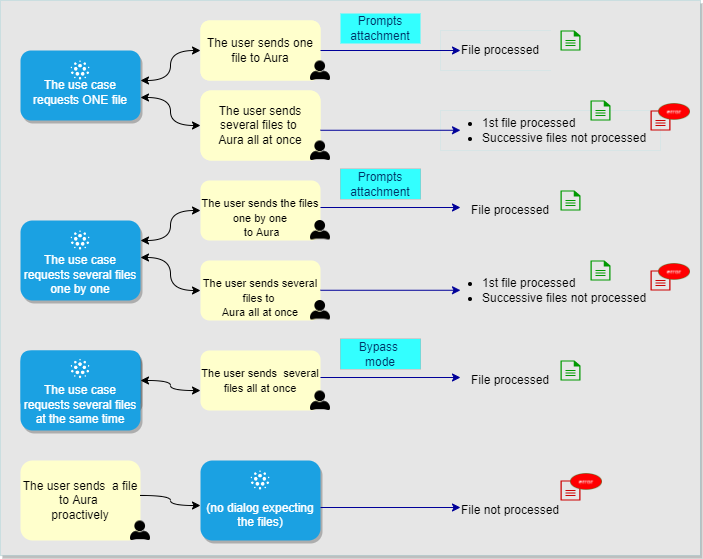
During the use case execution, the process carried out by Aura is as follows:
- The use case asks for file(s) and the user sends it(them) or the user sends a file proactively (See the different scenarios below).
- The dialog receives the files and processes them one by one.
- Once received, the file will be validated to verify that it complies with the predefined requirements regarding file type and size.
- If the validation is successful, the files will be stored in an Azure temporary repository, so the dialog can have them available.
- If case validations are not satisfied, the dialog is informed and sends a message to the user informing about the situation.
- The URL of the files are available during a configurable time set in the File Manager environment variable
AURA_MICROSOFT_AZURE_STORAGE_SAS_URL_VALIDITY.
- If any internal error occurs during the files processing, a retry policy is performed and if it fails again, the control will be returned to the dialog.
Pre-requirements
Two tasks must be carried out previous to the use case configuration:
Enable the channel to handle files
The first thing to do is to configure the channel on which we will use dialogs able to handle file management.
For this purpose, it is necessary to enable the option in the channel configuration file through the RequestOptions model, where the enabled property must be set to true.
{
    name: 'nameOfChannel',
    requestOptions: {
        fileAttachments: {
            enabled: true
        }
    }
}
Set the supported type and size for files
Once the channel is enabled to accept files, the type and size of files that can be supported can be configured at three levels:
-
a) Configuration in aura-file-manager API (default configuration)
A default configuration can be set in the aura-file-manager API, through the following environment variables:
AURA_FILE_MANAGER_TYPES: Array with the valid default file types. Default value: [pdf, doc, docx, ppt, pptx, xls, xlsx, aac, m4a, amr, mp3, ogg, mp4, 3gp, jpg, jpeg, png, opus].AURA_MAX_FILE_SIZE_BYTES: Maximum file size in bytes by default, 104857600.AURA_MIN_FILE_SIZE_BYTES: Minimum file size in bytes by default, 256.
If these values are modified in the aura-file-manager, it will affect to all enabled channels that do not have a specific configuration of files types and sizes.
All these values will be overriden if other supported ones are configured at channel level.
Moreover, during deployment, the DevOps Team should configure the Azure container where the files will be temporarily stored and to set the configurable time for its automatic deletion.
-
b) At channel level
If OBs want to configure the supported types and sizes for files per channel, it must be done in the aura-configuration-api, using the properties included in the RequestOptions model related to fileAttachments:
        {
            name: 'nameOfChannel',
            requestOptions: {
                fileAttachments: {
                    enabled: true,
                    enabledExtensions: ['pdf', 'jpg', 'jpeg', 'png'],
                    validations: {
                        'jpg' :{
                            min: 1024,
                            max: 5000000
                        }
                    }
                }
            }
        }
-
c) At use case level
The OB constructors can establish their own checks in the use case dialog regarding the type and size of files or set a more restrictive conditions for a specific use case.
In this case, they will be responsible of their own specific validations.
Sending files through WhatsApp has certain limitations, set directly by Meta API. The main one is that WhatsApp applies a quality reduction and a change in the format of the file, in case the user sends an image:
- WhatsApp works only with JPG files, so no matter what type of file the user tries to send to Aura, WhatsApp will convert it to JPG.
- Besides, its quality will be reduced, to save bandwith and space.
But, both issues can be overcome, following some rules:
- JPG type of files MUST be always configured in the
enabledExtensions property when setting up a channel to receive files from users from WhatsApp. This will allow receiving the images from users, but with a reduced quality.
- Aura Global Team recomendation is to inform the users to send the files as documents instead of images, to avoid both format conversion and quality reduction.
The use case dialog must be configured to request a unique file from the user.
Depending on the behavior of the user, two scenarios can arise:
Scenario 1. The use case asks the user for one file and the user sends one file to Aura
For the management of one file sent by the user, the incoming message must be handled by aura-bot. Therefore, aura-bot must be in normal operation mode.
In this case, Prompt Attachment will be used as a communication tool with the user. Constructors must follow these steps in the use case dialog:
-
Initialise and set the prompt in the constructor:
const attachmentPrompt = new AttachmentPrompt(
    this.promptsConfiguration.attatchmentPrompt, PromptUtils.getAttachmentValidator(
                this.retryMessages,
                this.promptsConfiguration.retries,
                this.promptsConfiguration.duration));
super.addDialog(attachmentPrompt);
Where PromptUtils.getAttachmentValidator(...) is a function provided by Aura Platform to make it easier for use cases developers to validate the information sent to the Prompt Attachment launched in the previous step.
It allows to return the control to the result of the prompt or not, depending on:
- Retries: possibility to control retries until the correct information is received.
- Time: the time taken to process the file sent by the user.
- State: state of processing file or not yet.
- Files no expected: Receipt of new files while a previous file was already being processed.
- Text: it is checked whether the user has written text instead of sending a file.
- Process NO Available: checked if the file could not be processed due to technical problems (Outage of File Manager API service).
prompt.recognized.succeeded = false;
maxRetries = maxRetries < 0 ? 0 : maxRetries;
const fileStatus: FileStatus = await FileContextUtils.getFileStatus(prompt.context);
if (fileStatus?.processing) { // File process in progress
    // There is a previous file being processed and the user has sent something other than an Attachment.
    if (prompt.context.activity.text && fileRetryMessages?.textButProcessingAttachment) {
        prompt.options.retryPrompt = fileRetryMessages.textButProcessingAttachment;
    } else if (prompt.context.activity.attachments?.[0] && fileRetryMessages?.fileButProcessingAttachment) {
        prompt.options.retryPrompt = fileRetryMessages.fileButProcessingAttachment;
    }
    const timeFinishPrompt = fileStatus.initProcessingTimeStamp + (minutesWaitingFileProcessed * 60 * 1000);
    if (Date.now() > timeFinishPrompt) {
        prompt.recognized.succeeded = true; // Force finish prompt
    }
} else { // No file process in progress
    const attachments = prompt.context.activity.attachments;
    if (fileStatus?.processingIsNotAvaliable && fileRetryMessages?.noProcessAttachmentAvailable) {
        prompt.options.retryPrompt = fileRetryMessages.noProcessAttachmentAvailable;
    } else if (attachments?.[0]) { // Attachments receive
        // Check all processed
        prompt.recognized.succeeded = PromptUtils.checkAttachmentsProcessed(attachments);
    } else if (prompt.context.activity.text && fileRetryMessages?.textAndNoAttachment) {
        prompt.options.retryPrompt = fileRetryMessages.textAndNoAttachment;
    }
}
// Check retries
if ((!prompt.recognized.succeeded) && prompt.attemptCount > maxRetries) {
    // Succeeded needs to be TRUE in order for BF to assign the value assign the recognized.value to result.value
    prompt.recognized.succeeded = true;
}
return prompt.recognized.succeeded;
-
Once the information has been validated, the function to collect the result will be executed:
// Define the conversation flow using a waterfall model.
super.addDialog(new WaterfallDialog(FactotumPromptAttachmentDialog.id, [
    this.beginPrompt.bind(this),
    this.receiveAttachmentProcessed.bind(this)
]));
-
In the beginPrompt function when setting the Prompt, it is necessary to set the fileTreatment parameter as true.
On the other hand, if the text handling is already controlled by the validation function, disableRecognition can be specified to disable NLP recognition.
const promptOptions: PromptOptions = {
    prompt: {
    ...MessageFactory.text('Send a file'),
    inputHint: InputHints.ExpectingInput
    },
    retryPrompt: 'The files are being processed. We will let you know when they are ready. Thank you.',
    validations: {
    fileTreatment: true,
    disableRecognition: true
    }
};
-
In this case, receiveAttachmentProcessed will be executed and appropriate checks can be made to determine whether the file sent by the user meets the requirements in terms of supported type and size.
if (content?.typeValidation?.value !== this.promptsConfiguration.type) {
    //...
}
if (content?.sizeValidation?.value > this.promptsConfiguration.maxSize) {
    //...
}
-
If the channel conditions are met (in terms of supported type and size of the file), now the dialog can do its own checks if included in the code.
⚠️ WARNING
receiveAttachmentProcessed can also be executed when it has been forced to finish by number of retries, or by time if using PromptUtils.getAttachmentValidator(...).- In the case of an error in the File API Manager when trying to respond with the information, the only way to unblock the Prompt for the user is to interact with Aura again.
Scenario 2. The use case asks the user for one file and the user sends several files to Aura
If the use case requests one file from the user but she decides to send several files all at one, then:
- The first file is processed.
- Once the dialog receives the validated file and the prompt is closed, the following files sent by the user are not processed.
In this case, Aura will trigger a default dialog, the unexpected-file dialog dialog.
This dialog will receive the file(s) and will send an error message to the user, informing that the file is unexpected.
The text message can be configurable through POEditor.
If the use case needs more than one file from the user, OB constructors can build the dialog so it asks for the files one by one.
⚠️ This is the recommended behavior for the dialog when requesting several files from users
In this scenario, two behaviors from the users are expected, as described in the following sections.
Scenario 1. The use case asks for several files one by one and the user sends them this way
This scenario is similar to the one described in the section Scenario 1. The use case asks the user for one file and the user sends one file to Aura.
Therefore, prompt attachment will be used.
Scenario 2. The use case asks for several files one by one and the user sends more than one file all at once
Although the dialog is requesting the files one by one, the user can decide to send several files at the same time.
In this scenario:
-
The first file is processed.
-
Once the dialog receives the validated file and the prompt is closed, the following files sent by the user are not processed.
In this case, Aura will trigger a default dialog, the unexpected-file-dialog dialog.
This dialog will receive the file(s) and will send an error message to the user, informing that the file is unexpected.
The text message can be configurable through POEditor.
If constructors want the dialog to receive more than one file from the user all at one, the dialog must be configured in bypass mode, so it can manage all the files.
Check the general process to Configure Aura Bot in bypass mode.
Moreover, for the management of files in bypass mode, certain extra steps are required, explained below:
- Initialize the Bypass, indicating the attachment support:
await Bypass.initialize (stepContext.context, this.TTL_BYPASS_MIN, { value: '' }, 'test', BypassState.Bypass, ['exit','disconnect','disable'], true);
- When redirecting all message traffic to this dialog (while the bypass is open), it has to check if the information received is an attachment or not.
// Attachment receive directly.
if (attachmentsReceied && await this.checkAttachmentsProcessed(stepContext, attachmentsReceied)) {
    this.receiveAttachment(stepContext, attachmentsReceied);
} else {
    // No attachment or prompt keyword, send the bypass instructions.
    await stepContext.context.sendActivity(
        'Type "prompt" to init a prompt Attachment' +
        ' or you can send an attachment directly' +
        ' type "exit" to finish.');
}
- It is also necessary to check whether the file has been validated or not (Similar to
PromptUtils.getAttachmentValidator(...) in normal case):
if (!attatchment?.content?.processed) {
    if (attatchment?.content?.processingIsNotAvaliable) {
        await stepContext.context.sendActivity('');
    }
    result = false;
    break;
}
- The speed for attachments to arrive to aura-bot depends on how long the system takes to process them. Therefore, a number of considerations need to be taken into account:
- If no service failures have occurred, as many messages will arrive as attachments the user has sent. The order will be determined by the time to process each of them.
- It should be noted that the use of the
bypass.data field (to store incoming information) does not have atomic mechanisms. A race condition could be produced. However, in order to minimise this situation, it is advisable to mark the use of persistent storage (Mongo) in loading and updating bypass operations.
let bypass = await Bypass.loadBypass(stepContext.context, true);
bypass.data.value = ['SET SOMETHING'];
await bypass.updateBypass(stepContext.context, false, true);
The user sends a file to Aura proactively
This scenario corresponds to the user sending proactively a file or several ones to Aura, although there is no use case requesting them (no dialog running).
In this case, Aura will trigger a default dialog, the unexpected-file-dialog dialog.
This dialog will receive the file(s) and will send an error message to the user, informing that the file is unexpected.
The text message can be configurable through POEditor.
4 - Use of templates
Use of templates in WhatsApp use cases
Guidelines for the configuration of a use case to send a template to the user in the response
Introduction
Aura integrates in WhatsApp channels the capability of managing templates.
A template is defined as a combination of different elements (multimedia, buttons, different designs for texts, etc.) that can be used for sending proactive and enricher messages to the user in WhatsApp channel.
Constructors can configure a use case to send a template. Currently, templates can only be sent unidirectionally: from WhatsApp to the user.

In case of handover use case, a human agent can send a template to the user. A human agent receives a response from the user as a result of sending the template (i.e., button pressed).
Template registration
Previously, templates must be registered in the Facebook Administration Panel, and supervised and approved by Facebook.
To do that, follow the guidelines in the provided link and ask for support to the Kernel Team.
Once the template has been created and registered, we will need to gather some basic information to start using it.
- Namespace: identifier of the workspace where the template has been created in the FB administration panel. This param is optional.
- Name: template name.
- Parameters: template composition. Parameters are arrays whose elements can be in an object format or simply text. Templates may or may not have parameters. It is necessary to know the composition to determine whether to inject values into certain parts of the template.
The sections where parameters can be incorporated are:
- Header: type parameters for the header can be found here
- Body: type parameters for the body can be found here
- Button
An example is shown below:
"parameters": {
    "header": [
        {
            "type": "document",
            "document": {
                "filename": "sample.pdf",
                "link": "http://www.africau.edu/images/default/sample.pdf"
            }
        },
        {
            "type": "image",
            "image": {
                "link": "https://file-examples-com.github.io/uploads/2017/10/file_example_JPG_100kB.jpg"
            }
        }
    ],
    "body": [
        "John doe",
        "13/07/2021",
        "12345678A"
    ],
It can send two types of parameters:
- A simple string that will end up forming a button whose link is a dynamic URL.
    {
      "parameters": {
        "button": [
          "www.facebook-fake.com/track-package",
          "www.facebook-fake.com/contact"
        ]
      }
    }
- An object that will end up forming a quick-response with an object payload in response.
    "parameters": {
        "button": [
            {
                "intent": "intent.common-fake.accept"
            },
            {
                "intent": "intent.common-fake.deny"
            }
        ]
    }
An example of buttons as simple string and object is shown below:
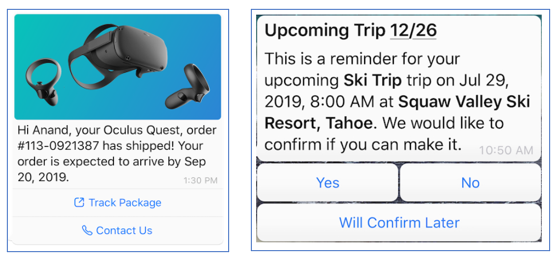
In order to include a template in use case dialog, send an activity with the following template custom type in the field contentType:
'application/vnd.telefonica.aura.template'
An example is shown below:
const attachment = {
    contentType: 'application/vnd.telefonica.aura.template',
    content: {
        {
           "namespace": "1da09e66_83a0_452e_8783_091089056340",
           "name": "test_template_fake",
           "parameters":{
               "header" : ["467"],
               "body": ["467"],
               "button": ["/fake/467"]
           }
        }
    }
};

const singleActivity = {
    type: 'message',
    attachments: [attachment],
    inputHint: InputHints.AcceptingInput
} as Activity;
List of available WhatsApp templates
The templates that are currently available to be used in WhatsApp channel are shown below:
Internal process for the reception of a template
⚠️ This section has only descriptive purposes, as it refers to an internal process. Use cases constructors do not have to carry out any aditional task.
The message arrives to aura-bridge after going through the use case with the following format:
[
   {
      "contentType":"application/vnd.telefonica.aura.template",
      "content":{
         "namespace":"1da09e66_83a0_452e_8783_091089056340",
         "name":"test_template_fake",
         "parameters":{
            "header":[
               "467"
            ],
            "body":[
               "467"
            ],
            "button":[
               "/fake/467"
            ]
         }
      }
   }
]
Finally, the message will be received by WhatsApp services after conversion through aura-bridge with the following format:
{
   "to":"34674748749",
   "type":"template",
   "template":{
      "namespace":"1da09e66_83a0_452e_8783_091089056340",
      "name":"test_template_fake",
      "language":{
         "code":"es_ES",
         "policy":"deterministic"
      },
      "components":[
         {
            "type":"header",
            "parameters":[
               {
                  "type":"text",
                  "text":"467"
               }
            ]
         },
         {
            "type":"body",
            "parameters":[
               {
                  "type":"text",
                  "text":"467"
               }
            ]
         },
         {
            "type":"button",
            "sub_type":"url",
            "index":0,
            "parameters":[
               {
                  "type":"text",
                  "text":"/fake/467"
               }
            ]
         }
      ]
   }
}
6 - Interactive messages
Use of interactive messages in WhatsApp graphical interface
Aura is able to use certain interactive messages in WhatsApp channels: reply buttons and list messages in order to enrich the user’s experience.
Learn how to include them in the following guidelines
Introduction
Aura is able to use certain interactive messages in the WhatsApp graphical interface: Reply Buttons and List Messages.
Those components will be mapped to prompts and suggestions in the Aura answer model. That means that for WhatsApp-type channels, a prompt or a suggestion could be shown to the user using three components:
- Reply buttons: messages including different options as buttons, thus offering a quicker way for users to make a selection from a menu when interacting with Aura.
- List messages: messages that offer a simpler and more consistent way for users to make a selection when interacting with Aura.
- Enumerated text list: text-based list with the enumerated options for the user to select one of them (normal behavior in previous releases)
With these new components, Aura will improve the users’ experience, as they will be able to select among different options shown in WhatsApp in an easy and practical way.
Components and operation modes
Aura provides three modes of operation to show the different options to the users based on the above-mentioned interactive messages:
Automatic configuration (default mode)
For the new format of reply buttons and list messages in WhatsApp, there is a default configuration that contains the basic conversion rules from the response model to buttons/lists.
The default mode is set at Platform level, with different layouts depending on two parameters:
- The number of options (options offered to the user to choose among them).
- The length of the text of each option.
This configuration is described in the following table:
| Number of options |
Less or equal to 20 characters |
More than 20 characters |
| 1-3 options |
Reply buttons |
Enumerated text list |
| 4-10 options |
List message |
Enumerated text list |
| More than 10 options |
Enumerated text list |
Enumerated text list |
The following figure includes a screenshot of each layout, showing how the prompts or suggestions will be presented to the user.
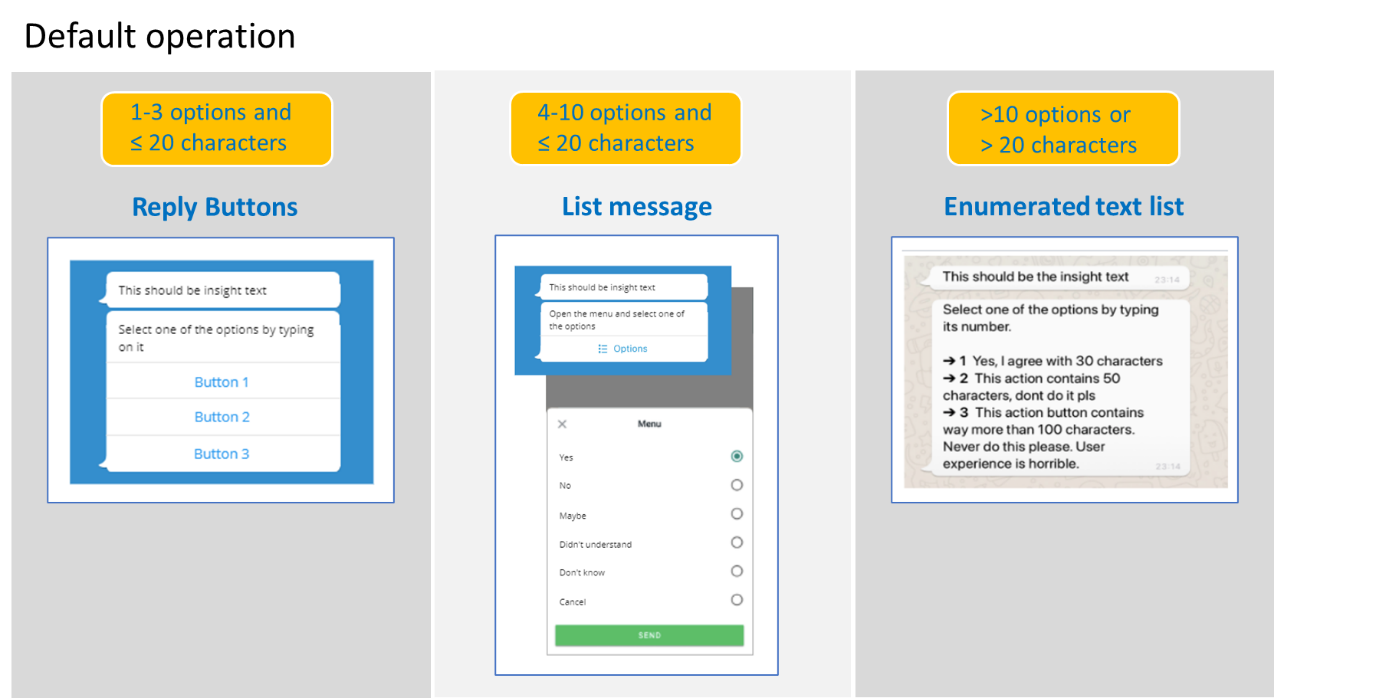
This default configuration set by the Platform can be modified at channel or dialog level to achieve any of the two operation modes set in the following sections and always bearing in mind the limitations for each format.
List message configuration
Aura sends the options inside a list message even if it is possible to present them using buttons.
To establish this configuration, follow the guidelines in Change default configuration by channel or Change default configuration by dialog, depending on your purpose.
⚠️ By default, the description field is empty, but if we want to add some more information, we can use it as in the example below.
[
    {
        "type": "imBack",
        "title": "2a via de fatura",
        "value": 1,
        "channelData": {
            "description": "Caso de Uso: 2a via de fatura" // Example
        }
    },
    {
        "type": "imBack",
        "title": "Informe de pagamento",
        "value": 2,
        "channelData": {
            "description": "Caso de Uso: Informe de pagamento" // Example
        }
    },
    {
        "type": "imBack",
        "title": "Faturas anteriores",
        "value": 3,
        "channelData": {
            "description": "Caso de Uso: Faturas anteriores" // Example
        }
    },
    {
        "type": "imBack",
        "title": "Outros assuntos",
        "value": 4,
        "channelData": {
            "description": "Exibir outras opções" // Example
        }
    }
]
Enumerated text list configuration
Aura sends the options as an enumerated text list, even if it is possible to present them using buttons or list messages.
To establish this configuration, follow the guidelines in Change default configuration by channel or Change default configuration by dialog, depending on your purpose.
When can constructors modify the default configuration?
Constructors can change the default configuration of lists and buttons at two levels: by channel or by dialog.
⚠️ The modification of the default configuration is only allowed with values (number of options and number of characters) within the ranges established by this default model (see table in Automatic configuration (default mode)).
If constructors try to set an invalid configuration, the Platform will change this configuration to a suitable one, which is included in the range of values (number of options and number of characters) set in the default mode.
The following table shows examples of allowed and not allowed configurations that the OB could try to set:
| ✅ ALLOWED CONFIGURATIONS |
Example 1:
- 1-10 options and less than 20 characters: use list message configuration
- More than 10 options and more than 20 characters: use enumerated text list |
Example 2:
- 1-3 options and less than 20 characters: use reply buttons
- More than 3 options (any number of characters): use enumerated text list |
| ⛔ INVALID CONFIGURATIONS |
Example 1:
- 4 options : use reply buttons
⚠️ The number of options must be between 1 and 3 to allow reply buttons
🔧 In this scenario, the Platform will change this configuration to an allowed one: list message |
Example 2:
- More than 20 characters: use list message
⚠️ The numer of options must be between 4 and 10 to allow list messafe
🔧 In this scenario, the Platform will change this configuration to an allowed one: enumerated text list |
Change default configuration by channel
The default configuration for lists and buttons can be overwritten at channel level. Therefore, a specific channel can have a different configuration than the default one set by the platform, provided that this configuration is allowed.
This information must be added to the whatsapp.listOptions property of the channel configuration file (aura-configuration-api).
[
    // ...
    {
        "channel_id": "e75e7b9d-7949-451a-9493-3d759745492c",
        "name": "whatsapp-1004",
        "whatsapp": {
            "client": {
                "id": "client-id",
                "scopes": "client-scopes",
                "secret": "client-secret"
            },
            "phoneNumber": "34666666666",
            "listOptions": {
                // Whatsapp list options here!
            }
        },
    }
    // ...
]
The listOptions property has the following format and fields:
export interface ListOptions {
    type: ListOptionsType;
    rules: {
        type: ListOptionsType;
        resources: {
            name: string;
            resourceKey: string;
        }[];
    }[];
}
Where:
| Field |
Type |
Description |
| type |
Enum |
If this field is indicated, it takes precedence over the general algorithm for detecting the list type.
Possible values:
- button: reply button
- enumeratedList: enumerated text list
- list: list message |
| rules |
Object[] |
Rules used to configure the list type |
| rules.type |
Enum |
List option type.
Values: button, enumeratedList or list |
| rules.resources |
Object[] |
List with the information of resources to use for this list type |
| rules.resources.name |
string |
Field name.
Currently, the possible values are: body, item or button |
| rules.resources.resourceKey |
string |
POEditor resource key |
For example, a channel can force the use of list type, whenever possible, with the next configuration added in the listOptions property of the channel configuration file:
[
    {
        "name": "whatsapp-1004",
        "whatsapp": {
            "listOptions": {
                "type": "list"
            }
        }
    }
]
If aura-bridge receives a prompt or suggestion message from the bot for a channel with this configuration, it will use the list type as the first option and will try to build the message.
If the message cannot be built in list format due to any WhatsApp API restriction, aura-bridge will finally build the message using an enumerated text list.
Change default configuration by dialog
The default configuration for lists and buttons set by the Platform can be overwritten at dialog level. Therefore, a specific dialog can decide which configuration must be used provided that this configuration is allowed.
For example, it will not be possible to force the presentation of 4 options as reply buttons. If the dialog tries to establish it, then the Platform will change this layout to a WhatsApp list, according to the default algorithm.
The configuration associated with a dialog can be configured in the channeldata.payload.bridge.whatsapp.listoptions activity field.
This field has the same format as that defined for by channel configuration, as shown in the code below.
{
    "type": "message",
    "text": "Ok, estarei aqui sempre que você precisar.",
    ...
    "channelData": {
        "payload": {
            "bridge": {
                "whatsapp": {
                    "listOptions": {
                        // Whatsapp list options here!
                    }
                }
            }

        }
    }
}
Priority among channel and dialog configuration
If channel has a configuration for the WhatsApp list format and the dialog establishes a different configuration than the channel, the second one prevails over the channel configuration.
Therefore, the order of precedence is as follows:
- Configuration by dialog.
- Configuration by channel.
- Default configuration.
POEditor resources for lists and buttons texts
The texts shown to the user in the interactive messages can be configurable through POEditor resources:
- Text in the header, for reply buttons, list messages and enumerated text list.
- Text in the button for list drop-down in list messages.
- Text for each option in enumerated text list.
These texts will be sent by the dialog in charge of building the response. If the dialog does not send them, they will be extracted from a specific POEditor resource (See table below). The POEditor resources are included in the following table:
| Interactive message |
Resources for configurable texts |
| Reply button |
- Header: bridge.[WA|A1004].wa.reply.buttons.header |
| List message |
- Header: bridge.[WA|A1004].wa.list.messages.header
- Button for list drop-down: bridge.[WA/A1004].wa.list.messages.button |
| Enumerated text list |
- Header: bridge.[WA|A1004].wa.numeric.list.header
- Format for each option: bridge.[WA/A1004].wa.numeric.list.bullet
This is a template that uses the following variables:
- An ID to identify the option (identified as %(id)s)
- The text for this option (identified as %(title)s) |
Examples
Use always enumeratedList
{
    "listOptions": {
        "type": "enumeratedList"
    }
}
Modify enumeratedList messages
{
    "listOptions": {
        "rules": [
            {
                "type": "enumeratedList",
                "resources": [
                    {
                        "name": "body",
                        "resourceKey": "bridge:wa.numeric.list.header.alternative"
                    },
                    {
                        "name": "item",
                        "item": "bridge:wa.numeric.list.bullet.alternative"            // POEditor template (Ex: "**→%(id)s** %(title)s")
                    }
                ]
            }
        ]
    }
}