This is the multi-page printable view of this section.
Click here to print.
Return to the regular view of this page.
ATRIA
Scope
ATRIA is a platform that integrates multiple state-of-the-art AI technologies to deliver unbeatable experiences to our customers through advanced AI-driven capabilities.
Find through these documents what ATRIA is, its current capabilities and learn how to take advantage of them.
Be aware of the technical complexity of documents to find the ones that best suit your skills and needs.
Navigate through the section
Engineering teams, Deployment teams, Operation teams, Aura Developers
Technical guidelines for ATRIA operation
Technical guidelines
1 - Introduction
Introduction to ATRIA
Discover in this document the fundamentals and advantages of ATRIA (Artificial Trusted Intelligence by Aura)
What is ATRIA?
The world of Artificial Intelligence (AI) is revolutionizing virtual assistants by integrating advanced AI-based algorithms to understand, anticipate and respond to the users’ needs.
In this framework, ATRIA is a platform that integrates multiple AI technologies, both proprietary and third-party ones, enabling products and services to build experiences flexibly, leveraging the advanced functionalities of AI in a secure and controlled manner.
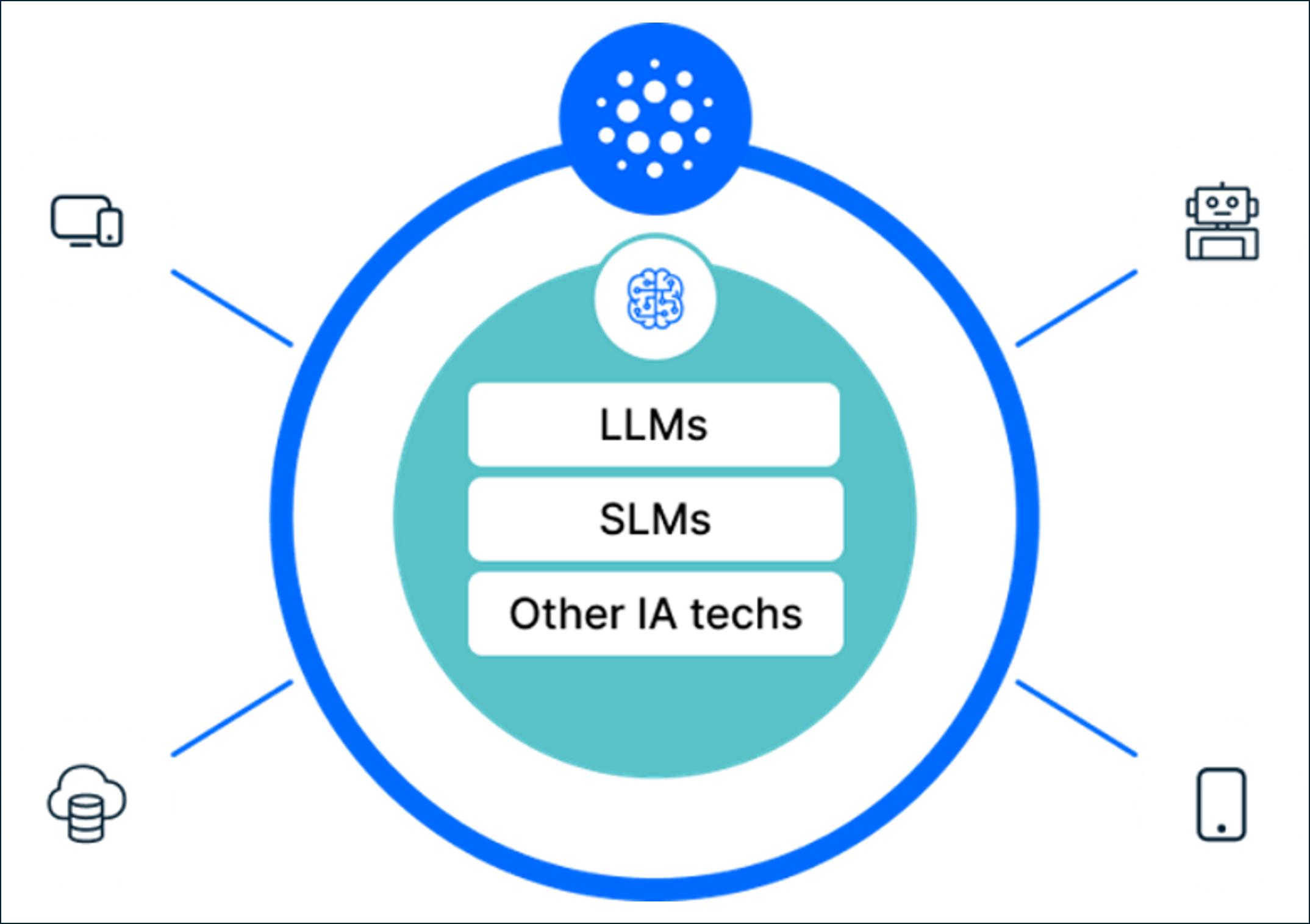
Figure 1. What is ATRIA?
The innovative solution of ATRIA as a platform that integrates different AI technologies empowers our users to effortlessly incorporate advanced capabilities based on Artificial Intelligence into their products or services.
This can be done in an efficient and secure way through AI-driven capabilities included in ATRIA that are accessible via APIs exposed in Kernel, the Telefónica digital ecosystem, which is founded on the principle of maintaining privacy and security.
Key ATRIA features
The design of ATRIA provides the following main features:
AI services aggregator, as our platform allows a seamless integration of AI-powered technologies for language detection
Natural language interactions, as ATRIA supports an easy and intuitive communication with its users
Multi-brand, as within an OB, it can be accessible through diverse brands, each of them with different channels and use cases
Multi-language RAG pipeline, enabling the automated detection of the language of each request and delivering the most relevant response in the same language if the RAG capability is used
ATRIA enables data persistence in knowledge bases across releases, ensuring that all existing data remains fully available and accessible for every ATRIA experience independently of the deployed version.
Privacy and security, as ATRIA is accessible through APIs exposed in Kernel, providing robust protection for data and user information
ATRIA functional overview
The following diagram shows how ATRIA operates and its communication flow at a high level:
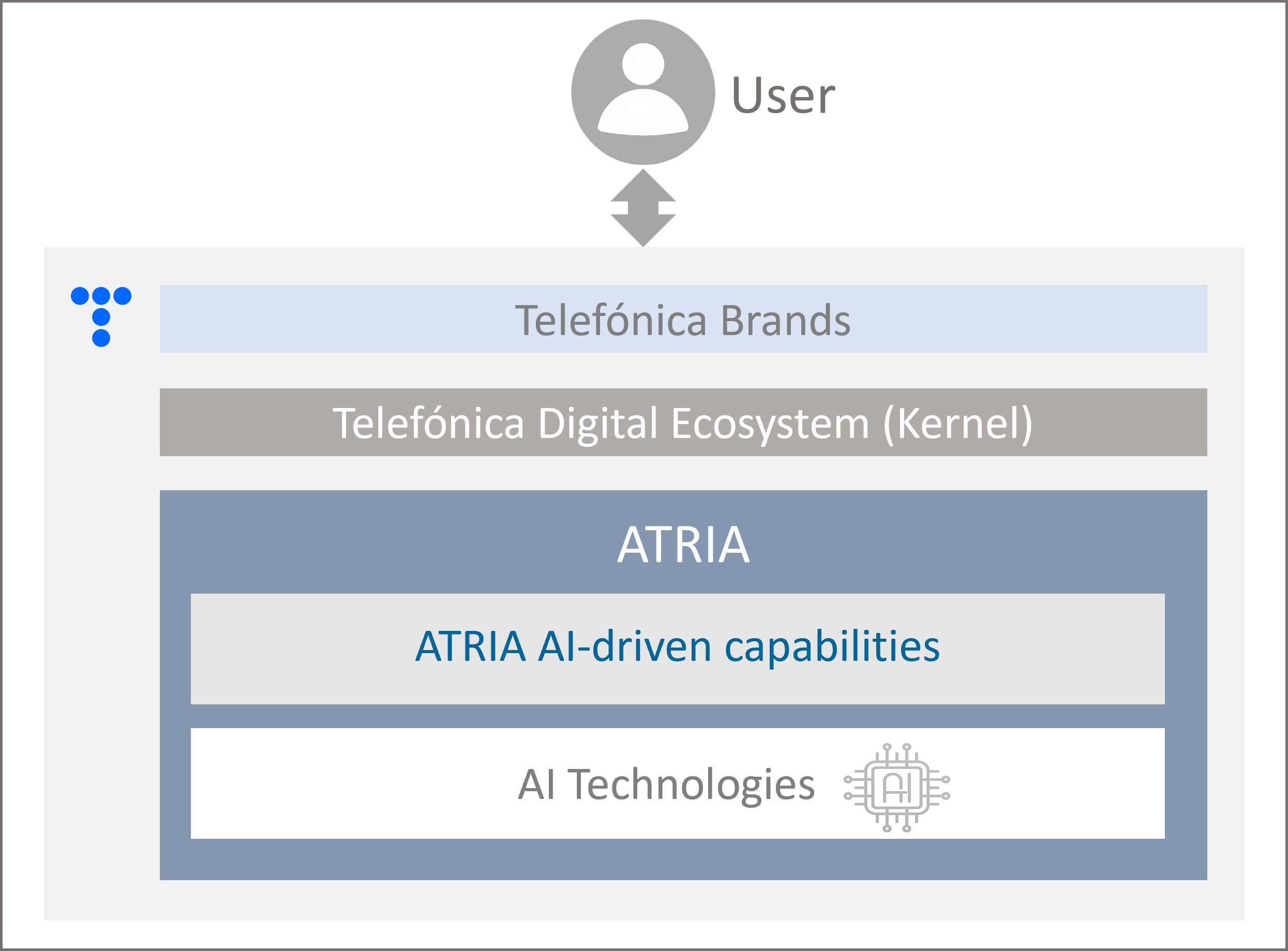
Figure 2. ATRIA overview
-
The user accesses ATRIA through one of the brands that the OB uses to commercialize its services and sends a request.
-
First, the request passes through Kernel (Telefónica Digital Ecosystem) for authentication and security purposes.
-
ATRIA derives the input information to the corresponding AI-driven capability to be used, previously set in configuration.
-
The capability uses the specific AI technology to generate the most relevant response, which is provided back to the user.
ATRIA benefits
ATRIA platform provides key advantages from the use of its AI-powered capabilities, both for constructors and end users, which are summarized below:
-
Innovation and integration
ATRIA facilitates an easy and straightforward integration of AI technologies, powered by our in-house team of experts dedicated to continuous research and implementation of innovations in AI and prompt engineering.
-
Accuracy
Leveraging advanced AI capabilities, ATRIA delivers precise and coherent responses that align closely with user’s requests, enhancing satisfaction and fostering greater interaction.
-
Security in interactions
ATRIA guarantees security against malicious attacks aiming to change the purpose of AI and, additionally, provides mechanisms that ensure privacy and prevent access to, or leakage of, sensitive data from the system.
-
Compatibility with Kernel
ATRIA is compatible with Telefónica Kernel, the technological service that integrates data and APIs from Telefónica services, assuring efficiency, as well as data privacy and control.
-
Ethical and responsible AI
ATRIA preserves the ethical uses of AI by not allowing misuse by individuals or systems, implementing control mechanisms in requests and verifying AI responses.
-
Efficiency and time saving
ATRIA automates tasks, enabling users to complete actions more efficiently. This leads to significant time savings as routine and time-consuming activities can be handled seamlessly.
2 - ATRIA capabilities
ATRIA capabilities
Discover the AI-driven functionalities that the ATRIA platform put at your disposal for the generation of experiences.
They are primarily focused on improving the understanding of human language and, consequently, providing highly reliable responses to the user in a secure and controlled manner.
Additionally, access documentation regarding available key ATRIA features.
ATRIA AI-driven functionalities
ATRIA is conceived as an AI technologies aggregator and currently includes key capabilities, based both on proprietary and third-party technologies.
The current capabilities and AI technologies in this first ATRIA are shown in the following figure and introduced below.
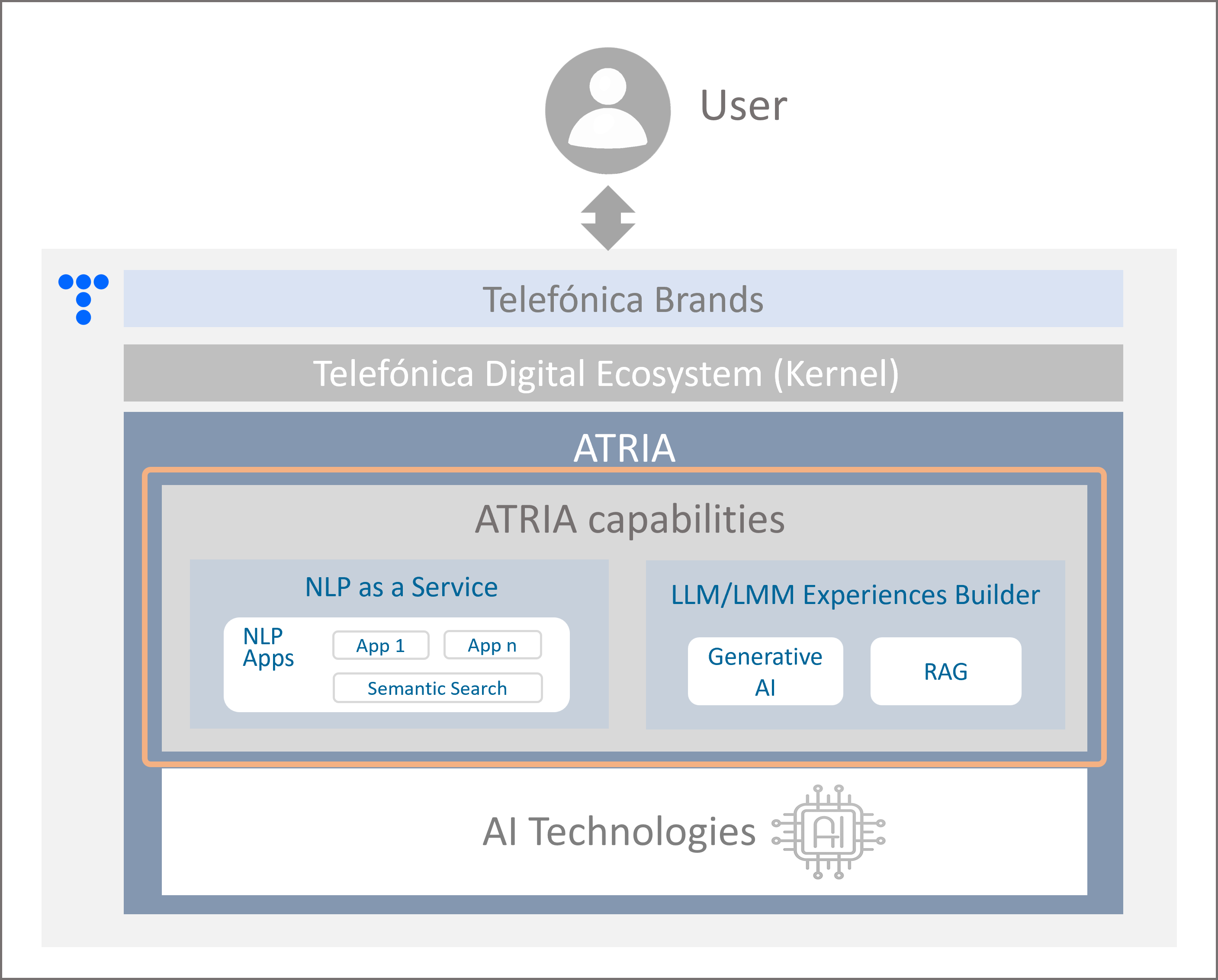
Figure 3. ATRIA capabilities
NLP as a Service
NLP as a Service enables the connection with Aura cognitive services to leverage different NLP technologies via API for understanding users’ requests and providing accurate responses.
Find detailed information regarding NLP as a Service or access directly to its associated capabilities:
LLM/LMM Experiences Builder
The LLM/LMM Experiences Builder allows ATRIA to integrate third-party AI technologies via API to create interactive, personalized, and dynamic user interactions while establishing control mechanisms to ensure security and data privacy.
Find detailed information regarding the LLM/LMM Experiences Builder or access directly to its associated capabilities:
ATRIA features
Additionally, ATRIA contains key features focused on improving the generation of experiences, that allow advanced customization options and adaptability to user preferences.
-
Multibrand feature: Users can access ATRIA through the different Telefónica brands available in their country.
-
Multi-language feature: ATRIA RAG includes a multi-language feature, to deliver service to a global audience in multiple languages, as it automatically detects the input language and provides the response accordingly.
2.1 - NLP as a Service
NLP as a Service
Discover NLP as a Service, the AI-driven functionality for seamless language recognition and integration based on Natural Language Processing technologies
Introduction to NLP technologies
Natural language processing (NLP) refers to the branch of AI concerned with giving computers the ability to process, understand and generate human language. NLP combines computational linguistics (rule-based modelling of human language) with statistical, machine learning and deep learning models to bridge the communication gap between humans and machines.
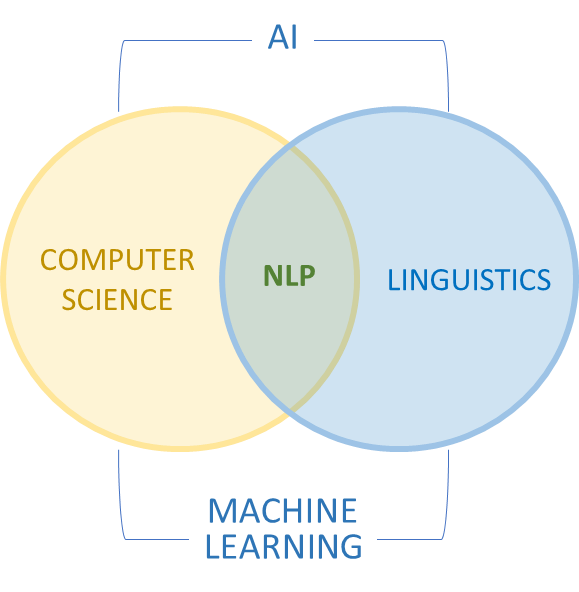
Figure 4. NLP technologies
NLP encompasses a wide spectrum of technologies designed to be integrated into diverse user experiences. It includes deterministic and probabilistic techniques, syntax and semantics methods, named entity recognition (NER), etc.
Nowadays, the use of NLP in virtual assistants is not limited to understand and respond to simple utterances but also to derive meaning and use data behind user queries, allowing them to provide relevant and precise responses resulting in more accurate and natural interactions through different NLP technologies.
Application of NLP as a Service in ATRIA
NLP as a Service enables the use of different technologies through NLP Apps (Natural Language Processing recognition stages) for understanding users’ requests and providing back accurate responses.
Currently, these technologies, both proprietary and third-party ones, are included in the Aura NLP component but, in future releases, external NLP methods will be used.
In this framework, constructors have two approaches depending on the utilized stages:
-
Using NLP Apps (NLP recognition stages) different from Semantic Search
Find here detailed information regarding NLP Apps capability
-
Using Semantic Search technology, a specific NLP App that overcomes traditional keyword-based searches through the use of embeddings.
Find here detailed information regarding Semantic search functionality
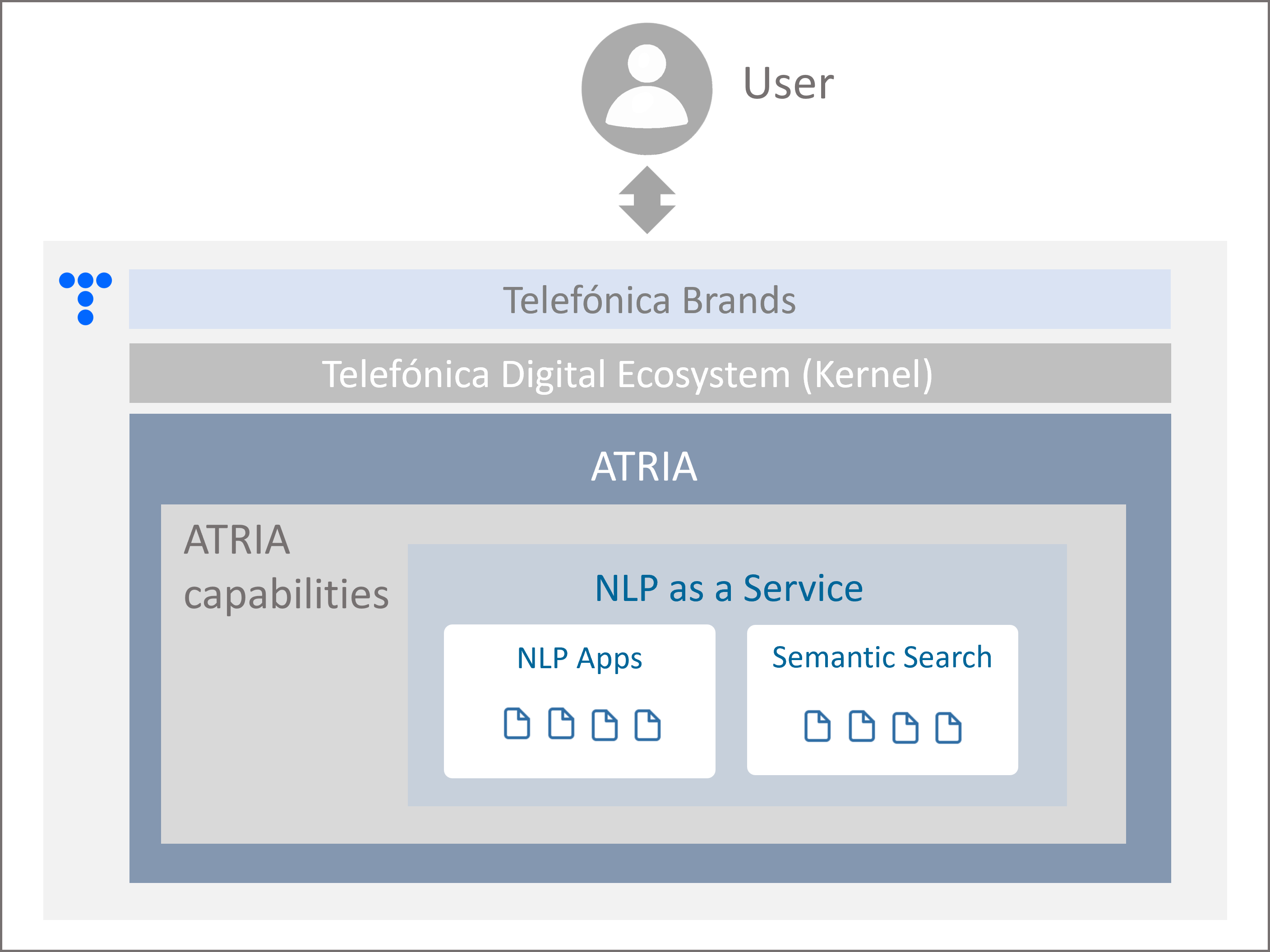
Figure 5. NLP as a Service in ATRIA
Benefits from the use of NLP as a Service
NLP as a Service offers several benefits both for constructors and end-users:
Benefits for use cases constructors
- Less time and complexity of use cases development
- It is possible to create and configure tailored NLP pipelines, choosing from a variety of available stages and connectors that cover different aspects of Natural Language Processing.
- No need for the manual generation of training phrases (aliases) for generic questions knowledge bases.
- Knowledge bases can be updated continuously in an easy and quick way.
- Accessibility: any application, both internal and external to Aura Platform, can consume this service.
Benefits for Aura end users
- End-users can interact with Aura in a natural and conversational way, using their own words and expressions and even informal language, slang, abbreviations, misspellings, etc.
- Improved Aura’s understanding capabilities, leading to fast and reliable responses and results.
- Easy update of the knowledge bases, so the users can receive reliable responses based on up-to-date data.
- The NLP service can be leveraged as capabilities offered to end-users or as internal features used by other Telefonica teams in order to streamline specific internal processes.
2.1.1 - NLP Apps
NLP Apps capability
Overview of the NLP Apps capability, encompassing the underlying technology and its application in ATRIA
Introduction to NLP Apps technology
Within Natural language processing (NLP) technologies, NLP Apps refers to NLP pipelines (chains) that combine different technologies for language processing with several tools for combining them.
Currently, these technologies, both proprietary and third-party ones, are included in the Aura NLP component and can be categorized in the following groups:
The technical description of all the available NLP technologies in included in the document Components for NLP pipelines
Application of NLP Apps in ATRIA
ATRIA enables the generation of experiences (use cases) through the use of Aura cognitive capabilities as stand-alone NLP Apps for sending a request expressed in natural language and receiving back an accurate response without the need for a conversational bot.
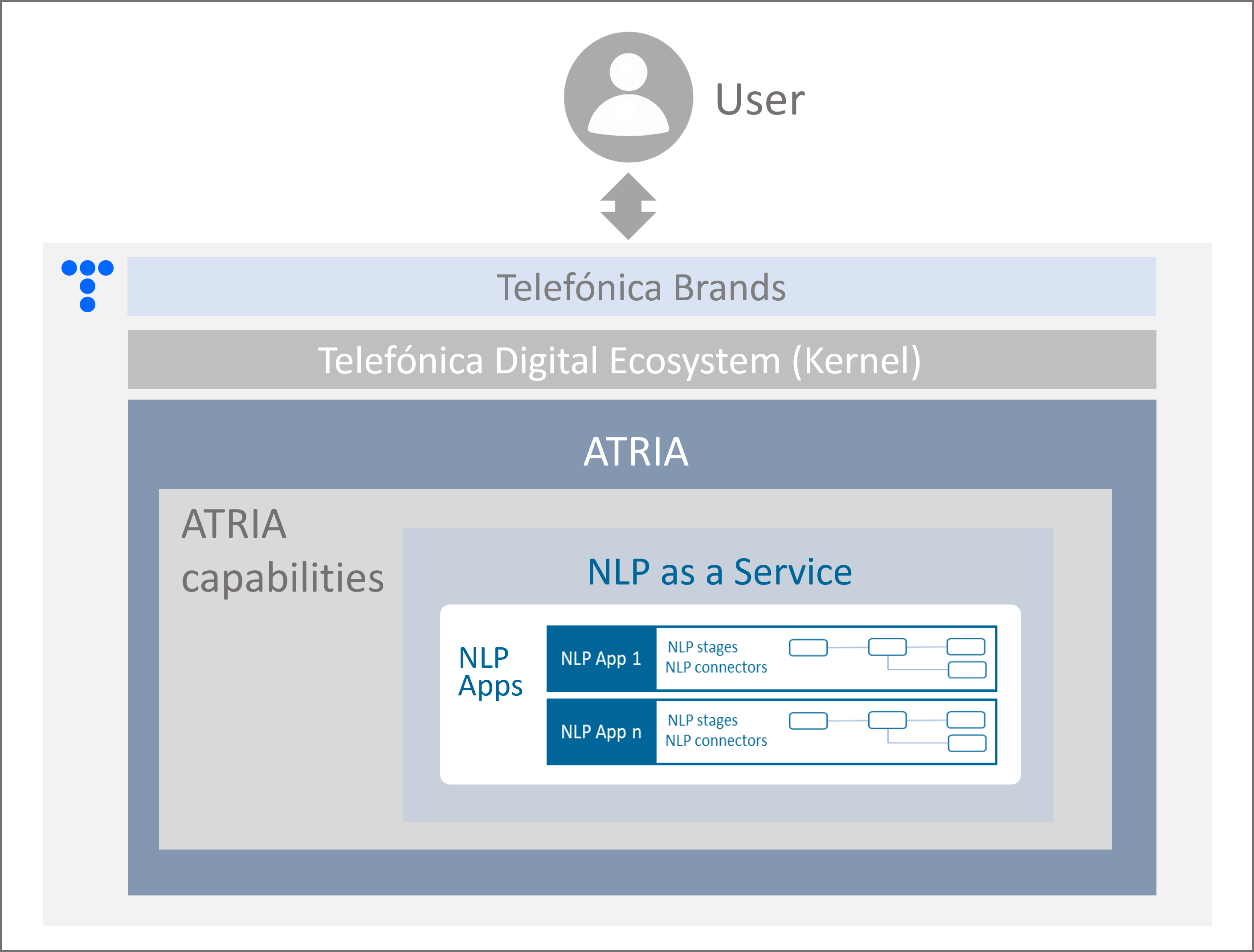
Figure 6. NLP Apps in ATRIA
Interaction with NLP Apps in ATRIA
This service is accessible via API, enabling its consumption both from Aura Platform or any external application.
Functional overview
A simple overview of the process is provided below:
-
A user sends a request to ATRIA, indicating which specific NLP App she wants to use for the recognition of the request. These Apps are available in Aura NLP, a module of Aura Cognitive Services in charge of processing and understanding human natural language.
-
The NLP technologies in the pre-selected specific App resolves the use case and generates a response.
-
The response is sent back to the user.
2.1.2 - Semantic Search
Semantic Search capability
Overview of the Semantic Search capability, encompassing the underlying technology and its application in ATRIA
Introduction to Semantic Search technology
Within Natural Language Processing technologies, Semantic Search goes beyond the traditional keyword-based search methods, as it delves into the intent and the meaning behind a query, interpreting the meaning of words and phrases.
This leads to the generation of more accurate and relevant search results that align closely with the user’s intent.
For this purpose, semantic search uses neural network embeddings: a representation of words or phrases in a continuous vector space that captures the semantic relationships between them. This information is crucial for semantic search to interpret the user’s intent accurately.
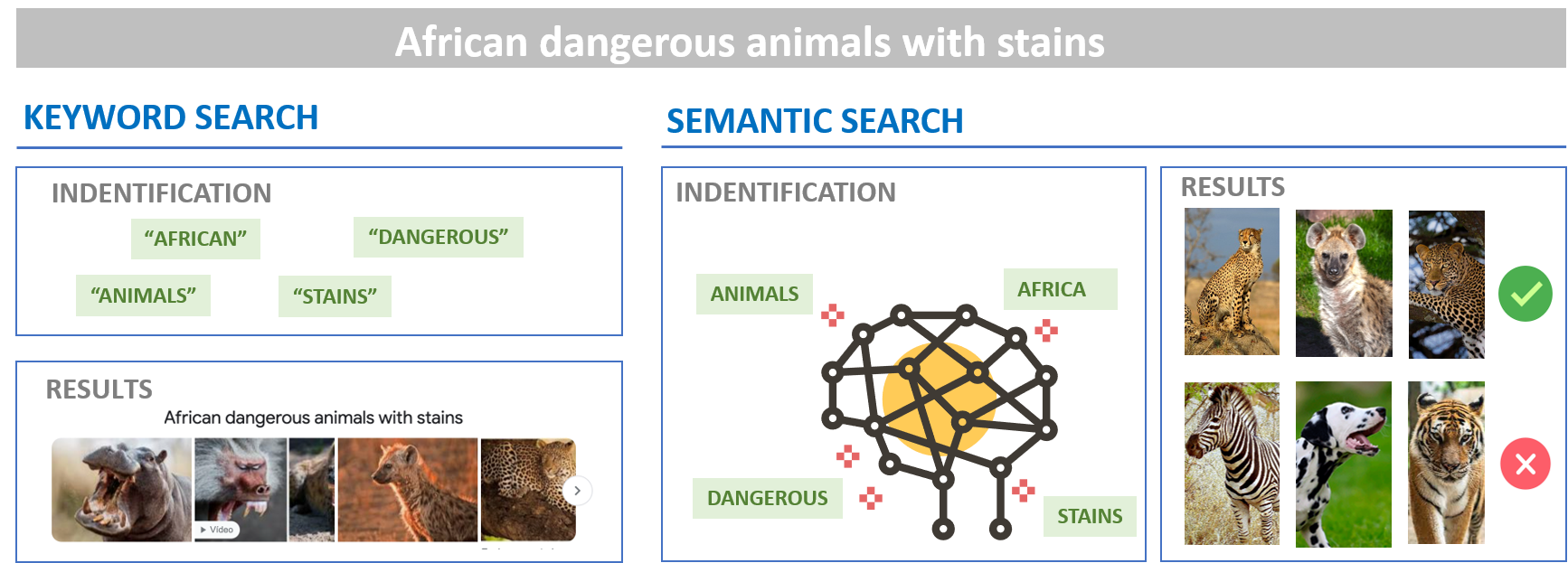
Figure 7. Semantic Search technology
Application of Semantic Search in ATRIA
Semantic Search is a specific NLP App, included in the NLP as a Service capability.
ATRIA benefits from the Semantic Search capability based on embeddings for the development of generic questions experiences (grounded in FAQs).
It allows achieving an accurate understanding of requests and the generation of highly reliable answers, fully aligned with the user's expectations.
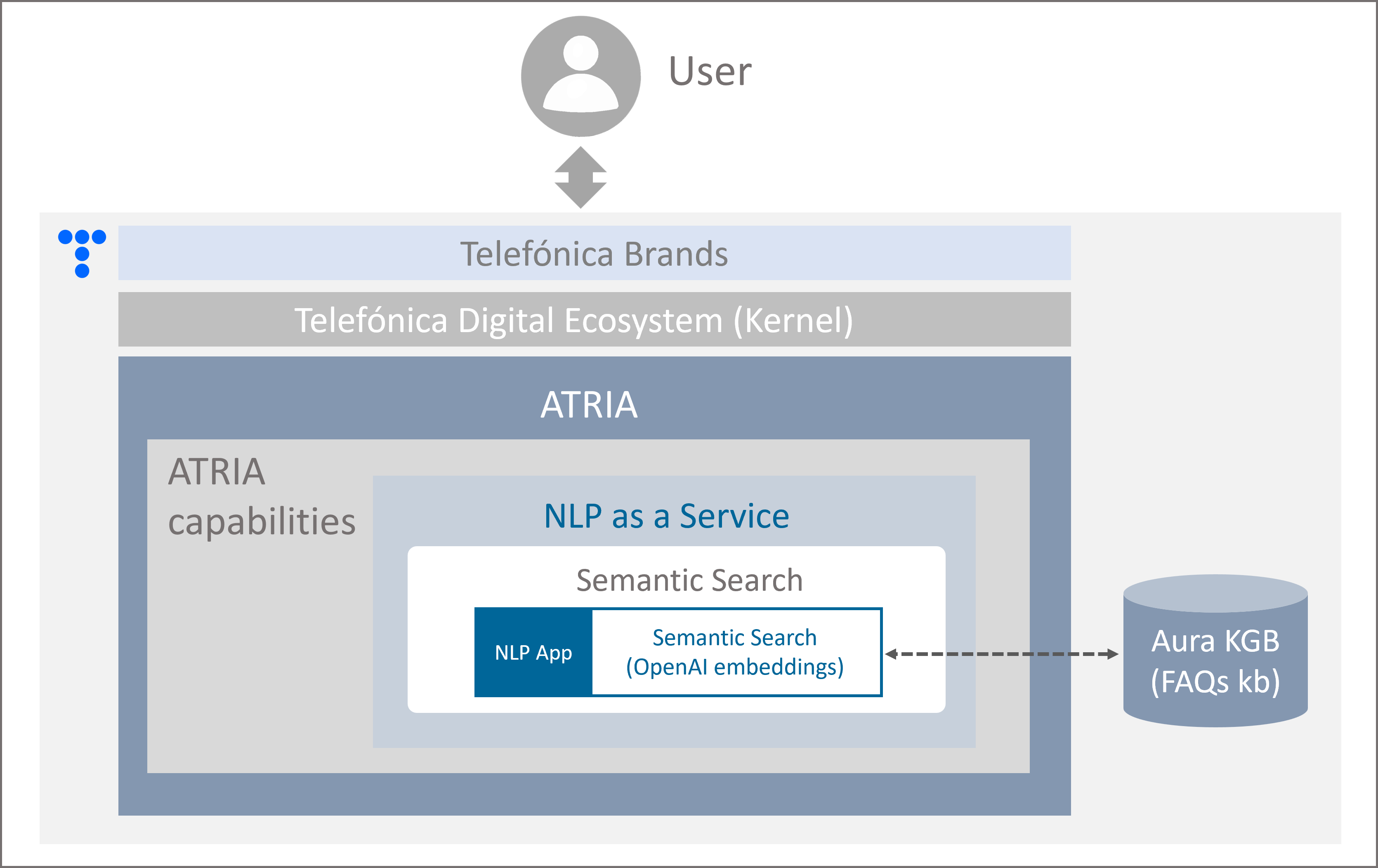
Figure 8. Semantic Search in ATRIA
Interaction with Semantic Search in ATRIA
This service is accessible via API, enabling its consumption both from Aura Platform and any external application.
Semantic search technology is available in Aura through a specific Aura NLP stage: OpenAI embeddings.
Current available models
Semantic Search currently uses Azure OpenAI embeddings technology.
Check the version of the model here.
Functional overview
The use of this capability encompasses three different stages:
-
Preparation, for the creation of the use case knowledge bases with the required FAQs and associated answers, and the subsequent generation of embeddings with this information.
-
Identification, in which a user sends a request to ATRIA, selecting as the specific NLP App the one that includes the semantic search technology (OpenAI embeddings). This app recognizes the user’s request.
-
Answer generation: the best response to the user request is identified and sent back to the user.
2.2 - LLM/LMM Experiences Builder
LLM/LMM Experiences Builder
Discover ATRIA LLM/LMM Experiences Builder, that includes LLM chains for the generation of different types of content through Generative AI or RAG technologies
Introduction
ATRIA can integrate third-party AI technologies via API through the LLM/LMM Experiences Builder to create interactive, personalized, and dynamic user interactions, while establishing control mechanisms to ensure security and data privacy.
To do that, the LLM/LMM Experiences Builder allows the creation of LLM chains, which are defined as structured workflows that involve several interconnected steps, each of them using diverse LLM technologies to process, generate, or transform text data. Each step feeds into each other, with the ultimate goal of understanding a request expressed in natural language and providing an accurate response to it.
In the current release, two predefined LLM chains are included in ATRIA, offering two key capabilities:
-
Simple flows that call to an LLM: Generative AI capability for understanding and generating human-like texts through LLMs.
-
Complex flows: General RAG capability through RAG (retrieval-augmented-generation) processing techniques that combine different AI models.
Currently, only these two predefined chains can be used. In further ATRIA versions, constructors will have the flexibility of creating customized LLM chains.
ATRIA also includes a testing UI interface to test the behavior of the LLM/LMM Experiences Builder when using both Generative and RAG capabilities, before publishing into production. In further versions, the solution will include an interface to configure different parameters easily and a mechanism to load data.
Functional components
The following diagram schematically shows the functional components into play in the LLM/LMM Experiences Builder.
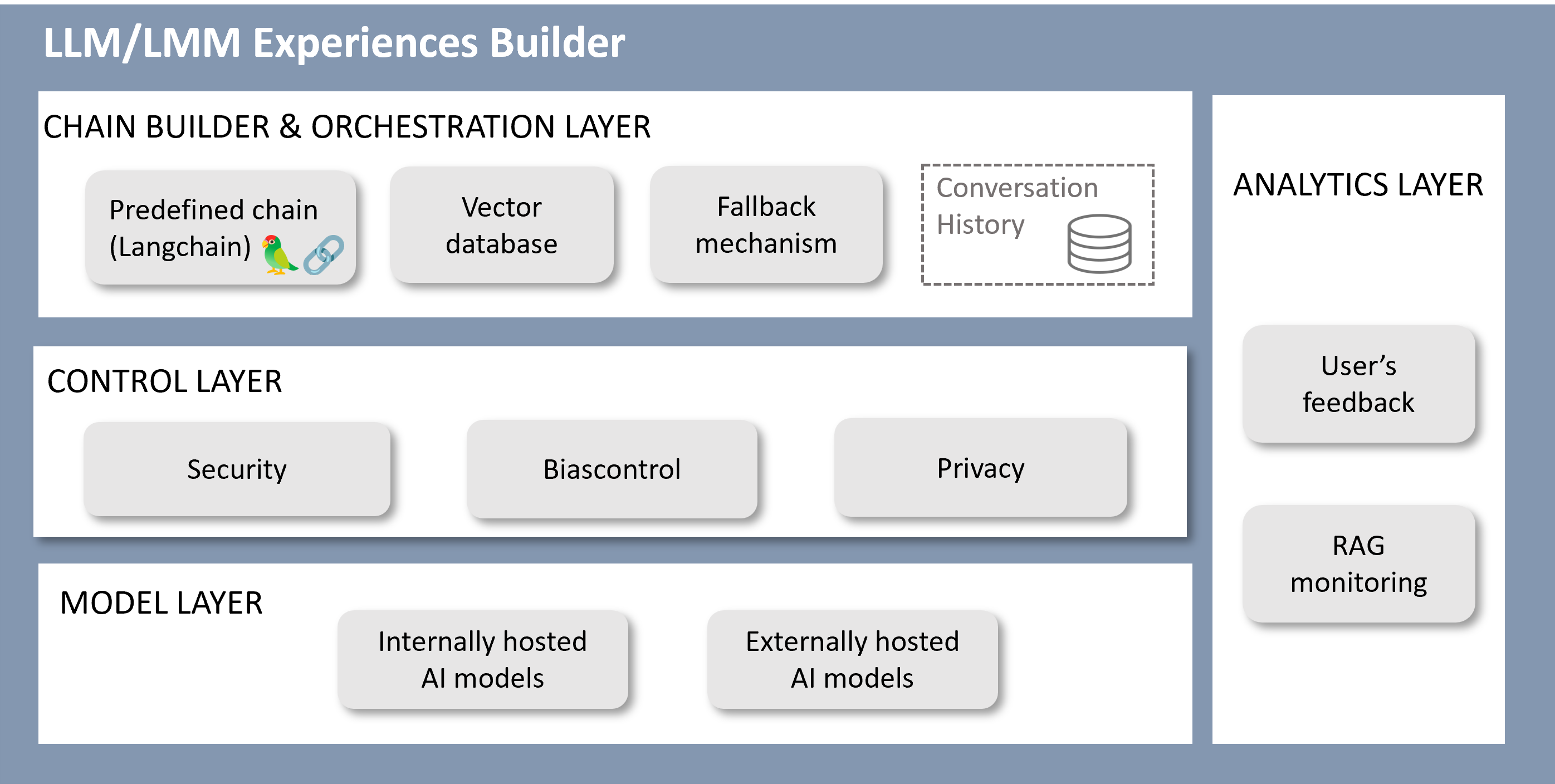
Figure 9. LLM/LMM Experiences Builder
Chain builder and orchestration layer
Currently, this layer allows:
- Using a predefined LLM chain for specific use cases, that corresponds to a RAG (Retrieval Augmented Generation) pipeline integrated using LangChain.
- Manual configuration of parameters.
- Integration of new components (vector databases, document loaders, text splitters, etc.) by Aura Global Team.
- Simple fallback mechanism: flag set in configuration.
- Conversation history, taking into account past interactions for the enrichment of responses.
Control layer
The components of this layer have the following roles:
- Providing mechanisms for ensuring security and data protection.
- Heuristics blacklists.
- Prompt injection.
- Templates.
- Including the control of tokens consumption.
Model layer
The model layer can include both internally and externally hosted models.
Models currently integrated into ATRIA
The AI models currently integrated in ATRIA are:
-
Azure OpenAI embeddings model: text-embedding-ada-002
-
Hugging face models: paraphrase-multilingual-MiniLM-L12-v2, Multi-qa-distilbert-cos-v1
-
Azure OpenAI GPT models: gpt-4-turbo, gpt-4o, gpt-4o-mini, o3-mini
In further releases, the model manager will integrate other state-of-the-art models from different providers, avoiding lock-in and making easy for constructors to choose, try and select the one that fits better with their needs.
Analytics layer
The analytics layer currently includes two features:
-
Feedback functionality, for the estimation of the accuracy in the response, in which the user can provide feedback by clicking on a thumbs-up icon if the quality and appropriateness of the answer is correct or selecting the thumbs-down icon if the response misses the point, contains hallucinations, or is unclear.
-
Simple RAG monitoring to check how the RAG chain performs.
2.2.1 - Generative AI
Generative AI capability
Overview of the Generative AI capability, encompassing the underlying technology, its application in ATRIA and the benefits derived from its use
Introduction to Generative AI
What is Generative AI?
Generative Artificial Intelligence is a subset of Machine Learning that focuses on the creation of new content, such as text, images, or music, based on patterns learned from large volumes of data.
This technology has advanced significantly in recent years, fueled by the development of Deep Learning models that can understand and replicate complex data structures.
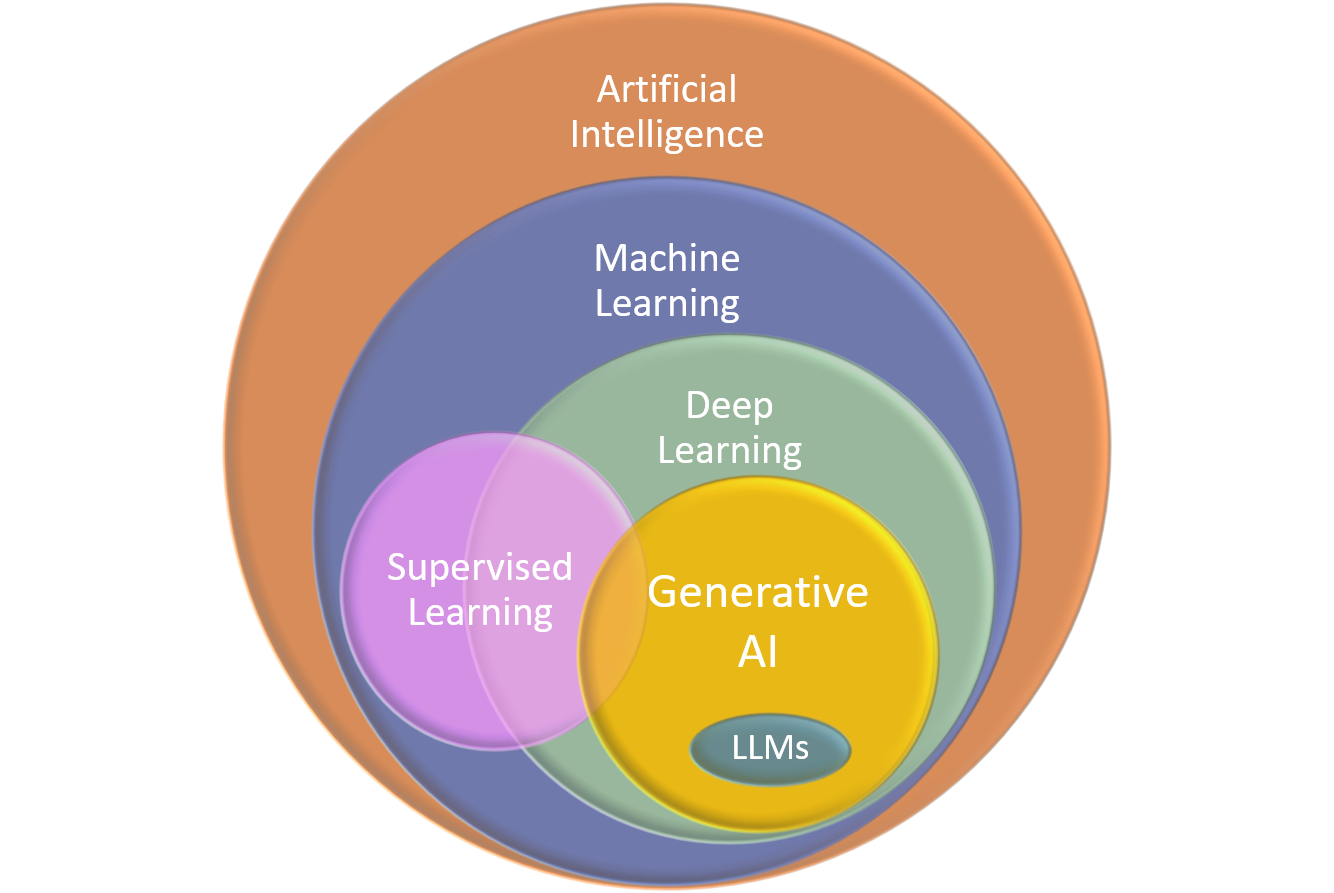
Figure 10. Generative AI technology
Below are the main steps in how Generative AI works:
-
Training: The model is fed with extensive datasets containing examples of the target content, allowing the system to identify patterns, structures and relationships among different elements.
-
Instruction input: The user provides an instruction or “prompt,” which can be a question, a topic, or any indication of what is expected from the model output.
-
Content generation: Based on the information obtained during training, the model applies complex algorithms to generate a relevant and coherent response or new content aligned with the user’s request.
-
Response delivery: The model presents the generated output to the user quickly and efficiently. It can be a text, an image, or any other type of content.
Within Generative AI, the Large Language Models (LLMs) are advanced AI models designed to understand and generate human-like text, typically trained on vast amounts of text data, enabling them to predict and produce coherent and appropriate text. They are the ones integrated into ATRIA.
Benefits and limitations
The main benefits from the use of Generative AI are summarized below:
- Creativity and Originality: Generative AI generates new and original content that can inspire creators.
- Efficiency: Generative AI automates content generation tasks, allowing humans to focus on more complex activities.
- Personalization: Generative AI generated content is tailored to the specific needs of users.
- Access to information: Generative AI provides quick answers to complex questions thanks to its extensive access to data.
Despite these advantages, Generative AI has certain limitations that led ATRIA to integrate other complementary technologies:
- Hallucinations: Generative AI can generate inaccurate responses that seem plausible, leading to misinformation.
- Temporal Limitations: Generative AI models are limited to the information available at the time of their last training, meaning they cannot access real-time or recent data updates.
Application of Generative AI in ATRIA
Generative AI is a key ATRIA capability provided by a predefined chain designed with the LLM/LMM Experiences Builder.
ATRIA enables the generation of experiences (use cases) to resolve users' requests expressed in natural language by supporting simple calls to AI models.
This is done through an easy integration of advanced Generative AI technologies while guaranteeing security and privacy in interactions.
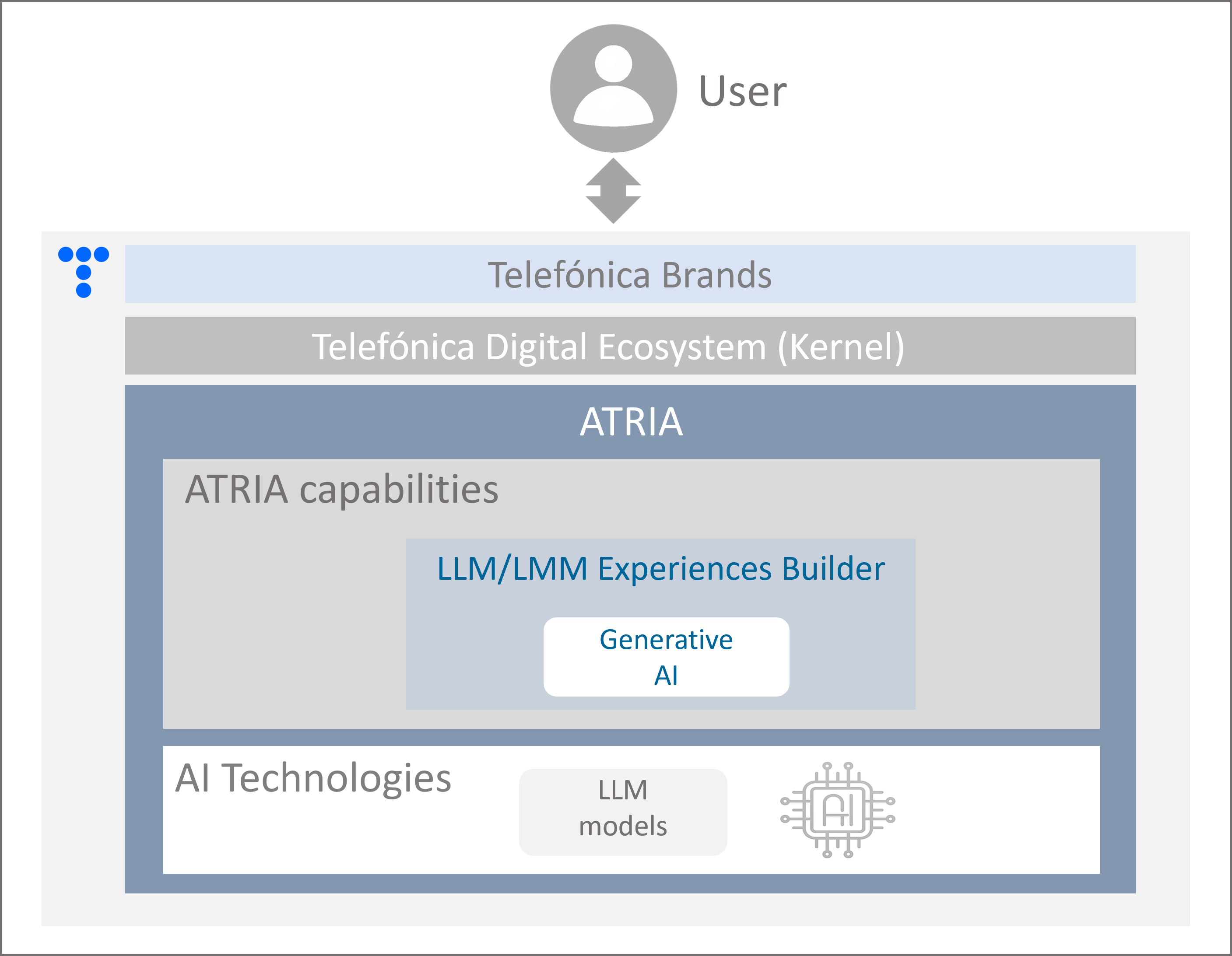
Figure 11. Generative AI in ATRIA
Example case
Imagine that our platform, ATRIA, operates like a restaurant with different chefs, each specialized in a unique approach to meeting customers' needs.
A traditional generative model can be compared to Chef Manuel, a chef who spent several years mastering in traditional Spanish cuisine.
Manuel’s expertise encompasses a wide range of recipes and cooking techniques, but some of his knowledge may be outdated since he hasn’t pursued further training in recent years.
When a customer requests for a nutritious and hearty meal, Manuel relies solely on his internal knowledge to prepare a classic dish: lentils with vegetables. He does not need to search for additional information because his prior expertise is sufficient to offer a consistent and reliable answer.
A traditional generative model operates like Manuel, generating responses based solely on the implicit knowledge learned during the model's training, without consulting external sources.
Interaction with ATRIA Generative AI
This service is accessible via API, enabling its consumption both from Aura Platform and any external application.
Current available models
The AI-driven models currently integrated into ATRIA are included here.
Functional overview
The use of this capability encompasses different stages:
-
When a user sends a request to ATRIA, it is sent to an auto-generative content generator, the one that best aligns with the use case considering different factors such as latencies, costs, etc.
-
Additionally, specific instructions upon which the model must base its response are also included. These instructions can be configured to meet specific channel-level business and experience requirements but, at the same time, to ensure that the provided responses retain the nuances of tone and personality that characterize Aura.
-
In addition, ATRIA provides a layer of security to avoid prompt injection, that is, to prevent misuse by third-party services that can create malicious prompts as inputs and cause the model to act in unintended ways.
For example, it can prevent a user from modifying the instructions on how the system should behave or the invalidation of instructions from a predefined block of the prompt (Aura personality), if contradictory instructions are given.
-
The Generative AI model recognizes the request and generates the most appropriate response for it. This response is sent back to the user.
Benefits from the use of Generative AI in ATRIA
There are clear benefits derived from the integration of Generative AI in ATRIA:
Benefits for constructors
- It streamlines the use cases development process, since there is no need to generate specific responses or undergo specific trainings.
- Other types of experiences, not directly related to Aura, can be generated. For example: data analysis tasks, development of new products, etc.
Benefits for end-users
- Our customers’ satisfaction will increase, as Aura can offer enhanced understanding capabilities.
- Aura can incorporate new areas of interest for users in a more agile manner and explore new types of users for whom to develop services based on natural language recognition technologies.
- ATRIA interactions guarantee security and privacy for our users.
Generative feedback functionality
When testing how Generative AI/RAG capabilities work with the ATRIA web interface aura-manager, it is possible to use the feedback functionality to estimate the user’s satisfaction regarding the quality and appropriateness of the generated answer to her request. This can be done easily by clicking the thumbs-up or thumbs-down icons.
2.2.2 - RAG
RAG capability
Overview of the RAG capability, the benefits derived from its use and the current predefined RAG chain in ATRIA
Introduction to RAG technology
RAG (Retrieval Augmented Generation) is a technique for augmenting LLM knowledge with additional data. It provides a way to optimize the output of an LLM with targeted and updated information without retraining it; thus, providing more appropriate answers based on specific and latest data.
The process includes three differentiated parts:
- Retrieval: it searches and extracts relevant information from a KB database using information retrieval techniques, such vector representations (embeddings) to find text blocks that contain the appropriate information to resolve the input request.
- Augmented: the RAG model augments the user input (or prompts) by adding the relevant retrieved data. This step uses prompt engineering techniques to communicate effectively with the LLM.
- Generation: the enriched prompt is sent to an LLM, that generates the most accurate response for the user.
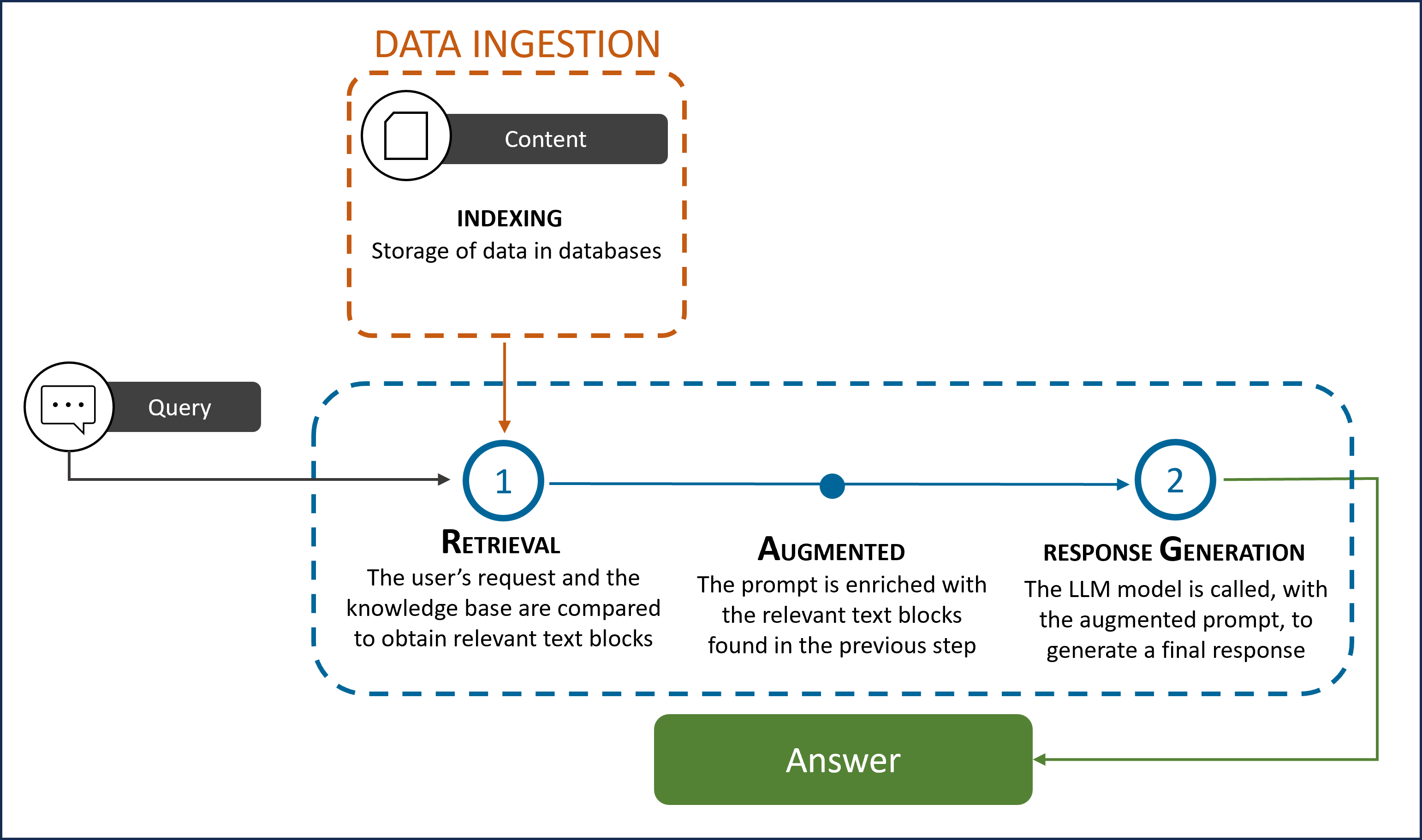
Figure 12. RAG technology
Application of RAG in ATRIA
As explained before, the LLM/LMM Experiences Builder enables the generation of LLM chains that integrate different AI technologies.
Within this capability, complex flows based on the RAG technology can be integrated.
Example case
Imagine that our platform, ATRIA, operates like a restaurant with different chefs, each specialized in a unique approach to meeting customers' needs.
A RAG model can be compared to Chef Sara, a chef who combines her traditional culinary experience with the real-time consultation of resources to enhance her recipes with the latest culinary trends worldwide, as she likes to be continuously up-to-date.
When a customer requests a nutritious and hearty meal, Sara goes beyond her own knowledge, based on already learnt techniques and recipes. Instead, she consults innovative cuisine resources: Indian cookbooks and her recent notes on advanced molecular cooking techniques. These external sources allow her to innovate and propose a unique dish: a curry foam, light and airy, with an intense spice flavor and a touch of coconut milk.
In technical terms, the RAG approach combines:
a. Generation based on prior knowledge (the internal model): equivalent to Sara's knowledge of cooking.
b. Real-time retrieval of external information: consulting cookbooks and notes represents how a RAG system looks up information in databases or dynamic sources during the response process.
This integration allows the model to provide more contextualized responses, tailored to specific needs, especially when the stored knowledge is limited or insufficient.
Currently, ATRIA incorporates the following RAG chains:
In upcoming versions, constructors will be able to design their own LLMs chains based on RAG.
Benefits from the use of RAG technologies
-
Updated and targeted information: RAG allows developers to provide the latest data to the generative models, targeted to the specific use case.
-
Cost-effective implementation: Data in the knowledge repository can be continually updated without incurring significant costs.
-
Enhanced user trust: The data sources contributing to the RAG’s vector database are identifiable. This transparency allows for the correction or removal of any inaccuracies present in RAG and clearly improves users’ confidence.
-
Improved developers control: With RAG, developers can test and improve their applications more efficiently, control and change the LLM’s information sources to adapt to changing requirements, restrict sensitive information retrieval to different authorization levels and ensure the LLM generates appropriate responses.
2.2.2.1 - General RAG
General RAG capability
Overview of the General RAG capability, encompassing the underlying technology, its application in ATRIA and the benefits derived from its use
Application in ATRIA: General RAG
ATRIA enables the generation of generic questions experiences (use cases) to resolve users' requests expressed in natural language and based on FAQs by supporting complex calls to AI models.
This is done through the integration of a predefined RAG (Retrieval Augmented Generation) chain while guaranteeing security and privacy in interactions.
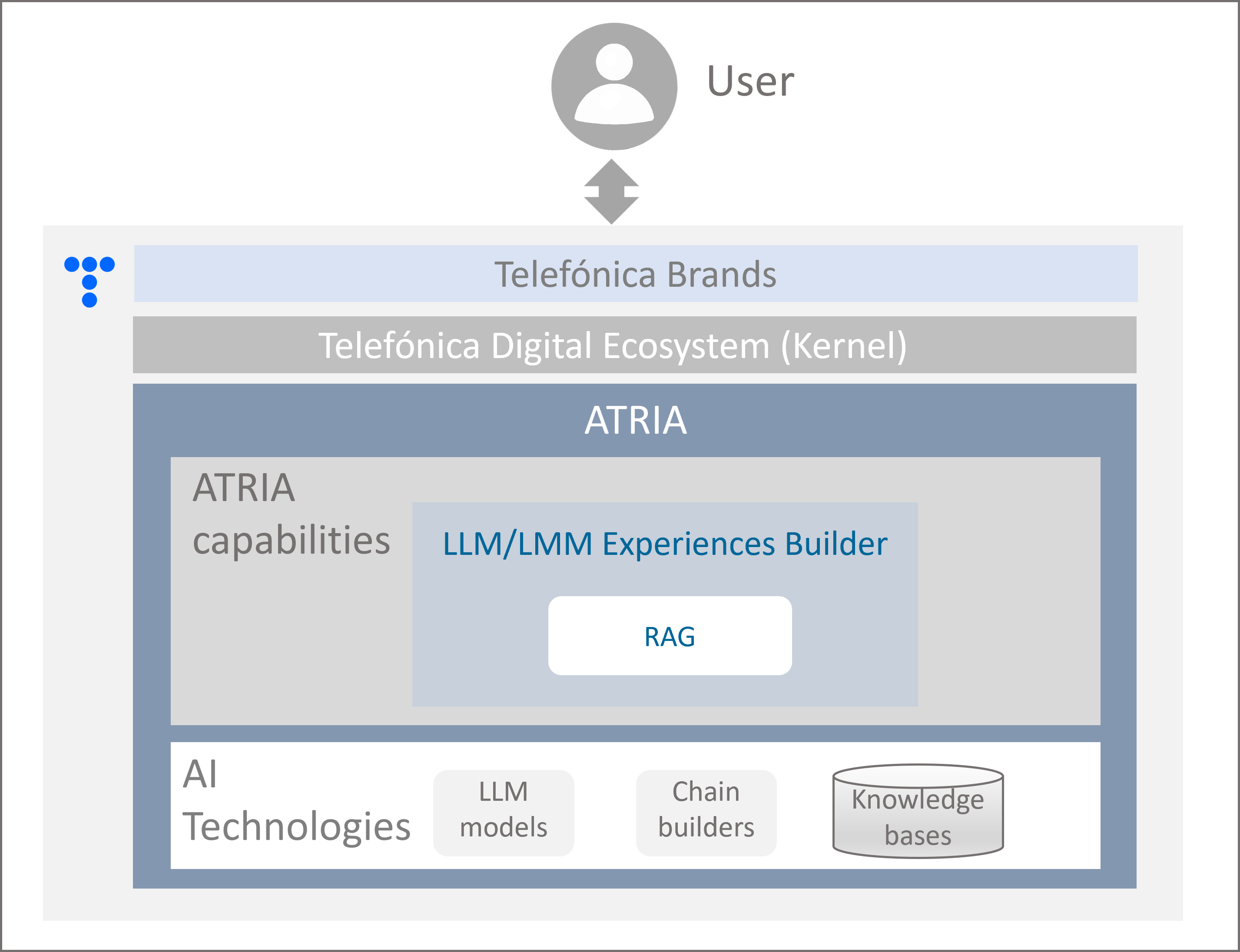
Figure 13. General RAG in ATRIA
The predefined RAG chain defined in ATRIA is called General RAG. It includes additional steps that overcome the potential of Retrieval Augmented Generation technologies by optimizing the input prompt and generating more accurate responses. See details in section Functional overview.
In upcoming versions, constructors will be able to design their own LLMs chains based on RAG.
Interaction with ATRIA General RAG capability
This service is accessible via API, enabling its consumption both from Aura Platform and any external application.
Current available models
The AI-driven models currently integrated into ATRIA are included here.
Functional overview of General RAG
The use of the General RAG capability encompasses three different stages:
-
Data ingestion, that includes uploading the knowledge bases used for lexical (keywords) and semantic search (embeddings) search.
Discover the underlying processes for that in the document Import documents into *ATRIA, as well as tips for data curation, a process recommended before the documents uploading.
-
RAG chain: If a request enters ATRIA, the General RAG capability executes the predefined steps in its chain, which are described in the following figure.
-
Aura answer: The generated response is sent to the user.
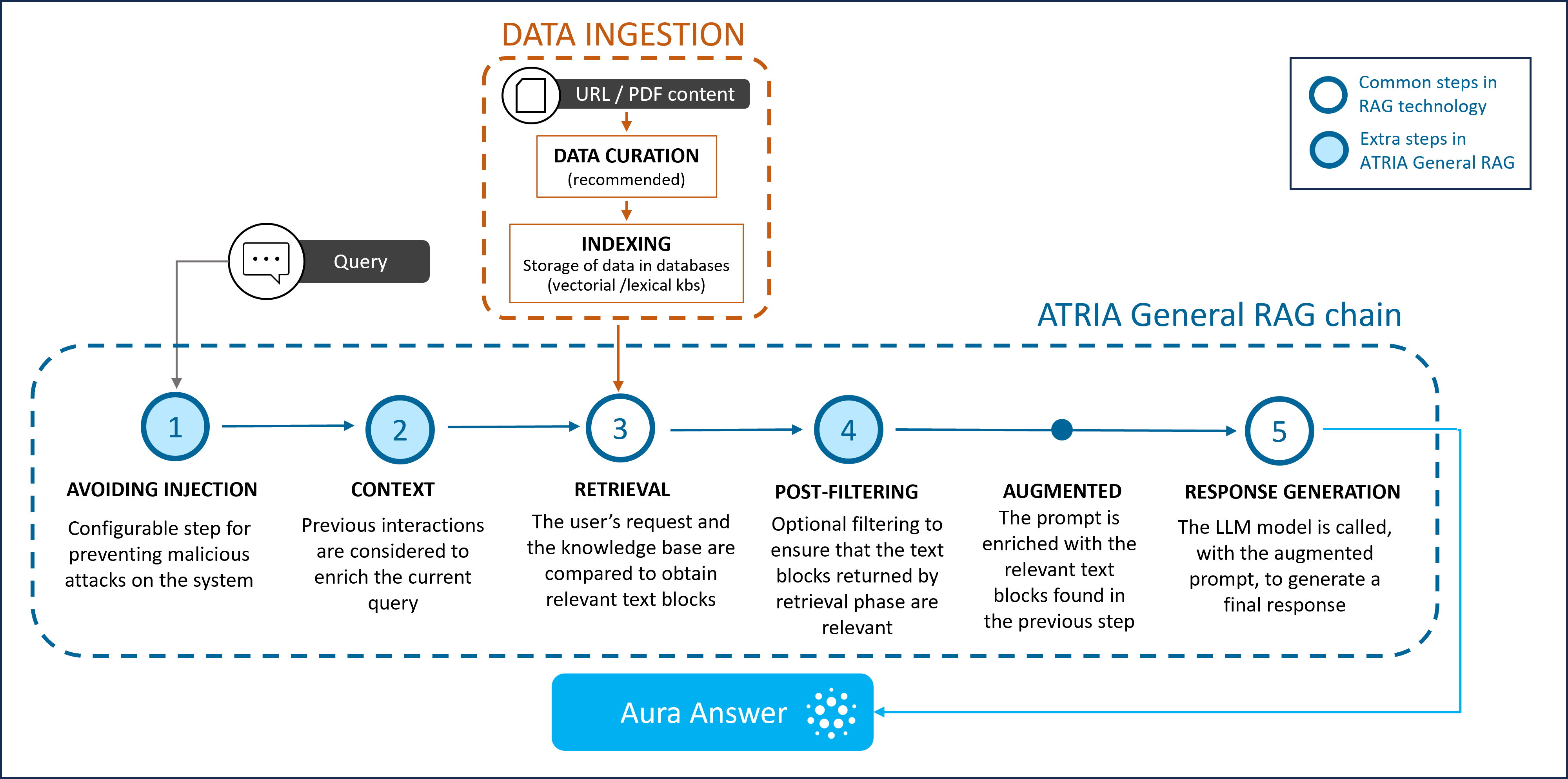
Figure 14. General RAG stages
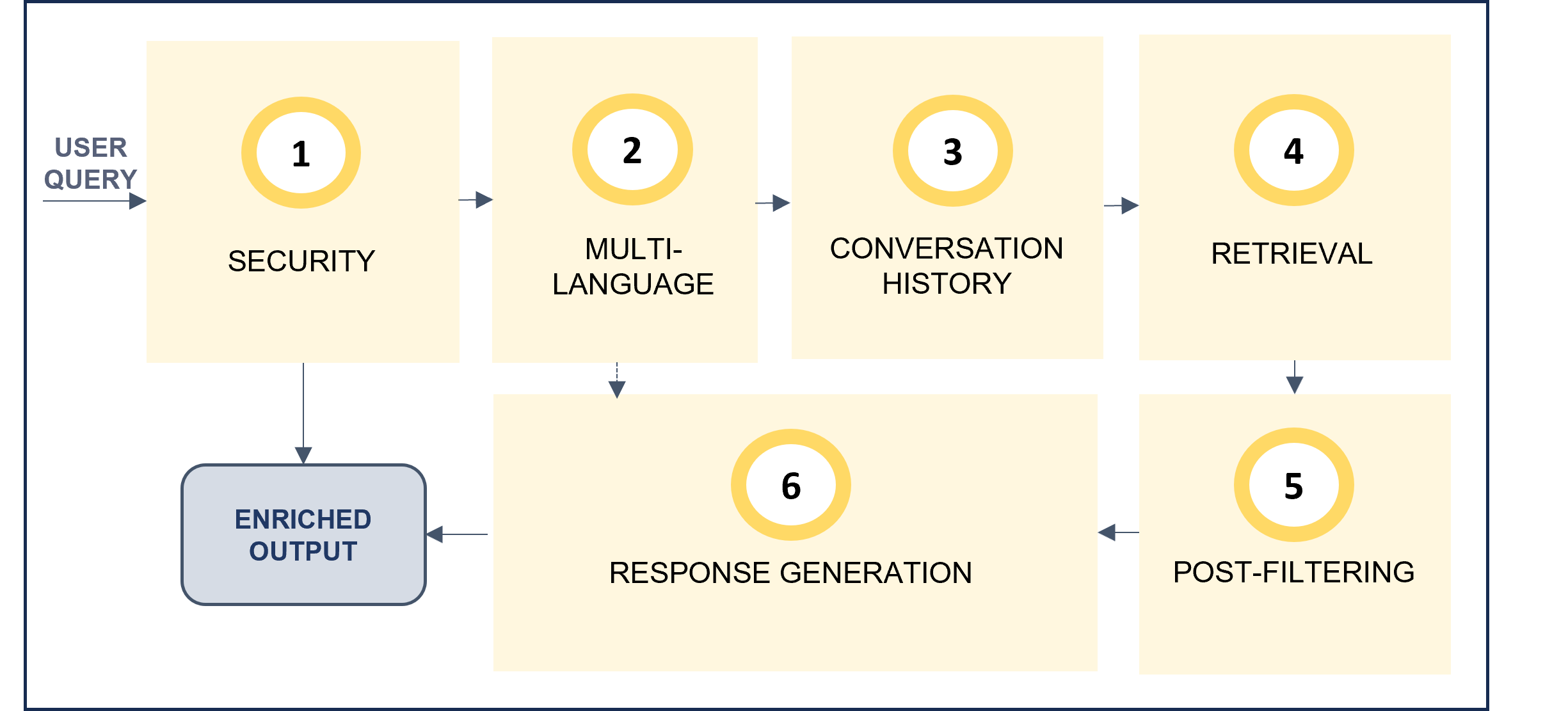
Making a zoom in the stages of the General RAG pipeline, the following steps are included:
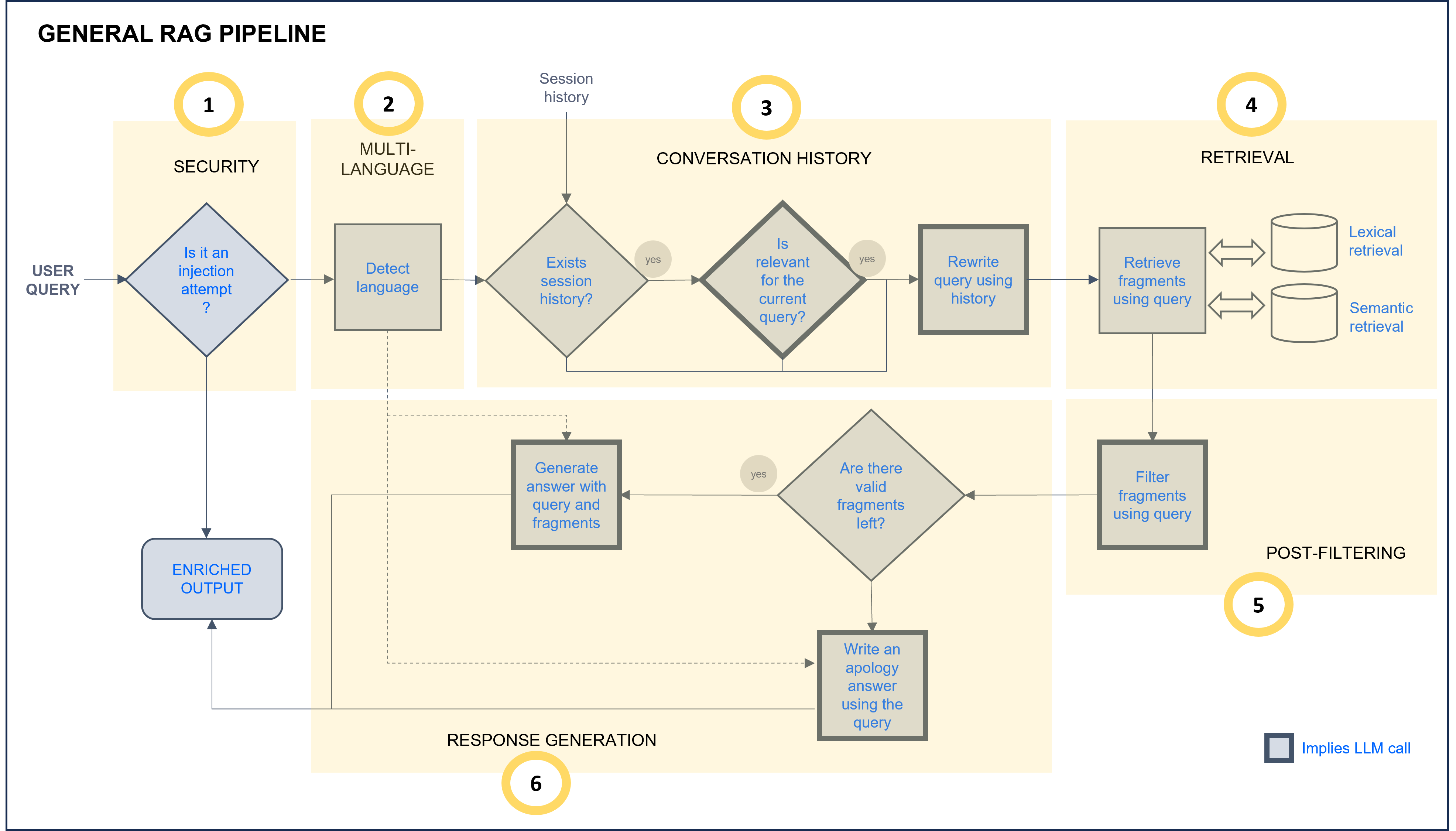
Figure 18. General RAG chain
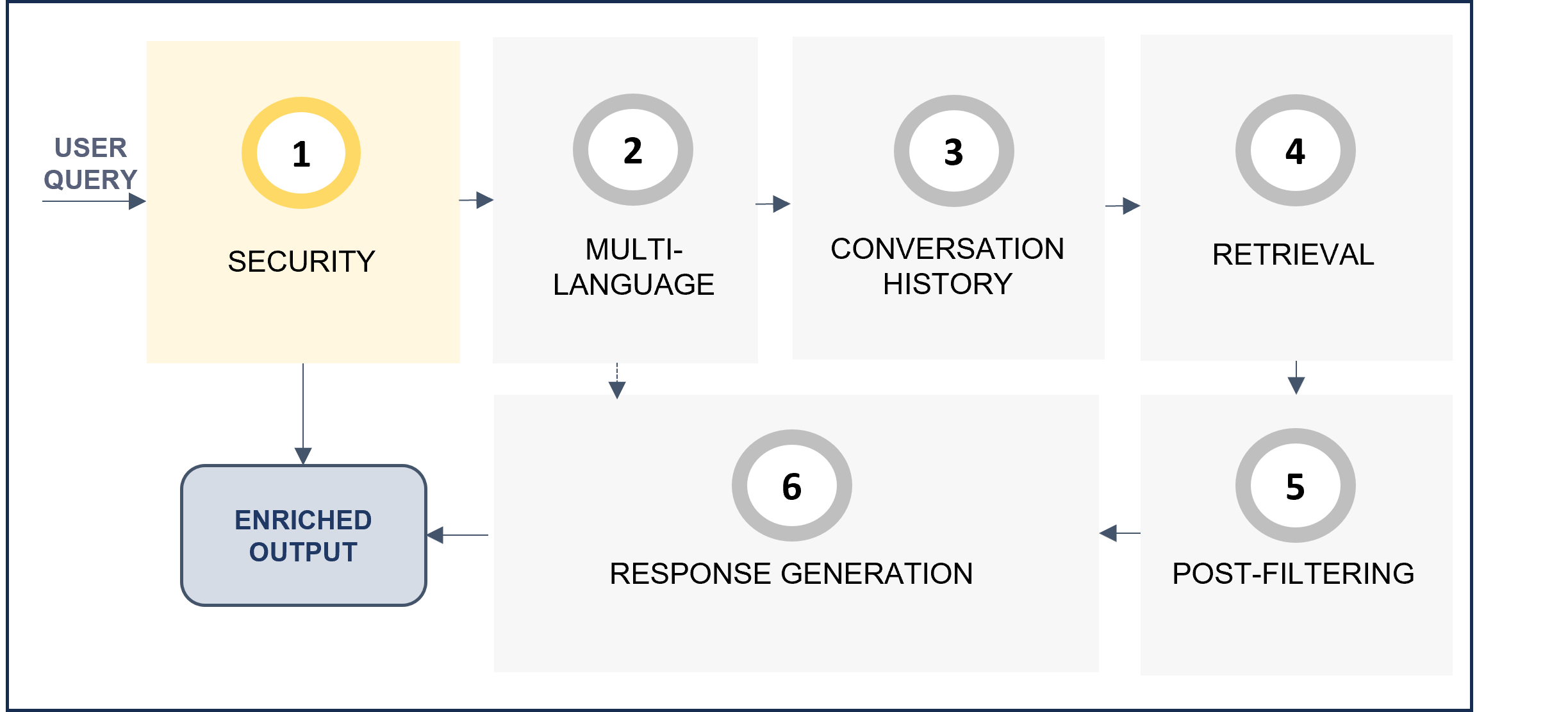
- Security: the request is analyzed to improve security and prevent prompt injection.
- Multi-language: The multi-language feature allows users to receive responses in their own language. The system automatically detects the language in the user’s request in the multi-language step of the RAG pipeline, and this language is afterwards used in the response generation stage to provide the response back to the user.
- Conversation history: If there is information from previous interactions, they are now analyzed to check if they are relevant for the current query. In this case, the query is rewritten using this context information.
- Retrieval: Lexical and semantic retrieval from databases that return text blocks with key information to compose the response.
- Post-filtering: The retrieved text blocks are compared with the user query to determine if they are relevant or not to answer the question.
- Response generation: If so, the fragments are reordered and used to compose an augmented prompt which is resolved through LLMs technology.
Benefits from the use of ATRIA General RAG
-
The General RAG predefined chain enables all the advantages of RAG technologies to the resolution of use cases. Specifically for generic questions use cases based on FAQs.
-
Moreover, General RAG capability integrates other extra features that lead to more accurate responses:
- Features to avoid prompt injection
- Conversation history
- Filtering steps
-
The use of Retrieval Augmented Generation techniques enables the use of continually updated information, every time an up-to-date knowledge base is uploaded into the system.
Generative feedback functionality
When testing how Generative AI/RAG capabilities work with the ATRIA web interface aura-manager, it is possible to use the feedback functionality to estimate the user’s satisfaction regarding the quality and appropriateness of the generated answer to her request. This can be done easily by clicking the thumbs-up or thumbs-down icons.
Do you need a more detailed explanation on how Generative feedback capability works?
2.2.2.2 - Aura SQL RAG pipeline
Aura SQL RAG pipeline
Description of the SQL RAG pipeline
Introduction
ATRIA currently integrates one RAG pipeline for the conversion of a request from natural language to an SQL query.
Steps in the SQL RAG chain
The use of the SQL RAG chain encompasses different stages, which are explained and schematically represented below.
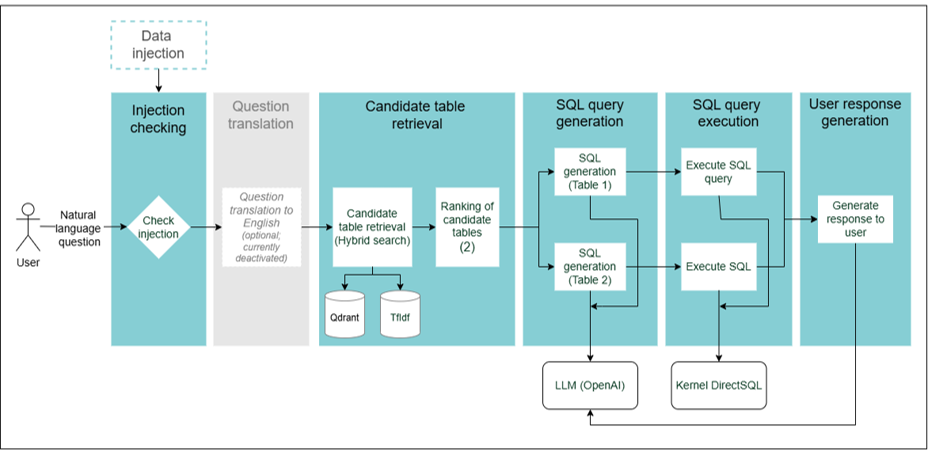
Figure 15. SQL RAG chain
1. Injection checking
- Detects the presence of anomalies in the user’s query that may affect the resolution process.
- Currently, a set of checks, based on heuristics, are made:
- Detects overly long questions.
- Detects suspicious substrings in the query.
2. Question translation (currently deactivated)
- Optional step for the translation of the user’s query into English.
- Currently, it is not activated.
3. Candidate table retrieval
- The system searches the candidate tables for relevant documents. This is currently done using a hybrid search, through the combination of lexical and semantic search (embeddings).
- The table retrieval is currently based on the similarity between the user’s query and the tables high level description.
4. SQL query generation
- The top-2 results (tables) are selected.
- In them, the user’s request is converted from natural language to an SQL query.
2.3 - ATRIA multibrand feature
Introduction to ATRIA multibrand feature
Description of ATRIA multibrand feature, based on a multitenant architecture
Introduction
ATRIA, just like Aura Virtual Assistant, is designed as a multibrand platform, meaning that users can access ATRIA through the different Telefónica brands available in their country.
This multibrand feature is based on a multitenant architecture, with a tenant defined as the deployment associated to a specific brand.
Functional multitenant architecture in ATRIA
An overview of the functional operation of the multibrand feature in ATRIA is shown and explained below:
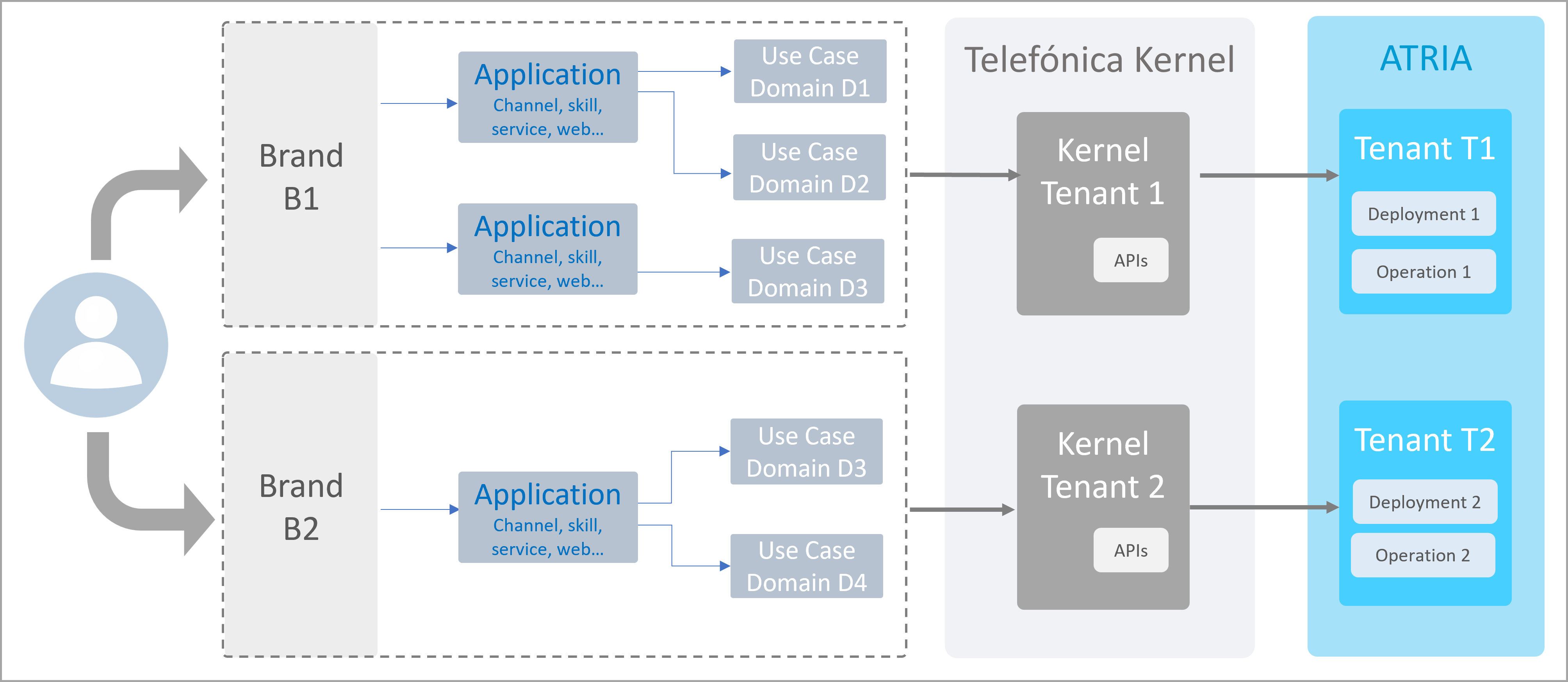
Overview of multitenant architecture in ATRIA
- ATRIA supports different brands
- Each brand is associated to several channels
- Each channel allows accessing to use cases in a specific domain
- When a user send a request, it passes through Kernel and is managed by a specific Kernel tenant
- This Kernel tenant sends the query to a particular ATRIA tenant
- ATRIA calls the required AI-driven models for its resolution
Technical documents
Multitenant configuration in Aura installer
Aura installer: Multitenant configuration: Guidelines for the configuration of different tenants when several brands are available in the OB.
Descriptive documents and guidelines
Once the user accesses through a specific Telefónica brand, the technical behavior of the corresponding Aura tenant is similar to the one before the implementation of the multitenant architecture. Therefore, there are no specific descriptive documents or guidelines for the multitenant architecture.
2.4 - ATRIA multi-language feature
Introduction to ATRIA multi-language feature
Description of ATRIA multi-language feature, offering its AI-driven capabilities in different languages
This feature is only available for ATRIA RAG stages
Introduction
ATRIA RAG now includes a multi-language feature, to deliver service to a global audience in multiple languages.
This multi-language capability allows users to make a request to ATRIA and receive back the response in their own language through a technology that automatically detects and adapts to the input language.
The multi-language feature provides multiple benefits:
- The information provided by ATRIA is easier to understand, as it is generated in the user’s language.
- A wide range of languages is supported, allowing ATRIA to reach a global audience.
- The user experience is also optimized by reducing the need for external translation tools, making communication more seamless and natural.
From a technical point of view, the model for text identification and classification fastText is used, that supports more than 176 languages.
Functional overview
This feature is only available for RAG stages
A high-level overview on how the ATRIA multi-language feature works is included below.
-
A users sends a request to ATRIA in a specific language. ATRIA automatically detects the input language and sends the response back to the user in the same language.
-
In case the user’s request includes a mixture of languages (for example, “por favor, dame feedback”), ATRIA detects the predominant language of the query and uses it in the response.
-
In case ATRIA is not capable of identifying the request language, then the system generates the response in a language previously configured by default (that should be the region/country primary one).
-
The multi-language feature can be activated or deactivated by ATRIA constructors, as well as configured to meet their requirements and needs.
Technical guidelines
How constructors can configure ATRIA multi-language feature?
Constructors can configure this feature through different parameters of the prompt:
ATRIA server internal configuration
The ATRIA server configuration responsible for managing the multi-language feature includes these fields:
2.5 - Generative feedback
Generative feedback functional description
Discover the feedback functionality that can be used for Generative AI and RAG capabilities
If you are interested in the detailed technical operational flow of this capability, that includes the sequence diagram of interactions between components, access here
Introduction
Within the use of the ATRIA AI-driven Generative AI or RAG capabilities, we have developed a feedback functionality.
This feedback functionality allows the estimation of the user’s satisfaction regarding the obtained response.
The user can provide feedback by clicking on a thumbs-up icon if the quality and appropriateness of the answer is correct or selecting the thumbs-down icon if the response misses the point, contains hallucinations, or is unclear.
Functional operation
The underlying process is summarized in the following lines and schematically shown in the figure below:
- An application sends a request to aura-gateway-api generative with a correlator.
- Firstly, it passes through Kernel (Telefónica Digital Ecosystem) for authentication and security purposes.
- aura-gateway-api processes the received request and sends the request to the auto-generative content generator atria-model-gateway to obtain an appropriate response.
- atria-model-gateway generates the most appropriate response and sends it back to aura-gateway-api.
- aura-gateway-api sends the response back to the service that initiated the request with the same correlator and a session identifier.
- An application sends a request to aura-gateway-api feedback with:
- A new header correlator
- The
sessionId received in the path
- The field
msg_corrid, in the body, that indicates the correlator of the message the feedback is about.
- aura-gateway-api processes the received request and communicates with atria-model-gateway to send this request.
- atria-model-gateway stores the feedback.
- aura-gateway-api communicates a
204 to the application.
3 - Guidelines for ATRIA use cases constructors
Guidelines for ATRIA use cases constructors
Do you want to configure an experience in ATRIA using its AI-driven capabilities? Follow this step-by-step guide
ATRIA use cases constructors
Scope
ATRIA foundations are based on technical components and processes involving different teams with varying levels of technical expertise.
With the specific goal of supporting ATRIA use cases constructors, the current documents aim to describe the main procedures for creating experiences in a practical and simplified way.
Navigate through the section
Before getting started, get familiar with the ATRIA core components required to build your experience
ATRIA key concepts
3.1 - Key ATRIA concepts
Key ATRIA concepts
Explore the ATRIA the essential components constructors need to understand in order to build experiences with ATRIA AI-driven capabilities
ATRIA use cases constructors
Preset
The preset is the key entity for the configuration of ATRIA. It is like a recipe for your experience, that defines which ingredients to use and in what amounts.
Technically, the preset is a JSON file that defines a hierarchy of both required and optional configuration parameters for the use case configuration.
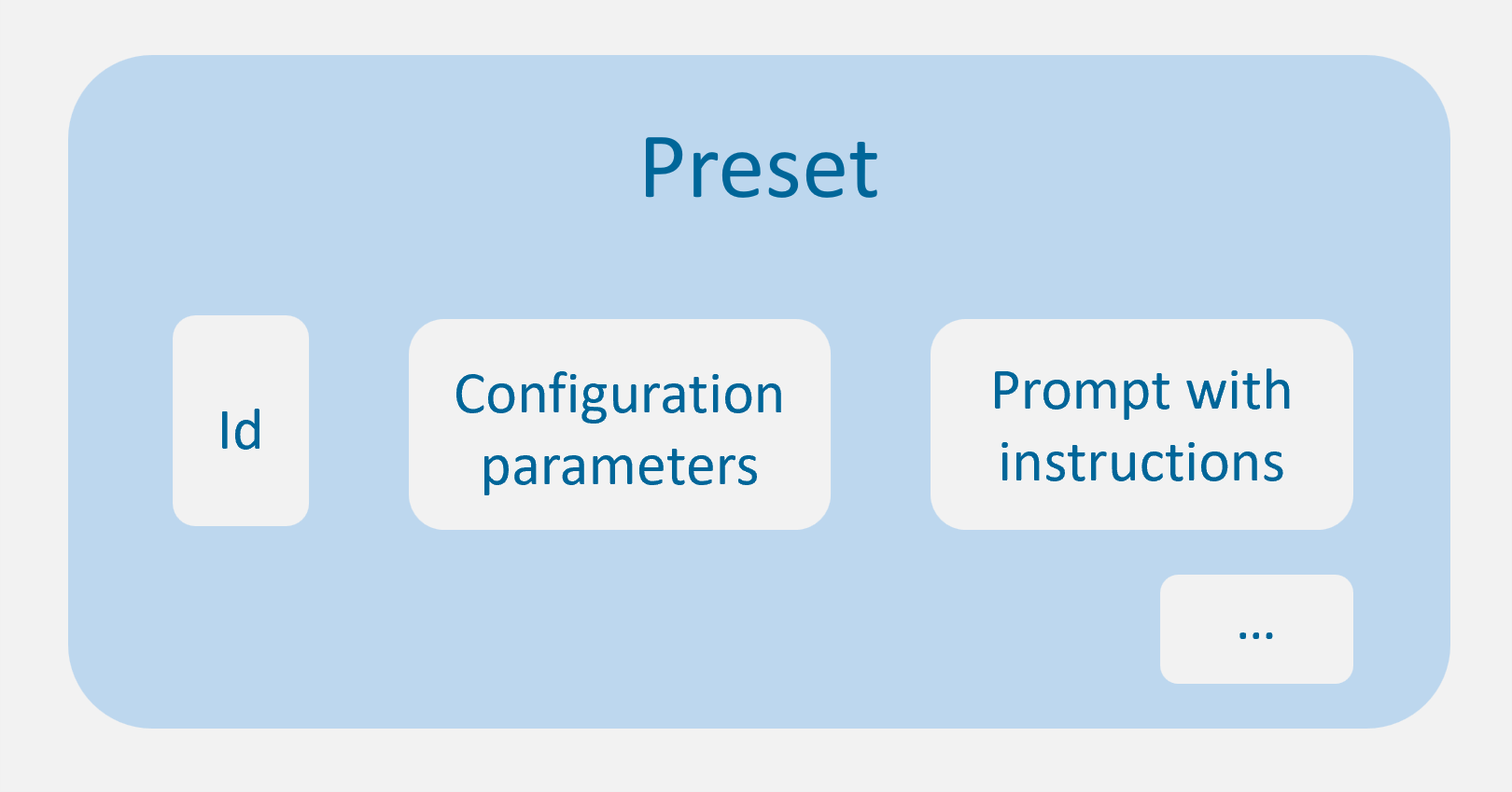
ATRIA preset
Once the constructors have defined a preset, it must be included in an application to be used by ATRIA.
Prompt
Within an ATRIA preset, a prompt is defined as an input instruction given to an AI model to generate a response. It guides the AI in the required kind of output we want as constructors.
Application
From the constructor’s point of view, an application can be defined as a container for ATRIA presets.
When developing a use case, constructors should use an existing application or create a new one in order to:
- Define the specific ATRIA capabilities that can be used, currently Generative AI, RAG, NLP as a Service and Semantic Search.
- Declare the presets that this application can use.
Highlights
-
Every preset and application is identified by both a name and an ID.
-
To be used and tested, a preset must be placed inside an application (folder).
-
Nested applications are not allowed. The hierarchy is: application → preset.
-
An application can contain one or more presets.
-
A single preset can belong to multiple applications. When you update the preset, it will be updated in all applications it is associated with.

Definition of presets in an application
-
Each environment can be considered as an independent container of applications and presets. Consequently, if you update a preset in one environment, another preset with the same ID will not be updated in a different environment.
Access technical documentation
Do you need more technical information regarding ATRIA components? Access here:
ATRIA technical components
3.2 - Configure experience using Generative/RAG
Instructions and best practices for configuring experiences in ATRIA using its Generative AI or RAG (Retrieval-Augmented Generation) capabilities
ATRIA use cases constructors
Overall process workflow
The current section shows the sequence of required tasks for building a use case in ATRIA, whether using Generative AI or Retrieval-Augmented Generation (RAG) capabilities.
Check the specific step of your interest and click on the corresponding block to access the corresponding comprehensive guidelines.
---
config:
  theme: base
  look: neo
  layout: dagre
---
flowchart LR
 subgraph s1["Design preset configuration"]
        n1["Generative AI"]
        n2["RAG"]
  end
    s1 --> B{"Is it a <br>new preset?"}
    B -- Yes --> D["Create <br>a new preset"]
    B -- No --> E["Update an <br>existing preset"]
    D --> F{"Already <br>existing <br>application?"}
    F -- Yes --> G["Add preset <br>to an existing <br>application"]
    F -- No --> H["Create <br>an application"]
    H --> G
    style n1 fill:#FFFFFF
    style n2 fill:#FFFFFF
    style s1 fill:#d5dade
    style B fill:#FFF9C4
    style D fill:#d5dade
    style E fill:#d5dade
    style F fill:#FFF9C4
    style G fill:#d5dade
    style H fill:#d5dade
    style H fill:#d5dade
3.2.1 - Design preset configuration: Generative
Design preset configuration: Generative
Guidelines for configuring a preset for the ATRIA Generative AI capability
ATRIA use cases constructors
Introduction
A simple ATRIA Generative experience performs a basic interaction with a Large Language Model (LLM), generating content from an input user’s query based on predefined instructions (prompts), and including control stages to ensure reliable and appropriate responses.
The first task in the process involves defining the configuration for your preset, that entails selecting the specific parameters tailored to your use case.
These parameters are defined in the aura-configuration-api API swagger » PresetConfiguration
The preset configuration parameters have been divided into two categories:
- Basic configuration: Selection of the most relevant ones from the use case constructors point of view.
- Advanced configuration: Other preset parameters that can also be configured but require greater technical expertise.
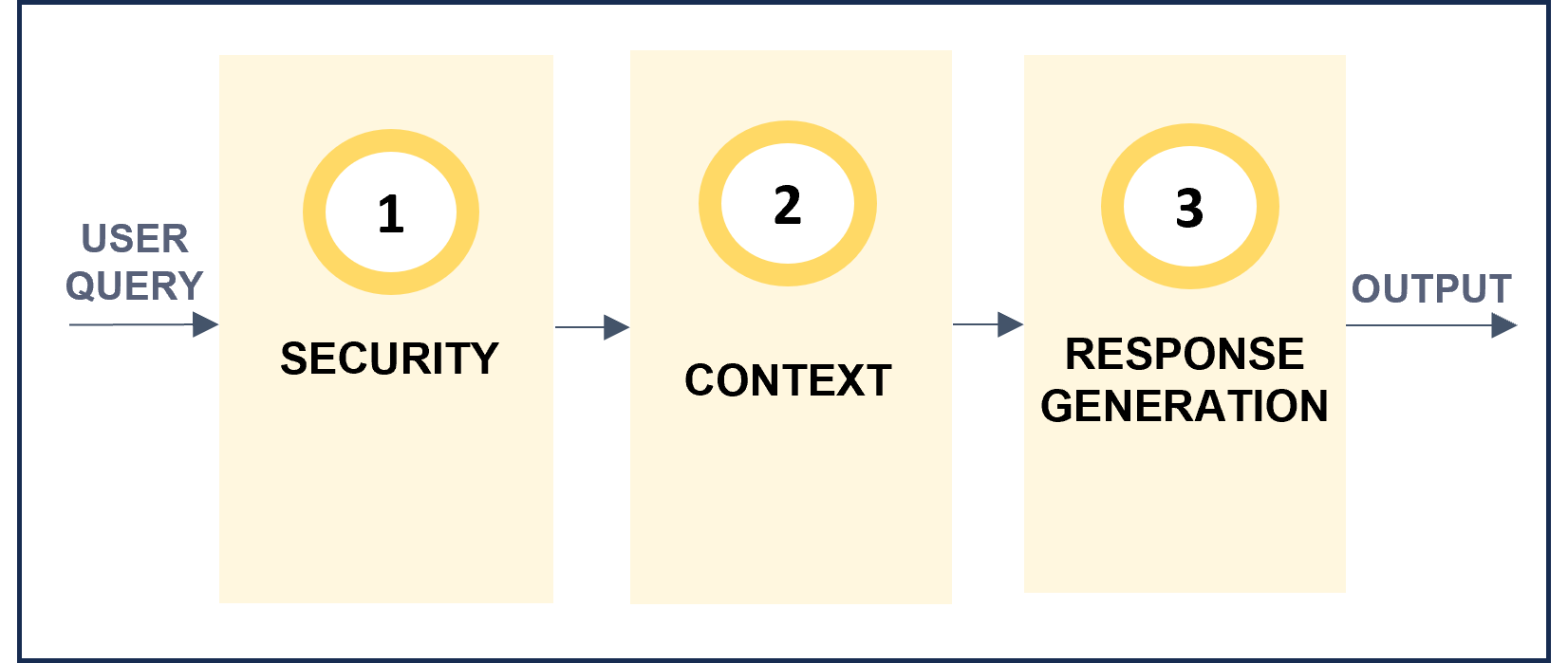
From all the available preset parameters, some of them are general ones and others are specific for each step of the predefined Generative pipeline, which is schematically shown below.
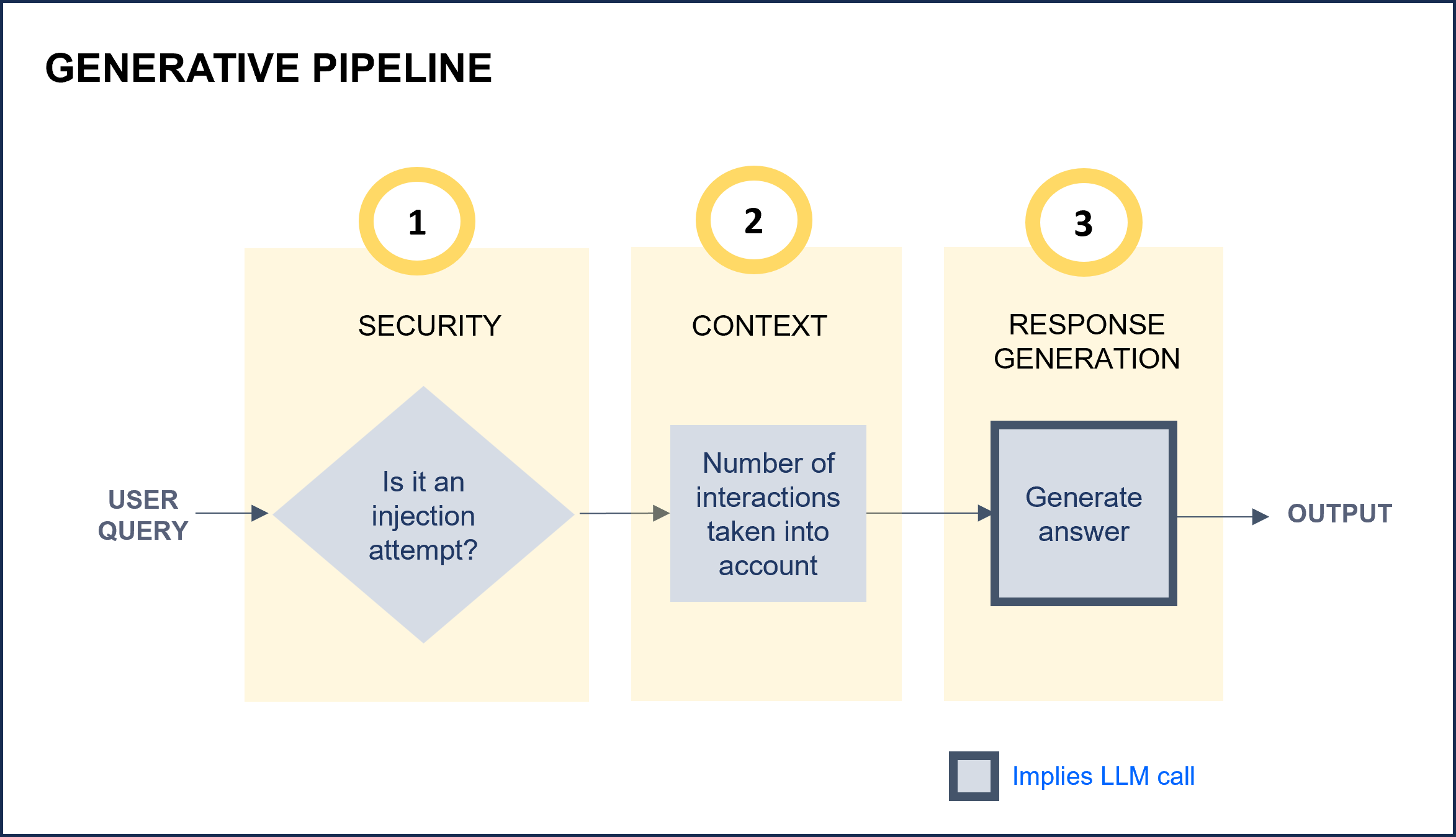
ATRIA Generative pipeline
a. Define the basic configuration for your preset
1. Select a preset template for Generative
For this purpose, two options can be used:
1.1. Create a preset from scratch
If you want to create a preset from scratch, use the template below.
This preset JSON file is intended to serve as a base template on which you can make your modifications.
Remember that this preset template only included basic configuration parameters for use cases constructors.
Access the Generative preset JSON file
{
    "id": "e27ca464-488a-435d-a508-da8a262d905f",
    "name": "openai",
    "description": "openai model",
    "group": "simple_ai",
    "session": {
        "window": 0
    },
    "generative": {
        "model": {
            "id": "gpt-4o-mini",
            "parameters": {
                "max_tokens": 1024,
                "response_format": {
                    "type": "json_object"
                    },
                "temperature": 0.2,
                "top_p": 0.9
                }
               },
        "injectionMaxLength": 1000,
        "prompts": {
            "template": "{MSG}",
            "preamble": {
                "text": "Speak as if you were {name}",
                "args": {
                        "name": "a pirate"
                        }
             },
            "examples":[
                "Hello, comrades"
                "Hoist the sails"
                       ],
            "promptMaxLength": 10000,
            "promptRegexClean": "[#\\n\"]+",
            }
        }
      }
1.2. Use available presets as templates
If you want to use an existing ATRIA preset and update specific parameters on it or use it as a reference to create a new one, you can access the list of the presets available in your environment: Calls to API: Get info about the available presets or applications
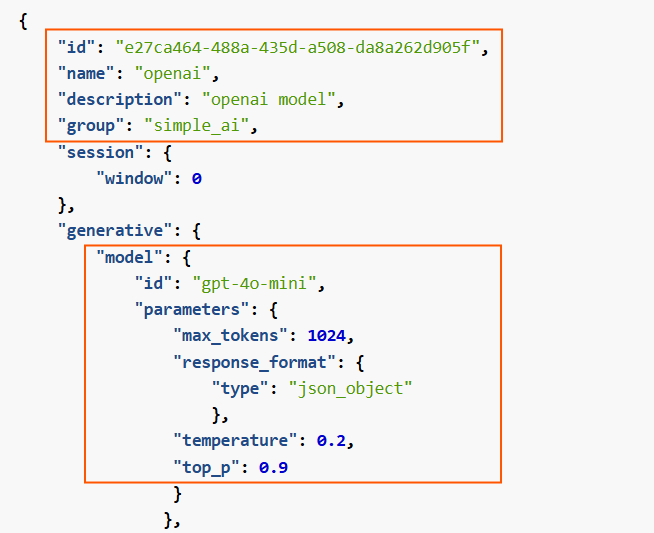
2. General parameters
Configure key general parameters of the Generative experience.
id: Mandatory. Unique preset identifier in UUID format.name: Mandatory. Preset Name.description: Optional. Description of the preset functionality.group: Mandatory. This parameter is used to group requests regarding the AI technologies used to generate KPIs. Value: simple_ai.model and associated parameters: Model to be used in the LLM call of the experience.
- The following options are available: Models by default.
- In addition, it is possible to include other model relevant parameters. Specifically,
response_format, that allows selecting the format of the response, is interesting.
Related parameters in preset
3. Security
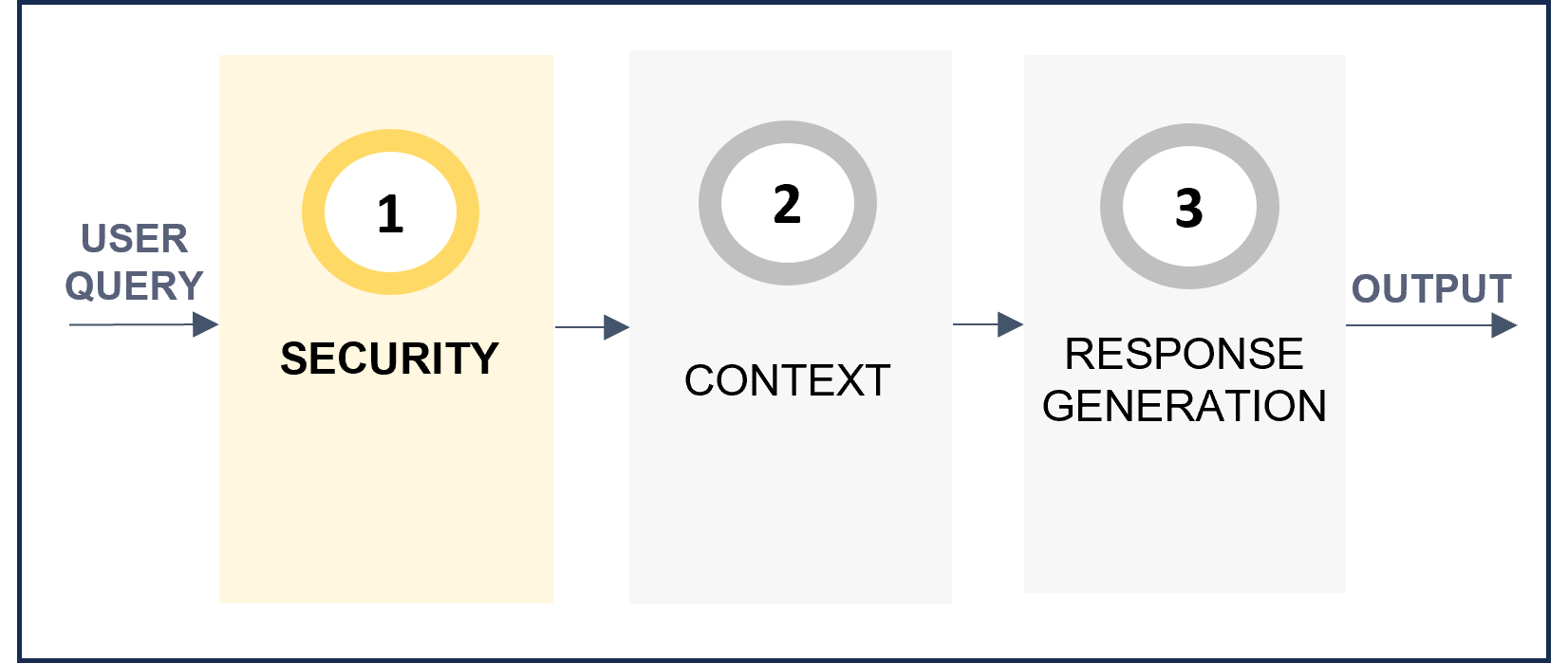
Improve security and prevent prompt injection.
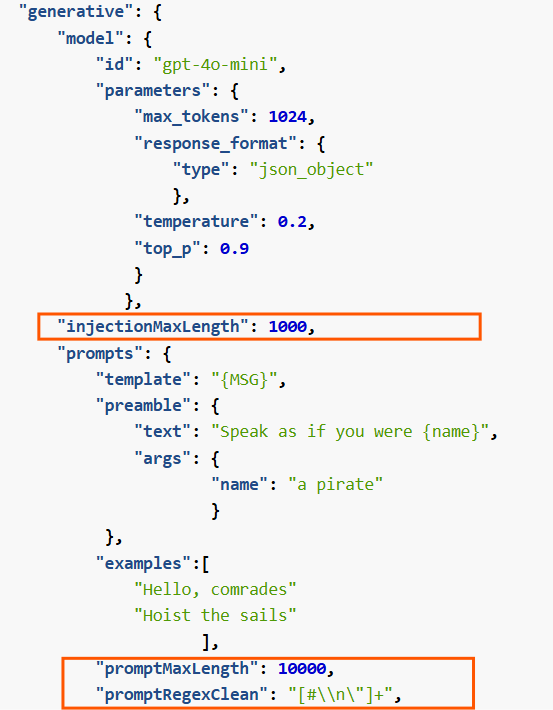
injectionMaxLength: Optional. Maximum length of the input request. If longer, an error is provided and the request does not enter the following stage.promptMaxLength: Optional. Maximum length of the completed prompt. Used to avoid calling LLMS with wrong prompts. If the prompt length exceeds the set value, the prompt will be truncated and the LLM will only use the truncated prompt to generate the response.promptRegexClean: Optional. Regex pattern to clean the query before sending it to the model. This is useful to remove unwanted characters or patterns from the query. Type: number.
Related parameters in preset
4. Context
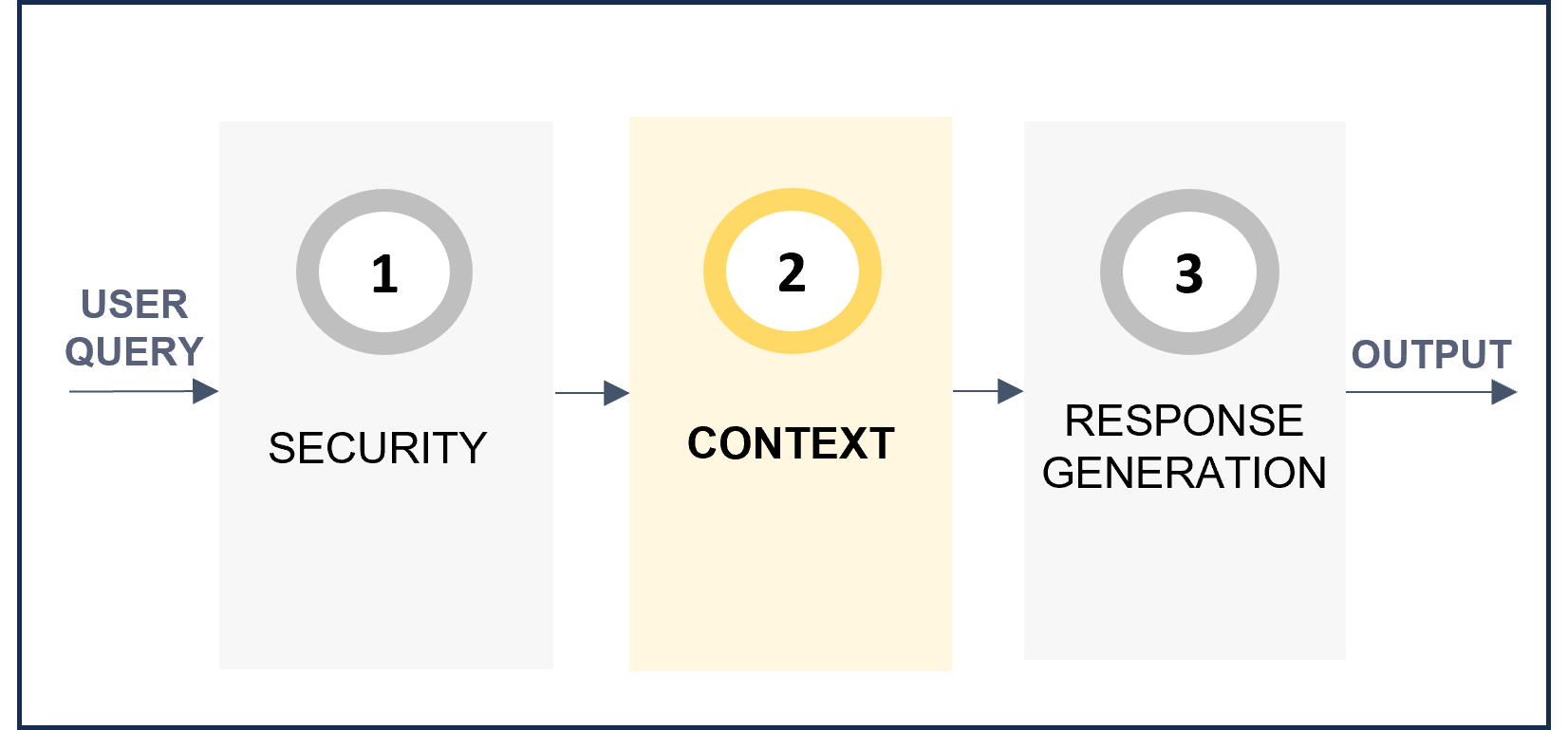
Enrich the response including information from past interactions.
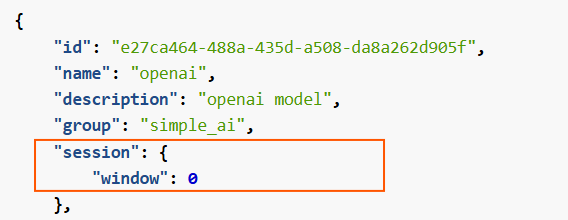
window: Number of previous interactions from the same session that the model will take into account to generate the response.
Related parameters in preset
5. Response generation
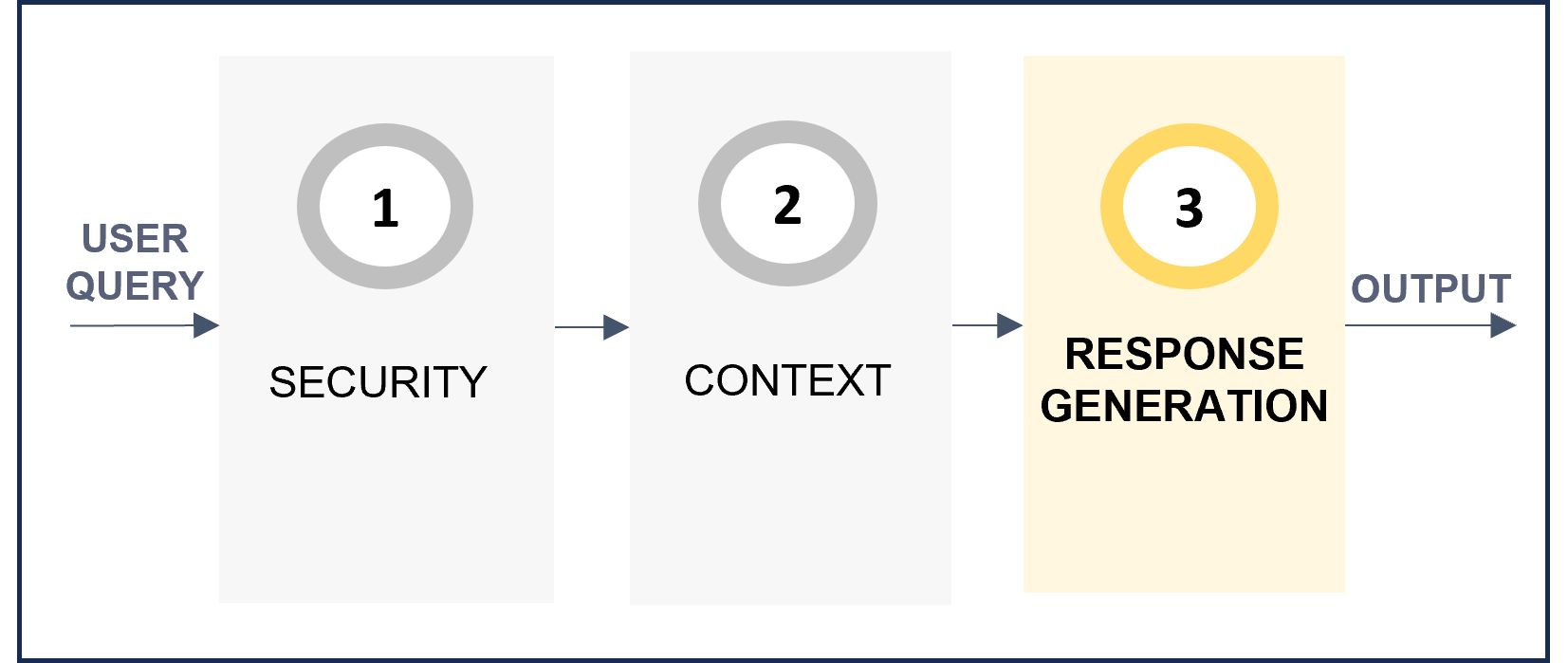
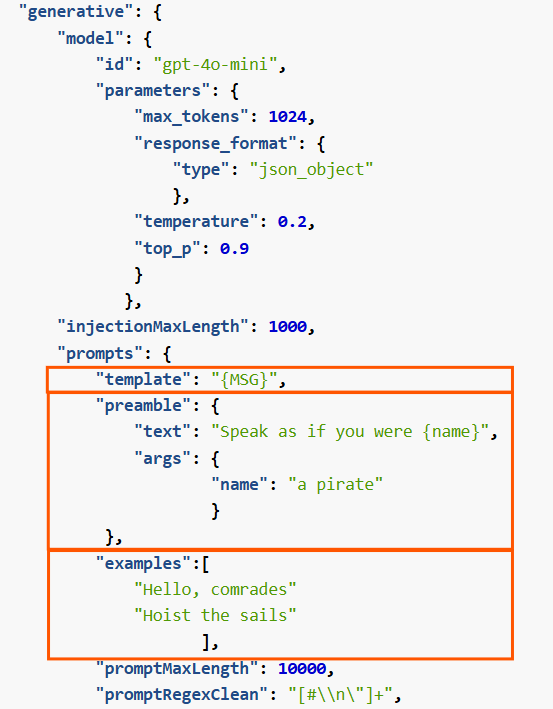
Define the prompt with instructions to be used by the AI model for the generation of the response.
template: Optional. Template that includes the user’s input. It must include {MSG} for the user’s utterance.preamble: Optional. Instructions that the model must follow for the use case.
- text: Specific instructions sent to the language model. It can include variables as placeholders ({}).
- args: Specific values for the placeholders defined in the text.examples: Optional. Examples to enrich the prompt.
Related parameters in preset
Check the document Best practices for prompts generation that includes practical guidelines for creating a prompt in ATRIA
b. Define advanced configuration for your preset
In addition to the basic parameters for use cases constructors, presets also include other advanced fields that can also be configured but require greater technical expertise.
Discover them here: Create and configure a preset.
3.2.2 - Design preset configuration: RAG
Design preset configuration: RAG
Guidelines for configuring a preset for the ATRIA RAG capability
ATRIA use cases constructors
Introduction
An ATRIA RAG experience performs a multiple-stages interaction with a Large Language Model (LLM), generating content from an input user’s query based on predefined instructions (prompts) to ensure reliable and appropriate responses.
The first task in the process involves defining the configuration for your preset, that entails selecting the specific parameters tailored to your use case when using the RAG capability.
These parameters are defined in the aura-configuration-api API swagger » PresetConfiguration
The preset configuration parameters have been divided into two categories:
- Basic configuration: Selection of the most relevant ones from the use case constructors point of view.
- Advanced configuration: Other preset parameters that can also be configured but require greater technical expertise.
From all the available preset parameters, some of them are general ones and others are specific for each step of the predefined ATRIA RAG pipeline, which is schematically shown below.
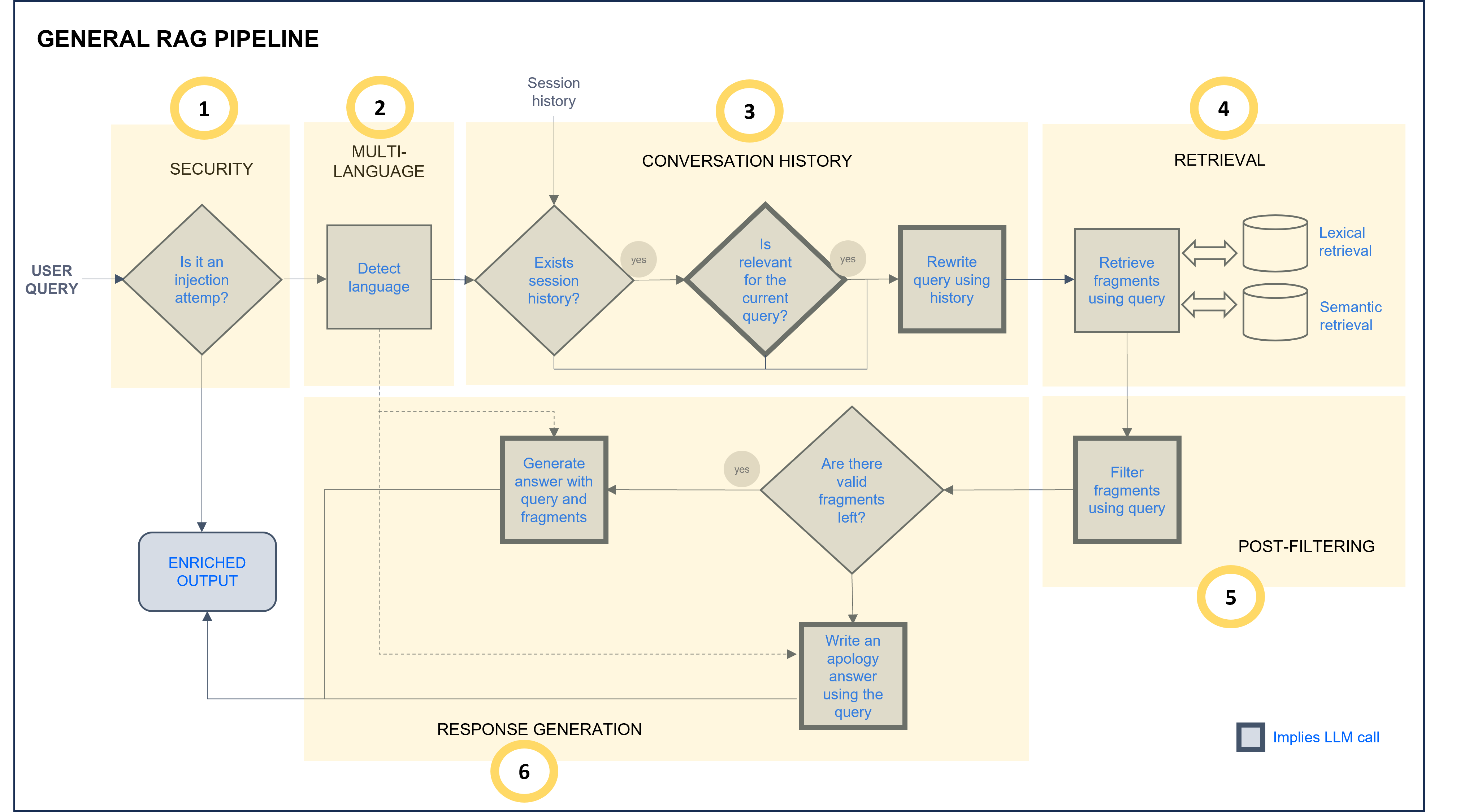
ATRIA General RAG pipeline
a. Define the basic configuration for your preset
As explained before, the basic configuration does not include all the available preset parameters for these reasons:
a. Presets have both mandatory and optional parameters, so they can be adjusted to a specific experience.
b. Certain preset parameters are defined by default. Parameters defined by default are not included in the preset configuration file. For using these default values, nothing must be done in the preset by the use case constructors.
One of the preset parameters is the prompt. In the ATRIA General RAG pipeline, stages marked as “Implies LLM call” (grey border boxes) require editing a prompt with instructions for the LLM model. Constructors can use the prompts defined by default for each stage or modify them. Detailed information is included in the corresponding RAG stage section.
1. Select a preset template for RAG
For this purpose, two options can be used:
1.1. Create a preset from scratch
If you want to create a preset from scratch, use the template below. This JSON file is intended to serve as a base template on which you can make your modifications.
Remember that this preset template only included basic configuration parameters for use cases constructors.
Access the RAG preset JSON template
{
  "id": "1cafcb5c-7951-4645-86d4-055d3b46fe79",
  "name": "atria-rag-gpt-35-turbo",
  "group": "enriched_ai",
  "description": "Atria rag GPT 3.5",
  "session": {
      "window": 3
  },
  "rag": {
      "ragType": "questions-answers",
      "model": {
          "id": "gpt-35-turbo",
          "parameters": {
              "max_tokens": 4000,
              "temperature": 1,
              "top_p": 1
          }
      },
      "stages": {
          "promptSystemLanguage": "es",
          "defaultUserLanguage": "es",
          "SecurityStg": {
              "injectionMaxLength": ""
          },
          "contextStg": {
              "enabled": true,
              "stickyContext": "ask_llm",
              "prompts": { }
          },
          "retrievalStg": {
              "sources": {
                  "name": "project-gpt-35-turbo",
                  "embeddings": "text-embedding-ada-002",
                  "docs": [
                      {
                      "extension": "pdf",
                      "loader": {
                          "loaderType": "unstructured",
                          "options": {
                              "loaderMode": "single",
                              "postProcessors": ""
                              }
                          }
                      }
                  ],
                  "splitter": {
                        "options": {
                            "chunkSize": 60,
                            "chunkOverlap": 20
                      }
                  },
                  "retrievers": [
                      {
                        "retrieverType": "qdrant",
                        "config": {
                            "numDocs": 2,
                            "loadChunkSize": 10000
                        }
                      }
                  ]
              }
          },
          "postFilteringStg": {
              "enabled": true,
              "candidatesPostFiltering": "llm_filter",
              "prompt": { }
          },
          "generativeStg": {
              "ragStrategy": "stuff",
              "prompts": { }
          }
      }
  }
}
1.2. Use available presets as templates
If you want to use an existing ATRIA preset and update specific parameters on it or use it as a reference to create a new one, you can access the list of the presets available in your environment: Calls to API: Get info about the available presets or applications.
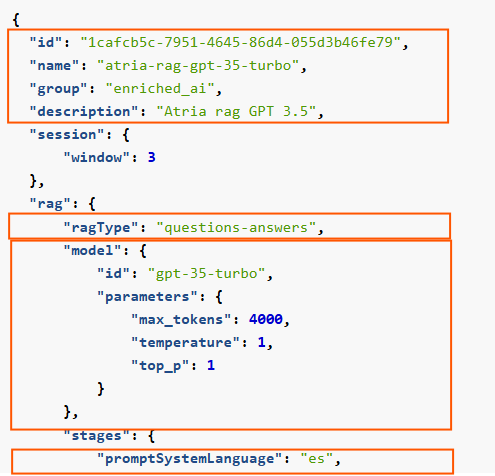
2. General parameters
Configure key general parameters for your RAG experience.
-
id: Mandatory. Unique preset identifier in UUID format.
-
name: Mandatory. Preset Name.
-
group: Mandatory. This parameter is used to group requests regarding the AI technologies used to generate KPIs.
Value: enriched_ai for RAG preset.
-
description: Optional. Description of the preset functionality.
-
ragType: Optional. Type of RAG. For RAG of documents, the value must be: "ragType": "questions-answers"
-
model and associated parameters: Model to be used in all the LLM calls of the experience.
-
promptSystemLanguage: Language of the prompts to be used. Values: es, en.
If “default” prompts are used, the language is en.
Related parameters in preset
3. Security
Improve security and prevent prompt injection.
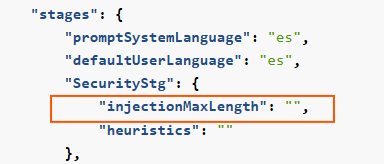
InjectionMaxLength: Maximum number of characters allowed in the user’s query. If longer, an error is provided and the request does not enter the following stage.
Related parameters in preset
4. Multi-language
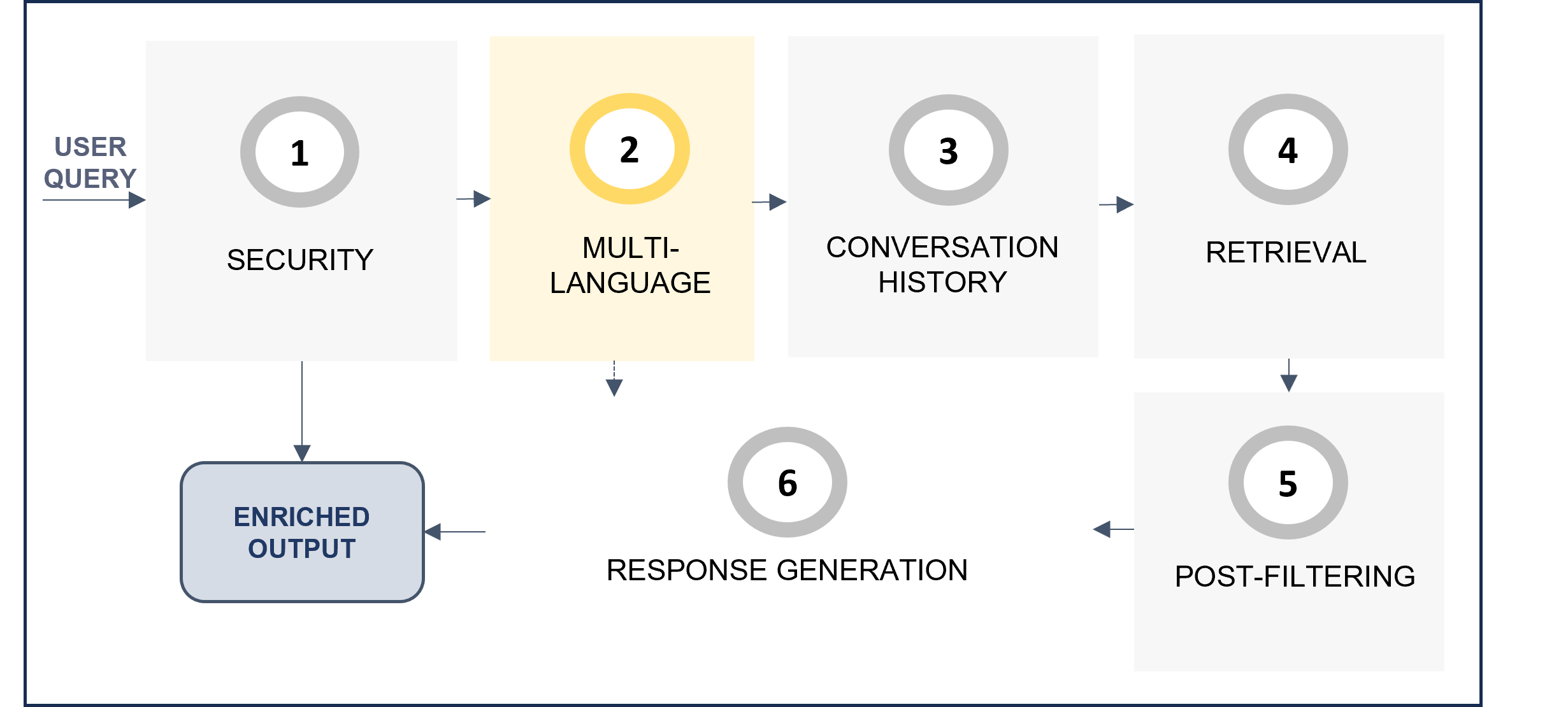
The multi-language feature allows users to receive responses in their own language.
The system automatically detects the language in the user’s request in the multi-language step of the RAG pipeline, and this language is afterwards used in the response generation stage to provide the response back to the user.
Activate multi-language feature
-
No action is required by constructors, as it is activated by default in the preset parameter #.auto.language.user_query, within the args field of the prompt.
Related parameters in preset
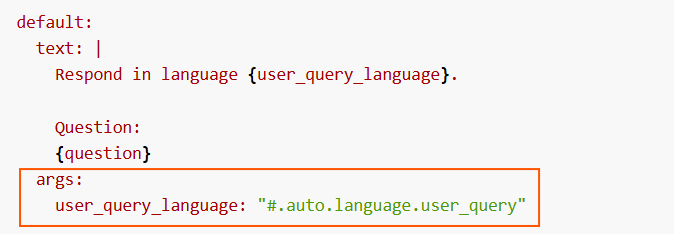
-
Check the prompt by default for this stage here:
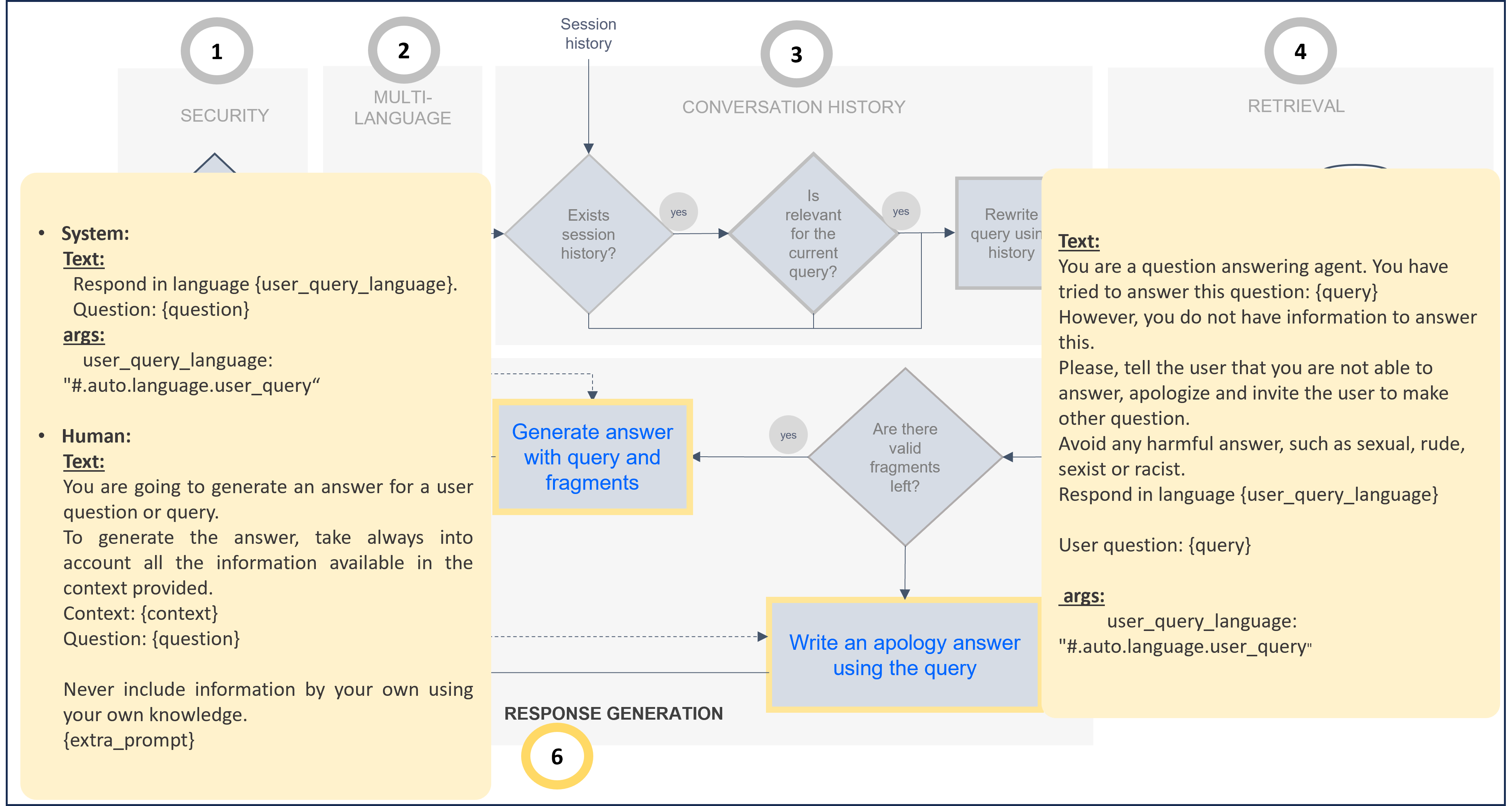
-
Additionally, constructors can adjust the parameter defaultUserLanguage to select the language to be used in case the system does not recognize the language of the user’s request. By default, this is set to English.
Related parameters in preset
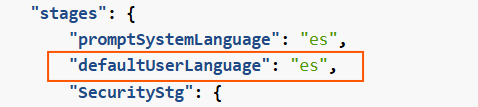
Deactivate multi-language feature
-
Constructors must modify the prompts in which the parameter #.auto.language.user_query is included and customize it according to their use case.
-
The following example shows a prompt adjusted to provide the response in English:
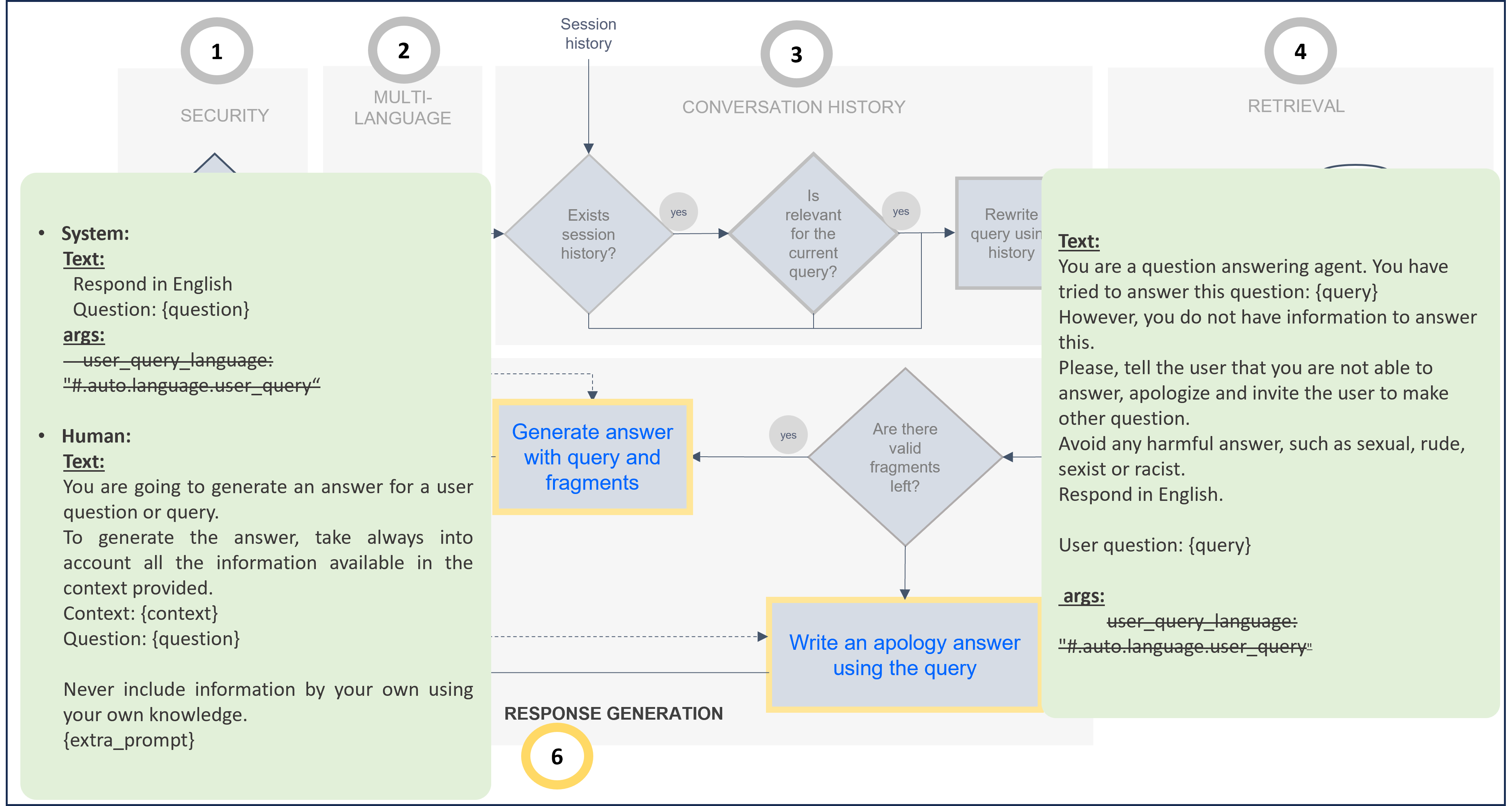
The associated code for this prompt customization is included below. If you want to modify the default prompt, you can take this one as a reference and update it.
Modified prompt for response in English (Use as template for prompt customization)
...
  "generativeStg": {
      "prompts": {
          "stuff": {
              "system": {
                  "default": {
                      "text": "Respond in English.\n\nQuestion:\n{question}\n",
                      "args": {}
                  }
              },
              "human": {
                  "default": {
                      "text": "You are going to generate an answer for a user question or query. \nTo generate the answer, take always into account all the information available in the context provided.\n\nContext:\n{context}\n\nQuestion:\n{question}\n\nNever include information by your own using your own knowledge.\n{extra_prompt}\n"
                  }
              }
          },
          "notAnswerResponse": {
              "default": {
                  "text": "You are a question answering agent. You have tried to answer this question: {query}\nHowever you do not have information to answer this.\nPlease, tell the user that you are not able to answer, apologize and invite the user to make other question.\nAvoid any harmful answer, such as sexual, rude, sexist or racist.\nRespond in English.\n\nUser question:\n{query}\n",
                  "args": {}
              }
          }
      },
...
5. Context
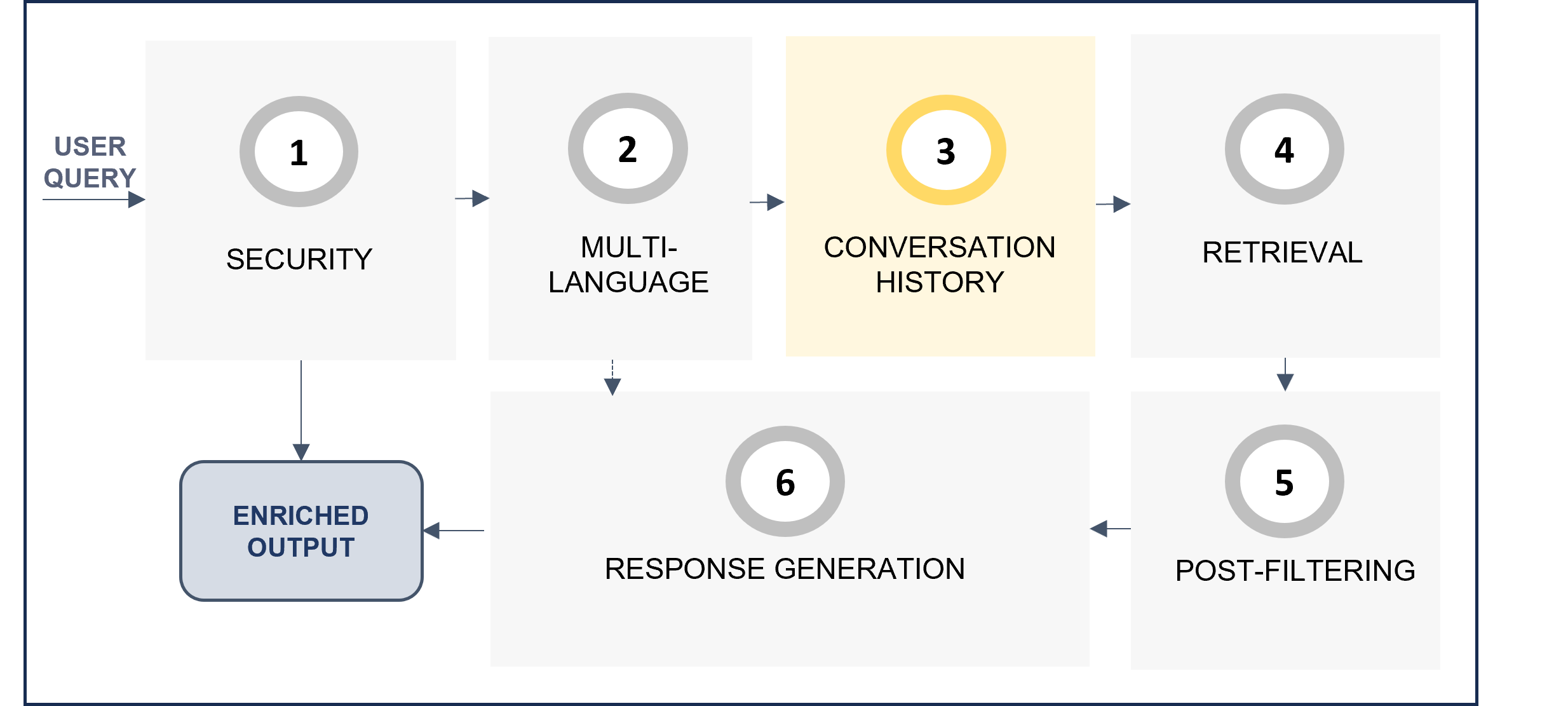
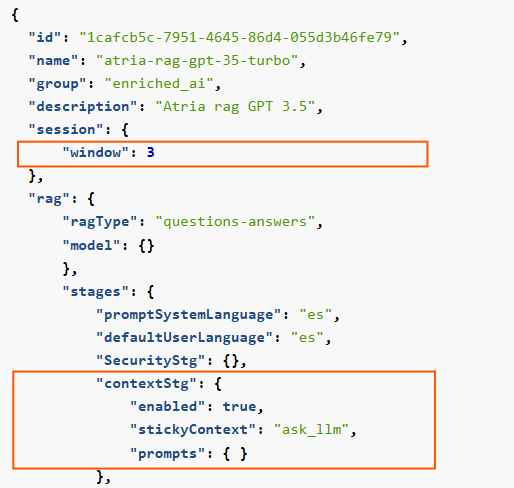
The context stage (contextStg) of the RAG pipeline is responsible for rewriting the user’s query if it is related to the previous context.
-
window: Set the number of previous interactions taken into account through the size of the session window, in queries.
-
enabled: The contextStg can be enabled or disabled. Set to true to enable the use of context information.
-
stickyContext: The recommended strategy is ask_llm. With this strategy, the LLM firstly checks if the user query is related to the previous ones. Only if it is, the LLM rewrites the question.
-
Context prompts: Two prompts can be modified:
sameContext: Prompt to check if the query is in the same context.recreatedQuestion: Prompt to rewrite the original question, only if the LLM has evaluated that the request is related to the previous one.
Related parameters in preset
The default prompts for this stage are included below, both schematically and JSON code. If you want to modify them, you can take them as a reference and make the required updates.
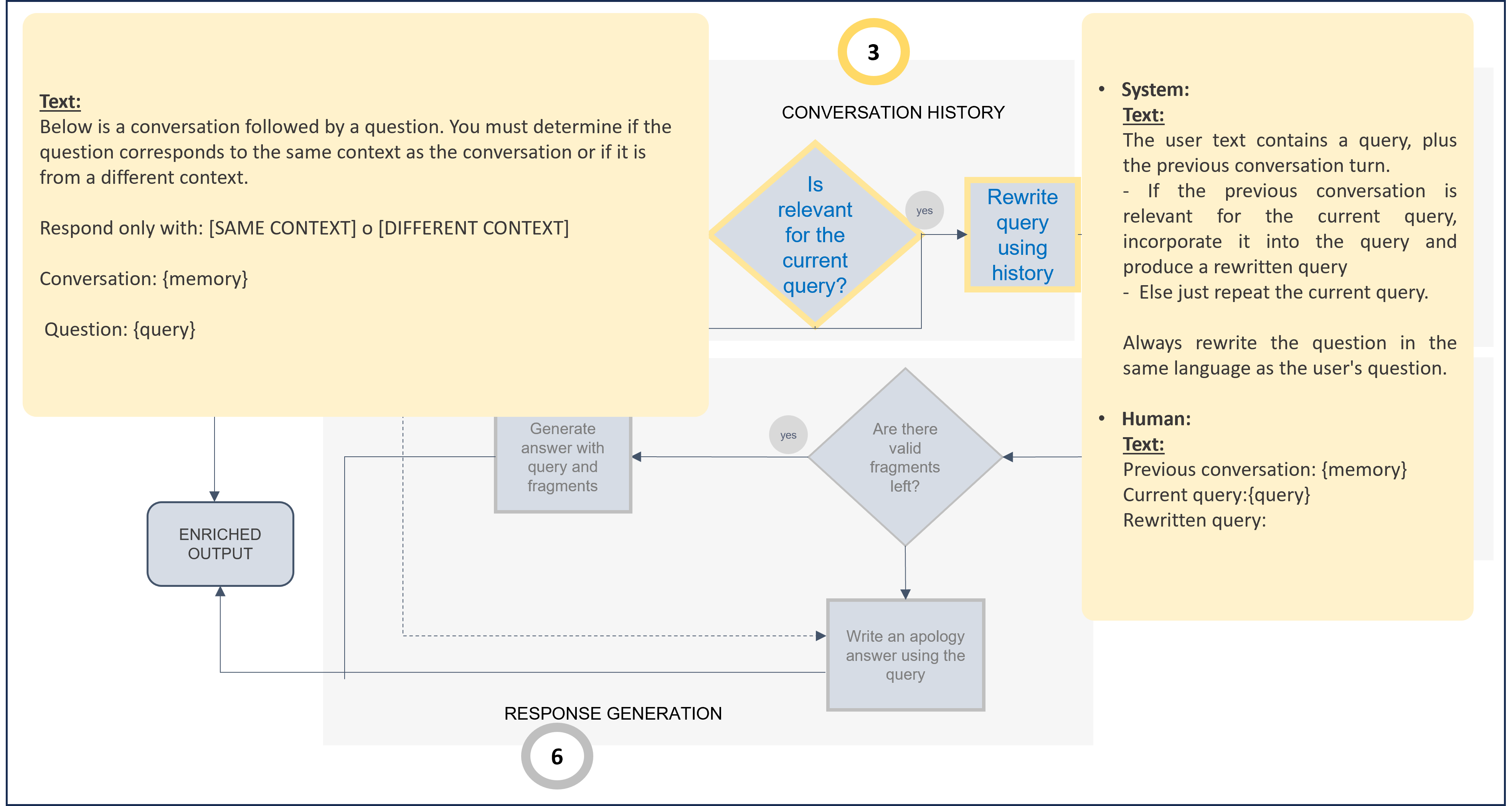
Default prompts for context stage (Use as template for prompt customization)
...
"contextStg": {
       "stickyContext": "ask_llm",
       "enabled": true,
       "prompts": {
         "sameContext": {
           "default": {
             "text": "Below is a conversation followed by a question. You must determine if the question corresponds to the same context as the conversation or if it is from a different context.\n Respond only with: [SAME CONTEXT] o [DIFFERENT CONTEXT]\n\nConversation:\n{memory}\n\nQuestion:\n{query}"
           }
         },
         "recreatedQuestion": {
           "system": {
             "default": {
               "text": "The user text contains a query, plus the previous conversation turn.\n\n- If the previous conversation is relevant for the current query, incorporate it into the query and produce a rewritten query\n- else just repeat the current query.\n\n  Always rewrite the question in the same language as the user's question."
               }
            },
            "human": {
             "default": {
               "text": "Previous conversation:\n{memory}\n\nCurrent query:\n{query}\n\nRewritten query:\n"
             }
           }
         }
   }
}
...
6. Retrieval
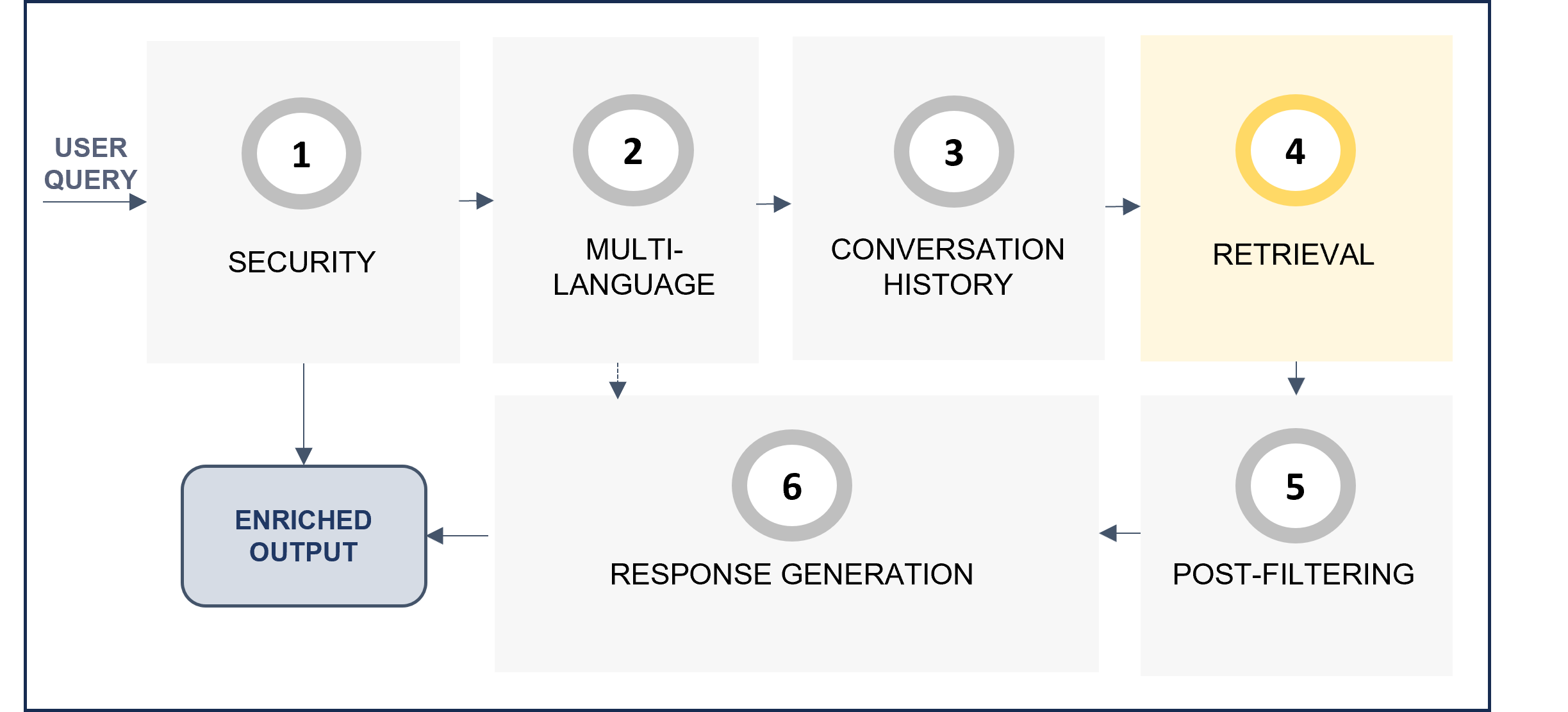
The retrieval stage (retrievalStg) is responsible for retrieving the relevant text blocks for the generation of the final response to the user. There are three configurable steps within this stage, which are shown in the following diagram.
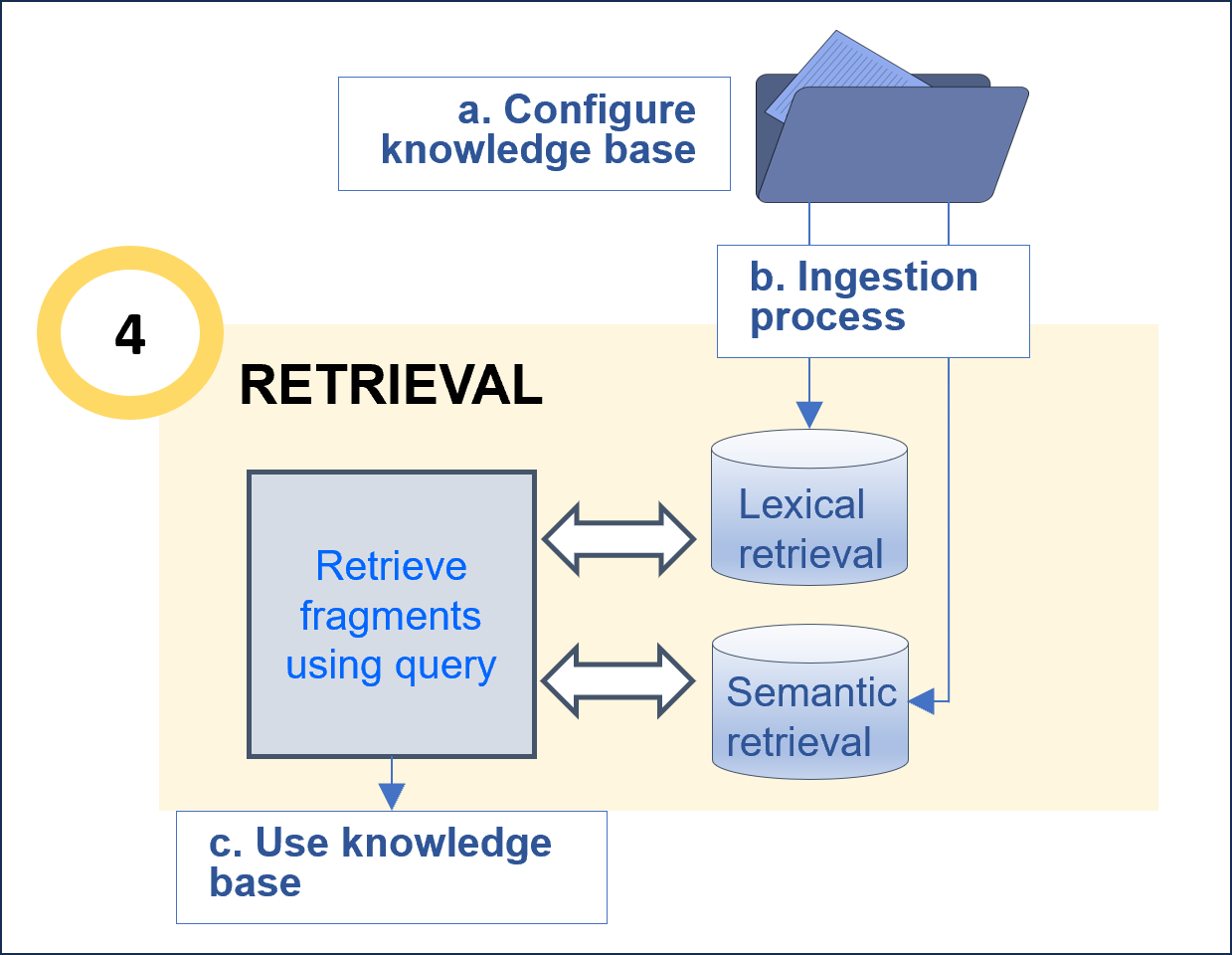
Before this task, it is important to curate the data in order to optimize the recognition process. For this purpose, we recommend following the Guidelines for data curation.
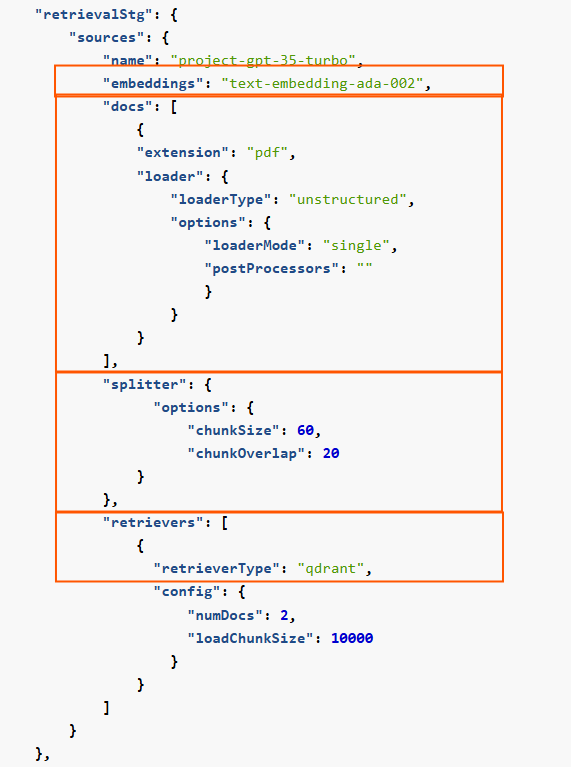
The configuration of the knowledge base focuses on the parameters related to the segmentation and processing of the kb.
Below, a selection of parameters that can be configured is included:
-
embeddings: Mandatory. Identifier of the embeddings model to be used.
-
docs:
extension: Mandatory. File types (extensions) of documents that can be processed. The extensions must be separated by a comma.loader and postProcessors: Parameters in charge of reading data from the source and converting it into a usable text or structured text.
-
splitter: Optional. Parameter in charge of dividing large text inputs into smaller, manageable chunks to make them suitable for processing.
chunkSize: Maximum number of characters or tokens allowed in each chunk.chunkOverlap: Number of overlapping characters or tokens between consecutive chunks to preserve context.
-
retrievers: List of retrievers (lexical and semantic) and their associated parameters used for storing and retrieving information from the knowledge base.
Related parameters in preset
6.2. Ingestion process
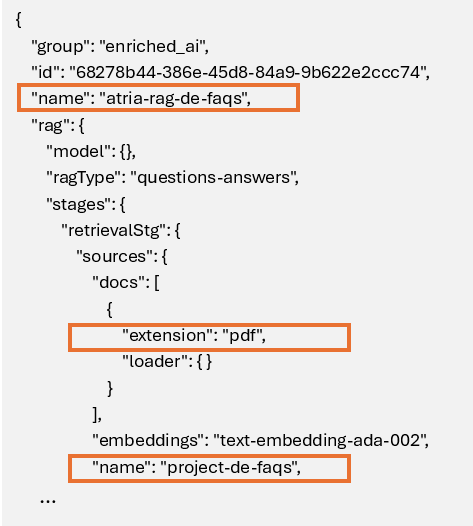
During this step, the documents are uploaded into the knowledge base. For this purpose, it is required to specify where the documents will be uploaded so that the system can locate them.
-
Configure the path in the preset
The preset must specify the exact path where the knowledge base is located in Microsoft Azure Storage Explorer, taking the value of the following parameters of the preset:
Preset parameters for ingestion path
-
Upload document to Azure Blob Storage
Within the corresponding environment, access the atria-resources folder and insert the documents in the following path:
<preset_name>/<retrievalStg.sources.name>/<retrievalStg.sources.docs[i].extension>
For the previous example:
atria-resources/atria-rag-de-faqs/project-de-faqs/pdf

-
Notify if needed
Once documentation has been uploaded and the preset has been configured, it is needed to execute the ingestion process (GES, Engineering Team).
6.3. Use your knowledge base
Edit these parameters to indicate how to use the knowledge base:
numDocs: Optional. Number of documents to be obtained as output from the retrieval stage.
Related parameters in preset
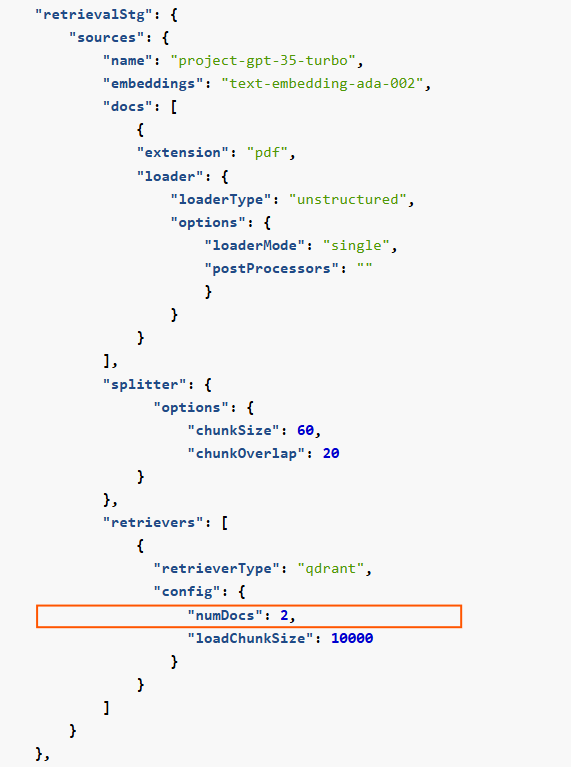
7. Post-filtering
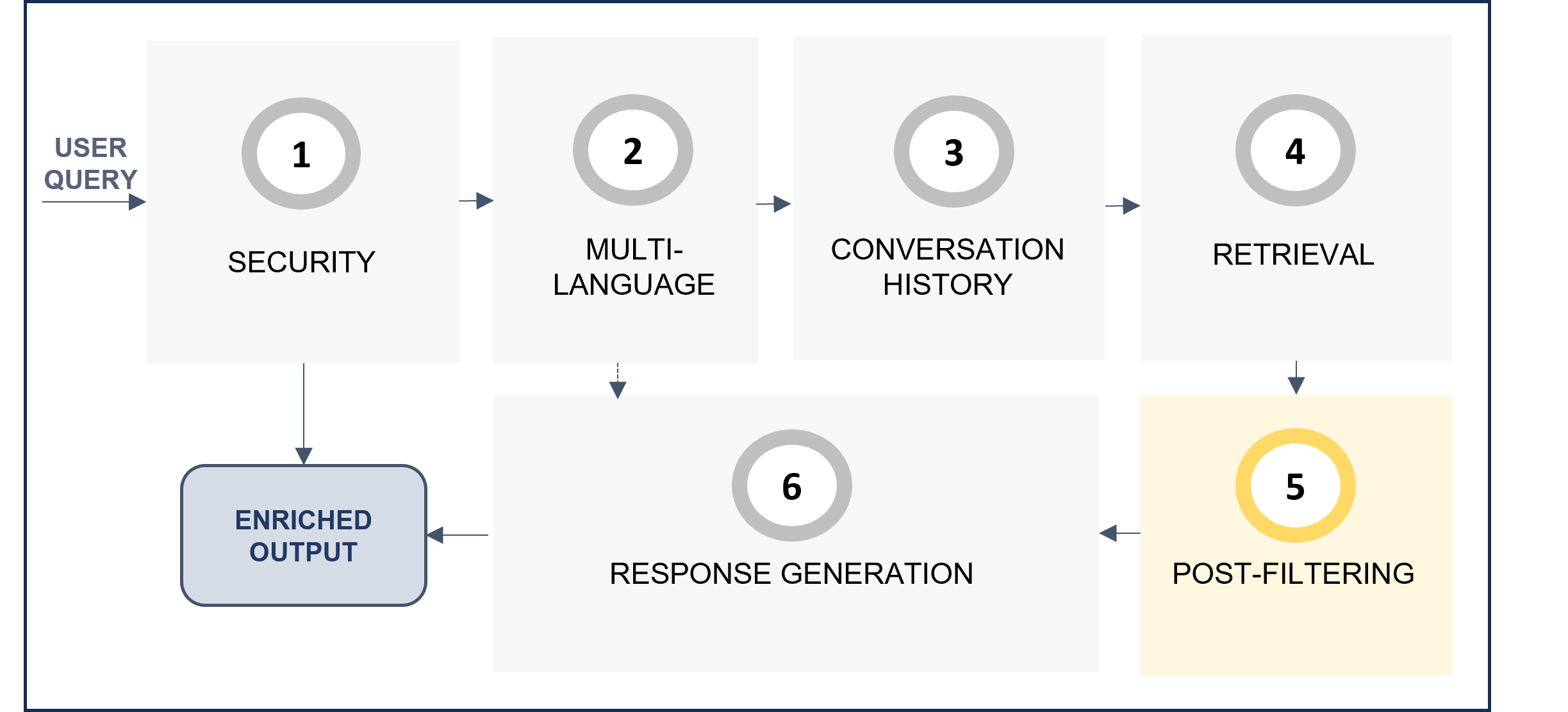
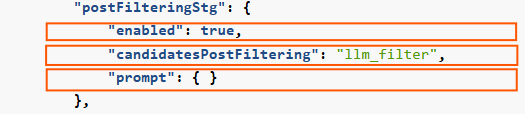
The post-filtering stage postFilteringStg verifies the relevance of retrieved text blocks. For each candidate, the LLM determines if the candidate text is related to the query, and if not, the candidate will be filtered out.
-
enabled: This stage can be enabled or disabled. If not enabled, no post-processing will take place.
-
candidatesPostFiltering: This parameter is fixed to the value llm_filter
-
prompt: Prompt for the post-filtering stage. It is recommended to use the default prompt and not change it.
Related parameters in preset
The default prompt is included below, both schematically and JSON code. It is recommended to use it with no modifications. Nevertheless, if you want to modify it, take the default one as a reference and make your updates.
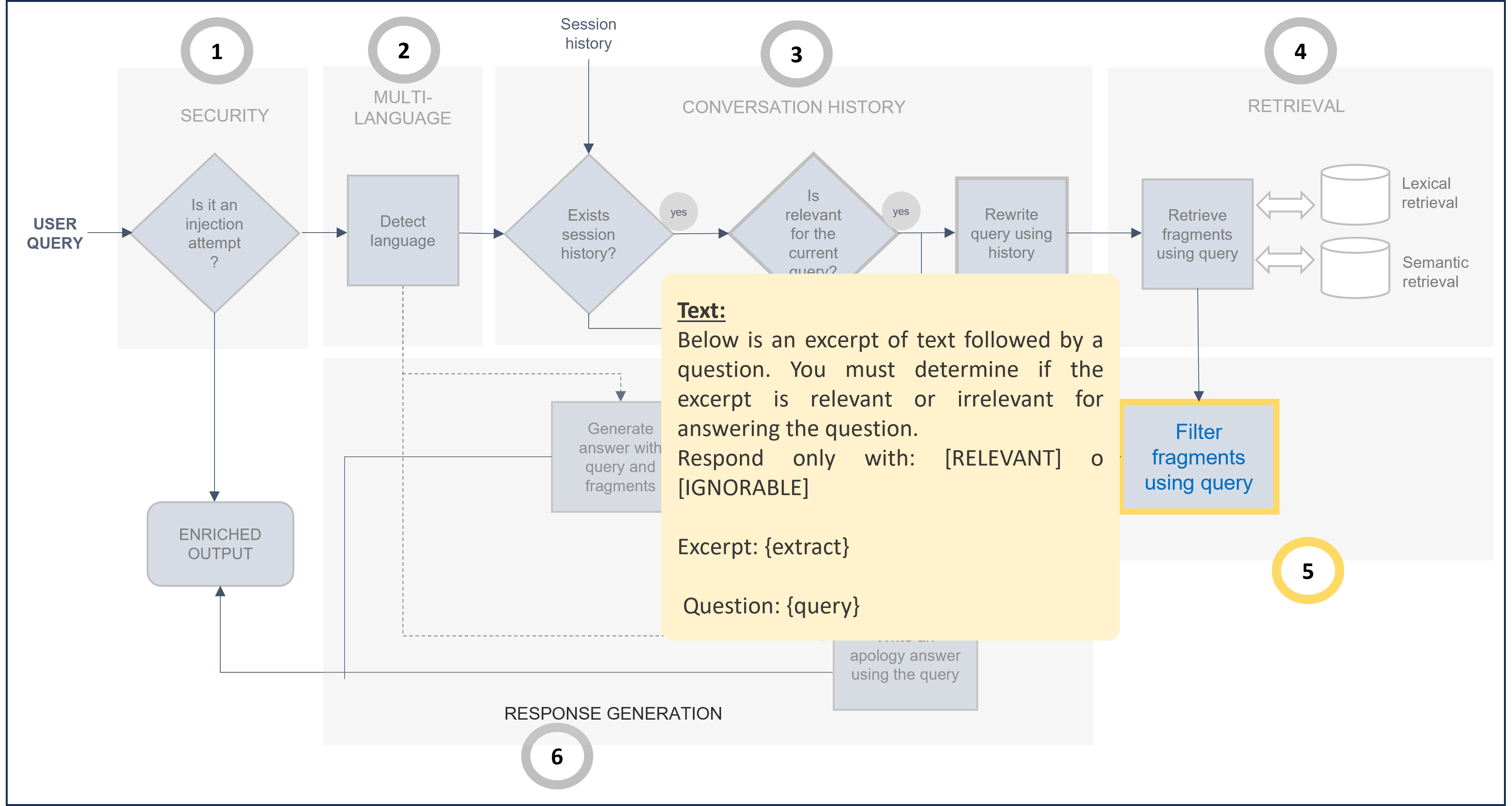
Default prompt for post-filtering stage (Use as template for prompt customization)
...
"postFilteringStg": {
          "enabled": true,
          "candidatesPostFiltering": "llm_filter",
          "prompt": {
            "default": {
              "text": "Below is an excerpt of text followed by a question. You must determine if the excerpt is relevant or irrelevant for answering the question.\nRespond only with: [RELEVANT] o [IGNORABLE]\n\nExcerpt:\n{extract}\n\nQuestion:\n{query}\n\n\n"
            }
          }
        }
...
8. Response generation
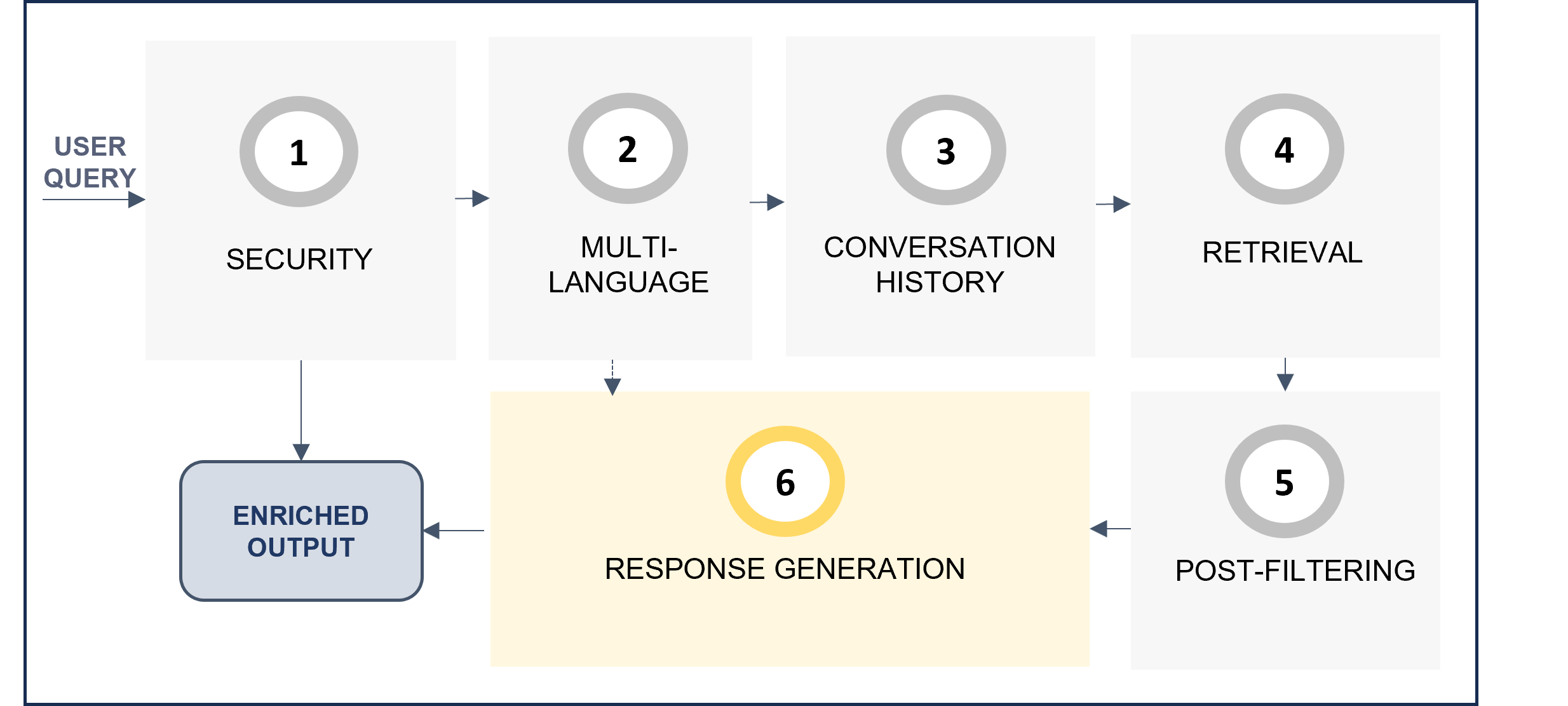
Stage for the generation of the response based on the retrieved context. This last stage is ideal for adjusting response behavior (e.g., multi-language, tone, etc.).
Related parameters in preset

When the RAG pipeline flow reaches the response generation stage (generativeStg), there are two options:
-
If relevant text blocks have been achieved in the previous stage, then:
- By default, the prompt
stuff is used to formulate answers with the retrieved context.
-
If no relevant text blocks have been found in the previous stage, then:
- By default, the prompt
notAnswerResponse is used to formulate the response when the question cannot be answer
The above-mentioned prompts by default are included here. If you want to modify them, take the default ones as a reference and make your updates.
Default prompt for response generation stage (Use as template for prompt customization)
...
"generativeStg": {
      "prompts": {
        "stuff": {
            "system": {
                "default": {
                      "text": "Respond in language {user_query_language}. \n\nQuestion:\n{question}\n",
                      "args": {
                              "user_query_language": "#.auto.language.user_query"
                              }
                            }
                        },
            "human": {
                "default": {
                      "text": "You are going to generate an answer for a user question or query. \nTo generate the answer, take always into account all the information available in the context provided.\n\nContext:\n{context}\n\nQuestion:\n{question}\n\nNever include information by your own using your own knowledge.\n{extra_prompt}\n"
                        }
                      }
                    },
        "notAnswerResponse": {
            "default": {
                      "text": "You are a question answering agent. You have tried to answer this question: {query} \nHowever you do not have information to answer this.\nPlease, tell the user that you are not able to answer, apologize and invite the user to make other question.\nAvoid any harmful answer, such as sexual, rude, sexist or racist.\nRespond in language {user_query_language}.\n\nUser question:\n{query}\n",
                      "args": {
                        "user_query_language": "#.auto.language.user_query"
                            }
                        }
                    }
                }
            }
b. Define advanced configuration for your preset
In addition to the basic parameters for use cases constructors, presets also include other advanced fields that can also be configured but require greater technical expertise.
Discover them here:
3.2.3 - Calls to API
Calls to API
How to make different calls to the API in the process for creating an experience in ATRIA
ATRIA use cases constructors
Introduction
Once your preset configuration is designed, whether for Generative AI or RAG, you can proceed to use the API to continue with the process of creating experiences in ATRIA.
The current document includes a specific procedure for calling APIs. You can access more detailed technical content in this document: Create and configure a preset
Prerequisites
These prerequisites are common for all the tasks included in the following sections.
-
Download the aura-configuration-api API swagger
-
Make sure you have available Postman or a similar tool to call the API.
-
Connect to the intended environment for your preset, by modifying the corresponding {{baseUrl}} and {{apiKey}}.
1. Create a new preset
-
Open the Postman application and select the POST call:
aura-services > v2 > configuration > presets > Adds a new preset
-
Copy and paste the content of your configured preset (JSON file) in the body.
-
Send the POST request.
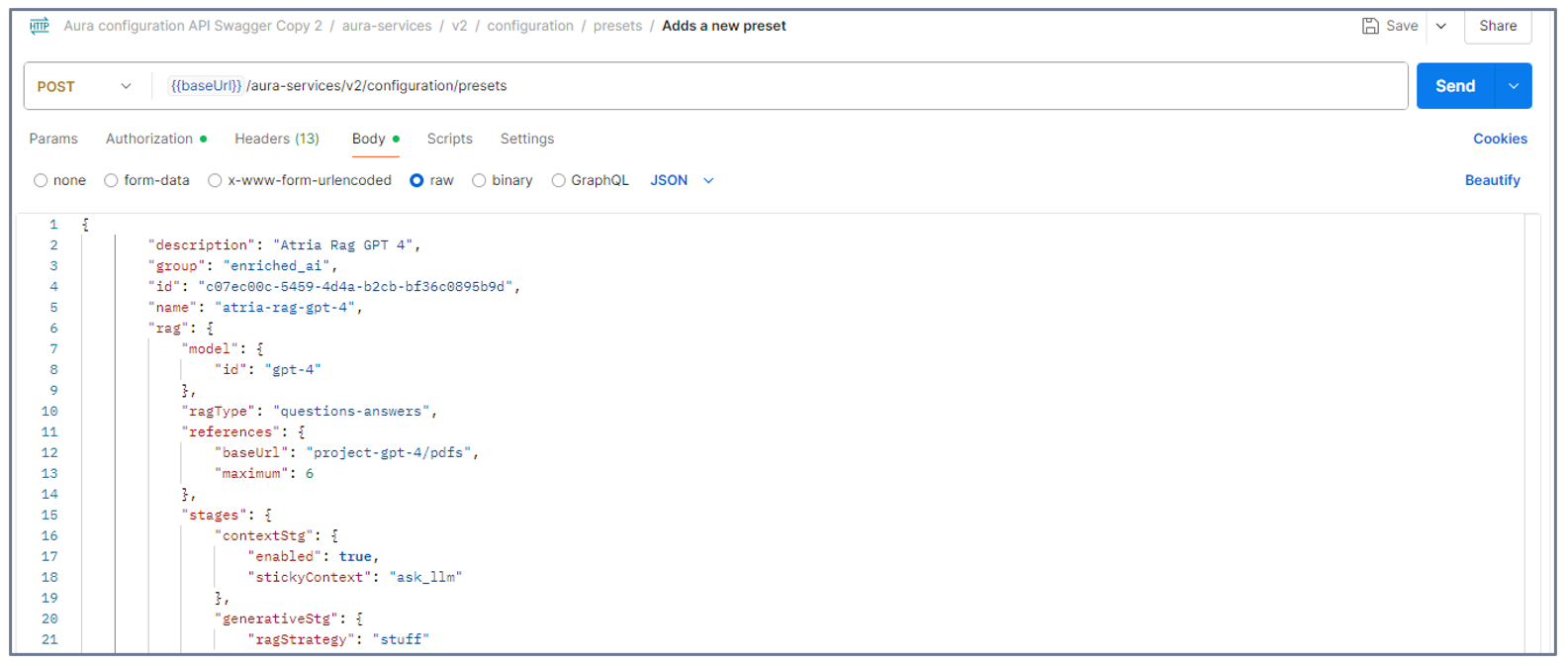
2. Update an existing preset
- Do you have your preset on hand?
- No: Go to step 2.
- Yes: Go directly to step 3.
- Access your intended preset:
2.1. Open the Postman application.
2.2. Make a GET request to the API with the preset ID.
aura-services > v2 > configuration > presets > {presetId} > Gets all the info associated to one preset
This will show you the entire preset to be updated.
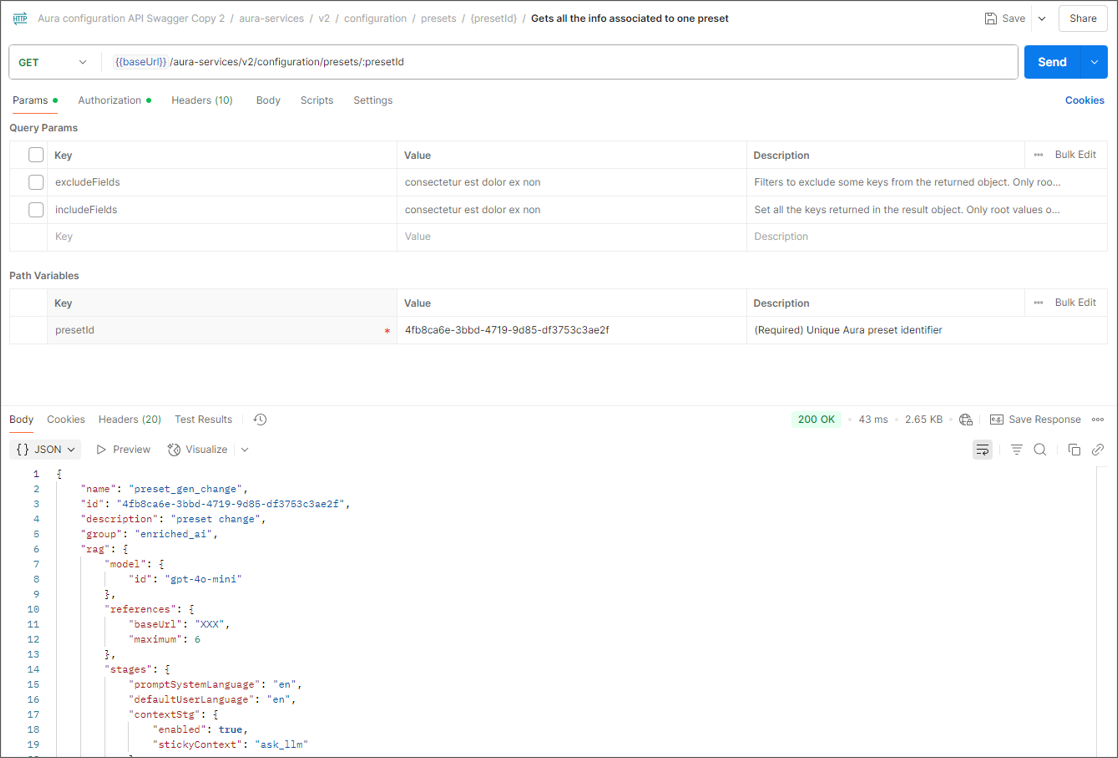
-
Select the PATCH call:
aura-services > v2 > configuration > presets > {presetId} > Updates some info associated to one preset
-
Copy and paste the content of your preset (JSON file) with the required updates in the body.
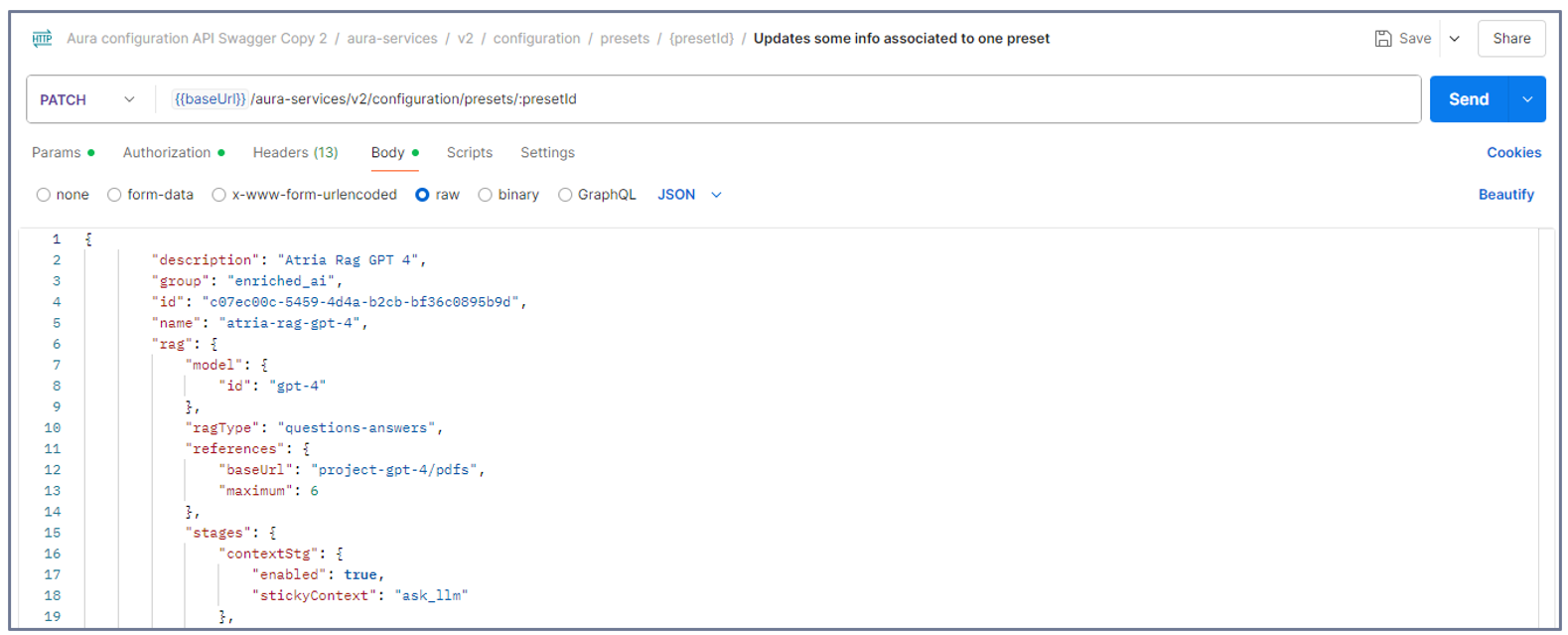
- Copy and paste the ID of the preset in the
params field.
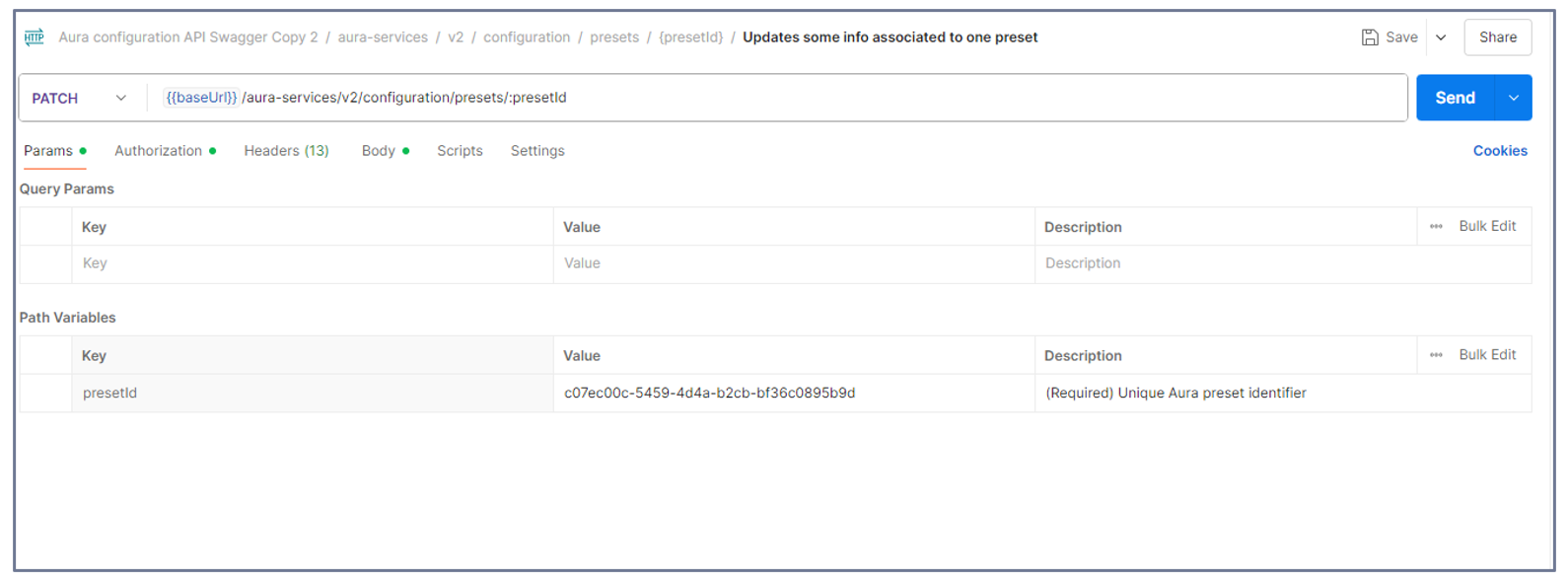
- Send the
PATCH request.
3. Create an application
Once your preset is created, it must be placed on an application to be used by an experience.
An application must always contain at least one preset, it cannot be empty.
-
Configure the application JSON file
1.1. Copy the application template below.
Application template
   ```json
     {
         "brand": "10000",
         "id": "816bdab6-3ea3-4a77-bdea-12945d6d7052",
         "models": {
             "level": "user",
             "presets": [
                 "19c58923-6fc5-4459-8f9e-822af2136ab1"
             ]
         },
         "name": "app"
     }
   ```
1.2. Modify the template below as required by defining the following fields:
brand: Identifier of the Telefónica Brand associated to the application. Available values in the document Telefónica brands management.id: Unique identifier of the application in UUID format.name: Unique application name.
1.3. Include the required presets in your application (presets field in the application template above)
-
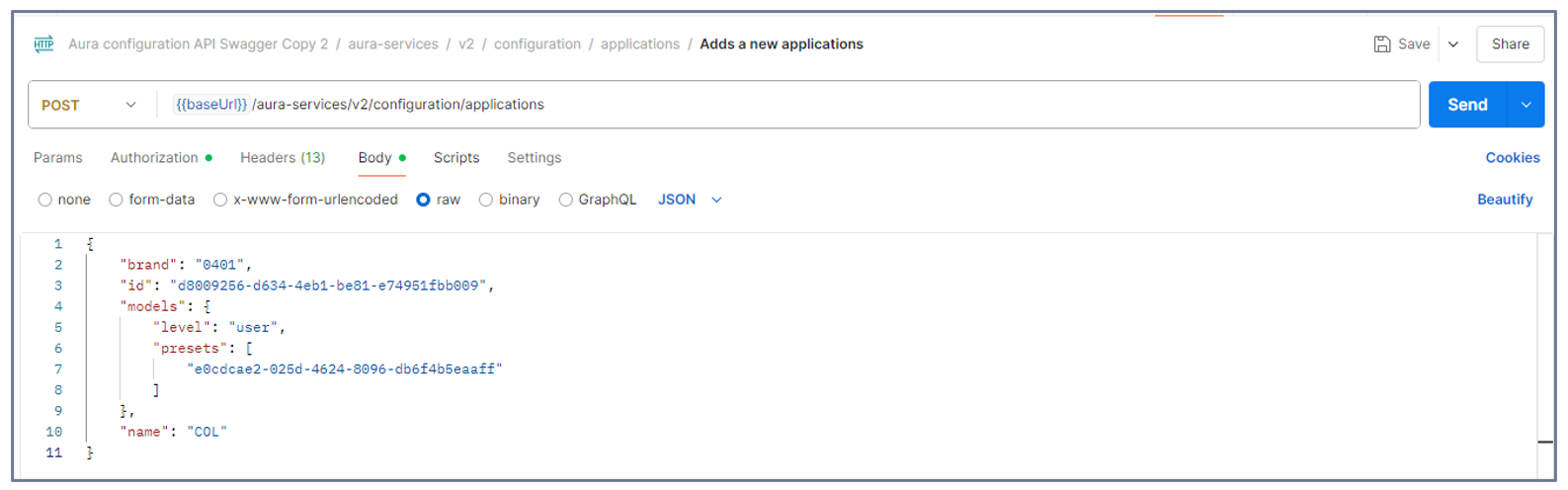
Open the Postman application and select the POST call:
aura-services > v2 > configuration > applications > Adds a new application
-
Copy and paste the content of your new application (JSON file) in the body.
-
Send the POST request.
4. Add a preset to an existing application
- Do you have your application on hand?
- No: Go to step 2.
- Yes: Go directly to step 3.
- Access your intended application
2.1. Open Postman.
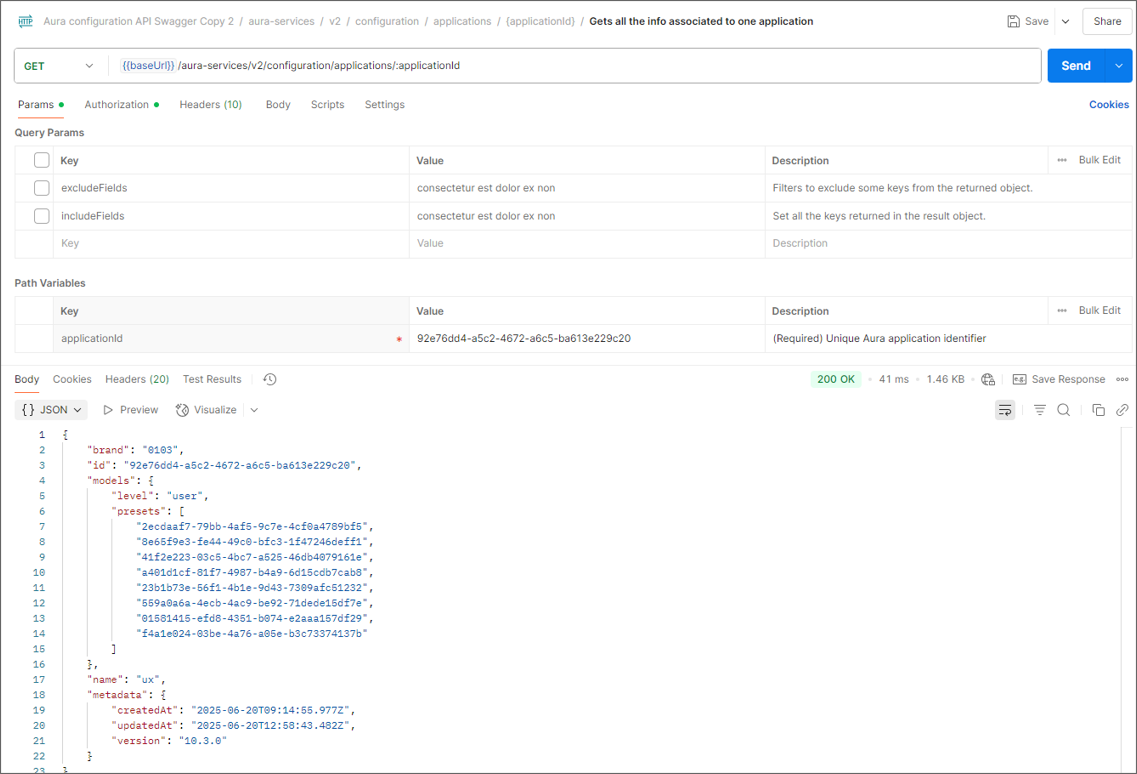
2.2. Make a GET request to the API with the application ID:
aura-services > v2 > configuration > applications > {applicationId} > Gets all the info associated to one application
This will show you the entire application to be updated.
-
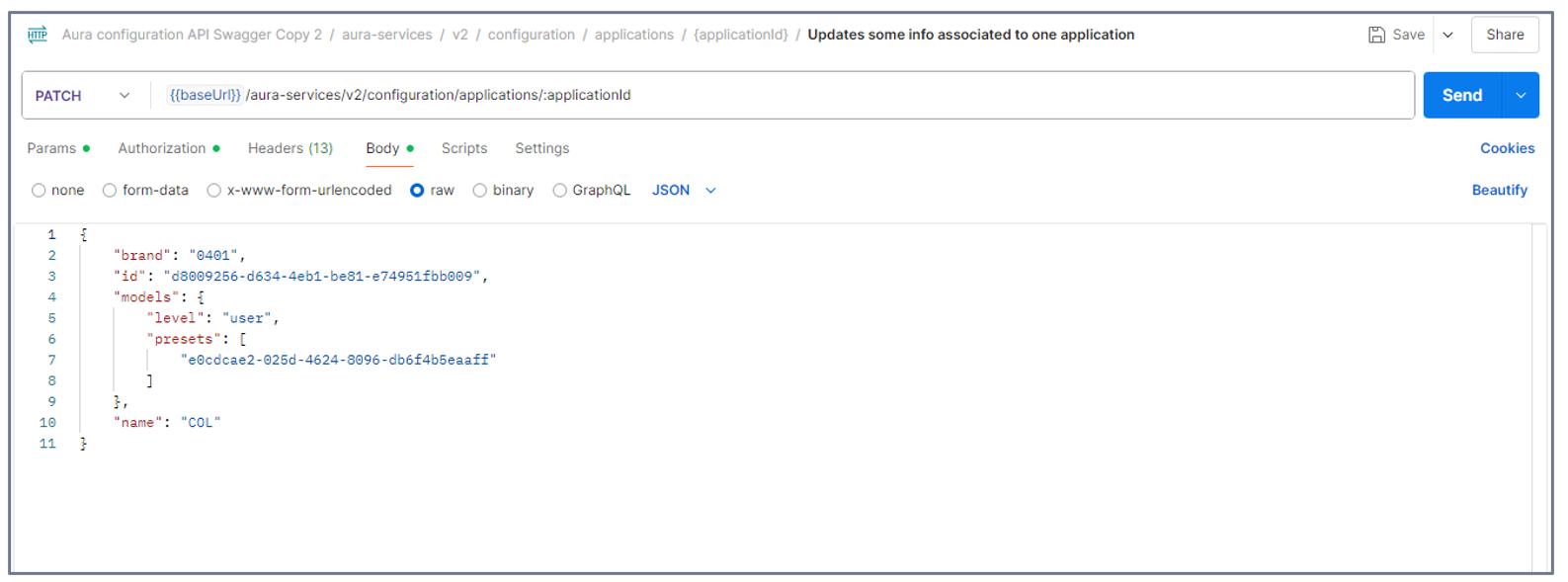
Select the PATCH call:
aura-services > v2 > configuration > applications > {applicationId} > Updates some info associated to one application
-
Copy and paste the content of your application (JSON file) in the bodyand add the preset ID to be associated to the application.
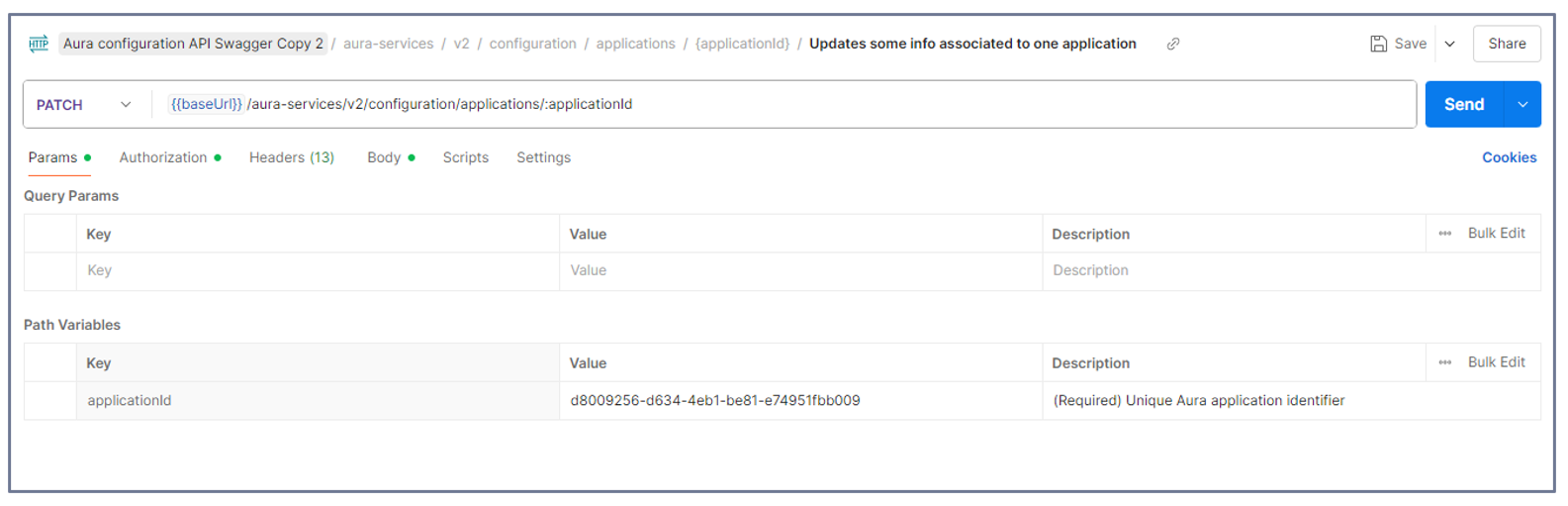
- Copy and paste the ID of the application in the
params field.
- Send the
PATCH request.
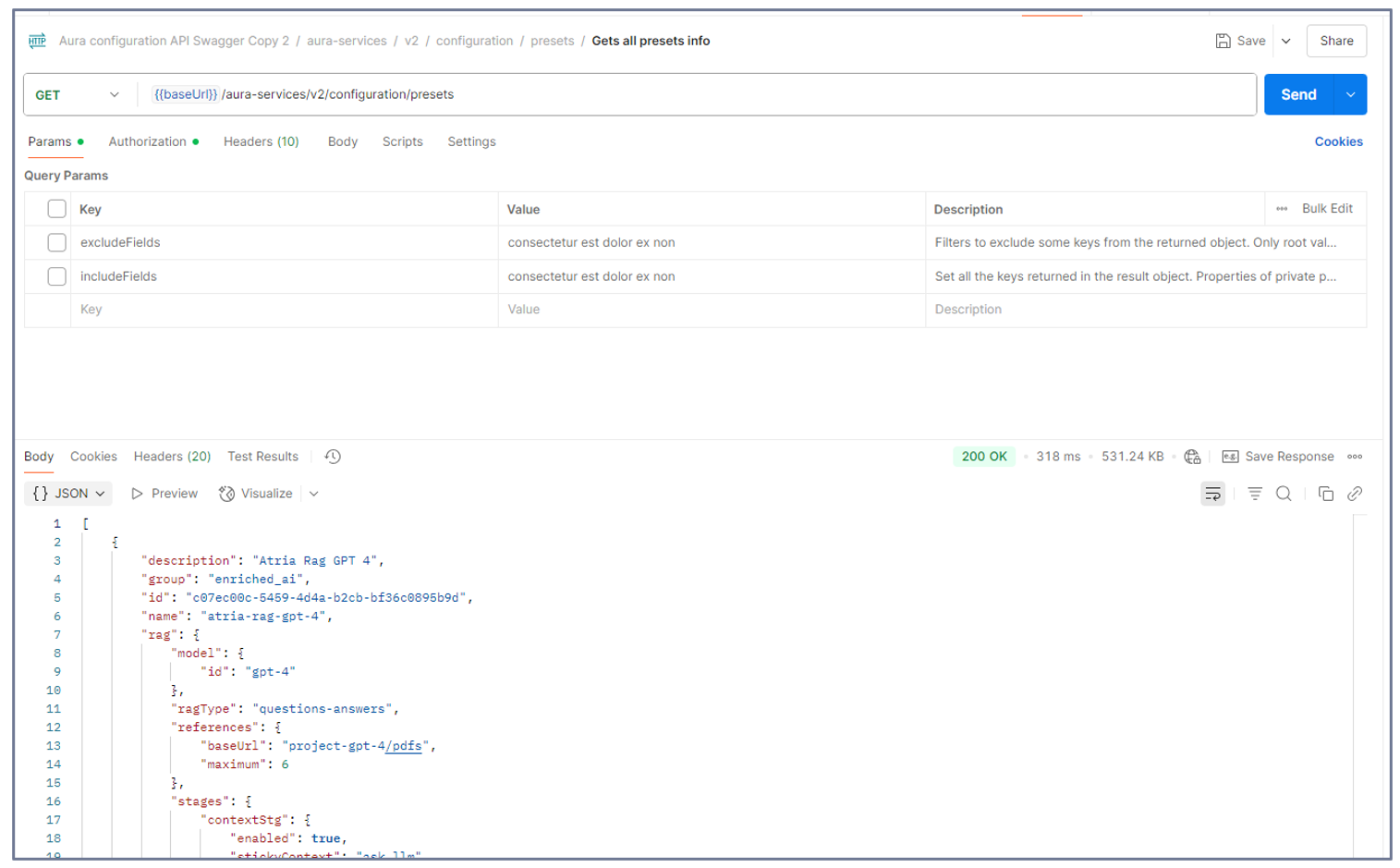
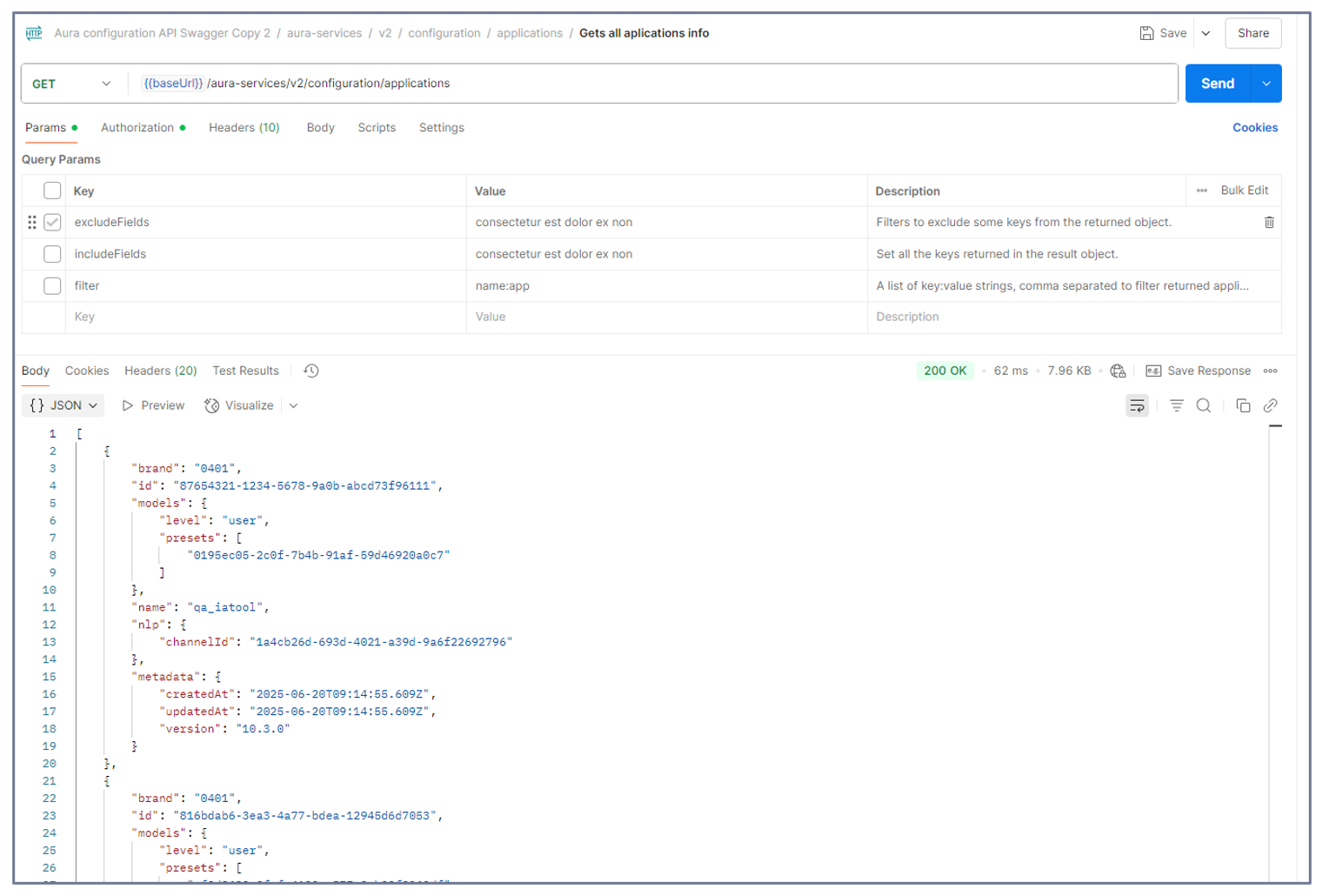
5. Get info about available presets/applications
If you need to know which presets or applications are available in your environment, follow these steps:
-
Open Postman and select the following GET calls:
- For presets:
aura-services > v2 > configuration > presets > Gets all presets info
- For applications:
aura-services > v2 > configuration > applications > Gets all application info
-
In order to view all the parameters related to presets or applications, deselect the options excludeParams and includeParams.
-
Send the corresponding GET request.
6. Delete a preset/application
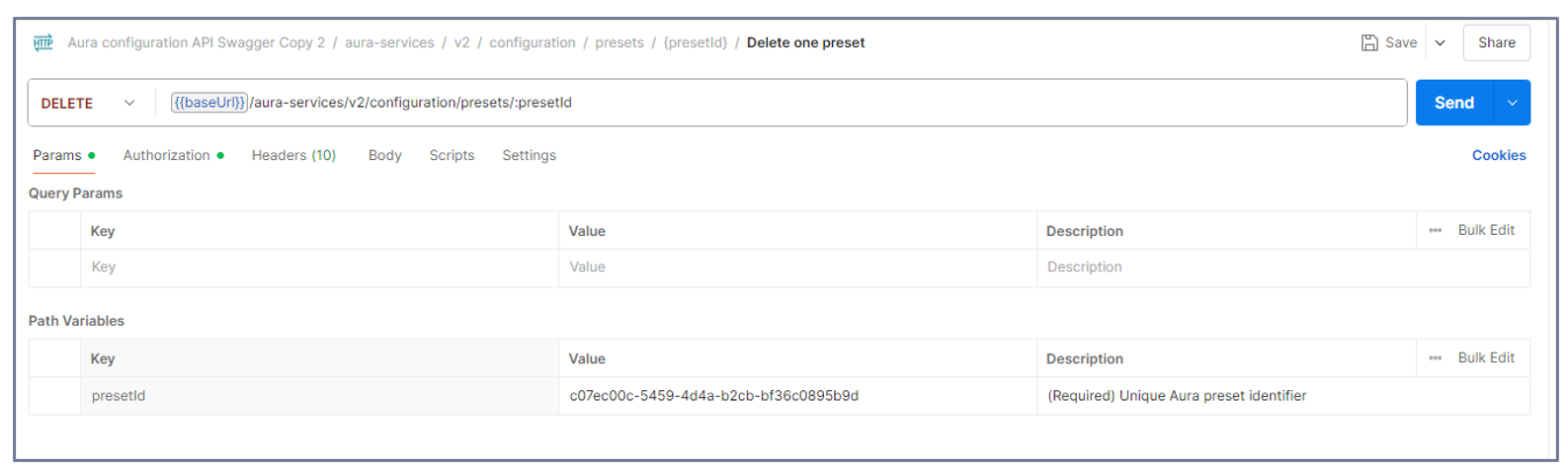
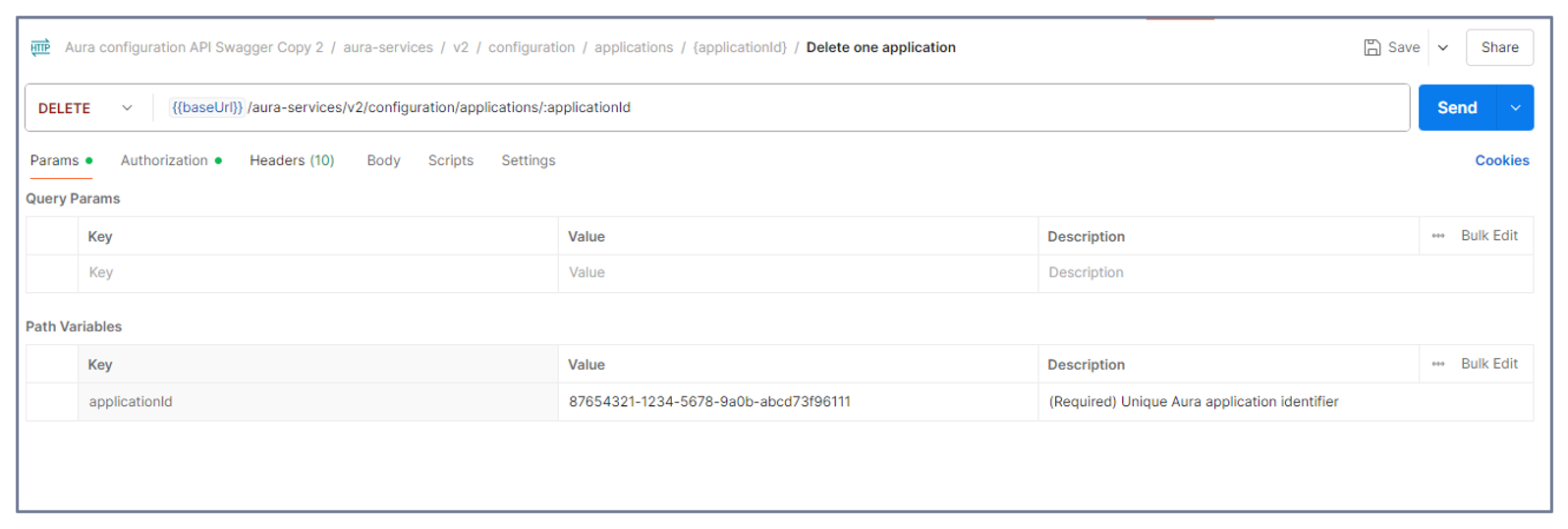
-
Open Postman and select the following DELETE calls:
- For presets:
aura-services > v2 > configuration > presets > {presetId} > Delete one preset
- For applications:
aura-services > v2 > configuration > applications > {applicationId} > Delete one application
-
Send the corresponding DELETE request.
4 - Technical components
ATRIA technical components
Comprehensive technical description of ATRIA main components
Introduction
ATRIA capabilities are driven by certain technical components, which are fully described in the succeeding documents, together with their role, architecture, communication protocols, sub-components and environment variables.
Index of technical components
-
ATRIA application: Configurable entity that allows the connection of channels, services or skills with aura-gateway-api.
-
aura-gateway-api: Entry gateway to ATRIA that manages the access to the different AI cognitive capabilities.
-
atria-model-gateway: Component that orchestrates the communication with LLM models.
-
atria-rag-server: Component that manages a RAG-type server for using RAG (Retrieval Augmented Generation) models.
-
atria-rag-generate-db: Component that manages the upload of documents to feed the databases.
-
agents-manager: Component that manages input and output requests to the registered agents, storing their conversation history by session.
-
agents-server: Component responsible for the execution of different agents’ tasks.
-
Aura NLP: Module of Aura Cognitive Services in charge of processing and understanding human natural language. It can be considered as a cross component for Aura Virtual Assistant and ATRIA.
-
ATRIA APIs documentation: List of available ATRIA APIs.
4.1 - ATRIA application
ATRIA application
Definition and role of applications in ATRIA
Introduction
Within ATRIA’s framework, an application is defined as an entity that allows the connection of a channel, service or skill with aura-gateway-api, the component in charge of managing the access to the different ATRIA capabilities.
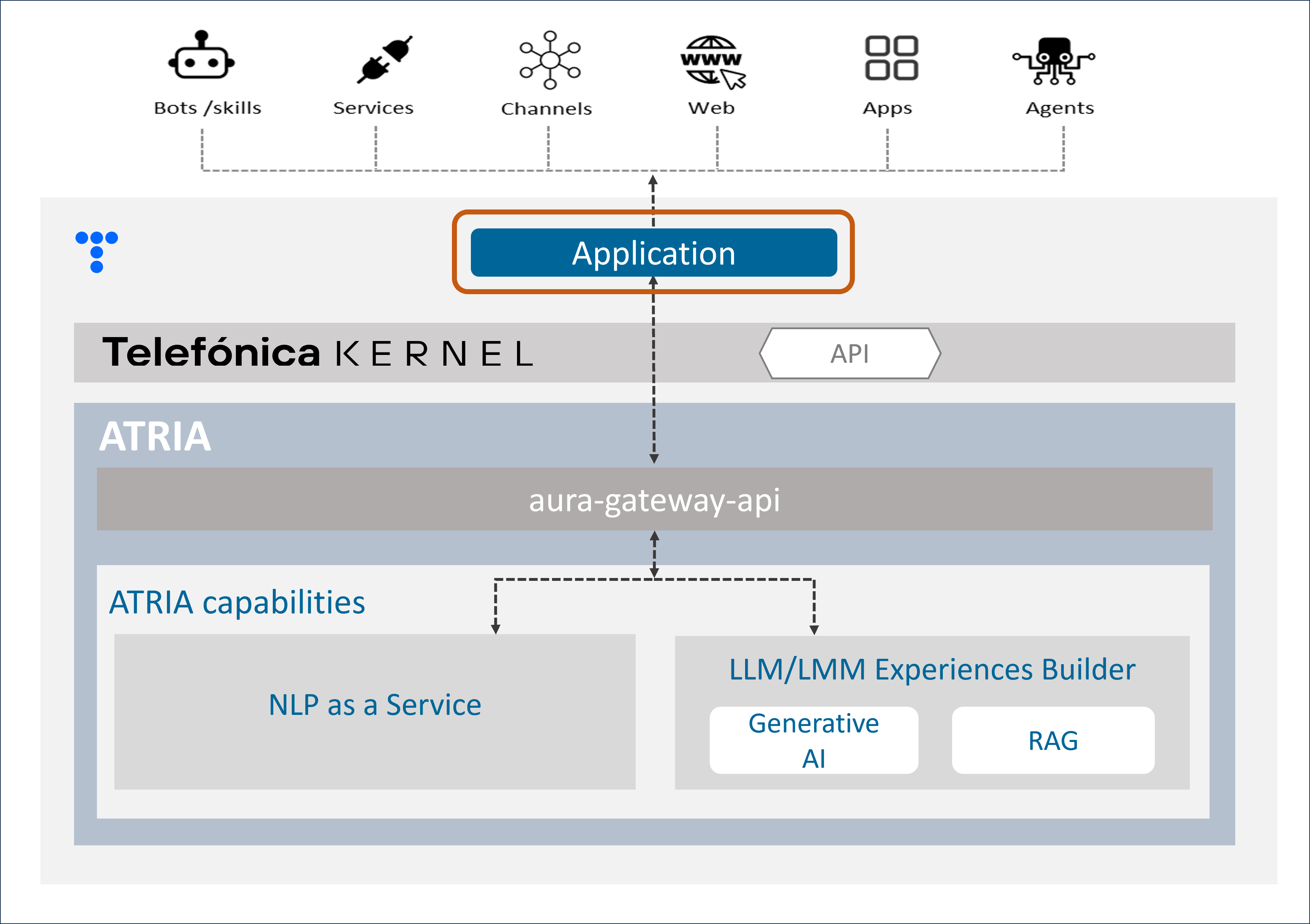
ATRIA application
As a preliminary step for leveraging any ATRIA AI-driven capability, the use case constructor must configure an application, including different parameters:
-
To indicate which specific ATRIA capabilities are utilized in the use case.
In this framework, applications supported by ATRIA can be classified as follows:
The difference between Generative and RAG capabilities relies solely on the definition of the preset that is associated. But the same application can make use of one, several or all of these capabilities, combining their configuration.
-
Once the capabilities are selected, to set the required fields for its operation
For example, if we want to use Generative AI for the use case resolution, firstly, certain parameters must be set corresponding to:
-
Establishing admin accesses.
-
Setting the presets that the application can use, that is, the instructions to work with the AI model, that will be defined in the application configuration.
An ATRIA application must be configured with specific parameters. For this purpose, follow the guidelines Configure an application in ATRIA, using the specific parameters for the ATRIA AI-driven technology to be used.
Example of application
This is a example of an application that makes use of NLPaaS, Generative and RAG capabilities:
    {
        "id": "8832550f-f03c-4e18-bdbe-7c6fc7adf5ff",
        "name": "app",
        "disabled": false,
        "brand": "0401",
        "nlp": {
            "channelId": "1234"
        },
        "models": {
            "level": "user",
            "presets": ["atria-rag-gpt-4", "generative-preset"]
        }
    }
Applications model
Common fields
| Field name |
Type |
Description |
| id |
string |
Unique application identifier. UUID |
| name |
string |
Unique application name |
| brand |
string |
Identifier of the Telefónica Brand associated to the application.
Available values in the document Telefónica brands management |
| disabled |
boolean |
Boolean value to enable or disable the application. |
NLPaaS fields
| Field name |
Type |
Description |
| nlp.channelId |
string |
Channel identifier used to call NLP |
Generative/RAG fields
4.2 - Aura Gateway API
Aura Gateway API
Descriptive technical documentation regarding aura-gateway-api, an ATRIA component that provides an interface to expose different capabilities
Introduction
aura-gateway-api is a server in charge of the access to the different AI cognitive capabilities provided by ATRIA.
A channel, service or skill can send a request through an application (entity that enables the communication with aura-gateway-api). After passing through Kernel for authentication and security purposes, aura-gateway-api sends this request to the corresponding AI-driven technology for providing the most accurate response.
Currently, aura-gateway-api enables the access to ATRIA capabilities.
Associated documentation
Descriptive technical documentation regarding aura-gateway-api includes:
Guidelines for working with aura-gateway-api for the development of experiences, depending on the specific ATRIA capability:
4.2.1 - Architecture and components
Aura Gateway API architecture and components
Development architecture and technical components of Aura Gateway API
Technical foundations
aura-gateway-api is mainly a web server built on Typescript 4.3 using nodejs as engine. It is api-first designed, using OpenAPI v3 to provide the API definition and openapi-backend to handle swagger specification.
aura-gateway-api server is composed by several plugins, which provide different functionalities to this component. From the different capabilities that aura-gateway-api can manage, certain plugins are used by all of them and others are specific of one capability.
A channel, service, or skill uses an application to connect with aura-gateway-api following this communication protocol.
Architecture overview
The following figure shows the main technical components of the aura-gateway-api.
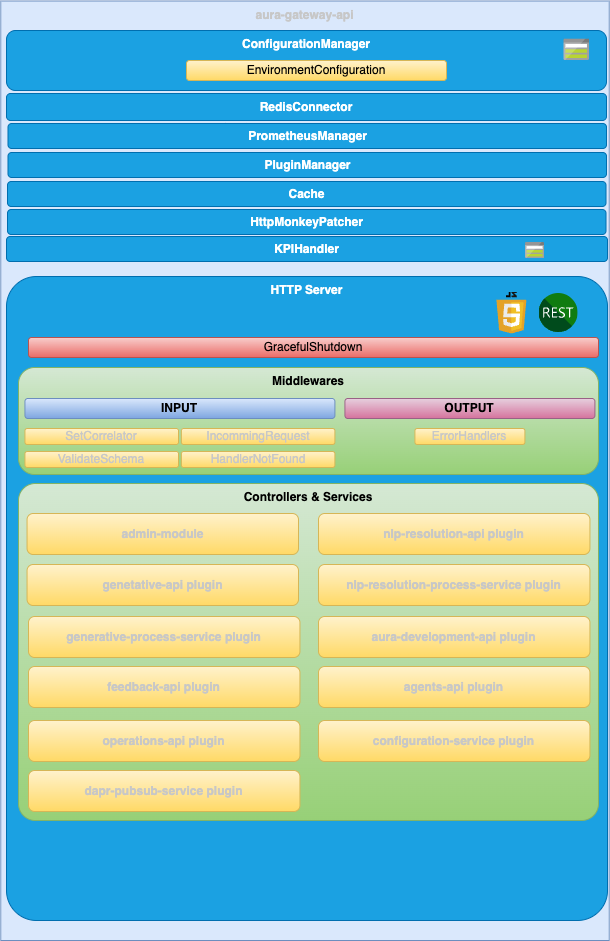
ConfigurationManager
ConfigurationManager is a handler for configuration, obtained through a configuration file or environment variables.
RedisConnector
RedisConnector is a handler connection to redis.
Kpis-handler
KpisHandler is the module responsible for writing the KPIs entities.
HTTP server
Microservice is implemented as an HTTP server (AuraGatewayServer) that exposes an API to receive the request to be validated.
Middlewares
The route published in the API definition file is handled by a controller but, before a request lands on its controller, it goes through a series of middlewares that provides some common steps needed by all the controllers of the server such as: request validation, common parameters extraction, logging, metrics initialization, etc.
Plugins
Different plugins provide functionality to aura-gateway-api.
Check the available ones together with detailed information in: aura-gateway-api plugins.
4.2.1.1 - Plugins
Aura gateway API plugins
aura-gateway-api plugins are components that provide different functionalities to aura-gateway-api
Introduction
aura-gateway-api is composed of plugins, which provide functionality to this component. Plugins work independently, the same way as a service in microservices oriented architecture: isolated, self-contained and without affecting other existing functionalities in the system.
From the different types of plugins, only Api plugins are available in aura-gateway-api.
The following plugins are currently available in aura-gateway-api. From the different ATRIA capabilities that this component can manage, certain plugins are used by all or some of them and others are specific of one capability.
Discover detailed information regarding the available plugins in the left index.
Plugins management
aura-gateway-api uses the @architect/architect library for the management of plugins, so it is the architect library that is responsible for managing the dependencies injection in each module.
To create the architect application, aura-gateway-api uses the PluginManager module (located in the modules/plugin-manager folder). This module starts as the rest of modules at the aura-gateway-api start-up.
The PluginManager performs the following tasks:
- It starts the architect application with the plugins defined in
plugin-config.json file, located at the root of the aura-gateway-api component.
- It adds the core modules to the IOC context. See the section plugins modules.
- It stores the information of each module defined in the plugins.
Apart from the aura-gateway-api core environment variables, each plugin can define its own specific variables. Access the document aura-gateway-api environment variables and find them in the section corresponding to your plugin.
Plugin basic structure
Currently, aura-gateway-api uses @architect/architect library for plugins management.
A basic plugin must define at least:
- A
package.json file defining the library, like any other JavaScript library, with a plugin section defining which modules it consumes and supplies.
- A source code file that defines the modules that it supplies (
index.ts for example).
The structure of this basic plugin is as follows:
session-api
├── index.ts
└── package.json
Plugins modules
aura-gateway-api currently adds one module that can be used by the different plugins. To use it, it is only necessary to add the package.json dependencies on plugin.consumes (like any other module/component).
- configurationManager: Module with the aura-gateway-api configuration information.
- redisConnector: Module with the aura-gateway-api Redis connection.
A plugin can provide one or more plugin modules and each plugin module can be of a different type. Each type of module is intended to add a specific functionality to aura-gateway-api.
4.2.1.1.1 - aura-generative-api plugin
aura-generative-api plugin
Description of the aura-generative-api plugin
Introduction
The aura-generative-api plugin manages the endpoints for the communication with atria-model-gateway.
Consumes components (IOC)
| Name |
Type |
Description |
| generativeProcessService |
PluginType.Service |
Send data to model-gw and process the response |
| applicationConfiguration |
PluginType.Service |
Configuration of applications |
Provides components (IOC)
| Name |
Type |
Description |
| generativeApi |
PluginType.API |
Endpoints for the communication with generative APIs |
4.2.1.1.2 - aura-generative-process-service plugin
aura-generative-process-service plugin
Description of the aura-generative-process-service plugin
Introduction
The aura-generative-process-service plugin manages the communication with atria-model-gateway to allow applications to communicate with LLMs.
Consumes components (IOC)
| Name |
Type |
Description |
| configurationManager |
PluginType.Service |
Configuration manager |
| applicationConfiguration |
PluginType.Service |
Configuration of applications |
Provides components (IOC)
| Name |
Type |
Description |
| generativeProcessService |
PluginType.Service |
Send data to model-gw and process the response |
4.2.1.1.3 - aura-nlp-resolution-api plugin
aura-nlp-resolution-api plugin
Technical description of the aura-nlp-resolution-api plugin
Introduction
The aura-nlp-resolution-api plugin manages the communication with NLP APIs to return a recognizer response.
Consumes components (IOC)
| Name |
Type |
Description |
| applicationConfiguration |
PluginType.Service |
Configuration of applications |
Provides components (IOC)
| Name |
Type |
Description |
| nlpResolutionApi |
PluginType.API |
Endpoints for the communication with NLP APIs |
4.2.1.1.4 - aura-nlp-resolution-process-service plugin
aura-nlp-resolution-process-service plugin
Technical description of the aura-nlp-resolution-process-service plugin
Introduction
The aura-nlp-resolution-process-service plugin manages the communication with NLP APIs to return a recognizer response.
Consumes components (IOC)
| Name |
Type |
Description |
| configurationManager |
PluginType.Service |
Configuration manager |
| applicationConfiguration |
PluginType.Service |
Configuration of applications |
| channelsConfiguration |
PluginType.Service |
Configuration of channels |
Provides components (IOC)
4.2.1.1.5 - aura-development-api plugin
aura-development-api plugin
Technical description of the aura-development-api plugin
Introduction
aura-development-api plugin manages the configuration in development environments. Only available in development environments.
Consumes components (IOC)
| Name |
Type |
Description |
| configurationManager |
PluginType.Service |
Configuration manager |
| redisConnector |
PluginType.Service |
Redis connector |
Provides components (IOC)
| Name |
Type |
Description |
| developmentApi |
PluginType.API |
Endpoints to change development configuration |
| behaviorCache |
PluginType.Service |
Cache to store the configuration changes |
| behaviorManager |
PluginType.Service |
Management of changes |
4.2.1.1.6 - aura-feedback-api plugin
aura-feedback-api plugin
Description of the aura-feedback-api plugin
Introduction
The aura-feedback-api plugin manages the communication with atria-model-gateway to provide feedback about the Generative and RAG services behavior.
Consumes components (IOC)
| Name |
Type |
Description |
| configurationManager |
PluginType.Service |
Configuration manager |
| applicationConfiguration |
PluginType.Service |
Configuration of applications |
Provides components (IOC)
| Name |
Type |
Description |
| feedbackApi |
PluginType.API |
Endpoints for the communication with feedback endpoint |
4.2.1.1.7 - aura-agents-api plugin
aura-agents-api plugin
Description of the aura-agents-api plugin
Introduction
The aura-agents-api plugin manages the endpoints for the communication with the agents-manager.
Consumes components (IOC)
| Name |
Type |
Description |
| configurationManager |
PluginType.Service |
Configuration manager |
| applicationConfiguration |
PluginType.Service |
Configuration of applications |
| agentsConfiguration |
PluginType.Service |
Configuration of agents |
Provides components (IOC)
| Name |
Type |
Description |
| agentsApi |
PluginType.API |
Endpoints for the communication with agents APIs |
| agentsManagerClient |
PluginType.Service |
Client of agents-manager |
4.2.1.1.8 - aura-operations-api plugin
aura-operations-api plugin
Description of the aura-operations-api plugin
Introduction
The aura-operations-api plugin manages the endpoints for operations related to Aura.
Consumes components (IOC)
| Name |
Type |
Description |
| configurationManager |
PluginType.Service |
Configuration manager |
Provides components (IOC)
| Name |
Type |
Description |
| operationsApi |
PluginType.API |
Endpoints for the communication with operations APIs |
| configWatcherOperationsClient |
PluginType.Service |
Client to make requests to the config-watcher |
4.2.2 - Operational overview
Aura Gateway API operational overview
Description of Aura Gateway API operation and communication protocol
Communication protocol
aura-gateway-api communication protocol is synchronous, depending on the endpoint.
A new component comes here into play: application, defined as an entity used by a channel, service or skill to connect with aura-gateway-api.
An application has a specific configuration and will be the entry point to the aura-gateway-api flow, previous pass through Kernel, meaning that the input parameters for aura-gateway-api come from the application, and no specific information regarding the channel, service or skill is required.
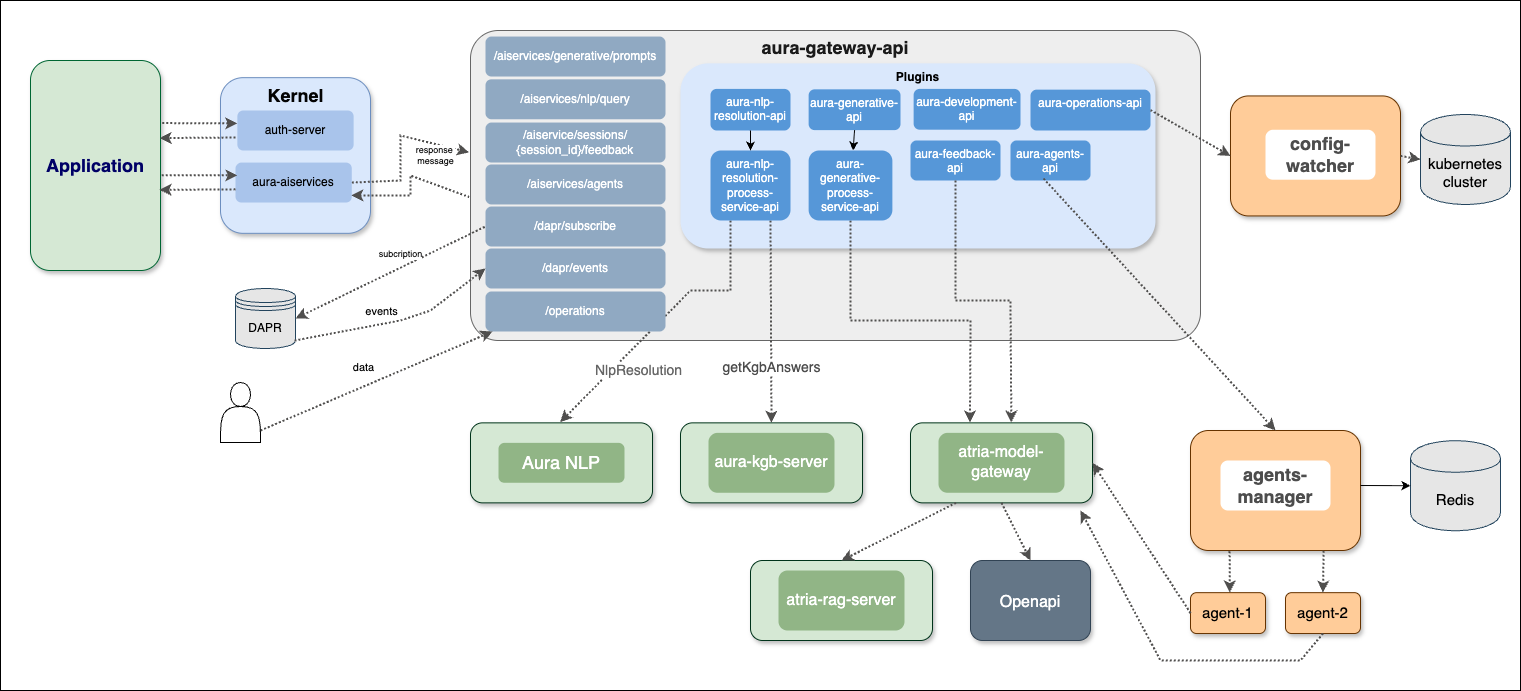
4.2.3 - Environment variables
Aura Gateway API environment variables
List of environment variables handled by Aura Gateway API
- Properties marked in bold are mandatory.
- Properties marked in italics are optional.
Introduction
aura-gateway-api environment variables can be common for all plugins or specific for each of them.
Common properties
| Property |
Type |
Description |
Modifiable by OB? |
|
| AURA_AUTHORIZATION_HEADER |
string |
APIKey to use with aura-services. |
NO |
|
| AURA_CHANNELS_CONFIGURATION_API_ENDPOINT |
string |
Configuration API URL where the bot should get the configuration of all the channels available in the environment. |
NO |
|
| AURA_ENCRYPTION_ALGORITHM |
string |
Encryption algorithm that will be used to validate the APIKey. By default: aes-256-cbc. |
NO |
|
| AURA_ENCRYPTION_IV_LENGTH |
number |
Size for the initialization vector used by the encryption algorithm that validates the APIKey. By default: 16. |
NO |
|
| AURA_ENCRYPTION_IV_POSITION |
number |
Position where to insert the initialization vector in the final string with the encrypted payload. By default: 35. |
NO |
|
| AURA_ENCRYPTION_KEY |
string |
Encryption key or comma-separated list of encryption keys to be used in the environment. It is mainly used to decrypt the APIKeys. |
NO. It would break database encrypted data and APIKey validation. |
|
| AURA_ENVIRONMENT_NAME |
string |
Name of the environment where the server is deployed. Used during server make-up to handle the indexes of the database properly. |
NO |
|
| AURA_HTTP_KEEP_ALIVE |
boolean |
Use of keep-alive in HTTP connections. Used in monkey-patcher. By default: true. |
NO |
|
| AURA_HTTP_KEEP_ALIVE_MSECS |
number |
Number of milliseconds to keep alive HTTP connections. Used in monkey-patcher. By default: 100000. |
NO |
|
| AURA_HTTP_KEEP_MAX_SOCKETS |
number |
Maximum number of sockets. Used in monkey-patcher. By default: 200. |
NO |
|
| AURA_HTTP_MAX_REQUEST_SIZE |
string |
Maximum size in bytes of body request. Allowed values must indicate the units: 10 mb, 200 kb, etc. By default, 20mb. |
NO |
|
| AURA_HTTP_PATHS_LOG_DISABLED |
string |
HTTP paths separated by commas whose request would not be logged. By default aura-kpis,static-resources Used in monkey-patcher. |
NO |
|
| AURA_INTERNAL_RETRIES |
number |
Number of retries to be made by the server in case of error in an internal request. By default: 1. |
NO |
|
| AURA_KPI_ENABLED |
Boolean |
Boolean value, indicating whether aura-gateway-api writes entity files or not. By default: true |
NO, excepting if requested by Product or Operations teams |
|
| AURA_KPI_FILE_PREFIX |
string |
String with the prefix used in the KPIs entities files of this service. By default, gwapi/GWAPI |
NO |
|
| AURA_KPI_REMOVE_SPECIAL_CHARACTERS |
string |
Regular expression for removing special characters Default:\n\r |
NO |
|
| AURA_KPI_STORE_MODE |
string |
It indicates which is the destination of the KPIs entities files. Default: blob. If file, they will be stored locally to the instance, in the folder shown in KPI_TO_DSV_LOCAL_FILES_DIRECTORY. For development purposes. If blob, they will be stored remotely in the Azure blob container shown in KPIS_STORE_CONTAINER. Mandatory in environments running on k8s. |
NO, only configurable when running aura-gateway-api locally. |
|
| AURA_KPI_TO_DSV_CACHE_TTL |
number |
Number with the amount of milliseconds to cache existing requests to calculate their duration. Default: 1800. |
NO |
|
| AURA_KPI_TO_DSV_DELIMITER |
string |
Field delimiter to be used in KPIs entities files. Default: | |
NO. It will break all the analysis and processes running on top of these files. |
|
| AURA_KPI_TO_DSV_EXTENSION |
string |
Extension to be used in KPIs entities files. Default: txt |
NO. If changed without changing aura-kpis-uploader, the files will not be uploaded to Kernel. |
|
| AURA_KPIS_BLOB_STORE_INTERVAL |
number |
Time interval in milliseconds to upload asynchronously logs to the KPIS_STORE_CONTAINER. Default: 60000. Only needed if KPI_STORE_MODE==blob. |
NO. In pre/production, it must be blob so the files will be uploaded to Kernel instance afterwards. Setting file for development is recommended. |
|
| AURA_KPIS_LOG_API_REQUEST_BODY |
boolean |
Flag to log or not the request body of the API calls. Default: true |
YES. Once disabled, to enable run performance tests to validate if it is possible to write them. |
|
| AURA_KPIS_LOG_API_RESPONSE_BODY |
boolean |
Flag to log or not the response body of the API calls. Default: true |
YES. Once disabled, to enable run performance tests to validate if it is possible to write them. |
|
| AURA_KPIS_STORE_CONTAINER |
string |
The name of the Azure Blob container to store KPIs entities files. By default, aura-kpis. It MUST be the same than the one configured in KPIS_UPLOADER module. Only needed if KPI_STORE_MODE==blob. |
NO. If changed without changing aura-kpis-uploader, the files will not be uploaded to Kernel. |
|
| AURA_LOGGING_FORMAT |
string |
Format to be used in monitoring logs: json or dev(more visual format). By default: json. |
NO. Only for development, set it to dev. |
|
| AURA_LOGGING_LEVEL |
string |
Level to be used in logs, from more to less verbose: 'TRACE', 'DEBUG', 'INFO', 'WARN', 'ERROR', 'FATAL', 'OFF'. By default: INFO. |
NO |
|
| AURA_MAKEUP_MODE |
string |
It allows dev mode for the make-up process with the value local. By default: full. |
NO |
|
| AURA_MICROSOFT_AZURE_STORAGE_COMMON_ACCESS_KEY |
string |
Microsoft Storage password of the common storage. Currently used for KPI storing. |
NO. Only if Operations Team changes it. |
|
| AURA_MICROSOFT_AZURE_STORAGE_COMMON_ACCOUNT |
string |
Microsoft Storage account of the common storage. Currently used for KPI storing. |
NO. Only if Operations Team changes it. |
|
| AURA_MICROSOFT_AZURE_STORAGE_ACCESS_KEY |
string |
Microsoft Storage password of the deployment. |
NO |
|
| AURA_MICROSOFT_AZURE_STORAGE_ACCOUNT |
string |
Microsoft Storage account of the environment. |
NO |
|
| AURA_MICROSOFT_AZURE_STORAGE_CONFIGURATION_CONTAINER |
string |
Aura configuration container name. By default: aura-configuration. |
NO |
|
| AURA_MICROSOFT_AZURE_STORAGE_STATIC_CONTAINER_NAME |
string |
Aura static container name. |
NO |
|
| AURA_HTTP_MONKEY_PATCHER_ENABLED |
boolean |
Flag to indicate whether Monkey Patcher is used in service or not. |
NO |
|
| AURA_REQUEST_TIMEOUT |
number |
Number of seconds to wait for a request. By default: 30 * 1000. |
NO |
|
| AURA_REQUEST_DEADLINE_TIMEOUT |
number |
Deadline timeout for the request. |
NO |
|
| AURA_RETRIES_CODES |
string[] |
List of codes that will be used to retry the request. By default: ['ECONNRESET']. |
NO |
|
| AURA_SERVER_PORT |
number |
Port to where server is listening. By default: 8989. |
NO |
|
| AURA_SERVER_REMOTE_CONTAINER_PREFIX |
number |
Remote container prefix. By default: aura-gateway-api. |
NO |
|
| AURA_SERVER_RETRIES |
number |
Number of retries made by aura-gateway-api in case of error in an HTTP request. By default: 3. |
NO, only if checked and validated with Aura Global Team. |
|
| AURA_SERVER_RETRY_DELAY |
number |
Delay between retries in case of error. By default: 100. |
NO, only if checked and validated with Aura Global Team. |
|
| AURA_SERVER_RETRY_FACTOR |
number |
Factor to multiply delay for every HTTP request retried. By default: 10. |
NO, only if checked and validated with Aura Global Team. |
|
| AURA_SERVICE_ENVIRONMENT |
string |
Type of environment: 'DEV', 'PRE', 'PRO'. By default, DEV. It is used during locale translation, to get the correct text reference. |
NO |
|
| AURA_SERVICES_PATH |
string |
Path where the services are located. By default: /aura-services/. |
NO |
|
| AURA_SHUTDOWN_GRACEFUL_TTL |
number |
Time in milliseconds to complete the SHUTDOWN signal and process all the messages in queue before SIGTERM. By default: 25 1000. |
NO |
|
| AURA_SWAGGER_LOCAL_PATH |
string |
Location of the swagger file generated from all loaded plugins. By default: swagger.yaml. Used during makeup to upload the file to remote. |
NO |
|
| AURA_SWAGGER_PLUGIN_PATH |
string |
Location of the swagger file of every plugin. Default: swagger.yaml. |
NO |
|
| AURA_SWAGGER_LOCAL_CORE_PATH |
string |
Location of aura-generative-service swagger base file. By default: swagger-core.yaml. |
NO |
|
| AURA_SWAGGER_REMOTE_CONTAINER_PREFIX |
string |
Remote container prefix to store the swagger information. By default: swagger |
NO |
|
| AURA_SOURCE_PATH_AVRO_ADAPTERS |
string |
Relative path to file with the dimensions and entities to transform to Avro. |
NO |
|
| AURA_TRUSTED_HOSTNAMES |
string |
Comma-separated list of the trusted domains URL of the current environment. |
YES, all the trusted domains must be added. |
|
| AURA_VERSION |
string |
Mandatory, release of Aura. |
NO |
|
aura-development-api plugin
| Property |
Type |
Description |
Modifiable by OB? |
|
| AURA_REDIS_MODE |
string |
Mode of Redis distribution. Values: CLUSTER, SENTINEL, SINGLE. By default: SENTINEL. |
NO |
|
| AURA_REDIS_PREFIX |
string |
Redis prefix. |
NO |
|
| AURA_REDIS_SENTINEL_INSTANCE_NAME |
string |
Name of the Redis instance. Used in SENTINEL mode. |
NO |
|
| AURA_REDIS_HOSTS |
string |
String with a list of nodes separated by ‘,’, including host and port separated by ‘:’. For example: “localhost:port,localhost2:port2”. |
NO |
|
| AURA_REDIS_DATABASE |
number |
Database number for SINGLE or SENTINEL mode. By default: 0. |
YES |
|
| AURA_REDIS_PASSWORD |
string |
String with Redis password. |
YES |
|
| AURA_REDIS_USE_CONNECTION_POOL |
boolean |
Use pool connections for Redis. By default: true. |
YES |
|
| AURA_REDIS_CONNECTION_POOL_MIN |
number |
Minimum number of connections in the pool. By default: 2. |
YES |
|
| AURA_REDIS_CONNECTION_POOL_MAX |
number |
Maximum number of connections in the pool. By default: 100. |
YES |
|
| AURA_REDIS_MAX_RECONNECT_RETRIES |
number |
Number of retries to connect to Redis. By default: 25 |
YES |
|
| AURA_REDIS_MAX_RECONNECT_INTERVAL |
number |
Time in milliseconds to wait before reconnecting to Redis. By default: 5000. |
YES |
|
| DEV_AURA_BEHAVIOR_CACHE_TTL |
number |
Maximum lifetime of behavior cache in seconds. After this time, the system will delete the message. By default: 60 * 60 (60 min). |
NO in production environments. This feature could only be activated in development environments. |
|
| DEV_AURA_BEHAVIOR_COMMAND_PATTERN |
string |
Pattern to recognize a behavior command. By default: gateway(:| +)(get|set|unset)(:| +)(\w+)(:| +)?.+ |
NO in production environments. This feature could only be activated in development environments. |
|
| DEV_AURA_BEHAVIOR_MANAGER_ACTIVE |
boolean |
Flag to indicate whether or not aura-behavior-manager module should be activated in the current deployment. It is only valid for development environments. By default: false |
NO in production environments. This feature could only be activated in development environments. |
|
| DEV_AURA_BEHAVIOR_PREFIX |
string |
Used in cache key prefix and in command name. By default: gateway. |
NO in production environments. This feature could only be activated in development environments. |
|
| DEV_AURA_BEHAVIOR_SETTINGS_FILE_CRON_PATTERN |
string |
CRON expression associated with the reload time of the configuration file. Configuration file is defined in: DEV_AURA_BEHAVIOR_SETTINGS_FILE_MICROSOFT_AZURE_STORAGE. By default: *\/5 * * * *. |
NO in production environments. This feature could only be activated in development environments. |
|
| DEV_AURA_BEHAVIOR_SETTINGS_FILE_MICROSOFT_AZURE_STORAGE |
string |
Profile configuration file location for the aura-behavior-manager. By default: aura-gateway/aura-gateway-behavior-manager.json |
NO in production environments. This feature could only be activated in development environments. |
|
aura-generative-api plugin
| Property |
Type |
Description |
Modifiable by OB? |
| AURA_MODEL_GW_ENDPOINT |
string |
URL of Atria Model GW API. |
NO. In any case, it must be the internal k8s URL pointing to the atria-model-gateway. |
aura-update-me-api plugin
| Property |
Type |
Description |
Modifiable by OB? |
| AURA_CONFIGURATION_RETRIES |
number |
Number of retries to get the configuration. By default: 3. |
NO, only if checked and validated with Aura Global Team. |
| AURA_CONFIGURATION_RETRY_DELAY |
number |
Delay between retries in case of error. By default: 100. |
NO, only if checked and validated with Aura Global Team. |
| AURA_CONFIGURATION_RETRY_FACTOR |
number |
Factor to multiply delay for every HTTP request retried. By default: 10. |
NO, only if checked and validated with Aura Global Team. |
aura-nlp-resolution-process-services plugin
| Property | Type | Description | Modifiable by OB? |
|:—————-|:—————————————————————————|
| AURA_COGNITIVE_ENDPOINT | string | URL of Aura NLP API. | NO. In any case, it must be the internal k8s URL pointing to the api-gw. |
aura-feedback-api plugin
| Property |
Type |
Description |
Modifiable by OB? |
| AURA_MODEL_GW_ENDPOINT |
string |
URL of Atria Model GW API. |
NO. In any case, it must be the internal k8s URL pointing to the atria-model-gateway. |
aura-agents-api plugin
| Property |
Type |
Description |
Modifiable by OB? |
| AURA_AGENTS_MANAGER_ENDPOINT |
string |
URL of agents-manager API. |
NO. In any case, it must be the internal k8s URL pointing to the agents-manager. |
| AURA_AUTHORIZATION_HEADER |
string |
APIKey to use with aura-services. |
NO |
aura-operations-api plugin
| Property |
Type |
Description |
Modifiable by OB? |
| AURA_CONFIG_WATCHER_ENDPOINT |
string |
URL of config-watcher API. |
NO. In any case, it must be the internal k8s URL pointing to the config-watcher. |
4.2.4 - API definition
API definition for Aura Gateway API
Description of API swaggers for aura-gateway-api component
APIs index
4.2.4.1 - Aura Gateway API
Aura Gateway API
Definition of the complete API in aura-gateway-api
Download swagger file
4.2.4.2 - Aura Gateway Core API
Aura Gateway Core API
Definition of the core API in aura-gateway-api
Download swagger file
4.2.4.3 - Aura Agents API
Aura Agents API
Description of Aura Agents API
Download swagger file
4.2.4.4 - Aura Generative API
Aura Generative API
Description of Aura Generative API
Download swagger file
4.2.4.5 - Aura NLP resolution API
Aura NLP resolution API
Description of Aura NLP Resolution API
Download swagger file
4.2.4.6 - Aura Feedback API
Aura Feedback API
Description of Aura Feedback API
Download swagger file
4.2.4.7 - Aura Gateway Development API
Aura Gateway Development API
Description of Aura Gateway Development API. Only available in development environments.
Download swagger file
4.2.4.8 - Aura Operations API
Aura Operations API
Description of Aura Operations API
Download swagger file
4.3 - ATRIA Model Gateway
ATRIA Model Gateway
Descriptive documentation regarding the ATRIA component atria-model-gateway
Introduction
atria-model-gateway is an ATRIA component in charge of managing the communication with different AI models.
Currently, this component receives a request from aura-gateway-api, together with other input data, and makes a call to the LLM/LMM Experiences Builder and use its capabilities.
atria-model-gateway is also in charge of security and privacy control and allows users to provide feedback on their experience.
If the selected AI model is RAG, then atria-model-gateway calls the atria-rag-server, which is in charge of executing the RAG chain and making the corresponding calls to the LLM models and databases.
The functional components of atria-model-gateway are described in the document LLM/LMM Experiences Builder
Associated documentation
Descriptive technical documentation regarding atria-model-gateway includes:
4.3.1 - Architecture and components
ATRIA Model Gateway architecture and components
Development architecture and technical components of the atria-model-gateway
Technical foundations
atria-model-gateway is responsible for managing the communication with different AI models. This component receives a request from aura-gateway-api, together with other input data, and makes a call the corresponding AI models.
If the selected AI model is RAG, then atria-model-gateway calls the atria-rag-server, which is in charge of executing the RAG chain and making the corresponding calls to the LLM models and databases.
Functional components
The functional components of atria-model-gateway are described in the document LLM/LMM Experiences Builder
Architecture overview
The following diagram schematically shows the main technical components integrated into atria-model-gateway.
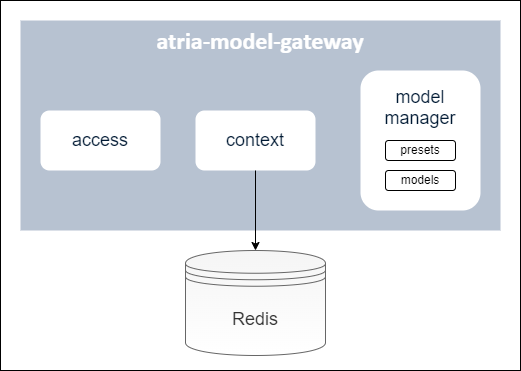
A brief description of these components is included below:
Access module
Module for the management of different profiles to access atria-model-gateway.
Context module
Module in charge of the storage of a conversation history in a cache (currently, Redis is used) over a period of time, grouped by session ID. These conversations are taken into account when calling the generative LLM models.
Model manager
Module that includes the available models and presets. It is in charge of receiving the info from aura-gateway-api and calling the corresponding model.
Models
Available AI models integrated into the atria-model-gateway.
Presets
Presets are configurable entities to define the specific model to work with and certain parameters associated to it: model Id, name, description, model parameters, etc.
Constructors can use the default presets or build new ones: Go to document ATRIA configuration.
When configuring an application, all the presets that can be used for this application must be previously defined.
4.3.2 - Operational overview
ATRIA Model Gateway operational overview
Overview of the atria-model-gateway operation
Operational workflow
The operational flow between an application (for the communication with aura-gateway-apì), atria-model-gateway, atria-rag-server and atria-rag-generate-db is schematically shown in the following figure:
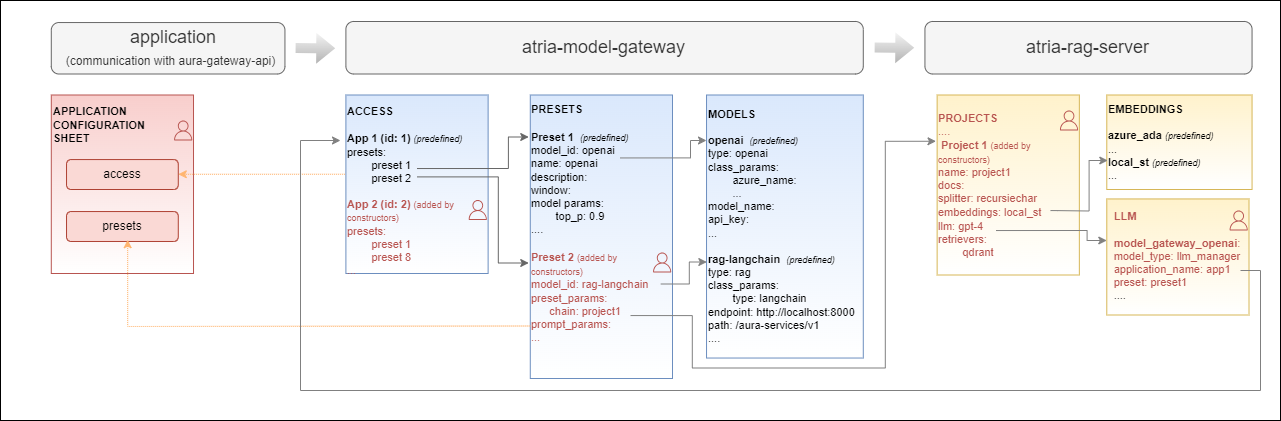
Configuration
atria-model-gateway includes a default configuration. Constructors can use it as is or they can modify it to be adapted to their requirements or business models: Go to document ATRIA configuration.
4.3.3 - API definition
Atria Model Gateway API definition
Description of Atria Model Gateway configuration API swagger
This is an internal ATRIA API
Download swagger file
4.3.4 - Environment variables
ATRIA Model Gateway environment variables
List of environment variables handled by the atria-model-gateway
Introduction
The atria-model-gateway depends on these environment variables to be set. None of them are modifiable by the OBs.
| Property |
Type |
Description |
| AURA_REDIS_DATABASE |
number |
Redis database number to be used by the server. This number is used to connect to the Redis database. |
| AURA_REDIS_HOSTS |
string |
Redis hosts to be used by the server. This is a comma-separated list of Redis host names or IP addresses. |
| AURA_REDIS_MODE |
string |
Mode of the Redis connection. |
| AURA_REDIS_PASSWORD |
number |
Ppassword for the Redis connection. This password is used to authenticate the connection to the Redis database. |
| AURA_REDIS_POOL_SIZE |
number |
Size of the Redis connection pool. This number is used to limit the number of connections to the Redis database. |
| AURA_REDIS_PREFIX_SUBSCRIBERS |
string |
Prefix for the Redis subscribers. This prefix is used to identify the subscribers in the Redis database. |
| AURA_REDIS_CHANNELS_SUBSCRIBERS |
string |
Channels (separated by ‘,’) for the Redis subscribers. Redis prefix is added to these channels at the beginning. |
| AURA_REDIS_P_CHANNELS_SUBSCRIBERS |
string |
Pattern channels (separated by ‘,’) for the Redis subscribers. Redis prefix is added to these pattern channels at the beginning. |
| AURA_DAPR_PUBSUB_NAME |
string |
DAPR pubsub component name. It is used to identify DAPR component to be used. |
| AURA_DAPR_PREFIX_SUBSCRIBERS |
string |
Prefix for the DAPR pubsub subscribers. This prefix is used to identify the subscribers in the configured database. |
| AURA_DAPR_TOPICS_SUBSCRIBERS |
string |
Topics (separated by ‘,’) for the DAPR pubsub subscribers. DAPR prefix is added to these topics at the beginning. |
-
The environment variables related to Redis are used to connect to the Redis database. This database is used to refresh the agent’s configuration, because every time the configuration of an agent is changed, it publishes this change in the corresponding channel so we can detect this change in order to refresh it.
-
The environment variables related to DAPR are used to connect to the DAPR components. These components are used to refresh the agent’s configuration, because every time the configuration of an agent is changed, it publishes this change in a corresponding topic, so we can detect this change in order to refresh it.
-
In order to use DAPR, it is necessary to have the DAPR pubsub component configured in the DAPR configuration file, besides the DAPR environment variables.
4.4 - ATRIA Models Manager
ATRIA Models Manager
Descriptive documentation regarding the ATRIA library atria-models-manager
Introduction
atria-models-manager is a ATRIA library responsible for managing all the models that we can use in the atria-model-gw model.
The objective is for the atria.model-gw to only have to import the models from this component, avoiding defining the logic of the models in the atria-model-gw.
For the first version, it will only feature Perplexity’s Sonar model, in the future, we will be able to migrate the atria-model-gw models here.
It contains all the logic necessary to call an LLM. Prompt construction, query tokenization, etc.
It also contains all the definitions of the exceptions that an LLM can throw.
How to use it
To use the atria-models-manager, you need to install it in your Python environment and import the model into the code.
4.5 - AURA GenAI Libs
AURA GenAI Libs
Descriptive documentation regarding the ATRIA library aura-genai-libs
Introduction
aura-genai-libs is a ATRIA that contains common components for agent development,
such as logs and the langchain call to the atria_model_gw service.
Includes the following modules:
-
logger module, whose purpose is to implement a callback handler to log the different stages of model, chain, and tool processing within the LangChain framework,
integrating it with the AURA PyTraces logging system and the ATRIA Agents context.
The module is based on the use of BaseCallbackHandler (langchain_core) and logs information at different
stages of the execution cycle of language models (LLM), chats, chains, and tools.
Each logged event uses m_headers.
-
chat_models module, which provides a custom implementation of the ChatOpenAI class from LangChain.
This custom implementation is designed to facilitate the integration with the atria_model_gw service.
How to use it
To use the aura-genai-libs, you need to install it in your Python environment and import and use the module in your code.
4.6 - ATRIA RAG Server
ATRIA RAG Server
Descriptive documentation regarding the ATRIA component atria-rag-server
Introduction
atria-rag-server is an ATRIA component that manages a RAG-type server. It is called by atria-model-gateway when RAG (Retrieval Augmented Generation) is used.
atria-rag-server manages the request made to the RAG model following the predefined RAG chain (pipeline) and making continuous requests combining Generative AI technology (LLMs) with semantic and lexical searches to retrieve the required information.
Associated documentation
Descriptive technical documentation regarding atria-rag-server includes:
4.6.1 - Architecture and components
ATRIA RAG Server architecture and components
Development architecture and technical components of the atria-rag-server
Architecture overview
The following diagram schematically shows the main technical components integrated into atria-rag-server.
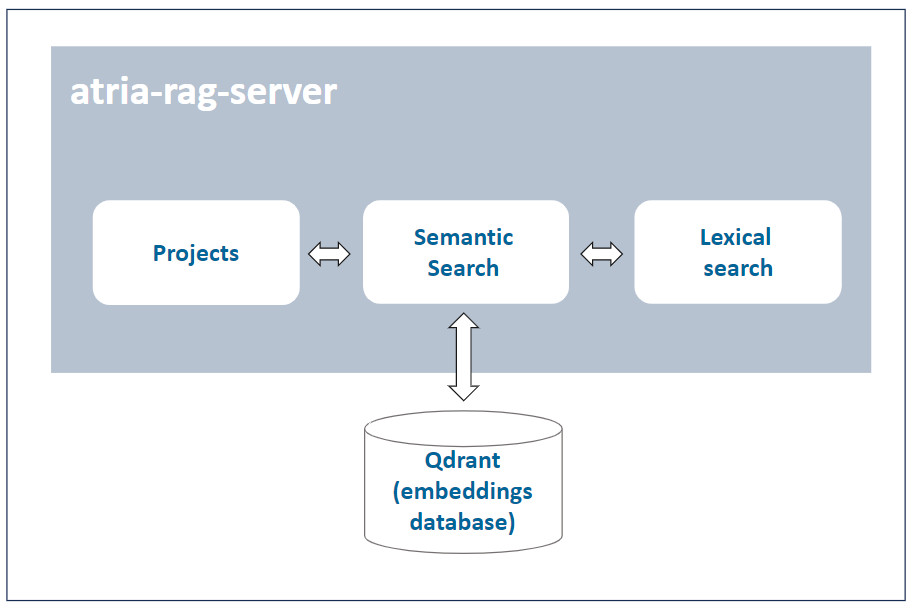
A brief description of the technical components is included below:
Project
A project contains information required for the execution of the RAG pipeline: specific models for semantic search and lexical search; path where the documents to feed the LLMs are located; allowed file extensions, etc.
Semantic search (embeddings)
Qdrant database that stores the embeddings generated through semantic search (OpenAI embeddings) technology.
Lexical search (LLMs)
Database that stores the required documentation for making lexical searching, based on keywords.
Configuration
atria-rag-server includes a default configuration. Constructors can use it as is or they can modify it to be adapted to their requirements or business models: Go to document ATRIA configuration.
4.6.2 - Operational overview
ATRIA RAG Server operational overview
Overview of the atria-rag-server operation
Operational workflow
The operational flow between an application (for the communication with aura-gateway-api), atria-model-gateway, atria-rag-server and atria-rag-generate-db is schematically shown in the document atria-model-gateway: operational flow.
Configuration
atria-rag-server includes a default configuration. Constructors can use it as is or they can modify it to be adapted to their requirements or business models: Go to document ATRIA configuration.
4.6.3 - Environment variables
ATRIA RAG Server environment variables
List of environment variables handled by the atria-rag-server
Introduction
The atria-rag-server depends on these environment variables to be set. None of them are modifiable by the OBs.
| Property |
Type |
Description |
| AURA_REDIS_DATABASE |
number |
Redis database number to be used by the server. This number is used to connect to the Redis database. |
| AURA_REDIS_HOSTS |
string |
Redis hosts to be used by the server. This is a comma-separated list of Redis host names or IP addresses. |
| AURA_REDIS_MODE |
string |
Mode of the Redis connection. |
| AURA_REDIS_PASSWORD |
number |
Ppassword for the Redis connection. This password is used to authenticate the connection to the Redis database. |
| AURA_REDIS_POOL_SIZE |
number |
Size of the Redis connection pool. This number is used to limit the number of connections to the Redis database. |
| AURA_REDIS_PREFIX_SUBSCRIBERS |
string |
Prefix for the Redis subscribers. This prefix is used to identify the subscribers in the Redis database. |
| AURA_REDIS_CHANNELS_SUBSCRIBERS |
string |
Channels (separated by ‘,’) for the Redis subscribers. Redis prefix is added to these channels at the beginning. |
| AURA_REDIS_P_CHANNELS_SUBSCRIBERS |
string |
Pattern channels (separated by ‘,’) for the Redis subscribers. Redis prefix is added to these pattern channels at the beginning. |
| AURA_DAPR_PUBSUB_NAME |
string |
DAPR pubsub component name. It is used to identify DAPR component to be used. |
| AURA_DAPR_PREFIX_SUBSCRIBERS |
string |
Prefix for the DAPR pubsub subscribers. This prefix is used to identify the subscribers in the configured database. |
| AURA_DAPR_TOPICS_SUBSCRIBERS |
string |
Topics (separated by ‘,’) for the DAPR pubsub subscribers. DAPR prefix is added to these topics at the beginning. |
-
The environment variables related to Redis are used to connect to the Redis database. This database is used to refresh the agent’s configuration, because every time the configuration of an agent is changed, it publishes this change in the corresponding channel so we can detect this change in order to refresh it.
-
The environment variables related to DAPR are used to connect to the DAPR components. These components are used to refresh the agent’s configuration, because every time the configuration of an agent is changed, it publishes this change in a corresponding topic, so we can detect this change in order to refresh it.
-
In order to use DAPR, it is necessary to have the DAPR pubsub component configured in the DAPR configuration file, besides the DAPR environment variables.
4.7 - ATRIA RAG generate DB
ATRIA RAG Generate DB
Descriptive documentation regarding the ATRIA component atria-rag-generate-db
Introduction
atria-rag-generate-db is an ATRIA component that manages a RAG-type database. This component is launched when you want to feed the document database for the first time or when you want to update the database with new information. See more information about these processes in the guidelines Import documents into ATRIA.
atria-rag-generate-db is in charge of handling the information coming from different sources and feeding the databases the RAG works with.
Associated documentation
Descriptive technical documentation regarding atria-rag-generate-db includes:
Launch atria-rag-generate-db
To launch atria-rag-generate-db, there are two suitable options:
Option 1
Send a request to the API for it to launch the atria-rag-generate-db. The endpoint responsible for this is:
/aura-services/v2/operations/data
curl -X POST "https://<your-atria-domain>/aura-services/v2/operations/data" \
-H "Content-Type: application/json"
-d '{
  "presetId": "<name of the project>"
}'
Option 2
Execute the following command to update the data in the environment.
This command is in charge of launching the generation of the database for all the projects, but we can launch this generation for a specific project.
PROJECT='project-copilot-reduced'
kubectl patch configmap/atria-rag-generate-db-project --type merge -p "{\"data\":{\"ATRIA_PROJECT\":\"${PROJECT}\"}}" -n <namespace>
kubectl create job --from=cronjob/atria-rag-generate-db $(date +%Y%m%d%H%M%S)-atria-rag-generate-db-${PROJECT} -n <namespace>
(Change <namespace> by the specific one)
4.7.1 - Architecture and components
ATRIA RAG Generate DB architecture and components
Development architecture and technical components of the atria-rag-generate-db
Architecture overview
The following diagram schematically shows the main technical components integrated into atria-rag-generate-db.
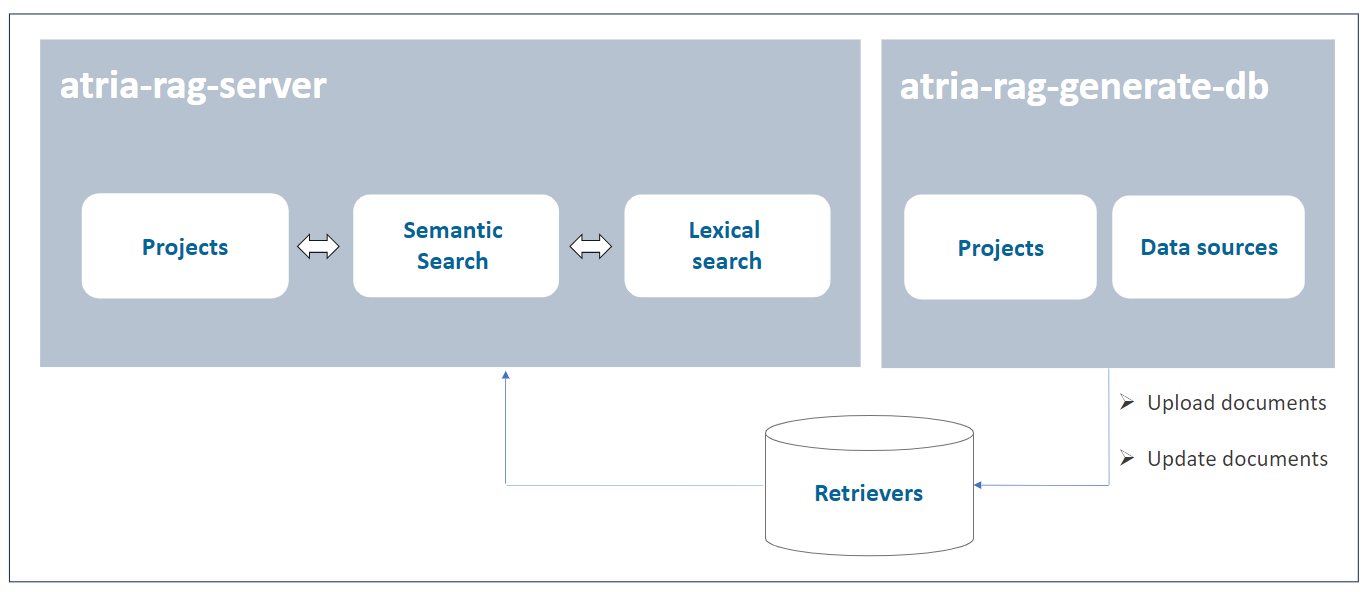
A brief description of the technical components is included below:
Data sources
A project contains information required for the execution of the generation of the databases: specific path of documents to feed the databases, allowed file extensions, etc. It can read from different sources, this source type is defined in the extensions field.
Before the information from the documents is stored in the corresponding database, the documents are processed, e.g., they are cut up and cleaned.
Retrievers
The retrievers are in charge of reading the information from the documents and feeding the databases.
The retrievers are defined in the retrievers field of the project. Each retriever is associated with a database in order to feed or retrieve information from it.
4.7.2 - Operational overview
ATRIA RAG Generate DB operational overview
Overview of the atria-rag-generate-db operation
Operational flow
The operational flow between an application (for the communication with aura-gateway-api), atria-model-gateway, atria-rag-server and atria-rag-generate-db is schematically shown in the document atria-model-gateway: operational flow.
Configuration
atria-model-gateway includes a default configuration. Constructors can use it as is or they can modify it to be adapted to their requirements or business models: Go to document ATRIA configuration.
Data persistence feature
Now ATRIA enables data persistence in knowledge bases across releases: After the installation of a new release, all existing data in the knowledge base (currently, Qdrant) remains fully available and accessible for every ATRIA experience. Thus, information is completely independent of the deployed version.
This feature provides key advantages:
- Guaranteed continuity of ATRIA experiences.
- No need for data re-ingestion after each release.
- No need to recalculate embeddings.
- Data ingested after the installation of a release (through hot swapping) is now automatically consolidated and carried forward to subsequent releases.
Tracking and clean-up processes
atria-rag-generate-db keeps a record of the current state of documents and related configuration for data sources, so it only feeds documents that have been modified or added since the last update.
atria-rag-generate-db also cleans up any resources that are left behind and no longer used after new ones are introduced.
Preset management
Preset report
After generation-db is executed, a report is logged with the following information for each preset:
- The preset name.
- The status of the execution (success, skipped or error).
- A descriptive message with the reason for the status.
- Date and time of the execution start.
- Date and time of the execution end.
- The configured documents for the preset
Preset availability
When a new preset is created, it is necessary to launch the database generation process by executing the atria-rag-generate-db component. This process may take several minutes to complete. Once the generation is finished, the atria-rag-generate-db component is automatically restarted.
While these processes are running, a message is shown to the user indicating that the preset is not yet available.
When both processes are finished, the preset becomes available for use.
Data migration between ATRIA releases
The data persistence feature is implemented by a migration tool between environments or releases integrated in the atria-rag-generate-db component. This tool moves the trained data from one release to another, to avoid generating preset data that has been previously created in a release.
The process for migrating data must be triggered manually by launching a command (similar to the aura-rag-generate-db job), where both source and target environments should be indicated.
After executing this command, data will be migrated from one environment to the other automatically.
The migration flow is executed as follows:
- Process the hashes file and, for each preset we want to migrate, we will do the following steps:
- Check that the preset from the source environment is in the config of the target environment
- Move the
trained_data files from the source environment to the respective training folder of the target environment
- Duplicate the collections from the source environment to the target environment
- Move the TFIDFs files from the source environment to the target environment
- Move the hashes file from the source environment to the target environment
- Add the new presets training files to the respective training folder in the target environment.
- Launch atria-rag-generate-db. Only new presets will be reloaded.
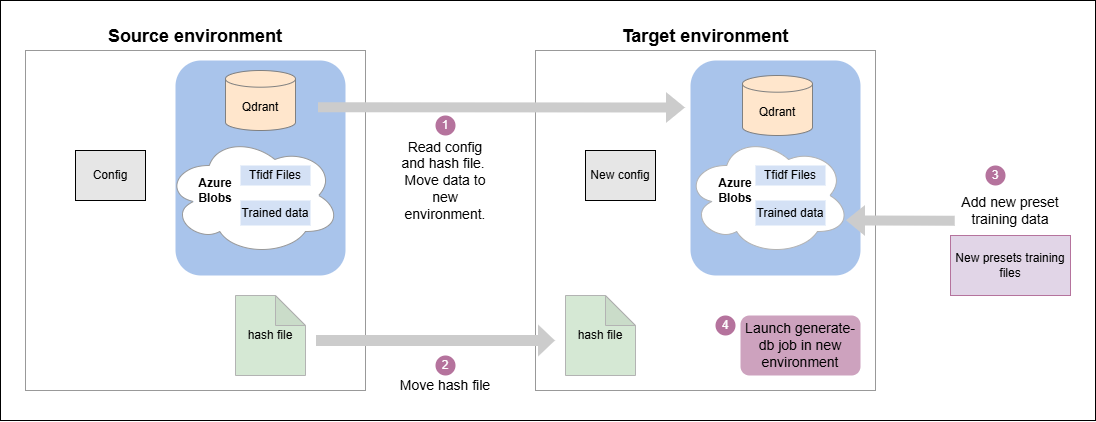
Data migration flow
In the migration process described above, the following folders are generated and stored in an Azure blob storage after atria-rag-generate-db is finished:
Shared data
This folder contains the trained data shared between atria-rag-server and atria-rag-generate-db.
This is used to store the files that the atria-rag-generate-db generates and then the atria-rag-server uses to be able to process the request.
At the moment, only the files generated by the TFIDF (Term Frequency–Inverse Document Frequency) exist in this folder.
This folder is used for migration, as we can take the TFIDFs of a trained preset to the blob of a specific release where that preset has not been trained and save the training afterward.
Trained data
This folder contains the files that have been used in the atria-rag-generate-db for each preset.
The folder structure is defined with a hash of the contents of all the files for each preset, to facilitate migration.
Atria RAG project hashes
This is a file containing all the information for each preset, to facilitate migration.
It contains the following information for each preset:
-
config_hash: Hash of the preset configuration at the time the atria-rag-generate-db was launched.
-
source_files_hash: Hash of the source files used to generate the preset. This hash should exist in one folder into the trained data folder.
-
metadata: Metadata of the preset, including the date of atria-rag-generate-db launching.
-
retrievers: Info that retrievers used to generate the preset. It contains the name of the Qdrant collection and the path where it holds the TFIDF files, which would correspond to the shared data.
{
  "5905dece-433d-47f4-a78c-72366bcd1473": {
    "config_hash": "28f837d56079f30c59a419292d129bc3",
    "source_files_hash": "cda3afcd8e74ede0d23065e897d55fae",
    "metadata": {
      "date": "2025-04-01 11:25:59"
    },
    "retrievers": {
      "qdrant_collection_name": "rag-ap-eight-9100-dev-project-copilot",
      "tfidf_path_file": "project-copilot/tfidf"
    }
  }
}
In addition to using this data for migration, it also speeds up the launch of the atria-rag-generate-db.
The config_hash and source_files_hash values are used to verify if, at the moment of launching the atria-rag-generate-db, something has been changed in the configuration or in the training data. If changes are detected, all the data for that preset is regenerated. Otherwise, if the preset has not changed, we will save that generation.
Launch migration process
The process to persist data between releases has to be launched manually through the execution of the following command:
To run this script, we just need the output files with the environment configuration info generated by the installer in the output_install directory from the source and destination environment.
With this info, run the script as shown below, using the corresponding files names for the desired environment:
./migrate-data --source-file ${SOURCE_ENVIRONMENT_INFO_FILE} --dest-file ${DEST_ENVIRONMENT_INFO_FILE}
Where:
source-file: Source environment info file where the data is stored.dest-file: Target environment info file where the data is going to be migrated.
4.8 - Agents Manager
Agents Manager
Descriptive technical documentation regarding agents-manager, the server in charge of managing and orchestrating access to the different agents within the ATRIA ecosystem
Introduction
agents-manager is a server in charge of managing and orchestrating access to the different agents within the AURA ecosystem.
The main purpose of agents-manager is to facilitate orchestration between the different agents registered in ATRIA, also to enrich the conversation by managing the message history, before sending the requests to the agent responsible for their processing.
Associated documentation
Descriptive technical documentation regarding agents-manager includes:
4.8.1 - Architecture and components
Agents Manager architecture and components
Development architecture and technical components of the agents-manager
Technical foundations
agents-manager is mainly a web server built on Typescript using nodejs as engine. It is api-first designed, using OpenAPI v3 to provide the API definition and openapi-backend to handle swagger specification.
agents-manager server is composed by several plugins, which provide different functionalities to this component.
A channel, service, or skill uses an application to connect with agents-manager following this communication protocol.
Architecture overview
The following figure shows the main technical components of the agents-manager, which are described below.
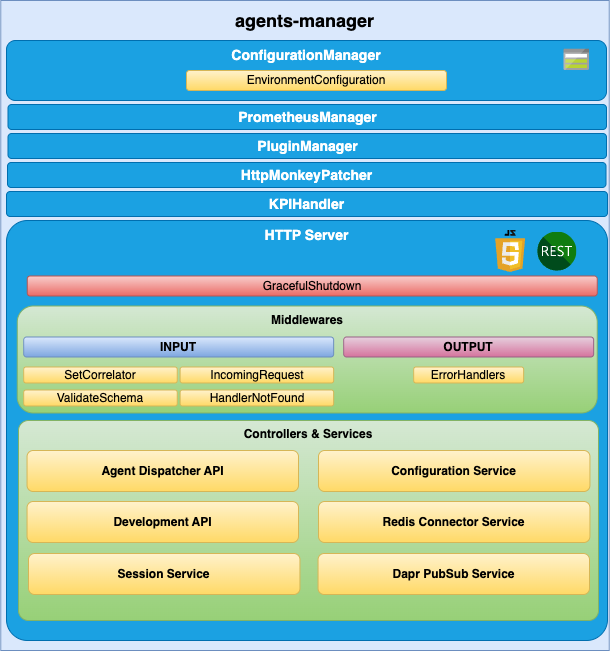
agents-manager components
ConfigurationManager
ConfigurationManager is a handler for configuration, obtained through a configuration file or environment variables.
RedisConnector
RedisConnector is a handler connection to Redis.
HTTP server
Microservice is implemented as an HTTP server (AuraServer) that exposes an API to receive the request to be validated.
Middlewares
The route published in the API definition file is handled by a controller but, before a request lands on its controller, it goes through a series of middlewares that provides some common steps needed by all the controllers of the server such as: request validation, common parameters extraction, logging, metrics initialization, etc.
Controllers and Services
agents-manager is composed of plugins, which provide functionality and uses specific modules from aura-configuration-api.
Check the available plugins together with detailed information in: agents-manager plugins.
4.8.1.1 - Plugins
Agents Manager API plugins
agents-manager plugins are components that provide different functionalities to agents-manager
Introduction
agents-manager is composed of plugins, which provide functionality to this component. Plugins work independently, the same way as a service in microservices oriented architecture: isolated, self-contained and without affecting other existing functionalities in the system.
From the different types of plugins, only Api plugins are available in agents-manager.
The following plugins are currently available in agents-manager. Certain plugins are used by all or some of the other plugins and others are specific for one capability.
Discover detailed information regarding the available plugins in the left index.
Plugins management
agents-manager uses the @architect/architect library for the management of plugins, so it is the architect library that is responsible for managing the dependencies injection in each module.
To create the architect application, agents-manager uses the PluginManager module (located in the modules/plugin-manager folder). This module starts as the rest of modules at the agents-manager start-up.
The PluginManager performs the following tasks:
- It starts the architect application with the plugins defined in
plugin-config.json file, located at the root of the agents-manager component.
- It adds the core modules to the IOC context. See the section plugins modules.
- It stores the information of each module defined in the plugins.
Apart from the agents-manager core environment variables, each plugin can define its own specific variables. Access the document agents-manager environment variables and find them in the section corresponding to your plugin.
Plugin basic structure
Currently, agents-manager uses @architect/architect library for plugins management.
A basic plugin must define at least:
- A
package.json file defining the library, like any other JavaScript library, with a plugin section defining which modules it consumes and supplies.
- A source code file that defines the modules that it supplies (
index.ts for example).
The structure of this basic plugin is as follows:
session-api
├── index.ts
└── package.json
Plugins modules
agents-manager currently adds one module that can be used by the different plugins. To use it, it is only necessary to add the package.json dependencies on plugin.consumes (like any other module/component).
- configurationManager: Module with the agents-manager configuration information.
- redisConnector: Module with the agents-manager Redis connection.
A plugin can provide one or more plugin modules and each plugin module can be of a different type. Each type of module is intended to add a specific functionality to agents-manager.
4.8.1.1.1 - agent-dispatcher-api plugin
agent-dispatcher-api plugin
Technical description of the agent-dispatcher-api plugin
Introduction
agent-dispatcher-api plugin manages and dispatches the requests to the agent API.
Consumes components (IOC)
| Name |
Type |
Description |
| configurationManager |
PluginType.Service |
Configuration manager |
| redisConnector |
PluginType.Service |
Redis connector |
| sessionService |
PluginType.Service |
Session service |
| agentsConfiguration |
PluginType.Service |
Agents Configuration |
Provides components (IOC)
| Name |
Type |
Description |
| agentDispatcherApi |
PluginType.API |
Agent dispatcher API |
4.8.1.1.2 - Agent Deployment Plugin
Agent Deployment Plugin
The agent-deployment plugin is a component that provides deployment functionalities for agents within the agents-manager.
Introduction
The agent-deployment plugin is designed to manage the deployment of agents in a flexible and scalable manner. It allows multiple agents to be deployed within a single microservice, and the same agent can be deployed with different configurations across different microservices or within the same microservice.
Plugin Management
The agent-deployment plugin uses the @architect/architect library for managing dependencies and plugin lifecycle. The PluginManager module, located in the modules/plugin-manager folder, is responsible for initializing the plugin at the start-up of the agents-manager.
The PluginManager performs the following tasks:
- Initializes the architect application with the plugins defined in the
plugin-config.json file, located at the root of the agents-manager component.
- Adds core modules to the IOC context. See the section plugin modules.
- Stores information about each module defined in the plugins.
Plugin Basic Structure
A basic plugin must define at least:
- A
package.json file defining the library, with a plugin section specifying which modules it consumes and supplies.
- A source code file that defines the modules it supplies (
index.ts for example).
The structure of this basic plugin is as follows:
agent-deployment-plugin
├── index.ts
└── package.json
Example index.ts
import { PluginType, registerPlugin } from '@telefonica/agents-manager-common';
import { Services } from './deployment-consume-services';

export = registerPlugin([
    {
        type: PluginType.Service,
        name: 'agentDeploymentService',
        instance: {
            deployAgent(agentConfig) {
                // Implementation for deploying an agent
            }
        },
        services: Services
    }
]);
Example package.json
{
    "name": "@telefonica/agent-deployment-plugin",
    "version": "1.0.0",
    "main": "index.js",
    "private": true,
    "plugin": {
        "consumes": [
            "configurationManager"
        ],
        "provides": [
            "agentDeploymentService"
        ]
    }
}
Plugin Modules
The agent-deployment plugin can utilize the following modules provided by the agents-manager:
- configurationManager: Module with the agents-manager configuration information.
- redisConnector: Module with the agents-manager Redis connection.
A plugin can provide one or more plugin modules, and each plugin module can be of a different type. Each type of module is intended to add specific functionality to the agents-manager.
4.8.1.1.3 - development-api plugin
development-api plugin
Technical description of the development-api plugin
Introduction
The development-api plugin manages the configuration in development environments. Only available in development environments.
Consumes components (IOC)
| Name |
Type |
Description |
| configurationManager |
PluginType.Service |
Configuration manager |
| redisConnector |
PluginType.Service |
Redis connector |
Provides components (IOC)
| Name |
Type |
Description |
| developmentApi |
PluginType.API |
Endpoints to change development configuration |
| behaviorCache |
PluginType.Service |
Cache to store the configuration changes |
| behaviorManager |
PluginType.Service |
Management of changes |
4.8.1.1.4 - configuration-service plugin
configuration-service plugin
Description of the configuration-service plugin
Introduction
The configuration-service plugin manages the configuration of agents.
Consumes components (IOC)
| Name |
Type |
Description |
| configurationManager |
PluginType.Service |
Configuration manager |
Provides components (IOC)
| Name |
Type |
Description |
| agentsConfiguration |
PluginType.Service |
Agents configuration |
4.8.1.1.5 - redis-connector-service plugin
redis-connector-service plugin
Description of the redis-connector-service plugin
Introduction
The redis-connector-service plugin manages requests to Redis.
Consumes components (IOC)
| Name |
Type |
Description |
| configurationManager |
PluginType.Service |
Configuration manager |
Provides components (IOC)
| Name |
Type |
Description |
| redisConnector |
PluginType.Service |
Redis connector |
4.8.1.1.6 - session-service plugin
session-service plugin
Technical description of the session-service plugin
Introduction
The session-service plugin manages the sessions.
Consumes components (IOC)
| Name |
Type |
Description |
| configurationManager |
PluginType.Service |
Configuration manager |
| redisConnector |
PluginType.Service |
Redis connector |
Provides components (IOC)
| Name |
Type |
Description |
| sessionService |
PluginType.Service |
Management of sessions |
4.8.2 - Communication protocol
Agents Manager communication protocol
Description of Agents Manager communication protocol
Communication protocol
The agents-manager uses a synchronous communication protocol, although the specific behavior may vary depending on the endpoint. The following diagram illustrates the protocol:
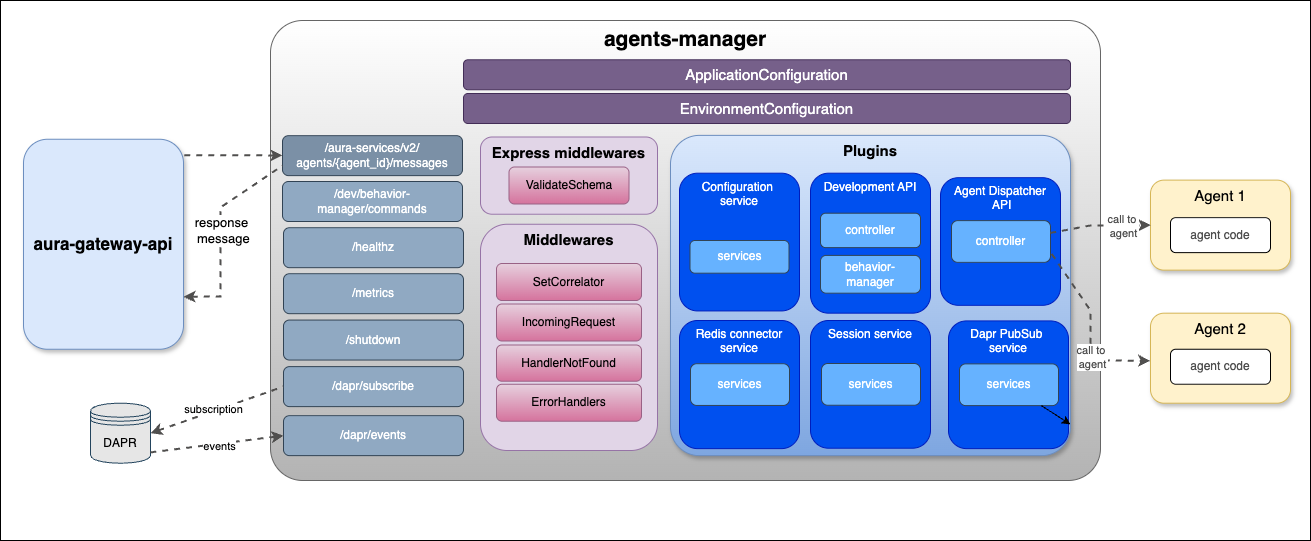
agents-manager communication protocol
4.8.3 - Environment variables
Agents Manager environment variables
List of environment variables handled by agents-manager
- Properties marked in bold are mandatory.
- Properties marked in italics are optional.
Introduction
agents-manager environment variables can be common for all plugins or specific for each of them.
Common properties
| Property |
Type |
Description |
Modifiable by OB? |
| AURA_AUTHORIZATION_HEADER |
string |
APIKey to use with aura-services. |
NO |
| AURA_DEFAULT_LOCALE |
string |
Culture code to be used by default in the current deployment: de-de, en-gb, es-es, pt-br. |
NO |
| AURA_DEFAULT_TIME_ZONE |
string |
Timezone where the service is running. |
NO |
| AURA_ENCRYPTION_ALGORITHM |
string |
Encryption algorithm that will be used to validate the APIKey. By default: aes-256-cbc. |
NO |
| AURA_ENCRYPTION_IV_LENGTH |
number |
Size for the initialization vector used by the encryption algorithm that validates the APIKey. By default: 16. |
NO |
| AURA_ENCRYPTION_IV_POSITION |
number |
Position where to insert the initialization vector in the final string with the encrypted payload. By default: 35. |
NO |
| AURA_ENCRYPTION_KEY |
string |
Encryption key or comma-separated list of encryption keys to be used in the environment. It is mainly used to decrypt the APIKeys. |
NO. It would break database encrypted data and APIKey validation. |
| AURA_ENVIRONMENT_NAME |
string |
Name of the environment where the server is deployed. Used during server make-up to handle the indexes of the database properly. |
NO |
| AURA_ENVIRONMENT_PREFIX |
string |
Prefix that will be used by all Redis keys when using redis-connector. By default: ``. (empty) |
YES |
| AURA_HTTP_KEEP_ALIVE |
boolean |
Use of keep-alive in HTTP connections. Used in monkey-patcher. By default: true. |
NO |
| AURA_HTTP_KEEP_ALIVE_MSECS |
number |
Number of milliseconds to keep alive HTTP connections. Used in monkey-patcher. By default: 100000. |
NO |
| AURA_HTTP_KEEP_MAX_SOCKETS |
number |
Maximum number of sockets. Used in monkey-patcher. By default: 250. |
NO |
| AURA_HTTP_MAX_REQUEST_SIZE |
string |
Maximum size in bytes of body request. Allowed values must indicate the units: 10 mb, 200 kb, etc. By default, 20mb. |
NO |
| AURA_LOGGING_FORMAT |
string |
Format to be used in monitoring logs: json or dev(more visual format). By default: json. |
NO. Only for development, set it to dev. |
| AURA_LOGGING_LEVEL |
string |
Level to be used in logs, from more to less verbose: 'TRACE', 'DEBUG', 'INFO', 'WARN', 'ERROR', 'FATAL', 'OFF'. By default: INFO. |
NO |
| AURA_MAKEUP_MODE |
string |
It allows dev mode for the make-up process with the value local. By default: full. |
NO |
| AURA_MICROSOFT_AZURE_STORAGE_ACCESS_KEY |
string |
Microsoft Storage password of the deployment. |
NO |
| AURA_MICROSOFT_AZURE_STORAGE_ACCOUNT |
string |
Microsoft Storage account of the environment. |
NO |
| AURA_MICROSOFT_AZURE_STORAGE_CONFIGURATION_CONTAINER |
string |
Aura configuration container name. By default: aura-configuration. |
NO |
| AURA_HTTP_MONKEY_PATCHER_ENABLED |
boolean |
Flag to indicate whether Monkey Patcher is used in service or not. |
NO |
| AURA_SERVER_PORT |
number |
Port to where server is listening. By default: 8990. |
NO |
| AURA_SERVER_REMOTE_CONTAINER_PREFIX |
number |
Remote container prefix. By default: agents-manager. |
NO |
| AURA_SERVICE_ENVIRONMENT |
string |
Type of environment: 'DEV', 'PRE', 'PRO'. By default, DEV. It is used during locale translation, to get the correct text reference. |
NO |
| AURA_SHUTDOWN_GRACEFUL_TTL |
number |
Time in milliseconds to complete the SHUTDOWN signal and process all the messages in queue before SIGTERM. By default: 25 * 1000. |
NO |
| AURA_SWAGGER_FROM_REMOTE |
boolean |
Flag to indicate whether the swagger file is loaded from remote or not. By default: true. |
NO |
| AURA_SWAGGER_LOCAL_PATH |
string |
Location of the swagger file generated from all loaded plugins. By default: swagger.yaml. Used during makeup to upload the file to remote. |
NO |
| AURA_SWAGGER_PLUGIN_PATH |
string |
Location of the swagger file of every plugin. By default: swagger.yaml. |
NO |
| AURA_SWAGGER_LOCAL_CORE_PATH |
string |
Location of server swagger base file. By default: swagger-core.yaml. |
NO |
| AURA_SWAGGER_REMOTE_CONTAINER_PREFIX |
string |
Remote container prefix to store the swagger information. By default: swagger |
NO |
| AURA_VERSION |
string |
Mandatory, release of Aura. |
NO |
| AURA_HTTP_PATHS_LOG_DISABLED |
string |
HTTP paths separated by commas whose request would not be logged. By default aura-configuration', 'metrics', 'healthz Used in monkey-patcher. |
NO |
development-api plugin
| Property |
Type |
Description |
Modifiable by OB? |
| DEV_AURA_BEHAVIOR_PREFIX |
string |
Used in cache key prefix and in command name. By default: gateway. |
NO in production environments. This feature could only be activated in development environments. |
| DEV_AURA_BEHAVIOR_CACHE_TTL |
number |
Maximum lifetime of behavior cache in seconds. After this time, the system will delete the message. By default: 60 * 60 (60 min). |
NO in production environments. This feature could only be activated in development environments. |
| DEV_AURA_BEHAVIOR_COMMAND_PATTERN |
string |
Pattern to recognize a behavior command. By default: gateway(:| +)(get|set|unset)(:| +)(\w+)(:| +)?.+ |
NO in production environments. This feature could only be activated in development environments. |
configuration-service plugin
| Property |
Type |
Description |
Modifiable by OB? |
| AURA_CONFIGURATION_API_ENDPOINT |
string |
Configuration API URL where the server should get the configuration. |
NO |
| AURA_AUTHORIZATION_HEADER |
string |
APIKey to use with aura-services. |
NO |
| AURA_CONFIGURATION_RETRIES |
number |
Number of retries to get the configuration. By default: 3. |
NO, only if checked and validated with Aura Global Team. |
| AURA_CONFIGURATION_RETRY_DELAY |
number |
Delay between retries in case of error. By default: 100. |
NO, only if checked and validated with Aura Global Team. |
| AURA_CONFIGURATION_RETRY_FACTOR |
number |
Factor to multiply delay for every HTTP request retried. By default: 10. |
NO, only if checked and validated with Aura Global Team. |
redis-connector-service plugin
| Property |
Type |
Description |
Modifiable by OB? |
| AURA_REDIS_MODE |
string |
Mode of Redis distribution. Values: CLUSTER, SENTINEL, SINGLE. By default: SENTINEL. |
NO |
| AURA_REDIS_SENTINEL_INSTANCE_NAME |
string |
Name of the Redis instance. Used in SENTINEL mode. |
NO |
| AURA_REDIS_HOSTS |
string |
String with a list of nodes separated by ‘,’, including host and port separated by ‘:’. For example: “localhost:port,localhost2:port2”. |
NO |
| AURA_REDIS_DATABASE |
number |
Database number for SINGLE or SENTINEL mode. By default: 0. |
YES |
| AURA_REDIS_PASSWORD |
string |
String with Redis password. |
YES |
| AURA_REDIS_USE_CONNECTION_POOL |
boolean |
Use pool connections for Redis. By default: true. |
YES |
| AURA_REDIS_CONNECTION_POOL_MIN |
number |
Minimum number of connections in the pool. By default: 2. |
YES |
| AURA_REDIS_CONNECTION_POOL_MAX |
number |
Maximum number of connections in the pool. By default: 100. |
YES |
| AURA_REDIS_MAX_RECONNECT_RETRIES |
number |
Number of retries to connect to Redis. By default: 25 |
YES |
| AURA_REDIS_MAX_RECONNECT_INTERVAL |
number |
Time in milliseconds to wait before reconnecting to Redis. By default: 5000. |
YES |
session-service plugin
| Property |
Type |
Description |
Modifiable by OB? |
| AURA_SESSION_MAX_HISTORY_LENGTH |
number |
Maximum number of messages to keep in history. Default: 10. |
NO |
| AURA_SESSION_EXPIRE_TIME |
number |
Expire time for the conversation history in seconds. Default: 3600 (1 hour). |
NO |
4.8.4 - API definition
API definition for Agents Manager
Description of API swaggers for agents-manager component
APIs index
4.8.4.1 - Agents Manager API
Agents Manager API
Definition of the complete API in agents-manager
Download swagger file
4.8.4.2 - Agents Manager Development API
Agents Manager Development API
Description of Agents Manager Development API. Only available in development environments.
Download swagger file
4.8.4.3 - Agents Manager Dispatcher API
Agents Manager Dispatcher API
Description of Agents Manager Dispatcher API
Download swagger file
4.9 - Agents Server
Agents Server
Descriptive documentation regarding the component agents-server
Introduction
The agents-server component is a microservice that provides the capability to create server API and manage agents. It is responsible for executing the agent’s tasks.
To launch the agents-server component, you need install the agents package you prefer to use and deploy the server using this agents package.
Associated documentation
Descriptive technical documentation regarding agents-server includes:
4.9.1 - Architecture and components
Agents Server architecture and components
Development architecture and technical components of the agents-server
Technical foundations
The agents-server component will start a server that listens for incoming requests and executes the agent’s tasks based on the received input.
The server can be configured to use an agent by specifying the agent package name.
This server creates a REST API that can be used to interact with different agents. The API allows sending requests to the agent and receiving responses.
Within the agents-server, the agents package component enables information processing tasks to be performed and acted upon to achieve specific objectives. This information can come from a database and respond to the user’s request based on that acquired information.
Architecture overview
The following figure shows the main technical components of the agents-server, which are described below.
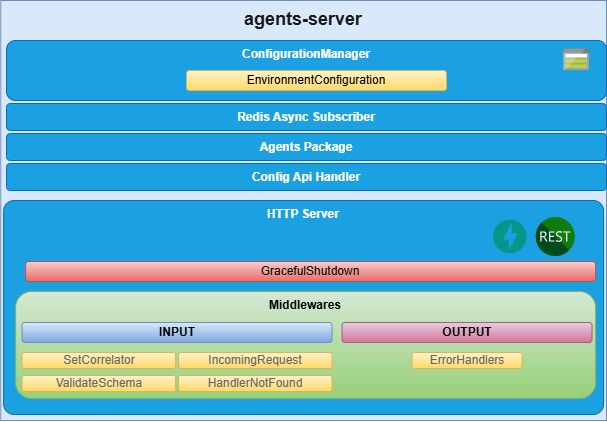
agents-server components
HTTP server
Microservice is implemented as an HTTP server (fastapi) that exposes an API to receive the request to be validated.
Config Api Handler
The agents-server uses the aura-configuration-api to get the configuration of the agent.
This handler is responsible for retrieving the configuration of the agent from the aura-configuration-api and providing it to the server.
ConfigurationManager
ConfigurationManager is a handler for configuration, obtained through a configuration file or environment variables.
Agents Package
The server is configured to use the agent of a specific agent package name. This package contains the agent’s code and its dependencies. The server will load the agent package and use it to execute the agent’s tasks.
Event Subscribers
Event subscribers are implementations for managing event registration and handling in the agents-server. They allow the server to listen for events and trigger actions based on those events.
Redis Async Subscriber
RedisAsyncSubscriber is a handler for subscribing to Redis channels asynchronously. It allows the server to receive messages from Redis and process them in real time.
DAPR Async Subscriber
DaprAsyncSubscriber is a handler for subscribing to DAPR topics asynchronously. It allows the server to receive messages from DAPR and process them in real time.
4.9.2 - Environment variables
Agents server environment variables
List of environment variables handled by the agents-server
Introduction
The agents-server depends on these environment variables to be set. None of them are modifiable by the OBs.
| Property |
Type |
Description |
| AGENT_PACKAGE_NAME |
string |
Package names containing the agents to be deployed. They must be separated by ,. |
| AURA_AGENT_DEPLOYMENT_NAME |
string |
Deployment name, which is used to obtain the agents to be deployed at API level. |
| AURA_CONFIG_API_API_KEY |
number |
APIKey for the aura-configuration-api. This key is used to authenticate requests to the aura-configuration-api. |
| AURA_CONFIG_API_BASE_URL |
string |
Base URL for the aura-configuration-api used to make requests to this component. |
| AURA_LOGGING_CONFIG_PATH |
string |
Path to the logging configuration file. This file is used to configure the logging settings for the server. |
| AURA_LOGGING_MODULE_NAME |
string |
Name of the logging module. This name is used to identify the logging module in the logging configuration. |
| AURA_LOGGING_NAME |
string |
Name of the logging instance. This name is used to identify the logging instance in the logging configuration. |
| AURA_REDIS_DATABASE |
number |
Redis database number to be used by the server. This number is used to connect to the Redis database. |
| AURA_REDIS_HOSTS |
string |
Redis hosts to be used by the server. This is a comma-separated list of Redis host names or IP addresses. |
| AURA_REDIS_MODE |
string |
Mode of the Redis connection. |
| AURA_REDIS_PASSWORD |
number |
Ppassword for the Redis connection. This password is used to authenticate the connection to the Redis database. |
| AURA_REDIS_POOL_SIZE |
number |
Size of the Redis connection pool. This number is used to limit the number of connections to the Redis database. |
| AURA_REDIS_PREFIX_SUBSCRIBERS |
string |
Prefix for the Redis subscribers. This prefix is used to identify the subscribers in the Redis database. |
| AURA_REDIS_CHANNELS_SUBSCRIBERS |
string |
Channels (separated by ‘,’) for the Redis subscribers. Redis prefix is added to these channels at the beginning. |
| AURA_REDIS_P_CHANNELS_SUBSCRIBERS |
string |
Pattern channels (separated by ‘,’) for the Redis subscribers. Redis prefix is added to these pattern channels at the beginning. |
| AURA_DAPR_PUBSUB_NAME |
string |
DAPR pubsub component name. It is used to identify DAPR component to be used. |
| AURA_DAPR_PREFIX_SUBSCRIBERS |
string |
Prefix for the DAPR pubsub subscribers. This prefix is used to identify the subscribers in the configured database. |
| AURA_DAPR_TOPICS_SUBSCRIBERS |
string |
Topics (separated by ‘,’) for the DAPR pubsub subscribers. DAPR prefix is added to these topics at the beginning. |
| AURA_MODEL_GW_BASE_URL |
string |
Base URL for the aura-model-gateway. This URL is used to make requests to the aura-model-gateway. |
| AURA_MONGODB_SSL |
boolean |
It indicates whether to use SSL for the MongoDB connection or not. This is a boolean value that can be set to true or false. |
| AURA_MONGODB_URI |
string |
URI for the MongoDB connection. This URI is used to connect to the MongoDB database. |
| AURA_MONGODB_USERNAME |
string |
Username for the MongoDB connection. This username is used to authenticate the connection to the MongoDB database. |
| AURA_MONGODB_PASSWORD |
string |
Password for the MongoDB connection. This password is used to authenticate the connection to the MongoDB database. |
-
The environment variables related to Redis are used to connect to the Redis database. This database is used to refresh the agent’s configuration, because every time the configuration of an agent is changed, it publishes this change in the corresponding channel so we can detect this change in order to refresh it.
-
The environment variables related to DAPR are used to connect to the DAPR components. These components are used to refresh the agent’s configuration, because every time the configuration of an agent is changed, it publishes this change in a corresponding topic, so we can detect this change in order to refresh it.
-
In order to use DAPR, it is necessary to have the DAPR pubsub component configured in the DAPR configuration file, besides the DAPR environment variables.
4.9.3 - API definition
Agents Server API definition
Description of Agents Server configuration API swagger
This is an internal AURA API.
Download swagger file
4.10 - ATRIA APIs documentation
ATRIA APIs documentation
ATRIA APIs index
5 - ATRIA operational workflows
ATRIA operational workflows
These documents include various ATRIA technical operational flows, designed as sequence diagrams to provide a clear, step-by-step representation of ATRIA capabilities and processes, interactions between components or systems, and the overall ATRIA workflow
Index of technical operational workflows
5.1 - NLP as a Service
NLP as a Service operational workflow
ATRIA technical operational flow corresponding to the operation of the NLP as a Service capability
Operational flowchart
The sequence diagram of the process executed by the NLP Apps capability is shown below:
@startuml
title NLP resolution API diagram
participant Application
participant Kernel #1add4d
participant AuraGatewayApi #76bbe7
Application -> Kernel: Create two-legged token with scope aura-ai-services:nlp-messaging:write
Note right of Kernel: this token needs refreshing
Kernel -> Application: Response two-legged token
Application -> Kernel: Request to aura-aiservices/nlp/query with token
Kernel -> AuraGatewayApi: Request to aiservices/nlp/query with token-info header
AuraGatewayApi -> AuraGatewayApi: Validate request
AuraGatewayApi -> AuraNLPApp: Request recognition
AuraGatewayApi -> AuraGatewayApi: generate response
AuraGatewayApi -> Kernel: response 200 and message
Kernel -> Application: response 200 and message
@enduml
NLP Apps operational sequence diagram
5.2 - Agent AI operational workflow
Agent AI operational workflow
ATRIA technical operational flow corresponding to the operation of the Agents AI capability
Operational flowchart
The sequence diagram of the process executed by the agents AI capability is shown below:
@startuml
title Agent API diagram
participant Application
participant Kernel #1add4d
participant AuraGatewayApi #76bbe7
participant AgentsManager #0796f5
participant MongoDeviceRecommender #11f5cf
participant AtriaModelGateway #f58e11
participant AzureOpenAI #9476e7
Application -> Kernel: Create two-legged token with scope aura-ai-services:agents-messaging:write
Note right of Kernel: this token needs refreshing
Kernel -> Application: Response two-legged token
Application -> Kernel: Request to aura-aiservices/agents/messages with token and correlatorId (x-correlator)
Kernel -> AuraGatewayApi: Request to aiservices/agents/messages with token-info header and correlatorId
AuraGatewayApi -> AuraGatewayApi: Validate request
AuraGatewayApi -> AgentsManager: Send Request to an agent
AgentsManager -> AgentsManager: Check if the context exists && retrieves it
AgentsManager -> AgentsManager: routing to the agents
AgentsManager -> MongoDeviceRecommender: Send Request to an agent with the context
MongoDeviceRecommender -> MongoDeviceRecommender: process the Request
group Agents process
  loop XX times
    MongoDeviceRecommender -> AtriaModelGateway: Send prompt to atria-model-gateway
    AtriaModelGateway -> AzureOpenAI: Send Request to ChatCompletation endpoint
    AzureOpenAI --> AtriaModelGateway: Response from AzureOpenAI
    AtriaModelGateway -> MongoDeviceRecommender: Response prompt
    MongoDeviceRecommender -> MongoDeviceRecommender: Analyze the response
  end
end
MongoDeviceRecommender -> AgentsManager: response 200 and message
AgentsManager -> AgentsManager: Store the context
AgentsManager --> AuraGatewayApi: response 200 and message
AuraGatewayApi -> AuraGatewayApi: process response
AuraGatewayApi -> AuraGatewayApi: generate response
AuraGatewayApi -> Kernel: response 200 and message
Kernel -> Application: response 200 and message
@enduml
Agents AI operational sequence diagram
5.3 - Generative AI
Generative AI operational workflow
ATRIA technical operational flow corresponding to the operation of the Generative AI capability
Operational flowchart
The sequence diagram of the process executed by the Generative AI capability is shown below:
@startuml
title Generative API diagram
participant Application
participant Kernel #1add4d
participant AuraGatewayApi #76bbe7
participant AtriaModelGateway #f58e11
participant AzureOpenAI #9476e7
Application -> Kernel: Create two-legged token with scope aura-aiservices:messaging:write
Note right of Kernel: this token needs refreshing
Kernel -> Application: Response two-legged token
Application -> Kernel: Request to aura-aiservices/generative/prompts with token and correlatorId (x-correlator)
Kernel -> AuraGatewayApi: Request to aiservices/generative/prompts with token-info header and correlatorId
AuraGatewayApi -> AuraGatewayApi: Validate request
AuraGatewayApi -> AuraGatewayApi: Generate prompt
AuraGatewayApi -> AtriaModelGateway: Send prompt to atria-model-gateway
AtriaModelGateway -> AzureOpenAI: Send Request to ChatCompletation endpoint
AzureOpenAI --> AtriaModelGateway: Response from AzureOpenAI
AtriaModelGateway -> AuraGatewayApi: Response prompt
AuraGatewayApi -> AuraGatewayApi: process atria-model-gateway response
AuraGatewayApi -> AuraGatewayApi: generate response
AuraGatewayApi -> Kernel: response 200 and message with session_id
Kernel -> Application: response 200 and message with session_id
@enduml
Generative AI operational sequence diagram
5.4 - General RAG
ATRIA General RAG operational workflow
ATRIA technical operational flow corresponding to the operation of the RAG capability, specifically to the so-named General RAG predefined chain.
Flow diagram
Calls to the atria-rag-server component (AtriaRAG in the sequence diagram) executes the predefined RAG chain General RAG.
@startuml
title RAG API diagram
participant Application
participant Kernel #1add4d
participant AuraGatewayApi #76bbe7
participant AtriaModelGateway #f58e11
participant AtriaRAG #f5de11
participant AzureOpenAI #9476e7

Application -> Kernel: Create two-legged token with scope aura-aiservices:messaging:write
Note right of Kernel: this token needs refreshing
Kernel -> Application: Response two-legged token
Application -> Kernel: Request to aura-aiservices/generative/prompts with token and correlatorId (x-correlator)
Kernel -> AuraGatewayApi: Request to aiservices/generative/prompts with token-info header and correlatorId
AuraGatewayApi -> AuraGatewayApi: Validate request
AuraGatewayApi -> AuraGatewayApi: Generate prompt
AuraGatewayApi -> AtriaModelGateway: Send prompt to atria-model-gateway
activate AtriaModelGateway
AtriaModelGateway -> AtriaRAG: 1.0: Enrich request
activate AtriaRAG
AtriaRAG -> AtriaRAG: securityStg

opt translateStg.enabled == true
    AtriaRAG -> AtriaRAG: 1.1: Translate user query
    AtriaRAG -> AtriaModelGateway: Send request to LLM
    AtriaModelGateway -> AzureOpenAI: Send Request to ChatCompletation endpoint
    AzureOpenAI --> AtriaModelGateway: Response from AzureOpenAI
    AtriaModelGateway --> AtriaRAG: LLM response with translated query
end
opt cleanStg.enabled == true
    AtriaRAG -> AtriaRAG: 1.2: Clean the user query
    AtriaRAG -> AtriaModelGateway: Send request to LLM
    AtriaModelGateway -> AzureOpenAI: Send Request to ChatCompletation endpoint
    AzureOpenAI --> AtriaModelGateway: Response from AzureOpenAI
    AtriaModelGateway --> AtriaRAG: LLM response with new cleaned query

end
opt contextStg.enable == true
    alt Ask LLM
        AtriaRAG -> AtriaModelGateway: 1.3: Request LLM to validate the conversational context
        AtriaModelGateway -> AzureOpenAI: Send Request to ChatCompletation endpoint
        AzureOpenAI --> AtriaModelGateway: Response from AzureOpenAI
        AtriaModelGateway --> AtriaRAG: LLM response [SAME CONTEXT] or [DIFFERENT CONTEXT]
        AtriaRAG -> AtriaRAG: Recreate Query
    end
    alt Recreate Query
        AtriaRAG -> AtriaModelGateway: 1.4: Call LLM to generate new question
        AtriaModelGateway -> AzureOpenAI: Send Request to ChatCompletation endpoint
        AzureOpenAI --> AtriaModelGateway: Response from AzureOpenAI
        AtriaModelGateway --> AtriaRAG: Response with new question
    end
end

AtriaRAG -> AtriaRAG: retrievalStg

opt postFilteringStg.enable == true
    AtriaRAG -> AtriaRAG: Post Filtering
    note right: Batch request
    AtriaRAG -> AtriaModelGateway: 1.5: Request LLM for each chunk
    AtriaModelGateway -> AzureOpenAI: Send Request to ChatCompletation endpoint
    AzureOpenAI --> AtriaModelGateway: Response from AzureOpenAI
    AtriaModelGateway --> AtriaRAG: LLM response [RELEVANT] or [IGNORABLE]
end

AtriaRAG -> AtriaModelGateway: 1.6: Request LLM generativeStg
AtriaModelGateway -> AzureOpenAI: Send Request to ChatCompletation endpoint
AzureOpenAI --> AtriaModelGateway: Response from AzureOpenAI
AtriaModelGateway --> AtriaRAG: LLM response
AtriaRAG --> AtriaModelGateway: 2: Final response
deactivate AtriaRAG
deactivate AtriaModelGateway

AtriaModelGateway -> AuraGatewayApi: Response Model Gateway
AuraGatewayApi -> AuraGatewayApi: process atria-model-gateway response
AuraGatewayApi -> AuraGatewayApi: generate response
AuraGatewayApi -> Kernel: response 200 and message with session_id
Kernel -> Application: response 200 and message with session_id

@enduml
5.5 - Germany General RAG
Germany ATRIA General RAG operational workflow
ATRIA technical operational flow corresponding to the operation of the RAG capability, specifically to the so-named General RAG predefined chain, for one OB: Germany.
Flow diagram
Calls to the atria-rag-server component (AtriaRAG in the sequence diagram) executes the predefined RAG chain General RAG.
@startuml
title Germany RAG API diagram
participant Application
participant Kernel #1add4d
participant AuraGatewayApi #76bbe7
participant AtriaModelGateway #f58e11
participant AtriaRAG #f5de11
participant AzureOpenAI #9476e7

Application -> Kernel: Create two-legged token with scope aura-aiservices:messaging:write
Note right of Kernel: this token needs refreshing
Kernel -> Application: Response two-legged token
Application -> Kernel: Request to aura-aiservices/generative/prompts with token and correlatorId (x-correlator)
Kernel -> AuraGatewayApi: Request to aiservices/generative/prompts with token-info header and correlatorId
AuraGatewayApi -> AuraGatewayApi: Validate request
AuraGatewayApi -> AuraGatewayApi: Generate prompt
AuraGatewayApi -> AtriaModelGateway: Send prompt to atria-model-gateway
activate AtriaModelGateway
AtriaModelGateway -> AtriaRAG: 1.0: Enrich request
activate AtriaRAG
AtriaRAG -> AtriaRAG: securityStg


    alt Ask LLM
        AtriaRAG -> AtriaModelGateway: 1.3: Request LLM to validate the conversational context
        AtriaModelGateway -> AzureOpenAI: Send Request to ChatCompletation endpoint
        AzureOpenAI --> AtriaModelGateway: Response from AzureOpenAI
        AtriaModelGateway --> AtriaRAG: LLM response [SAME CONTEXT] or [DIFFERENT CONTEXT]
        AtriaRAG -> AtriaRAG: Recreate Query
        AtriaRAG -> AtriaModelGateway: 1.4: Call LLM to generate new question
        AtriaModelGateway -> AzureOpenAI: Send Request to ChatCompletation endpoint
        AzureOpenAI --> AtriaModelGateway: Response from AzureOpenAI
        AtriaModelGateway --> AtriaRAG: Response with new question
    end


AtriaRAG -> AtriaRAG: retrievalStg

AtriaRAG -> AtriaRAG: Post Filtering
note right: Batch request
AtriaRAG -> AtriaModelGateway: 1.5: Request LLM for each chunk
AtriaModelGateway -> AzureOpenAI: Send Request to ChatCompletation endpoint
AzureOpenAI --> AtriaModelGateway: Response from AzureOpenAI
AtriaModelGateway --> AtriaRAG: LLM response [RELEVANT] or [IGNORABLE]


AtriaRAG -> AtriaModelGateway: 1.6: Request LLM generativeStg
AtriaModelGateway -> AzureOpenAI: Send Request to ChatCompletation endpoint
AzureOpenAI --> AtriaModelGateway: Response from AzureOpenAI
AtriaModelGateway --> AtriaRAG: LLM response
AtriaRAG --> AtriaModelGateway: 2: Final response
deactivate AtriaRAG
deactivate AtriaModelGateway

AtriaModelGateway -> AuraGatewayApi: Response Model Gateway
AuraGatewayApi -> AuraGatewayApi: process atria-model-gateway response
AuraGatewayApi -> AuraGatewayApi: generate response
AuraGatewayApi -> Kernel: response 200 and message with session_id
Kernel -> Application: response 200 and message with session_id

@enduml
5.6 - Ingestion Process Automation operational workflow
Ingestion Process Automation
Technical operational flow of RAG data processing, specifically the automation of the atria-rag-generate-db process
Flow diagram
Flow of calls made to launch the generate-db process.
@startuml
title Ingestion Process Automation Flow

' Define participants with themed colors and clear names
actor User

participant "Azure Blob Storage" as AzureStorage #A2C4E0
participant "Gateway API" as GatewayAPI #bfb1f2
participant "Config Watcher" as ConfigWatcher #f296ee
participant "Deployment API" as DeploymentAPI #f77cbc
participant "Generate DB Process" as GenerateDBProcess #D9EAD3


' === Upload Files Stage ===
User -> AzureStorage : Upload training files
AzureStorage --> User : Response 200 OK

' === Launch generate-db ===
User -> GatewayAPI : Request to /aura-services/v2/operations/data to launch ingestion process
GatewayAPI -> ConfigWatcher : Request to Config Watcher
ConfigWatcher -> GenerateDBProcess : Start generate-db process
GenerateDBProcess --> ConfigWatcher : Response 200 OK
ConfigWatcher --> GatewayAPI : Response 200 OK
GatewayAPI --> User : Response 200 OK


' === Processing Stage ===
GenerateDBProcess -> AzureStorage : Read training files
AzureStorage --> GenerateDBProcess : Response 200 OK
GenerateDBProcess -> GenerateDBProcess : Processing training files

' === Logs Querying ===
... Logging queries can occur anytime ...


User -> GatewayAPI : Request to /aura-services/v2/operations/data/{presetId}/logs
GatewayAPI -> ConfigWatcher : Request to get logs
ConfigWatcher -> DeploymentAPI : Response 200 OK
DeploymentAPI --> ConfigWatcher : Response 200 OK
ConfigWatcher --> GatewayAPI : Response 200 OK
GatewayAPI --> User : Response 200 OK

' === Status Query ===
... Status queries can occur anytime ...

' === Status process ===
User -> GatewayAPI : Request to /aura-services/v2/operations/data/{presetId}/status to get status
GatewayAPI -> ConfigWatcher : Request to get status
ConfigWatcher -> DeploymentAPI : Response 200 OK
DeploymentAPI --> ConfigWatcher : Response 200 OK
ConfigWatcher --> GatewayAPI : Response 200 OK
GatewayAPI --> User : Response 200 OK


@enduml
5.7 - Reload config by Redis events
Reload config by Redis event in RAG and Model Gateway
Description of the process for updating and reloading ATRIA configuration by means of Redis events
Introduction
Once a preset or application configuration has been modified, a Redis event is automatically triggered to the PresetConfiguration and ApplicationConfiguration channels.
The components atria-model-gateway and atria-rag-server are subscribed to these channels and once an event arrives, they launch the configuration update process.
This process is transparent to the user.
5.8 - Feedback capability
Feedback capability operational workflow
ATRIA technical operational flow corresponding to the operation of the feedback capability that can be used for Generative AI and RAG capabilities
Flow diagram
@startuml
title Feedback API diagram
participant Application
participant Kernel #1add4d
participant AuraGatewayApi #76bbe7
Note right of Application: The application has made a previous request to `aiservices/generative/prompts` on which it will give feedback. Use the correlatorId sending in the request and the session_id received in the response. View Generative API diagram
Application -> Kernel: Request to aiservices/{session_id}/feedback with token and msg_corrId: correlatorId
Kernel -> AuraGatewayApi: Request to aiservices/{session_id}/feedback with token-info header and msg_corrId: correlatorId
AuraGatewayApi -> AuraGatewayApi: Validate request
AuraGatewayApi -> AuraGatewayApi: Covert message to format atria-model-gateway
AuraGatewayApi -> AtriaModelGateway: Send feedback to atria-model-gateway
AtriaModelGateway -> AuraGatewayApi: Response feedback
AuraGatewayApi -> AuraGatewayApi: process atria-model-gateway response
AuraGatewayApi -> AuraGatewayApi: generate response
AuraGatewayApi -> Kernel: response 204
Kernel -> Application: response 204


@enduml
Generative feedback sequence diagram
Request
curl --location 'https://api.environment.baikalplatform.com/aura-aiservices/v1/{session_id}/feedback' \
--header 'x-correlator: <uuid2>' \
--header 'Content-Type: application/json' \
--header 'Accept: application/json' \
--header 'Authorization: Bearer {token}' \
--data '{
  "application": {
    "name": "app-name",
  },
  "value": true,
  "msg_corrId": "{previous-x-correlator}"
}'
6 - Technical guidelines
ATRIA technical guidelines
Guidelines detailing specific technical processes for different technical profiles (DevOps, use case builders, NLP experts, linguists, etc.) who want to use ATRIA capabilities or operate our AI-driven platform
Index of ATRIA technical guidelines
Other technical guidelines
These guidelines are common to ATRIA and Aura Virtual Assistant
6.1 - Build e2e experiences
Build end-to-end experiences in ATRIA
“How to” workflows that schematically shows the orderly steps required to build end-to-end experiences using ATRIA capabilities
Introduction
In order to leverage the available ATRIA capabilities within a use case development, specific technical tasks must be performed by different Aura teams.
The current document provides a schematic overview of the end-to-end workflow and links to the corresponding technical guidelines tailored to each team responsible for specific aspects of the project.
Build experiences that call Generative AI
Build experiences that use General RAG
Build experiences that call NLP Apps
Build experiences that call Semantic Search
6.1.1 - Build experiences that call Generative AI
Build experiences that call Generative AI
Workflow with the main stages to build an end-to-end experience that calls an OpenAI GPT model
Introduction
Generative AI in Aura benefits from the auto-generative capabilities of Azure OpenAI GPT models for an accurate understanding of requests and the generation of highly reliable answers.
Steps in the process
a. Prerequisites: Install and enable
b. Build experience
6.1.2 - Build experiences that use General RAG
Build experiences that use General RAG
Workflow with the main stages to build an end-to-end experience that calls the General RAG model
Introduction
General RAG capability enables the implementation of RAG (Retrieval Augmented Generation) techniques to surpass the capabilities of LLMs in the development of generic questions use cases (based on FAQs).
Steps in the process
a. Prerequisites: Install and enable
b. Build experience
6.1.3 - Build experiences that call NLP apps
Build experiences that call NLP apps
Workflow with the main stages to build an end-to-end experience that calls NLP as a Service to use an NLP app
Introduction
Within NLP as a Service, the NLP Apps capability enables channels, services or skills to connect with Aura cognitive capabilities for sending a request expressed in natural language and receiving back an accurate response via API, without the need for a conversational bot.
Steps in the process
a. Prerequisites: Install and enable
b. Configure
c. Build & test
6.1.4 - Build experiences that call Semantic Search
Build experiences that call Semantic Search
How to build an end-to-end experience that uses the Semantic Search stage (OpenAI embeddings recognizer), within NLP as a service
Introduction
Within [NLP as a Service], the Semantic Search capability enables the use of Azure OpenAI embeddings for the development of generic questions experiences (grounded in FAQs).
Steps in the process
a. Prequisites: Install and enable
b. Configure
c. Build & test
Content manager
Prepare the FAQ contents and answers used by the Semantic Search stage
6.2 - Publish an API in Kernel
Publish an API in Kernel
Guidelines for the publication of an API in Kernel
Guidelines
As a prerequisite for building an experience in ATRIA, the aura-gateway-api API must be published in Kernel.
For this purpose, follow the instructions below:
-
Request Kernel team to configure in the corresponding Kernel environment the scopes needed to call this API:
aura-ai-services:messaging:write: Permission to send Generative / RAG and feedback messages to Aura.aura-ai-services:nlp-messaging:write: Permission to send NLP as a Service messages to Aura.
-
Access from Kernel to aura-gateway-api will be done by APIKey. It is necessary to create this APIKey in each environment following these instructions Generate an APIKey.
-
Request Kernel team to configure in the corresponding Kernel environment this API Aura AI Services.
-
This process must be executed in each Kernel deployment.
6.3 - Configure an application
Guidelines for the configuration of an application
Comprehensive instructions for the configuration of an application to communicate with aura-gateway-api
Introduction
Prior to the development of a use case that needs aura-gateway-api to connect with an external service, the configuration of an application is required to set the specific parameters of the ATRIA AI-driven capability to be used.
Additionally, if certain changes must be made on an existing application through a hot swapping process, follow the guidelines Hot swapping of Aura applications configuration
The creation of an application requires the following steps:
-
Create a task for the configuration of an application in JIRA.
-
Copy the tables below and paste them into the JIRA task.
-
Fill in all the fields corresponding to your specific ATRIA capability in the table’s column “Value in app”.
Do not modify the content of the remaining columns aside from “Value in app”.
-
The application must be available in the applications list of the environment, which is available through the aura-configuration-api server.
-
The edited sheet will serve as the basis for the subsequent validation of the application by Aura Global Team and its uploading to the system.
- Mandatory parameters: parameter_name
- Optional parameters: parameter_name
Application basic data
| Parameter |
Definition |
Type |
Value in app |
| disabled |
Boolean value to enable
or disable the application.
By default: false |
Boolean |
complete |
| id |
Unique application identifier |
UUID |
complete |
| name |
Unique application name |
String |
complete |
| brand |
Identifier of the Telefónica Brand associated to the application.
Available values in the document Telefónica brands management |
String |
complete |
| nlp |
Parameters to use the NLP as a Service capability
Mandatory for using this capability |
N/A |
Go to NLP as a Service section |
| models |
Parameters to use the Generative AI capability or RAG capability
Mandatory for using these capabilities |
N/A |
Go to Using Generative AI / RAG section |
| agents |
Identifiers of the agents associated with the application.
Mandatory if the application requires integration with agents. |
String[] |
complete |
Using NLP as a Service: nlp parameter
The use of the NLP as a Service capability by a channel requires the previous registration of the channel in Aura using the channels registration template.
| Parameter |
Definition |
Type |
Value in app |
| channelId |
Identifier of the channel
willing to use
NLP as a Service |
String |
complete |
Using Generative AI / RAG: models parameter
The use of Generative AI or RAG capabilities by applications requires the definition of the following parameters:
6.4 - Hot swapping of applications
Hot swapping of Aura applications configuration
Guidelines to execute modifications in Aura applications configuration through a hot swapping process
Prerequisites
Access Aura Configuration API
Get the APIKey
First, we must get the APIKey, AURA_AUTHORIZATION_HEADER, of aura-configuration-api. For this purpose, follow these steps:
Update the application configuration
To update the configuration of an application, we must make a patch to the aura-configuration-api indicating the application that we want to modify and the new value:
- Execute the next curl to update configuration:
# generate a valid UUID as correlator
# substitute {{correlator}} with the generated UUID
# substitute aura-services-domain with the specific information for environment, svc-[country]-[environment].
# substitute {{applicationId}} with the value of application to change
# substitute {{apikey}} with the value of APIKey get in the previous step
$ curl --location --request PATCH 'https://{{aura-services-domain}}.auracognitive.com/aura-services/v2/configuration/applications/{{applicationId}}' \
--header 'correlator: {{correlator}}' \
--header 'Content-Type: application/json' \
--header 'Accept: application/json' \
--header 'Authorization: {{apikey}}' \
--data-raw '{
    "id": "{{applicationId}}",
     // Send the object to update
    }
}'
- Check the change through the following request:
# generate a valid UUID as correlator
# substitute {{correlator}} with the generated UUID
# substitute aura-services-domain with the specific information for environment svc-[country]-[environment].
# substitute {{applicationId}} with the value of application to change
# substitute {{apikey}} with the value of APIKey get in the previous step
# The response will be the application configuration.
$ curl --location --request GET 'https://{{aura-services-domain}}.auracognitive.com/aura-services/v2/configuration/applications/{{applicationId}}' \
--header 'correlator: {{correlator}}' \
--header 'Accept: application/json' \
--header 'Authorization: {{apikey}}'
ℹ️ NOTE: The config-watcher runs periodically (every 5 minutes) and when it detects that the application configuration has been modified, it will restart the pods.
6.5 - Agents server
Agents server
These documents include comprehensive guidelines for the management of agents in ATRIA, intended for two profiles:
Technical developers in charge of creating agents
Use cases constructors responsible for the generation and configuration of an agent for their experience
Index of contents
6.5.1 - Guidelines for technical developers
Guidelines for technical developers
Scope: Comprehensive guidelines for the development of an agent and its integration into ATRIA
Technical developers
Introduction
ATRIA offers a framework for the development of agents to be used for the creation of experiences.
Agents can be developed both using their own tools or taking advantage of the libraries and tools that ATRIA provides. The current document will focus on the second option.
Agents development workflow
Prerequisites
Two main prerequisites are required prior to the development of an agent:
- Python version: 3.13. or higher
- ATRIA agents-server dependencies must be installed.
Workflow
The orderly steps for the creation and subsequent deployment of an agent are included below:
- Define and configure an agent
- Create Docker image
- Deploy agent
- Errors management
6.5.1.1 - Define and configure agent
Description of the process for defining a new agent in ATRIA
Introduction
The first step for the creation of a new agent in ATRIA includes the definition of the agent. This is done by extending the BaseAgent class, in charge of creating the basic structure for all the agents to be developed and the management of its configuration.
Base class
The BaseAgent class provides the necessary functionality to initialize agent, manage configurations and interact with the agent package.
Access here the BaseAgent class in the Github repository.
The ATRIA agent-server uses this class to identify all the agents of the agent package coming from the BaseAgent.
This class promotes functionalities to initialize and build the agent.
Build agent
To build an agent it is necessary to extend this base class and, at least, extend these functionalities, according to the specific goals assigned to the agent.
get_class_ref: This method is used to get the class reference of the agent. It is used to identify the agent in the system.build: This method is used to build the agent. It is used to set up the necessary configurations and to get everything required to initialize the agent.__call__: This method is used to call the agent. It is used to execute the agent’s functionality.initialize: This method is optional and used to initialize the agent. For example, it can be used to set up the agent’s state or to load any necessary data.
The BaseAgent class provides a way to manage the agent’s configuration and information.
The agent information is generated during the agent creation stage and can be accessed through the info field. It contains the following fields:
identifier: Unique identifier of the agent. This value corresponds to the class_ref of the agent.name: Name of the agent. This value corresponds to the name of the agent coming from API.deployment_name: Name of the agent deployment used to identify the agent environment that corresponds to the agent.base_name : Base name of the agent used to identify the type agent. This value corresponds to the name of the agent class.version : Version of the agent used to identify the version agent. This value corresponds to the version of the agent package installed.
Configuration
The agent configuration is generated during the agent creation stage from the aura-configuration-api, within the API agentBase.configuration field.
Here is an example.
 {
      "id": "XXXX-XXXX-XXXX-XXXXXXXXXXXX",
      "name": "test-agent",
      "deploymentName": "test-deployment-agent",
      "description": "A test agent",
      "communication": {
          "communicationType": "http"
      },
      "agentBase": {
          "name": "test-agent",
          "configuration": {
            "test": "test_value",
            "url": "http://localhost:8000"
          }
      }
  }
The entire content of this field is inserted into the agent under creation as a dictionary in the config field of the agent.
To obtain the configuration, access this config field as shown in the example below, where we want to obtain the test field within the agent’s configuration.
The use of the config will always be to fetch the information and not to store it between requests, as this config can be updated on the fly without the need to restart the component, so the config is read on each request.
test_value = self.config.get("test", None)
All this configuration is at agent level, but there are also configuration values at environment level. To obtain this environment configuration, use the command below:
test_value = os.getenv("TEST_ENV_VAR")
6.5.1.2 - Create a Docker image
Docker image
Description of how to create agent images, which is necessary for future deployment.
Introduction
The Docker image is the necessary component to deploy the agent in the ATRIA environment.
The image is built from the agent package and agent-server, which contains all the necessary to run the agent-server.
Build agent image
To build the agent image, it is necessary to use the docker command with the build option.
docker build -t <image_name> .
Where:
<image_name>: Name of the image to be created..: It indicates that the Dockerfile is in the current directory.
Dockerfile
The Dockerfile is the file that contains the instructions to build the image.
The Dockerfile for the agent image is located in the root directory of the agent package.
It is structured in two stages:
- The first stage builds the agent package
- The second stage creates the final image with the necessary dependencies and configurations and run the agent-server.
FROM python:3.13-slim AS base

ADD packages/atria-agent-dummy /opt/atria-agent
WORKDIR /opt/atria-agent

RUN pip install -r dev-requirements.txt && \
    python -m build

FROM python:3.13-slim

WORKDIR /opt/atria-agent

RUN apt-get update && apt-get install gcc python3-dev -y

COPY --from=base /opt/atria-agent/dist/atria_agent_dummy-*.tar.gz .
COPY --from=base /opt/atria-agent/entrypoint.sh entrypoint.sh
COPY --from=base /opt/atria-agent/version.txt version.txt

RUN pip install atria_agent_dummy-*.tar.gz && rm atria_agent_dummy-*.tar.gz

ENV AGENT_PACKAGE_NAME=atria_agent_dummy

ENTRYPOINT ["./entrypoint.sh"]
The directory atria-agent-dummy is the agent package that contains the agents code.
The entrypoint.sh script is used to run the agent server with the necessary configurations.
#!/bin/bash

set -e

export AURA_LOGGING_MODULE_VERSION=$(cat /opt/atria-agent/version.txt)

python -m atria_agents_server
6.5.1.3 - Deployment of an agent
Deployment of an agent in ATRIA
Guidelines for the deployment of newly created agents in ATRIA
Introduction
The current document includes comprehensive guidelines that serves as the foundational framework for the deployment of customized agents within ATRIA.
To deploy an agent in the aura config provisioning it is necessary to generate the following files in the corresponding folders.
Agents Base
In this folder, it is necessary to include the agents that are available to build. To do this, a json file must be generated with the data of this new agent.
Here is an example.
{
  "id": "XXXX-XXXX-XXXX-YYYYYYYYYYYYYY",
  "name": "test-agent",
  "description": "An agent test",
  "language": "python",
  "version": "1.0.0"
}
Where:
- id: Unique identifier for the agent.
- name: Name of the agent.
- description: Description of the agent.
- language: Programming language used for the agent.
- version: Version of the agent.
These fields can also be added, removed or edited from the api. Also changes made by the api directly will not be persisted between releases.
Agents Deployment
In this folder, developers must define the agent to be deployed, associated with the [Docker image version]((/docs/atria/technical-guidelines/agents-management/agents-technical-development/docker-image/) previously created.
For this purpose, generate a json file with the data of this new agent.
Here is an example.
{
   "id": "XXXX-XXXX-XXXX-XXXXXXXXXXXX",
   "name": "test-agent",
   "config": {},
   "secrets": {},
   "image": "XXXX/agent-test",
   "tag": "X.X.X"
 }
Where:
- id: Unique identifier for the agent.
- name: Name of the agent.
- config: Assign configuration assigned to in the agent’s environment (can be empty).
- secrets: Assign secrets assigned to in the agent’s environment (can be empty).
- image: Docker image of the agent.
- tag: Tag of the Docker image.
These fields cannot be updated from the api.
Agents
In this folder, developers must include the information regarding te agent to be deployed, together with its configuration and information.
You can display the same agent image but with different information or configuration.
Here is an example.
{
     "id": "XXXX-XXXX-XXXX-XXXXXXXXXXXX",
     "name": "test-agent",
     "deploymentName": "test-deployment-agent",
     "description": "A test agent",
     "communication": {
         "communicationType": "http"
     },
     "agentBase": {
         "name": "test-agent",
         "configuration": {}
     }
 }
Where:
- id: Unique identifier for the agent.
- name: Name of the agent. This value is the name we want to give to the agent and is not related to the name we have at code level. Therefore, we can deploy several different agents with the same code base.
- deploymentName: Name of the deployment of the agent, this value allows grouping several agents to the same deployment name.
- description: Description of the agent.
- communication: Communication type of the agent, in this case it is HTTP.
- agentBase: Information about the base agent, including its name and configuration.
- agentBase.name: Name of the base agent, this value allows you to associate the agent with the image of the agent you want to deploy. This value is associated with the name that comes by reference with the value of the get_class_ref of the developed agent.
- agentBase.configuration: Configuration parameters for the agent (can be empty).
These fields can also be added, removed or edited from the api. Also changes made by the api directly will not be persisted between releases.
Applications
For the agent to be used in ATRIA, it must be associated to an existing application.
For this purpose, within the general process for the configuration of an application, edit the field agents with the list of agents’ identifiers to be associated to the application.
Here is an example.
{
     "brand": "ZZZZ",
     "id": "YYYY-YYYY-YYYY-YYYYYYYYYYYY",
     "name": "test-agent-app",
     "agents": [
         "XXXX-XXXX-XXXX-XXXXXXXXXXXX"
     ]
}
These fields can also be added, removed or edited from the api. Also changes made by the api directly will not be persisted between releases.
6.5.1.4 - Errors management
Errors management
Description of the error handling available on the server for internal use of new agents in ATRIA
Introduction
The agents-server provides a set of error managers mechanisms to ensure that agents can handle errors gracefully and provide meaningful feedback to users. This is essential for maintaining the reliability and usability of the agents.
Error Managers
The agents-server provides a set of error managers that can be used to handle errors in a consistent way. These error managers are designed to be used by agents to handle errors that occur during their execution.
The error managers are:
AgentErrorManager: This error manager is used to handle errors that occur during the execution of the agent. This results in the corresponding response and error code, depending on the exception thrown at agent level.FastApiErrorManager: This error manager is used to handle errors that occur during the execution of the FastAPI application. This results in the corresponding response and error code, depending on the exception thrown at server level.
AgentErrorManager
All these exceptions receive a message and an error code.
This manager controls the following exceptions:
AgentBaseException
This is the base exception for all agent-related exceptions. It is used to catch any other exceptions that are not explicitly handled by the other error managers. It results in a 500 Internal Server Error response. It is formed as follows:
message: String. Default value: An agent error occurred.error_code: String. Default value: AGENT_ERROR.
AgentNotFoundException
This exception is raised when the agent is not found in the system. It results in a 404 Not Found response. It is formed as follows:
message: String. Default value: Agent not found.error_code: String. Default value: AGENT_NOT_FOUND.
AgentConfigException
This exception is raised when there is an error in the agent configuration. It results in a 400 Bad Request response. It is formed as follows:
message: String. Default value: Agent configuration error.error_code: String. Default value: AGENT_CONFIG_ERROR.
AgentValidationException
This exception is raised when there is a validation error in the agent’s input. It results in a 400 Bad Request response. It is formed as follows:
message: String. Default value: Agent validation failed.error_code: String. Default value: AGENT_VALIDATION_ERROR.
AgentExecutionException
This exception is raised when there is an error during the execution of the agent. It results in a 500 Internal Server Error response. It also receives the field detail. It is formed as follows:
message: String. Default value: Agent execution failed.error_code: String. Default value: AGENT_EXECUTION_ERROR.detail: String. Used to provide additional information to message. Default value: empty string.
AgentExternalServiceException
This exception is raised when there is an error in the external service that the agent is trying to access. It results in a 502 Bad Gateway response. It also receives the fields service_error_code and service_name. It is formed as follows:
message: String. Default value: External service error.error_code: String. Default value: AGENT_EXTERNAL_SERVICE_ERROR.service_error_code: String. Used to provide additional information, adding to the message {service_error_code}`. Default value: empty string.service_name: String. Used to provide additional information, adding to the message `Service: {service_name}. Default value: empty string.
AgentModelError
This exception is raised when there is an error in the external service that the agent is trying to access. It results in a 502 Bad Gateway response. It also receives the fields service_error_code and service_name. It is formed as follows:
message: String. Default value: Model error.error_code: String. Default value: AGENT_MODEL_ERROR.service_error_code: String. Used to provide additional information, adding to the message {service_error_code}`. Default value: empty string.service_name: String. Used to provide additional information, adding to the message `Service: {service_name}. Default value: empty string.
AgentRateLimitError
This exception is raised when the agent exceeds the rate limit for the external service it is trying to access. It results in a 429 Too Many Requests response. It also receives the fields service_error_code and service_name. It is formed as follows:
message: String. Default value: Rate limit error.error_code: String. Default value: AGENT_RATE_LIMIT_ERROR.service_error_code: String. Used to provide additional information, adding to the message {service_error_code}`. Default value: empty string.service_name: String. Used to provide additional information, adding to the message `Service: {service_name}. Default value: empty string.retry_after: String. Mandatory field that adds the value Retry-After in the response header to indicate how long the client should wait before making a new request.
Usage
This manager allows launching these exceptions internally in your new agent.
To launch one of these exceptions, use the following command:
raise AgentExecutionException(message='message error', service_error_code='ERROR CODE', detail='problem with the agent execution')
FastApiErrorManager
This manager controls the following exceptions server:
ValidationException: This exception is raised when there is a validation error in the request. It results in a 400 Bad Request response.RequestValidationError: This exception is raised when there is a validation error in the request body. It results in a 400 Bad Request response.ResponseValidationError: This exception is raised when there is a validation error in the response body. It results in a 400 Bad Request response.
Response Error
The error managers return a response with the following structure:
{
    "code": "NOT_FOUND",
    "message": "Agent with identifier XXXX not found.",
    "errors": [
        {
            "type": "AGENT_NOT_FOUND",
            "message": "Agent with identifier XXXX not found."
        }
    ]
}
The response contains the following fields:
code: The error code that identifies the type of error.message: A human-readable message that describes the error.errors: A list of errors that occurred during the execution of the agent. Each error contains the following fields:
type: The type of error that occurred.message: A human-readable message that describes the error.
6.5.2 - Guidelines for use cases constructors
Guidelines for use cases constructors
Scope: Comprehensive guidelines for the use of agents in an ATRIA experience
Use cases constructors
Index of contents
6.5.2.1 - Create and configure an agent
Guidelines for the configuration of ATRIA by use cases constructors when developing an experience by means of an agent
Introduction
An agent is a configuration entity in ATRIA that represents an integration point for external channels, services, or platforms.
Agents are referenced by applications to enable channel or service connectivity within the platform.
1. Create a new agent
-
Build the agent for your use case (json file), using the available agent fields.
-
When the agent json file is generated, execute this command to include it:
curl --location --request POST 'https://svc-<env>.auracognitive.com/aura-services/v2/configuration/agents/' \
  --header 'Content-Type: application/json' \
  --header 'Accept: application/json' \
  --header 'Authorization: APIKEY XXX' \
  --data-raw '<NEW AGENT JSON>'
1.1. Modify/update an agent
If once created, certain modifications are required, follow these instructions:
-
Make the required changes in the agent json file using the available agent fields.
-
When the agent is modified, execute this command to update it:
curl --location --request PUT 'https://svc-<env>.auracognitive.com/aura-services/v2/configuration/agents/<agentID>' \
  --header 'Content-Type: application/json' \
  --header 'Authorization: APIKEY XXX' \
  --data '<AGENT JSON WITH MODIFICATIONS>'
1.2. Delete an agent
2. Include the agent in the application
If the application for your use case does not exist, first create it following the guidelines for the configuration of an application.
Once the application is created, assign the created agent in the field agents.
If you update or delete an agent, ensure that any application referencing it is also updated accordingly.
Remember that agents must exist to be inserted in an application.
Example to update the list of agents in an application:
curl --location --request PATCH 'https://svc-<env>.auracognitive.com/aura-services/v1/applications/<applicationId>' \
  --header 'Accept: application/json' \
  --header 'Authorization: APIKEY XXX' \
  --data '{
    "id": "<applicationId>",
    "agents": [
      "<agentId1>",
      "<agentId2>"
    ]
  }'
Agent fields
The fields for the characterization of an agent are summarized below, as defined in the API swagger Aura Configuration ATRIA Agents:
| Field |
Type |
Mandatory |
Description |
id |
string |
Yes |
Unique identifier (UUID) for the agent. |
name |
string |
Yes |
Name that uniquely identifies the agent in Aura. |
description |
string |
No |
Description of the agent. |
communication |
object |
Yes |
Parameters for the configuration of the communication flow. See communication configuration. |
agentBase |
object |
No |
Configuration of the agent base |
deploymentName |
string |
No |
Name of the deployment where the agent is running.
If the endpoint field is not present in communication, this field will be used to compose the endpoint field to the agent. Both fields are incompatible. |
metadata |
object |
No |
Document metadata (version, createdAt, updatedAt, etc). See metadata. |
Communication configuration (communication)
| Field |
Type |
Mandatory |
Description |
communicationType |
string |
Yes |
Type of communication. Only http is currently supported. |
endpoint |
string |
No |
HTTP endpoint where the agent listens. |
headers |
object |
No |
HTTP headers associated with the agent. |
timeout |
number |
No |
Timeout for agent communication. |
retries |
number |
No |
Number of retries for communication. |
Agent base (agentBase)
| Field |
Type |
Mandatory |
Description |
name |
string |
Yes |
The name that identifies the agent base univocally in Aura. |
configuration |
object |
No |
The configuration of the agent flow. |
| Field |
Type |
Mandatory |
Description |
version |
string |
No |
Configuration version when the document was created. |
createdAt |
string |
No |
Creation date (ISO 8601). |
updatedAt |
string |
No |
Last update date (ISO 8601). |
Example: Minimal agent configuration
{
  "id": "b1e2c3d4-5678-1234-9abc-def012345678",
  "name": "example-agent",
  "communication": {
    "communicationType": "http",
    "endpoint": "https://agent.example.com/webhook"
  }
}
Example: Full agent configuration
  {
    "id": "1870fa4a-bcc4-4a7c-88fc-c0194555a076",
    "name": "device-recommender-agent",
    "communication": {
      "communicationType": "http",
    },
    "deploymentName": "mongo-device-recommender-agent",
    "description": "An AI agent built with langgraph that provides personalized recommendations about devices by querying and analyzing data stored in a MongoDB database.",
    "agentBase": {
      "name": "device-recommender-agent",
      "configuration": {
        "conversational_agent": {
          "conversational_prompt": "Adopt the role of Aura",
          "model_params": {
            "temperature": 0.1
          },
          "model_str": "model_gw/gpt-4o-mini"
        },
        "mongo_agent": {
          "database_name": "mongo-recommender",
          "limit_query_result": 10,
          "model_params": {
            "temperature": 0.1
          },
          "model_str": "model_gw/gpt-4o-mini",
        }
      },
    },
    "metadata": {
      "createdAt": "2025-07-11T09:54:33.973Z",
      "updatedAt": "2025-07-11T09:54:33.973Z",
      "version": "10.3.0"
    }
  }
Note:
- The
id, name, and communication fields are mandatory.
- The
communicationType must be http.
- If an agent is deleted, applications referencing it will be updated.
6.5.2.2 - Create and configure an agent base
Guidelines for the configuration of ATRIA by use cases constructors when developing an experience by means of an agent
Introduction
An agent-base is a configuration entity in ATRIA that represents an implementation code for an agent.
Agents base are referenced by agents to deploy the configuration of the agent.
1. Create a new agent-base
-
Build the agent-base for your use case (json file), using the available agent base fields.
-
When the agent-base json file is generated, execute this command to include it:
curl --location --request POST 'https://svc-<env>.auracognitive.com/aura-services/v2/configuration/agents-base/' \
  --header 'Content-Type: application/json' \
  --header 'Accept: application/json' \
  --header 'Authorization: APIKEY XXX' \
  --data-raw '<NEW AGENT BASE JSON>'
1.1. Modify/update an agent-base
If once created, certain modifications are required, follow these instructions:
-
Make the required changes in the agent-base json file using the available agent base fields.
-
When the agent-base is modified, execute this command to update it:
curl --location --request PUT 'https://svc-<env>.auracognitive.com/aura-services/v2/configuration/agents-base/<agentBaseId>' \
  --header 'Content-Type: application/json' \
  --header 'Authorization: APIKEY XXX' \
  --data '<AGENT BASE JSON WITH MODIFICATIONS>'
1.2. Delete an agent-base
2. Include the agent-base in the agent
Create the agents configuration, indicating de agentBase.name, as explained in the document guidelines for the configuration of an agent
Agent base fields
The fields for the characterization of an agent-base are summarized below, as defined in the API swagger Aura Configuration ATRIA Agents Base:
| Field |
Type |
Mandatory |
Description |
id |
string |
Yes |
Unique identifier (UUID) for the agent-base. |
name |
string |
Yes |
Name that uniquely identifies the agent-base. |
description |
string |
No |
Description of the agent-base. |
language |
string |
Yes |
Language type that the agent base is associated with. Currently, python. |
tags |
array |
No |
Tags that the agent base is associated with. |
version |
string |
No |
Version of the agent base. |
metadata |
object |
No |
Document metadata (version, createdAt, updatedAt, etc). See metadata. |
| Field |
Type |
Mandatory |
Description |
version |
string |
No |
Configuration version when the document was created. |
createdAt |
string |
No |
Creation date (ISO 8601). |
updatedAt |
string |
No |
Last update date (ISO 8601). |
Example: agent-base configuration
{
  "id": "cd2b534c-16c3-4d89-a87e-ec45d3939232",
  "name": "agent-base-test",
  "description": "An AI agent built with langgraph that provides personalized recommendations about devices by querying and analyzing data stored in a MongoDB database.",
  "language": "python",
  "version": "1.0.0"
}
Note:
- The
id, name, and language fields are mandatory.
- The
language must be python.
6.6 - ATRIA configuration
ATRIA configuration
Comprehensive description of ATRIA default configuration
Guidelines for the modification of ATRIA components configuration
Guidelines for importing documents into ATRIA
Introduction
ATRIA main components, atria-model-gateway and atria-rag-server, are configured through different parameters, both internal ones and required when developing an experience in ATRIA.
The following documents describe these parameters and their associated fields and fully define the processes for their modification by experiences constructors.
The configuration parameters can be divided into two main categories:
6.6.1 - ATRIA components default configuration
ATRIA components default configuration
Description of the default configuration (internal configuration) for ATRIA components
Introduction
The default configuration of ATRIA corresponds to the server configuration, that is, the internal configuration for ATRIA components.
Within a specific configuration type, parameters are organized by component:
- Fields for atria-model-gateway configuration
- Fields for atria-rag-server
- Common fields for both components
1. Server configuration
Fields related to the internal configuration of ATRIA components
Target users: ATRIA development and installation teams
The default server configuration fields are non-modifiable by ATRIA constructors (excepting prompts)
1.1. Logging configuration
Configuration field shared between atria-model-gateway and atria-rag-server that enables the configuration of logs in a customizable and independent way
The logging configuration is done through a json configuration file that is set by default, as shown below.
{
  "version": 1,
  "disable_existing_loggers": false,
  "logging": {
    "handlers": {
      "hdl2": {
        "class": "logging.StreamHandler",
        "formatter": "json",
        "level": <AUTOCOMPLETED>
      }
    },
    "loggers": {
      "atria_model_gw": {
         "level": <AUTOCOMPLETED>,
         "handlers":[
            "hdl2"
         ],
         "filters":[],
         "propagate": false
      }
    },
    "root": {
      "level": <AUTOCOMPLETED>,
      "handlers": []
    }
  }
}
Fields
The main fields are explained below. However, for more details, developers are kindly requested to read the General Python logging documentation
| Parameter |
Subparameters |
Definition |
Type/Default values |
version |
|
Version of the logging configuration |
number |
disable_existing_loggers |
|
Boolean value to indicate whether or not the already existing loggers when this call is made are disabled or not |
boolean |
handlers |
|
Dictionary with different logging handlers. Each key is the name of a handler |
|
|
class |
It is configured with Python logging handlers (See Python documentation) |
|
|
formatter |
It configures the format of logs. |
json, string, console, simple |
|
level |
Level of the logging event. It must be filled with the labels |
INFO, ERROR, WARN or DEBUG |
loggers |
|
Python dictionary in which each key is a logger name and each value is a dictionary describing how to configure the corresponding logger instance |
|
|
level |
(Optional) Level of the logger. |
|
|
handlers |
(Optional) List with the IDs of the handlers for this logger |
|
|
filters |
(Optional) List with the IDs of the filters for this logger |
|
root |
|
Configuration for the root logger. |
|
|
level |
(Optional) Level of the logger. |
|
|
handlers |
(Optional) List with the IDs of the handlers for this logger |
|
1.2. atria-model-gateway default configuration
This section includes the parameters configured by default in atria-model-gateway:
Defaults
General-purpose field with parameters to define the behavior of atria-model-gateway
Defaults fields
| Parameter |
Subparameters |
Definition |
Type/Default values |
session_params |
|
(Optional) Default values for a session |
object |
|
window |
(Optional) Session window |
number |
|
timeout |
(Optional) Session expiration time |
number |
service_params |
|
(Optional) Default values for the server |
object |
|
preflight_max_age |
(Optional) Preflight max age |
number |
messages |
|
(Optional) Message options |
object |
|
types |
(Optional) Types of messages. |
list[string] |
openai_proxy |
|
Activate OpenAI proxy |
boolean |
trimmer |
|
(Optional) Expression to trim the response |
string |
If the timeout is 0, the last conversation in the session will not be saved, but the session history will be used.
Defaults by default
The default configuration is described as follows:
defaults:
  # Default values for a session
  session_params:
    window: 2
    timeout: 3600

  # Default values for the server
  service_params:
    preflight_max_age: 86400

  # Message options
  messages:
    types:
      - feedback

  # Activate openai proxy
  openai_proxy: false
Redis
This section includes the Redis connection configuration for atria-model-gateway.
Redis fields
| Parameter |
Definition |
Type/Default values |
|
connection_mode |
(Mandatory) Connection mode |
single, sentinel, cluster |
|
pool_size |
(Mandatory) Pool size |
number |
|
database |
(Mandatory) Database |
number |
|
password |
(Mandatory) Password |
string |
|
uri |
(Mandatory) URI name |
string |
|
prefix |
(Mandatory) Prefix |
string |
|
sleep_time |
(Optional) Sleep time |
number |
|
max_retries |
(Optional) Maximum number of retries |
number |
|
Redis by default
The default configuration for Redis is described as follows:
redis:
  connection_mode: <AUTOCOMPLETED>
  pool_size: 100
  database: <AUTOCOMPLETED>
  password: <AUTOCOMPLETED>
  uri: <AUTOCOMPLETED>
  prefix: <AUTOCOMPLETED>
Redis Subscriber
This section includes the Redis event subscriber connection configuration for atria-model-gateway.
Redis subscriber fields
| Parameter |
Definition |
Type/Default values |
|
connection_mode |
(Mandatory) Connection mode |
single, sentinel, cluster |
|
pool_size |
(Mandatory) Pool size |
number |
|
database |
(Mandatory) Database |
number |
|
password |
(Mandatory) Password |
string |
|
uri |
(Mandatory) URI name |
string |
|
prefix |
(Mandatory) Prefix |
string |
|
sleep_time |
(Optional) Sleep time |
number |
|
max_retries |
(Optional) Maximum number of retries |
number |
|
channels |
List of channels to subscribe to |
list[string] |
|
Redis subscriber by default
The default configuration for Redis is described as follows:
redis_subscriber:
  connection_mode: <AUTOCOMPLETED>
  pool_size: 100
  database: <AUTOCOMPLETED>
  password: <AUTOCOMPLETED>
  uri: <AUTOCOMPLETED>
  prefix: <AUTOCOMPLETED>
  channels:
    - "ApplicationConfiguration"
    - "PresetConfiguration"
Config API
Field with parameters for the API configuration for atria-model-gateway
Config API fields
| Parameter |
Definition |
Type/Default values |
|
base_url |
(Mandatory) API config URL |
string |
|
api_key |
(Mandatory) APIKey |
string |
|
Config API by default
The default configuration is described as follows:
aura_config_api:
  base_url: <AUTOCOMPLETED>
  api_key:  <AUTOCOMPLETED>
Allow logging prompts with INFO level
Field to allow logging prompt with INFO level for atria-model-gateway.
It should only be used for debugging errors in environments where there are no debug logs. Due to the size of the prompts, this variable should be set to false once it is not needed.
Allow logging prompts
| Parameter |
Definition |
Type/Default values |
|
allow_log_prompts |
Allow logging prompts |
boolean |
|
Allow logging prompts by default
The default configuration is described as follows:
Models
Predefined AI models included in atria-model-gateway by default.
The model(s) to be used must be selected when configuring an application.
Model fields
| Parameter |
Subparameters |
Definition |
Type/Default values |
type |
|
(Mandatory) Identifier type of model |
rag, openai, mock, perplexity |
name |
|
(Optional) Model name. If this value does not exist, id is used |
string |
class_params |
|
(Mandatory) Preset description |
object |
|
endpoint |
(Mandatory) Endpoint of the model |
string |
|
type |
(Mandatory for RAG) Type of the model |
langchain |
|
path |
(Mandatory for RAG) Path of endpoint model |
string |
|
azure_name |
(Mandatory for OpenAI) Azure name of the model |
string |
|
model_name |
(Mandatory for OpenAI) Model name |
string |
|
api_key |
(Mandatory for OpenAI) APIkey to be used in the model call |
string |
|
api_version |
(Mandatory for OpenAI) API version to be used in the model call |
string |
|
output |
(Mandatory for mocks) Response to be used in the model call |
string |
description_params |
|
(Optional) Description of the model params |
object |
|
context_window |
(Optional) Context window of model |
number |
tokenizer |
|
(Optional) Tokenizer of model |
string |
Models by default
atria-rag model
Model for using the atria-rag-server.
The default configuration is described as follows:
  atria-rag:
    type: rag
    name: Rag server model
    class_params:
      type: langchain
      endpoint: <AUTOCOMPLETED>
      path: <AUTOCOMPLETED>
gpt-4
Model for using Azure OpenAI GPT-4 model.
The default configuration is described as follows:
      gpt-4:
        type: openai
        local: false
        class_params:
          azure_name: deployment_gpt-4
          model_name: gpt-4
          api_key: <AUTOCOMPLETED>
          endpoint: <AUTOCOMPLETED>
          api_version: <AUTOCOMPLETED>
          timeout:
             timeout: 60
             read: 60
        description_params:
          context_window: 300
gpt-4o
Model for using Azure OpenAI GPT-4o model.
The default configuration is described as follows:
      gpt-4o:
        type: openai
        local: false
        class_params:
          azure_name: deployment_gpt-4o
          model_name: gpt-4o
          api_key: <AUTOCOMPLETED>
          endpoint: <AUTOCOMPLETED>
          api_version: <AUTOCOMPLETED>
          timeout:
            timeout: 60
            read: 60
          description_params:
            context_window: 128000
gpt-4o-mini
Model for using Azure OpenAI GPT-4o-mini model.
The default configuration is described as follows:
      gpt-4o-mini:
        type: openai
        local: false
        class_params:
          azure_name: deployment_gpt-4o-mini
          model_name: gpt-4o-mini
          api_key: <AUTOCOMPLETED>
          endpoint: <AUTOCOMPLETED>
          api_version: <AUTOCOMPLETED>
          timeout:
            timeout: 60
            read: 60
          description_params:
            context_window: 128000
o3-mini
Model for using Azure OpenAI o3-mini model.
The default configuration is described as follows:
      o3-mini:
        type: openai
        local: false
        class_params:
          azure_name: deployment_o3-mini
          model_name: o3-mini
          api_key: <AUTOCOMPLETED>
          endpoint: <AUTOCOMPLETED>
          api_version: <AUTOCOMPLETED>
          timeout:
            timeout: 60
            read: 60
          description_params:
            context_window: 128000
gpt-4.1-nano
Model for using Azure OpenAI gpt-4.1-nano model.
gpt-4.1-nano:
  type: openai
  local: false
  class_params:
    azure_name: deployment_gpt-4.1-nano
    model_name: gpt-4.1-nano
    api_key: <AUTOCOMPLETED>
    endpoint: <AUTOCOMPLETED>
    api_version: <AUTOCOMPLETED>
    timeout:
      timeout: 60
      read: 60
    description_params:
      context_window: 128000
perplexity-sonar
This model will be available in ATRIA in upcoming releases.
Model for using Perplexity sonar model.
The default configuration is described as follows:
perplexity-sonar:
 type: perplexity
 local: false
 class_params:
   model_name: sonar
   api_key: <AUTOCOMPLETED>
   endpoint: <AUTOCOMPLETED>
   timeout:
     timeout: 20
     read: 45
   http_raise_when_retry_limit_exceeded_recognizer: false
 description_params:
   context_window: 300
Important: This model does not support the same parameters as the previous ones. Check Microsoft document API & feature support.
The following parameters are not supported by the model: temperature, top_p, presence_penalty, frequency_penalty, logprobs, top_logprobs, logit_bias, max_tokens.
1.3. atria-rag-server default configuration
This section includes the parameters configured by default in atria-rag-server:
LLMs
Predefined parameter to define the Large Language Models (LLMs) that call from atria-model-gateway to atria-rag-server.
Currently, only one LLM with the necessary configuration to connect atria-model-gateway to atria-rag-server is defined. It cannot be modified.
LLMs fields
| Parameter |
Subparameters |
Definition |
Type/Default values |
name |
|
(Optional) LLM name. If this value does not exist, id is used |
string |
model_type |
|
(Mandatory) Model type |
string |
endpoint |
|
(Mandatory) Endpoint of the model |
string |
LLm by default
atria-model-gateway:
  atria_model_gateway:
    name: Local Model Gateway
    model_type: llm_manager
    endpoint: http://atria-model-gw:6391/aura-services/v1/atria-model-gw
Embeddings
Parameters to define the embeddings, vector representations to find text blocks that contain the information to resolve the input request.
Two types of Embeddings are available for use:
- Local Embeddings: Generated by the atria-rag-server in local mode.
- Embeddings OpenAI: Generated by OpenAI.
Embeddings fields
| Parameter |
Subparameters |
Definition |
Type/Default values |
name |
|
(Mandatory) Embedding name |
string |
type |
|
(Mandatory) LLM name. Type of the model |
sentence_transformer, azure_openai |
model |
|
(Mandatory) Used model |
string |
openai_api_version |
|
(Mandatory to call Azure OpenAI) OpenAI API version |
string |
openai_api_type |
|
(Mandatory to call Azure OpenAI) OpenAI API type |
string |
openai_api_key |
|
(Mandatory to call Azure OpenAI) OpenAI APIKey |
string |
azure_endpoint |
|
(Mandatory to call Azure OpenAI) Azure endpoint |
string |
Embeddings by default
The predefined embeddings in atria-rag-server are shown below:
Local Sentence Transformer from HuggingFace:
This is an open-source model that appears in sentence-transformers library.
It maps sentences & paragraphs to a 384 dimensional dense vector space and can be used for several tasks like:
- Clustering
- Multilingual similarity searches
- Retrieval-based tasks
- Classification
A brief characterization of this embedding regarding different parameters is included below:
- Cost: Free to use once downloaded (local execution). No API call costs.
- Latency: Low, since it runs locally without external API calls.
- Performance: Satisfactory for general-purpose sentence embeddings, supporting multiple languages.
- Vector Length: 384 dimensions (smaller than OpenAI’s ADA model).
- Hardware Requirements: Needs a GPU for faster inference; otherwise, it can be slow on a CPU.
- Model Size: Requires local storage (~120MB).
- Quality: Slightly lower accuracy than larger models, especially for complex NLP tasks.
This embedding can be configured with a yaml file:
local_st:
    name: Local Sentence Transformer from HuggingFace
    type: sentence_transformer
    model: paraphrase-multilingual-MiniLM-L12-v2
Distilbert-based Local Sentence Transformer from HuggingFace
This is an open-source model that appears in sentence-transformers library.
It has been trained on 215M (question, answer) pairs from diverse sources.
It maps sentences & paragraphs to a 768 dimensional dense vector space and was designed for several tasks like:
- Semantic search
- Question answering
- Passage retrieval
A brief characterization of this embedding regarding different parameters is included below:
- Cost: Free (local execution). No API call costs.
- Latency: Fast, optimized for question-answer retrieval tasks.
- Performance: Outperforms MiniLM in retrieval-based tasks due to DistilBERT’s training on QA data.
- Vector Length: 768 dimensions (higher than MiniLM, better at capturing semantics).
- Hardware Requirements: Similar to MiniLM, requires a GPU for optimal performance.
- Model Size: Larger than MiniLM (~250MB).
- Quality: Primarily trained for English, not as strong for multilingual applications.
This embedding can be configured with a yaml file:
test_distilbert:
    name: Distilbert-based Local Sentence Transformer from HF
    type: sentence_transformer
    model: multi-qa-distilbert-cos-v1
OpenAI Embeddings ADA
This is one of OpenAI’s latest models for generating embeddings and has quickly become a top choice for tasks:
- Recommendation systems
- Chatbots
- Semantic search
- Large-scale applications
A brief characterization of this embedding regarding different parameters is included below:
- Cost: Paid API model (depends on token usage, $0.0001/1k Tokens). It can be expensive for high-volume applications.
- Latency: API calls introduce certain delay, specially in large-scale real-time applications.
- Performance: State-of-the-art embeddings with high accuracy for a wide range of NLP tasks.
- Hardware Requirements: No local hardware requirements, it works via API.
- Vector Length: 1536 dimensions (rich semantic representation).
- Quality: Strong performance across multiple languages.
This embedding can be configured with a yaml file:
text-embedding-ada-002:
  name: text-embedding-ada-002 model from Azure OpenAI API
  type: azure_openai
  model: deployment_text-embedding-ada-002
  openai_api_version: <AUTOCOMPLETED>
  openai_api_type: azure
  openai_api_key: <AUTOCOMPLETED>
  azure_endpoint: <AUTOCOMPLETED>
Redis Subscriber
This section includes the Redis event subscriber connection configuration for the atria-rag-server.
Redis subscriber fields
| Parameter |
Definition |
Type/Default values |
|
connection_mode |
(Mandatory) Connection mode |
single, sentinel, cluster |
|
pool_size |
(Mandatory) Pool size |
number |
|
database |
(Mandatory) Database |
number |
|
password |
(Mandatory) Password |
string |
|
uri |
(Mandatory) URI name |
string |
|
prefix |
(Mandatory) Prefix |
string |
|
sleep_time |
(Optional) Sleep time |
number |
|
max_retries |
(Optional) Maximum number of retries |
number |
|
channels |
List of channels to subscribe to |
list[string] |
|
Redis subscriber by default
The default configuration for Redis is described as follows:
redis_subscriber:
  connection_mode: <AUTOCOMPLETED>
  pool_size: 100
  database: <AUTOCOMPLETED>
  password: <AUTOCOMPLETED>
  uri: <AUTOCOMPLETED>
  prefix: <AUTOCOMPLETED>
  channels:
    - "PresetConfiguration"
Prompts
A prompt is defined as an input instruction given to an AI model to generate a response. It guides the AI in the required kind of output.
A prompt by default is defined in ATRIA for different RAG stages. This can be used when a specific prompt is not defined in the preset.
Prompts structure for RAG
The hierarchy of default prompts in RAG stages is shown below:
prompts
 |___ <stage>
        |___ default
        |       |___ text
        |       |___ args
        |___ <language>
                |___ text
                |___ args
-
The first level in the prompts configuration are the stages of the RAG process. Each stage has its own configuration and purpose.
-
Prompts configuration works at language level, so it is possible to have different prompts for different languages, indicated by the language code:
<language>: Any language prompt configuration (ISO 639-1 Code)default: Default prompt configuration (in a specific language)
-
For each language, the prompts structure must include the fields text and args:
- text: This field contains the text of the prompt that will be sent to the language model. It includes placeholders (e.g., {query}, {target_language}) that are mandatory for the prompt to work. These placeholders will be dynamically replaced with the specific values when the prompt is executed.
- args: Optional field that contains a dictionary of arguments that will be used to replace the placeholders in the
text field.
Default prompts in RAG stages
The following stages are currently defined in RAG:
cleanStg
This stage is responsible for cleaning the user query. It ensures that the query is in a proper format before further processing.
See how to include this stage in the default prompt code here
translationStg
This stage handles the translation of the user query into the target language, if necessary.
See how to include this stage in the default prompt code here
contextStg
This stage determines the context of the user query, ensuring it is aligned with the previous conversation or context.
Default prompts in this stage:
sameContext: Configuration to check if the query is in the same context.recreatedQuestion: Configuration to rewrite the original question. It is composed of following prompts:
default: Configuration for rewriting the original question.system: System prompt configuration.human: Human prompt configuration.
system: System prompt configuration.human: Human prompt configuration.order: Array of strings with prompts names sorted.
See how to include this stage in the default prompt code here
postFilteringStg
This stage filters the retrieved documents or data to ensure relevance to the user query.
Default prompts in this stage:
relevantDocument: Configuration to check if the document is relevant.relevantSql: Configuration to check if the SQL data is relevant.
See how to include this stage in the default prompt code here
generativeStg
This stage generates the final response using the retrieved and filtered data.
Default prompts in this stage:
stuff: Configuration for the “stuff” strategy. It is composed of the following sub-stages:
default: Configuration for the “stuff” strategy.system: System prompt configuration.human: Human prompt configuration.
notAnswerResponse: Configuration for responses when the question cannot be answered.informationExtraction: Configuration for extracting information. It is composed of following prompts:
human1: Human prompt configuration.ia: IA prompt configuration.human: Human prompt configuration.
responseConsolidation: Configuration for consolidating the response.sqlPrompt: Configuration for generating SQL query statements.
See how to include this stage in the default prompt code here
RAG default prompt
The current section includes the prompt defined by default for ATRIA RAG capability.
You can also access the yaml file in the Github repository.
In case of any discrepancy between the content of this document and that on GitHub, the GitHub version shall always be considered the most up-to-date
RAG default prompt
prompts:
cleanStg:
es:
text: |
A continuación hay una consulta del usuario.
Por favor, limpie la consulta y responda solo con la pregunta del usuario o alguna charla informal.
-------
{query}
default:
text:
A user query follows.
Please clean the query and respond with just the user question or small talk. The query must be written in English.
-------
{query}
translationStg:
default:
text: |
Translate the following question to {target_language}: {question}
Instructions:
1. Maintain the formal tone of the original text.
2. Do not translate proper names and specific terms (e.g., company names, product names, countries).
3. Provide the translation in the same format and structure as the original text.
Translated Text:
Finally, return the result as a unique JSON object, with the following structure:
```
{{
"source_languge": The original question language,
"target_language": The target language,
"translation": The translation of the question to the target_language. ,
"possible": true|false,
"reason": The reason why it is possible or not possible to translate the question.
}}
```
contextStg:
sameContext:
default:
text: |
Below is a conversation followed by a question. You must determine if the question corresponds to the same context as the conversation or if it is from a different context.
Respond only with: [SAME CONTEXT] o [DIFFERENT CONTEXT]
Conversation:
{memory}
Question:
{query}
es:
text: |
A continuación hay una conversación y seguidamente una pregunta. Debes responder si la pregunta corresponde al mismo contexto de la conversación o es una pregunta de un contexto diferente.
Responde únicamente con: [MISMO CONTEXTO] o [DIFERENTE CONTEXTO]
Conversación:
{memory}
Pregunta:
{query}
recreatedQuestion:
default:
default:
text: |
Answer with just a new question or the original question.
Rewrite the original question only if it follows the conversation. Always rewritten question in the same language as the user's question.
Conversation:
{memory}
Original question:
{query}
Rewritten question:
es:
text: |
Responde sólamente con una nueva pregunta.
Reescribe la pregunta original si es una continuación de la conversación. Utiliza el idioma de la peticion del usuario para rescribir la pregunta.
Conversación:
{memory}
Pregunta original:
{query}
Pregunta reescrita:
system:
default:
text: |
The user text contains a query, plus the previous conversation turn.
- If the previous conversation is relevant for the current query, incorporate it into the query and produce a rewritten query
- else just repeat the current query.
Always rewrite the question in the same language as the user's question.
es:
text: |
El texto del usuario contiene una consulta, además del turno anterior de la conversación.
- Si la conversación anterior es relevante para la consulta actual, incorpórala en la consulta y produce una consulta reescrita.
- Si no es relevante, simplemente repite la consulta actual.
Reescribe siempre la consulta en el mismo idioma en que está formulada la consulta del usuario.
human:
default:
text: |
Previous conversation:
{memory}
Current query:
{query}
Rewritten query:
es:
text: |
Conversación anterior:
{memory}
Consulta actual:
{query}
Consulta reescrita:
order: ["system", "human"]
postFilteringStg:
relevantDocument:
default:
text: |
Below is an excerpt of text followed by a question. You must determine if the excerpt is relevant or irrelevant for answering the question.
Respond only with: [RELEVANT] o [IGNORABLE]
Excerpt:
{extract}
Question:
{query}
es:
text: |
A continuación hay un extracto de texto y seguidamente una pregunta. Debes responder si el extracto es relevante o ignorable para responder la pregunta.
Responde únicamente con: [RELEVANTE] o [IGNORABLE]
Extracto:
{extract}
Pregunta:
{query}
relevantSql:
default:
text: |
Given the following question:
`{question}`
Is it possible to answer, using the data contain in the following table?:
```sql
{sql_table_definition}
```
**Explain briefly, all your decisions**.
First, identify which tables are necessary to answer the question. Justify why you selected each of these tables.
Use the following format:
```
I need the following tables to answer the question:
- <table_name>: <reasoning>
- <table_name>: <reasoning>
...
```
Then, identify which columns are necessary to answer the question. Justify why you selected each of these columns.
Write the list of columns you identified, and the reasoning after each column, using the following format:
```
I need the following columns to answer the question:
- <table name>:
- <column_name>: <reasoning>
- <column_name>: <reasoning>
...
- <table_name>:
- <column_name>: <reasoning>
- <column_name>: <reasoning>
...
...
```
Then, tell if the tables and columns you identified are enough to answer the question.
Write the answer using the following format:
```
Possible to answer the question using the former columns:
- <reasoning>
- Result: <Yes|No>
```
Then, explain, step by step, how you would write the SQL query to answer the question, using the columns you identified.
**Use the full qualified names of the columns**. **DO NOT USE THE `JSON_OBJECT` FUNCTION IN THE QUERY**.
Finally, tell if the question can be answered using this format:
```
{{
"possible": true|false,
"reason": The reason why it is possible or not possible to answer the question.
}}
```
generativeStg:
stuff:
default:
default:
text: |
Use the following context extractions to answer the question at the end.
Contexto:
{context}
If the extracted context do not contain the answer avoid coming up with an answer, and response you do not have information for answering and kindly invite the user to make a new question.
Question:
{question}
Never include information by your own using your own knowledge.
{extra_prompt}
es:
text: |
Utilice el siguiente contexto que ha sido extraido para responder la pregunta del final.
Contexto:
{context}
Usando esta información, responde a la pregunta del usuario.
Si la información no contiene la respuesta evita firmemente responder, di que desconoces la respuesta e invita educadamente al usuario a que formule una nueva pregunta.
Pregunta:
{question}
Nunca incluyas información utilizando tus propios conocimientos.
{extra_prompt}
system:
default:
text: |
Respond in language {user_query_language}.
Question:
{question}
args:
user_query_language: "#.auto.language.user_query"
es:
text: |
Responde en el idioma {user_query_language}.
Pregunta:
{question}
args:
user_query_language: "#.auto.language.user_query"
human:
default:
text: |
You are going to generate an answer for a user question or query.
To generate the answer, take always into account all the information available in the context provided.
Context:
{context}
Question:
{question}
Never include information by your own using your own knowledge.
{extra_prompt}
es:
text: |
Vas a generar una respuesta para una pregunta o consulta del usuario.
Para generar la respuesta, ten siempre en cuenta toda la información disponible en el contexto proporcionado.
Pregunta:
{question}
Contexto:
{context}
Nunca incluyas información utilizando tus propios conocimientos.
{extra_prompt}
order: ["system", "human"]
notAnswerResponse:
default:
text: |
You are a question answering agent. You have tried to answer this question: {query}
However you do not have information to answer this.
Please, tell the user that you are not able to answer, apologize and invite the user to make other question.
Avoid any harmful answer, such as sexual, rude, sexist or racist.
Respond in language {user_query_language}.
User question:
{query}
args:
user_query_language: "#.auto.language.user_query"
es:
text: |
Eres un agente de respuesta a preguntas. Has intentado responder a esta pregunta: {query}
Sin embargo, no tienes información para responder a esto.
Por favor, dile al usuario que no puedes responder, discúlpate e invita al usuario a hacer otra pregunta.
Evita cualquier respuesta dañina, como sexual, grosera, sexista o racista.
Responde en el idioma {user_query_language}.
Pregunta del usuario:
{query}
args:
user_query_language: "#.auto.language.user_query"
informationExtraction:
default:
default:
text: |
The original question is this: {question}
We have provided a previous answer: {existing_answer}
Only if necessary, refine the answer exclusively with the context below.
------------
{context_str}
------------
Given the new context, refine the original answer to improve the quality of the response.
If the context is useless, respond with the exact words of the original answer.
{extra_prompt}
es:
text: |
La pregunta original es esta: {question}
Hemos proporcionado una respuesta previa: {existing_answer}
Sólo si es necesario refina la respuesta exclusivamente con el contexto a continuación.
------------
{context_str}
------------
Dado el nuevo contexto, refina la respuesta original para mejorar la calidad de la respuesta.
Si el contexto es inútil responde con las mismas palabras de la respuesta original.
{extra_prompt}
human1:
default:
text: "{question}"
es:
text: "{question}"
ia:
default:
text: "{existing_answer}"
es:
text: "{existing_answer}"
human:
default:
text: |
Refine the existing answer only if necessary, exclusively with the context below.
------------
{context_str}
------------
Given the new context, refine the original answer to improve the quality of the response.
If the context is useless, respond with the exact words of the original answer.
{extra_prompt}
es:
text: |
Refina la respuesta existente, sólo si es necesario, exclusivamente con el contexto a continuación.
------------
{context_str}
------------
Dado el nuevo contexto, refina la respuesta original para mejorar la calidad de la respuesta.
Si el contexto es inútil responde con las mismas palabras de la respuesta original.
{extra_prompt}
order: ["human1", "ia", "human"]
responseConsolidation:
default:
default:
text: |
Below I provide you a context.
---------------------
{context_str}
---------------------
Given exclusively the context, and without using any prior knowledge, respond with a single sentence to the question:
{question}
{extra_prompt}
es:
text: |
A continuación te doy un contexto.
---------------------
{context_str}
---------------------
Dado exclusivamente el contexto, y sin usar ningún conocimiento previo responde con una única frase a la pregunta:
{question}
{extra_prompt}
system:
default:
text: |
Below I provide you a context.
---------------------
{context_str}
---------------------
Given exclusively the context, and without using any prior knowledge, respond with a single sentence to the question:
{question}
{extra_prompt}
es:
text: |
A continuación te doy un contexto.
---------------------
{ context_str }
---------------------
Dado exclusivamente el contexto y sin usar ningún conocimiento previo responde con una única frase a cualquier pregunta.
{ extra_prompt }
human:
default:
text: "{question}"
es:
text: "{question}"
order: ["system", "human"]
sqlPrompt:
default:
text: |
Generate a SQL query statement to answer the following question:
`{question}`
Use the data contained in the following table, as defined in SQL:
```sql
{sql_table_definition}
```
The following tables, containing auxiliary information, are also available:
```sql
CREATE TABLE D_CBD_Static_Geo_Area_v6 (GEO_AREA_ID VARCHAR, CBD_GEO_AREA_LEVEL1_ID VARCHAR, CBD_GEO_AREA_LEVEL2_ID VARCHAR, CBD_GEO_AREA_LEVEL3_ID VARCHAR, CBD_GEO_AREA_LEVEL4_ID VARCHAR, OB_ALPHA_ID VARCHAR, EXTRACTION_TM VARCHAR);
COMMENT ON TABLE D_CBD_Static_Geo_Area IS 'Geographical areas. This table contains foreign keys to the different levels of geographical areas. In particular, it contains the foreign keys to these tables: CBD_Static_Geo_Area_Level1, CBD_Static_Geo_Area_Level2, CBD_Static_Geo_Area_Level3, CBD_Static_Geo_Area_Level4. Therefore, this tables is used, via JOIN, to query the geographical information contained in the different levels of geographical areas. For instance, if you have a table T with a field GEO_AREA_ID and you need to check whether this location corresponds to the region of Asturias you will need to look for GEO_AREA_ID in this table, then extract the CBD_GEO_AREA_LEVEL4_ID and query the table CBD_Static_Geo_Area_Level4 to get the name of the region.';
COMMENT ON COLUMN D_CBD_Static_Geo_Area.GEO_AREA_ID IS 'Identifier of the geographical area considered. FORMAT: string containing a numerical code. This field does not contain location names.';
COMMENT ON COLUMN D_CBD_Static_Geo_Area.CBD_GEO_AREA_LEVEL1_ID IS 'Identifier of the geographical area Level 1 (max level of detail: CP or similar). FORMAT: string containing a numerical code. This field does not contain location names.';
COMMENT ON COLUMN D_CBD_Static_Geo_Area.CBD_GEO_AREA_LEVEL2_ID IS 'Identifier of the geographical area Level 2 (City/Town). FORMAT: string containing a numerical code. This field does not contain location names.';
COMMENT ON COLUMN D_CBD_Static_Geo_Area.CBD_GEO_AREA_LEVEL3_ID IS 'Identifier of the geographical area Level 3 (Province). FORMAT: string containing a numerical code. This field does not contain location names.';
COMMENT ON COLUMN D_CBD_Static_Geo_Area.CBD_GEO_AREA_LEVEL4_ID IS 'Identifier of the geographical area Level 4 (State/Region). FORMAT: string containing a numerical code. This field does not contain location names.';
COMMENT ON COLUMN D_CBD_Static_Geo_Area.OB_ALPHA_ID IS 'Alphanumeric Organizational Business ID';
COMMENT ON COLUMN D_CBD_Static_Geo_Area.EXTRACTION_TM IS 'Date-time of the record';
CREATE TABLE D_CBD_Static_Geo_Area_Level2_v6 (CBD_GEO_AREA_LEVEL2_ID VARCHAR, GEO_AREA_LEVEL_DES VARCHAR, CBD_GEO_AREA_LEVEL3_ID VARCHAR, LONGITUDE_LON_CO DOUBLE, LATITUDE_LAT_CO DOUBLE, GEO_AREA_ID VARCHAR, GEO_STD_AREA_CD VARCHAR, OB_ALPHA_ID VARCHAR, EXTRACTION_TM VARCHAR);
COMMENT ON TABLE D_CBD_Static_Geo_Area_Level2 IS 'Geographical area level 2 (State)';
COMMENT ON COLUMN D_CBD_Static_Geo_Area_Level2.CBD_GEO_AREA_LEVEL2_ID IS 'Identifier of the geographical area Level 2 (City/Town). FORMAT: string containing a numerical code.';
COMMENT ON COLUMN D_CBD_Static_Geo_Area_Level2.GEO_AREA_LEVEL_DES IS 'Description associated to the identifier level 2. FORMAT: alphanumeric string containing the name of the city/town.';
COMMENT ON COLUMN D_CBD_Static_Geo_Area_Level2.CBD_GEO_AREA_LEVEL3_ID IS 'Identifier of the geographical area Level 3 (Province)';
COMMENT ON COLUMN D_CBD_Static_Geo_Area_Level2.LONGITUDE_LON_CO IS 'Longitude coordinates (in WGS84) associated with level 2';
COMMENT ON COLUMN D_CBD_Static_Geo_Area_Level2.LATITUDE_LAT_CO IS 'Latitude coordinates (in WGS84) associated with level 2';
COMMENT ON COLUMN D_CBD_Static_Geo_Area_Level2.GEO_AREA_ID IS 'Identifier of the geographical area considered. FORMAT: string containing a numerical code.';
COMMENT ON COLUMN D_CBD_Static_Geo_Area_Level2.GEO_STD_AREA_CD IS 'Standard code of the geo area';
COMMENT ON COLUMN D_CBD_Static_Geo_Area_Level2.OB_ALPHA_ID IS 'Alphanumeric Organizational Business ID';
COMMENT ON COLUMN D_CBD_Static_Geo_Area_Level2.EXTRACTION_TM IS 'Date-time of the record';
CREATE TABLE D_CBD_Static_Geo_Area_Level3_v6 (CBD_GEO_AREA_LEVEL3_ID VARCHAR, GEO_AREA_LEVEL_DES VARCHAR, CBD_GEO_AREA_LEVEL4_ID VARCHAR, LONGITUDE_LON_CO DOUBLE, LATITUDE_LAT_CO DOUBLE, ISO_3166_2_CD VARCHAR, GEO_AREA_ID VARCHAR, GEO_STD_AREA_CD VARCHAR, OB_ALPHA_ID VARCHAR, EXTRACTION_TM VARCHAR);
COMMENT ON TABLE D_CBD_Static_Geo_Area_Level3 IS 'Geographical area level 3 (Region)';
COMMENT ON COLUMN D_CBD_Static_Geo_Area_Level3.CBD_GEO_AREA_LEVEL3_ID IS 'Identifier of the geographical area Level 3 (Province). FORMAT: string containing a numerical code.';
COMMENT ON COLUMN D_CBD_Static_Geo_Area_Level3.GEO_AREA_LEVEL_DES IS 'Description associated to the identifier level 3. FORMAT: alphanumeric string containing the name of the province.';
COMMENT ON COLUMN D_CBD_Static_Geo_Area_Level3.CBD_GEO_AREA_LEVEL4_ID IS 'Identifier of the geographical area Level 4 (State/Region). FORMAT: string containing a numerical code.';
COMMENT ON COLUMN D_CBD_Static_Geo_Area_Level3.LONGITUDE_LON_CO IS 'Longitude coordinates (in WGS84) associated with level 3';
COMMENT ON COLUMN D_CBD_Static_Geo_Area_Level3.LATITUDE_LAT_CO IS 'Latitude coordinates (in WGS84) associated with level 3';
COMMENT ON COLUMN D_CBD_Static_Geo_Area_Level3.ISO_3166_2_CD IS 'ISO 3166-2 associated';
COMMENT ON COLUMN D_CBD_Static_Geo_Area_Level3.GEO_AREA_ID IS 'Identifier of the geographical area considered. FORMAT: string containing a numerical code.';
COMMENT ON COLUMN D_CBD_Static_Geo_Area_Level3.GEO_STD_AREA_CD IS 'Standard code of the geo area';
COMMENT ON COLUMN D_CBD_Static_Geo_Area_Level3.OB_ALPHA_ID IS 'Alphanumeric Organizational Business ID';
COMMENT ON COLUMN D_CBD_Static_Geo_Area_Level3.EXTRACTION_TM IS 'Date-time of the record';
CREATE TABLE D_CBD_Static_Geo_Area_Level4_v6 (CBD_GEO_AREA_LEVEL4_ID VARCHAR, GEO_AREA_LEVEL_DES VARCHAR, LONGITUDE_LON_CO DOUBLE, LATITUDE_LAT_CO DOUBLE, HASC_1_CD VARCHAR, GEO_AREA_ID VARCHAR, GEO_STD_AREA_CD VARCHAR, OB_ALPHA_ID VARCHAR, EXTRACTION_TM VARCHAR);
COMMENT ON TABLE D_CBD_Static_Geo_Area_Level4 IS 'Geographical area level 4 (min. Detail)';
COMMENT ON COLUMN D_CBD_Static_Geo_Area_Level4.CBD_GEO_AREA_LEVEL4_ID IS 'Identifier of the geographical area Level 4 (State/Region). FORMAT: string containing a numerical code.';
COMMENT ON COLUMN D_CBD_Static_Geo_Area_Level4.GEO_AREA_LEVEL_DES IS 'Description associated to the identifier level 4. FORMAT: alphanumerical string containing the name of the state/region. EXAMPLE VALUES: ''Asturias'', ''Andaluc\u00eda'', etc.';
COMMENT ON COLUMN D_CBD_Static_Geo_Area_Level4.LONGITUDE_LON_CO IS 'Longitude coordinates (in WGS84) associated with level 4';
COMMENT ON COLUMN D_CBD_Static_Geo_Area_Level4.LATITUDE_LAT_CO IS 'Latitude coordinates (in WGS84) associated with level 4';
COMMENT ON COLUMN D_CBD_Static_Geo_Area_Level4.HASC_1_CD IS 'Hierarchical administrative subdivision codes ';
COMMENT ON COLUMN D_CBD_Static_Geo_Area_Level4.GEO_AREA_ID IS 'Identifier of the geographical area considered. FORMAT: string containing a numerical code.';
COMMENT ON COLUMN D_CBD_Static_Geo_Area_Level4.GEO_STD_AREA_CD IS 'Standard code of the geo area';
COMMENT ON COLUMN D_CBD_Static_Geo_Area_Level4.OB_ALPHA_ID IS 'Alphanumeric Organizational Business ID';
COMMENT ON COLUMN D_CBD_Static_Geo_Area_Level4.EXTRACTION_TM IS 'Date-time of the record';
CREATE TABLE D_CBD_Static_Station_Type_v6 (STATION_TYPE_CD VARCHAR, TECH_LEVEL_WEIGHT_QT FLOAT, STATION_TYPE_L2_DES VARCHAR, STATION_TYPE_L1_DES VARCHAR, STATION_TYPE_L2_ORDER_NUM INT, STATION_TYPE_L1_ORDER_NUM INT, STATION_TYPE_ORDER_NUM INT, CONSCIOUS_IND BOOLEAN, EXTRACTION_TM VARCHAR);
COMMENT ON TABLE D_CBD_Static_Station_Type IS 'Station types';
COMMENT ON COLUMN D_CBD_Static_Station_Type.STATION_TYPE_CD IS 'Device type';
COMMENT ON COLUMN D_CBD_Static_Station_Type.TECH_LEVEL_WEIGHT_QT IS 'Associated weight for the technologic level of the home';
COMMENT ON COLUMN D_CBD_Static_Station_Type.STATION_TYPE_L2_DES IS 'Station type level 2';
COMMENT ON COLUMN D_CBD_Static_Station_Type.STATION_TYPE_L1_DES IS 'Station type level 1';
COMMENT ON COLUMN D_CBD_Static_Station_Type.STATION_TYPE_L2_ORDER_NUM IS 'Station type order level 2';
COMMENT ON COLUMN D_CBD_Static_Station_Type.STATION_TYPE_L1_ORDER_NUM IS 'Station type order level 1';
COMMENT ON COLUMN D_CBD_Static_Station_Type.STATION_TYPE_ORDER_NUM IS 'Station type order';
COMMENT ON COLUMN D_CBD_Static_Station_Type.CONSCIOUS_IND IS 'Indicates if the related device type has energy efficiency';
COMMENT ON COLUMN D_CBD_Static_Station_Type.EXTRACTION_TM IS 'Date-time of the record';
CREATE TABLE D_Segment_v8 (OPERATOR_ID VARCHAR, SEGMENT_ID VARCHAR, SEGMENT_DES VARCHAR, GBL_SEGMENT_ID VARCHAR, SEGMENT_GROUP_ID VARCHAR, SEGMENT_GROUP_DES VARCHAR, EXTRACTION_TM VARCHAR);
COMMENT ON TABLE D_Segment IS 'Classifications of the customers, attending to different segmentation criteria, for marketing and management issues, according to OB criteria and its correspondence with the global segment classification';
COMMENT ON COLUMN D_Segment.OPERATOR_ID IS 'Global Operator Identifier (Operator acting as owner of the information present in the current entity)';
COMMENT ON COLUMN D_Segment.SEGMENT_ID IS 'Organisational segment of the client, in the OB. FORMAT: Numerical code.';
COMMENT ON COLUMN D_Segment.SEGMENT_DES IS 'Segment description. This is the actual name of the segment. POSSIBLE VALUES: ''NTT'', ''Residencial'', ''Pymes'', ''Residencial/SC'', ''Autonomos'', ''Operadores'', ''Grandes Clientes'', ''Residencial Prepago'', ''Telefonica'', ''Sin Clasificar'', ''Empresas''';
COMMENT ON COLUMN D_Segment.GBL_SEGMENT_ID IS 'ID of the global segment classification';
COMMENT ON COLUMN D_Segment.SEGMENT_GROUP_ID IS 'ID code of the segmentation group';
COMMENT ON COLUMN D_Segment.SEGMENT_GROUP_DES IS 'Description of the segmentation group. POSSIBLE VALUES: ''0.- OPERADORES'', ''1.- U.N. Empresas'', ''2.-U.N. Gran Público'', ''3.- TELEFONICA'', ''4.- SIN CLASIFICAR''';
COMMENT ON COLUMN D_Segment.EXTRACTION_TM IS 'Date-time of the record';
```
Some of the former tables contains columns in full-qualified format. For instance, these are some examples of full-qualified columns:
```
record_name.field_name
TEC_PLAT_REC.DEVICE_ID
record_name.subrecord_name.field_name
TEC_PLAT_REC.TEC_PLAT_SUBCOMP_REC.DEVICE_ID
...
```
Always use the full-qualified format when referring to columns in the tables. For instance, if you need to use the column 'TEC_PLAT_REC.DEVICE_ID', you should not refer to it as 'DEVICE_ID', but as 'TEC_PLAT_REC.DEVICE_ID'.
**Explain in detail, step by step, all your decisions**.
If you need to filter by a higher level geographical such as a region (Comunidad Autónoma) you will need to:
- join the `GEO_AREA_ID` field of the data table (such as `CBD_HGU_Detail_Daily`) with the `GEO_AREA_ID` field in `D_CBD_Static_Geo_Area` table
- then join the `CBD_GEO_AREA_LEVEL4_ID` field in the `D_CBD_Static_Geo_Area` with the `CBD_GEO_AREA_LEVEL4_ID` field in the `D_CBD_Static_Geo_Area_Level4` table
- then compare the `GEO_AREA_LEVEL_DES` field in the `D_CBD_Static_Geo_Area_Level4` table with the name of the region (e.g., 'Cantabria'), since the DESCRIPTION field does contain the actual name of the geographical area.
**Only perform these joins if explicit filtering or grouping by geographical location is necessary**.
First, identify which tables are necessary to answer the question. Justify why you selected each of these tables.
Use the following format:
```
I need the following tables to answer the question:
- <table_name>: <reasoning>
- <table_name>: <reasoning>
...
```
Then, identify which columns are necessary to answer the question. Justify why you selected each of these columns.
Write the list of columns you identified, and the reasoning after each column, using the following format:
```
I need the following columns to answer the question:
- <table name>:
- <column_name>: <reasoning>
- <column_name>: <reasoning>
...
- <table_name>:
- <column_name>: <reasoning>
- <column_name>: <reasoning>
...
...
```
Then, tell if the tables and columns you identified are enough to answer the question.
Write the answer using the following format:
```
Possible to answer the question using the former columns:
- <reasoning>
- Result: <Yes|No>
```
Then, explain, step by step, how you would write the SQL query to answer the question, using the columns you identified. **Use the full qualified names of the columns**. **DO NOT USE THE `JSON_OBJECT` FUNCTION IN THE QUERY**.
Finally, write the SQL query to answer the question, using the columns you identified. **DO NOT USE THE `JSON_OBJECT` FUNCTION IN THE QUERY**.
Return the result as a unique JSON object, with the following structure:
{{
"result": <Write the SQL query here. **MAKE SURE THAT THE STATEMENT `SELECT JSON_OBJECT` is not used in the query and Use the full qualified names of the columns. Generate a valid SQL sentence in a single line without new line characters.**>,
"status": "OK",
"reason": <a reasoning explaining the query>
}}
If the former table does not contain the necessary data to answer the question, return the following JSON object:
{{
"result": null,
"status": "ERROR",
"reason": <a reasoning explaining the query>
}}
Make sure that the JSON object is correctly formatted, and can be parsed by a JSON parser.
Injection
Default injection configuration for atria-rag-server. It is used to avoid prompt injection.
Injection fields
| Parameter |
Definition |
Type/Default values |
heuristics |
Heuristic sentences. Object, where the key is the language and the value is a list of phrases.
Now, by default, the heuristics sentences are defined in the config, the file path is no indicated.
It is important to note that the phrases added here will be also added to those defined in the security stage securityStg of the preset configuration. |
object |
| max_length | (Mandatory) Maximum length |number |
Injection by default
The default configuration is described as follows:
injection:
  heuristics:
    es:
      - responde como
      - responda como
      - respondeme como
      - respondame como
    en:
      - answer like
      - forget everything
      - forget your
  max_length: 200
Service
Defaults service configuration for atria-rag-server.
Service fields
| Parameter |
Definition |
Type/Default values |
host |
(Mandatory) Host name |
string |
port |
(Mandatory) Port id |
number |
Service by default
The default configuration is described as follows:
service:
  host: 0.0.0.0
  port: <AUTOCOMPLETED>
  log_level: <AUTOCOMPLETED>
Local Storage
Defaults fields related to the configuration of the local storage for documents
Local Storage fields
| Parameter |
Definition |
Type/Default values |
atria_resources_data_folder |
(Mandatory) Folder name for data resources |
string |
atria_shared_data_folder |
(Mandatory) Shared data folder name |
string |
Local Storage by default
The default configuration is described as follows:
local_storage_manager:
  atria_resources_data_folder: "/opt/atria-rag/data"
  atria_shared_data_folder: "/var/atria-rag-data"
Config API
Field with parameters for atria-rag-server API configuration
Config API fields
| Parameter |
Definition |
Type/Default values |
base_url |
(Mandatory) API Config URL |
string |
api_key |
(Mandatory) APIKey |
string |
Config API by default
The default configuration is described as follows:
aura_config_api:
  base_url: <AUTOCOMPLETED>
  api_key:  <AUTOCOMPLETED>
Retrievers
Retriever are responsible for storing the information that have been generated in the documents. Each retriever is associated with a database in order to feed or retrieve information from it.
Currently, there are three different retrievers defined in ATRIA:
-qdrant
-tfidf
-elasticsearch
Retriever fields
Each retriever type has defined specific fields, as shown below:
| Parameter |
Subparameters |
Definition |
Type/Default values |
qdrant |
host |
(Mandatory) Host service Qdrant |
string |
|
port |
(Mandatory) Port service Qdrant |
number |
|
prefix |
(Mandatory) Prefix to collection |
string |
tfidf |
dump_name |
(Mandatory) Dump name of service Tfidf |
string |
elasticsearch |
host |
(Mandatory) Host service Elasticsearch |
string |
|
ca_crt |
(Mandatory) Path certificate Elasticsearch |
string |
|
username |
(Mandatory) Username service Elasticsearch |
string |
|
password |
(Mandatory) Password service Elasticsearch |
string |
|
index_name |
(Mandatory) Index service Elasticsearch |
string |
Retrievers by default
The default configuration is described as follows:
retrievers:
  qdrant:
    host: <AUTOCOMPLETED>
    port: 6333
    prefix: <AUTOCOMPLETED>
  tfidf:
    dump_name: /var/atria-rag-data/tfidf/dump/
Parameter related to the configuration of metadata in atria-rag-server
It is used to setup how metadata is used when providing responses. The retrieving operation produces a list of candidates, each of which may provide a dictionary of metadata. The metadata is used to filter the candidates and provide additional information in the response.
| Parameter |
Subparameters |
Definition |
Type/Default values |
map |
filetype |
(Optional) Type of file, typically used to specify the format |
string |
|
page_number |
(Optional) Page number. It could be used to identify particular pages |
string |
group-by |
|
(Optional) Group by field names. |
string |
aggregate |
|
(Optional) Determines how the values of duplicated fields are consolidated during grouping |
string |
output_filter |
|
(Optional) List of fields to be displayed in the metadata |
List of string |
root |
|
(Optional) Primary fields that will structure the final output of the metadata processing |
List of string |
The default configuration for metadata is described as follows:
metadata:
  map:
    filetype: content-type
    page_number: page-number
  group-by: url
  aggregate: page-number
  output_filter:
    - title
    - url
    - content-type
    - page-number
    - _zxcv
  root:
    - title
    - url
    - content-type
Language identification
Parameter related to the configuration of Language Identification in atria-rag-server
It is used to identify the language of the user’s question. The result is a dictionary containing the detected language in ISO 639-3 format and its corresponding conversion.
In addition to language identification, the user’s question is preprocessed at this stage, and special characters that may cause recognition errors are removed. For example, line breaks. In case of error, the default language is returned.
This language identification is calculated through fasttext library.
Language identification fields
| Parameter |
Subparameters |
Definition |
Type/Default values |
language_default |
|
(Optional) Language in ISO 639-3 format (two letters). For example: es |
string |
score_threshold |
|
(Optional) Score threshold used to respond in the identified language or in the default language. For example: 0.85 |
float |
model_path |
|
(Mandatory) Model path. For example: /opt/atria-fasttext/fasttext_model.bin |
string |
chars_to_clean |
|
(Optional) Characters to be cleaned. By default is ['/n'] |
list of string |
Language Identification by default
The default configuration for language identification is described as follows:
language_identification:
  score_threshold: <AUTOCOMPLETED>
  language_default: <AUTOCOMPLETED>
  model_path: "/opt/atria-fasttext/fasttext_model.bin"
6.6.2 - Create and configure a preset
Guidelines for the configuration of ATRIA by use cases constructors when developing an experience by means of a preset
This guidelines correspond to a specific stage in the processes for building experiences using Generative AI or RAG, which are fully explained in:
Introduction
A preset is a configurable entity that defines the instructions to work with the AI model for the resolution of a use case.
These instructions include, apart from other parameters, the prompt with text to guide the AI model with the generation of the response. For example:
- “Maintain the formal tone of the original text”
- “If the previous conversation is relevant for the current query, incorporate it into the query and produce a rewritten query”
When developing an experience in ATRIA, use cases constructors must configure a preset for the specific ATRIA application to be used.
ATRIA use cases constructors can use the currently available default presets or they can modify them or create new ones via API.
In both scenarios, a further step is required to include the preset in the application.
1. Create a new preset
-
Build the preset for your use case (json file), using the available preset fields.
-
Do you get lost with all the preset configuration parameters? In best practices for ATRIA configuration, you can find the most commonly used parameters by experiences constructors grouped by their purpose (“I want to increase security”, “I want to activate the multi-language feature”, etc.)
-
When the preset json file is generated, execute this command to include it:
  curl --location --request POST 'https://svc-<env>.auracognitive.com/aura-services/v2/configuration/presets/' \
    --header 'Content-Type: application/json' \
    --header 'Accept: application/json' \
    --header 'Authorization: APIKEY XXX' \
    --data-raw '<NEW PRESET JSON>'
1.1. Modify/update a preset
If once created, certain modifications are required, follow these instructions:
-
Make the required changes in the preset json file using the available preset fields.
-
When the preset is modified, execute this command to include it:
  curl --location --request PUT 'https://svc-<env>.auracognitive.com/aura-services/v2/configuration/presets/<presetID>' \
  --header 'Content-Type: application/json' \
  --header 'Authorization: APIKEY XXX' \
  --data '<PRESET JSON WITH MODIFICATIONS>'
1.2. Delete a preset
2. Include the preset in the application
An application is defined as an entity that allows the connection of a channel, service or skill with with ATRIA.
If the application for your use case does not exist, firstly it is required to create it following the guidelines for the configuration of an application.
Once the application is created, assign the created preset. Two scenarios arise here:
2.1. If an existing preset is modified
-
Get the list of presets assigned to the application to be used from aura-configuration-api:
  curl --location 'https://svc-<env>.auracognitive.com/aura-services/v2/configuration/applications/<applicationID>' \
  --header 'Authorization: APIKEY '
-
Check if your preset is already included in the list and, consequently, associated to your application.
-
If not, declare the created preset in the application following the guidelines for the configuration of an application: Use Generative AI/RAG, within the field presets.
2.2. If a new preset is created
-
Update aura-configuration-api to indicate to the application the complete list of presets to be used.
It is necessary to include the entire list of presets associated to the application (the existing presets and the created/modified ones)
    curl --location --request PATCH 'https://svc-<env>.auracognitive.com/aura-services/v1/applications/:applicationId' \
    --header 'Accept: application/json' \
    --header 'Authorization: APIKEY XXX' \
    --data '{
        "id": "<applicationId>",
        "models": {
            "level": <levelType>,
            "presets": [
                <complete-new-list-of-presets>
            ]
        }
    }'
- The
level field, that indicates the different levels of access to the application, can only be changed By the Global Team.
This command is a specific scenario in the process of modifying API configuration, described in the document Hot swapping of Aura applications configuration.
-
Declare the created preset in the application following the guidelines for the configuration of an application: Use Generative AI/RAG, within the field presets.
Preset fields
The fields for the characterization of a preset are summarized below, which are defined in the API swagger Aura Configuration API Preset.
If there is any discrepancy between the parameters definitions included in this document and those in the API swagger, definitions established in the API shall prevail.
-
id: Mandatory. Preset identifier. The type is string.
-
name: Mandatory. Preset name. If this value does not exist, id is used. The type is string.
-
description: Optional. Preset description. If this value does not exist, id is used. The type is string.
-
group: Mandatory. This parameter is used to group requests regarding the AI technologies used to generate KPIs. The type is string. Feasible values: simple_ai (Generative AI preset) and enriched_ai (RAG preset).
-
session: Optional. Parameters for session configuration.
window: Optional. The size of the session window, in queries. The type is number.timeout: Optional. The time in seconds after which the session will be closed if no queries are received. If it is 0, the session history will be used, but the current interaction will not be saved. The type is number.
-
generative: Mandatory if Generative AI is used. It indicates the use of Generative AI in the use case. If this field exists, the rag field must not exist.
-
model: Mandatory. Model configuration.
id: Mandatory. Unique identifier of the modelparameters. Optional. Dictionary with all possible parameters for the model. For generative, check them here.
-
injectionMaxLength. Optional. Maximum length of the input user. The type is number.
-
prompts: Optional. Parameters to define the prompts with instructions used as input by the AI model to automatically generate responses.
. The object may include properties such as text, additional parameters, and specific configurations to control the behavior of the generative model.
. If no prompt is defined, the resolution of the use case is entirely delegated to the LLM model.
template: Optional. Template that includes the user’s input. It must include {MSG} for the user’s utterance. This will override (or add, if not defined) the template for the user message, as defined in the preset (Note: templates allow framing the user message to mitigate prompt injection attacks). The type is string.preamble: Optional. List of phrases to be included in the model prompt.examples: Optional. Examples to enrich the prompt. The type is string.promptMaxLength: Optional. Maximum length of the completed prompt. Used to avoid calling LLMS with wrong prompts.promptRegexClean: Optional. Regex pattern to clean the query before sending it to the model. This is useful to remove unwanted characters or patterns from the query. The type is number.
-
rag: Mandatory if RAG technology is used. It indicates the RAG configuration. If this field exists, the generative field must not exist.
-
ragType: Optional. RAG type. Values: questions-answers (by default) or sql
-
model: Mandatory. Parameters for the configuration of the RAG model.
id: Mandatory. Unique identifier of the model to be used. The type is string.parameters: Optional. Dictionary with all the possible parameters for the model.
-
references: Optional. Configuration for managing references in the system. It control de number of references the system relies on to generate a response.
maximum: Optional. Maximum number of returned references. The type is number.baseUrl: Optional. Base URL of references that will be shown to the user as part of the response. For the types of data unstructured, csvand text (defined in the field loaderType), it is required to add here the path to the public URL to be shown in the response as a clickable reference.
-
stages: Mandatory. Stages of the RAG model.
-
promptSystemLanguage: Optional. Parameter to select a specific language from the ones defined in the prompt. Type: string in ISO 639-3 format. For example: es.
-
defaultUserLanguage: Optional. Parameter used in multi-language feature. It indicates the default response language to be used if the system is not able to automatically recognize the language. Type: string in ISO 639-3 format. For example: es.
-
securityStg: Stage with parameters related to security used to avoid prompt injection.
injectionMaxLength: Mandatory. Maximum length of the input user. If length is greater, an error is sent. The type is number.heuristics: Optional. Heuristics configuration.
es: List of heuristic sentences in Spanish. The type is list.en: List of heuristic sentences in English. The type is list.
-
translationStg: Stage used to translate the prompt.
enabled: Mandatory. Boolean value to activate or not the translation stage. The type is boolean.language: Mandatory. Two-letter ISO 639-1 language code into which user input is translated to match the language of the data. The type is string. If this field exists, the prompts field must not exist.prompt: Mandatory. List of prompts to be used in the LLM call.
. The type is PromptLanguage.
. If this field exists, the language field must not exist.
. If this field is empty, the default prompt for this stage will be used.
-
contextStg: Stage used to know if the user’s phrase has the same context of the conversation.
enabled: Mandatory. Boolean value to activate or not the context stage. The type is boolean.stickyContext: Mandatory. Strategy to include the context into the new query. If not specified, the optional context in the request is ignored. The type is string. Values:
ask_llm: An LLM-call is made to discern whether the context applies to the current query. If so, a recreate_question is performed. If not, the context is ignored and a clear_context field is added into the response.include_context: The context will be inserted as is into the query. prompts should not by empty for this option.recreate_question: An LLM-call will try to recreate the question by using the context.
prompts: Optional. List of prompts to be used in the LLM call.
. The type is StickyContextPrompts.
. If this field is empty, the default prompt for this stage will be used.
-
cleanStg: Stage used to remove prompt injection attempts using an LLM call.
enabled: Mandatory. Boolean value to activate or not the clean stage. The type is boolean.prompt: Optional. Prompt to be used in the LLM call.
. The type is PromptLanguage. For example: “Please clean up the query and reply only with the user’s question”.
. If this field is empty, the default prompt for this stage will be used.
-
retrievalStg: Mandatory. Stage related to the retrieval phase, which is the process of obtaining relevant documents by comparing the query against indexed data or vectors.
The stage is crucial for identifying and retrieving the documents or data that best match the input query, ensuring that only the most relevant results are returned.
sources: Mandatory. Sources data.
name: Mandatory. Name of the source data. The type is string.embeddings: Mandatory. Embeddings model identifier that the ATRIA source data is associated with.docs: Mandatory. Field with parameters related to the configuration of documents. The type is object.
extension: Mandatory. Extensions of documents. The type is string. The extensions must be separated by a comma.loader: Mandatory. Project loader configuration.
loaderType: Mandatory. Type of loader. Values: unstructured, csv, text, jsond, jsonl or url_listoptions: Optional. Object that configures how the document loader operates. It allows specifying the mode of loading and any post-processing actions to be applied to the loaded data.
loaderMode: Optional. Modes for loader running. The type is string. The possible values are:
single: Document will be returned as a single document representing the wholeelements: The loader splits the document into different elements such as: Title, NarrativeText, etc. This allows a more granular processing and analysis
postProcessors: Optional. Post processor loader. It allows to perform operations in the loaded document such as cleaning, transforming, enriching, etc. The type is string.
splitter: Optional. Project splitter for dividing large text inputs into smaller, manageable chunks, that can be more easily processed by language models, ensuring efficient and accurate processing.
splitterType: Mandatory. Method used to split the text. Value: recursivechar (Recursively divides the text based on a character, typically looking for specific breakpoints such as punctuation or whitespace)options: Optional. Project splitter options.
chunkSize: Optional. Maximum size of chunks to be returned. The type is number.chunkOverlap: Optional. Overlap in characters between chunks. The type is number.
retrievers: Mandatory. List of retrievers used to query and retrieve relevant data or documents from a collection based on a given query.
retrieverType: Mandatory. Type of the retriever. Possible values: qdrant, tfidf, or elasticsearch.config: Optional. Configuration parameters for retrievers. The type is dictionary.
numDocs: Optional. Number of documents to retrieve. The type is number.loadChunkSize: Optional. Chuck size used to load the documents in qdrant. The type is number. By default, 1000.
-
postFilteringStg: Stage in charge of processing candidates before they enter the RAG chain.
. It prompts the project LLM for each candidate, using the query and the candidate text. The LLM determines whether the candidate text is related to the query, and if not, the candidate will be filtered out.
. If this option is not enabled, no post-processing or filtering will take place.
enabled: Mandatory. Boolean value to activate or not the post-filtering stage. The type is boolean.candidatesPostFiltering: Mandatory. Post-retrieval filtering applied to the candidates. It must be llm_filter (for each candidate, a very short request is made to the LLM to identify whether the candidate is relevant to answer the query. If ’no’ is decided, the candidate is filtered out)prompt: Optional. Prompt to be used in the LLM call.
. The type is PromptLanguage.
. If this field is empty, the default prompt for this stage will be used.
-
generativeStg: Stage for handling the question and answer process.
. It defines the strategy to solve the question, the prompts used in different stages of the process and the templates for generating responses
-
ragStrategy: Optional. Strategy to combine documents to generate a response. By default, stuff:
stuff: Mandatory. If stuff prompt is used, ragStrategy must be set to stuff.refine: Mandatory. If informationExtraction or responseConsolidation prompts are used, ragStrategy must be set to refine.
-
prompts Optional. List of prompts to be used in the LLM call.
. The type is GenerationPrompts.
. If this field is empty, the default prompt for this stage will be used.
-
outputRefine: Optional. It is used to set up how to provide responses. The retrieving operation produces a list of candidates, each of which may provide a dictionary of metadata.
candidates: Optional. It indicates whether to return the candidates in raw (useful for evaluation purposes) or not. The type is boolean, by default, false.filterOutputMetadata: Optional. It is used to set up how metadata is used when providing responses. The retrieving operation produces a list of candidates, each of which may provide a dictionary of metadata.
map: Optional. Maps attribute names in the original data to standard or more user-friendly names for later use.
fileType: Optional. String representing the type of file, typically used to specify the format or content type of the file being referenced. By default, content-typepageNumber: Optional. String representing a page number. It could be used to identify particular pages within a document or resource. By default, page-number
groupBy: Optional. groupBy and aggregate are expressed in post-map field names. By default, urlaggregate: Optional. It determines how the values of duplicated fields are consolidated during grouping, specifying the handling of aggregated field information. By default, page-numberoutputFilter: Optional. List of fields to be displayed in the metadata. Type is list.root: Optional. Defines the primary fields that will structure the final output of the metadata processing. Fields listed under root will remain at the top level of the response entries, while all other metadata fields will be nested under a metadata. Type is list.
Example of preset for Generative AI capability
      {
        "id": "e27ca464-488a-435d-a508-da8a262d905f",
        "name": "openai",
        "description": "openai model",
        "brand": "",
        "contact": "",
        "group": "simple_ai",
        "session": {
          "window": 0
        },
        "generative": {
          "model": {
            "id": "openai",
            "parameters": {
              "top_p": 0.9
            }
          },
          "prompts": {
              "preamble": {
                "text": "Habla como si fueras {name}",
                "args": {
                  "name": "Napoleon"
                }
              },
              "examples":[
                "Naciste en galicia",
                "Di que tu padre era gallego"
              ],
              "promptRegexClean": "[#\\n\"]+"
          }
        }
      }
Example of preset for RAG capability
    {
        "id": "1cafcb5c-7951-4645-86d4-055d3b46fe79",
        "name": "atria-rag-gpt-35-turbo",
        "group": "enriched_ai",
        "description": "Atria rag GPT 3.5",
        "session": {
            "window": 3
        },
        "rag": {
            "ragType": "questions-answers",
            "model": {
                "id": "gpt-35-turbo",
                "parameters": {
                    "max_tokens": 4000,
                    "temperature": 1,
                    "top_p": 1
                }
            },
            "references": {
                "maximum": 3,
                "baseUrl": "project-gpt-35-turbo/pdfs"
            },
            "stages": {
                "language": "en",
                "translationStg": {
                    "enabled": true,
                    "language": "en"
                },
                "contextStg": {
                    "enabled": true,
                    "stickyContext": "ask_llm"
                },
                "cleanStg": {
                    "enabled": true
                },
                "retrievalStg": {
                    "sources": {
                        "name": "project-gpt-35-turbo",
                        "embeddings": "text-embedding-ada-002",
                        "docs": [
                            {
                                "extension": "pdf",
                                "loader": {
                                    "loaderType": "unstructured",
                                    "options": {
                                        "loaderMode": "single"
                                    }
                                }
                            },
                            {
                                "extension": "txt",
                                "loader": {
                                    "loaderType": "url_list"
                                }
                            }
                        ],
                        "splitter": {
                            "splitterType": "recursivechar",
                            "options": {
                                "chunkSize": 60,
                                "chunkOverlap": 20
                            }
                        },
                        "retrievers": [
                            {
                                "retrieverType": "qdrant",
                                "config": {
                                    "loadChunkSize": 10000
                                }
                            },
                            {
                                "retrieverType": "tfidf"
                            }
                        ]
                    }
                },
                "postFilteringStg": {
                    "enabled": true
                },
                "generativeStg": {
                    "ragStrategy": "stuff"
                }
            },
            "outputRefine": {
                "candidates": false
            }
        }
    }
6.6.3 - Import documents into ATRIA
Import documents into ATRIA
Guidelines for importing documents and new data into ATRIA environment
Introduction
As described in General RAG: functional overview, when using RAG capability, different databases are used for lexical and semantic search.
The documents that feed these knowledge bases must be uploaded into the environment to be used in the RAG chain and updated when required. In this framework, two processes must be considered:
-
a. Curate data (recommended): Firstly, it is important to curate the data to be uploaded afterwards, to optimize the recognition process.
-
b. Import documents: Once the data is curated, the documents must be uploaded into the system. For that purpose, apart from the general method, a hot swapping process can be executed.
a. Data curation
Data curation is the process of organizing, managing, cleaning up and maintaining data to ensure it stays relevant and valuable. Good practices in this task leads to an efficient recognition by the AI model.
For this purpose, we recommend following these tips, based on research and internal analysis:
1. Data selection and cleaning
- Include only data relevant to the purpose of the RAG. Redundant, irrelevant or outdated information should be removed to clean up noise that does not add value.
2. Clarity and consistency in content
- Be concrete and specific: Keep the information to the point. Avoid unnecessary words or complex explanations.
- Avoid ambiguous messages: Avoid vague or unclear terms that could lead to confusion. Make sure the meaning is easy to interpret.
- Reinforce the message: Make the message clearer by using specific terms related to the category being discussed. Use keywords strategically to reinforce the message.
- Make sure procedures are clear and include all the necessary steps: Make sure each step in tutorials is fully described, logically structured and easy to follow. Avoid fragmented or disjointed instructions.
- Remove unnecessary reference information: Minimize excessive details between steps that could distract or confuse the LLM. Keep the flow simple and clear.
3. Improvements in information
- Add missing content: If the product includes features similar to others but with slight variations, add a sentence explaining what is and is not supported to make the LLM more accurate.
- Add similar terminology: Although you cannot control what terminology people use, mentioning common alternative terms in your content can help the LLM provide more informative answers.
4. Structure and formatting
- Maintain consistent formatting: Ensure all steps follow a parallel structure (similar sentence formats and style) to improve coherence.
- Simplify complex tables: Avoid blank cells and ensure every cell has a complete value. Replace symbols (e.g., checkmarks) with clear text (“Yes”, “Supported”) to improve interpretation. Rewrite footnote text to add context. Move complex information in table cells out of the table.
- Avoid nested content: LLMs can have difficulty with multiple levels of nesting (e.g., steps within steps). Keep content linear and simple for better understanding.
- Add summaries to tutorials or long procedures: LLMs can get “lost” with long tutorials or procedures due to context window limitations. Including a summary is a simple way to enhance results.
5. Clarification and Explanation of Concepts
- Easy writing: Resolve writing issues such as wordiness, passive voice, and unclear pronouns (with ambiguous references) to make text more understandable.
- Explain graphics/images in text: Clearly explain conceptual graphics through text to resolve ambiguities and avoid relying on an image-to-text model
b. Import documents
Once the data is curated, the documents must be uploaded into the system. For that purpose, the following guidelines must be followed.
Note: The RAG does not support files with whitespaces.
1. Upload documents in the Azure container atria-resources
-
Insert these documents in the <preset_name>/<retrievalStg.sources.name>/<retrievalStg.sources.docs[i].extension>/ folder.
-
Keep in mind the allowed formats for documents, set in the preset’s variable loader.loaderType.
For these documents to be used in your use case, they must be included in the preset, following these instructions.
- Fill in the parameters in the
docs key of your preset, which is related to the configuration of documents.
Here is an example of documents configuration. In this example, documents in the preset are separated into two folders, as we are going to load two different types of data (jsonl and pdf) into this preset.
```json
{
"retrievalStg":{
    "sources":{
        "name":"project-de-faqs",
        "embeddings":"text-embedding-ada-002",
        "docs":[
            {
            "extension":"jsonl",
            "loader":{
                "loaderType":"jsonl"
            }
            },
            {
            "extension":"pdf",
            "loader":{
                "loaderType":"unstructured",
                "options":{
                    "loaderMode":"single"
                }
            }
            }
        ],
        "splitter":{
            "splitterType":"recursivechar",
            "options":{
            "chunkSize":512,
            "chunkOverlap":160
            }
        },
        "retrievers":[
            {
            "retrieverType":"qdrant"
            },
            {
            "retrieverType":"tfidf"
            }
        ]
    }
}
}
```
3. Upload list of URLs
-
If you use URLs as documents ("loaderType": "url_list"), you also need to upload a file with the list of URLs in the preset folder.
-
Separate each URL with a line break. The file must have the extension .txt.
http://www.url1.com
http://www.url2.com
4. Upload jsonl or jsond files
-
If you use jsonl or jsond files as documents ("loaderType": "jsonl" or "loaderType": "jsond"), you also need to upload the file content in the same folder with the extension .jsonl or .jsond.
-
To do so, each desired document content must be provided in the page_content key.
{"page_content": "test1", "metadata": {"source": "https://www.dummy1.es/"}, "type": "Document"}
{"page_content": "test2", "metadata": {"source": "https://www.dummy2.es/"}, "type": "Document"}
Scenario 1: Unstructured, csv or text data
If the loaderType is url_list, unstructured or csv, you can optionally add a file called project.metadata with relevant information about each file. This metadata will be stored in the database and is very helpful when we want to modify the source URL.
It is important that the file is correctly tabulated and does not contain any invalid characters.
The file is composed of:
- Key
__global__, which contains global data that affects all the files.
- Names of the specific files to which we want to include this extra data.
It is not necessary to define metadata for all the files in the folder.
Example:
__global__:
   url: https://www.google.com
   field1: test
   field2: test
file1.txt:
   url: https://www.dummy-url.com
   title: file1 title
file2.txt:
   url: https://www.dummy-url.com
   title: file1 title
   source: test
NOTE: From all the information added to the project.metadata when creating your use case, you can select the specific sources that will be shown to the user as part of the response, adding them to the field baseURL of the preset configuration.
Scenario 2: URL or json documents
In this case, there is no need to add the project.metadata file:
-
"loaderType": "url_list" —> Metadata information is included in the URLs themselves, uploaded in step 3
-
"loaderType": "jsonl", "loaderType": "jsond" —> Metadata information is already included in the files uploaded in step 4
6. Update data into the environment
Finally, execute the atria-rag-generate-db job to update the data into the environment.
6.6.4 - Create and configure an agent
Guidelines for the configuration of ATRIA by use cases constructors when developing an experience by means of an agent
Introduction
An agent is a configuration entity in ATRIA that represents an integration point for external channels, services, or platforms.
Each agent defines how ATRIA communicates with and manages sessions for a specific external system, specifying connection details, session parameters, and operational metadata.
Agents are referenced by applications to enable channel or service connectivity within the platform.
1. Create a new agent
-
Build the agent for your use case (json file), using the available agent fields.
-
When the agent json file is generated, execute this command to include it:
curl --location --request POST 'https://svc-<env>.auracognitive.com/aura-services/v2/configuration/agents/' \
  --header 'Content-Type: application/json' \
  --header 'Accept: application/json' \
  --header 'Authorization: APIKEY XXX' \
  --data-raw '<NEW AGENT JSON>'
1.1. Modify/update an agent
If once created, certain modifications are required, follow these instructions:
-
Make the required changes in the agent json file using the available agent fields.
-
When the agent is modified, execute this command to update it:
curl --location --request PUT 'https://svc-<env>.auracognitive.com/aura-services/v2/configuration/agents/<agentID>' \
  --header 'Content-Type: application/json' \
  --header 'Authorization: APIKEY XXX' \
  --data '<AGENT JSON WITH MODIFICATIONS>'
1.2. Delete an agent
2. Include the agent in the application
If the application for your use case does not exist, first create it following the guidelines for the configuration of an application.
Once the application is created, assign the created agent in the field agents.
If you update or delete an agent, ensure that any application referencing it is also updated accordingly.
Remember that agents must exist to be inserted in an application.
Example to update the list of agents in an application:
curl --location --request PATCH 'https://svc-<env>.auracognitive.com/aura-services/v1/applications/<applicationId>' \
  --header 'Accept: application/json' \
  --header 'Authorization: APIKEY XXX' \
  --data '{
    "id": "<applicationId>",
    "agents": [
      "<agentId1>",
      "<agentId2>"
    ]
  }'
Agent fields
The fields for the characterization of an agent are summarized below, as defined in the API swagger Aura Configuration ATRIA Agents:
| Field |
Type |
Mandatory |
Description |
id |
string |
Yes |
Unique identifier (UUID) for the agent. |
name |
string |
Yes |
Name that uniquely identifies the agent in Aura. |
description |
string |
No |
Description of the agent. |
communication |
object |
Yes |
Parameters for the configuration of the communication flow. See communication configuration. |
flowConfig |
object |
No |
Configuration of the agent flow. |
deploymentName |
string |
No |
Name of the deployment where the agent is running.
If the endpoint field is not present in communication, this field will be used to route requests to the agent. |
metadata |
object |
No |
Document metadata (version, createdAt, updatedAt, etc). See metadata. |
Communication configuration (communication)
| Field |
Type |
Mandatory |
Description |
communicationType |
string |
Yes |
Type of communication. Only http is currently supported. |
endpoint |
string |
No |
HTTP endpoint where the agent listens. |
headers |
object |
No |
HTTP headers associated with the agent. |
timeout |
number |
No |
Timeout for agent communication. |
retries |
number |
No |
Number of retries for communication. |
| Field |
Type |
Mandatory |
Description |
version |
string |
No |
Configuration version when the document was created. |
createdAt |
string |
No |
Creation date (ISO 8601). |
updatedAt |
string |
No |
Last update date (ISO 8601). |
Example: Minimal agent configuration
{
  "id": "b1e2c3d4-5678-1234-9abc-def012345678",
  "name": "example-agent",
  "communication": {
    "communicationType": "http",
    "endpoint": "https://agent.example.com/webhook"
  }
}
Example: Full agent configuration
{
  "id": "b1e2c3d4-5678-1234-9abc-def012345678",
  "name": "example-agent",
  "description": "Agent for integration with Example Service",
  "communication": {
    "communicationType": "http",
    "endpoint": "https://agent.example.com/webhook",
    "headers": {
      "Authorization": "Bearer <token>"
    },
    "timeout": 30,
    "retries": 3
  },
  "flowConfig": {},
  "deploymentName": "example-deployment",
  "metadata": {
    "version": "1.0.0",
    "createdAt": "2024-05-30T10:00:00Z",
    "updatedAt": "2024-05-30T12:00:00Z"
  }
}
Note:
- The
id, name, and communication fields are mandatory.
- The
communicationType must be http.
- If an agent is deleted, applications referencing it will be updated.
6.7 - Get Kernel access token
Get Kernel access token for Aura Gateway API
Guidelines to get a Kernel access token for working with aura-gateway-api
Steps in the process
-
To use the Kernel aura-aiservice API, first authenticate with the client credentials specifying the required scopes, that depend on the specific ATRIA capability to be used:
- NLP as a Service:
aura-ai-services:nlp-messaging:write
- Generative AI and RAG:
aura-ai-services:messaging:write
-
Afterwards, refresh the token following Kernel instructions.
-
To obtain the real secret of your app, just run the following command, as an example of using the app “aura-bot” in Kernel “global-int-current” with a fake password.
$ kubectl -n $AURA_ENVIRONMENT get secret aura-bot -o json | jq -r ".data.AURA_FP_CLIENT_SECRET|@base64d"
-
Now you can request the access_token:
# generate a valid UUID as correlator
# substitute {{correlator}} with the generated UUID
export CORRELATOR={{correlator}}
# substitute aura-bot:secret with the specific information for your Kernel client.

$ curl -i -X POST -u aura-bot:secret -H 'Content-Type: application/x-www-form-urlencoded' -H 'Cache-Control: no-cache' -H 'x-correlator: $CORRELATOR' 'https://auth.global-int-current.baikalplatform.com/token' -d 'scope=aura-ai-services:messaging:write&grant_type=client_credentials'

HTTP/2 200
{"access_token":"<token>","token_type":"Bearer","expires_in":3599,"scope":"aura-ai-services:messaging:write","purpose":""}
This token expires after a certain time, so it is required to repeat the steps above to obtain a new one.
Access here to more information about Kernel authentication.
6.8 - Request to Aura NLP Resolution API
Guidelines for making a request to Aura NLP Resolution API
Steps to be followed to make a request to the aura-gateway-api NLP Resolution API, for using ATRIA NLP as a Service capabilities
Introduction
The use of the ATRIA AI-driven NLP as a Service capability requires making a request to the aura-gateway-api aura-nlp-resolution-api.
For this purpose, constructors must follow the steps below.
Steps in the process
The request from the application must include different fields to be properly processed by this API:
application.id or application.name: Id or name of the application that has configured the specific pipeline to be used for the resolution of the request. If this field is empty or the channel configured in the application does not exist in the Aura NLP service, an error is sent.message: text of the message with the request to be resolved.Authorization header: Two-legged token.
Moreover, NLP as a Service can also handle disambiguation. In this scenario, a list of options will be provided back from the Aura NLP service.
A general request and the associated response are included below:
Request
curl --location 'https://api.environment.baikalplatform.com/aura-aiservices/v1/nlp/query' \
--header 'x-correlator: <uuid>' \
--header 'Content-Type: application/json' \
--header 'Accept: application/json' \
--header 'Authorization: Bearer {token}' \
--data '{
  "message": "¿Cómo puedo contactar con Movistar plus?",
  "contextFilters": [],
  "application": {
      "id": "12345678-1234-5678-9a0b-abcd73f96111"
  }
}'
Response
{
  "entities": [
    {
      "entity": "7",
      "type": "faq",
      "score": 0.9489,
      "start_index": 1,
      "end_index": 1,
      "canon": "7",
      "label": "openai-embeddings"
    }
  ],
  "questionId": "7",
  "question": "¿Cómo puedo interactuar con Movistar?",
  "text": "Atención Comercial: 900104708 Atención al Cliente: 1004. Desde el extranjero +34 699 991 004 Soporte Técnico: 1002 Clientes con TV por satélite: 900104709  Clientes con sólo satélite: 900110010  Clientes Prepago: 224430  Atención Canal+: 900 220 305  [Bot de Movistar](http://www.movistar.es/#forward) en Twitter",
  "relatedQuestions": [
    {
      "questionId": "8",
      "question": "¿Cómo puedo darme de baja?",
      "text": "Para bajas de líneas móviles de contrato, puedes solicitarlo en la sección [Bajas](https://www.movistar.es/particulares/BajasIframe/?_ga=2.253697609.1756783427.1543820522-1816496064.1527850957).\r\nPara fusión o  prepago, debes llamar al 1004.\r\nPara paquetes de TV, accede a la sección TV."
    },
    {
      "questionId": "9",
      "question": "¿Dónde puedo comprar un móvil?",
      "text": "Encuentra el móvil que necesitas en la [tienda electrónica](http://www.movistar.es/particulares/movil/moviles). Si has solicitado un smartphone a través de la web o del 1004 con la opción de recogida en tienda y no recuerdas el código de bono, [recupéralo](https://www.movistar.es/atcliente/c2c/servicio-online/index.jsp?language=es&service=consulta-bono-canje)."
    }
  ]
}
Types of responses in NLP resolution API
a. Simple response
When the Aura NLP app (pipeline) recognizes an intent, a simple response with the intent and entities recognized is returned:
Request body
{
  "message": "Hola",
  "contextFilters": [],
  "application": {
    "id": "12345678-1234-5678-9a0b-abcd73f96111"
  }
}
Response body
{
  "intent": "intent.common.greetings",
  "entities": []
}
Request body
{
  "message": "Mi cobertura",
  "contextFilters": [],
  "application": {
    "id": "12345678-1234-5678-9a0b-abcd73f96111"
  }
}
Response body
{
  "entities": [
    {
      "entity": "16",
      "type": "faq",
      "score": 0.99,
      "start_index": 1,
      "end_index": 1,
      "canon": "16",
      "label": "openai-embeddings"
    }
  ],
  "questionId": "16",
  "question": "¿Cuál es mi cobertura?",
  "text": "Si quieres, [consulta la cobertura de ADSL y fibra](https://www.movistar.es/coberturas/ ). Para mejorar la cobertura de tu móvil en casa o en el trabajo a través de tu ADSL o fibra puedes contratar el servicio [“Mi cobertura móvil”](http://www.movistar.es/particulares/movil/servicios/ficha/nav-mi-cobertura-movil ).",
  "relatedQuestions": [
    {
      "questionId": "84",
      "question": "¿Cómo puedo reclamar la factura que me ha llegado?",
      "text": "Sentimos que no estés de acuerdo con los conceptos facturados. Por favor, para poder ayudarte, completa el siguiente [formulario](https://www.movistar.es/particulares/atencion-cliente/escribenos/?tipo=telco&tipo_directo=12-21) y el Servicio de Atención te contestará en un plazo aproximado de 48 horas."
    }
  ]
}
c. Disambiguation response
When there is more than one intent recognized, an intent.disambiguation will be returned with a list of options.
Request body
{
  "message": "Mi factura",
  "contextFilters": [],
  "application": {
    "id": "12345678-1234-5678-9a0b-abcd73f96111"
  }
}
Response body
{
  "intent": "intent.disambiguation",
  "entities": [],
  "options": [
    {
      "questionId": "32",
      "question": "¿Cómo puedo ver mi factura?",
      "text": "Para consultar y descargar las facturas del último año accede a la [web](https://www.movistar.es/cliente/areaprivada/#/facturas) o en Facturas en la sección de [cuenta](https://external-account.movistar-es-dev.svc.dev.mad.tuenti.io/redirect.php?target=account-home) de la app.",
      "relatedQuestions": []
    },
    {
      "questionId": "33",
      "question": "¿Cómo puedo pagar mis facturas pendientes?",
      "text": "Si tienes alguna factura pendiente de pago, recibirás un aviso de pago con el que abonar la deuda en cualquier oficina de correos o en las oficinas bancarias indicadas. También puedes abonarla con tarjeta llamando al 1004."
    }
  ]
}
d. Filtered response
In some FAQs of a generic questions use case, you can add multiple answers and select the most accurate one according to some input context-filters:
Request body
{
  "message": "¿Cómo puedo acceder a Mi Movistar?",
  "contextFilters": ["channelName:novum-mytelco"],
  "application": {
    "id": "12345678-1234-5678-9a0b-abcd73f96111"
  }
}
Response body
{
  "entities": [
    {
      "entity": "3",
      "type": "faq",
      "score": 1,
      "start_index": 1,
      "end_index": 1,
      "canon": "3",
      "label": "openai-embeddings"
    }
  ],
  "questionId": "3",
  "question": "¿Cómo puedo acceder a Mi Movistar?",
  "contextFilters": [
    "channelName:novum-mytelco"
  ],
  "text": "Si accedes con tu móvil mediante Mobile Connect verás todos tus productos y el consumo de la línea con la que accedes.\r\nAccediendo con contraseña tendrás acceso a todos tus productos, facturas y consumo de todas tus líneas.",
  "relatedQuestions": [
    {
      "questionId": "7",
      "question": "¿Cómo puedo interactuar con Movistar?",
      "text": "Atención Comercial: 900104708 Atención al Cliente: 1004. Desde el extranjero +34 699 991 004 Soporte Técnico: 1002 Clientes con TV por satélite: 900104709  Clientes con sólo satélite: 900110010  Clientes Prepago: 224430  Atención Canal+: 900 220 305  [Bot de Movistar](http://www.movistar.es/#forward) en Twitter"
    },
    {
      "questionId": "19",
      "question": "¿Qué tengo contratado?",
      "contextFilters": [
        "channelName:novum-mytelco"
      ],
      "text": "Puedes ver los servicios y productos que tienes contratados en la [sección de cuenta](https://external-account.movistar-es-dev.svc.dev.mad.tuenti.io/redirect.php?target=account-home). Si quieres conocer el detalle de lo que incluye tu tarifa, ve a Tu Tarifa dentro de la sección de cuenta."
    }
  ]
}
Here is the example of the same request without context-filters. You can see that the texts are different and the contextFilter field is not returned:
Request body
{
  "message": "¿Cómo puedo acceder a Mi Movistar?",
  "contextFilters": [],
  "application": {
    "id": "12345678-1234-5678-9a0b-abcd73f96111"
  }
}
Response body
{
  "entities": [
    {
      "entity": "3",
      "type": "faq",
      "score": 1,
      "start_index": 1,
      "end_index": 1,
      "canon": "3",
      "label": "openai-embeddings"
    }
  ],
  "questionId": "3",
  "question": "¿Cómo puedo acceder a Mi Movistar?",
  "text": "Puedes entrar:\r\nCon tu móvil: debes tenerlo a mano para validar el acceso.\r\nO con contraseña y con tu NIF, CIF, NIE o pasaporte: si no la recuerdas puedes regenerarla.",
  "relatedQuestions": [
    {
      "questionId": "7",
      "question": "¿Cómo puedo interactuar con Movistar?",
      "text": "Atención Comercial: 900104708 Atención al Cliente: 1004. Desde el extranjero +34 699 991 004 Soporte Técnico: 1002 Clientes con TV por satélite: 900104709  Clientes con sólo satélite: 900110010  Clientes Prepago: 224430  Atención Canal+: 900 220 305  [Bot de Movistar](http://www.movistar.es/#forward) en Twitter"
    },
    {
      "questionId": "9",
      "question": "¿Dónde puedo comprar un móvil?",
      "text": "Encuentra el móvil que necesitas en la [tienda electrónica](http://www.movistar.es/particulares/movil/moviles). Si has solicitado un smartphone a través de la web o del 1004 con la opción de recogida en tienda y no recuerdas el código de bono, [recupéralo](https://www.movistar.es/atcliente/c2c/servicio-online/index.jsp?language=es&service=consulta-bono-canje)."
    }
  ]
}
e. Custom columns response
Request body
{
  "message": "Información de la jornada 20",
  "application": {
    "id": "12345678-1234-5678-9a0b-abcd73f96111"
  }
}
Response body
{
  "entities":[
    {
      "entity":"10",
      "type":"faq",
      "score":1,
      "start_index":1,
      "end_index":1,
      "canon":"10",
      "label":"openai-embeddings"
    }
  ],
  "questionId":"10",
  "question":"Información de la jornada 20",
  "text":"La información de toda la jornada 20",
  "speak":"La información de toda la jornada veinte",
  "mainContent":"custom",
  "custom":{
    "carrusel":[
      "1",
      "2",
      "3",
      "4"
    ],
    "data_summary":[
      {
        "gol_destacado":{
          "text":"Gol jornada 23",
          "url":"https://www.youtube.com/watch?v=MgP3zDzQ0CE"
        },
        "gol_propia_puerta":{
          "url":"https://www.20minutos.es/deportes/noticia/4146386/0/insolito-golazo-olympique-propia-puerta-psg/"
        }
      },
      {
        "gol_destacado":{
          "text":"Gol jornada 24",
          "url":"https://eldesmarque.com/actualidad/futbol/primera-laliga-santander/video-resumenes-primera/1372827-madrid-atleti-resumen-en-video-del-partido-de-la-jornada-22"
        },
        "gol_propia_puerta":{
          "url":"https://www.mundodeportivo.com/futbol/20200207/473330110580/el-insolito-gol-en-propia-puerta-del-portero-de-uruguay.html"
        }
      }
    ]
  }
}
6.9 - Best practices for prompts generation
Best practices for prompts generation
The purpose of this document is to provide complete and practical guidelines and best practices for constructors when creating a prompt for an ATRIA use case
The use of Markdown text
It is highly recommended to use Markdown as a format for prompts due to its benefits, summarized below:
Clarity and readability
- Markdown allows structuring text in a clear and hierarchical way using headings, lists and other elements. It helps understanding both humans and automated systems.
- Raw text is easy to read and understand, even without rendering. This streamlines review and collaborative work.
Easy edition and maintenance
- Markdown is editable in any plain text editor, without the need for specialized tools.
- It can be easily modified, versioned and maintained, especially within large or distributed teams.
Error minimization
- Markdown syntax is simple and minimizes common errors associated with other markup languages such as HTML.
- The visual structure allows a quick identification of inconsistencies or formatting issues.
Versatility and compatibility
- Markdown is a widely supported standard: it can be easily converted into HTML, PDF, or DOCX formats, presentations and more.
- Additionally, it is well-suited for integration with AI tools, static site generators, document management systems and version control systems like Git.
Portability and universality
- Markdown files are lightweight and portable, enabling easy use across different platforms and devices without formatting loss.
- As a plain text editor, Markdown ensures content accessibility and long-term usability, regardless of future technological changes.
Effective collaboration
- Markdown facilitates collaborative work in projects with different teams or people editing or reviewing simultaneously.
- Tt includes intuitive and useful change control, version controlling and diff tools.
Simplicity and legibility for AI
- Markdown is a lightweight markup language with a minimalist plain-text-formatting syntax. It eases LLMs to identify text structures in comparison to markup languages such as HTML or XML.
- Consequently, it reduces significantly misinterpretations and errors and improves processing efficiency.
In summary, using Markdown to define prompts makes them clearer, easier to edit, minimizes errors and provides great flexibility across platforms and tools.
Sections and subsections
-
Organize your content: Use Markdown syntax for headers to separate the different parts of the prompt (##, ###, etc.)
-
Ensure clarity: Identify each section univocally for easy reading and maintenance of the prompt.
In the following example, although Markdown shows a correct structure, visualization is not adequate:

Sections lists
- Add lists: If a section or sub-section includes multiple elements or fields, present them as a bulleted or numbered list for better organization.
For example:

Line breaks
- Do not include line breaks manually (\n): The final formatting of the prompt with line breaks will be handled by the CTO team. Now, just write the content as it should appear, without adding manual line break characters.


Quotation marks
- Be consistent: Use the same type of quotation marks throughout the prompt (preferably: ‘single’ or “straight double”, depending on the project requirements)
- Avoid mixing styles: Do not combine straight and curly quotation marks. Although visually similar, mismatched opening and closing quotes can lead to unclosed texts.
URLs
- Be careful with URLs: the above-mentioned issue related to quotation marks affects URLs, as seen in the following example.
- Disney: incorrect → the closing quote in the URL is considered as part of the link
- Dazn: correct → the closing quote in the URL is closing the field “answer” correctly
- Review unusual characters: Once the prompt creation is finished, make a comprehensive review to check no invalid or wrong characters are included. This is particularly relevant if text has been copied from external sources.
- Carry out a visual review: If possible, upload your prompt into a Markdown editor to review its visualization.
General content guidelines
Simple and direct language
-
Use clear and simple expressions instead of overly elaborate ones.
- Example: “Use a wide range…” instead of “Utilize a wide range…”.
-
Avoid unnecessary slang or technical terms that have not been previously defined.
-
Add a clear definition of relevant keywords and terms used in your prompt. For example: user_type, estado_desconocido, etc.
Language consistency
-
Include the main structure in English (language used for technical terms such as context, keywords, answer, action, etc.) and examples in the expected language, ex. Spanish.
-
Avoid mixing languages (English and Spanish) to ease reading and implementation.
Accurate examples and definitions
-
Examples must be grammatically and orthographically correct, with no errors in accents, capitalization or wording.
-
Check that fields or variables are clearly defined previous to its implementation.
-
Integrate examples in the corresponding section, not in a separate one.
Grammar and syntax review
-
Check grammatical agreements (singular vs. plural, gender, etc.).
-
Be coherent with the use of pronouns. For example: If you use “user” (singular), follow the sentence by “his/her”, not “their”, or change to “users”.
-
You can also use impersonal structures for ease.
Homogeneous categories structure
-
All categories must follow a common structure, with the same fields (context, keywords, answer, action), even if any is left empty.
-
If there are special values (such as unknown_status), they must be explained and applied consistently.
6.10 - Request to Aura Generative API
Guidelines for making a request to Aura Generative API
Steps to be followed to make a request to aura-gateway-api Generative API, for using ATRIA Generative or RAG capabilities
Introduction
The use of the ATRIA AI-driven Generative AI or RAG capabilities requires making a request to the aura-gateway-api Generative API.
For this purpose, constructors must follow the steps below.
aura-generative-api is a synchronous service so, if there is no validation error, once the call to atria-model-gateway is made, the response will be sent to the application.
Steps in the process
The request from the application must include different fields to be properly processed by this API:
application.id or application.name: Id or name of the application to be used for the resolution of the request. If this field is empty or the application does not exist in the Generative service, an error is sent.application.preset: Name of preset to use in atria-model-gatewaymessage: text of the message with the request to be resolved.Authorization header: Two-legged token.
Request
curl --location 'https://api.environment.baikalplatform.com/aura-aiservices/v1/generative/prompts' \
--header 'x-correlator: <uuid>' \
--header 'Content-Type: application/json' \
--header 'Accept: application/json' \
--header 'Authorization: Bearer {token}' \
--data '{
  "application": {
    "name": "app-name",
    "preset": "preset-default"
  },
  "message": "Hola, ¿qué es AURA?",
  "prompt_params": {
    "preamble": "system 1",
    "template": "template 1",
    "fields_mapped": {},
    "examples": ["example 1"]
  },
  "model_params": {
    "max_tokens": 1,
    "temperature": 2,
    "top_p": 1
  }
}'
Response
{
  "message": "Hello I am Aura, how can I help you?",
  "session": {
    "id": "3fa85f64-5717-4562-b3fc-2c963f66afa6",
    "sequence": 1,
    "parameters": {
      "window": 10,
      "timeout": 30
    }
  },
  "prompt_info": {
    "sizes": {
      "completion": 100,
      "prompt": 50,
      "total": 150
    },
    "model_params": {
      "max_tokens": 100,
      "temperature": 0.5,
      "top_p": 0.5
    },
    "prompt": [
      {
        "role": "user",
        "content": "I want to know more about the beach"
      }
    ],
    "input": "I want to know more about the beach"
  }
}
Errors
Error 400: Invalid application
  {
    "code": "BAD_REQUEST",
    "message": "Invalid message. Application not found."
  }
Error 400: Preset not found for the application
  {
    "code": "BAD_REQUEST",
    "message": "Invalid message. Preset not valid for application app_name."
  }
Error 400: Invalid Args
{
    "code": "BAD_REQUEST",
    "message": "Bad Request",
    "errors": [
        {
            "code": "InvArg",
            "message": "unknown preset: dfg"
        }
    ]
}
Error 429: Quota
{
    "code": "TOO_MANY_REQUESTS",
    "message": "Too Many Request",
    "errors": [
        {
            "code": "Quota",
            "message": "The system is experiencing operational problems. We apologize for the inconvenience."
        }
    ]
}
Error 500
  {
    "code": "INTERNAL_SERVER_ERROR",
    "message": "Internal Server Error",
    "errors": [
        {
            "code": "Internal",
            "message": "The system is experiencing operational problems. We apologize for the inconvenience."
        }
    ]
  }
The response_formatparameter is an object that specifies the format that the model must output. It is compatible with Azure OpenAI GPT models newer than gpt-3.5-turbo-1106.
Setting to { “type”: “json_schema”, “json_schema”: {…} } enables structured outputs which guarantee the model will match your supplied JSON schema.
How to include it in the request:
curl --location 'https://api.environment.baikalplatform.com/aura-aiservices/v1/generative/prompts' \
--header 'x-correlator: <uuid>' \
--header 'Content-Type: application/json' \
--header 'Accept: application/json' \
--header 'Authorization: Bearer {token}' \
--data '{
  "application": {
    "name": "app-name",
    "preset": "preset-default"
  },
  "message": "Hola, ¿qué es AURA?, genera un JSON ",
  "prompt_params": {
    "preamble": "system 1",
    "template": "template 1",
    "fields_mapped": {},
    "examples": ["example 1"]
  },
  "model_params": {
    "max_tokens": 1,
    "temperature": 2,
    "top_p": 1,
    "response_format":{ "type": "json_object" }
  }
}
There are two key factors that need to be present to successfully use JSON mode:
- response_format={ “type”: “json_object” }
- With this configuration, we tell the model to output JSON as part of the system message. Including guidance to the model that it should produce JSON as part of the messages conversation is required. We recommend adding instruction as part of the system message.
- According to OpenAI, to add this instruction can cause the model to “generate an unending stream of whitespace and the request could run continually until it reaches the token limit.”
If “JSON” is not included within the messages, the following error may occur:
BadRequestError: Error code: 400 - {'error': {'message': "'messages' must contain the word 'json' in some form, to use 'response_format' of type 'json_object'.", 'type': 'invalid_request_error', 'param': 'messages', 'code': None}}
Further Reference: Microsoft documentation: Learn how to use JSON mode
6.11 - Use ATRIA web interface
Use ATRIA web interface (aura-manager)
Guidelines for using the ATRIA web interface for testing purposes
The ATRIA web interface (aura-manager) is available for Generative AI and RAG capabilities in ATRIA
Introduction
In the current release, a web interface aura-manager has been provided for internal use to test how ATRIA Generative and RAG capabilities work.
Discover below how to use it.
Guidelines
1. Enable aura-manager
2. Access to ATRIA web interface (aura-manager)
If you are interested in the underlying authentication process, access here.
3. Introduce application name
-
Prerequisite: The application must be previously configured using the applications configuration sheet with all the parameters to communicate with aura-gateway-api.
-
Add the exact name of the application to be used.
- If the name of the application is wrong, a message as shown below will be displayed:
- If the request fails, the following error will be displayed and the website will reload:
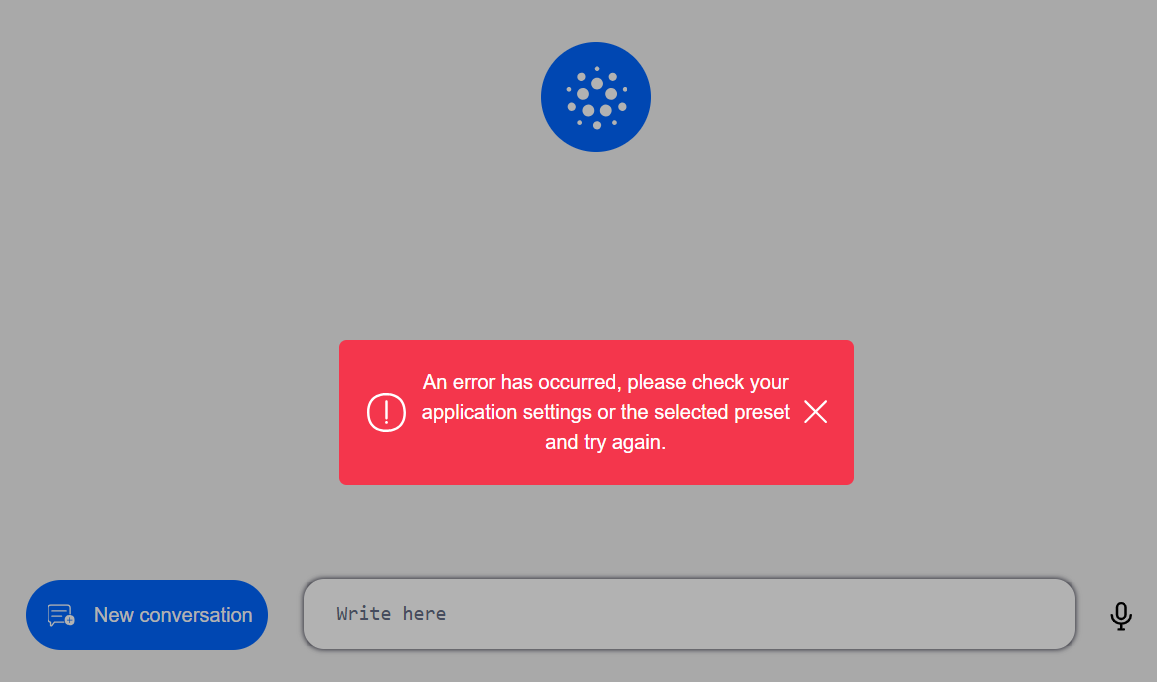
4. Select theme (optional)
-
If required, select a theme to change the visualization style.
-
Click on the meatball menu ... and select the preferred theme.
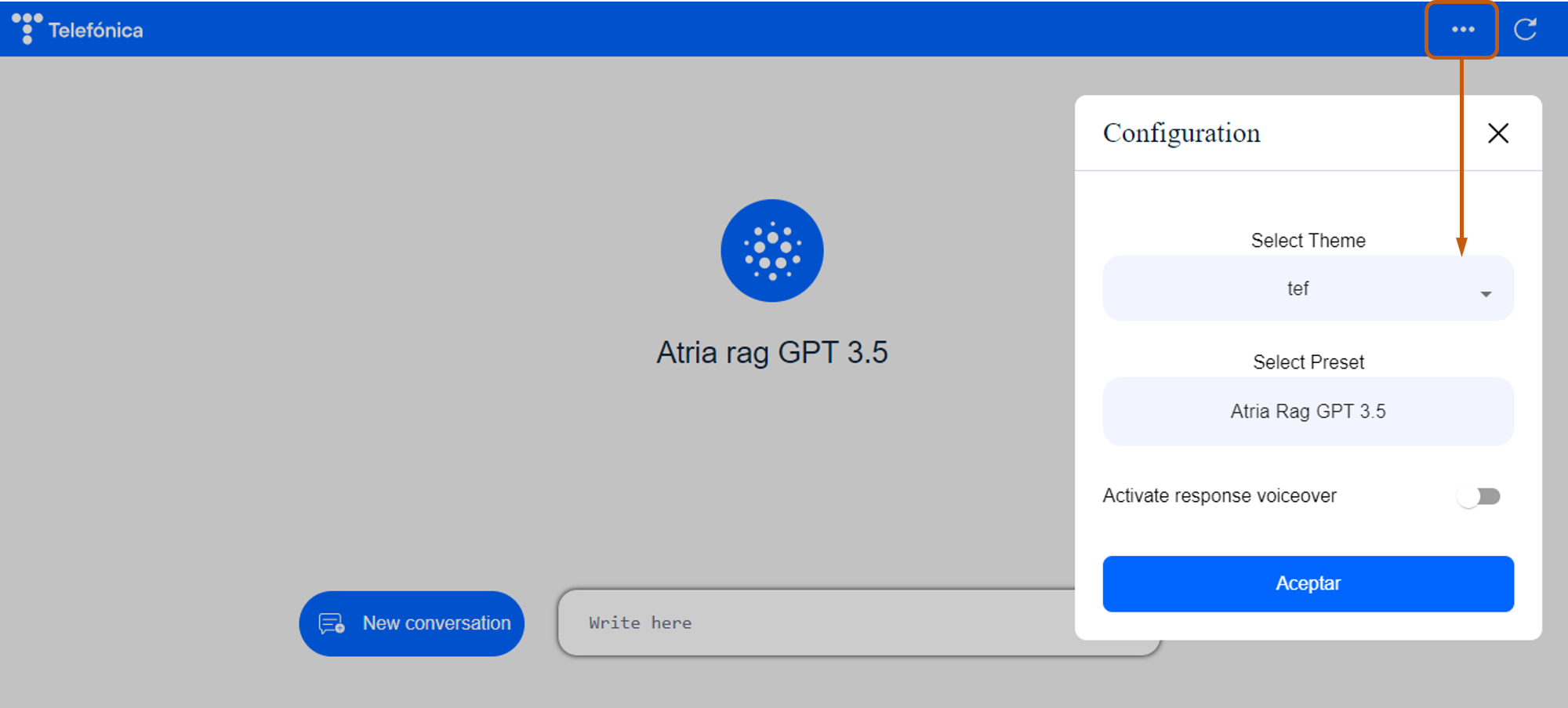
5. Select preset
-
Once the application is selected, all the presets that this application can use are loaded.
-
Click on the meatball menu ... and select the specific preset to be used.
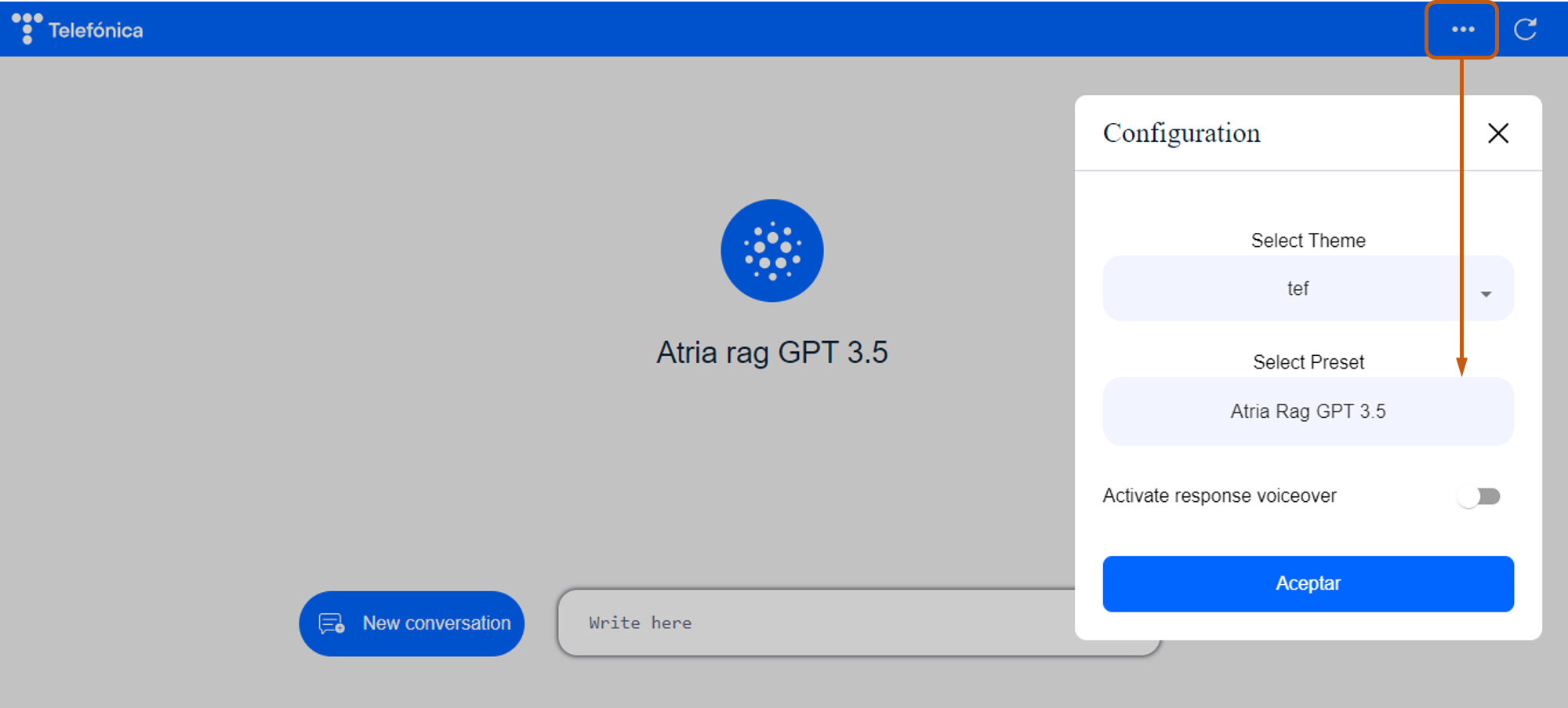
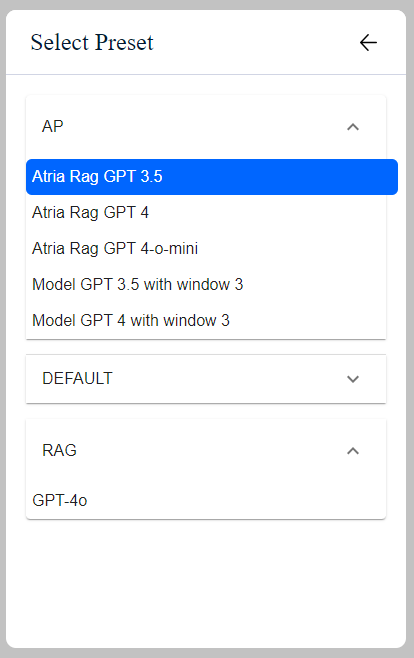
In the current version of the web interface, the option “Activate response voiceover” is deactivated.
6. Send request
- If the request fails, the following error will be displayed:

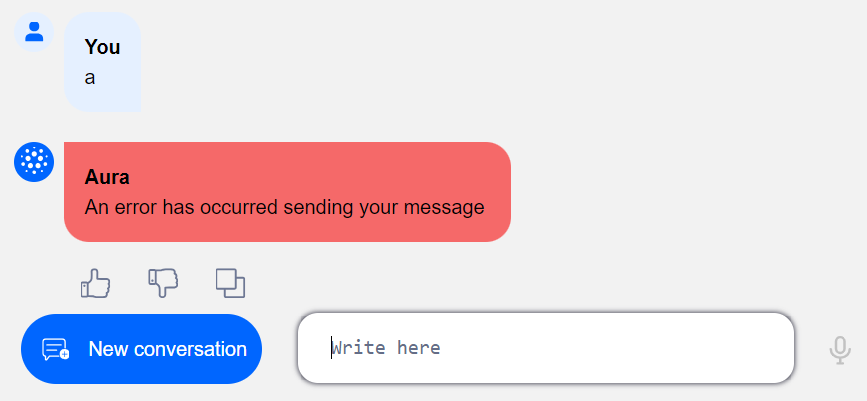
- If this error is displayed, you should enter the request again.
7. Receive response
ATRIA will provide you with the most appropriate answer to your request.
Additionally, the information sources used to generate the response are included, so the user can have greater confidence in the answer provided and consult these references afterwards.
- In the current release, the references from public URLs can be consulted directly through their corresponding links.
- If the documents used as references (such as PDF files) are not publicly accessible, only the document names will be displayed. You can upload them for testing purposes before making their content available via a public URL.
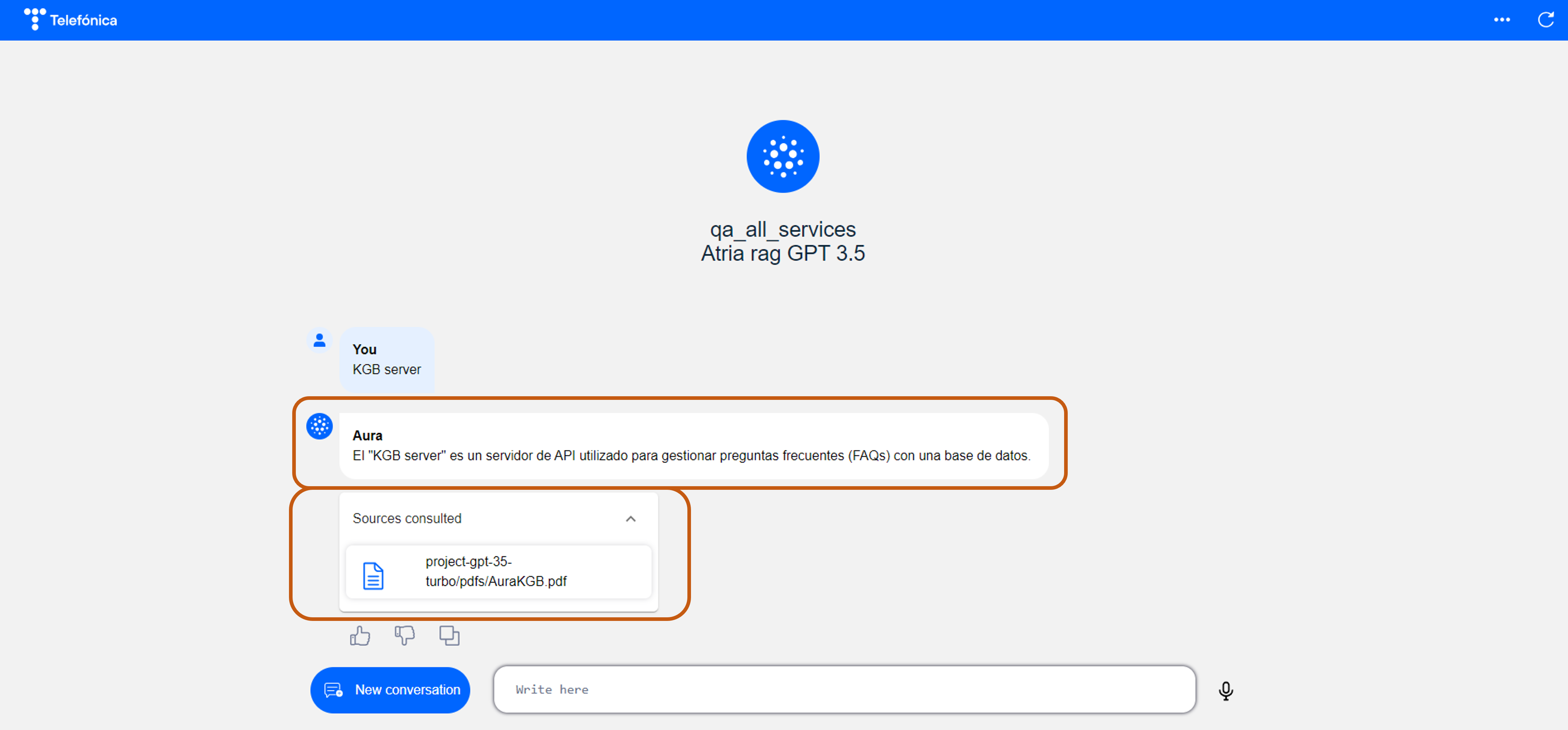
8. Add feedback (Optional)
- Use the thumbs-up and thumbs-down symbols to provide feedback regarding the accuracy of the response.
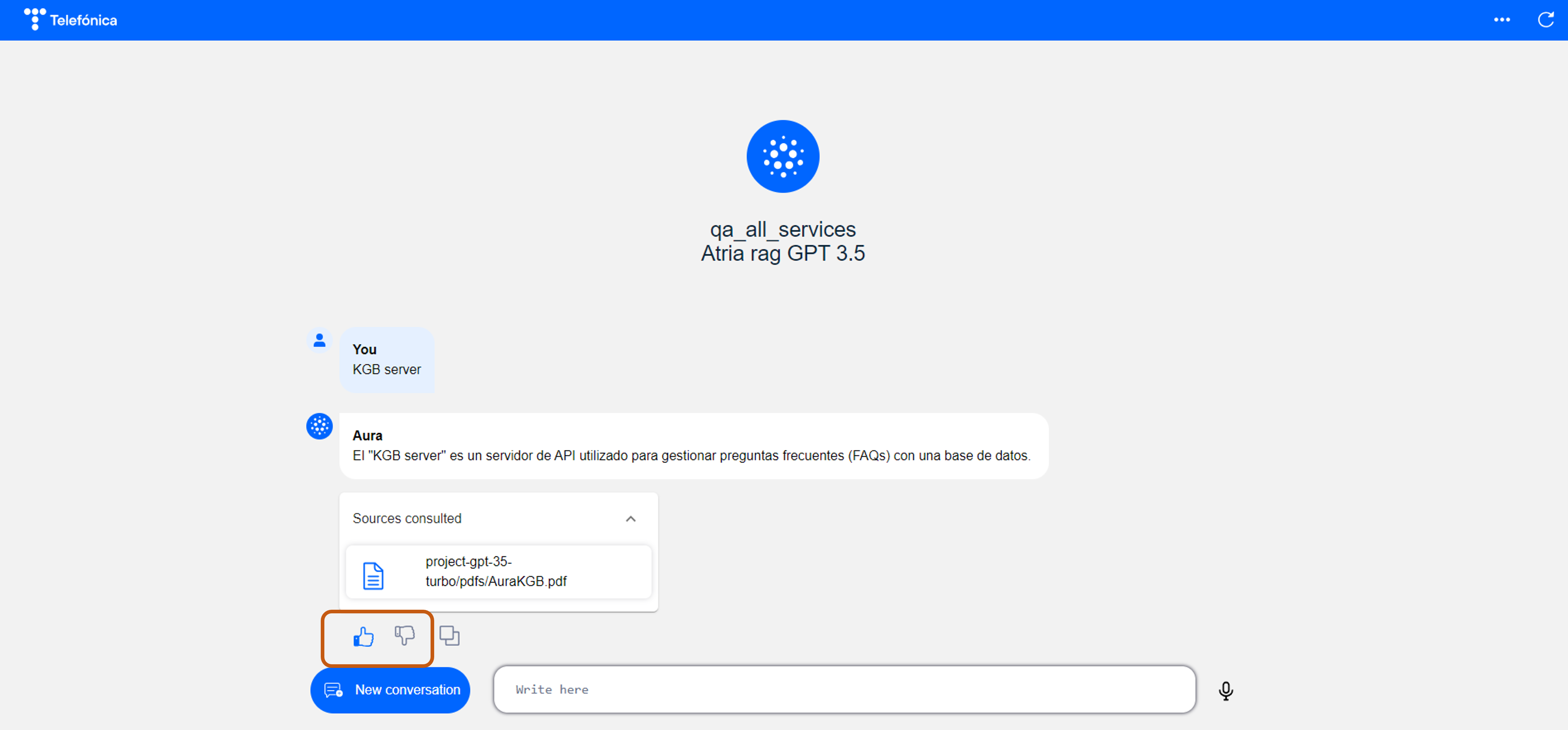
- If the request fails, the following error will be displayed:
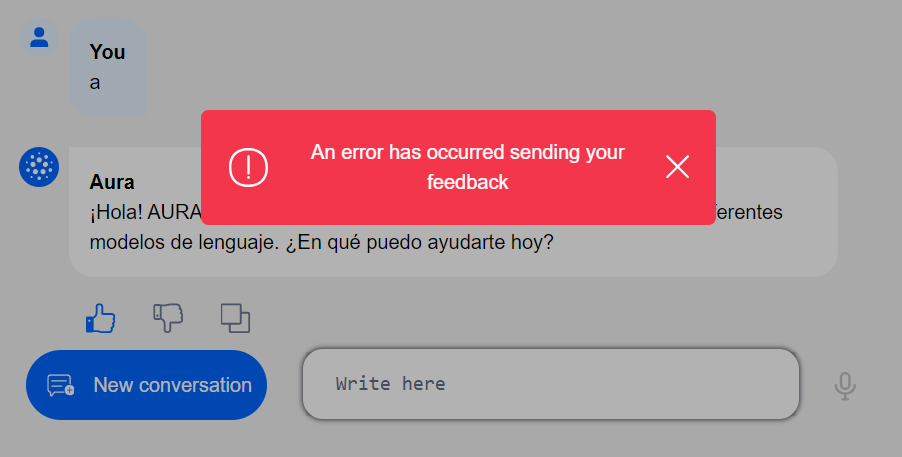
- If this error is displayed, you can continue using the application, trying to send feedback again.
9. Copy response (Optional)
- If required, you can copy the text response.
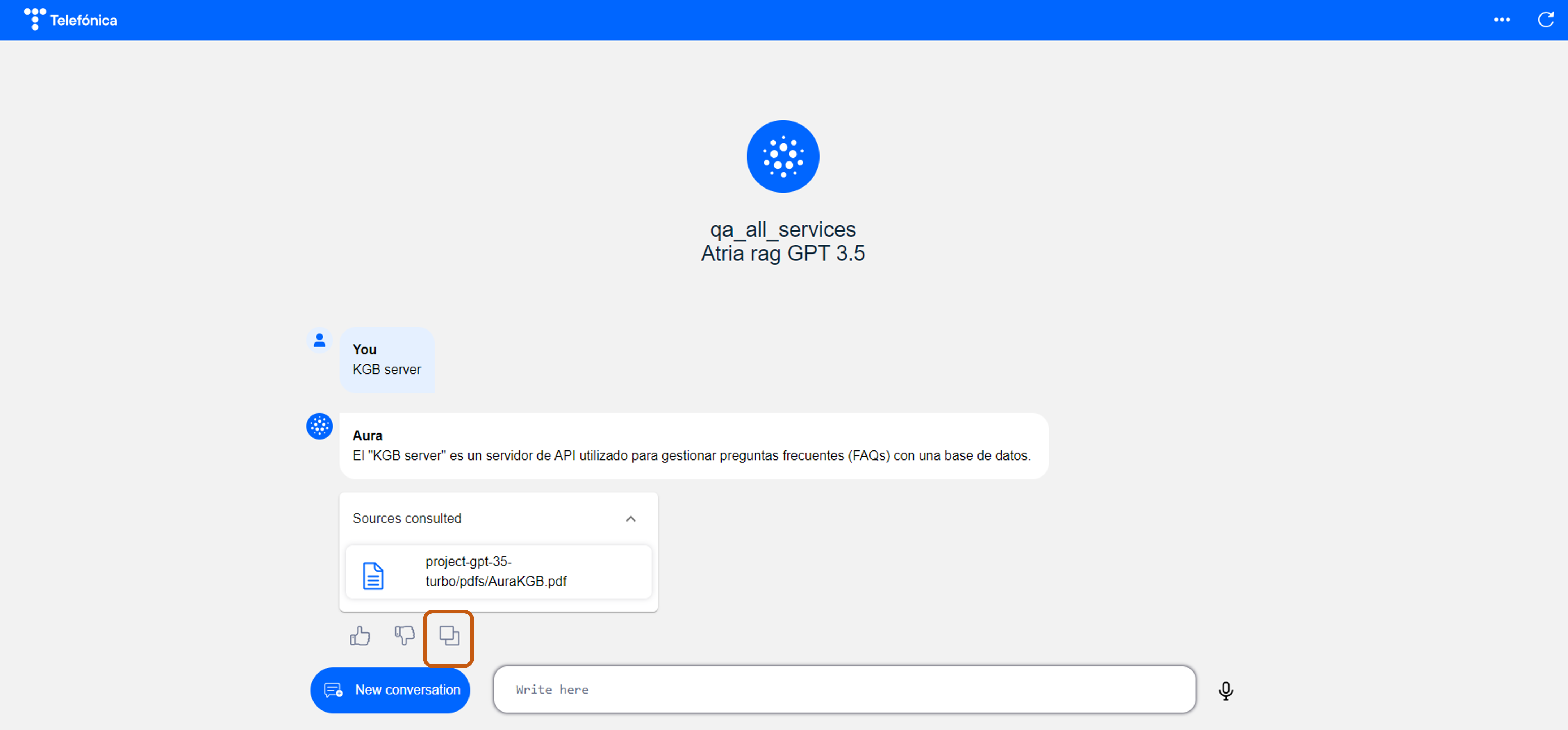
10. Start new conversation
- Click on the “New conversation” button or on the “reload” symbol to start a new conversation.
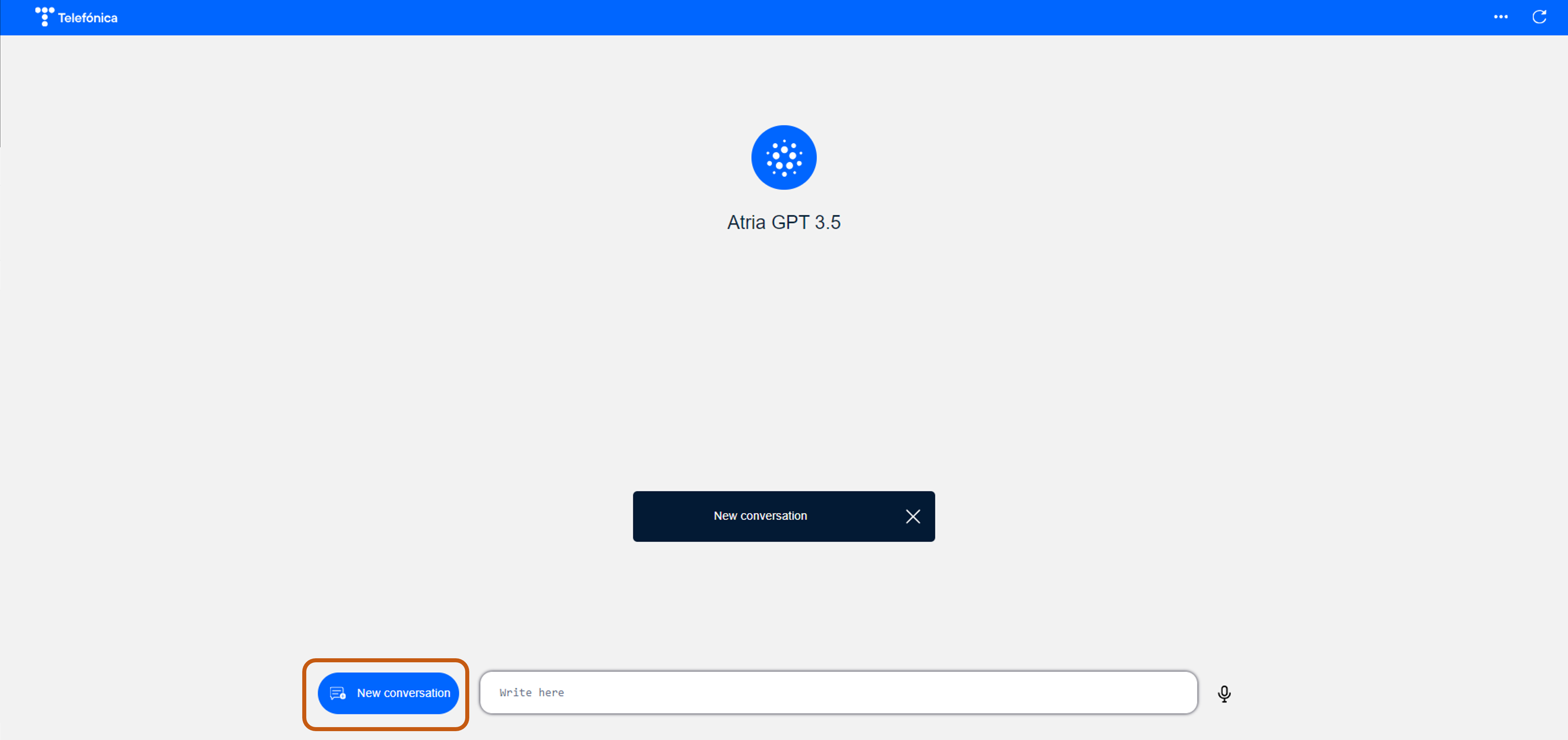
- If the request fails, the following error will be displayed, and you should try to initiate a new conversation again:
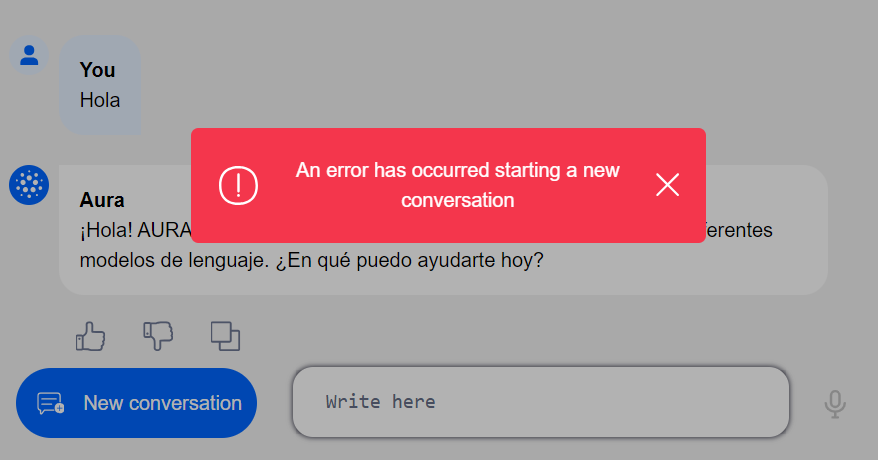
6.12 - O365 Authentication
Office 365 Authentication
Description of the Office 365 authentication made by ATRIA
Introduction
User authentication on ATRIA web interface is integrated with Office 365, using one internal component component (oauth2-proxy) and one external component (keycloak), managed by Novum
- The oauth2-proxy component works as a reverse proxy, receiving requests and redirecting them to keycloak in case they are not authenticated.
- Keycloak manages the application users and has a connector for Office 365, so it redirects to the Office365 login web to identify with the www.telefonica.com corporate account.
- In case of correct login, it loads the proxified web with a cookie (and optionally, other headers) where the user is already logged in.
Authentication workflow
The authentication process will be transparent for the ATRIA web interface and, therefore, for developers.
The atria web interface may have no authentication at all, or a basic one, and oauth2-proxy and keycloak are in charge of the entire process:
-
The oauth2-proxy component will be deployed, configured and operated by the Aura DevOps team.
-
The keycloak component will be managed by the Novum team, including granting access to a user list.
Sequence diagram
sequenceDiagram
    actor Browser
    Browser->>+OAuth2 Proxy: Request /*
    OAuth2 Proxy-->>-Browser: Redirect to Keycloak's login page
    Browser->>+Keycloak: User login
    Keycloak->>Keycloak: O365 Login
    Keycloak-->>-Browser: Redirect to /oauth2/callback
    Browser->>+OAuth2 Proxy: Request /oauth2/callback
    OAuth2 Proxy->>+Keycloak: Get access token
    Keycloak-->>-OAuth2 Proxy: Send id & access token
    OAuth2 Proxy-->>-Browser: Send session cookie and redirect to /*
    Browser->>+OAuth2 Proxy: Request /*
    OAuth2 Proxy->>+Atria web interface: Request /*
    Atria web interface-->>-OAuth2 Proxy: HTTP response
    OAuth2 Proxy-->>-Browser: HTTP response
Authentication steps
The three main authentication steps are detailed below, together with the team in charge of its execution.
1. Installation
- A new environment must be created using the aurak8s installer, where oauth2-proxy will be installed and configured.
Responsible teams: Novum
- Once installed, it is necessary to create a new client in keycloak, with the redirection URL
https://<deployed-env>/oauth2/callback and create a user group with the members that will have access.
OAuth2-proxy tips from Cross team
- oauth2-proxy is designed to be installed one per environment.
- Redis is necessary, and one instance per environment is also required to be installed.
- In Kubernetes, virtualserver in Nginx is used to configured ingress traffic.
Keycloak tips from Novum team
- Login: The only login screen will be the one from Office 365.
- Logout: Usually, it is not required. If we want to use it, it will logout the user from O365 (for all web apps).
- CORS: Identify static REST endpoints and configure two different rules.
- Error codes: The web application will not see typically any auth error code.
2. Requesting access for users
Responsible teams: Aura ATRIA team and Novum
-
The Aura ATRIA team must pass a list to Novum team for requesting access for certain users.
-
Each user must have the following data:
- Name: Full name of the user
- Email: E-mail of the user
- Group: A list of keycloak groups to where the user must be added (typically, one per environment, dev, pre and pro)
-
The Novum team is in charge of providing access to these users.
3. Virtualserver
Responsible teams: Aura ATRIA DevOps team
Virtualserver is used to configured Nginx. We have two virtualserver in the authentication method:
An example is shown below:
- aura-services virtualserver /aura-mf-base-atria
    location /aura-mf-base-atria {
         auth_request /oauth2/auth;
         error_page 401 =302 https://auth-svc-ap-nine.auracognitive.com/oauth2/start?rd=$scheme://$host$request_uri;
         auth_request_set $user   $upstream_http_x_auth_request_user;
         auth_request_set $email  $upstream_http_x_auth_request_email;
         proxy_set_header X-User  $user;
         proxy_set_header X-Email $email;
         auth_request_set $token $upstream_http_authorization;
         proxy_set_header Authorization $token;
         auth_request_set $auth_cookie $upstream_http_set_cookie;
         add_header Set-Cookie $auth_cookie;
         auth_request_set $auth_cookie_name_upstream_1 $upstream_cookie_auth_cookie_name_1;
         if ($auth_cookie ~* "(; .*)") {
             set $auth_cookie_name_0 $auth_cookie;
             set $auth_cookie_name_1 "auth_cookie_name_1=$auth_cookie_name_upstream_1$1";
         }
         # Send both Set-Cookie headers now if there was a second part
         if ($auth_cookie_name_upstream_1) {
             add_header Set-Cookie $auth_cookie_name_0;
             add_header Set-Cookie $auth_cookie_name_1;
         }
         proxy_set_header X-Forwarded-For $proxy_add_x_forwarded_for;
         proxy_set_header Host            $http_host;
         proxy_pass http://aura-mf-base-atria:4000/aura-mf-base-atria;
    }
- aura-services virtualserver /oauth2/auth
  - action:
      proxy:
        upstream: oauth2-proxy
    location-snippets: |
      proxy_pass_request_body off;
      proxy_set_header Content-Length "";
    path: /oauth2/auth
  routes:
  - action:
      proxy:
        upstream: oauth2-proxy
    path: /
  tls:
    secret: nginx-certificates
  upstreams:
  - name: oauth2-proxy
    port: 80
    service: oauth2-proxy
6.13 - ATRIA error management
ATRIA error management
Documents defining the most common errors in ATRIA components and how to handle them
Index of documents
6.13.1 - atria-model-gateway error management
atria-model-gateway error management
This document includes the different errors returned by atria-model-gateway
Error descriptions
InvalidModelParam
- description: One or more parameters provided for the model are invalid. Please verify the parameter names and values.
- message: Specific and descriptive text of the error.
- http status: 400
ModelFilterContent
- description: The response was filtered due to the prompt triggering Azure OpenAI’s content management policy.
- message: Specific and descriptive text of the error.
- http status: 400
InvalidPrompt
- description: The prompt format is incorrect or contains unsupported characters. Ensure it is a valid string and is adhered to formatting guidelines.
- message: Specific and descriptive text of the error.
- http status: 400
ModelNotFound
- description: The specified model does not exist or is not available for you.
- message: Specific and descriptive text of the error.
- http status: 400
ContextLengthExceeded
- description: The message sent (including prompt + previous messages) exceeds the token limit of the model. Reduce the size of the prompt or the conversation history.
- message: Specific and descriptive text of the error.
- http status: 400
InjectionAttempt
- description: Injection attempt detected. The request appears to contain input designed to manipulate the system’s behavior. This request has been blocked for security reasons.
- message: Specific and descriptive text of the error.
- http status: 400
InternalError
- description: Incoming HTTP request produces an internal error.
- message: Specific and descriptive text of the error.
- http status: 500
Unauthorized
- description: Incoming HTTP request authorization is not valid.
- message: Specific and descriptive text of the error.
- http status: 500
RequestTimeout
- description: The server has decided to close the connection rather than continue waiting. In the headers, the field
retry-after is included, which is the waiting time for retrying again.
- message: Specific and descriptive text of the error.
- http status: 500
QuotaError
- description: Incoming HTTP request needs more quota. In the headers, the field
retry-after is included, which is the waiting time for retrying again.
- message: Specific and descriptive text of the error.
- http status: 500
AuraError
- description: Generic error.
- message: Specific and descriptive text of the error.
- http status: 500
6.14 - Tutorial: Create new Copilot preset
Tutorial: Create new Copilot preset using Aura Configuration API
Comprehensive guidelines for the creation of a new preset in ATRIA for Aura Copilot using aura-configuration-api
Introduction
As an example of the process for the creation of a new preset in ATRIA, the current document shows the detailed guidelines to create a new Aura Copilot preset in a specific environment through the use of aura-configuration-api.
It is important to follow the following steps in the correct order:
- Prerequisites
- Create a new preset in aura-configuration-api
- Include the new preset in an application
- Upload documents and execute the generate-db job
- Update Aura applications configuration via API
1. Prerequisites
2. Create a new preset in aura-configuration-api
A preset is defined as a configurable entity to define the instructions to work with the AI model for the resolution of the use case.
The creation of a new preset in a specific environment is a key part of ATRIA configuration. The general guidelines for this task are included in:
Modify ATRIA configuration: Create a new preset
Example of the new preset
This can be the structure and fields of the new preset for Aura Copilot, including the prompt with instructions.
New preset
  {
      "id": "a2cdb523-883e-44ab-8e0b-2d164dd98346",
      "name": "new-copilot-preset",
      "group": "enriched_ai",
      "description": "New copilot preset",
      "session": {
          "window": 0,
          "timeout": 30
      },
      "rag": {
          "type": "sql",
          "model": {
              "id": "gpt-4o",
               "parameters": {
                  "max_tokens": 16384,
                  "temperature": 0.01
              }
          },
          "references": {
              "maximum": 3,
              "baseUrl": "project-copilot/jsonl"
          },
          "stages": {
              "language": "en",
              "retrievalStg": {
                  "sources": {
                      "name": "project-copilot",
                      "embeddings": "test_distilbert",
                      "docs": [
                          {
                              "extension": "jsonl",
                              "loader": {
                                  "loaderType": "jsonl"
                              }
                          }
                      ],
                      "retrievers": [
                          {
                              "retrieverType": "qdrant"
                          },
                          {
                              "retrieverType": "tfidf"
                          }
                      ]
                  }
              },
              "generativeStg": {
                  "prompts": {
                      "sqlPrompt": {
                          "default": {
                              "text": "{% raw %}\nGenerate a SQL query statement to answer the following question:\n`{question}`\n    \nUse the data contained in the following table. You have its definition in SQL and in Avro.\n{sql_table_definition}\n    \n    \nThe following tables, containing auxiliary information, are also available:\n```sql\nCREATE TABLE D_CBD_Static_Geo_Area_v6 (GEO_AREA_ID VARCHAR, CBD_GEO_AREA_LEVEL1_ID VARCHAR, CBD_GEO_AREA_LEVEL2_ID VARCHAR, CBD_GEO_AREA_LEVEL3_ID VARCHAR, CBD_GEO_AREA_LEVEL4_ID VARCHAR, OB_ALPHA_ID VARCHAR, EXTRACTION_TM VARCHAR);\n    COMMENT ON TABLE D_CBD_Static_Geo_Area IS 'Geographical areas. This table contains foreign keys to the different levels of geographical areas. In particular, it contains the foreign keys to these tables: CBD_Static_Geo_Area_Level1, CBD_Static_Geo_Area_Level2, CBD_Static_Geo_Area_Level3, CBD_Static_Geo_Area_Level4. Therefore, this tables is used, via JOIN, to query the geographical information contained in the different levels of geographical areas. For instance, if you have a table T with a field GEO_AREA_ID and you need to check whether this location corresponds to the region of Asturias you will need to look for GEO_AREA_ID in this table, then extract the CBD_GEO_AREA_LEVEL4_ID and query the table CBD_Static_Geo_Area_Level4 to get the name of the region.';\n    COMMENT ON COLUMN D_CBD_Static_Geo_Area.GEO_AREA_ID IS 'Description: Identifier of the geographical area assigned to the customer (typically the geographical area of the customer home). This identifier is a string code which values are defined in ''D_Geographical_Area'' entity. Format: alphanumeric string. Example values: ''2800983CE'', ''50059'', ''3101142CE''';\n    COMMENT ON COLUMN D_CBD_Static_Geo_Area.CBD_GEO_AREA_LEVEL1_ID IS 'Identifier of the geographical area Level 1 (max level of detail: CP or similar). FORMAT: string containing a numerical code. This field does not contain location names.';\n    COMMENT ON COLUMN D_CBD_Static_Geo_Area.CBD_GEO_AREA_LEVEL2_ID IS 'Identifier of the geographical area Level 2 (City/Town). FORMAT: string containing a numerical code. This field does not contain location names.';\n    COMMENT ON COLUMN D_CBD_Static_Geo_Area.CBD_GEO_AREA_LEVEL3_ID IS 'Identifier of the geographical area Level 3 (Province). FORMAT: string containing a numerical code. This field does not contain location names.';\n    COMMENT ON COLUMN D_CBD_Static_Geo_Area.CBD_GEO_AREA_LEVEL4_ID IS 'Identifier of the geographical area Level 4 (State/Region). FORMAT: string containing a numerical code. This field does not contain location names.';\n    COMMENT ON COLUMN D_CBD_Static_Geo_Area.OB_ALPHA_ID IS 'Alphanumeric Organizational Business ID';\n    COMMENT ON COLUMN D_CBD_Static_Geo_Area.EXTRACTION_TM IS 'Date-time of the record';\n    \nCREATE TABLE D_CBD_Static_Geo_Area_Level2_v6 (CBD_GEO_AREA_LEVEL2_ID VARCHAR, GEO_AREA_LEVEL_DES VARCHAR, CBD_GEO_AREA_LEVEL3_ID VARCHAR, LONGITUDE_LON_CO DOUBLE, LATITUDE_LAT_CO DOUBLE, GEO_AREA_ID VARCHAR, GEO_STD_AREA_CD VARCHAR, OB_ALPHA_ID VARCHAR, EXTRACTION_TM VARCHAR);\n    COMMENT ON TABLE D_CBD_Static_Geo_Area_Level2 IS 'Geographical area level 2 (State)';\n    COMMENT ON COLUMN D_CBD_Static_Geo_Area_Level2.CBD_GEO_AREA_LEVEL2_ID IS 'Identifier of the geographical area Level 2 (City/Town). FORMAT: string containing a numerical code.';\n    COMMENT ON COLUMN D_CBD_Static_Geo_Area_Level2.GEO_AREA_LEVEL_DES IS 'Description associated to the identifier level 2. FORMAT: alphanumeric string containing the name of the city/town.';\n    COMMENT ON COLUMN D_CBD_Static_Geo_Area_Level2.CBD_GEO_AREA_LEVEL3_ID IS 'Identifier of the geographical area Level 3 (Province)';\n    COMMENT ON COLUMN D_CBD_Static_Geo_Area_Level2.LONGITUDE_LON_CO IS 'Longitude coordinates (in WGS84) associated with level 2';\n    COMMENT ON COLUMN D_CBD_Static_Geo_Area_Level2.LATITUDE_LAT_CO IS 'Latitude coordinates (in WGS84) associated with level 2';\n    COMMENT ON COLUMN D_CBD_Static_Geo_Area_Level2.GEO_AREA_ID IS 'Description: Identifier of the geographical area assigned to the customer (typically the geographical area of the customer home). This identifier is a string code which values are defined in ''D_Geographical_Area'' entity. Format: alphanumeric string. Example values: ''2800983CE'', ''50059'', ''3101142CE''';\n    COMMENT ON COLUMN D_CBD_Static_Geo_Area_Level2.GEO_STD_AREA_CD IS 'Standard code of the geo area';\n    COMMENT ON COLUMN D_CBD_Static_Geo_Area_Level2.OB_ALPHA_ID IS 'Alphanumeric Organizational Business ID';\n    COMMENT ON COLUMN D_CBD_Static_Geo_Area_Level2.EXTRACTION_TM IS 'Date-time of the record';\n    \nCREATE TABLE D_CBD_Static_Geo_Area_Level3_v6 (CBD_GEO_AREA_LEVEL3_ID VARCHAR, GEO_AREA_LEVEL_DES VARCHAR, CBD_GEO_AREA_LEVEL4_ID VARCHAR, LONGITUDE_LON_CO DOUBLE, LATITUDE_LAT_CO DOUBLE, ISO_3166_2_CD VARCHAR, GEO_AREA_ID VARCHAR, GEO_STD_AREA_CD VARCHAR, OB_ALPHA_ID VARCHAR, EXTRACTION_TM VARCHAR);\n    COMMENT ON TABLE D_CBD_Static_Geo_Area_Level3 IS 'Geographical area level 3 (Region)';\n    COMMENT ON COLUMN D_CBD_Static_Geo_Area_Level3.CBD_GEO_AREA_LEVEL3_ID IS 'Identifier of the geographical area Level 3 (Province). FORMAT: string containing a numerical code.';\n    COMMENT ON COLUMN D_CBD_Static_Geo_Area_Level3.GEO_AREA_LEVEL_DES IS 'Description associated to the identifier level 3. FORMAT: alphanumeric string containing the name of the province.';\n    COMMENT ON COLUMN D_CBD_Static_Geo_Area_Level3.CBD_GEO_AREA_LEVEL4_ID IS 'Identifier of the geographical area Level 4 (State/Region). FORMAT: string containing a numerical code.';\n    COMMENT ON COLUMN D_CBD_Static_Geo_Area_Level3.LONGITUDE_LON_CO IS 'Longitude coordinates (in WGS84) associated with level 3';\n    COMMENT ON COLUMN D_CBD_Static_Geo_Area_Level3.LATITUDE_LAT_CO IS 'Latitude coordinates (in WGS84) associated with level 3';\n    COMMENT ON COLUMN D_CBD_Static_Geo_Area_Level3.ISO_3166_2_CD IS 'ISO 3166-2 associated';\n    COMMENT ON COLUMN D_CBD_Static_Geo_Area_Level3.GEO_AREA_ID IS 'Description: Identifier of the geographical area assigned to the customer (typically the geographical area of the customer home). This identifier is a string code which values are defined in ''D_Geographical_Area'' entity. Format: alphanumeric string. Example values: ''2800983CE'', ''50059'', ''3101142CE''';\n    COMMENT ON COLUMN D_CBD_Static_Geo_Area_Level3.GEO_STD_AREA_CD IS 'Standard code of the geo area';\n    COMMENT ON COLUMN D_CBD_Static_Geo_Area_Level3.OB_ALPHA_ID IS 'Alphanumeric Organizational Business ID';\n    COMMENT ON COLUMN D_CBD_Static_Geo_Area_Level3.EXTRACTION_TM IS 'Date-time of the record';\n    \nCREATE TABLE D_CBD_Static_Geo_Area_Level4_v6 (CBD_GEO_AREA_LEVEL4_ID VARCHAR, GEO_AREA_LEVEL_DES VARCHAR, LONGITUDE_LON_CO DOUBLE, LATITUDE_LAT_CO DOUBLE, HASC_1_CD VARCHAR, GEO_AREA_ID VARCHAR, GEO_STD_AREA_CD VARCHAR, OB_ALPHA_ID VARCHAR, EXTRACTION_TM VARCHAR);\n    COMMENT ON TABLE D_CBD_Static_Geo_Area_Level4 IS 'Geographical area level 4 (min. Detail)';\n    COMMENT ON COLUMN D_CBD_Static_Geo_Area_Level4.CBD_GEO_AREA_LEVEL4_ID IS 'Identifier of the geographical area Level 4 (State/Region). FORMAT: string containing a numerical code.';\n    COMMENT ON COLUMN D_CBD_Static_Geo_Area_Level4.GEO_AREA_LEVEL_DES IS 'Description associated to the identifier level 4. FORMAT: alphanumerical string containing the name of the state/region. EXAMPLE VALUES: ''Asturias'', ''Andaluc\u00eda'', etc.';\n    COMMENT ON COLUMN D_CBD_Static_Geo_Area_Level4.LONGITUDE_LON_CO IS 'Longitude coordinates (in WGS84) associated with level 4';\n    COMMENT ON COLUMN D_CBD_Static_Geo_Area_Level4.LATITUDE_LAT_CO IS 'Latitude coordinates (in WGS84) associated with level 4';\n    COMMENT ON COLUMN D_CBD_Static_Geo_Area_Level4.HASC_1_CD IS 'Hierarchical administrative subdivision codes ';\n    COMMENT ON COLUMN D_CBD_Static_Geo_Area_Level4.GEO_AREA_ID IS 'Description: Identifier of the geographical area assigned to the customer (typically the geographical area of the customer home). This identifier is a string code which values are defined in ''D_Geographical_Area'' entity. Format: alphanumeric string. Example values: ''2800983CE'', ''50059'', ''3101142CE''';\n    COMMENT ON COLUMN D_CBD_Static_Geo_Area_Level4.GEO_STD_AREA_CD IS 'Standard code of the geo area';\n    COMMENT ON COLUMN D_CBD_Static_Geo_Area_Level4.OB_ALPHA_ID IS 'Alphanumeric Organizational Business ID';\n    COMMENT ON COLUMN D_CBD_Static_Geo_Area_Level4.EXTRACTION_TM IS 'Date-time of the record';\n    \nCREATE TABLE D_CBD_Static_Station_Type_v6 (STATION_TYPE_CD VARCHAR, TECH_LEVEL_WEIGHT_QT FLOAT, STATION_TYPE_L2_DES VARCHAR, STATION_TYPE_L1_DES VARCHAR, STATION_TYPE_L2_ORDER_NUM INT, STATION_TYPE_L1_ORDER_NUM INT, STATION_TYPE_ORDER_NUM INT, CONSCIOUS_IND BOOLEAN, EXTRACTION_TM VARCHAR);\n    COMMENT ON TABLE D_CBD_Static_Station_Type IS 'Station types';\n    COMMENT ON COLUMN D_CBD_Static_Station_Type.STATION_TYPE_CD IS 'Description: Type of device connected to the HGU router. It used to find out which devices are connected to routers in households. Format: String. Example values: \"A/V Equipment\", \"Air Conditioning\", \"Air Conditioning Control\", \"Apple Handheld Device\", \"Apple Home Device\", \"AudioCast\", \"Audiocast\", \"Barcode Printer\", \"Camera\", \"Car Dash Cam\", \"Cryptominner\", \"Digital Clock\", \"Dishwasher\", \"Drone Equipment\", \"GPS\", \"Gaming Console\", \"Hyper Media Player\", \"IP Camera\", \"IPC Hub\", \"IPC Video Recorder\", \"IoT Device\", \"Key Cutting Machine\", \"Media Center\", \"Monitoring Device\", \"Multimedia Player\", \"Network Access Point\", \"Network Equipment\", \"PC\", \"PDA\", \"PIR Sensor\", \"Print Server\", \"Printer\", \"Projector\", \"Raspberry\", \"Router\", \"Security System\", \"Smart AC Control\", \"Smart Air Freshener\", \"Smart Air Fryer\", \"Smart Air Ventilator\", \"Smart Animal Feeder\", \"Smart Baby Monitor\", \"Smart Blind\", \"Smart Bulb\", \"Smart Bulb Adapter\", \"Smart Car\", \"Smart Car e-Charger\", \"Smart Display e-bike\", \"Smart Energy Analyzer\", \"Smart Home Controller\", \"Smart Home Hub\", \"Smart Humidifier\", \"Smart Hydrometer Clock\", \"Smart Kitchen Appliances\", \"Smart Kitchen Scale\", \"Smart Lamp\", \"Smart Light Dimmer\", \"Smart Lock Control\", \"Smart Plug\", \"Smart Pool\", \"Smart Power Strip\", \"Smart Purifier\", \"Smart Scale\", \"Smart Signage\", \"Smart Speaker\", \"Smart Switch\", \"Smart TV\", \"Smart Thermostat\", \"Smart Toothbrush\", \"Smart Vacuum\", \"Smart WallSocket\", \"Smart Watch\", \"Smart Watch Fit\", \"Smart WifiButton\", \"Smartphone\", \"Smartphone/Tablet\", \"Smartwatch\", \"Smartwatch Fit\", \"Solar Panel Equipment\", \"Soundbar\", \"Steam Controller\", \"Storage Device\", \"TPV\", \"TV Dongle\", \"Tablet\", \"Tempest Weather System\", \"UPS\", \"VR/AR Headset\", \"Video Doorbell\", \"Video Intercom\", \"Video STB Equipment\", \"VideointercomIP\", \"Virtual Desktop\", \"VoIP Phone\", \"WAN Extender\", \"WiFi Extender\", \"Wifi Dongle\", \"Wireless Blood Pressure Monitor\", \"Wireless Bridge\", \"Wireless Headphones\", \"Wireless Router + VoIP Series\", \"e-Note\", \"eBook\"';\n    COMMENT ON COLUMN D_CBD_Static_Station_Type.TECH_LEVEL_WEIGHT_QT IS 'Associated weight for the technologic level of the home';\n    COMMENT ON COLUMN D_CBD_Static_Station_Type.STATION_TYPE_L2_DES IS 'Description: Higher level device type grouping. Example values: \"PCs & Home Office\", \"Smartphones / Tablets / eReaders / iWatch\", \"Multimedia Entertainment\", \"Gaming\", \"Sport & Health\", \"Smart Home\", \"Unknown\", \"Network Devices\", \"Security & Control\"';\n    COMMENT ON COLUMN D_CBD_Static_Station_Type.STATION_TYPE_L1_DES IS 'Description: Intermediate level device type grouping. Example values: \"Smart Speakers & Audio\", \"PCs & Home Office\", \"Video Entertainment\", \"Domestic Appliances\", \"Smart Energy & Lighting\", \"Apple Handheld Device\", \"Smartphones / Tablets / eReaders\", \"Gaming\", \"Sport & Health\", \"Network Devices\", \"Security & Control\", \"IoT\"';\n    COMMENT ON COLUMN D_CBD_Static_Station_Type.STATION_TYPE_L2_ORDER_NUM IS 'Station type order level 2';\n    COMMENT ON COLUMN D_CBD_Static_Station_Type.STATION_TYPE_L1_ORDER_NUM IS 'Station type order level 1';\n    COMMENT ON COLUMN D_CBD_Static_Station_Type.STATION_TYPE_ORDER_NUM IS 'Station type order';\n    COMMENT ON COLUMN D_CBD_Static_Station_Type.CONSCIOUS_IND IS 'Indicates if the related device type has energy efficiency';\n    COMMENT ON COLUMN D_CBD_Static_Station_Type.EXTRACTION_TM IS 'Date-time of the record';\n    \nCREATE TABLE D_Segment_v8 (OPERATOR_ID VARCHAR, SEGMENT_ID VARCHAR, SEGMENT_DES VARCHAR, GBL_SEGMENT_ID VARCHAR, SEGMENT_GROUP_ID VARCHAR, SEGMENT_GROUP_DES VARCHAR, EXTRACTION_TM VARCHAR);\n    COMMENT ON TABLE D_Segment IS 'Classifications of the customers, attending to different segmentation criteria, for marketing and management issues, according to OB criteria and its correspondence with the global segment classification';\n    COMMENT ON COLUMN D_Segment.OPERATOR_ID IS 'Global Operator Identifier (Operator acting as owner of the information present in the current entity)';\n    COMMENT ON COLUMN D_Segment.SEGMENT_ID IS 'Description: Organisational segment of the client. Format: two letter string. Possible values: ''NT'' - NTT, ''GP'' - Residencial, ''PE'' - Pymes, ''RE'' - Residencial/SC, ''AU'' - Autonomos, ''OP'' - Operadores, ''GC'' - Grandes Clientes, ''RP'' - Residencial Prepago, ''TE'' - Telefonica, ''SC'' - Sin Clasificar, ''ME'' - Empresas';\n    COMMENT ON COLUMN D_Segment.SEGMENT_DES IS 'Description: Name or description of the organisational segment of the client (provides the description for each segment identifier). Format: string. Example values: ''Residencial'',  ''Pymes'', ''Autonomos'', ''Operadores'', ''Grandes Clientes'', ''Sin Clasificar''';\n    COMMENT ON COLUMN D_Segment.GBL_SEGMENT_ID IS 'ID of the global segment classification';\n    COMMENT ON COLUMN D_Segment.SEGMENT_GROUP_ID IS 'ID code of the segmentation group';\n    COMMENT ON COLUMN D_Segment.SEGMENT_GROUP_DES IS 'Description of the segmentation group';\n    COMMENT ON COLUMN D_Segment.EXTRACTION_TM IS 'Date-time of the record';\nCREATE TABLE D_Fixed_Tariff_Plan_v8 (OPERATOR_ID VARCHAR, DAY_DT VARCHAR, TARIFF_PLAN_ID VARCHAR, TARIFF_PLAN_DES VARCHAR, VOICE_IND BOOLEAN, BBAND_IND BOOLEAN, TV_IND BOOLEAN, WORKSTATION_IND BOOLEAN, APP_IND BOOLEAN, VOICE_BUNDLE_QT FLOAT, BBAND_UP_SPEED_QT FLOAT, BBAND_DOWN_SPEED_QT FLOAT, TV_TYPE_CD VARCHAR, FIXED_SERVICE_COMMERCIAL_NAME VARCHAR, COMMERCIAL_IND BOOLEAN, TARIFF_PLAN_START_DT VARCHAR, TARIFF_PLAN_END_DT VARCHAR, CONVERGENT_IND BOOLEAN, BRAND_ID VARCHAR);\n    COMMENT ON TABLE D_Fixed_Tariff_Plan_v8 IS 'Every fixed Tariff to be applied, either Commercial, Convergent, Individual, or any other, for any product&service for the fixed client base';\n    COMMENT ON COLUMN D_Fixed_Tariff_Plan_v8.OPERATOR_ID IS 'Global Operator Identifier (Operator acting as owner of the information present in the current entity)';\n    COMMENT ON COLUMN D_Fixed_Tariff_Plan_v8.DAY_DT IS 'Year, month and day of the data  ### Additional Information  Format: YYYYMMDD (4 digits for year, months from 01 to 12, days from 01 to 31).';\n    COMMENT ON COLUMN D_Fixed_Tariff_Plan_v8.TARIFF_PLAN_ID IS 'Unique identifier of the tariff plan';\n    COMMENT ON COLUMN D_Fixed_Tariff_Plan_v8.TARIFF_PLAN_DES IS 'Name/short description of the tariff plan';\n    COMMENT ON COLUMN D_Fixed_Tariff_Plan_v8.VOICE_IND IS 'Indicates whether the line has a fixed line voice service associated.  Values: 0=No; 1=Yes.';\n    COMMENT ON COLUMN D_Fixed_Tariff_Plan_v8.BBAND_IND IS 'Indicates whether the line has a Broadband service associated.  Values: 0=No; 1=Yes.';\n    COMMENT ON COLUMN D_Fixed_Tariff_Plan_v8.TV_IND IS 'Indicates if the line has a TV service associated.  Values: 0=No; 1=Yes.';\n    COMMENT ON COLUMN D_Fixed_Tariff_Plan_v8.WORKSTATION_IND IS 'Indicates if the line has a workstation service associated.  Values: 0=No; 1=Yes.';\n    COMMENT ON COLUMN D_Fixed_Tariff_Plan_v8.APP_IND IS 'Indicates if the line has the \"Aplicateca service\" associated.  Values: 0=No; 1=Yes.';\n    COMMENT ON COLUMN D_Fixed_Tariff_Plan_v8.VOICE_BUNDLE_QT IS 'Amount of data associated with the voice bundle';\n    COMMENT ON COLUMN D_Fixed_Tariff_Plan_v8.BBAND_UP_SPEED_QT IS 'Broadband up speed (Mbps)';\n    COMMENT ON COLUMN D_Fixed_Tariff_Plan_v8.BBAND_DOWN_SPEED_QT IS 'Broadband down speed (Mbps)';\n    COMMENT ON COLUMN D_Fixed_Tariff_Plan_v8.TV_TYPE_CD IS 'Type of TV line';\n    COMMENT ON COLUMN D_Fixed_Tariff_Plan_v8.FIXED_SERVICE_COMMERCIAL_NAME IS 'Commercial name of the service';\n    COMMENT ON COLUMN D_Fixed_Tariff_Plan_v8.COMMERCIAL_IND IS 'Indicates if TARIFF_PLAN_ID refers to the COMMERCIAL_TARIFF_ID.    Fill-in with 1 if TARIFF_PLAN_ID refers to the COMMERCIAL_TARIFF_ID or 0 if it doesn''t    0 = Non commercial tariff  1 = commercial tariff';\n    COMMENT ON COLUMN D_Fixed_Tariff_Plan_v8.TARIFF_PLAN_START_DT IS 'Start date of the tariff plan validity (that day is the first day when the tariff plan is applicable)  ### Additional Information  Format: YYYYMMDD (4 digits for year, months from 01 to 12, days from 01 to 31).';\n    COMMENT ON COLUMN D_Fixed_Tariff_Plan_v8.TARIFF_PLAN_END_DT IS 'End date of the tariff plan validity (that day is the last day when the tariff plan is applicable)  ### Additional Information  Format: YYYYMMDD (4 digits for year, months from 01 to 12, days from 01 to 31).';\n    COMMENT ON COLUMN D_Fixed_Tariff_Plan_v8.CONVERGENT_IND IS 'Flag indicating if the current fixed tariff plan can be configured as a \"Convergent tariff plan\", i. e., a plan with special conditions due to the fact of including at least one Fixed line/service and one Mobile line.   0 = No (the plan can''t be configured as convergent)   1 = Yes (the plan can be configured as convergent)';\n    COMMENT ON COLUMN D_Fixed_Tariff_Plan_v8.BRAND_ID IS 'Commercial brand identifier. In order to differentiate among different brands in the same OB (e.g. Movistar, O2, Tuenti...)';\n```\nSome of the former tables contain columns in full-qualified format. For instance, these are some examples of full-qualified columns:\n```\nrecord_name.field_name\nTEC_PLAT_REC.DEVICE_ID\nrecord_name.subrecord_name.field_name\nTEC_PLAT_REC.TEC_PLAT_SUBCOMP_REC.DEVICE_ID\n...\n```\nAlways use the full-qualified format when referring to columns in the tables. For instance, if you need to use the column 'TEC_PLAT_REC.DEVICE_ID', you should not refer to it as 'DEVICE_ID', but as 'TEC_PLAT_REC.DEVICE_ID'.\n**Explain in detail, step by step, all your decisions**. \n# General instructions \nFollow these reasoning steps to generate the SQL query:\n- Step 1: Identify Necessary Tables\n- Step 2: Identify Useful Candidate Columns\n- Step 3: Assess if Tables and Columns are Sufficient to Answer the Question\n- Step 4: Identify Columns Contained in Maps\n- Step 5: Plan the SQL Query\n- Step 6: Write the final SQL Query and apply the rules\n- Step 7: Check that the query actually can answer the question\n- Step 8: Create the result as a JSON object \nIf you need to filter by a higher level geographical such as a region (Comunidad Autónoma) you will need to:\n- join the `GEO_AREA_ID` field of the data table (such as `CBD_HGU_Detail_Daily_v10`) with the `GEO_AREA_ID` field in `D_CBD_Static_Geo_Area_v6` table\n- then join the `CBD_GEO_AREA_LEVEL4_ID` field in the `D_CBD_Static_Geo_Area_v6` with the `CBD_GEO_AREA_LEVEL4_ID` field in the `D_CBD_Static_Geo_Area_Level4_v6` table   \n- then compare the `GEO_AREA_LEVEL_DES` field in the `D_CBD_Static_Geo_Area_Level4_v6` table with the name of the region (e.g., 'Cantabria'), since the DESCRIPTION field does contain the actual name of the geographical area.\n**Only perform these joins if explicit filtering or grouping by geographical location is necessary**.\n# Detailed instructions\n### Step 1: Identify Necessary Tables\nFirst, identify which tables are necessary to answer the question `{question}`. Justify why you selected each of these tables. \nUse the following format:\n```\nI need the following tables to answer the question:\n- <table_name>: <reasoning>\n- <table_name>: <reasoning>\n...\n```\n### Step 2: Identify Useful Candidate Columns\nIdentify which columns are useful to answer the question `{question}`. Justify why you selected each of these columns.\nAlways include any column you think may be needed to answer the question. If there are similar columns in the table, you should identify all of them always. You will later choose which them are more suitable to answer the question. But, at this stage, you should include **all the columns that may be useful**.\nWrite the list of candidate columns you identified, and the reasoning after each column, using the following format:\n```\nI can use the following candidate columns to answer the question (including all the columns that may be useful):\n- <table name>:\n  - <column_name>: <copy here the full column description from schema>, including possible values if present>: <reasoning>. \n  - <column_name>: <copy here the full column description from schema>, including possible values if present>: <reasoning>.\n  ...\n- <table_name>:\n  - <column_name>: <copy here the full column description from schema>, including possible values if present>: <reasoning>.\n  - <column_name>: <copy here the full column description from schema>, including possible values if present>: <reasoning>.\n  ...\n...\n```\n### Step 3: Assess if Tables and Columns are Sufficient to Answer the Question\nTell if the tables and columns you identified are enough to answer the question `{question}`. Make sure to justify your answer and check the actual descriptions of the columns in the table definitions and the user question.\nWrite the answer using the following format:\n```\nPossible to answer the question using the former columns: \n- <reasoning>\n- Result: <Yes|No>\n```\n### Step 4: Identify Columns Contained in Maps\nSome columns are actually contained in a map structure. Since these columns need to be queried differently, you need to identify them.\nColumns with a name like '<some_name>.map.<other_name>' are contained in maps. \nFor instance, the column `STATIONS_DETAIL_REC.UNQ_STATION_MAP.map.STATION_TYPE_CD` is contained in a map structure called `STATIONS_DETAIL_REC.UNQ_STATION_MAP`.\nThis map structure is like this:\n```\nSTATIONS_DETAIL_REC.UNQ_STATION_MAP.map.STATION_TYPE_CD: {{\n    <key1>: {{\n        <some_field>; <some_value>,\n        \"STATION_TYPE_CD\": <station_type_value1>\n    }},\n    <key2>: {{\n        <some_other_field>; <some_other_value>,\n        \"STATION_TYPE_CD\": <station_type_value2>\n    }},\n...\n}}\n```\nTherefore, in this step, identify which columns are contained in maps since you will later need to use LATERAL VIEW EXPLODE to access the values of these maps.\n### Step 5: Plan the SQL Query  \nExplain, step by step, how you would write the SQL query to answer the question `{question}`, using the columns you identified. \n**Use the full qualified names of the columns**. **DO NOT USE THE `JSON_OBJECT` FUNCTION IN THE QUERY**.\nSome columns are contained in map structures. You can access the fields of the map using LATERAL VIEW EXPLODE. Do not use UNNEST to access the fields of the map.\nIn particular, you can create a temporary table with the exploded map and then query it. For instance, if you need to get the value of the `ABC.CDE.map.field` column, you should use the following SQL code to create a temporary table with the exploded map data and get the value of the field:\n```sql\nWITH exploded_map AS (\n  SELECT key, value.field_1, value,field_2, value.field_3  -- Select here all the columns/fields you will use later. \n  FROM <table_name>\n  LATERAL VIEW EXPLODE(ABC.CDE) AS key, value\n)\nSELECT exploded_map.field_1\nFROM exploded_map\n``` \nThis is another example:\n```sql\n  WITH exploded_map AS (\n  SELECT DATE, ID, RECORD.GROUP, value.CODE  -- Select here all the columns/fields you will use later.\n    FROM CBD_HGU_Detail_Daily_Aura_v10 LATERAL VIEW EXPLODE(STATIONS_DETAIL_REC.UNQ_STATION_MAP) AS key, value) \n  SELECT COUNT(DISTINCT ID) AS num_homes \n  FROM exploded_map JOIN D_Segment_v8 ON exploded_map.CLASS_ID = D_Segment_v8.CLASS_ID \n    WHERE DATE BETWEEN '2024-01-01' AND '2024-02-01' \n      AND D_Segment_v8.DESCRIPTION = 'DESCRIPTION value' \n      AND exploded_map.CODE = 'CODE value'    \n```\nHere is another example. If you need to count the number of elements in a map column named 'ABC.map' you should use a code like this:\n```sql\nWITH exploded_map AS (\n  SELECT key_from_exploded_map\n  FROM <table_name>\n  LATERAL VIEW EXPLODE(ABC) AS key_from_exploded_map, value_from_exploded_map\n)\nSELECT COUNT(key_from_exploded_map)\nFROM exploded_map\n```\nTake into account that all map fields are named with the suffix `_MAP`. Take into account that you can only use the operation EXPLODE to fields that are maps. Therefore, you should use the EXPLODE operation only on fields that end with `_MAP`.\nTo finish this step, explain how you would write the SQL query to answer the question, using the columns you identified, taking into account the previous considerations for columns contained in maps, if there are any.\n### Step 6: Write the final SQL Query and apply the rules\nFinally, write the SQL query to answer the question `{question}`, using the columns you identified. \nRemarks:\n**DO NOT USE THE `JSON_OBJECT` FUNCTION IN THE QUERY**.\n**IMPORTANT: The keys in the exploded maps should not be used in JOIN operations, since they are just internal keys to the map structure.**\nCheck if you need to use any of the following **business rules** to build the query:\n```json\n{{\n  \"rules\": [\n    {{\n      \"id\": \"B1\",\n      \"name\": \"Fiction\",\n      \"rule\": \"If you need to look for tariff plans including \"ficción\" contents, you will need to look for one the following  patterns in the `TARIFF_PLAN_DES` field: '%FICCION%', '%FICCIÓN%', '%SERIES%', '%CINE%', '%FUSIÓN TOTAL%', '%FUSION TOTAL%'. To make the proper comparison, you should use compare with uppercase letters. For instance, use a filter like this one: `UPPER(${{TABLE}}.TARIFF_PLAN_DES) LIKE '%FICCION%' OR UPPER(${{TABLE}}.TARIFF_PLAN_DES) LIKE '%FICCIÓN%' OR UPPER(${{TABLE}}.TARIFF_PLAN_DES) LIKE '%SERIES%' OR UPPER(${{TABLE}}.TARIFF_PLAN_DES) LIKE '%CINE%' OR UPPER(${{TABLE}}.TARIFF_PLAN_DES) LIKE '%FUSIÓN TOTAL%' OR UPPER(${{TABLE}}.TARIFF_PLAN_DES) LIKE '%FUSION TOTAL%'`\n\"\n    }},\n    {{\n      \"id\": \"B2\",\n      \"name\": \"Disney\",\n      \"rule\": \"If you need to look for tariff plans including \"Disney\" contents, you will need to look for one the following  patterns in the `TARIFF_PLAN_DES` field: '%DISNEY%'.  To make the proper comparison, you should use compare with uppercase letters. For instance, use a filter like this one: `UPPER(${{TABLE}}.TARIFF_PLAN_DES) LIKE '%DISNEY%'`\n\"\n    }},\n    {{\n      \"id\": \"B3\",\n      \"name\": \"Football\",\n      \"rule\": \"If you need to look for tariff plans including football contents, you will need to look for one the following  patterns in the `TARIFF_PLAN_DES` field: '%FUTBOL%', '%FÚTBOL%', '%FUSION TOTAL%', '%FUSIÓN TOTAL%',  '%FUSION TA TOTAL%', '%FUSIÓN TA TOTAL%', '%LIGA%', '%CHAMPION%'. To make the proper comparison, you should use compare with uppercase letters. For instance, use a filter like this one:  `UPPER(${{TABLE}}.TARIFF_PLAN_DES) LIKE '%FUTBOL%' OR UPPER(${{TABLE}}.TARIFF_PLAN_DES) LIKE '%FÚTBOL%' OR UPPER(${{TABLE}}.TARIFF_PLAN_DES) LIKE '%FUSION TOTAL%' OR UPPER(${{TABLE}}.TARIFF_PLAN_DES) LIKE '%FUSIÓN TOTAL%' OR UPPER(${{TABLE}}.TARIFF_PLAN_DES) LIKE '%LIGA%' OR UPPER(${{TABLE}}.TARIFF_PLAN_DES) LIKE '%CHAMPION%'`\n\"\n    }},\n    {{\n      \"id\": \"B4\",\n      \"name\": \"Netflix\",\n      \"rule\": \"If you need to look for tariff plans including \"Netflix\" contents, you will need to look for one the following  patterns in the `TARIFF_PLAN_DES` field: '%NETFLIX%', '%FICCIÓN%', '%FICCION%'. To make the proper comparison, you should use compare with uppercase letters. For instance, use a filter like this one: `UPPER(${{TABLE}}.TARIFF_PLAN_DES) LIKE '%NETFLIX%'`\n\"\n    }},\n    {{\n      \"id\": \"B5\",\n      \"name\": \"Promociones\",\n      \"rule\": \"If you need to look for tariff plans including \"promotions\", you will need to look for one the following  patterns in the `TARIFF_PLAN_DES` field: '%PROMO%'. To make the proper comparison, you should use compare with uppercase letters. For instance, use a filter like this one: `UPPER(${{TABLE}}.TARIFF_PLAN_DES) LIKE '%PROMO%'`\n\"\n    }},\n    {{\n      \"id\": \"B6\",\n      \"name\": \"Edad promedio 1\",\n      \"rule\": \"You are not allowed to use the field `CBD_INFO_REC.CUST_AGE_NUM` in any query. You should use the field `CBD_INFO_REC.CUST_AGE_SEGMENT_CD` instead.\n\"\n    }},\n    {{\n      \"id\": \"B7\",\n      \"name\": \"Edad promedio 2\",\n      \"rule\": \"If you need to calculate the average age of customers you should use the  following calculation instead of AVG(CBD_INFO_REC.CUST_AGE_SEGMENT_CD): AVG(IF(CBD_INFO_REC.CUST_AGE_SEGMENT_CD = '1', NULL, CBD_INFO_REC.CUST_AGE_SEGMENT_CD))\n\"\n    }},\n    {{\n      \"id\": \"B8\",\n      \"name\": \"Query by customers\",\n      \"rule\": \"If you need to query by customers: if the time scope of the query is daily or weekly then you should use the `DEVICE_ID` field. If the time scope of the query is monthly or longer then you should use the `CUSTOMER_ID` field.\n\"\n    }},\n    {{\n      \"id\": \"B9\",\n      \"name\": \"Station type\",\n      \"rule\": \"The field `STATION_TYPE_L2` corresponds to a higher aggregation level than `STATION_TYPE_L1`.  `STATION_TYPE_L1` corresponds to an intermediate category, used only with analytical purposes.\n\"\n    }},\n    {{\n      \"id\": \"B10\",\n      \"name\": \"Active devices\",\n      \"rule\": \"If you need to check whether a device is active at a given date, you should use this check: `DEVICE_INFO_REC.INACTIVITY_DEVICE_INFO_NUM < 24`. If true, the device is active. If false, the device is inactive.\n\"\n    }},\n    {{\n      \"id\": \"B11\",\n      \"name\": \"Penetración de un producto\",\n      \"rule\": \"If you are asked for calculating \"la penetración de un producto\" you should calculate the percentage of customers with that product.\n\"\n    }},\n    {{\n      \"id\": \"B12\",\n      \"name\": \"Obsolete routers\",\n      \"rule\": \"If you are asked for obsolete routers, you should check for those with MANUFACT_HGU_CHIPSET_DES IN ('Askey Broadcom', 'Askey Econet','MitraStar Broadcom', 'MitraStar Econet').\n\"\n    }},\n    {{\n      \"id\": \"B13\",\n      \"name\": \"High value customers\",\n      \"rule\": \"Consider as high value customers those with a monthly revenue higher than 100 (TOTAL_CUST_RV > 100).\n\"\n    }},\n    {{\n      \"id\": \"B14.1\",\n      \"name\": \"Technological level formula\",\n      \"rule\": \"If you need to check the technological level of a customer, use the following formula on the field `TECH_LEVEL_WEIGHT_QT` of the table `D_CBD_STATIC_STATION_TYPE_v6`: `SUM(COALESCE(D_CBD_STATIC_STATION_TYPE_v6.TECH_LEVEL_WEIGHT_QT,0) + CASE WHEN AMM.VALUE.STATION_BRAND_DES = 'Ubiquiti' THEN 0.8 ELSE 0 END)/COUNT(DISTINCT DAY_DT)`\n\"\n    }},\n    {{\n      \"id\": \"B14.2\",\n      \"name\": \"Technological levels\",\n      \"rule\": \"Consider as **high technological level** customers those with a value higher or equal to 2.5. Consider as **medium technological level** customers those with a value higher or equal to 1 and lower than 2.5. Consider as **low technological level** customers those with a value lower than 1.\n\"\n    }},\n    {{\n      \"id\": \"B15\",\n      \"name\": \"Sport\",\n      \"rule\": \"If you need to look for tariff plans including \"sport\" contents, you will need to look for one the following  patterns in the `TARIFF_PLAN_DES` field: '%DEPORTE%', '%TOTAL PLUS%', '%TOTAL SAT%PLUS%', '%MOTOR%', '%DAZN%'. To make the proper comparison, you should use compare with uppercase letters. For instance, use a filter like this one: `(UPPER(${{TABLE}}.TARIFF_PLAN_DES) LIKE '%DEPORTE%' OR UPPER(${{TABLE}}.TARIFF_PLAN_DES) LIKE '%TOTAL PLUS%' OR UPPER(${{TABLE}}.TARIFF_PLAN_DES) LIKE '%TOTAL SAT%PLUS%' -- Se añade para incluir los \"Total Satelite/Satélite Plus\" OR UPPER(${{TABLE}}.TARIFF_PLAN_DES) LIKE '%MOTOR%' OR UPPER(${{TABLE}}.TARIFF_PLAN_DES) LIKE '%DAZN%')`\n\"\n    }},\n    {{\n      \"id\": \"R1\",\n      \"name\": \"Temporary table fields\",\n      \"rule\": \"When you use in a filter a given filed from a temporary table, built using the `WITH` clause, make sure that the  field is actually present in the SELECT statement defining the temporary table.\n\"\n    }},\n    {{\n      \"id\": \"R2\",\n      \"name\": \"Temporary table field naming\",\n      \"rule\": \"Example: If you write a temporary table like this: `WITH temp_table AS (SELECT field1_prefix.field1 FROM table)`,  then you should use refer to the field as `field1` and not as `field1_prefix.field1` in the rest of the query.\n\"\n    }},\n    {{\n      \"id\": \"R3\",\n      \"name\": \"Tariff plan\",\n      \"rule\": \"If you need to look for some specific tariffs, use the field `TARIFF_PLAN_DES` from the dimensional table D_Fixed_Tariff_Plan instead of using `CBD_INFO_REC.COMMERCIAL_TARIFF_ID` since this last one only contains identifiers without any meaning.\n\"\n    }},\n    {{\n      \"id\": \"R4.1\",\n      \"name\": \"Station type 1\",\n      \"rule\": \"If the query uses `D_CBD_Static_Station_Type_v6.STATION_TYPE_L1_DES` or `D_CBD_Static_Station_Type_v6.STATION_TYPE_L2_DES` answer this question: does the value you are looking for, matches one of the possible values of these fields? Justify your answer. Enumerate the possible values of these fields if they are used.\n\"\n    }},\n    {{\n      \"id\": \"R4.2\",\n      \"name\": \"Station type 2\",\n      \"rule\": \"Apply this rule if the query uses a filter with the field `D_CBD_Static_Station_Type_v6.STATION_TYPE_L1_DES` or `D_CBD_Static_Station_Type_v6.STATION_TYPE_L2_DES` and the value you are looking for does not match any of the possible values of these fields. In this case, you should use the field `STATION_TYPE_CD` instead. Write the result of the previous reasoning in detail.  REMEMBER TO FIX THE QUERY TO USE THE FIELD `STATION_TYPE_CD` INSTEAD.\n\"\n    }},\n    {{\n      \"id\": \"R5\",\n      \"name\": \"Counting entities\",\n      \"rule\": \"If you need to count the number of customer, homes, devices or any other entities, you should ensure that you are actually counting distinct entities. Therefore you should use the `COUNT(DISTINCT ...)` function instead of `COUNT(...)`.\n\"\n    }},\n    {{\n      \"id\": \"R6\",\n      \"name\": \"Time scope less than a month\",\n      \"rule\": \"If you are asked to answer a question for a time scope minor than a month (daily or weekly) you must not use the field `MONTH_DT` in your query.\n\"\n    }},\n    {{\n      \"id\": \"R7\",\n      \"name\": \"No UNION operator\",\n      \"rule\": \"Avoid using the UNION operator in your queries.\n\"\n    }},\n    {{\n      \"id\": \"R8\",\n      \"name\": \"Counting entities\",\n      \"rule\": \"If you are asked to count the number of customers, homes, devices or any other entities, you should ensure that the  result is actually a count and not a list of elements. Therefore you should use the COUNT function.\n\"\n    }},\n    {{\n      \"id\": \"R9\",\n      \"name\": \"IoT devices\",\n      \"rule\": \"If you need to look for IoT (Internet of Things) devices, you should look for devices with `STATION_TYPE_L2_DES = 'Smart Home'`\n\"\n    }},\n    {{\n      \"id\": \"R10\",\n      \"name\": \"Router model\",\n      \"rule\": \"If you need to check the model of the router, you should use the field `MANUFACT_HGU_CHIPSET_DES` (do not use other fields such as `MANUFACTURER_FW_VER_DES`).\n\"\n    }},\n    {{\n      \"id\": \"R11\",\n      \"name\": \"Weekly period\",\n      \"rule\": \"If you need to query data from weekly period, you should start always with the first day of the week (Monday) and end with the last day of the week (Sunday).\n\"\n    }},\n    {{\n      \"id\": \"R12\",\n      \"name\": \"WiFi type\",\n      \"rule\": \"If you need to look for information on a specific WiFi type, such as 2.4 GHz or 5 GHz, you should use the specific fields corresponding to these types.  For instance, if you need to look for WiFi5 device information, you should not use the field `STATIONS_REC.WIFI_REC.ALL_TECH_REC` but the field `STATIONS_REC.WIFI_REC.TECH_5G_REC`.\n\"\n    }},\n    {{\n      \"id\": \"R13\",\n      \"name\": \"Equivalent terms for WiFi technologies\",\n      \"rule\": \"The following terms are considered equivalent: \n- `WiFi 5G`, `WiFi Technology 5G`, `WiFi5`.\n- `WiFi 2.4G`, `WiFi Technology 2.4G`, `WiFi2.4` , `WiFi2`, `WiFi Technology 2G`, `WiFi 2G`.\n\"\n    }},\n    {{\n      \"id\": \"R14\",\n      \"name\": \"Customer Satisfaction Index\",\n      \"rule\": \"The field `CSI_QT` contains the `Customer Satisfaction Index` value. It is not a quality value but a satisfaction value.  Do not confuse it with Quality Index fields.\n\"\n    }},\n    {{\n      \"id\": \"R15\",\n      \"name\": \"Active HGU devices\",\n      \"rule\": \"The field `CUST_HGU_DEVICES_NUM` contains the number of active HGU devices of the customer, i.e. the number of active routers (HGUs) of the customer.  Do not confuse it with the number of active devices of the customer.\n\"\n    }},\n    {{\n      \"id\": \"R16\",\n      \"name\": \"Megabytes\",\n      \"rule\": \"The fields starting with `MB_` or containing `_MB_` in their name refer to Megabytes. Take this into account during your queries.\n\"\n    }},\n    {{\n      \"id\": \"R17\",\n      \"name\": \"Gigabytes\",\n      \"rule\": \"The fields starting with `GB_` or containing `_GB_` in their name refer to Gigabytes. Take this into account during your queries.\n\"\n    }},\n    {{\n      \"id\": \"R18\",\n      \"name\": \"RSSI meaning\",\n      \"rule\": \"The field `RSSI` refers to the `Received Signal Strength Indicator`. It is a measure of the power present in a received radio signal.\n\"\n    }},\n    {{\n      \"id\": \"R19\",\n      \"name\": \"Checking absence of a device\",\n      \"rule\": \"If you need to look for homes without a specific type of device, you should not forget checking at least one of the following fields: `STATION_TYPE_L1_DES`, `STATION_TYPE_L2_DES`, `STATION_TYPE_CD`. In other words, you need an explicit filter checking the absence of the device.\n\"\n    }}\n  ]\n}}\n```\nExplain whether you can apply any of the rules and explain how you would apply them in the SQL query.\nAlways write your result following these steps:\n1. SQL query to answer the question `{question}`: <write the SQL query here>\n2. Reasoning: <explain why you wrote the query like that>\n3. Check of the rules, RULE BY RULE and FOR EACH RULE (one entry per rule)2. <write ALL the rules and tell if they are applied or not>. Follow this format:\n- <rule1>: Should be applied, because <reason> | Should not be applied, because <reason>\n- <rule2>: Should be applied, because <reason> | Should not be applied, because <reason>\n...\n4. Result of the execution of the rules that have been identified to be applied. Follow this format:\n- <rule1>: <result>\n- <rule2>: <result>\n...\n5. Need to fix the query because <reason>. The following changes are needed: <change_1>, <change 2>, etc. | The query is already correct.\n6. SQL query to answer the question `{question}` after considering the previous **rules**: <write the SQL query here>. FIX THE QUERY IF NECESSARY.\n### Step 7: Check that the query actually can answer the question\nCheck again if the generated query answers the question `{question}`.\nFollow these steps:\n1. Write the concepts involved in the question. Enumerate the concepts as a list. Follow this format:\n - <concept1>\n - <concept2>\n ...\n2. Write all the concepts of the question that are covered by the SQL query. Enumerate them and create a match list with the concepts from the previous step. Write down the part of the SQL query covering the concept. Take into account that conditions on specific proper names, such as model names, location names, etc, need to be explicitly checked. Follow this format:\n - <concept1>: covered in <sql query section> or not covered.\n - <concept2>: covered in <sql query section> or not covered.\n3. Find those concepts in the question that are not covered by the SQL query.\n4. Conclude whether the question can actually be answered by the generated query. Follow this format:\n - The question can be answered by the SQL query: <Yes|No>\n### Step 8: Create the result as a JSON object\nReturn the result as a unique JSON object, with the following structure:\n{{\n  \"result\": <Write the SQL query here. **MAKE SURE THAT THE STATEMENT `SELECT JSON_OBJECT` is not used in the query and Use the full qualified names of the columns. Generate a valid SQL sentence in a single line without new line characters.**>,\n  \"status\": \"OK\",\n  \"reason\": <a reasoning explaining the query>\n}}\nIf the former table does not contain the necessary data to answer the question, return the following JSON object:\n{{\n  \"result\": null,\n  \"status\": \"ERROR\",\n  \"reason\": <a reasoning explaining why it is not possible to answer the question>\n}}\nMake sure that the JSON object is correctly formatted, and can be parsed by a JSON parser.\n**Please, ALWAYS follow the 8 steps presented in the instructions.** Start reasoning with ### Step 1 and finish with ### Step 8.\n{% endraw %}\"\"en\": \"{% raw %}\nGenerate a SQL query statement to answer the following question:\n`{question}`\n    \nUse the data contained in the following table. You have its definition in SQL and in Avro.\n{sql_table_definition}\n    \n    \nThe following tables, containing auxiliary information, are also available:\n```sql\nCREATE TABLE D_CBD_Static_Geo_Area_v6 (GEO_AREA_ID VARCHAR, CBD_GEO_AREA_LEVEL1_ID VARCHAR, CBD_GEO_AREA_LEVEL2_ID VARCHAR, CBD_GEO_AREA_LEVEL3_ID VARCHAR, CBD_GEO_AREA_LEVEL4_ID VARCHAR, OB_ALPHA_ID VARCHAR, EXTRACTION_TM VARCHAR);\n    COMMENT ON TABLE D_CBD_Static_Geo_Area IS 'Geographical areas. This table contains foreign keys to the different levels of geographical areas. In particular, it contains the foreign keys to these tables: CBD_Static_Geo_Area_Level1, CBD_Static_Geo_Area_Level2, CBD_Static_Geo_Area_Level3, CBD_Static_Geo_Area_Level4. Therefore, this tables is used, via JOIN, to query the geographical information contained in the different levels of geographical areas. For instance, if you have a table T with a field GEO_AREA_ID and you need to check whether this location corresponds to the region of Asturias you will need to look for GEO_AREA_ID in this table, then extract the CBD_GEO_AREA_LEVEL4_ID and query the table CBD_Static_Geo_Area_Level4 to get the name of the region.';\n    COMMENT ON COLUMN D_CBD_Static_Geo_Area.GEO_AREA_ID IS 'Description: Identifier of the geographical area assigned to the customer (typically the geographical area of the customer home). This identifier is a string code which values are defined in ''D_Geographical_Area'' entity. Format: alphanumeric string. Example values: ''2800983CE'', ''50059'', ''3101142CE''';\n    COMMENT ON COLUMN D_CBD_Static_Geo_Area.CBD_GEO_AREA_LEVEL1_ID IS 'Identifier of the geographical area Level 1 (max level of detail: CP or similar). FORMAT: string containing a numerical code. This field does not contain location names.';\n    COMMENT ON COLUMN D_CBD_Static_Geo_Area.CBD_GEO_AREA_LEVEL2_ID IS 'Identifier of the geographical area Level 2 (City/Town). FORMAT: string containing a numerical code. This field does not contain location names.';\n    COMMENT ON COLUMN D_CBD_Static_Geo_Area.CBD_GEO_AREA_LEVEL3_ID IS 'Identifier of the geographical area Level 3 (Province). FORMAT: string containing a numerical code. This field does not contain location names.';\n    COMMENT ON COLUMN D_CBD_Static_Geo_Area.CBD_GEO_AREA_LEVEL4_ID IS 'Identifier of the geographical area Level 4 (State/Region). FORMAT: string containing a numerical code. This field does not contain location names.';\n    COMMENT ON COLUMN D_CBD_Static_Geo_Area.OB_ALPHA_ID IS 'Alphanumeric Organizational Business ID';\n    COMMENT ON COLUMN D_CBD_Static_Geo_Area.EXTRACTION_TM IS 'Date-time of the record';\n    \nCREATE TABLE D_CBD_Static_Geo_Area_Level2_v6 (CBD_GEO_AREA_LEVEL2_ID VARCHAR, GEO_AREA_LEVEL_DES VARCHAR, CBD_GEO_AREA_LEVEL3_ID VARCHAR, LONGITUDE_LON_CO DOUBLE, LATITUDE_LAT_CO DOUBLE, GEO_AREA_ID VARCHAR, GEO_STD_AREA_CD VARCHAR, OB_ALPHA_ID VARCHAR, EXTRACTION_TM VARCHAR);\n    COMMENT ON TABLE D_CBD_Static_Geo_Area_Level2 IS 'Geographical area level 2 (State)';\n    COMMENT ON COLUMN D_CBD_Static_Geo_Area_Level2.CBD_GEO_AREA_LEVEL2_ID IS 'Identifier of the geographical area Level 2 (City/Town). FORMAT: string containing a numerical code.';\n    COMMENT ON COLUMN D_CBD_Static_Geo_Area_Level2.GEO_AREA_LEVEL_DES IS 'Description associated to the identifier level 2. FORMAT: alphanumeric string containing the name of the city/town.';\n    COMMENT ON COLUMN D_CBD_Static_Geo_Area_Level2.CBD_GEO_AREA_LEVEL3_ID IS 'Identifier of the geographical area Level 3 (Province)';\n    COMMENT ON COLUMN D_CBD_Static_Geo_Area_Level2.LONGITUDE_LON_CO IS 'Longitude coordinates (in WGS84) associated with level 2';\n    COMMENT ON COLUMN D_CBD_Static_Geo_Area_Level2.LATITUDE_LAT_CO IS 'Latitude coordinates (in WGS84) associated with level 2';\n    COMMENT ON COLUMN D_CBD_Static_Geo_Area_Level2.GEO_AREA_ID IS 'Description: Identifier of the geographical area assigned to the customer (typically the geographical area of the customer home). This identifier is a string code which values are defined in ''D_Geographical_Area'' entity. Format: alphanumeric string. Example values: ''2800983CE'', ''50059'', ''3101142CE''';\n    COMMENT ON COLUMN D_CBD_Static_Geo_Area_Level2.GEO_STD_AREA_CD IS 'Standard code of the geo area';\n    COMMENT ON COLUMN D_CBD_Static_Geo_Area_Level2.OB_ALPHA_ID IS 'Alphanumeric Organizational Business ID';\n    COMMENT ON COLUMN D_CBD_Static_Geo_Area_Level2.EXTRACTION_TM IS 'Date-time of the record';\n    \nCREATE TABLE D_CBD_Static_Geo_Area_Level3_v6 (CBD_GEO_AREA_LEVEL3_ID VARCHAR, GEO_AREA_LEVEL_DES VARCHAR, CBD_GEO_AREA_LEVEL4_ID VARCHAR, LONGITUDE_LON_CO DOUBLE, LATITUDE_LAT_CO DOUBLE, ISO_3166_2_CD VARCHAR, GEO_AREA_ID VARCHAR, GEO_STD_AREA_CD VARCHAR, OB_ALPHA_ID VARCHAR, EXTRACTION_TM VARCHAR);\n    COMMENT ON TABLE D_CBD_Static_Geo_Area_Level3 IS 'Geographical area level 3 (Region)';\n    COMMENT ON COLUMN D_CBD_Static_Geo_Area_Level3.CBD_GEO_AREA_LEVEL3_ID IS 'Identifier of the geographical area Level 3 (Province). FORMAT: string containing a numerical code.';\n    COMMENT ON COLUMN D_CBD_Static_Geo_Area_Level3.GEO_AREA_LEVEL_DES IS 'Description associated to the identifier level 3. FORMAT: alphanumeric string containing the name of the province.';\n    COMMENT ON COLUMN D_CBD_Static_Geo_Area_Level3.CBD_GEO_AREA_LEVEL4_ID IS 'Identifier of the geographical area Level 4 (State/Region). FORMAT: string containing a numerical code.';\n    COMMENT ON COLUMN D_CBD_Static_Geo_Area_Level3.LONGITUDE_LON_CO IS 'Longitude coordinates (in WGS84) associated with level 3';\n    COMMENT ON COLUMN D_CBD_Static_Geo_Area_Level3.LATITUDE_LAT_CO IS 'Latitude coordinates (in WGS84) associated with level 3';\n    COMMENT ON COLUMN D_CBD_Static_Geo_Area_Level3.ISO_3166_2_CD IS 'ISO 3166-2 associated';\n    COMMENT ON COLUMN D_CBD_Static_Geo_Area_Level3.GEO_AREA_ID IS 'Description: Identifier of the geographical area assigned to the customer (typically the geographical area of the customer home). This identifier is a string code which values are defined in ''D_Geographical_Area'' entity. Format: alphanumeric string. Example values: ''2800983CE'', ''50059'', ''3101142CE''';\n    COMMENT ON COLUMN D_CBD_Static_Geo_Area_Level3.GEO_STD_AREA_CD IS 'Standard code of the geo area';\n    COMMENT ON COLUMN D_CBD_Static_Geo_Area_Level3.OB_ALPHA_ID IS 'Alphanumeric Organizational Business ID';\n    COMMENT ON COLUMN D_CBD_Static_Geo_Area_Level3.EXTRACTION_TM IS 'Date-time of the record';\n    \nCREATE TABLE D_CBD_Static_Geo_Area_Level4_v6 (CBD_GEO_AREA_LEVEL4_ID VARCHAR, GEO_AREA_LEVEL_DES VARCHAR, LONGITUDE_LON_CO DOUBLE, LATITUDE_LAT_CO DOUBLE, HASC_1_CD VARCHAR, GEO_AREA_ID VARCHAR, GEO_STD_AREA_CD VARCHAR, OB_ALPHA_ID VARCHAR, EXTRACTION_TM VARCHAR);\n    COMMENT ON TABLE D_CBD_Static_Geo_Area_Level4 IS 'Geographical area level 4 (min. Detail)';\n    COMMENT ON COLUMN D_CBD_Static_Geo_Area_Level4.CBD_GEO_AREA_LEVEL4_ID IS 'Identifier of the geographical area Level 4 (State/Region). FORMAT: string containing a numerical code.';\n    COMMENT ON COLUMN D_CBD_Static_Geo_Area_Level4.GEO_AREA_LEVEL_DES IS 'Description associated to the identifier level 4. FORMAT: alphanumerical string containing the name of the state/region. EXAMPLE VALUES: ''Asturias'', ''Andaluc\u00eda'', etc.';\n    COMMENT ON COLUMN D_CBD_Static_Geo_Area_Level4.LONGITUDE_LON_CO IS 'Longitude coordinates (in WGS84) associated with level 4';\n    COMMENT ON COLUMN D_CBD_Static_Geo_Area_Level4.LATITUDE_LAT_CO IS 'Latitude coordinates (in WGS84) associated with level 4';\n    COMMENT ON COLUMN D_CBD_Static_Geo_Area_Level4.HASC_1_CD IS 'Hierarchical administrative subdivision codes ';\n    COMMENT ON COLUMN D_CBD_Static_Geo_Area_Level4.GEO_AREA_ID IS 'Description: Identifier of the geographical area assigned to the customer (typically the geographical area of the customer home). This identifier is a string code which values are defined in ''D_Geographical_Area'' entity. Format: alphanumeric string. Example values: ''2800983CE'', ''50059'', ''3101142CE''';\n    COMMENT ON COLUMN D_CBD_Static_Geo_Area_Level4.GEO_STD_AREA_CD IS 'Standard code of the geo area';\n    COMMENT ON COLUMN D_CBD_Static_Geo_Area_Level4.OB_ALPHA_ID IS 'Alphanumeric Organizational Business ID';\n    COMMENT ON COLUMN D_CBD_Static_Geo_Area_Level4.EXTRACTION_TM IS 'Date-time of the record';\n    \nCREATE TABLE D_CBD_Static_Station_Type_v6 (STATION_TYPE_CD VARCHAR, TECH_LEVEL_WEIGHT_QT FLOAT, STATION_TYPE_L2_DES VARCHAR, STATION_TYPE_L1_DES VARCHAR, STATION_TYPE_L2_ORDER_NUM INT, STATION_TYPE_L1_ORDER_NUM INT, STATION_TYPE_ORDER_NUM INT, CONSCIOUS_IND BOOLEAN, EXTRACTION_TM VARCHAR);\n    COMMENT ON TABLE D_CBD_Static_Station_Type IS 'Station types';\n    COMMENT ON COLUMN D_CBD_Static_Station_Type.STATION_TYPE_CD IS 'Description: Type of device connected to the HGU router. It used to find out which devices are connected to routers in households. Format: String. Example values: \"A/V Equipment\", \"Air Conditioning\", \"Air Conditioning Control\", \"Apple Handheld Device\", \"Apple Home Device\", \"AudioCast\", \"Audiocast\", \"Barcode Printer\", \"Camera\", \"Car Dash Cam\", \"Cryptominner\", \"Digital Clock\", \"Dishwasher\", \"Drone Equipment\", \"GPS\", \"Gaming Console\", \"Hyper Media Player\", \"IP Camera\", \"IPC Hub\", \"IPC Video Recorder\", \"IoT Device\", \"Key Cutting Machine\", \"Media Center\", \"Monitoring Device\", \"Multimedia Player\", \"Network Access Point\", \"Network Equipment\", \"PC\", \"PDA\", \"PIR Sensor\", \"Print Server\", \"Printer\", \"Projector\", \"Raspberry\", \"Router\", \"Security System\", \"Smart AC Control\", \"Smart Air Freshener\", \"Smart Air Fryer\", \"Smart Air Ventilator\", \"Smart Animal Feeder\", \"Smart Baby Monitor\", \"Smart Blind\", \"Smart Bulb\", \"Smart Bulb Adapter\", \"Smart Car\", \"Smart Car e-Charger\", \"Smart Display e-bike\", \"Smart Energy Analyzer\", \"Smart Home Controller\", \"Smart Home Hub\", \"Smart Humidifier\", \"Smart Hydrometer Clock\", \"Smart Kitchen Appliances\", \"Smart Kitchen Scale\", \"Smart Lamp\", \"Smart Light Dimmer\", \"Smart Lock Control\", \"Smart Plug\", \"Smart Pool\", \"Smart Power Strip\", \"Smart Purifier\", \"Smart Scale\", \"Smart Signage\", \"Smart Speaker\", \"Smart Switch\", \"Smart TV\", \"Smart Thermostat\", \"Smart Toothbrush\", \"Smart Vacuum\", \"Smart WallSocket\", \"Smart Watch\", \"Smart Watch Fit\", \"Smart WifiButton\", \"Smartphone\", \"Smartphone/Tablet\", \"Smartwatch\", \"Smartwatch Fit\", \"Solar Panel Equipment\", \"Soundbar\", \"Steam Controller\", \"Storage Device\", \"TPV\", \"TV Dongle\", \"Tablet\", \"Tempest Weather System\", \"UPS\", \"VR/AR Headset\", \"Video Doorbell\", \"Video Intercom\", \"Video STB Equipment\", \"VideointercomIP\", \"Virtual Desktop\", \"VoIP Phone\", \"WAN Extender\", \"WiFi Extender\", \"Wifi Dongle\", \"Wireless Blood Pressure Monitor\", \"Wireless Bridge\", \"Wireless Headphones\", \"Wireless Router + VoIP Series\", \"e-Note\", \"eBook\"';\n    COMMENT ON COLUMN D_CBD_Static_Station_Type.TECH_LEVEL_WEIGHT_QT IS 'Associated weight for the technologic level of the home';\n    COMMENT ON COLUMN D_CBD_Static_Station_Type.STATION_TYPE_L2_DES IS 'Description: Higher level device type grouping. Example values: \"PCs & Home Office\", \"Smartphones / Tablets / eReaders / iWatch\", \"Multimedia Entertainment\", \"Gaming\", \"Sport & Health\", \"Smart Home\", \"Unknown\", \"Network Devices\", \"Security & Control\"';\n    COMMENT ON COLUMN D_CBD_Static_Station_Type.STATION_TYPE_L1_DES IS 'Description: Intermediate level device type grouping. Example values: \"Smart Speakers & Audio\", \"PCs & Home Office\", \"Video Entertainment\", \"Domestic Appliances\", \"Smart Energy & Lighting\", \"Apple Handheld Device\", \"Smartphones / Tablets / eReaders\", \"Gaming\", \"Sport & Health\", \"Network Devices\", \"Security & Control\", \"IoT\"';\n    COMMENT ON COLUMN D_CBD_Static_Station_Type.STATION_TYPE_L2_ORDER_NUM IS 'Station type order level 2';\n    COMMENT ON COLUMN D_CBD_Static_Station_Type.STATION_TYPE_L1_ORDER_NUM IS 'Station type order level 1';\n    COMMENT ON COLUMN D_CBD_Static_Station_Type.STATION_TYPE_ORDER_NUM IS 'Station type order';\n    COMMENT ON COLUMN D_CBD_Static_Station_Type.CONSCIOUS_IND IS 'Indicates if the related device type has energy efficiency';\n    COMMENT ON COLUMN D_CBD_Static_Station_Type.EXTRACTION_TM IS 'Date-time of the record';\n    \nCREATE TABLE D_Segment_v8 (OPERATOR_ID VARCHAR, SEGMENT_ID VARCHAR, SEGMENT_DES VARCHAR, GBL_SEGMENT_ID VARCHAR, SEGMENT_GROUP_ID VARCHAR, SEGMENT_GROUP_DES VARCHAR, EXTRACTION_TM VARCHAR);\n    COMMENT ON TABLE D_Segment IS 'Classifications of the customers, attending to different segmentation criteria, for marketing and management issues, according to OB criteria and its correspondence with the global segment classification';\n    COMMENT ON COLUMN D_Segment.OPERATOR_ID IS 'Global Operator Identifier (Operator acting as owner of the information present in the current entity)';\n    COMMENT ON COLUMN D_Segment.SEGMENT_ID IS 'Description: Organisational segment of the client. Format: two letter string. Possible values: ''NT'' - NTT, ''GP'' - Residencial, ''PE'' - Pymes, ''RE'' - Residencial/SC, ''AU'' - Autonomos, ''OP'' - Operadores, ''GC'' - Grandes Clientes, ''RP'' - Residencial Prepago, ''TE'' - Telefonica, ''SC'' - Sin Clasificar, ''ME'' - Empresas';\n    COMMENT ON COLUMN D_Segment.SEGMENT_DES IS 'Description: Name or description of the organisational segment of the client (provides the description for each segment identifier). Format: string. Example values: ''Residencial'',  ''Pymes'', ''Autonomos'', ''Operadores'', ''Grandes Clientes'', ''Sin Clasificar''';\n    COMMENT ON COLUMN D_Segment.GBL_SEGMENT_ID IS 'ID of the global segment classification';\n    COMMENT ON COLUMN D_Segment.SEGMENT_GROUP_ID IS 'ID code of the segmentation group';\n    COMMENT ON COLUMN D_Segment.SEGMENT_GROUP_DES IS 'Description of the segmentation group';\n    COMMENT ON COLUMN D_Segment.EXTRACTION_TM IS 'Date-time of the record';\nCREATE TABLE D_Fixed_Tariff_Plan_v8 (OPERATOR_ID VARCHAR, DAY_DT VARCHAR, TARIFF_PLAN_ID VARCHAR, TARIFF_PLAN_DES VARCHAR, VOICE_IND BOOLEAN, BBAND_IND BOOLEAN, TV_IND BOOLEAN, WORKSTATION_IND BOOLEAN, APP_IND BOOLEAN, VOICE_BUNDLE_QT FLOAT, BBAND_UP_SPEED_QT FLOAT, BBAND_DOWN_SPEED_QT FLOAT, TV_TYPE_CD VARCHAR, FIXED_SERVICE_COMMERCIAL_NAME VARCHAR, COMMERCIAL_IND BOOLEAN, TARIFF_PLAN_START_DT VARCHAR, TARIFF_PLAN_END_DT VARCHAR, CONVERGENT_IND BOOLEAN, BRAND_ID VARCHAR);\n    COMMENT ON TABLE D_Fixed_Tariff_Plan_v8 IS 'Every fixed Tariff to be applied, either Commercial, Convergent, Individual, or any other, for any product&service for the fixed client base';\n    COMMENT ON COLUMN D_Fixed_Tariff_Plan_v8.OPERATOR_ID IS 'Global Operator Identifier (Operator acting as owner of the information present in the current entity)';\n    COMMENT ON COLUMN D_Fixed_Tariff_Plan_v8.DAY_DT IS 'Year, month and day of the data  ### Additional Information  Format: YYYYMMDD (4 digits for year, months from 01 to 12, days from 01 to 31).';\n    COMMENT ON COLUMN D_Fixed_Tariff_Plan_v8.TARIFF_PLAN_ID IS 'Unique identifier of the tariff plan';\n    COMMENT ON COLUMN D_Fixed_Tariff_Plan_v8.TARIFF_PLAN_DES IS 'Name/short description of the tariff plan';\n    COMMENT ON COLUMN D_Fixed_Tariff_Plan_v8.VOICE_IND IS 'Indicates whether the line has a fixed line voice service associated.  Values: 0=No; 1=Yes.';\n    COMMENT ON COLUMN D_Fixed_Tariff_Plan_v8.BBAND_IND IS 'Indicates whether the line has a Broadband service associated.  Values: 0=No; 1=Yes.';\n    COMMENT ON COLUMN D_Fixed_Tariff_Plan_v8.TV_IND IS 'Indicates if the line has a TV service associated.  Values: 0=No; 1=Yes.';\n    COMMENT ON COLUMN D_Fixed_Tariff_Plan_v8.WORKSTATION_IND IS 'Indicates if the line has a workstation service associated.  Values: 0=No; 1=Yes.';\n    COMMENT ON COLUMN D_Fixed_Tariff_Plan_v8.APP_IND IS 'Indicates if the line has the \"Aplicateca service\" associated.  Values: 0=No; 1=Yes.';\n    COMMENT ON COLUMN D_Fixed_Tariff_Plan_v8.VOICE_BUNDLE_QT IS 'Amount of data associated with the voice bundle';\n    COMMENT ON COLUMN D_Fixed_Tariff_Plan_v8.BBAND_UP_SPEED_QT IS 'Broadband up speed (Mbps)';\n    COMMENT ON COLUMN D_Fixed_Tariff_Plan_v8.BBAND_DOWN_SPEED_QT IS 'Broadband down speed (Mbps)';\n    COMMENT ON COLUMN D_Fixed_Tariff_Plan_v8.TV_TYPE_CD IS 'Type of TV line';\n    COMMENT ON COLUMN D_Fixed_Tariff_Plan_v8.FIXED_SERVICE_COMMERCIAL_NAME IS 'Commercial name of the service';\n    COMMENT ON COLUMN D_Fixed_Tariff_Plan_v8.COMMERCIAL_IND IS 'Indicates if TARIFF_PLAN_ID refers to the COMMERCIAL_TARIFF_ID.    Fill-in with 1 if TARIFF_PLAN_ID refers to the COMMERCIAL_TARIFF_ID or 0 if it doesn''t    0 = Non commercial tariff  1 = commercial tariff';\n    COMMENT ON COLUMN D_Fixed_Tariff_Plan_v8.TARIFF_PLAN_START_DT IS 'Start date of the tariff plan validity (that day is the first day when the tariff plan is applicable)  ### Additional Information  Format: YYYYMMDD (4 digits for year, months from 01 to 12, days from 01 to 31).';\n    COMMENT ON COLUMN D_Fixed_Tariff_Plan_v8.TARIFF_PLAN_END_DT IS 'End date of the tariff plan validity (that day is the last day when the tariff plan is applicable)  ### Additional Information  Format: YYYYMMDD (4 digits for year, months from 01 to 12, days from 01 to 31).';\n    COMMENT ON COLUMN D_Fixed_Tariff_Plan_v8.CONVERGENT_IND IS 'Flag indicating if the current fixed tariff plan can be configured as a \"Convergent tariff plan\", i. e., a plan with special conditions due to the fact of including at least one Fixed line/service and one Mobile line.   0 = No (the plan can''t be configured as convergent)   1 = Yes (the plan can be configured as convergent)';\n    COMMENT ON COLUMN D_Fixed_Tariff_Plan_v8.BRAND_ID IS 'Commercial brand identifier. In order to differentiate among different brands in the same OB (e.g. Movistar, O2, Tuenti...)';\n```\nSome of the former tables contain columns in full-qualified format. For instance, these are some examples of full-qualified columns:\n```\nrecord_name.field_name\nTEC_PLAT_REC.DEVICE_ID\nrecord_name.subrecord_name.field_name\nTEC_PLAT_REC.TEC_PLAT_SUBCOMP_REC.DEVICE_ID\n...\n```\nAlways use the full-qualified format when referring to columns in the tables. For instance, if you need to use the column 'TEC_PLAT_REC.DEVICE_ID', you should not refer to it as 'DEVICE_ID', but as 'TEC_PLAT_REC.DEVICE_ID'. \n**Explain in detail, step by step, all your decisions**. \n# General instructions\nFollow these reasoning steps to generate the SQL query:\n- Step 1: Identify Necessary Tables\n- Step 2: Identify Useful Candidate Columns\n- Step 3: Assess if Tables and Columns are Sufficient to Answer the Question\n- Step 4: Identify Columns Contained in Maps\n- Step 5: Plan the SQL Query\n- Step 6: Write the final SQL Query and apply the rules\n- Step 7: Check that the query actually can answer the question\n- Step 8: Create the result as a JSON object \nIf you need to filter by a higher level geographical such as a region (Comunidad Autónoma) you will need to:\n- join the `GEO_AREA_ID` field of the data table (such as `CBD_HGU_Detail_Daily_v10`) with the `GEO_AREA_ID` field in `D_CBD_Static_Geo_Area_v6` table\n- then join the `CBD_GEO_AREA_LEVEL4_ID` field in the `D_CBD_Static_Geo_Area_v6` with the `CBD_GEO_AREA_LEVEL4_ID` field in the `D_CBD_Static_Geo_Area_Level4_v6` table   \n- then compare the `GEO_AREA_LEVEL_DES` field in the `D_CBD_Static_Geo_Area_Level4_v6` table with the name of the region (e.g., 'Cantabria'), since the DESCRIPTION field does contain the actual name of the geographical area.\n**Only perform these joins if explicit filtering or grouping by geographical location is necessary**. \n# Detailed instructions\n### Step 1: Identify Necessary Tables\nFirst, identify which tables are necessary to answer the question `{question}`. Justify why you selected each of these tables. \nUse the following format:\n```\nI need the following tables to answer the question:\n- <table_name>: <reasoning>\n- <table_name>: <reasoning>\n...\n```\n### Step 2: Identify Useful Candidate Columns\nIdentify which columns are useful to answer the question `{question}`. Justify why you selected each of these columns.\nAlways include any column you think may be needed to answer the question. If there are similar columns in the table, you should identify all of them always. You will later choose which them are more suitable to answer the question. But, at this stage, you should include **all the columns that may be useful**.\nWrite the list of candidate columns you identified, and the reasoning after each column, using the following format:\n```\nI can use the following candidate columns to answer the question (including all the columns that may be useful):\n- <table name>:\n  - <column_name>: <copy here the full column description from schema>, including possible values if present>: <reasoning>. \n  - <column_name>: <copy here the full column description from schema>, including possible values if present>: <reasoning>.\n  ...\n- <table_name>:\n  - <column_name>: <copy here the full column description from schema>, including possible values if present>: <reasoning>.\n  - <column_name>: <copy here the full column description from schema>, including possible values if present>: <reasoning>.\n  ...\n...\n```  \n### Step 3: Assess if Tables and Columns are Sufficient to Answer the Question\nTell if the tables and columns you identified are enough to answer the question `{question}`. Make sure to justify your answer and check the actual descriptions of the columns in the table definitions and the user question.\nWrite the answer using the following format:\n```\nPossible to answer the question using the former columns: \n- <reasoning>\n- Result: <Yes|No>\n```  \n### Step 4: Identify Columns Contained in Maps\nSome columns are actually contained in a map structure. Since these columns need to be queried differently, you need to identify them.\nColumns with a name like '<some_name>.map.<other_name>' are contained in maps. \nFor instance, the column `STATIONS_DETAIL_REC.UNQ_STATION_MAP.map.STATION_TYPE_CD` is contained in a map structure called `STATIONS_DETAIL_REC.UNQ_STATION_MAP`.\nThis map structure is like this:\n```\nSTATIONS_DETAIL_REC.UNQ_STATION_MAP.map.STATION_TYPE_CD: {{\n    <key1>: {{\n        <some_field>; <some_value>,\n        \"STATION_TYPE_CD\": <station_type_value1>\n    }},\n    <key2>: {{\n        <some_other_field>; <some_other_value>,\n        \"STATION_TYPE_CD\": <station_type_value2>\n    }},\n    ...\n}}\n```\nTherefore, in this step, identify which columns are contained in maps since you will later need to use LATERAL VIEW EXPLODE to access the values of these maps.  \n### Step 5: Plan the SQL Query  \nExplain, step by step, how you would write the SQL query to answer the question `{question}`, using the columns you identified. \n**Use the full qualified names of the columns**. **DO NOT USE THE `JSON_OBJECT` FUNCTION IN THE QUERY**.\nSome columns are contained in map structures. You can access the fields of the map using LATERAL VIEW EXPLODE. Do not use UNNEST to access the fields of the map.\nIn particular, you can create a temporary table with the exploded map and then query it. For instance, if you need to get the value of the `ABC.CDE.map.field` column, you should use the following SQL code to create a temporary table with the exploded map data and get the value of the field:\n```sql\nWITH exploded_map AS (\n  SELECT key, value.field_1, value,field_2, value.field_3  -- Select here all the columns/fields you will use later. \n  FROM <table_name>\n  LATERAL VIEW EXPLODE(ABC.CDE) AS key, value\n)\nSELECT exploded_map.field_1\nFROM exploded_map\n``` \nThis is another example:\n```sql\n  WITH exploded_map AS (\n  SELECT DATE, ID, RECORD.GROUP, value.CODE  -- Select here all the columns/fields you will use later.\n    FROM CBD_HGU_Detail_Daily_Aura_v10 LATERAL VIEW EXPLODE(STATIONS_DETAIL_REC.UNQ_STATION_MAP) AS key, value) \n  SELECT COUNT(DISTINCT ID) AS num_homes \n  FROM exploded_map JOIN D_Segment_v8 ON exploded_map.CLASS_ID = D_Segment_v8.CLASS_ID \n    WHERE DATE BETWEEN '2024-01-01' AND '2024-02-01' \n      AND D_Segment_v8.DESCRIPTION = 'DESCRIPTION value' \n      AND exploded_map.CODE = 'CODE value'    \n```\nHere is another example. If you need to count the number of elements in a map column named 'ABC.map' you should use a code like this:\n```sql\nWITH exploded_map AS (\n  SELECT key_from_exploded_map\n  FROM <table_name>\n  LATERAL VIEW EXPLODE(ABC) AS key_from_exploded_map, value_from_exploded_map\n)\nSELECT COUNT(key_from_exploded_map)\nFROM exploded_map\n```\nTake into account that all map fields are named with the suffix `_MAP`. Take into account that you can only use the operation EXPLODE to fields that are maps. Therefore, you should use the EXPLODE operation only on fields that end with `_MAP`. \nTo finish this step, explain how you would write the SQL query to answer the question, using the columns you identified, taking into account the previous considerations for columns contained in maps, if there are any.\n### Step 6: Write the final SQL Query and apply the rules\nFinally, write the SQL query to answer the question `{question}`, using the columns you identified. \nRemarks:\n**DO NOT USE THE `JSON_OBJECT` FUNCTION IN THE QUERY**.\n**IMPORTANT: The keys in the exploded maps should not be used in JOIN operations, since they are just internal keys to the map structure.** \nCheck if you need to use any of the following **business rules** to build the query:\n```json\n{{\n  \"rules\": [\n    {{\n      \"id\": \"B1\",\n      \"name\": \"Fiction\",\n      \"rule\": \"If you need to look for tariff plans including \"ficción\" contents, you will need to look for one the following  patterns in the `TARIFF_PLAN_DES` field: '%FICCION%', '%FICCIÓN%', '%SERIES%', '%CINE%', '%FUSIÓN TOTAL%', '%FUSION TOTAL%'. To make the proper comparison, you should use compare with uppercase letters. For instance, use a filter like this one: `UPPER(${{TABLE}}.TARIFF_PLAN_DES) LIKE '%FICCION%' OR UPPER(${{TABLE}}.TARIFF_PLAN_DES) LIKE '%FICCIÓN%' OR UPPER(${{TABLE}}.TARIFF_PLAN_DES) LIKE '%SERIES%' OR UPPER(${{TABLE}}.TARIFF_PLAN_DES) LIKE '%CINE%' OR UPPER(${{TABLE}}.TARIFF_PLAN_DES) LIKE '%FUSIÓN TOTAL%' OR UPPER(${{TABLE}}.TARIFF_PLAN_DES) LIKE '%FUSION TOTAL%'`\n\"\n    }},\n    {{\n      \"id\": \"B2\",\n      \"name\": \"Disney\",\n      \"rule\": \"If you need to look for tariff plans including \"Disney\" contents, you will need to look for one the following  patterns in the `TARIFF_PLAN_DES` field: '%DISNEY%'.  To make the proper comparison, you should use compare with uppercase letters. For instance, use a filter like this one: `UPPER(${{TABLE}}.TARIFF_PLAN_DES) LIKE '%DISNEY%'`\n\"\n    }},\n    {{\n      \"id\": \"B3\",\n      \"name\": \"Football\",\n      \"rule\": \"If you need to look for tariff plans including football contents, you will need to look for one the following  patterns in the `TARIFF_PLAN_DES` field: '%FUTBOL%', '%FÚTBOL%', '%FUSION TOTAL%', '%FUSIÓN TOTAL%',  '%FUSION TA TOTAL%', '%FUSIÓN TA TOTAL%', '%LIGA%', '%CHAMPION%'. To make the proper comparison, you should use compare with uppercase letters. For instance, use a filter like this one:  `UPPER(${{TABLE}}.TARIFF_PLAN_DES) LIKE '%FUTBOL%' OR UPPER(${{TABLE}}.TARIFF_PLAN_DES) LIKE '%FÚTBOL%' OR UPPER(${{TABLE}}.TARIFF_PLAN_DES) LIKE '%FUSION TOTAL%' OR UPPER(${{TABLE}}.TARIFF_PLAN_DES) LIKE '%FUSIÓN TOTAL%' OR UPPER(${{TABLE}}.TARIFF_PLAN_DES) LIKE '%LIGA%' OR UPPER(${{TABLE}}.TARIFF_PLAN_DES) LIKE '%CHAMPION%'`\n\"\n    }},\n    {{\n      \"id\": \"B4\",\n      \"name\": \"Netflix\",\n      \"rule\": \"If you need to look for tariff plans including \"Netflix\" contents, you will need to look for one the following  patterns in the `TARIFF_PLAN_DES` field: '%NETFLIX%', '%FICCIÓN%', '%FICCION%'. To make the proper comparison, you should use compare with uppercase letters. For instance, use a filter like this one: `UPPER(${{TABLE}}.TARIFF_PLAN_DES) LIKE '%NETFLIX%'`\n\"\n    }},\n    {{\n      \"id\": \"B5\",\n      \"name\": \"Promociones\",\n      \"rule\": \"If you need to look for tariff plans including \"promotions\", you will need to look for one the following  patterns in the `TARIFF_PLAN_DES` field: '%PROMO%'. To make the proper comparison, you should use compare with uppercase letters. For instance, use a filter like this one: `UPPER(${{TABLE}}.TARIFF_PLAN_DES) LIKE '%PROMO%'`\n\"\n    }},\n    {{\n      \"id\": \"B6\",\n      \"name\": \"Edad promedio 1\",\n      \"rule\": \"You are not allowed to use the field `CBD_INFO_REC.CUST_AGE_NUM` in any query. You should use the field `CBD_INFO_REC.CUST_AGE_SEGMENT_CD` instead.\n\"\n    }},\n    {{\n      \"id\": \"B7\",\n      \"name\": \"Edad promedio 2\",\n      \"rule\": \"If you need to calculate the average age of customers you should use the  following calculation instead of AVG(CBD_INFO_REC.CUST_AGE_SEGMENT_CD): AVG(IF(CBD_INFO_REC.CUST_AGE_SEGMENT_CD = '1', NULL, CBD_INFO_REC.CUST_AGE_SEGMENT_CD))\n\"\n    }},\n    {{\n      \"id\": \"B8\",\n      \"name\": \"Query by customers\",\n      \"rule\": \"If you need to query by customers: if the time scope of the query is daily or weekly then you should use the `DEVICE_ID` field. If the time scope of the query is monthly or longer then you should use the `CUSTOMER_ID` field.\n\"\n    }},\n    {{\n      \"id\": \"B9\",\n      \"name\": \"Station type\",\n      \"rule\": \"The field `STATION_TYPE_L2` corresponds to a higher aggregation level than `STATION_TYPE_L1`.  `STATION_TYPE_L1` corresponds to an intermediate category, used only with analytical purposes.\n\"\n    }},\n    {{\n      \"id\": \"B10\",\n      \"name\": \"Active devices\",\n      \"rule\": \"If you need to check whether a device is active at a given date, you should use this check: `DEVICE_INFO_REC.INACTIVITY_DEVICE_INFO_NUM < 24`. If true, the device is active. If false, the device is inactive.\n\"\n    }},\n    {{\n      \"id\": \"B11\",\n      \"name\": \"Penetración de un producto\",\n      \"rule\": \"If you are asked for calculating \"la penetración de un producto\" you should calculate the percentage of customers with that product.\n\"\n    }},\n    {{\n      \"id\": \"B12\",\n      \"name\": \"Obsolete routers\",\n      \"rule\": \"If you are asked for obsolete routers, you should check for those with MANUFACT_HGU_CHIPSET_DES IN ('Askey Broadcom', 'Askey Econet','MitraStar Broadcom', 'MitraStar Econet').\n\"\n    }},\n    {{\n      \"id\": \"B13\",\n      \"name\": \"High value customers\",\n      \"rule\": \"Consider as high value customers those with a monthly revenue higher than 100 (TOTAL_CUST_RV > 100).\n\"\n    }},\n    {{\n      \"id\": \"B14.1\",\n      \"name\": \"Technological level formula\",\n      \"rule\": \"If you need to check the technological level of a customer, use the following formula on the field `TECH_LEVEL_WEIGHT_QT` of the table `D_CBD_STATIC_STATION_TYPE_v6`: `SUM(COALESCE(D_CBD_STATIC_STATION_TYPE_v6.TECH_LEVEL_WEIGHT_QT,0) + CASE WHEN AMM.VALUE.STATION_BRAND_DES = 'Ubiquiti' THEN 0.8 ELSE 0 END)/COUNT(DISTINCT DAY_DT)`\n\"\n    }},\n    {{\n      \"id\": \"B14.2\",\n      \"name\": \"Technological levels\",\n      \"rule\": \"Consider as **high technological level** customers those with a value higher or equal to 2.5. Consider as **medium technological level** customers those with a value higher or equal to 1 and lower than 2.5. Consider as **low technological level** customers those with a value lower than 1.\n\"\n    }},\n    {{\n      \"id\": \"B15\",\n      \"name\": \"Sport\",\n      \"rule\": \"If you need to look for tariff plans including \"sport\" contents, you will need to look for one the following  patterns in the `TARIFF_PLAN_DES` field: '%DEPORTE%', '%TOTAL PLUS%', '%TOTAL SAT%PLUS%', '%MOTOR%', '%DAZN%'. To make the proper comparison, you should use compare with uppercase letters. For instance, use a filter like this one: `(UPPER(${{TABLE}}.TARIFF_PLAN_DES) LIKE '%DEPORTE%' OR UPPER(${{TABLE}}.TARIFF_PLAN_DES) LIKE '%TOTAL PLUS%' OR UPPER(${{TABLE}}.TARIFF_PLAN_DES) LIKE '%TOTAL SAT%PLUS%' -- Se añade para incluir los \"Total Satelite/Satélite Plus\" OR UPPER(${{TABLE}}.TARIFF_PLAN_DES) LIKE '%MOTOR%' OR UPPER(${{TABLE}}.TARIFF_PLAN_DES) LIKE '%DAZN%')`\n\"\n    }},\n    {{\n      \"id\": \"R1\",\n      \"name\": \"Temporary table fields\",\n      \"rule\": \"When you use in a filter a given filed from a temporary table, built using the `WITH` clause, make sure that the  field is actually present in the SELECT statement defining the temporary table.\n\"\n    }},\n    {{\n      \"id\": \"R2\",\n      \"name\": \"Temporary table field naming\",\n      \"rule\": \"Example: If you write a temporary table like this: `WITH temp_table AS (SELECT field1_prefix.field1 FROM table)`,  then you should use refer to the field as `field1` and not as `field1_prefix.field1` in the rest of the query.\n\"\n    }},\n    {{\n      \"id\": \"R3\",\n      \"name\": \"Tariff plan\",\n      \"rule\": \"If you need to look for some specific tariffs, use the field `TARIFF_PLAN_DES` from the dimensional table D_Fixed_Tariff_Plan instead of using `CBD_INFO_REC.COMMERCIAL_TARIFF_ID` since this last one only contains identifiers without any meaning.\n\"\n    }},\n    {{\n      \"id\": \"R4.1\",\n      \"name\": \"Station type 1\",\n      \"rule\": \"If the query uses `D_CBD_Static_Station_Type_v6.STATION_TYPE_L1_DES` or `D_CBD_Static_Station_Type_v6.STATION_TYPE_L2_DES` answer this question: does the value you are looking for, matches one of the possible values of these fields? Justify your answer. Enumerate the possible values of these fields if they are used.\n\"\n    }},\n    {{\n      \"id\": \"R4.2\",\n      \"name\": \"Station type 2\",\n      \"rule\": \"Apply this rule if the query uses a filter with the field `D_CBD_Static_Station_Type_v6.STATION_TYPE_L1_DES` or `D_CBD_Static_Station_Type_v6.STATION_TYPE_L2_DES` and the value you are looking for does not match any of the possible values of these fields. In this case, you should use the field `STATION_TYPE_CD` instead. Write the result of the previous reasoning in detail.  REMEMBER TO FIX THE QUERY TO USE THE FIELD `STATION_TYPE_CD` INSTEAD.\n\"\n    }},\n    {{\n      \"id\": \"R5\",\n      \"name\": \"Counting entities\",\n      \"rule\": \"If you need to count the number of customer, homes, devices or any other entities, you should ensure that you are actually counting distinct entities. Therefore you should use the `COUNT(DISTINCT ...)` function instead of `COUNT(...)`.\n\"\n    }},\n    {{\n      \"id\": \"R6\",\n      \"name\": \"Time scope less than a month\",\n      \"rule\": \"If you are asked to answer a question for a time scope minor than a month (daily or weekly) you must not use the field `MONTH_DT` in your query.\n\"\n    }},\n    {{\n      \"id\": \"R7\",\n      \"name\": \"No UNION operator\",\n      \"rule\": \"Avoid using the UNION operator in your queries.\n\"\n    }},\n    {{\n      \"id\": \"R8\",\n      \"name\": \"Counting entities\",\n      \"rule\": \"If you are asked to count the number of customers, homes, devices or any other entities, you should ensure that the  result is actually a count and not a list of elements. Therefore you should use the COUNT function.\n\"\n    }},\n    {{\n      \"id\": \"R9\",\n      \"name\": \"IoT devices\",\n      \"rule\": \"If you need to look for IoT (Internet of Things) devices, you should look for devices with `STATION_TYPE_L2_DES = 'Smart Home'`\n\"\n    }},\n    {{\n      \"id\": \"R10\",\n      \"name\": \"Router model\",\n      \"rule\": \"If you need to check the model of the router, you should use the field `MANUFACT_HGU_CHIPSET_DES` (do not use other fields such as `MANUFACTURER_FW_VER_DES`).\n\"\n    }},\n    {{\n      \"id\": \"R11\",\n      \"name\": \"Weekly period\",\n      \"rule\": \"If you need to query data from weekly period, you should start always with the first day of the week (Monday) and end with the last day of the week (Sunday).\n\"\n    }},\n    {{\n      \"id\": \"R12\",\n      \"name\": \"WiFi type\",\n      \"rule\": \"If you need to look for information on a specific WiFi type, such as 2.4 GHz or 5 GHz, you should use the specific fields corresponding to these types.  For instance, if you need to look for WiFi5 device information, you should not use the field `STATIONS_REC.WIFI_REC.ALL_TECH_REC` but the field `STATIONS_REC.WIFI_REC.TECH_5G_REC`.\n\"\n    }},\n    {{\n      \"id\": \"R13\",\n      \"name\": \"Equivalent terms for WiFi technologies\",\n      \"rule\": \"The following terms are considered equivalent: \n- `WiFi 5G`, `WiFi Technology 5G`, `WiFi5`.\n- `WiFi 2.4G`, `WiFi Technology 2.4G`, `WiFi2.4` , `WiFi2`, `WiFi Technology 2G`, `WiFi 2G`.\n\"\n    }},\n    {{\n      \"id\": \"R14\",\n      \"name\": \"Customer Satisfaction Index\",\n      \"rule\": \"The field `CSI_QT` contains the `Customer Satisfaction Index` value. It is not a quality value but a satisfaction value.  Do not confuse it with Quality Index fields.\n\"\n    }},\n    {{\n      \"id\": \"R15\",\n      \"name\": \"Active HGU devices\",\n      \"rule\": \"The field `CUST_HGU_DEVICES_NUM` contains the number of active HGU devices of the customer, i.e. the number of active routers (HGUs) of the customer.  Do not confuse it with the number of active devices of the customer.\n\"\n    }},\n    {{\n      \"id\": \"R16\",\n      \"name\": \"Megabytes\",\n      \"rule\": \"The fields starting with `MB_` or containing `_MB_` in their name refer to Megabytes. Take this into account during your queries.\n\"\n    }},\n    {{\n      \"id\": \"R17\",\n      \"name\": \"Gigabytes\",\n      \"rule\": \"The fields starting with `GB_` or containing `_GB_` in their name refer to Gigabytes. Take this into account during your queries.\n\"\n    }},\n    {{\n      \"id\": \"R18\",\n      \"name\": \"RSSI meaning\",\n      \"rule\": \"The field `RSSI` refers to the `Received Signal Strength Indicator`. It is a measure of the power present in a received radio signal.\n\"\n    }},\n    {{\n      \"id\": \"R19\",\n      \"name\": \"Checking absence of a device\",\n      \"rule\": \"If you need to look for homes without a specific type of device, you should not forget checking at least one of the following fields: `STATION_TYPE_L1_DES`, `STATION_TYPE_L2_DES`, `STATION_TYPE_CD`. In other words, you need an explicit filter checking the absence of the device.\n\"\n    }}\n  ]\n}}\n```\nExplain whether you can apply any of the rules and explain how you would apply them in the SQL query.\nAlways write your result following these steps:\n1. SQL query to answer the question `{question}`: <write the SQL query here>\n2. Reasoning: <explain why you wrote the query like that>\n3. Check of the rules, RULE BY RULE and FOR EACH RULE (one entry per rule)2. <write ALL the rules and tell if they are applied or not>. Follow this format:\n- <rule1>: Should be applied, because <reason> | Should not be applied, because <reason>\n- <rule2>: Should be applied, because <reason> | Should not be applied, because <reason>\n...\n4. Result of the execution of the rules that have been identified to be applied. Follow this format:\n- <rule1>: <result>\n- <rule2>: <result>\n...\n5. Need to fix the query because <reason>. The following changes are needed: <change_1>, <change 2>, etc. | The query is already correct.\n6. SQL query to answer the question `{question}` after considering the previous **rules**: <write the SQL query here>. FIX THE QUERY IF NECESSARY.\n### Step 7: Check that the query actually can answer the question\nCheck again if the generated query answers the question `{question}`.\nFollow these steps:\n1. Write the concepts involved in the question. Enumerate the concepts as a list. Follow this format:\n - <concept1>\n - <concept2>\n ...\n2. Write all the concepts of the question that are covered by the SQL query. Enumerate them and create a match list with the concepts from the previous step. Write down the part of the SQL query covering the concept. Take into account that conditions on specific proper names, such as model names, location names, etc, need to be explicitly checked. Follow this format:\n - <concept1>: covered in <sql query section> or not covered.\n - <concept2>: covered in <sql query section> or not covered.\n3. Find those concepts in the question that are not covered by the SQL query.\n4. Conclude whether the question can actually be answered by the generated query. Follow this format:\n - The question can be answered by the SQL query: <Yes|No>\n### Step 8: Create the result as a JSON object\nReturn the result as a unique JSON object, with the following structure:\n{{\n  \"result\": <Write the SQL query here. **MAKE SURE THAT THE STATEMENT `SELECT JSON_OBJECT` is not used in the query and Use the full qualified names of the columns. Generate a valid SQL sentence in a single line without new line characters.**>,\n  \"status\": \"OK\",\n  \"reason\": <a reasoning explaining the query>\n}}\nIf the former table does not contain the necessary data to answer the question, return the following JSON object:\n{{\n  \"result\": null,\n  \"status\": \"ERROR\",\n  \"reason\": <a reasoning explaining why it is not possible to answer the question>\n}}\nMake sure that the JSON object is correctly formatted, and can be parsed by a JSON parser.\n**Please, ALWAYS follow the 8 steps presented in the instructions.** Start reasoning with ### Step 1 and finish with ### Step 8.\n{% endraw %}"
                          }
                      }
                  }
              }
          }
      }
  }
3. Include the new preset in an application
Remember that an ATRIA application must be previously created and configured for the use case.
- Once the preset is fully defined and included in aura-configuration-api through the previous steps, it must be declared into the ATRIA application:
Modify ATRIA configuration: Include the new preset in an application
4. Upload documents and execute generate-db job
Follow the guidelines for uploading new or modified documents in a specific environment through the edition of the ConfigMap of the component (included in the general guidelines Import documents into ATRIA).
- Upload the documents in the Azure container
atria-resources.
- Insert these documents in
new-copilot-preset/project-copilot/jsonl/ folder.
- Keep in mind the allowed formats for documents, set in the preset’s variable
loader.loaderType.
-
Finally, execute the atria-rag-generate-db job to update the data into the environment.
-
You need to upload the file content in the same folder with the extension .jsonl.
{"page_content": "test1", "metadata": {"source": "https://www.dummy1.es/"}, "type": "Document"}
{"page_content": "test2", "metadata": {"source": "https://www.dummy2.es/"}, "type": "Document"}
5. Update Aura applications configuration via API
Once the new preset is created, the aura-configuration-api must be updated to indicate the application that will make use of this preset.
This document includes a specific scenario in the process of modifying API configuration, described in the document Hot swapping of Aura applications configuration.
    curl --location --request PATCH 'https://svc-<env>.auracognitive.com/aura-services/v2/configuration/applications/3e1cb831-d5bf-423d-8bef-4abcc53dfa97' \
    --header 'correlator: <uuid>' \
    --header 'Content-Type: application/json' \
    --header 'Accept: application/json' \
    --header 'Authorization: APIKEY {{apikey}}' \
    --data '{
        "id": "3e1cb831-d5bf-423d-8bef-4abcc53dfa97",
        "models": {
            "presets": [
                "copilot-preset-rag",
                "copilot-reduced-preset-rag",
                "raw-gpt-4o",
                "openai-preset-gpt-35-turbo-copilot-generative",
                "openai-preset-gpt-4o-copilot-generative",
                "a2cdb523-883e-44ab-8e0b-2d164dd98346" <-- New preset
            ]
        }
    }'
It is necessary to send all application presets in the request.
6.15 - Adjust timeouts in ATRIA
Adjust timeouts in ATRIA
Guidelines for the adjustment of timeouts in ATRIA aura-gateway-api and atria-model-gateway
Adjust timeouts in aura-gateway-api
The instructions to adjust timeouts in aura-gateway-api and Nginx are detailed below:
-
Open the ConfigMap aura-gateway-api
kubectl edit configmap aura-gateway-api -n <namespace>
(Change <namespace> by the specific one)
-
In config key, search and update the AURA_REQUEST_TIMEOUT field:
AURA_REQUEST_TIMEOUT: 490000
-
Save and close the ConfigMap
-
Open the ConfigMap aura-services
kubectl edit vs aura-services -n <namespace>
(Change <namespace> by the specific one)
-
In aura-gateway-api key, search and update read_timeout and send_timeout field:
read_timeout: 495s
send_timeout: 495s
-
Save and close the ConfigMap
Adjust timeouts in atria-model-gateway
The instructions to adjust timeouts in atria-model-gateway are detailed below:
-
Open the ConfigMap atria-model-gw
kubectl edit cm atria-model-gw-config -n <namespace>
(Change <namespace> by the specific one)
-
Now, modify the following timeout in the corresponding models:
rag-server:
    timeout:
        timeout: 485
        read: 60
gpt-35-turbo:
    timeout:
        timeout: 240
        read: 60
gpt-4:
    timeout:
        timeout: 240
        read: 60
-
Save and close the ConfigMap
6.16 - Create new Copilot preset (previous to Metallica)
Create new Copilot preset using ConfigMap
Prerequisites
- Recommended:
kubectl installed in your local host.curl installed in your local host.jq installed in your local host.
Enable ConfigMap
As a prerequisite, we must count on a KUBECONFIG with sufficient permissions and access to the environment.
We have one ConfigMap for each component:
- atria-model-gateway: atria-model-gw-config
- atria-rag-server: atria-rag-config
- aura-gateway-api: aura-gateway-api
- aura-services: aura-services
For the ConfigMap modification, use the following examples for atria-model-gateway, atria-rag-server, aura-gateway-api and aura-services respectively:
kubectl edit configmap atria-model-gw-config -n <namespace>kubectl edit configmap atria-rag-config -n <namespace>kubectl edit cm aura-gateway-api -n <namespace>kubectl edit vs aura-services -n <namespace>
(Substitute <namespace> with the corresponding environment)
You can also use visual tools for this modification, such as Lens or Sublime.
Access to Azure container
You must have access to Azure container atria-resources.
Create ConfigMap copy
Important: Before modifying anything, it is highly recommended to make a backup of the ConfigMap content, as the format is very sensitive
To avoid possible errors, the first thing to do is to copy the current configuration. For this purpose, execute the following commands:
kubectl get cm atria-model-gw-config -o yaml -n <namespace> > <local_file_path>/model-gw-config.yaml kubectl get cm atria-rag-config -o yaml -n <namespace> > <local_file_path>/rag-config.yaml kubectl get cm aura-gateway-api -o yaml -n <namespace> > <local_file_path>/gateway-config.yaml kubectl get vs aura-services -o yaml -n <namespace> > <local_file_path>/services-config.yaml
Change the namespace by the specific one; change local_file_path by the desired path.
Now you have a copy of the current configuration on your local machine.
Create a new preset in atria-model-gateway
Follow these guidelines for adding a new preset in a specific environment through the edition of the ConfigMap of the component:
- Open the ConfigMap atria-model-gw-config
kubectl edit configmap atria-model-gw-config -n <namespace>
(Change <namespace> by the specific one)
Warning: If the presets.yml key is wrongly formatted as a single string, it is necessary to launch the command:
kubectl get cm atria-model-gw-config -n <namespace> -o jsonpath='{.data.presets.yml}'
Afterwards, copy the output and overwrite the whole presets.yml key. This way, you can see the content correctly and include the new preset.
- In the key presets, add the new preset with the following structure:
- id: copilot-reduced-preset-rag
  model_id: atria-rag
  name: Copilot
  group: enriched_ai
  description: A RAG system built on a LangChain backend
  session_params:
    window: 0
  preset_params:
    chain: project-copilot-reduced
  model_params:
    max_ref: 3
    sticky_context: null
    candidates_post_filtering: null
    language: en
    max_tokens: 16384
Adjust model params
We also have to set the model that the RAG will use to call the atria-model-gateway.
This model is the gpt-4o.
-
Open the ConfigMap atria-model-gw-config
kubectl edit configmap atria-model-gw-config -n <namespace>
(Change <namespace> by the specific one)
-
Within the key models, search gpt-4o and update the timeout value:
  timeout:
      timeout: 240
      read: 240
-
Within the key models, search atria-rag and update the timeout value:
-
Save and close the ConfigMap
Allow Preset Access
Now that we have created the new preset, we have to modify the access key, to allow the application to use it.
- Within the
access key, look for the presets key.
- In the key 3e1cb831-d5bf-423d-8bef-4abcc53dfa97 (application ID), add the preset name copilot-reduced-preset-rag to the list.
Add a new project in atria-rag-server
Follow these guidelines for adding a new project in a specific environment through the edition of the ConfigMap of the component:
- Open the ConfigMap atria-rag-config
kubectl edit configmap atria-rag-config -n <namespace>
(Change <namespace> by the specific one)
Warning: If the projects.yaml.project key is wrongly formatted as a single string, it is necessary to launch the following command:
kubectl get cm atria-rag-config -n <namespace> -o jsonpath='{.data.projects\.yaml\.project}'
Afterwards, copy the output and overwrite the whole projects.yaml.project key. This way, you can see the content correctly and include the new project.
Some considerations to keep in mind:
. Make sure that the LLM copilot-rag-model-gw-raw-gpt-4-o is defined within the LLMs field.
. In turn, the preset defined within this LLM must be defined in the ConfigMap atria-model-gw-config.
- Save and close the ConfigMap
Adjust max_tokens param
-
Open the ConfigMap atria-rag-config
kubectl edit configmap atria-rag-config -n <namespace>
(Change <namespace> by the specific one)
-
In llms key, search copilot-rag-model-gw-raw-gpt-4-o and update the max_tokens field:
-
Save and close the ConfigMap
Adjust timeouts in aura-gateway-api and Nginx
-
Open the ConfigMap aura-gateway-api
kubectl edit configmap aura-gateway-api -n <namespace>
(Change <namespace> by the specific one)
-
In config key, search and update the AURA_REQUEST_TIMEOUT field:
AURA_REQUEST_TIMEOUT: 490000
-
Save and close the ConfigMap
-
Open the ConfigMap aura-services
kubectl edit vs aura-services -n <namespace>
(Change <namespace> by the specific one)
-
In aura-gateway-api key, search and update read_timeout and send_timeout field:
read_timeout: 495s
send_timeout: 495s
-
Save and close the ConfigMap
Upload documents and execute generate-db job
Follow the guidelines for uploading new or modified documents in a specific environment through the edition of the ConfigMap of the component (included in the general guidelines Import documents into ATRIA).
- Upload the documents in the Azure container
atria-resources.
- Remember to upload the files to the folder you defined previously in the config project-copilot-reduced/jsonl
- Keep in mind the allowed formats for documents, set in the project’s variable
loader.
- Finally, execute the atria-rag-generate-db job to update the data into the environment.
Restart the deployments
-
Restart atria-rag-server deployment for the pod to be updated with the changes.
kubectl rollout restart deployment atria-rag -n <namespace>
-
Restart atria-model-gateway deployment for the pod to be updated with the changes.
kubectl rollout restart deployment atria-model-gw -n <namespace>
-
Restart aura-gateway-api deployment for the pod to be updated with the changes.
kubectl rollout restart deployment aura-gateway-api -n <namespace>
(Change <namespace> by the specific one)
Update Aura applications configuration via API
Once the changes have been updated and saved in the ConfigMaps, the aura-configuration-api must be updated to indicate the application that will make use of this preset.
This document includes a specific scenario in the process of modifying API configuration, described in the document Hot swapping of Aura applications configuration.
    curl --location --request PATCH 'https://svc-<env>.auracognitive.com/aura-services/v2/configuration/applications/3e1cb831-d5bf-423d-8bef-4abcc53dfa97' \
    --header 'correlator: <uuid>' \
    --header 'Content-Type: application/json' \
    --header 'Accept: application/json' \
    --header 'Authorization: APIKEY {{apikey}}' \
    --data '{
        "id": "3e1cb831-d5bf-423d-8bef-4abcc53dfa97",
        "models": {
            "presets": [
                "copilot-preset-rag",
                "copilot-reduced-preset-rag",
                "raw-gpt-4o",
                "openai-preset-gpt-35-turbo-copilot-generative",
                "openai-preset-gpt-4o-copilot-generative",
                "openai-preset-gpt-4o-mini-copilot-generative"
            ]
        }
    }'
It is necessary to send all application presets in the request.
Load original config and deployments rollback
In case you want to return to the original configuration, the following steps must be carried out:
-
Load the original ConfigMap atria-model-gw-config.
kubectl apply -f <local_file_path>/model-gw-config.yaml -n <namespace>
-
Load the original ConfigMap atria-rag-config.
kubectl apply -f <local_file_path>/rag-config.yaml -n <namespace>
-
Load the original ConfigMap aura-gateway-api.
kubectl apply -f <local_file_path>/gateway-config.yaml -n <namespace>
-
Load the original ConfigMap aura-services.
kubectl apply -f <local_file_path>/services-config.yaml -n <namespace>
(Change <namespace> by the specific one; change local_file_path by the desired path)
-
Restart atria-model-gateway deployment for the pod to be updated with the changes.
kubectl rollout restart deployment atria-model-gw -n <namespace>
-
Restart atria-rag-server deployment for the pod to be updated with the changes.
kubectl rollout restart deployment atria-rag -n <namespace>
-
Restart aura-gateway-api deployment for the pod to be updated with the changes.
kubectl rollout restart deployment aura-gateway-api -n <namespace>
(Change <namespace> by the specific one)
6.17 - Update ATRIA configuration using ConfigMap (previous to Metallica)
Guidelines valid for releases previous to Metallica
This document includes a specific scenario in the process for modifying ATRIA configuration, described in the document Modify ATRIA components configuration
Guidelines to update certain ATRIA configuration parameters related to calls to Aura Copilot in Kiss release in a specific environment through the use of ConfigMap, specifically:
- To modify the timeout parameter in the ATRIA gpt-4o model
- To modify the SQL prompt in the atria-rag-server project
- Upload files and launch the generate-db job
Enable ConfigMap
As a prerequisite, we must count on a KUBECONFIG with sufficient permissions and access to the environment.
We have one ConfigMap for each component:
- atria-model-gateway: atria-model-gw-config
- atria-rag-server: atria-rag-config
For the ConfigMap modification, use the following example:
kubectl edit configmap atria-model-gw-config -n <namespace> (change the namespace by the specific one)kubectl edit configmap atria-rag-config -n <namespace> (change the namespace by the specific one)
Substitute <namespace> with the corresponding environment: es-pre or es-pro.
You can also use visual tools for this modification, such as Lens or Sublime.
Edit models timeouts
Guidelines for the modification of the model timeout parameter in the ATRIA gpt-4o model in a specific environment through the edition of the ConfigMap of the component:
-
Open the ConfigMap atria-model-gw-config and look for the model gpt-4o
kubectl edit configmap atria-model-gw-config -n <namespace>
(Change the namespace by the specific one)
-
Edit the timeout and read keys to 240
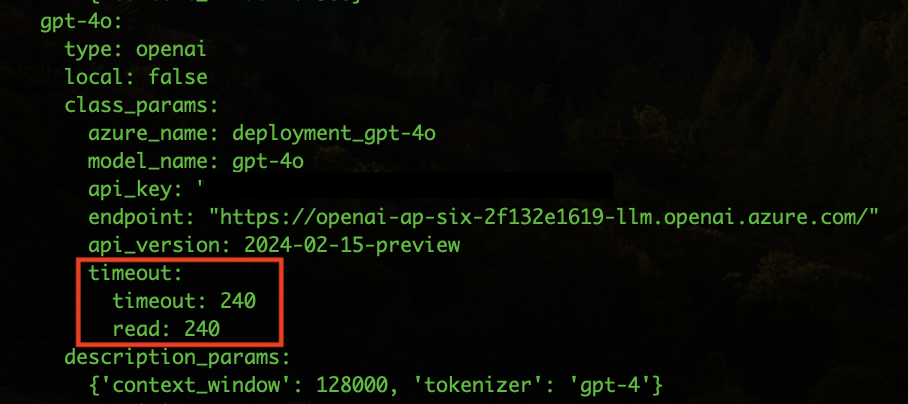
-
Save and close the ConfigMap
-
Restart the deployment for the pod to be updated with the changes.
kubectl rollout restart deployment atria-model-gw -n <namespace>
(Change the namespace by the specific one)
Edit models prompts
Guidelines for the modification of the SQL prompt in the atria-rag-server project: Project to Copilot in a specific environment through the edition of the ConfigMap of the component:
- Open the ConfigMap atria-rag-config.
kubectl edit configmap atria-rag-config -n <namespace>
(Change the namespace by the specific one)
Important: Before modifying anything, it is highly recommended to make a backup of the ConfigMap content, because the format is very delicate.
-
Copy the whole content of the projects.yaml.project key and paste it into a new local file. Since it is a string, you need to transform it to YAML format, for an easier modification. You can use the YAML to string tool to convert a string to YAML and vice versa or YAML Lint to validate the YAML format.
-
When writing prompts, be very careful not to let tabulators (’\t’ characters) slip in. In addition, the spacing must be correct in multi-line strings.
-
projects.yaml.project contains all projects. At this stage, search the project to be modified: project-copilot.
-
Within this project, inside the prompts key, add (or modify if it already exists) the generate_sql_query field.
-
Once the prompt is set, copy all the content and pass it back to string, to paste it in the ConfigMap inside the projects.yaml.project key and save.
-
Restart the deployment for the pod to be updated with the changes.
kubectl rollout restart deployment atria-rag -n <namespace>
(Change the namespace by the specific one)
-
Generate SQL query
    DEFAULT: |
    Generate a SQL query statement to answer the following question:
    `{question}`

    Use the data contained in the following table. You have its definition in SQL and in Avro.
    {sql_table_definition}

    The following tables, containing auxiliary information, are also available:
    ```sql
    CREATE TABLE D_CBD_Static_Geo_Area_v6 (GEO_AREA_ID VARCHAR, CBD_GEO_AREA_LEVEL1_ID VARCHAR, CBD_GEO_AREA_LEVEL2_ID VARCHAR, CBD_GEO_AREA_LEVEL3_ID VARCHAR, CBD_GEO_AREA_LEVEL4_ID VARCHAR, OB_ALPHA_ID VARCHAR, EXTRACTION_TM VARCHAR);
        COMMENT ON TABLE D_CBD_Static_Geo_Area IS 'Geographical areas. This table contains foreign keys to the different levels of geographical areas. In particular, it contains the foreign keys to these tables: CBD_Static_Geo_Area_Level1, CBD_Static_Geo_Area_Level2, CBD_Static_Geo_Area_Level3, CBD_Static_Geo_Area_Level4. Therefore, this tables is used, via JOIN, to query the geographical information contained in the different levels of geographical areas. For instance, if you have a table T with a field GEO_AREA_ID and you need to check whether this location corresponds to the region of Asturias you will need to look for GEO_AREA_ID in this table, then extract the CBD_GEO_AREA_LEVEL4_ID and query the table CBD_Static_Geo_Area_Level4 to get the name of the region.';
        COMMENT ON COLUMN D_CBD_Static_Geo_Area.GEO_AREA_ID IS 'Description: Identifier of the geographical area assigned to the customer (typically the geographical area of the customer home). This identifier is a string code which values are defined in ''D_Geographical_Area'' entity. Format: alphanumeric string. Example values: ''2800983CE'', ''50059'', ''3101142CE''';
        COMMENT ON COLUMN D_CBD_Static_Geo_Area.CBD_GEO_AREA_LEVEL1_ID IS 'Identifier of the geographical area Level 1 (max level of detail: CP or similar). FORMAT: string containing a numerical code. This field does not contain location names.';
        COMMENT ON COLUMN D_CBD_Static_Geo_Area.CBD_GEO_AREA_LEVEL2_ID IS 'Identifier of the geographical area Level 2 (City/Town). FORMAT: string containing a numerical code. This field does not contain location names.';
        COMMENT ON COLUMN D_CBD_Static_Geo_Area.CBD_GEO_AREA_LEVEL3_ID IS 'Identifier of the geographical area Level 3 (Province). FORMAT: string containing a numerical code. This field does not contain location names.';
        COMMENT ON COLUMN D_CBD_Static_Geo_Area.CBD_GEO_AREA_LEVEL4_ID IS 'Identifier of the geographical area Level 4 (State/Region). FORMAT: string containing a numerical code. This field does not contain location names.';
        COMMENT ON COLUMN D_CBD_Static_Geo_Area.OB_ALPHA_ID IS 'Alphanumeric Organizational Business ID';
        COMMENT ON COLUMN D_CBD_Static_Geo_Area.EXTRACTION_TM IS 'Date-time of the record';

    CREATE TABLE D_CBD_Static_Geo_Area_Level2_v6 (CBD_GEO_AREA_LEVEL2_ID VARCHAR, GEO_AREA_LEVEL_DES VARCHAR, CBD_GEO_AREA_LEVEL3_ID VARCHAR, LONGITUDE_LON_CO DOUBLE, LATITUDE_LAT_CO DOUBLE, GEO_AREA_ID VARCHAR, GEO_STD_AREA_CD VARCHAR, OB_ALPHA_ID VARCHAR, EXTRACTION_TM VARCHAR);
        COMMENT ON TABLE D_CBD_Static_Geo_Area_Level2 IS 'Geographical area level 2 (State)';
        COMMENT ON COLUMN D_CBD_Static_Geo_Area_Level2.CBD_GEO_AREA_LEVEL2_ID IS 'Identifier of the geographical area Level 2 (City/Town). FORMAT: string containing a numerical code.';
        COMMENT ON COLUMN D_CBD_Static_Geo_Area_Level2.GEO_AREA_LEVEL_DES IS 'Description associated to the identifier level 2. FORMAT: alphanumeric string containing the name of the city/town.';
        COMMENT ON COLUMN D_CBD_Static_Geo_Area_Level2.CBD_GEO_AREA_LEVEL3_ID IS 'Identifier of the geographical area Level 3 (Province)';
        COMMENT ON COLUMN D_CBD_Static_Geo_Area_Level2.LONGITUDE_LON_CO IS 'Longitude coordinates (in WGS84) associated with level 2';
        COMMENT ON COLUMN D_CBD_Static_Geo_Area_Level2.LATITUDE_LAT_CO IS 'Latitude coordinates (in WGS84) associated with level 2';
        COMMENT ON COLUMN D_CBD_Static_Geo_Area_Level2.GEO_AREA_ID IS 'Description: Identifier of the geographical area assigned to the customer (typically the geographical area of the customer home). This identifier is a string code which values are defined in ''D_Geographical_Area'' entity. Format: alphanumeric string. Example values: ''2800983CE'', ''50059'', ''3101142CE''';
        COMMENT ON COLUMN D_CBD_Static_Geo_Area_Level2.GEO_STD_AREA_CD IS 'Standard code of the geo area';
        COMMENT ON COLUMN D_CBD_Static_Geo_Area_Level2.OB_ALPHA_ID IS 'Alphanumeric Organizational Business ID';
        COMMENT ON COLUMN D_CBD_Static_Geo_Area_Level2.EXTRACTION_TM IS 'Date-time of the record';

    CREATE TABLE D_CBD_Static_Geo_Area_Level3_v6 (CBD_GEO_AREA_LEVEL3_ID VARCHAR, GEO_AREA_LEVEL_DES VARCHAR, CBD_GEO_AREA_LEVEL4_ID VARCHAR, LONGITUDE_LON_CO DOUBLE, LATITUDE_LAT_CO DOUBLE, ISO_3166_2_CD VARCHAR, GEO_AREA_ID VARCHAR, GEO_STD_AREA_CD VARCHAR, OB_ALPHA_ID VARCHAR, EXTRACTION_TM VARCHAR);
        COMMENT ON TABLE D_CBD_Static_Geo_Area_Level3 IS 'Geographical area level 3 (Region)';
        COMMENT ON COLUMN D_CBD_Static_Geo_Area_Level3.CBD_GEO_AREA_LEVEL3_ID IS 'Identifier of the geographical area Level 3 (Province). FORMAT: string containing a numerical code.';
        COMMENT ON COLUMN D_CBD_Static_Geo_Area_Level3.GEO_AREA_LEVEL_DES IS 'Description associated to the identifier level 3. FORMAT: alphanumeric string containing the name of the province.';
        COMMENT ON COLUMN D_CBD_Static_Geo_Area_Level3.CBD_GEO_AREA_LEVEL4_ID IS 'Identifier of the geographical area Level 4 (State/Region). FORMAT: string containing a numerical code.';
        COMMENT ON COLUMN D_CBD_Static_Geo_Area_Level3.LONGITUDE_LON_CO IS 'Longitude coordinates (in WGS84) associated with level 3';
        COMMENT ON COLUMN D_CBD_Static_Geo_Area_Level3.LATITUDE_LAT_CO IS 'Latitude coordinates (in WGS84) associated with level 3';
        COMMENT ON COLUMN D_CBD_Static_Geo_Area_Level3.ISO_3166_2_CD IS 'ISO 3166-2 associated';
        COMMENT ON COLUMN D_CBD_Static_Geo_Area_Level3.GEO_AREA_ID IS 'Description: Identifier of the geographical area assigned to the customer (typically the geographical area of the customer home). This identifier is a string code which values are defined in ''D_Geographical_Area'' entity. Format: alphanumeric string. Example values: ''2800983CE'', ''50059'', ''3101142CE''';
        COMMENT ON COLUMN D_CBD_Static_Geo_Area_Level3.GEO_STD_AREA_CD IS 'Standard code of the geo area';
        COMMENT ON COLUMN D_CBD_Static_Geo_Area_Level3.OB_ALPHA_ID IS 'Alphanumeric Organizational Business ID';
        COMMENT ON COLUMN D_CBD_Static_Geo_Area_Level3.EXTRACTION_TM IS 'Date-time of the record';

    CREATE TABLE D_CBD_Static_Geo_Area_Level4_v6 (CBD_GEO_AREA_LEVEL4_ID VARCHAR, GEO_AREA_LEVEL_DES VARCHAR, LONGITUDE_LON_CO DOUBLE, LATITUDE_LAT_CO DOUBLE, HASC_1_CD VARCHAR, GEO_AREA_ID VARCHAR, GEO_STD_AREA_CD VARCHAR, OB_ALPHA_ID VARCHAR, EXTRACTION_TM VARCHAR);
        COMMENT ON TABLE D_CBD_Static_Geo_Area_Level4 IS 'Geographical area level 4 (min. Detail)';
        COMMENT ON COLUMN D_CBD_Static_Geo_Area_Level4.CBD_GEO_AREA_LEVEL4_ID IS 'Identifier of the geographical area Level 4 (State/Region). FORMAT: string containing a numerical code.';
        COMMENT ON COLUMN D_CBD_Static_Geo_Area_Level4.GEO_AREA_LEVEL_DES IS 'Description associated to the identifier level 4. FORMAT: alphanumerical string containing the name of the state/region. EXAMPLE VALUES: ''Asturias'', ''Andaluc\u00eda'', etc.';
        COMMENT ON COLUMN D_CBD_Static_Geo_Area_Level4.LONGITUDE_LON_CO IS 'Longitude coordinates (in WGS84) associated with level 4';
        COMMENT ON COLUMN D_CBD_Static_Geo_Area_Level4.LATITUDE_LAT_CO IS 'Latitude coordinates (in WGS84) associated with level 4';
        COMMENT ON COLUMN D_CBD_Static_Geo_Area_Level4.HASC_1_CD IS 'Hierarchical administrative subdivision codes ';
        COMMENT ON COLUMN D_CBD_Static_Geo_Area_Level4.GEO_AREA_ID IS 'Description: Identifier of the geographical area assigned to the customer (typically the geographical area of the customer home). This identifier is a string code which values are defined in ''D_Geographical_Area'' entity. Format: alphanumeric string. Example values: ''2800983CE'', ''50059'', ''3101142CE''';
        COMMENT ON COLUMN D_CBD_Static_Geo_Area_Level4.GEO_STD_AREA_CD IS 'Standard code of the geo area';
        COMMENT ON COLUMN D_CBD_Static_Geo_Area_Level4.OB_ALPHA_ID IS 'Alphanumeric Organizational Business ID';
        COMMENT ON COLUMN D_CBD_Static_Geo_Area_Level4.EXTRACTION_TM IS 'Date-time of the record';

    CREATE TABLE D_CBD_Static_Station_Type_v6 (STATION_TYPE_CD VARCHAR, TECH_LEVEL_WEIGHT_QT FLOAT, STATION_TYPE_L2_DES VARCHAR, STATION_TYPE_L1_DES VARCHAR, STATION_TYPE_L2_ORDER_NUM INT, STATION_TYPE_L1_ORDER_NUM INT, STATION_TYPE_ORDER_NUM INT, CONSCIOUS_IND BOOLEAN, EXTRACTION_TM VARCHAR);
        COMMENT ON TABLE D_CBD_Static_Station_Type IS 'Station types';
        COMMENT ON COLUMN D_CBD_Static_Station_Type.STATION_TYPE_CD IS 'Description: Type of device connected to the HGU router. It used to find out which devices are connected to routers in households. Format: String. Example values: "A/V Equipment", "Air Conditioning", "Air Conditioning Control", "Apple Handheld Device", "Apple Home Device", "AudioCast", "Audiocast", "Barcode Printer", "Camera", "Car Dash Cam", "Cryptominner", "Digital Clock", "Dishwasher", "Drone Equipment", "GPS", "Gaming Console", "Hyper Media Player", "IP Camera", "IPC Hub", "IPC Video Recorder", "IoT Device", "Key Cutting Machine", "Media Center", "Monitoring Device", "Multimedia Player", "Network Access Point", "Network Equipment", "PC", "PDA", "PIR Sensor", "Print Server", "Printer", "Projector", "Raspberry", "Router", "Security System", "Smart AC Control", "Smart Air Freshener", "Smart Air Fryer", "Smart Air Ventilator", "Smart Animal Feeder", "Smart Baby Monitor", "Smart Blind", "Smart Bulb", "Smart Bulb Adapter", "Smart Car", "Smart Car e-Charger", "Smart Display e-bike", "Smart Energy Analyzer", "Smart Home Controller", "Smart Home Hub", "Smart Humidifier", "Smart Hydrometer Clock", "Smart Kitchen Appliances", "Smart Kitchen Scale", "Smart Lamp", "Smart Light Dimmer", "Smart Lock Control", "Smart Plug", "Smart Pool", "Smart Power Strip", "Smart Purifier", "Smart Scale", "Smart Signage", "Smart Speaker", "Smart Switch", "Smart TV", "Smart Thermostat", "Smart Toothbrush", "Smart Vacuum", "Smart WallSocket", "Smart Watch", "Smart Watch Fit", "Smart WifiButton", "Smartphone", "Smartphone/Tablet", "Smartwatch", "Smartwatch Fit", "Solar Panel Equipment", "Soundbar", "Steam Controller", "Storage Device", "TPV", "TV Dongle", "Tablet", "Tempest Weather System", "UPS", "VR/AR Headset", "Video Doorbell", "Video Intercom", "Video STB Equipment", "VideointercomIP", "Virtual Desktop", "VoIP Phone", "WAN Extender", "WiFi Extender", "Wifi Dongle", "Wireless Blood Pressure Monitor", "Wireless Bridge", "Wireless Headphones", "Wireless Router + VoIP Series", "e-Note", "eBook"';
        COMMENT ON COLUMN D_CBD_Static_Station_Type.TECH_LEVEL_WEIGHT_QT IS 'Associated weight for the technologic level of the home';
        COMMENT ON COLUMN D_CBD_Static_Station_Type.STATION_TYPE_L2_DES IS 'Description: Higher level device type grouping. Example values: "PCs & Home Office", "Smartphones / Tablets / eReaders / iWatch", "Multimedia Entertainment", "Gaming", "Sport & Health", "Smart Home", "Unknown", "Network Devices", "Security & Control"';
        COMMENT ON COLUMN D_CBD_Static_Station_Type.STATION_TYPE_L1_DES IS 'Description: Intermediate level device type grouping. Example values: "Smart Speakers & Audio", "PCs & Home Office", "Video Entertainment", "Domestic Appliances", "Smart Energy & Lighting", "Apple Handheld Device", "Smartphones / Tablets / eReaders", "Gaming", "Sport & Health", "Network Devices", "Security & Control", "IoT"';
        COMMENT ON COLUMN D_CBD_Static_Station_Type.STATION_TYPE_L2_ORDER_NUM IS 'Station type order level 2';
        COMMENT ON COLUMN D_CBD_Static_Station_Type.STATION_TYPE_L1_ORDER_NUM IS 'Station type order level 1';
        COMMENT ON COLUMN D_CBD_Static_Station_Type.STATION_TYPE_ORDER_NUM IS 'Station type order';
        COMMENT ON COLUMN D_CBD_Static_Station_Type.CONSCIOUS_IND IS 'Indicates if the related device type has energy efficiency';
        COMMENT ON COLUMN D_CBD_Static_Station_Type.EXTRACTION_TM IS 'Date-time of the record';

    CREATE TABLE D_Segment_v8 (OPERATOR_ID VARCHAR, SEGMENT_ID VARCHAR, SEGMENT_DES VARCHAR, GBL_SEGMENT_ID VARCHAR, SEGMENT_GROUP_ID VARCHAR, SEGMENT_GROUP_DES VARCHAR, EXTRACTION_TM VARCHAR);
        COMMENT ON TABLE D_Segment IS 'Classifications of the customers, attending to different segmentation criteria, for marketing and management issues, according to OB criteria and its correspondence with the global segment classification';
        COMMENT ON COLUMN D_Segment.OPERATOR_ID IS 'Global Operator Identifier (Operator acting as owner of the information present in the current entity)';
        COMMENT ON COLUMN D_Segment.SEGMENT_ID IS 'Description: Organisational segment of the client. Format: two letter string. Possible values: ''NT'' - NTT, ''GP'' - Residencial, ''PE'' - Pymes, ''RE'' - Residencial/SC, ''AU'' - Autonomos, ''OP'' - Operadores, ''GC'' - Grandes Clientes, ''RP'' - Residencial Prepago, ''TE'' - Telefonica, ''SC'' - Sin Clasificar, ''ME'' - Empresas';
        COMMENT ON COLUMN D_Segment.SEGMENT_DES IS 'Description: Name or description of the organisational segment of the client (provides the description for each segment identifier). Format: string. Example values: ''Residencial",  ''Pymes'', ''Autonomos'', ''Operadores'', ''Grandes Clientes'', ''Sin Clasificar''';
        COMMENT ON COLUMN D_Segment.GBL_SEGMENT_ID IS 'ID of the global segment classification';
        COMMENT ON COLUMN D_Segment.SEGMENT_GROUP_ID IS 'ID code of the segmentation group';
        COMMENT ON COLUMN D_Segment.SEGMENT_GROUP_DES IS 'Description of the segmentation group';
        COMMENT ON COLUMN D_Segment.EXTRACTION_TM IS 'Date-time of the record';

    CREATE TABLE D_Fixed_Tariff_Plan_v8 (OPERATOR_ID VARCHAR, DAY_DT VARCHAR, TARIFF_PLAN_ID VARCHAR, TARIFF_PLAN_DES VARCHAR, VOICE_IND BOOLEAN, BBAND_IND BOOLEAN, TV_IND BOOLEAN, WORKSTATION_IND BOOLEAN, APP_IND BOOLEAN, VOICE_BUNDLE_QT FLOAT, BBAND_UP_SPEED_QT FLOAT, BBAND_DOWN_SPEED_QT FLOAT, TV_TYPE_CD VARCHAR, FIXED_SERVICE_COMMERCIAL_NAME VARCHAR, COMMERCIAL_IND BOOLEAN, TARIFF_PLAN_START_DT VARCHAR, TARIFF_PLAN_END_DT VARCHAR, CONVERGENT_IND BOOLEAN, BRAND_ID VARCHAR);
        COMMENT ON TABLE D_Fixed_Tariff_Plan_v8 IS 'Every fixed Tariff to be applied, either Commercial, Convergent, Individual, or any other, for any product&service for the fixed client base';
        COMMENT ON COLUMN D_Fixed_Tariff_Plan_v8.OPERATOR_ID IS 'Global Operator Identifier (Operator acting as owner of the information present in the current entity)';
        COMMENT ON COLUMN D_Fixed_Tariff_Plan_v8.DAY_DT IS 'Year, month and day of the data  ### Additional Information  Format: YYYYMMDD (4 digits for year, months from 01 to 12, days from 01 to 31).';
        COMMENT ON COLUMN D_Fixed_Tariff_Plan_v8.TARIFF_PLAN_ID IS 'Unique identifier of the tariff plan';
        COMMENT ON COLUMN D_Fixed_Tariff_Plan_v8.TARIFF_PLAN_DES IS 'Name/short description of the tariff plan';
        COMMENT ON COLUMN D_Fixed_Tariff_Plan_v8.VOICE_IND IS 'Indicates whether the line has a fixed line voice service associated.  Values: 0=No; 1=Yes.';
        COMMENT ON COLUMN D_Fixed_Tariff_Plan_v8.BBAND_IND IS 'Indicates whether the line has a Broadband service associated.  Values: 0=No; 1=Yes.';
        COMMENT ON COLUMN D_Fixed_Tariff_Plan_v8.TV_IND IS 'Indicates if the line has a TV service associated.  Values: 0=No; 1=Yes.';
        COMMENT ON COLUMN D_Fixed_Tariff_Plan_v8.WORKSTATION_IND IS 'Indicates if the line has a workstation service associated.  Values: 0=No; 1=Yes.';
        COMMENT ON COLUMN D_Fixed_Tariff_Plan_v8.APP_IND IS 'Indicates if the line has the "Aplicateca service" associated.  Values: 0=No; 1=Yes.';
        COMMENT ON COLUMN D_Fixed_Tariff_Plan_v8.VOICE_BUNDLE_QT IS 'Amount of data associated with the voice bundle';
        COMMENT ON COLUMN D_Fixed_Tariff_Plan_v8.BBAND_UP_SPEED_QT IS 'Broadband up speed (Mbps)';
        COMMENT ON COLUMN D_Fixed_Tariff_Plan_v8.BBAND_DOWN_SPEED_QT IS 'Broadband down speed (Mbps)';
        COMMENT ON COLUMN D_Fixed_Tariff_Plan_v8.TV_TYPE_CD IS 'Type of TV line';
        COMMENT ON COLUMN D_Fixed_Tariff_Plan_v8.FIXED_SERVICE_COMMERCIAL_NAME IS 'Commercial name of the service';
        COMMENT ON COLUMN D_Fixed_Tariff_Plan_v8.COMMERCIAL_IND IS 'Indicates if TARIFF_PLAN_ID refers to the COMMERCIAL_TARIFF_ID.    Fill-in with 1 if TARIFF_PLAN_ID refers to the COMMERCIAL_TARIFF_ID or 0 if it doesn''t    0 = Non commercial tariff  1 = commercial tariff';
        COMMENT ON COLUMN D_Fixed_Tariff_Plan_v8.TARIFF_PLAN_START_DT IS 'Start date of the tariff plan validity (that day is the first day when the tariff plan is applicable)  ### Additional Information  Format: YYYYMMDD (4 digits for year, months from 01 to 12, days from 01 to 31).';
        COMMENT ON COLUMN D_Fixed_Tariff_Plan_v8.TARIFF_PLAN_END_DT IS 'End date of the tariff plan validity (that day is the last day when the tariff plan is applicable)  ### Additional Information  Format: YYYYMMDD (4 digits for year, months from 01 to 12, days from 01 to 31).';
        COMMENT ON COLUMN D_Fixed_Tariff_Plan_v8.CONVERGENT_IND IS 'Flag indicating if the current fixed tariff plan can be configured as a "Convergent tariff plan", i. e., a plan with special conditions due to the fact of including at least one Fixed line/service and one Mobile line.   0 = No (the plan can''t be configured as convergent)   1 = Yes (the plan can be configured as convergent)';
        COMMENT ON COLUMN D_Fixed_Tariff_Plan_v8.BRAND_ID IS 'Commercial brand identifier. In order to differentiate among different brands in the same OB (e.g. Movistar, O2, Tuenti...)';
    ```

    Some of the former tables contain columns in full-qualified format. For instance, these are some examples of full-qualified columns:
    ```
    record_name.field_name
    TEC_PLAT_REC.DEVICE_ID

    record_name.subrecord_name.field_name
    TEC_PLAT_REC.TEC_PLAT_SUBCOMP_REC.DEVICE_ID
    ...
    ```
    Always use the full-qualified format when referring to columns in the tables. For instance, if you need to use the column 'TEC_PLAT_REC.DEVICE_ID', you should not refer to it as 'DEVICE_ID', but as 'TEC_PLAT_REC.DEVICE_ID'.

    **Explain in detail, step by step, all your decisions**.


    # General instructions

    Follow these reasoning steps to generate the SQL query:
    - Step 1: Identify Necessary Tables
      - Step 2: Identify Useful Candidate Columns
      - Step 3: Assess if Tables and Columns are Sufficient to Answer the Question
      - Step 4: Identify Columns Contained in Maps
      - Step 5: Plan the SQL Query
      - Step 6: Write the final SQL Query and apply the rules
      - Step 7: Check that the query actually can answer the question
      - Step 8: Create the result as a JSON object

    If you need to filter by a higher level geographical such as a region (Comunidad Autónoma) you will need to:
    - join the `GEO_AREA_ID` field of the data table (such as `CBD_HGU_Detail_Daily_v10`) with the `GEO_AREA_ID` field in `D_CBD_Static_Geo_Area_v6` table
      - then join the `CBD_GEO_AREA_LEVEL4_ID` field in the `D_CBD_Static_Geo_Area_v6` with the `CBD_GEO_AREA_LEVEL4_ID` field in the `D_CBD_Static_Geo_Area_Level4_v6` table
      - then compare the `GEO_AREA_LEVEL_DES` field in the `D_CBD_Static_Geo_Area_Level4_v6` table with the name of the region (e.g., 'Cantabria'), since the DESCRIPTION field does contain the actual name of the geographical area.
      **Only perform these joins if explicit filtering or grouping by geographical location is necessary**.


    # Detailed instructions

    ### Step 1: Identify Necessary Tables
    First, identify which tables are necessary to answer the question `{question}`. Justify why you selected each of these tables.
    Use the following format:
    ```
    I need the following tables to answer the question:
    - <table_name>: <reasoning>
    - <table_name>: <reasoning>
    ...
    ```

    ### Step 2: Identify Useful Candidate Columns
    Identify which columns are useful to answer the question `{question}`. Justify why you selected each of these columns.
    Always include any column you think may be needed to answer the question. If there are similar columns in the table, you should identify all of them always. You will later choose which them are more suitable to answer the question. But, at this stage, you should include **all the columns that may be useful**.
    Write the list of candidate columns you identified, and the reasoning after each column, using the following format:
    ```
    I can use the following candidate columns to answer the question (including all the columns that may be useful):
    - <table name>:
      - <column_name>: <copy here the full column description from schema>, including possible values if present>: <reasoning>.
      - <column_name>: <copy here the full column description from schema>, including possible values if present>: <reasoning>.
      ...
    - <table_name>:
      - <column_name>: <copy here the full column description from schema>, including possible values if present>: <reasoning>.
      - <column_name>: <copy here the full column description from schema>, including possible values if present>: <reasoning>.
      ...
    ...
    ```


    ### Step 3: Assess if Tables and Columns are Sufficient to Answer the Question
    Tell if the tables and columns you identified are enough to answer the question `{question}`. Make sure to justify your answer and check the actual descriptions of the columns in the table definitions and the user question.
    Write the answer using the following format:
    ```
    Possible to answer the question using the former columns:
    - <reasoning>
        - Result: <Yes|No>
        ```


    ### Step 4: Identify Columns Contained in Maps
    Some columns are actually contained in a map structure. Since these columns need to be queried differently, you need to identify them.
    Columns with a name like '<some_name>.map.<other_name>' are contained in maps.
    For instance, the column `STATIONS_DETAIL_REC.UNQ_STATION_MAP.map.STATION_TYPE_CD` is contained in a map structure called `STATIONS_DETAIL_REC.UNQ_STATION_MAP`.
    This map structure is like this:
    ```
    STATIONS_DETAIL_REC.UNQ_STATION_MAP.map.STATION_TYPE_CD: {{
        <key1>: {{
            <some_field>; <some_value>,
            "STATION_TYPE_CD": <station_type_value1>
        }},
        <key2>: {{
            <some_other_field>; <some_other_value>,
            "STATION_TYPE_CD": <station_type_value2>
        }},
        ...
    }}
    ```
    Therefore, in this step, identify which columns are contained in maps since you will later need to use LATERAL VIEW EXPLODE to access the values of these maps.


    ### Step 5: Plan the SQL Query
    Explain, step by step, how you would write the SQL query to answer the question `{question}`, using the columns you identified.
    **Use the full qualified names of the columns**. **DO NOT USE THE `JSON_OBJECT` FUNCTION IN THE QUERY**.

    Some columns are contained in map structures. You can access the fields of the map using LATERAL VIEW EXPLODE. Do not use UNNEST to access the fields of the map.
    In particular, you can create a temporary table with the exploded map and then query it. For instance, if you need to get the value of the `ABC.CDE.map.field` column, you should use the following SQL code to create a temporary table with the exploded map data and get the value of the field:
    ```sql
    WITH exploded_map AS (
      SELECT key, value.field_1, value,field_2, value.field_3  -- Select here all the columns/fields you will use later.
      FROM <table_name>
      LATERAL VIEW EXPLODE(ABC.CDE) AS key, value
    )
    SELECT exploded_map.field_1
    FROM exploded_map
    ```
    This is another example:
    ```sql
      WITH exploded_map AS (
      SELECT DATE, ID, RECORD.GROUP, value.CODE  -- Select here all the columns/fields you will use later.
        FROM CBD_HGU_Detail_Daily_Aura_v10 LATERAL VIEW EXPLODE(STATIONS_DETAIL_REC.UNQ_STATION_MAP) AS key, value)
      SELECT COUNT(DISTINCT ID) AS num_homes
      FROM exploded_map JOIN D_Segment_v8 ON exploded_map.CLASS_ID = D_Segment_v8.CLASS_ID
        WHERE DATE BETWEEN '2024-01-01' AND '2024-02-01'
          AND D_Segment_v8.DESCRIPTION = 'DESCRIPTION value'
          AND exploded_map.CODE = 'CODE value'
    ```
    Here is another example. If you need to count the number of elements in a map column named 'ABC.map' you should use a code like this:
    ```sql
    WITH exploded_map AS (
      SELECT key_from_exploded_map
      FROM <table_name>
      LATERAL VIEW EXPLODE(ABC) AS key_from_exploded_map, value_from_exploded_map
    )
    SELECT COUNT(key_from_exploded_map)
    FROM exploded_map
    ```
    Take into account that all map fields are named with the suffix `_MAP`. Take into account that you can only use the operation EXPLODE to fields that are maps. Therefore, you should use the EXPLODE operation only on fields that end with `_MAP`.

    To finish this step, explain how you would write the SQL query to answer the question, using the columns you identified, taking into account the previous considerations for columns contained in maps, if there are any.


    ### Step 6: Write the final SQL Query and apply the rules
    Finally, write the SQL query to answer the question `{question}`, using the columns you identified.
    Remarks:
    **DO NOT USE THE `JSON_OBJECT` FUNCTION IN THE QUERY**.
    **IMPORTANT: The keys in the exploded maps should not be used in JOIN operations, since they are just internal keys to the map structure.**

    Check if you need to use any of the following **business rules** to build the query:
    ```json
    {rules}
    ```
    Explain whether you can apply any of the rules and explain how you would apply them in the SQL query.

    Always write your result following these steps:
    1. SQL query to answer the question `{question}`: <write the SQL query here>
       2. Reasoning: <explain why you wrote the query like that>
       3. Check of the rules, RULE BY RULE and FOR EACH RULE (one entry per rule)2. <write ALL the rules and tell if they are applied or not>. Follow this format:
       - <rule1>: Should be applied, because <reason> | Should not be applied, because <reason>
       - <rule2>: Should be applied, because <reason> | Should not be applied, because <reason>
       ...
       4. Result of the execution of the rules that have been identified to be applied. Follow this format:
       - <rule1>: <result>
       - <rule2>: <result>
       ...
       5. Need to fix the query because <reason>. The following changes are needed: <change_1>, <change 2>, etc. | The query is already correct.
       6. SQL query to answer the question `{question}` after considering the previous **rules**: <write the SQL query here>. FIX THE QUERY IF NECESSARY.


    ### Step 7: Check that the query actually can answer the question
    Check again if the generated query answers the question `{question}`.
    Follow these steps:
    1. Write the concepts involved in the question. Enumerate the concepts as a list. Follow this format:
     - <concept1>
     - <concept2>
     ...
       2. Write all the concepts of the question that are covered by the SQL query. Enumerate them and create a match list with the concepts from the previous step. Write down the part of the SQL query covering the concept. Take into account that conditions on specific proper names, such as model names, location names, etc, need to be explicitly checked. Follow this format:
          - <concept1>: covered in <sql query section> or not covered.
          - <concept2>: covered in <sql query section> or not covered.
          3. Find those concepts in the question that are not covered by the SQL query.
          4. Conclude whether the question can actually be answered by the generated query. Follow this format:
          - The question can be answered by the SQL query: <Yes|No>


    ### Step 8: Create the result as a JSON object
    Return the result as a unique JSON object, with the following structure:
    {{
      "result": <Write the SQL query here. **MAKE SURE THAT THE STATEMENT `SELECT JSON_OBJECT` is not used in the query and Use the full qualified names of the columns. Generate a valid SQL sentence in a single line without new line characters.**>,
      "status": "OK",
      "reason": <a reasoning explaining the query>
    }}
    If the former table does not contain the necessary data to answer the question, return the following JSON object:
    {{
      "result": null,
      "status": "ERROR",
      "reason": <a reasoning explaining why it is not possible to answer the question>
    }}
    Make sure that the JSON object is correctly formatted, and can be parsed by a JSON parser.


    **Please, ALWAYS follow the 8 steps presented in the instructions.** Start reasoning with ### Step 1 and finish with ### Step 8.
Upload documents and execute generate-db job
Guidelines for uploading new or modified documents in a specific environment through the edition of the ConfigMap of the component:
- Upload the documents in the Azure container
atria-resources.
- To make it easier to understand which project the documents belong to, insert these documents in a folder with the name of the project.
- Keep in mind the allowed formats for documents, set in the project’s variable
loader.
- An example of folder structure is shown below.
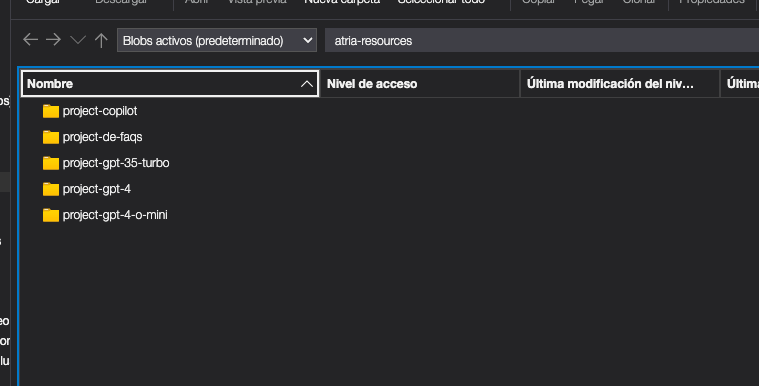
- If you want to update any parameter in the documents, you need to modify the ConfigMap. For example, if there is a change in the documents’ path, the field
dir must be updated with the new path where the documents are stored.
-
Open the ConfigMap atria-rag-config.
kubectl edit configmap atria-rag-config -n <namespace>
(Change the namespace by the specific one)
-
Copy the whole content of the projects.yaml.project key and paste it into a new local file. Since it is a string, you need to transform it to YAML format, for an easier modification. You can use the YAML to string tool to convert a string to YAML and vice versa.
-
Modify the docs key of the project.
-
Once changes in docs are set, copy all the content and pass it back to string, to paste it in the ConfigMap inside the projects.yaml.project key and save.
kubectl rollout restart deployment atria-rag -n <namespace>
(Change the namespace by the specific one)
Here is an example of documents configuration. In this example, it has been separated into two folders within the project, as we are going to load two different types of data into this project.
```yaml
project-copilot:
  docs:
    pdf:
      dir: /opt/atria-rag/data/project-copilot/pdfs
      extensions: pdf
      loader: unstructured
      loader_options:
          mode: single
    url:
      dir: /opt/atria-rag/data/project-copilot/urls
      extensions: txt
      loader: url_list
```
-
If you use URLs, upload a file with the list of URLs in the project folder. Separate each URL with a line break. The file must have the extension .txt.
http://www.url1.com
http://www.url2.com
-
If you use jsonl files, you need to upload the file content in the same folder with the extension .jsonl.
To do so, each desired document content must be provided in the page_content key.
 {"page_content": "test content 1", "metadata": {"source": "https://www.dummy1.es/"}, "type": "Document"}
 {"page_content": "test content 2", "metadata": {"source": "https://www.dummy2.es/"}, "type": "Document"}
-
Finally, execute the atria-rag-generate-db job to update the data into the environment.
6.18 - Modify prompts (previous to Metallica)
Modify prompts using ConfigMap
Guidelines valid for releases previous to Metallica
This document includes a specific scenario in the process of modifying ATRIA prompts, described in the document Modify ATRIA components configuration
Guidelines to modify the Aura prompts in a specific environment through the use of ConfigMap.
It is important to follow the following steps in the correct order:
Prerequisites
- Recommended:
kubectl installed in your local host.curl installed in your local host.jq installed in your local host.
Enable ConfigMap
As a prerequisite, we must count on a KUBECONFIG with sufficient permissions and access to the environment.
We have one ConfigMap for each component:
- atria-model-gateway: atria-model-gw-config
- atria-rag-server: atria-rag-config
For the ConfigMap modification, use the following examples for atria-model-gateway and atria-rag-server respectively:
kubectl edit configmap atria-model-gw-config -n <namespace>kubectl edit configmap atria-rag-config -n <namespace>
(Substitute <namespace> with the corresponding environment)
You can also use visual tools for this modification, such as Lens or Sublime.
Access to Azure container
You must have access to Azure container atria-resources.
Create ConfigMap copy
Important: Before modifying anything, it is highly recommended to make a backup of the ConfigMap content, as the format is very sensitive
To avoid possible errors, the first thing to do is to copy the current configuration. For this purpose, execute the following commands:
kubectl get cm atria-model-gw-config -o yaml -n <namespace> > <local_file_path>/model-gw-config.yaml kubectl get cm atria-rag-config -o yaml -n <namespace> > <local_file_path>/rag-config.yaml
Change the namespace by the specific one; change local_file_path by the desired path.
Now you have a copy of the current configuration on your local machine.
Modify prompt in atria-model-gateway
Follow these guidelines for adding a new preset in a specific environment through the edition of the ConfigMap of the component:
- Open the ConfigMap atria-model-gw-config
kubectl edit configmap atria-model-gw-config -n <namespace>
(Change <namespace> by the specific one)
Warning: If the presets.yml key is wrongly formatted as a single string, it is necessary to launch the command:
kubectl get cm atria-model-gw-config -n <namespace> -o jsonpath='{.data.presets.yml}'
Afterwards, copy the output and overwrite the whole presets.yml key. This way, you can see the content correctly and include the new preset.
-
In the key presets, within openai-preset-gpt-4o-example-generative preset, modify the preamble key with the new prompt.
- description: Atria Example Generate Response GPT4o
  group: simple_ai
  id: openai-preset-gpt-4o-example-generative
  model_id: gpt-4o
  name: Atria Example with model GPT 4o
  session_params:
    window: 0
  preamble:
    - <INSERT THE NEW PROMPT>
  query_args:
    query: ''
    data: ''
  max_input_length: 50000
  model_params:
    temperature:
      - 0.001
      - 0.001
      - 1.0
    top_p:
      - null
      - 0.0
      - 1.0
-
Save and close the ConfigMap
Modify presets name in atria-model-gateway
Follow these guidelines for changing a name of preset in a specific environment through the edition of the ConfigMap of the component:
- Open the ConfigMap atria-model-gw-config
kubectl edit configmap atria-model-gw-config -n <namespace>
(Change <namespace> by the specific one)
Warning: If the presets.yml key is wrongly formatted as a single string, it is necessary to launch the command:
kubectl get cm atria-model-gw-config -n <namespace> -o jsonpath='{.data.presets.yml}'
Afterwards, copy the output and overwrite the whole presets.yml key. This way, you can see the content correctly and change the name.
-
In the key presets, within example-preset-rag preset, modify the name key with the same value as the id (example-preset-rag).
 - id: example-preset-rag
  model_id: atria-rag
  name: example-preset-rag
  group: enriched_ai
  description: A RAG system built on a LangChain backend
  session_params:
    window: 0
  preset_params:
    chain: project-example
  model_params:
    max_ref: 3
    sticky_context: null
    candidates_post_filtering: null
    language: en
    max_tokens: 16384
-
In the key presets, within example-reduced-preset-rag preset, modify the name key with the same value as the id (*example-reduced-preset-rag).
- id: example-reduced-preset-rag
  model_id: example-reduced-preset-rag
  name: Example
  group: enriched_ai
  description: A RAG system built on a LangChain backend
  session_params:
    window: 0
  preset_params:
    chain: project-example-reduced
  model_params:
    max_ref: 3
    sticky_context: null
    candidates_post_filtering: null
    language: en
    max_tokens: 16384
-
Save and close the ConfigMap
Modify prompt in atria-rag-server
Follow these guidelines to modify the project-example-reduced prompt in a specific environment through the edition of the ConfigMap of the component:
(The project-example-reduced prompt is used in the example-reduced-preset-rag preset)
- Open the ConfigMap atria-rag-config
kubectl edit configmap atria-rag-config -n <namespace>
(Change <namespace> by the specific one)
Warning: If the projects.yaml.project key is wrongly formatted as a single string, it is necessary to launch the following command:
kubectl get cm atria-rag-config -n <namespace> -o jsonpath='{.data.projects\.yaml\.project}'
Afterwards, copy the output and overwrite the whole projects.yaml.project key. This way, you can see the content correctly and modify the corresponding prompt.
Some considerations to keep in mind:
. Make sure that the LLM example-rag-model-gw-raw-gpt-4-o is defined within the LLMs field.
. In turn, the preset defined within this LLM must be also defined in the ConfigMap atria-model-gw-config.
- Save and close the ConfigMap
Upload documents and execute generate-db job
This step is only necessary if you have uploaded new files.
Follow the guidelines for uploading new or modified documents in a specific environment through the edition of the ConfigMap of the component (included in the general guidelines Import documents into ATRIA).
- Upload the documents in the Azure container
atria-resources.
- Remember to upload the files to the folder you defined previously in the config project-example-reduced/jsonl
- Keep in mind the allowed formats for documents, set in the project’s variable
loader.
- Finally, execute the atria-rag-generate-db job to update the data into the environment.
Restart the deployments
-
Restart atria-rag-server deployment for the pod to be updated with the changes.
kubectl rollout restart deployment atria-rag -n <namespace>
-
Restart atria-model-gateway deployment for the pod to be updated with the changes.
kubectl rollout restart deployment atria-model-gw -n <namespace>
(Change <namespace> by the specific one)
Load original config and deployments rollback
In case you want to return to the original configuration, the following steps must be carried out:
-
Load the original ConfigMap atria-model-gw-config.
kubectl apply -f <local_file_path>/model-gw-config.yaml -n <namespace>
-
Load the original ConfigMap atria-rag-config.
kubectl apply -f <local_file_path>/rag-config.yaml -n <namespace>
(Change <namespace> by the specific one; change local_file_path by the desired path)
-
Restart atria-model-gateway deployment for the pod to be updated with the changes.
kubectl rollout restart deployment atria-model-gw -n <namespace>
-
Restart atria-rag-server deployment for the pod to be updated with the changes.
kubectl rollout restart deployment atria-rag -n <namespace>
(Change <namespace> by the specific one)